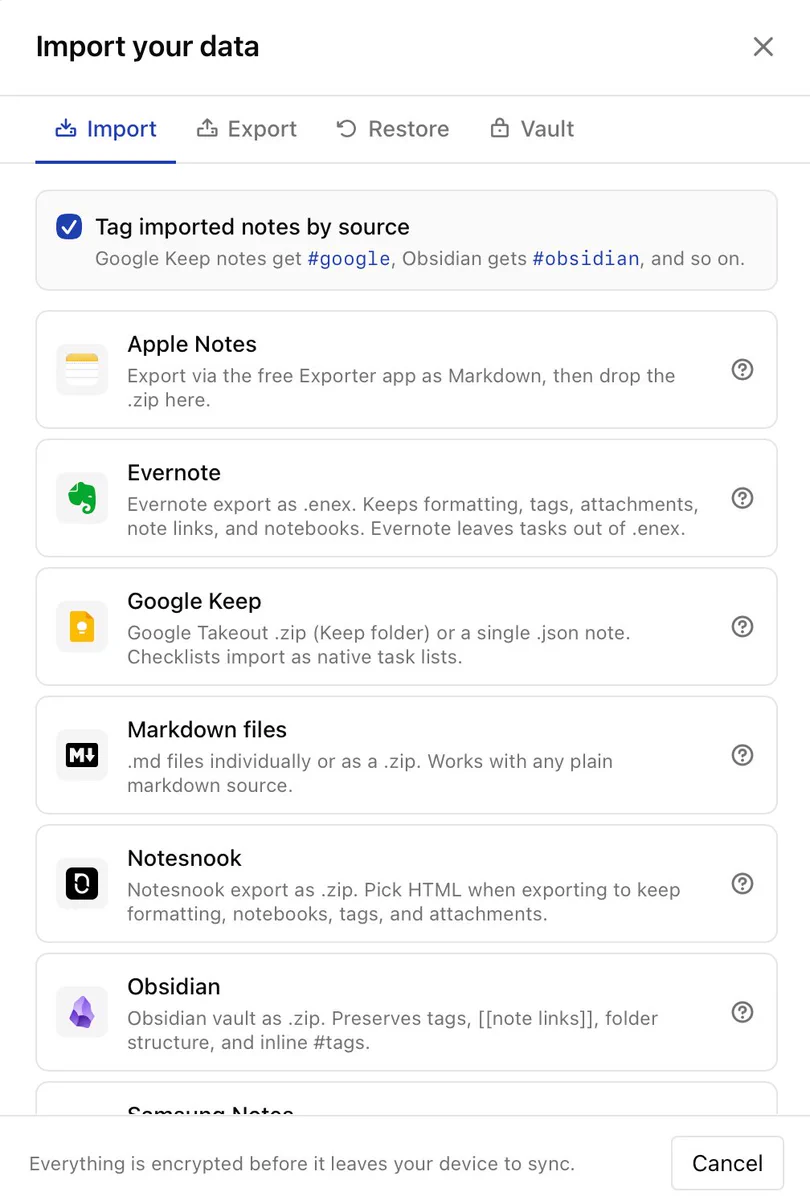
Evernote import is live in PrivacyNotes.
Drop in a .enex export: notebooks become folders, attachments, tables, checklists, formatting, and note links survive. Evernote Tasks don't (they're not in the export file). Guide: privacynotes.app/help/import/ev…
Reply with what broke or worked.
Zero-knowledge, end-to-end encrypted notes, tasks, journals, files, and passwords in one app. One-time price, no subscription.
- We're all ears: which importer or feature do you want next? We already import from Apple Notes, Google Keep, Obsidian, Notesnook, Standard Notes, Simplenote, Samsung Notes and Bitwarden. Coming from something else? Tell us which app, and any feature you'd want while you're at it.
- Big updates: PrivacyNotes is now available in 13 languages. ▶️ Demo: try.privacynotes.app (Even import works to test) ℹ️ Questions and import guides: privacynotes.app/help ⬇️ Windows, macOS, Linux and Android clients: privacynotes.app/en#downloads
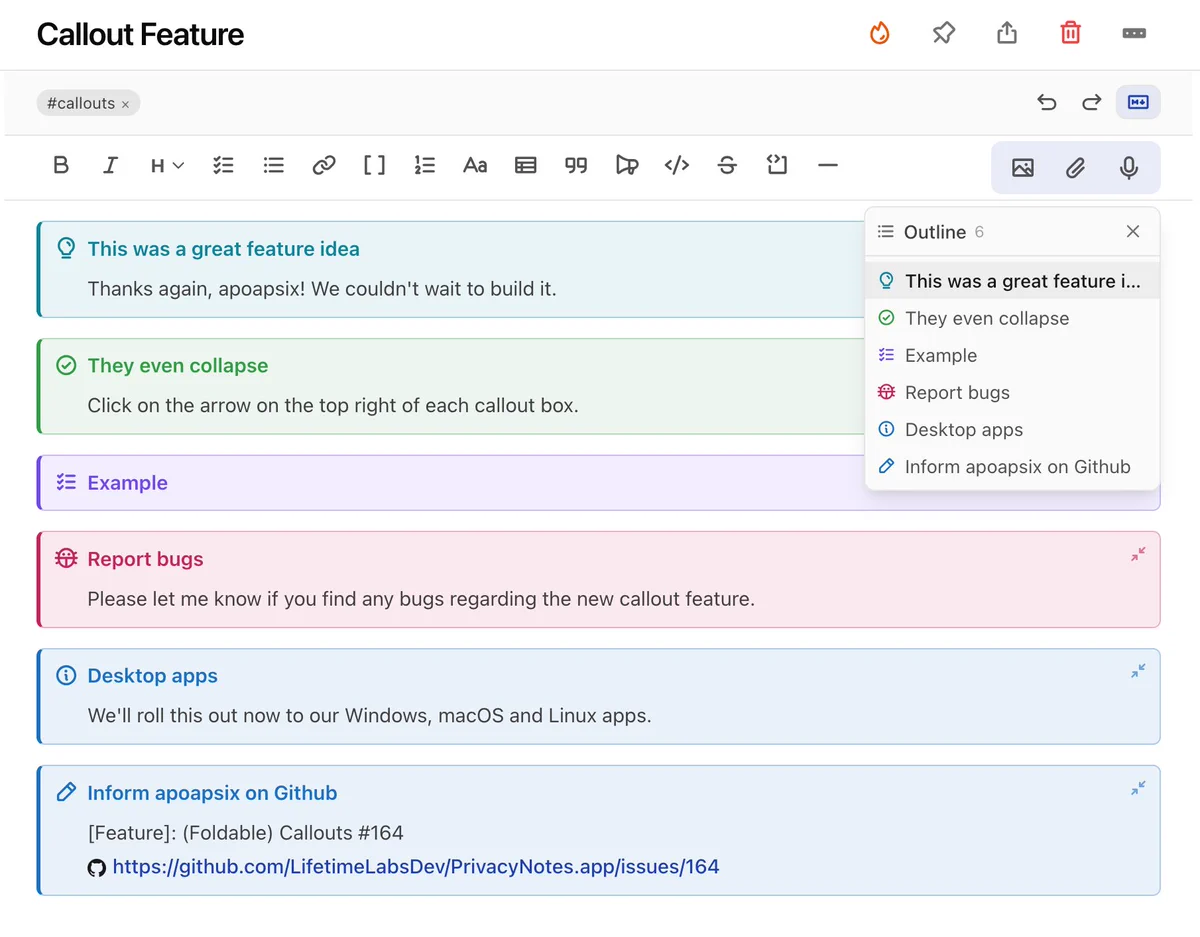
- New in PrivacyNotes: Callouts. Colored, foldable boxes to structure your notes: info, tip, warning, danger, and more. Same callout syntax as Obsidian, so notes carry over cleanly. End-to-end encrypted, pay once, no subscription. Try it without an account: try.privacynotes.app
- PrivacyNotes now speaks 6 languages: English, German, French, Italian, Spanish, and Portuguese -> try.privacynotes.app The machines did the first pass. Native speakers do it better. If a word reads wrong in your language, reply and we'll fix it fast.