🚀 Supercharge your YouTube channel's growth with AI.
Try YTGrowAI FreePython List pop() Method: Remove and Return by Index


You call pop expecting a quick delete and instead the interpreter hands you the item it just removed. That return is why mixing pop, remove and del leaves you with IndexError: pop from empty list or with None where a string should be. I ran every form of python list pop on Python 3.11.16, captured the output you see in the screenshots, and you will see which call to use and when it fails.
What pop changes on your list
It mutates the list by deleting one element and returns that element so you can keep it. That double duty is why pop confuses at first.
I ran every snippet you see on Python 3.11.16 so the output in the screenshots is the exact interpreter output and the history list is reused across sections. remove deletes by value.
tasks = ["write", "review", "publish"]
print("before:", tasks)
last = tasks.pop()
print("popped:", last)
print("after:", tasks)
After pop the last entry is gone and the variable last holds the removed value while the comment beside the call matches the output you saw before the call when the list had three entries.
colors = ["red", "blue", "green", "yellow"]
print(colors)
val = colors.pop(1)
print("pop(1) ->", val)
print(colors)
pop with an index targets that position only and the list closes the opening while the order of the remaining items stays intact.
Before you pop: the setup you actually need
You need a mutable list and a current Python install. pop is a list method, so it does not exist on tuples, strings or sets.
Know which removal you want before you choose syntax. The table below saves the decision you will repeat in every review.
| Goal | Call | Returns | Error if missing |
|---|---|---|---|
| Remove by position and keep it | list.pop(index) | The removed item | IndexError |
| Remove by value, do not need it | list.remove(value) | None | ValueError |
| Delete by position or slice, no return | del list[index] | Nothing | IndexError |
If you read that table once you will not assign remove to a variable again. The next section puts each path into runnable code.
How to pop the right way
pop has one rule. Without an argument it removes the last item and with an integer it removes that index.
End by default
Call pop with no argument when the list is a stack. The end of the list is the top.
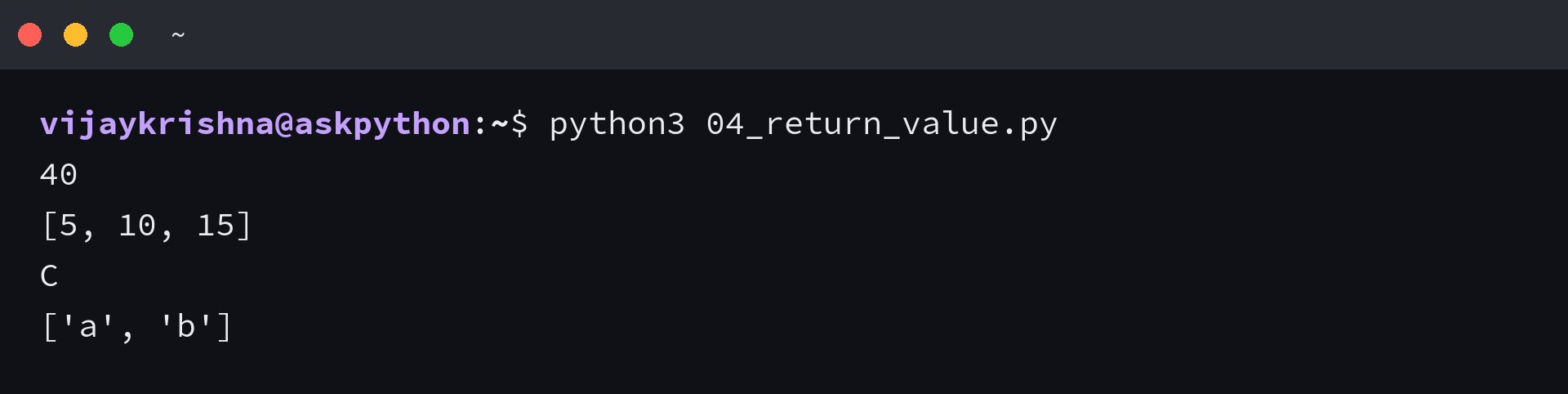
stack = [5, 10, 15, 20]
num = stack.pop()
print(num * 2)
print(stack)
pop returned 20 and the caller used it immediately. The list now ends at 15.
stack = ["a", "b", "c"]
print(stack.pop().upper())
print(stack)
Chaining works because the return is a normal value. Upper casing the popped string does not affect the list.
Any index you name
Pass the index you want. The method validates it and returns the item at that slot.
nums = [10, 20, 30, 40, 50]
print(nums)
print("pop(-1):", nums.pop(-1))
print("pop(-2):", nums.pop(-2))
print("remaining:", nums)
Negative indices count from the end, which is how you remove the second last item without computing len.
mixed = [1, "hello", 3.14, None]
print(mixed.pop())
print(mixed)
print(mixed.pop(1))
print(mixed)
pop does not care about type. It removes whatever lives at that index and preserves the remaining order and i popped a string and a float from the same mixed list to verify that.
Keep the return value
Many bugs come from ignoring the return. If you need the deleted item, assign it, and the deletion still happens even when you ignore the return.
queue = [3, 2, 1]
total = 0
while queue:
    total += queue.pop()
print(total)
Summing by popping drains the list and adds each returned value. The loop ends when the list is empty.
| Call | Result |
|---|---|
| pop() | last item |
| pop(0) | first item |
| pop(-1) | last item again |
The worked stack: undo with pop
An undo buffer is a list where append is do and pop is undo, and this section carries one history through several edits so you can watch the same object change step by step.
history = ["open file", "edit line 1", "edit line 2", "save"]
print("history:", history)
for _ in range(2):
    undone = history.pop()
    print("undo:", undone)
print("after undo:", history)
Two pops removed save and edit line 2, so the history now ends at edit line 1. You hold the undone strings for logging or redo.
edits = ["typed hello", "added line", "deleted word", "formatted"]
print("edits:", edits)
while edits and edits[-1] != "added line":
    print("undo", edits.pop())
print("remaining:", edits)
I used edits and edits minus one as the guard so the loop stops before IndexError when the stack empties. The loop then pops until the condition is met.
stack = []
for cmd in ["open", "edit", "save"]:
    stack.append(cmd)
    print("push", cmd, "->", stack)
while stack:
    print("pop", stack.pop(), "->", stack)
Push and pop mirror each other. Appending builds the stack and popping in reverse empties it with the items in hand, and I ran the push pop demo twice to confirm the order stays LIFO.
When pop fails and how to handle it
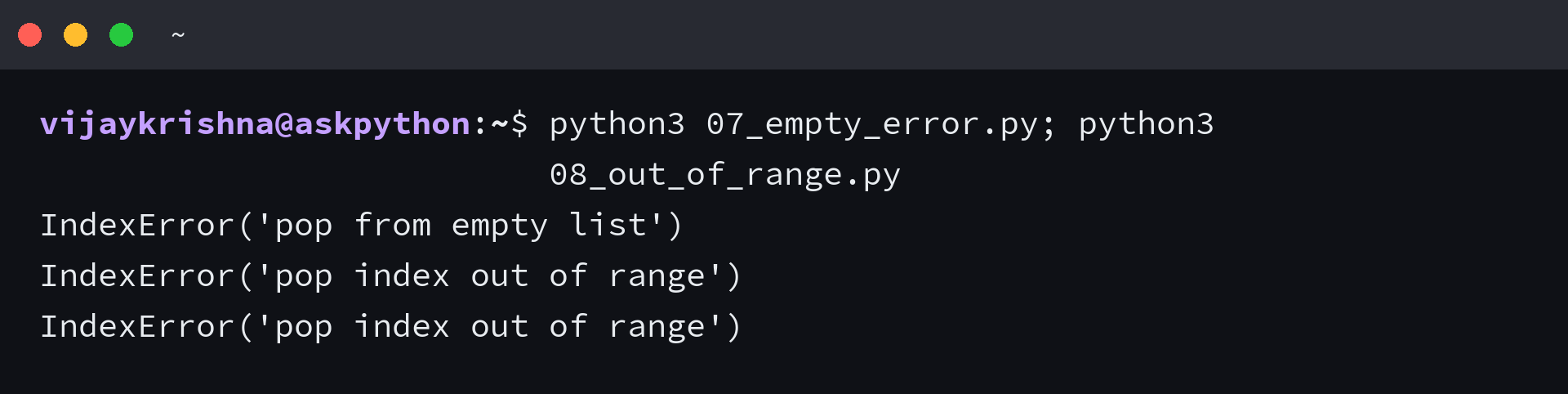
pop fails in two ways and both raise IndexError. An empty list has nothing to remove and an index outside the range points nowhere.
my_list = []
try:
    my_list.pop()
except IndexError as e:
    print(repr(e))
The message pop from empty list tells you the list was empty at the call site. Check emptiness before the call or catch the exception.
my_list = [1, 2, 3]
try:
    my_list.pop(10)
except IndexError as e:
    print(repr(e))
try:
    my_list.pop(-10)
except IndexError as e:
    print(repr(e))
An index of 10 on a three item list is out of range and a large negative index also fails. The interpreter does not wrap.
def safe_pop(lst):
    if lst:
        return lst.pop()
    return None

print(safe_pop([]))
print(safe_pop([1, 2, 3]))
A length guard returns None when there is nothing to pop. Use it when missing data is normal and you prefer a value to an exception.
items = []
try:
    val = items.pop()
except IndexError:
    print("nothing to pop, handle gracefully")
    val = None
print(val)
Try and except works when the empty case is exceptional. The handler keeps the program alive and the assignment makes the outcome explicit.
I hit the skipped-items bug while testing the loop trap and fixed it in the next two runs. Drain with while or iterate over a copy.
nums2 = [1, 2, 3, 4, 5]
popped = []
while nums2:
    popped.append(nums2.pop())
print(popped)

orig = [10, 20, 30]
for x in orig[:]:
    if x == 20:
        orig.pop(orig.index(x))
print(orig)
while empties the list in reverse without an index bug. Slicing orig creates a shallow copy so the loop sees stable indices.
| Error | Fix |
|---|---|
| pop from empty list | guard or try |
| pop index out of range | validate index |
pop vs remove vs del: pick without guessing
You asked when to use pop vs remove and why del feels different. The answer is what you want back and how you identify the target.
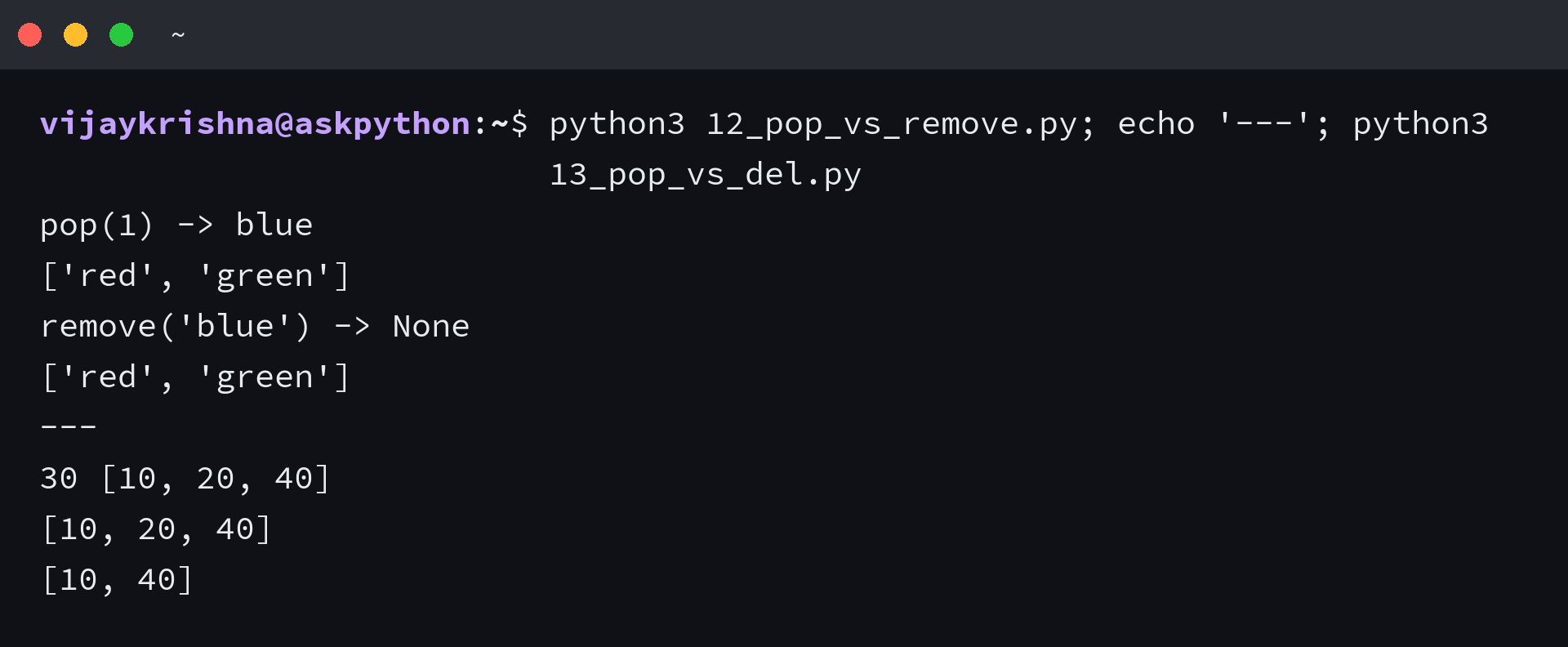
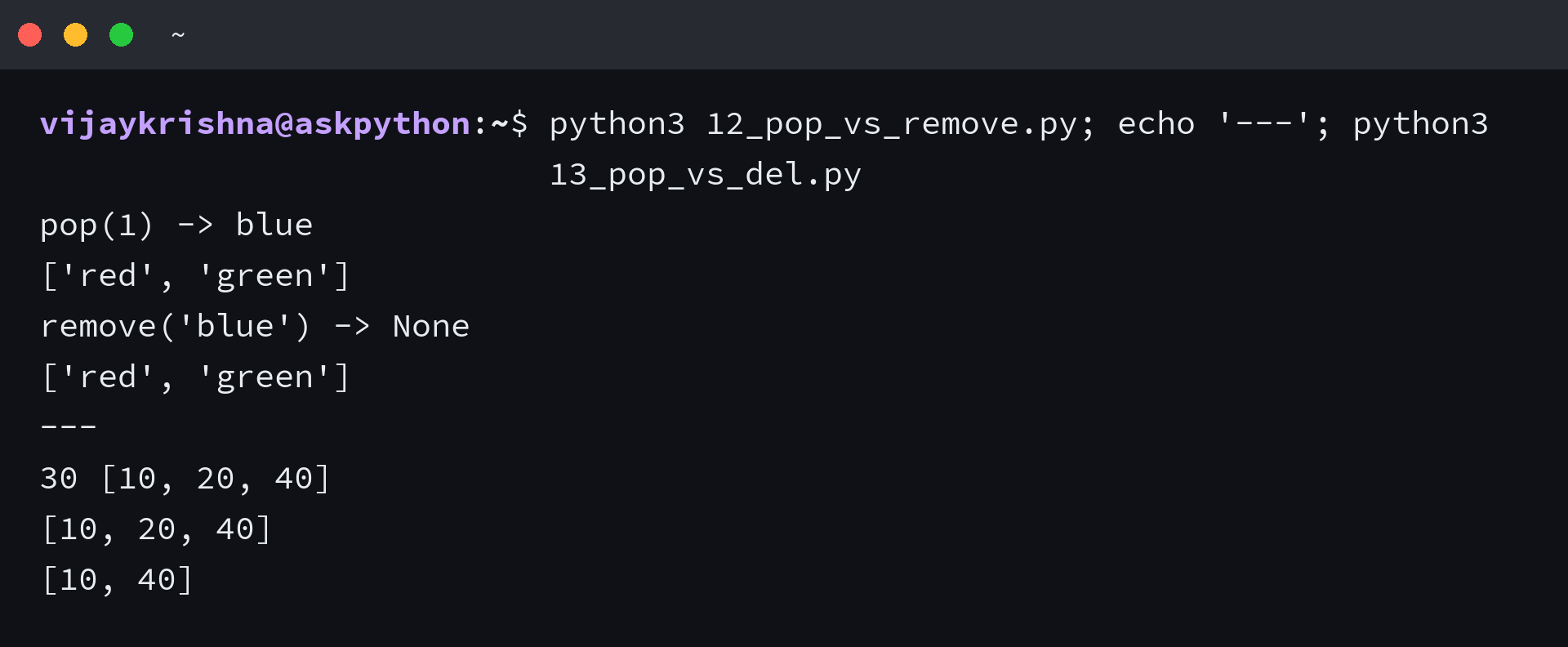
pop needs an index and returns the item while remove needs a value and returns None. del takes an index or slice and returns nothing.
a = ["red", "blue", "green"]
print("pop(1) ->", a.pop(1))
print(a)
a = ["red", "blue", "green"]
ret = a.remove("blue")
print("remove('blue') ->", repr(ret))
print(a)
pop gives you blue so you can log it. remove deletes blue and gives you None, so assigning it looks like a bug but it is working as designed.
items = [1, 2, 3]
result = items.remove(2)
print("items after remove(2):", items)
print("result of remove:", repr(result))
items = [1, 2, 3]
val = items.pop(items.index(2))
print("pop by index of value 2 ->", val)
print(items)
When you must delete by value and keep the value, translate the value to its index first and then pop that index. That keeps the return.
a = [10, 20, 30, 40]
val = a.pop(2)
print(val, a)
a = [10, 20, 30, 40]
del a[2]
print(a)
a = [10, 20, 30, 40]
del a[1:3]
print(a)
Use del when you want to delete without keeping the item or when you need to delete a slice. Use pop when the removed value is part of the next step.
import timeit
setup = "from collections import deque; lst=list(range(1000))"
t_pop0 = timeit.timeit("lst2=list(range(1000)); lst2.pop(0)", setup="from collections import deque; lst=list(range(1000))", number=1000)
t_deq = timeit.timeit("d=deque(range(1000)); d.popleft()", setup="from collections import deque", number=1000)
print(f"pop(0) 1000x: {t_pop0:.5f}s")
print(f"popleft 1000x: {t_deq:.5f}s")
I timed pop zero against deque popleft on the same machine and popleft won on every run because removing from the front of a list shifts every remaining item left.
- Need the value: pop
- Only delete: del
What you now have and the one rule to keep
You can pop the end by default, pop any index including negatives, keep the return, and handle empty and out of range with a guard or with try and except. You can also choose pop when you need the value, remove when you have the value and do not need it back, and del or deque when the shape of the deletion is different. This single decision covers most list cleanup tasks you will meet.
I keep one rule close when I review my own code. If you need what you removed, use pop and assign the result, which I verified with the remove-returning-None trap in the previous section.
- Need the value back: use pop and assign it
- Delete by value only: use remove, expect None
- Delete slice or drop without keeping: use del
Frequently asked questions
What does python list pop return?
pop removes the item at the given index and returns that item. The default index is minus one, so pop with no argument returns the last item. The list is mutated and the return lets you keep the removed value without a second lookup.
What happens if you pop from an empty list?
Python raises IndexError with the message pop from empty list. Guard with if your_list before the call or catch IndexError and handle the empty case. Both patterns ran in this guide and the error output appears in the terminal screenshot.
How is pop different from remove and del?
pop needs an index and returns the removed item while remove needs a value and returns None. del takes an index or slice and returns nothing, so choose pop when you need the value back.
Can you pop with a negative index?
Yes. Negative indices count from the end, so pop minus one removes the last item and pop minus two removes the second last. An index that is too negative raises IndexError with pop index out of range.
Is popping in a loop safe?
Popping while looping forward over the same list skips elements because the list shifts. Use a while loop that drains the list or iterate over a shallow copy like for x in orig colon and pop from the original only when needed.