

描述
Sortable Columns is the easiest way to take control of the WordPress admin list tables.
With just one click, you can sort posts and pages by Title, Author, Date, Categories, Tags, and Comments – no coding required.
By default, WordPress only lets you sort by a few columns. With this plugin, you can override those limits and fully customize your editorial workflow.
If you’re searching for “WordPress sortable columns”, “wp sort posts”, or “wp sort pages”, this plugin is for you.
How is Sortable Columns different from other plugins?
- Most plugins focus on reordering posts or pages with drag-and-drop. Sortable Columns is different: it lets you sort posts and pages by any admin column – instantly, with a single click.
- You get fast sorting by Author, Categories, Tags, Date, or Comments, right in the admin list view.
What you can make sortable
- Posts: Title, Date, Comments, Author, Categories, Tags
- Pages: Title, Date, Comments, Author
Key Features
- Make any admin column sortable: title, author, categories, tags, comments, date
- One-click sorting in the WordPress admin
- Restore to WP default sortable columns with a single button
- Lightweight, fast, and easy to use – no coding required
- Clean, modern settings page
- Future support for custom field (meta) sorting (Pro version coming soon)
License
GPLv2 or later
屏幕截图
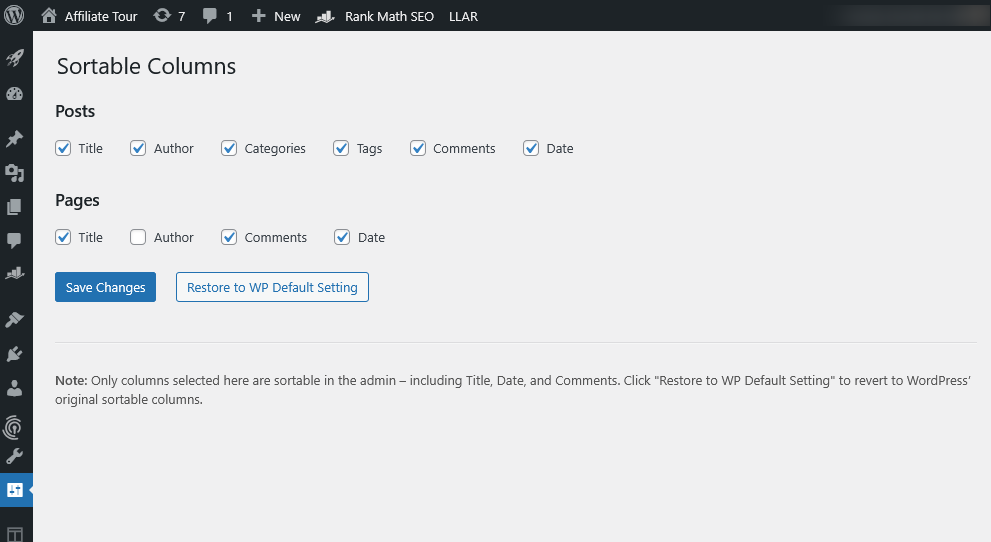
Settings page: Choose which admin columns to make sortable. 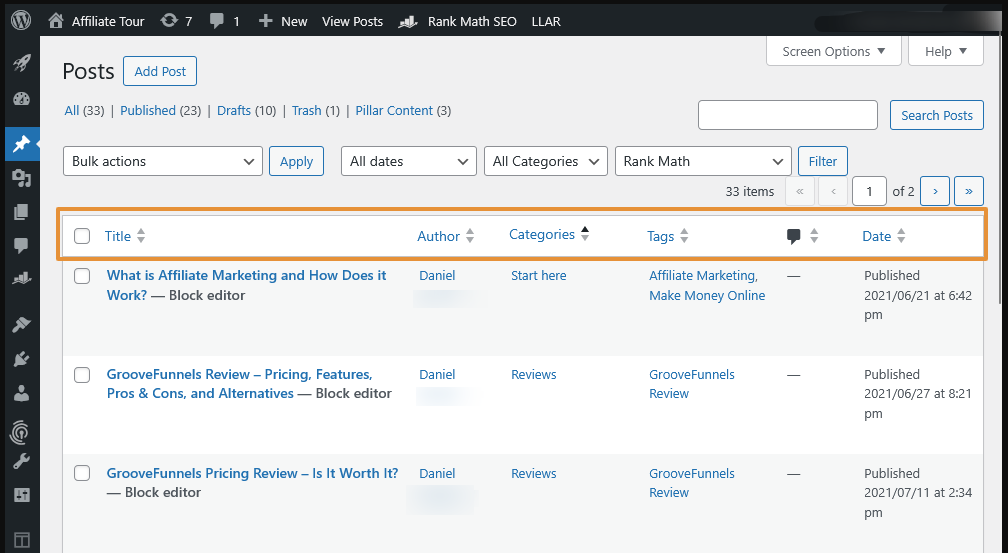
Admin list view: See custom sortable columns for posts and pages.


安装
- Upload the plugin folder to
/wp-content/plugins/or install via the WordPress Plugins menu. - Activate the plugin.
- Go to
Settings > Sortable Columnsto select which columns you want to be sortable.
常见问题
-
How is Sortable Columns different from post order or drag-and-drop sorting plugins?
-
Most plugins focus on reordering posts or pages by drag-and-drop.
Sortable Columns is for one-click sorting by any admin column—title, author, date, categories, tags, comments—not reordering items. -
Yes! With this plugin, you can make Author, Categories, and Tags sortable in the admin—columns that WordPress does not allow by default.
-
Does this plugin support drag-and-drop custom post order?
-
No. Sortable Columns is for making columns sortable, not for manually reordering posts or pages.
-
No. You can sort posts or pages by category or tag, but not reorder the taxonomy terms themselves.
-
Is this plugin compatible with “Post Types Order”, “Simple Custom Post Order”, or similar plugins?
-
Yes, Sortable Columns works alongside plugins that change the display order of posts, but it does not modify post order itself—it only controls which columns you can click to sort in the admin.
-
Does this work with custom post types?
-
Not in this version. Only posts and pages are supported for now. Support for custom post types is planned.
-
Can I make custom fields (meta) sortable?
-
Not yet, but this feature will be available in a future Pro version.
-
Will this conflict with other plugins that change admin columns?
-
Sortable Columns tries to override all sortable columns for posts and pages. If you use other plugins that modify columns, test for compatibility.
-
How do I reset to WordPress default sortable columns?
-
Click the “Restore to Default Setting” button in the plugin settings and save.
评价
此插件暂无评价。
贡献者及开发者

更新日志
1.3.1
- First public release.
- Force override of all sortable columns for posts and pages.
- “Restore to WP Default Setting” button.
- Clean, modern admin settings page.
