Search the Community
Showing results for tags 'spawner'.
Found 14 results
-
Version 1.1.7
195 downloads
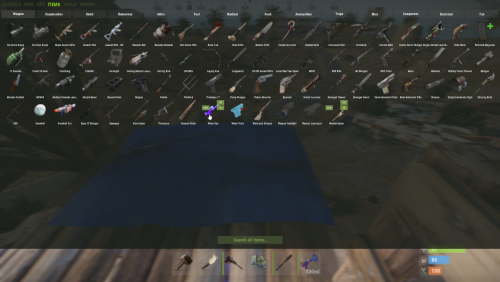
Easily give access to Rusts F1 Spawn Menu! That's permission based with blacklisting support and customizable F1 Spawn button amounts! Features: * Ban whole categories or Items using their ShortName or ItemID's * Allow Admins or Developers to bypass F1 spawn * Control the amounts it gives on the 1k button & 100 buttons! * ItemID, Amount, SkinID, Conditions. * Shops & other 3rd party plugins. * DLC items only spawn if you are the Admin or the player has bought the DLC for that item. * TODO: Genetics & BPs. Perms: f1spawn.use | needed to use F1 Menu. f1spawn.bypass | needed to bypass blocked Items. f1spawn.dlc | needed to spawn DLC Items that the player does NOT OWN. Chat & Console Commands: /give itemID amount skin condition | everything past itemID are optional args /givearm itemID amount skin condition | everything past itemID are optional args give steamID-or-Name itemID amount skin condition | everything past itemID are optional args givearm steamID-or-Name itemID amount skin condition | everything past itemID are optional args Configuration File: { "Change Spawned Tag to supported variants like Crafted & Looted": false, "Ignore: Disabled 0, Admin 2, Developer 3": 0, "Set F1 1000 button spawn amount": 1000, "Set F1 100 button spawn amount": 100, "Set F1 Spawn liquids with max water": true, "Ban Categories: Weapon 0, Construction 1, Items 2, Resources 3, Attire 4, Tool 5, Medical 6, Food 7, Ammunition 8, Traps 9, Misc 10, Component 11, Electrical 12, Fun 13": [ 10 ], "Ban Items using: ShortNames (Easy to Read)": [ "explosive.timed", ], "Ban Items using: ItemIDs (Slightly Faster)": [ 143803535, ] }$10.00 -
Version 1.0.4
23 downloads
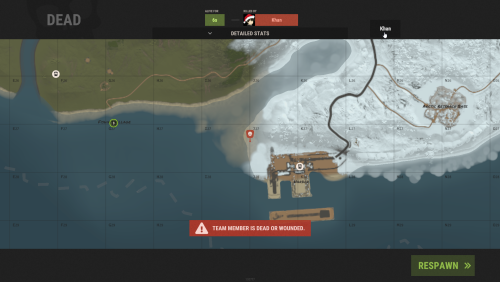
Team Spawner makes regrouping with your team fast, simple, and player-friendly. Its clean, auto-generated UI lets players quickly select teammates directly from the death screen—no manual commands or reliance on beds and sleeping bags required. Perfect for fast-paced, action-packed team PvP. Features powerful restriction controls: Monument Blocking – Prevent team spawning near key monuments. Player State Blocking – Restrict spawning when swimming, sleeping, mounted, inside elevators, or on the cargo ship. Condition Blocking – Prevent usage while raid-blocked, combat-blocked, building-blocked, or on cooldown. Whether you’re running a casual or competitive server, Team Spawner gives server owners full flexibility while providing players with a seamless team experience. You can also create various permission based cool-down restrictions inside the config and simply grant players there permission based cool-down restriction. Notes: Requires Monument Finder from umod for monument blocking to work. ( Simply add the plugin ) Permissions teamspawner.use - needed to use the plugin. config cool down permissions will look like this: teamspawner.cooldown.vip Config { "GUI Settings": { "Main Panel Default: #000000, 0f": { "A": 0.0, "Hex": "#000000" }, "Content Panel Default: #000000, 0f": { "A": 0.0, "Hex": "#000000" }, "Buttons Default: #000000, 0.4f": { "A": 0.4, "Hex": "#000000" }, "Text Default: #FFFFFF, 0.7f": { "A": 0.7, "Hex": "#FFFFFF" } }, "Block Types": { "swimming": true, "sleeping": true, "mounted": true, "monument": true, "cargo ship": true, "elevator": true, "raid blocked": true, "combat blocked": true, "building blocked": true, "cooldown blocked": true }, "Permission Based CoolDown times in seconds": { "vip": 150, "default": 300 }, "Blocked Monuments": { "airfield_1": false, "arctic_research_base_a": false, "bandit_town": false, "cave_large_hard": false, "cave_large_medium": false, "cave_large_sewers_hard": false, "cave_medium_easy": false, "cave_medium_hard": false, "cave_medium_medium": false, "cave_small_easy": false, "cave_small_hard": false, "cave_small_medium": false, "compound": false, "desert_military_base_a": false, "desert_military_base_b": false, "desert_military_base_c": false, "desert_military_base_d": false, "excavator_1": false, "ferry_terminal_1": false, "fishing_village_a": false, "fishing_village_b": false, "fishing_village_c": false, "gas_station_1": false, "harbor_1": false, "harbor_2": false, "ice_lake_1": false, "ice_lake_2": false, "ice_lake_3": false, "ice_lake_4": false, "junkyard_1": false, "launch_site_1": false, "lighthouse": false, "military_tunnel_1": false, "mining_quarry_a": false, "mining_quarry_b": false, "mining_quarry_c": false, "nuclear_missile_silo": false, "oilrig_1": false, "oilrig_2": false, "powerplant_1": false, "radtown_small_3": false, "satellite_dish": false, "sphere_tank": false, "stables_a": false, "stables_b": false, "supermarket_1": false, "swamp_a": false, "swamp_b": false, "swamp_c": false, "trainyard_1": false, "underwater_lab_a": false, "underwater_lab_b": false, "underwater_lab_c": false, "underwater_lab_d": false, "warehouse": false, "water_treatment_plant_1": false, "water_well_a": false, "water_well_b": false, "water_well_c": false, "water_well_d": false, "water_well_e": false } } Supports the ability to add more Languages using oxides multi language file system: { "Unavailable": "team member is dead or wounded.", "Sleeping": "team member is sleeping.", "Swimming": "team member is swimming.", "Mounted": "team member is mounted.", "Cargo": "team member is aboard cargo.", "Elevator": "team member is using an elevator.", "BuildingBlocked": "team member is building blocked.", "RaidBlocked": "team member is raid blocked.", "CombatBlocked": "team member is combat blocked.", "MonumentBlocked": "team member is monument blocked.", "CoolDownBlocked": "cooldown blocked: {0}" }$14.99 -
Version 1.0.6
79 downloads
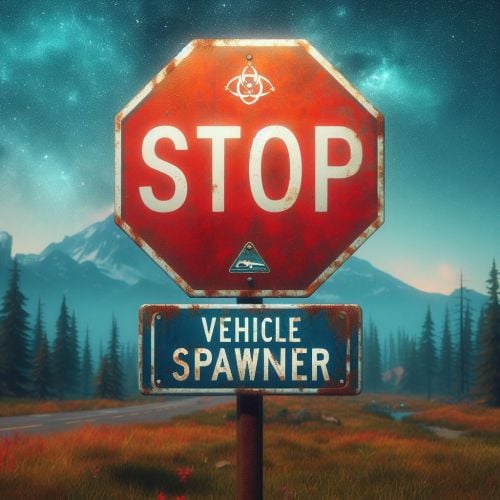
Ready to elevate your modded Rust server by allowing players to spawn a variety of vehicles through chat commands? With this plugin, players gain the ability to spawn vehicles, you can use any vehicle prefab in the game that you want making exploration and transportation within the game effortlessly convenient. The plugin comes with optional restrictions to balance gameplay, including limits on the number of vehicles a player can have and cooldown timers and blocks to prevent spamming at certain timers or certain areas. Customization options are extensive, allowing server admins to adjust spawning methods and spawn distances, fuel amounts, and even specific permissions for different vehicles. Additionally, the plugin supports UI customization for a seamless integration with your server's interface. Whether for rapid movement across the map or just adding fun elements to your server, Vehicle Spawner ensures that your adventures in Rust are never a dull moment. Key Features Spawn any vehicle prefab in the game you can add or remove any that you want to the config. Limit the number of vehicles per player to maintain server balance. Customizable vehicle spawn settings, spawn method options, cooldowns and permissions. UI support for easy vehicle management for players, no commands needed. Special conditions for vehicle spawning, including safe zone, authorized, raid and combat block checks. Permissions vehiclespawner.use vehiclespawner.ui Key bind input BUTTON.FIRE_THIRD ( Middle mouse button ) Press/click it to toggle the Vehicle Menu UI on screen. Hold it down while menu is minimized to fully open it. Commands /vehiclemenu Allows players to toggle UI. /no <Config Chat Command> Allows players to remove a vehicle type by placing /no before the chat command from the config. /destroyall Allows player to remove all there vehicles at once. Default Configuration: Note: you can add as many vehicles as you want using the prefab path. { "MsgSettings": { "Message Icon SteamID": "76561197960839785", "Message Prefix": "[VehicleSpawner]", "Message Prefix Color": "#5af" }, "Prefabs": { "Attack Helicopter": { "AutoMount": false, "BlockButAllowInBuildingAuthorized": false, "BlockButAllowInSafeZone": false, "BlockInAuthorizedArea": true, "BlockInBuildingBlocked": true, "BlockInSafeZone": true, "BlockOnLand": false, "ChatCommands": [ "attack", "myattack", "attackheli", "myattackheli", "attackhelicopter", "myattackhelicopter", "atkheli", "atk", "myatk", "myatkheli" ], "CooldownTimer": 180.0, "DisableUIButton": false, "FuelAmount": 0, "LockFuel": false, "Permission": "vehiclespawner.attackhelicopter", "PrefabPath": "assets/content/vehicles/attackhelicopter/attackhelicopter.entity.prefab", "Rotation": { "x": 0.0, "y": 90.0, "z": 0.0 }, "SkySpawn": false, "SkySpawnHeight": 50.0, "SpawnDelay": 10.0, "SpawnDistance": 8.0, "SpawnHeight": 3.0, "SpawnOption": 1, "UseTracks": false }, "Balloon": { "AutoMount": false, "BlockButAllowInBuildingAuthorized": false, "BlockButAllowInSafeZone": false, "BlockInAuthorizedArea": true, "BlockInBuildingBlocked": true, "BlockInSafeZone": true, "BlockOnLand": false, "ChatCommands": [ "balloon", "myballoon", "hotairballoon", "myhotairballoon", "myhab", "hab" ], "CooldownTimer": 120.0, "DisableUIButton": false, "FuelAmount": 0, "LockFuel": false, "Permission": "vehiclespawner.balloon", "PrefabPath": "assets/prefabs/deployable/hot air balloon/hotairballoon.prefab", "Rotation": { "x": 0.0, "y": 90.0, "z": 0.0 }, "SkySpawn": false, "SkySpawnHeight": 50.0, "SpawnDelay": 10.0, "SpawnDistance": 12.0, "SpawnHeight": 3.0, "SpawnOption": 1, "UseTracks": false }, "Car": { "AutoMount": false, "BlockButAllowInBuildingAuthorized": false, "BlockButAllowInSafeZone": false, "BlockInAuthorizedArea": true, "BlockInBuildingBlocked": true, "BlockInSafeZone": true, "BlockOnLand": false, "ChatCommands": [ "sedan", "mysedan", "car", "mycar" ], "CooldownTimer": 180.0, "DisableUIButton": false, "FuelAmount": 0, "LockFuel": false, "Permission": "vehiclespawner.car", "PrefabPath": "assets/content/vehicles/sedan_a/sedantest.entity.prefab", "Rotation": { "x": 0.0, "y": 0.0, "z": 0.0 }, "SkySpawn": false, "SkySpawnHeight": 50.0, "SpawnDelay": 10.0, "SpawnDistance": 6.0, "SpawnHeight": 3.0, "SpawnOption": 1, "UseTracks": false }, "Chinook": { "AutoMount": false, "BlockButAllowInBuildingAuthorized": false, "BlockButAllowInSafeZone": false, "BlockInAuthorizedArea": true, "BlockInBuildingBlocked": true, "BlockInSafeZone": true, "BlockOnLand": false, "ChatCommands": [ "chinook", "mychinook", "ch47", "mych47" ], "CooldownTimer": 180.0, "DisableUIButton": false, "FuelAmount": 0, "LockFuel": false, "Permission": "vehiclespawner.chinook", "PrefabPath": "assets/prefabs/npc/ch47/ch47.entity.prefab", "Rotation": { "x": 0.0, "y": 240.0, "z": 0.0 }, "SkySpawn": false, "SkySpawnHeight": 50.0, "SpawnDelay": 10.0, "SpawnDistance": 10.0, "SpawnHeight": 3.0, "SpawnOption": 1, "UseTracks": false }, "Horse": { "AutoMount": false, "BlockButAllowInBuildingAuthorized": false, "BlockButAllowInSafeZone": false, "BlockInAuthorizedArea": true, "BlockInBuildingBlocked": true, "BlockInSafeZone": true, "BlockOnLand": false, "ChatCommands": [ "horse", "myhorse" ], "CooldownTimer": 180.0, "DisableUIButton": false, "FuelAmount": 0, "LockFuel": false, "Permission": "vehiclespawner.horse", "PrefabPath": "assets/rust.ai/nextai/testridablehorse.prefab", "Rotation": { "x": 0.0, "y": 0.0, "z": 0.0 }, "SkySpawn": false, "SkySpawnHeight": 50.0, "SpawnDelay": 10.0, "SpawnDistance": 5.0, "SpawnHeight": 3.0, "SpawnOption": 1, "UseTracks": false }, "Minicopter": { "AutoMount": false, "BlockButAllowInBuildingAuthorized": false, "BlockButAllowInSafeZone": false, "BlockInAuthorizedArea": true, "BlockInBuildingBlocked": true, "BlockInSafeZone": true, "BlockOnLand": false, "ChatCommands": [ "mini", "mymini", "minicopter", "myminicopter" ], "CooldownTimer": 0.0, "DisableUIButton": false, "FuelAmount": 0, "LockFuel": false, "Permission": "vehiclespawner.minicopter", "PrefabPath": "assets/content/vehicles/minicopter/minicopter.entity.prefab", "Rotation": { "x": 0.0, "y": 90.0, "z": 0.0 }, "SkySpawn": false, "SkySpawnHeight": 50.0, "SpawnDelay": 0.0, "SpawnDistance": 5.0, "SpawnHeight": 3.0, "SpawnOption": 1, "UseTracks": false }, "RHIB": { "AutoMount": false, "BlockButAllowInBuildingAuthorized": false, "BlockButAllowInSafeZone": false, "BlockInAuthorizedArea": true, "BlockInBuildingBlocked": true, "BlockInSafeZone": true, "BlockOnLand": true, "ChatCommands": [ "rhib", "myrhib", "mybigboat", "bigboat" ], "CooldownTimer": 10.0, "DisableUIButton": false, "FuelAmount": 0, "LockFuel": false, "Permission": "vehiclespawner.rhib", "PrefabPath": "assets/content/vehicles/boats/rhib/rhib.prefab", "Rotation": { "x": 0.0, "y": 0.0, "z": 0.0 }, "SkySpawn": false, "SkySpawnHeight": 50.0, "SpawnDelay": 5.0, "SpawnDistance": 10.0, "SpawnHeight": 3.0, "SpawnOption": 1, "UseTracks": false }, "Row Boat": { "AutoMount": false, "BlockButAllowInBuildingAuthorized": false, "BlockButAllowInSafeZone": false, "BlockInAuthorizedArea": true, "BlockInBuildingBlocked": true, "BlockInSafeZone": true, "BlockOnLand": true, "ChatCommands": [ "rowboat", "row", "myrow", "myrowboat", "boat", "myboat" ], "CooldownTimer": 10.0, "DisableUIButton": false, "FuelAmount": 0, "LockFuel": false, "Permission": "vehiclespawner.rowboat", "PrefabPath": "assets/content/vehicles/boats/rowboat/rowboat.prefab", "Rotation": { "x": 0.0, "y": 0.0, "z": 0.0 }, "SkySpawn": false, "SkySpawnHeight": 50.0, "SpawnDelay": 3.0, "SpawnDistance": 9.0, "SpawnHeight": 3.0, "SpawnOption": 1, "UseTracks": false }, "Scrap Transport Helicopter": { "AutoMount": false, "BlockButAllowInBuildingAuthorized": false, "BlockButAllowInSafeZone": false, "BlockInAuthorizedArea": true, "BlockInBuildingBlocked": true, "BlockInSafeZone": true, "BlockOnLand": false, "ChatCommands": [ "scrap", "myscrap", "heli", "myheli", "helicopter", "myhelicopter", "scrappy", "myscrappy", "scraptransport" ], "CooldownTimer": 10.0, "DisableUIButton": false, "FuelAmount": 0, "LockFuel": false, "Permission": "vehiclespawner.scraptransporthelicopter", "PrefabPath": "assets/content/vehicles/scrap heli carrier/scraptransporthelicopter.prefab", "Rotation": { "x": 0.0, "y": 180.0, "z": 0.0 }, "SkySpawn": false, "SkySpawnHeight": 50.0, "SpawnDelay": 5.0, "SpawnDistance": 8.0, "SpawnHeight": 3.0, "SpawnOption": 1, "UseTracks": false } }, "Settings": { "AmountOfPrefabsAllowedAtOnce": 2, "BlockNearPlayer": { "IgnoreTeam": true, "PlayerDistance": 5.0, "UsePlayerDistance": true }, "DestroyOnDeath": true, "DestroyOnDisconnect": true, "GlobalSpawnCooldownTimer": 10.0, "UseCombatBlocked": true, "UseRaidBlocked": true }, "UiPermission": "vehiclespawner.ui", "UsePermission": "vehiclespawner.use" } PREVIEW / TUTORIAL VIDEOS COMING SOON!$5.00 -
Version 2.4.1
471 downloads
Advanced customization of Random Scarecrow Spawner. Spawns Scarecrows configurable in 5 different loadouts near the player adjusted with configurable options, logging, and custom loot. Permissions oxide.grant user <playername or steamID> advancedrandomscarecrowspawner.use oxide.grant user <playername or steamID> advancedrandomscarecrowspawner.spawnpoints oxide.grant group <groupname> advancedrandomscarecrowspawner.use oxide.grant group <groupname> advancedrandomscarecrowspawner.spawnpoints Config { "--------------------------------------Logging Settings--------------------------------------": null, "Log Spawn Messages": true, "Log Death Messages": true, "Log Loot Messages": true, "Log Cleanup Messages": true, "--------------------------------------Custom Loot Settings--------------------------------------": null, "Use Custom Loot": true, "Minimum Loot": 2, "Maximum Loot": 4, "--------------------------------------Scarecrow Settings--------------------------------------": null, "Headshot Damage Multiplier (0 = no extra damage, 1 = one-hit kill)": 1.0, "Scarecrow Damage To Player Modifier": 1.0, "Scarecrow Health": 100.0, "--------------------------------------Spawn Settings--------------------------------------": null, "Day Spawn Chance": 20.0, "Night Spawn Chance": 60.0, "Spawn Interval": 60.0, "Spawn Distance": 50.0, "Enable Group Spawning": true, "Minimum Group Size": 2, "Maximum Group Size": 5, "Enable Random Spawns": true, "Max Random Spawns": 100, "Minimum Distance Between Random Spawns": 125.0, "Group Spawn Radius": 5.0, "Max Total Scarecrows": 250, "Max Scarecrow Groups Per Player": 3, "Respawn Time at Spawn Points": 300.0, "Max Radius Around Spawn Point": 35.0, "Timed Cleanup": true, "Scarecrow Cleanup Time": 1200, "--------------------------------------Combat Settings--------------------------------------": null, "Enable Grenades": true, "Target Players": true, "Target Animals": true, "Target Other NPCs": true, "-----------------------------Loadout & Custom Loot Table Below-----------------------------": null, "Loadout": { "Belt": [ { "Shortname": "mace", "Amount": 1, "Skin": 0 } ], "Wear": [ { "Shortname": "frankensteins.monster.03.head", "Amount": 1, "Skin": 0 }, { "Shortname": "frankensteins.monster.03.legs", "Amount": 1, "Skin": 0 }, { "Shortname": "frankensteins.monster.03.torso", "Amount": 1, "Skin": 0 } ], "Main": [] }, "Loadout1": { "Belt": [ { "Shortname": "bone.club", "Amount": 1, "Skin": 0 } ], "Wear": [ { "Shortname": "frankensteins.monster.01.head", "Amount": 1, "Skin": 0 }, { "Shortname": "frankensteins.monster.01.legs", "Amount": 1, "Skin": 0 }, { "Shortname": "frankensteins.monster.01.torso", "Amount": 1, "Skin": 0 } ], "Main": [] }, "Loadout2": { "Belt": [ { "Shortname": "mace.baseballbat", "Amount": 1, "Skin": 0 } ], "Wear": [ { "Shortname": "halloween.mummysuit", "Amount": 1, "Skin": 0 } ], "Main": [] }, "Loadout3": { "Belt": [ { "Shortname": "salvaged.sword", "Amount": 1, "Skin": 0 } ], "Wear": [ { "Shortname": "scarecrow.suit", "Amount": 1, "Skin": 0 } ], "Main": [] }, "Loadout4": { "Belt": [ { "Shortname": "machete", "Amount": 1, "Skin": 0 } ], "Wear": [ { "Shortname": "halloween.surgeonsuit", "Amount": 1, "Skin": 0 } ], "Main": [] }, "CustomLootTable": [ { "Shortname": "ammo.pistol", "SpawnChance": 0.2, "MinAmount": 4, "MaxAmount": 13, "Skin": 0 }, { "Shortname": "cloth", "SpawnChance": 0.8, "MinAmount": 9, "MaxAmount": 13, "Skin": 0 }, { "Shortname": "lowgradefuel", "SpawnChance": 0.7, "MinAmount": 12, "MaxAmount": 22, "Skin": 0 }, { "Shortname": "metal.fragments", "SpawnChance": 0.6, "MinAmount": 47, "MaxAmount": 150, "Skin": 0 }, { "Shortname": "can.beans", "SpawnChance": 0.5, "MinAmount": 1, "MaxAmount": 2, "Skin": 0 }, { "Shortname": "bandage", "SpawnChance": 0.5, "MinAmount": 1, "MaxAmount": 3, "Skin": 0 }, { "Shortname": "mace.baseballbat", "SpawnChance": 0.3, "MinAmount": 1, "MaxAmount": 1, "Skin": 0 }, { "Shortname": "pants", "SpawnChance": 0.5, "MinAmount": 1, "MaxAmount": 1, "Skin": 0 }, { "Shortname": "hat.cap", "SpawnChance": 0.5, "MinAmount": 1, "MaxAmount": 1, "Skin": 0 }, { "Shortname": "pistol.revolver", "SpawnChance": 0.1, "MinAmount": 1, "MaxAmount": 1, "Skin": 0 }, { "Shortname": "scrap", "SpawnChance": 1.0, "MinAmount": 6, "MaxAmount": 11, "Skin": 0 }, { "Shortname": "tshirt.long", "SpawnChance": 0.5, "MinAmount": 1, "MaxAmount": 1, "Skin": 0 }, { "Shortname": "wood", "SpawnChance": 0.9, "MinAmount": 100, "MaxAmount": 250, "Skin": 0 }, { "Shortname": "stone", "SpawnChance": 0.8, "MinAmount": 50, "MaxAmount": 200, "Skin": 0 }, { "Shortname": "bone.fragments", "SpawnChance": 0.5, "MinAmount": 10, "MaxAmount": 40, "Skin": 0 }, { "Shortname": "gears", "SpawnChance": 0.3, "MinAmount": 1, "MaxAmount": 2, "Skin": 0 }, { "Shortname": "metal.ore", "SpawnChance": 0.6, "MinAmount": 20, "MaxAmount": 75, "Skin": 0 }, { "Shortname": "sulfur.ore", "SpawnChance": 0.5, "MinAmount": 15, "MaxAmount": 60, "Skin": 0 }, { "Shortname": "charcoal", "SpawnChance": 0.7, "MinAmount": 100, "MaxAmount": 200, "Skin": 0 }, { "Shortname": "corn", "SpawnChance": 0.4, "MinAmount": 1, "MaxAmount": 3, "Skin": 0 }, { "Shortname": "rifle.ak", "SpawnChance": 0.05, "MinAmount": 1, "MaxAmount": 1, "Skin": 0 }, { "Shortname": "waterjug", "SpawnChance": 0.5, "MinAmount": 1, "MaxAmount": 1, "Skin": 0 }, { "Shortname": "ammo.rifle", "SpawnChance": 0.25, "MinAmount": 5, "MaxAmount": 20, "Skin": 0 }, { "Shortname": "ammo.shotgun", "SpawnChance": 0.25, "MinAmount": 5, "MaxAmount": 12, "Skin": 0 }, { "Shortname": "weapon.mod.flashlight", "SpawnChance": 0.15, "MinAmount": 1, "MaxAmount": 1, "Skin": 0 }, { "Shortname": "weapon.mod.holosight", "SpawnChance": 0.1, "MinAmount": 1, "MaxAmount": 1, "Skin": 0 }, { "Shortname": "smg.2", "SpawnChance": 0.08, "MinAmount": 1, "MaxAmount": 1, "Skin": 0 }, { "Shortname": "largemedkit", "SpawnChance": 0.2, "MinAmount": 1, "MaxAmount": 3, "Skin": 0 }, { "Shortname": "hazmatsuit", "SpawnChance": 0.05, "MinAmount": 1, "MaxAmount": 1, "Skin": 0 }, { "Shortname": "shotgun.pump", "SpawnChance": 0.05, "MinAmount": 1, "MaxAmount": 1, "Skin": 0 }, { "Shortname": "laptop", "SpawnChance": 0.05, "MinAmount": 1, "MaxAmount": 2, "Skin": 0 }, { "Shortname": "battery.small", "SpawnChance": 0.4, "MinAmount": 1, "MaxAmount": 2, "Skin": 0 }, { "Shortname": "solar.panel", "SpawnChance": 0.15, "MinAmount": 1, "MaxAmount": 1, "Skin": 0 }, { "Shortname": "cloth", "SpawnChance": 0.8, "MinAmount": 15, "MaxAmount": 50, "Skin": 0 }, { "Shortname": "fishtrap", "SpawnChance": 0.3, "MinAmount": 1, "MaxAmount": 1, "Skin": 0 }, { "Shortname": "skull.human", "SpawnChance": 0.1, "MinAmount": 1, "MaxAmount": 2, "Skin": 0 }, { "Shortname": "paper", "SpawnChance": 0.5, "MinAmount": 5, "MaxAmount": 15, "Skin": 0 }, { "Shortname": "salvaged.sword", "SpawnChance": 0.2, "MinAmount": 1, "MaxAmount": 1, "Skin": 0 }, { "Shortname": "furnace", "SpawnChance": 0.1, "MinAmount": 1, "MaxAmount": 1, "Skin": 0 }, { "Shortname": "workbench2", "SpawnChance": 0.05, "MinAmount": 1, "MaxAmount": 1, "Skin": 0 }, { "Shortname": "hammer", "SpawnChance": 0.6, "MinAmount": 1, "MaxAmount": 1, "Skin": 0 }, { "Shortname": "arrow.hv", "SpawnChance": 0.4, "MinAmount": 10, "MaxAmount": 25, "Skin": 0 }, { "Shortname": "explosives", "SpawnChance": 0.02, "MinAmount": 1, "MaxAmount": 1, "Skin": 0 } ] }$10.00- 67 comments
- 2 reviews
-
- 3
-

-

-
- #zombie
- #scarecrow
- (and 3 more)
-
Version 3.0.0
170 downloads
Video : Features : - Randomized loot respawn intervals, configurable for each monument. Example: { "Monuments": { "ferry terminal": { "Allowed Groups": [ "red", "blue", "green", "crate", "barrel", "elite", "diesel", "loot_barrel" ], "Respawn Max Time": 600, "Respawn Min Time": 300 }, "fishing village": { "Allowed Groups": [ "red", "blue", "green", "crate", "barrel", "elite", "diesel", "loot_barrel" ], "Respawn Max Time": 600, "Respawn Min Time": 300 } } } - Default respawn time is set between 30-60 minutes but can be fully adjusted through the configuration. - Automatically removes monuments that no longer exist after a server wipe, keeping the configuration clean and up-to-date. Supported Crates [ Not only the containers shown below , almost every container in the game is now supported! ]: Supported Monuments : All Game Monuments Additional Settings : { "General": { "Enable When Player Dont Finish Looting Containers Will Drop Loot On Ground": true } }$19.99 -
Version 2.1.0
23 downloads
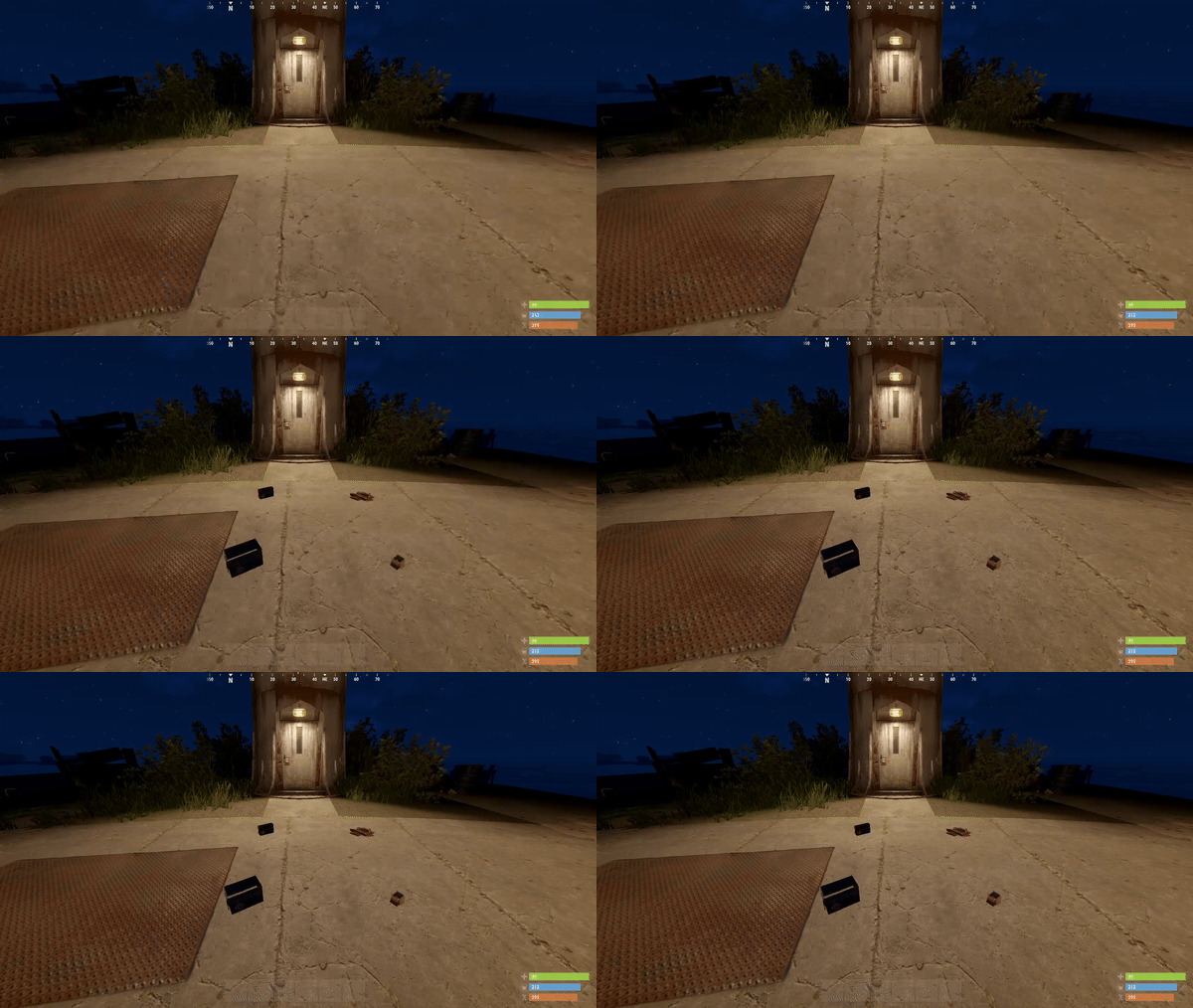
LootSpawnerPlus is an advanced, performance-optimized Rust plugin designed to make loot spawning more dynamic and customizable. With this plugin, server admins can easily create and manage loot spawn points directly through a clean and intuitive user interface (UI). Whether you need random quantities, random intervals, or a combination of both, LootSpawnerPlus gives you full control with zero memory leaks and excellent performance. Key Features • Full UI Management: Manage all loot spawn configurations directly from the in-game UI. No need for complex commands or editing files manually! • Random Quantity & Interval: Choose whether your loot spawns at random quantities, random intervals, or both. Customize the behavior to suit your server's needs. • Easy Configuration: Spawn loot at specific locations and set timers and quantities, all with just a few clicks. • Performance Optimized: LootSpawnerPlus is designed with efficiency in mind, ensuring your server stays lag-free even with numerous spawn points. • Memory Leak-Free: Enjoy a smooth, stable experience with zero memory leaks. • Simple Command: Use the command /lootspawnerplus to access to the UI and manage all spawn settings. How It Works Once installed, admins can configure loot spawns using a highly intuitive UI system. Adjust settings like: • Spawn Name • Item Name • Position (X, Y, Z) • Quantity: Set a fixed amount or enable random quantities for a more dynamic loot experience. • Interval: Set a fixed spawn interval or enable random intervals for unpredictability. Why LootSpawnerPlus? • Flexibility: Control over both random intervals and quantities means you can fine-tune loot spawning to create the perfect gameplay experience. • Performance: The plugin is crafted with high performance in mind, ensuring that even with many loot spawns, server performance is never compromised. • No Memory Leaks: Say goodbye to memory leaks! LootSpawnerPlus ensures your server runs smoothly over time. Command /lootspawnerplus - Open the loot spawn UI and manage spawn points. Make loot management on your Rust server easier, more dynamic, and more efficient with LootSpawnerPlus! Example Config: { "Spawn1": { "Interval": 30.0, "IsEnabled": true, "IsRandomInterval": true, "IsRandomQuantity": false, "ItemName": "ammo.rifle", "Position": { "x": 0.0, "y": 0.0, "z": 0.0 }, "Quantity": 16, "RandomIntervalMax": 60.0, "RandomIntervalMin": 30.0, "RandomQuantityMax": 60, "RandomQuantityMin": 10, "SpawnName": "Spawn1" } }$14.99 -
Version 1.0.0
26 downloads
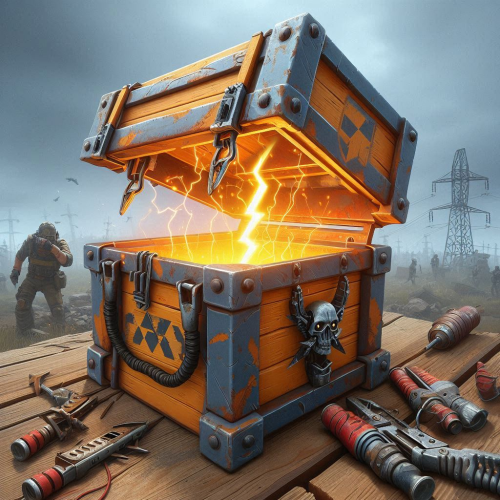
LootCrateSpawner is an exciting and innovative Rust plugin designed to add dynamic and thrilling events to your gameplay. This plugin automatically spawns loot crates in random locations on the map, ensuring unpredictability and constant player engagement. With configurable event intervals and crate lifespans, administrators can fine-tune the frequency and duration of these events to suit their server's needs. Each crate appears with a map marker, guiding players to its location and fostering competitive spirit as everyone rushes to claim the loot. Notifications in the chat inform players of the crate's appearance and lifespan, adding urgency and excitement to the hunt. The randomization of crate locations encourages exploration and keeps players on their toes, creating an ever-changing and vibrant game environment. Easy to configure and use, LootCrateSpawner is the perfect addition to any Rust server looking to enhance player interaction and elevate the gaming experience. Features Easily customisable. Сommands to start the event and to clear all the boxes and markers. (/crateventstart - start the event, /clearcratevents - clear all active LootCrateSpawner events) Customisable marker display time on the map. Customisable minimum and maximum time interval between the start of the event. If you use custom loot table, it will be applied to the Military Box. Does not load your server too much. An example of a Config file view { "CrateLifetime": 40.0, "MarkerLifetime": 40.0, "MaxEventInterval": 60.0, "MinEventInterval": 50.0 } As you can see above, the file configuration is as simple as possible, which everyone can understand, there is nothing complicated in it and it is as easy to configure as possible. CrateLifetime - Military Box lifetime on the map MarkerLifetime - the lifetime of a marker on the map MaxEventInterval - the maximum time after which a new event should start MinEventInterval - the minimum time after which the new event should start If you have any questions or need any help, feel free to send me a private message on Discord My Discord: callofglory_anytime You can see the above described plugin in the video$4.99 -
Version 1.0.0
12 downloads
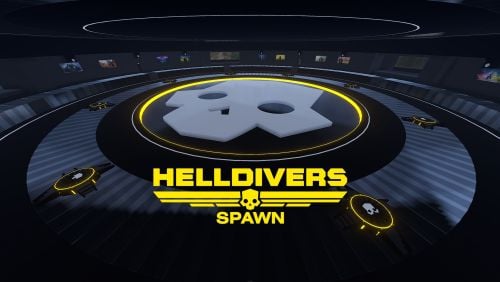
Helldivers Spawn is a spawn area for players on your Rust server. Inspired by the popular Helldivers game, this monument contains a large Helldivers style decoration. CONTAINS: Eight spawn points. Pictures on the walls, use these pictures to put images. Large windows with views to the outside. Doors to go outside, press the buttons to open the doors. Automatic lighting, when the night comes the light turns on automatically. Helldivers logo.$12.90 -
Version 1.0.64
2,588 downloads
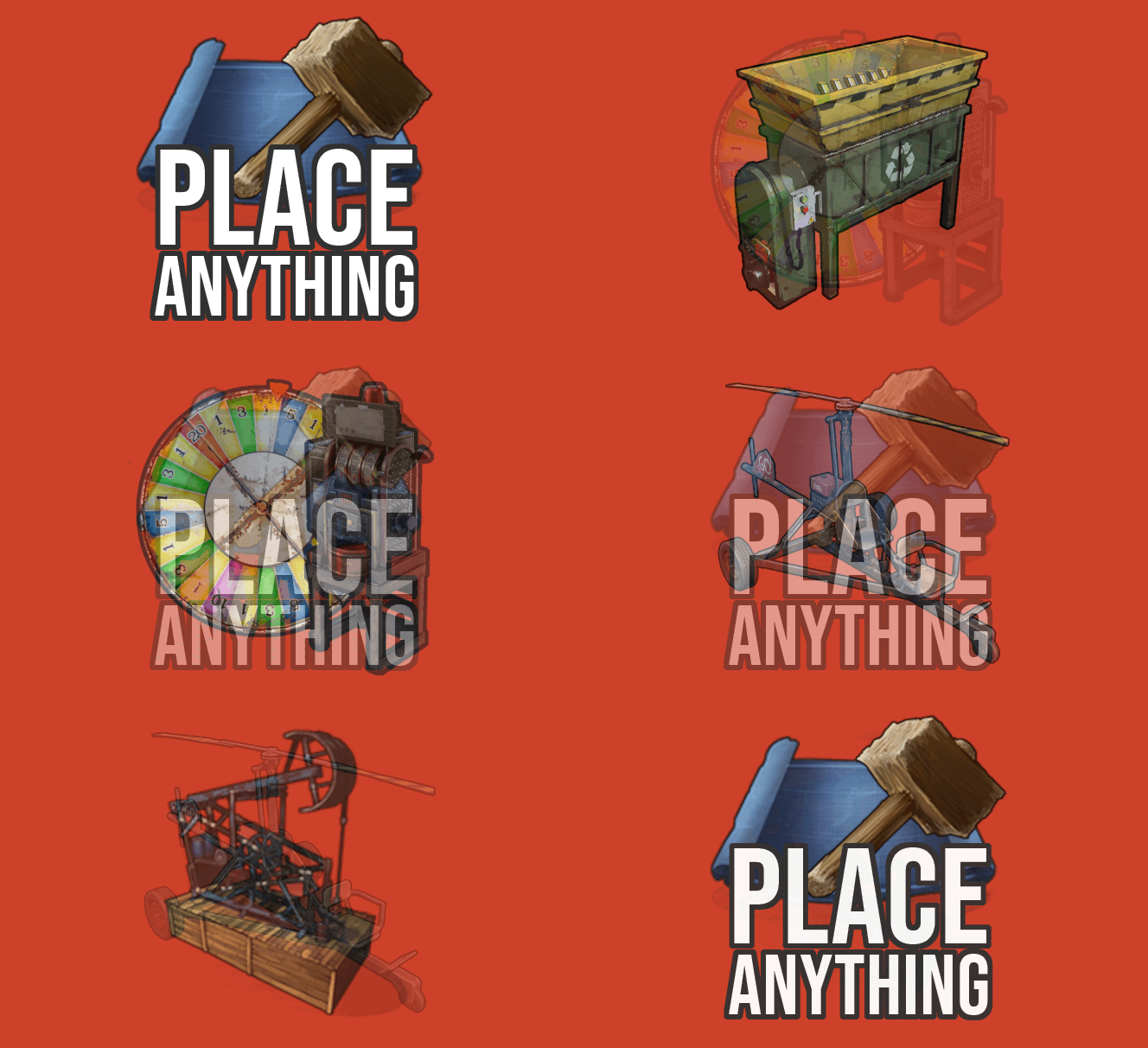
Having trouble fitting larger entities into your compound? By combining PlaceAnything with EntityScaleManager you can downsize big entities. Vehicles can be directly added to the player's inventory, allowing them to deploy the vehicles whenever needed. Vehicles can be picked up by players (optional). Deployable trees and bushes, perfect for pve servers! pre-configured data file with some trees and bushes Entities.json With the help of the CopyPaste plugin, you can sell pre-built bases for players to deploy. • How can I pick up items? Deployed structures can be picked up by hitting it with hammer. Items can be picked up only by owner. • How to upload custom icons? Custom icons can be uploaded with Steam workshop uploader. WorkshopUploader.zip original repository • How to use CopyPaste plugin with PlaceAnyting? In data file Entities.json, put 'copypaste/buildingName' instead of prefab path. • Where I can find list of all prefabs? Here is full updated list but not every prefab can be spawned from there and some of them you might not be able to destroy, I do not recommend testing this on live server. Commands (admin only) CHAT /gimme CONSOLE placeanything <steamid> "<item display name>" • Known issues and limitations - some prefabs cannot be damaged thus can be used to grief players. (recycler, slotmachine, test generator...etc) - hitting gambling wheel with hammer will make wheel disappear, game issue cant be fixed Please note that PlaceAnything is a simple plugin that only spawns entities, similar to using the 'spawn' command in the console. It does not manage the behavior of entities after they are spawned. If you are unsure about the functionality of a specific entity, spawn it in-game as an admin and test it yourself before making purchase Plugin comes with 19 pre-configured items. Use /gimme chat command in game to get those items for testing.$5.50 -
Version 1.0
5 downloads
RFVehicles lets players spawn and despawn various vehicles with simple chat commands. It includes one-vehicle limit settings (unless permission is granted), configurable fuel amounts (including infinite), and optional restrictions for spawning within building-blocked areas or inside any building zone. Each spawn command requires a corresponding permission (e.g., rfvehicles.minicopter for /minicopter). Commands: Snowmobile - /snowmobile, /nosnowmobile Pedal Bike - /pedalbike, /nopedalbike Minicopter - /minicopter, /nominicopter Scrap Helicopter - /scrapheli, /noscrapheli Car (Sedan) - /car, /nocar Attack Helicopter - /attackheli, /noattackheli Chinook - /chinook, /nochinook Horse - /horse, /nohorse Work Cart - /workcart, /noworkcart RHIB - /rhib, /norhib Rowboat - /rowboat, /norowboat Hot Air Balloon - /hotairballoon, /nohotairballoon Train (Locomotive) - /trains, /notrains Kayak - /kayak, /nokayak Submarine (Solo) - /submarinesolo, /nosubmarinesolo Submarine (Duo) - /submarineduo, /nosubmarineduo Config example: "{ "Spawn Distance": 4.0, "Fuel Amount (-1 = infinite, 0 = empty, >0 = exact)": -1, "Spawn Cooldown (seconds)": 2.0, "Lock Fuel Tank Access (true/false)": false, "Can Spawn If Building Blocked": true, "Can Spawn Inside Buildings": true }" RFVehicles.json$10.00 -
Version 0.3.1
18 downloads
About AutoSpawner This plugin allows you to randomly spawn animals for a price in resources. Features: - You can customize your animals for spawn(custom items for any animal). - If You have same fuel for some animals - will picked random animal with same fuel. - AutoLoad groups for config file. - Power off/on from Rust+ on SmartSwitch. - Tracking all spawners for Admins from simple UI. Chat commands: /craft_spawner - command for craft custom spawner. Admin commands: /autospawner list - Open UI with all spawners on server(need ownerid*). //Example UI in screens Permission: autospawner.craft - Give permission to craft. autospawner.place - Give permission to place. Groups: "default": { "priority": 0, "maxSpawners": 1, "maxAnimals": 5 } Notes: Dont add or remove animals from config file, just disable or enable them as needed. After restarting server, all animals will be removed. Config Example: { "AutoSpawner config": { "spawnInterval": 5.0, //Timer for spawning "spawnRadius": 5.0, "speedFall": 3.0 //The speed of animals falling to the ground }, "Animals Custom spawning": { //First config key example for all animals in the list "bear": { "enabled": true, //Enabled/disabled to spawn animal "animalPrefab": "assets/rust.ai/agents/bear/bear.prefab", //Dont try to change this "fuel": { "fuelShortname": "lowgradefuel", //Only shortnames items "skinId": 0, //Your custom skinID "fuelAmount": 10 //Cost fuel for spawn one animal } }, "wolf": {...}, "boar": {...}, "horse": {...}, "chicken": {...}, "stag": {...} }, "spawnerSkinId": 3358767438, //Your custom skinID for autospawner "Cost craft": { //Cost for craft "lowgradefuel": 10, "metal.fragments": 100, "wood": 100 }, "Permissions": { "default": { // Default config from start plugin "priority": 0, "maxSpawners": 1, "maxAnimals": 5 }, "vip": { //Example from my oxide.groups "priority": 1, "maxSpawners": 5, "maxAnimals": 10 }, "premium": { //Example from my oxide.groups "priority": 2, "maxSpawners": 10, "maxAnimals": 20 } } } Demo Video(v0.1.0):$8.00 -
Version 1.0.2
618 downloads
Allows you to control the spawns of entities on your server. Features Spawn Control: Define spawn chances for entities to control their frequency. Configurable: Easily customize the configuration to fit your server's needs. Automatic Cleanup: Remove entities with a spawn chance of 0. Configuration { "Enabled": false, "Spawns": [] } Enabled: if set to true it enables the plugin. Spawns: list of entities's prefabs and it's spawn chances (auto generated when you first load the plugin).Free -

Version 2.0.2
1,257 downloads
Rust Spawner is a plugin that you can spawn cars/helis/animals Features Spawns Horse Spawns Wolf Spawns Car Spawns Scrap Heli Spawns Mini Copter Spawns Bear Spawns Zombie Commands `/rspawn wolf` - Spawns a Wolf `/rspawn horse` - Spawns a Horse `/rspawn bear` - Spawns a Bear `/rspawn mini` - Spawns a Mini Copter `/rspawn scrapheli` - Spawns a Scrap Heli `/rspawn car` - Spawns a Car `/rspawn zombie` - Spawns a Zombie Permissions rustspawner.horse rustspawner.wolf rustspawner.bear rustspawner.sedan rustspawner.zombie RustSpawner.car rustspawner.minicopter rustspawner.scrapheli rustspawner.nocooldown Credits krungh crow, for helping the latest updates My discord for support on this project and suggestions for updates & for other projects im working on like custom maps and plugins and etc https://discord.gg/eN3eNMrFree -
![More information about "Portal Pack [HDRP]"](https://codefling.com/uploads/monthly_2021_09/12346.thumb.gif.31f39881c3afa395de31e015e0766e15.gif)
Version 1.0.6
93 downloads
Close All the portals presented in this collection serve as spawn points for players. You can't build around each of the portals. Each portal is easy to install. I will add more portals to this package. There are currently portals in total. Rus The world is full of beautiful places, and the most beautiful places are the ones that are full of beautiful places. The most important thing is to be able to do it. The most important thing is to be happy. The world is full of beautiful places. The world is full of beautiful places.$4.99- 8 comments
-
- 13
-
-
-