Is this a bug report?
Yes
Yes
Environment
Environment:
OS: macOS Sierra 10.12.6
Node: 7.2.1
Yarn: 0.24.6
npm: 3.10.10
Watchman: 4.7.0
Xcode: Xcode 9.0 Build version 9A235
Android Studio: 2.3 AI-162.4069837
Packages: (wanted => installed)
react: 16.0.0-alpha.12 => 16.0.0-alpha.12
react-native: 0.48.4 => 0.48.4
Steps to Reproduce
On on iPad, with the app on "Split View" or "Slide Over".
console.log(Dimensions.get('screen')) // {fontScale: 1, width: 768, height: 1024, scale: 2}
console.log(Dimensions.get('window')) // {fontScale: 1, width: 768, height: 1024, scale: 2}
(example of console log on iPad Pro 9.7 inch)
Expected Behavior
On iOS Dimensions.get('screen') and Dimensions.get('window') always return the same data. It assuming that the app is always in fullscreen. But on iPad the screen can be share with an other app (Split View), and since iOS, can "float" in a little window over an other app (Slide Over).
Dimensions.get('window') shouldn't always return Dimensions.get('screen') width and height but the real size of the window.
Actual Behavior
Dimensions.get('window') always return Dimensions.get('screen'), even on "Split View" or "Slide Over"
Slide Over example

console.log(Dimensions.get('window')) // {fontScale: 1, width: 768, height: 1024, scale: 2}
Split View example 1
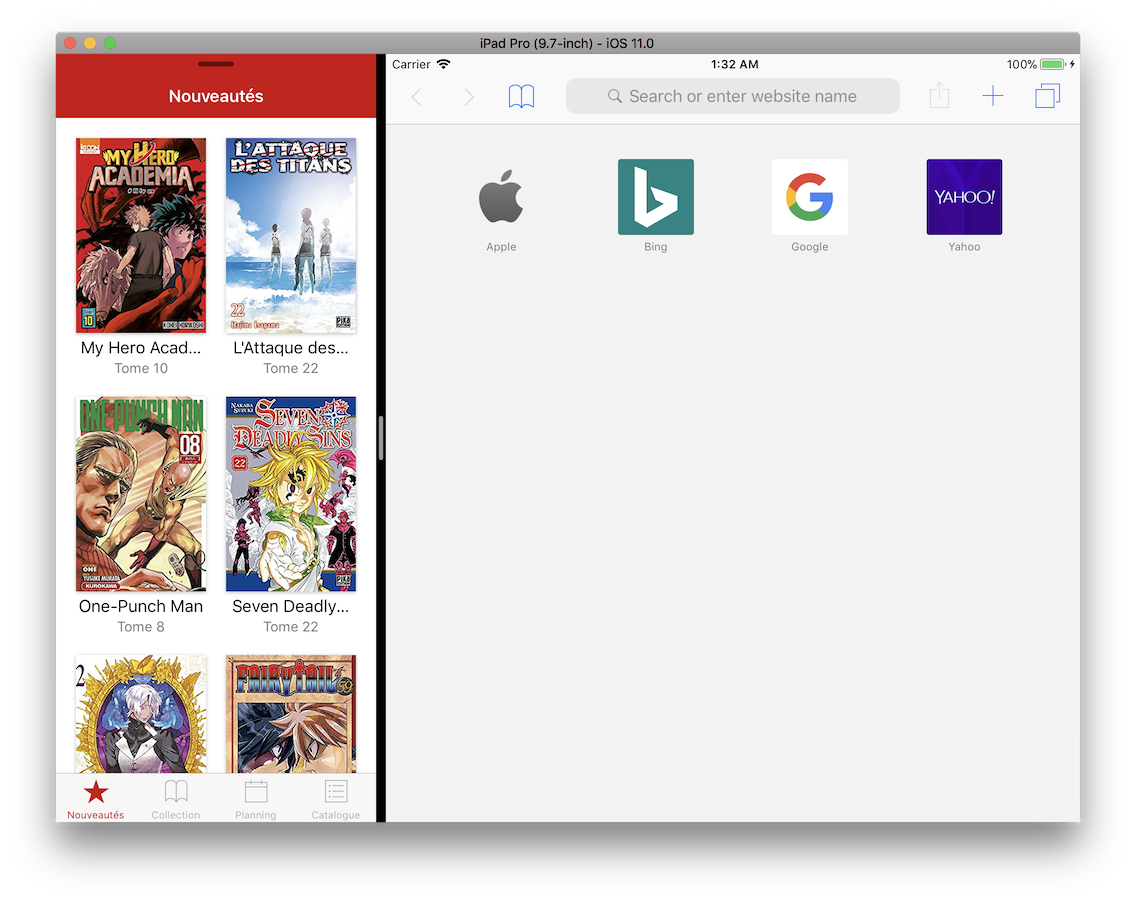
console.log(Dimensions.get('window')) // {fontScale: 1, width: 768, height: 1024, scale: 2}
Split View example 2

console.log(Dimensions.get('window')) // {fontScale: 1, width: 768, height: 1024, scale: 2}
Reproducible Demo
It can be easily tested on iPad by adding console.log(Dimensions.get('window')) anywhere in an existing app or in a fresh create-react-native-app.
And using Split View and Slide Over features of iOS on iPad.
Snack Expo is here : https://snack.expo.io/ryIHToaiW but it need to be tested on an iPad Device or Simulator.


Is this a bug report?
Yes
Have you read the Contributing Guidelines?
Yes
Environment
Environment:
OS: macOS Sierra 10.12.6
Node: 7.2.1
Yarn: 0.24.6
npm: 3.10.10
Watchman: 4.7.0
Xcode: Xcode 9.0 Build version 9A235
Android Studio: 2.3 AI-162.4069837
Packages: (wanted => installed)
react: 16.0.0-alpha.12 => 16.0.0-alpha.12
react-native: 0.48.4 => 0.48.4
Steps to Reproduce
On on iPad, with the app on "Split View" or "Slide Over".
(example of console log on iPad Pro 9.7 inch)
Expected Behavior
On iOS
Dimensions.get('screen')andDimensions.get('window')always return the same data. It assuming that the app is always in fullscreen. But on iPad the screen can be share with an other app (Split View), and since iOS, can "float" in a little window over an other app (Slide Over).Dimensions.get('window')shouldn't always returnDimensions.get('screen')widthandheightbut the real size of the window.Actual Behavior
Dimensions.get('window')always returnDimensions.get('screen'), even on "Split View" or "Slide Over"Slide Over example
console.log(Dimensions.get('window')) // {fontScale: 1, width: 768, height: 1024, scale: 2}Split View example 1
console.log(Dimensions.get('window')) // {fontScale: 1, width: 768, height: 1024, scale: 2}Split View example 2
console.log(Dimensions.get('window')) // {fontScale: 1, width: 768, height: 1024, scale: 2}Reproducible Demo
It can be easily tested on iPad by adding
console.log(Dimensions.get('window'))anywhere in an existing app or in a fresh create-react-native-app.And using Split View and Slide Over features of iOS on iPad.
Snack Expo is here : https://snack.expo.io/ryIHToaiW but it need to be tested on an iPad Device or Simulator.