When you select an input (such as a text input) in Safari on the Iphone, the viewport zooms in and does not return to normal size when editing has been completed. Two double taps are required to return to the initial viewport size.
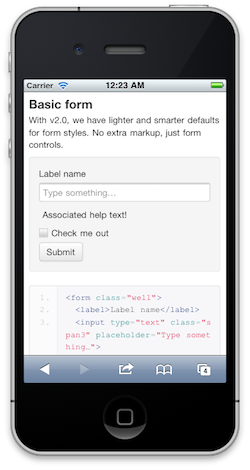
Normal size, no zoom:
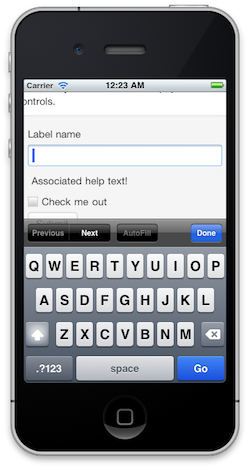
After input selected, zoomed:
Here are some possible solutions to this (http://stackoverflow.com/questions/2989263/disable-auto-zoom-in-input-text-tag-safari-on-iphone):
- Disable zoom in meta tag
- Use js events to change meta tag dynamically
- Set font-size for inputs to 16px
Changing the font size (#3) seems like the easiest and most reliable way to do this.


When you select an input (such as a text input) in Safari on the Iphone, the viewport zooms in and does not return to normal size when editing has been completed. Two double taps are required to return to the initial viewport size.
Normal size, no zoom:

After input selected, zoomed:

Here are some possible solutions to this (http://stackoverflow.com/questions/2989263/disable-auto-zoom-in-input-text-tag-safari-on-iphone):
Changing the font size (#3) seems like the easiest and most reliable way to do this.