

Description
Test, learn, and grow with data-driven insights
Nelio A/B Testing is an extremely powerful and easy-to-use A/B Testing and Conversion Optimization plugin for WordPress. Create, manage, and analyze tests directly from your WordPress dashboard — no external tools, coding, or data exports required.
With Nelio A/B Testing, you can test pages, posts, headlines, menus, widgets, WooCommerce products, themes, CSS, synced patterns, and more. Understand how visitors behave with heatmaps, clickmaps, and scrollmaps, and make data-driven decisions that actually improve conversions.
“Nelio A/B Testing has been a game changer for our web strategy. It empowered us to make decisions based on data, not instinct. The simplicity, affordability, and impact have been exceptional.”
Quentin Molinié, Co-founder of Darwin Nutrition | Case Studies
🚀 Why Choose Nelio A/B Testing?
- Built for WordPress. Unlike external SaaS tools, Nelio integrates natively into your dashboard and page builder for a seamless experience and instant setup.
- Data-Driven Decisions, Simplified. Design tests, view results, and apply winners automatically, all without writing a single line of code (if you don’t want to).
- Privacy & Performance First. No personal data stored and fully compatible with caching and optimization plugins.
- We Listen and Evolve. Your feedback directly shapes our roadmap. If you need a feature, tell us, and we’ll do our best to make it happen.
💡 Features at a Glance
- A/B and Multivariate Testing. Test completely different layouts or subtle design tweaks to find out what converts best.
- Heatmaps & Scrollmaps. Visualize how users interact with your content.
- Automatic Winner Deployment. Let Nelio automatically apply the best-performing variation for you.
- WooCommerce Ready. Test product titles, images, prices, and layouts to maximize sales.
- AI-Assisted Test Suggestions. Get personalized test ideas to improve engagement and conversion.
- Segmentation & Targeting. Test experiences by device, referrer, location, or behavior.
- GDPR & Privacy-Friendly. No personal data stored, fully compliant with EU regulations.
- Performance-Aware. Optimized for caching and minimal page load impact.
- Detailed Reports with Comprehensive Analytics. Conversion rates, confidence levels, and visitor stats.
- Compatible with Page Builders. Works with Gutenberg, Elementor, and more.
- Multisite & Localization Support. Fully compatible with multisite networks and translated into multiple languages.
- Actively Maintained & Supported. Frequent updates, detailed documentation, and responsive support.
🧪 What You Can Test
- Pages and Posts
- Headlines
- Content Templates
- WordPress Synced Patterns
- Menus and Widgets
- WooCommerce Products and Pricing
- Custom JavaScript and CSS Snippets
- Entire Site Designs
- Custom Post Types
- Popups
- PHP Hooks (for devs)
🔒 GDPR-Compliant & Privacy-Friendly
We take privacy seriously. Nelio A/B Testing does not store personal data and complies with the GDPR and the CCPA. You can use it confidently in any region.
💰 Free vs Premium
Start with the free version (supports up to 500 tested page views per month) to run basic tests and heatmaps on smaller sites. Upgrade to a premium plan to unlock advanced features, higher traffic limits, and priority support.
Nelio A/B Testing — The native WordPress solution for A/B testing, heatmaps, and conversion optimization.
Screenshots

Monitor and track the progress of your tests easily. Our results page offers an intuitive user interface that helps you to focus on what really matters. 
Create tests quickly and effectively from WordPress. The user interface follows the new design guidelines introduced by Gutenberg. 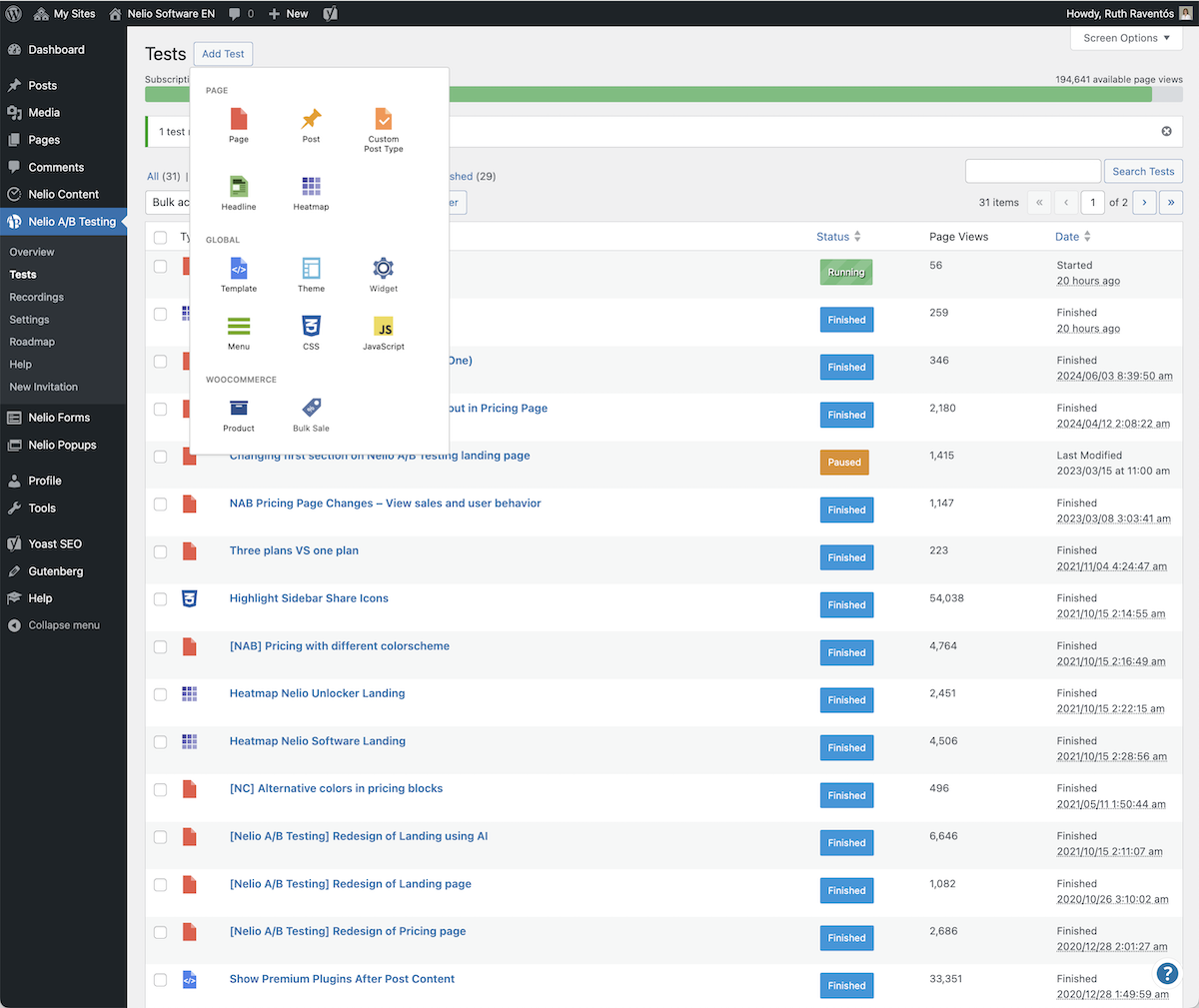
Nelio A/B Testing supports different types of tests so that you can be more precise with your tests and goals. 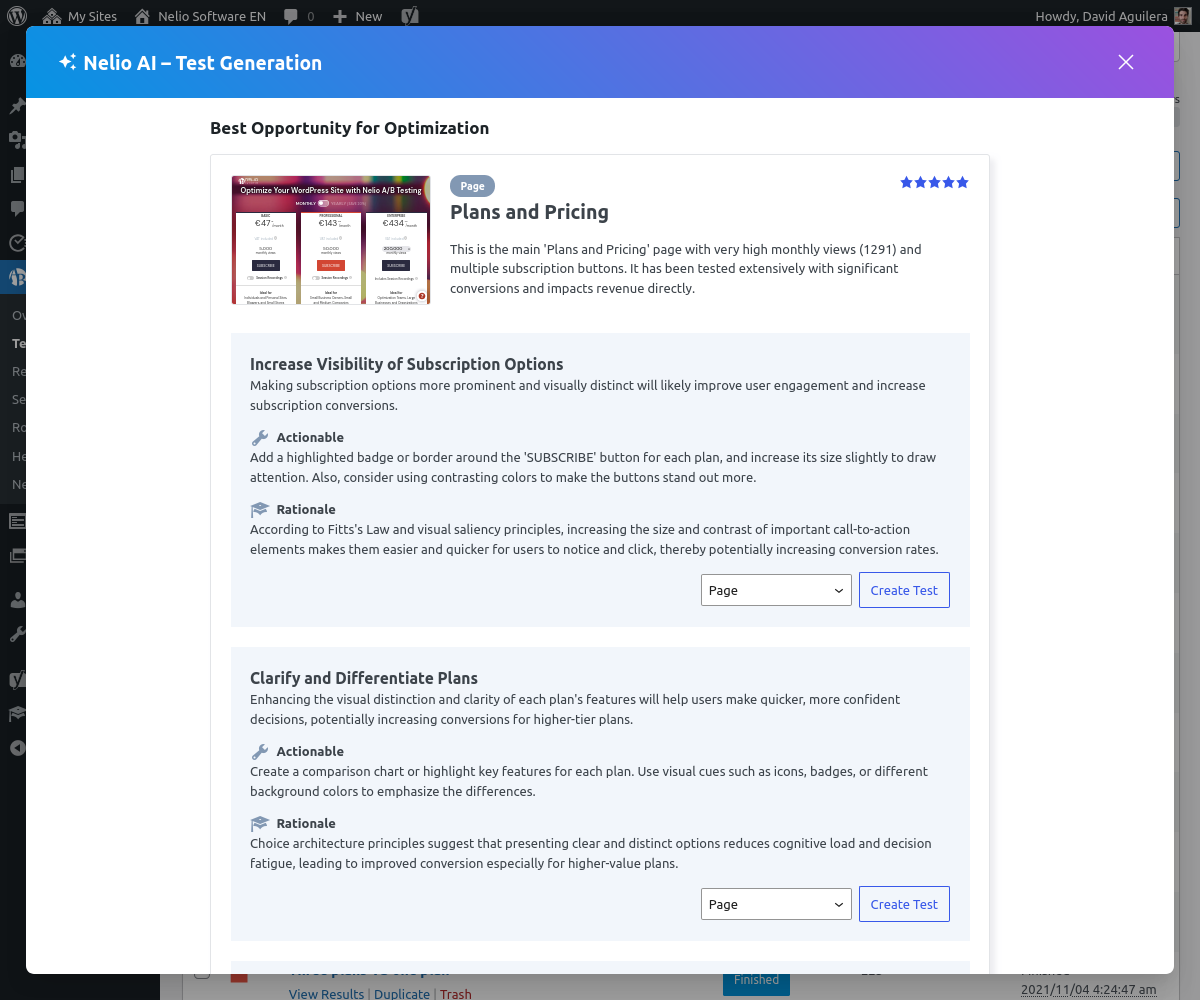
Nelio AI jumpstarts your optimization process by analyzing your site and suggesting high-impact test ideas tailored to your content—so you can start testing smarter, faster. 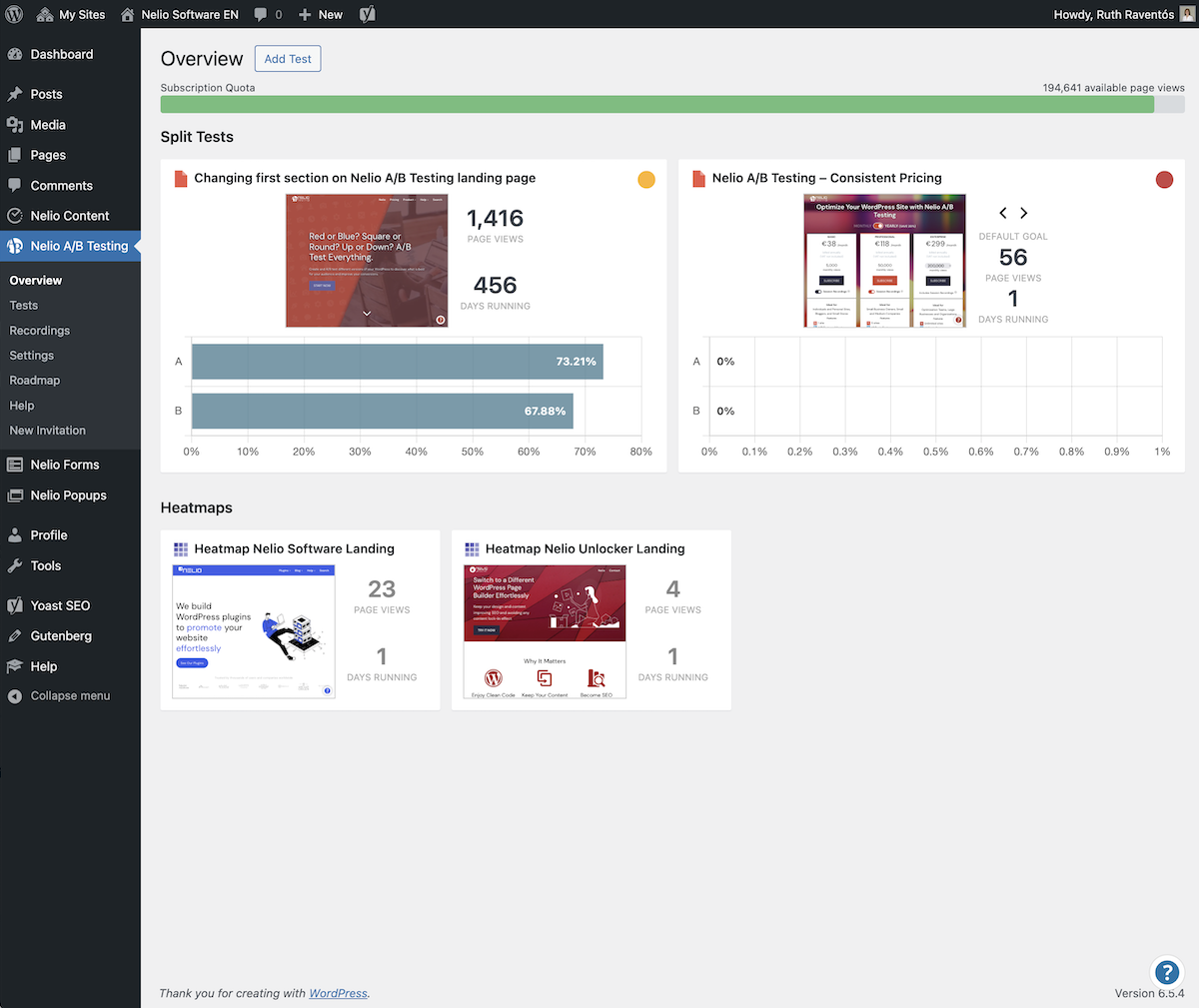
The plugin comes with an overview page that shows you all the information you need about your running tests at a glance. 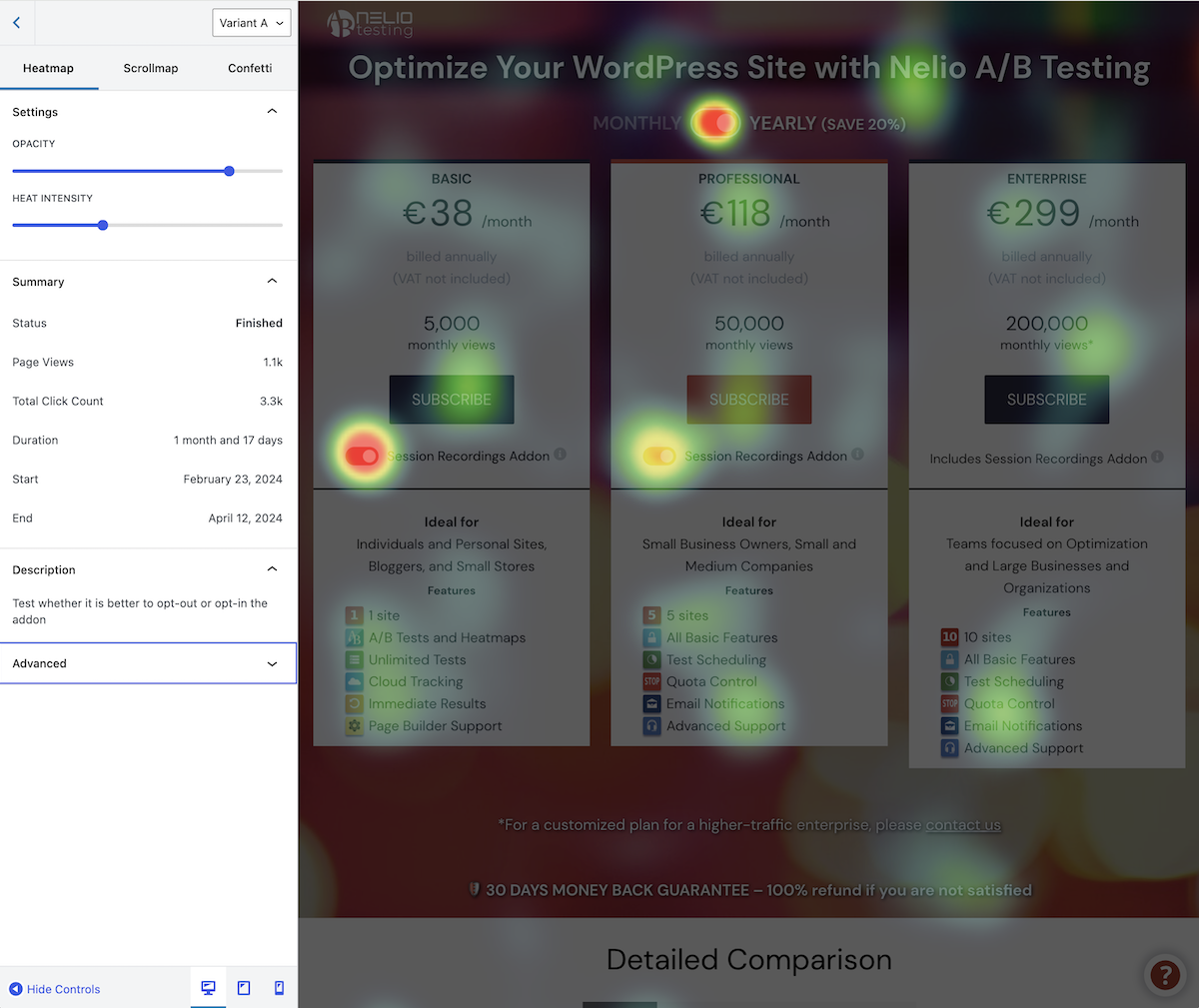
Our service lets you analyze the hottest areas of any page on your site so that you can understand your customers better. 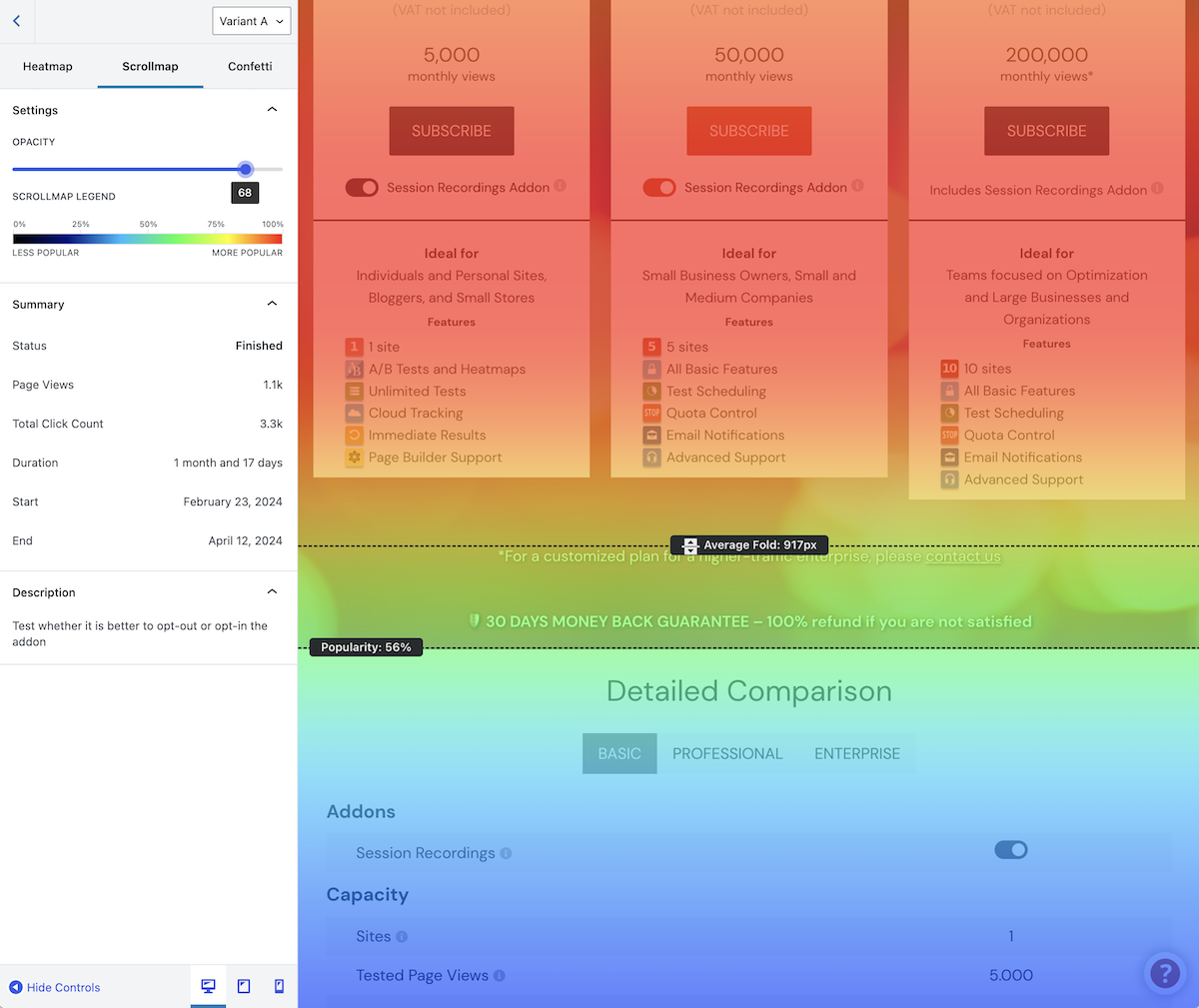
Not only does the plugin include heatmaps, but it also features scrollmaps and confetti maps.


Installation
- Go to Plugins Add New in your WordPress admin panel.
- Search for “Nelio A/B Testing.”
- Click Install Now and then Activate.
- Follow the setup wizard.
- Go to the Account page and add your License Key to enable Premium features (optional).
- Start your first test under Nelio A/B Testing in the WordPress menu or read our Getting Started Guide to cover the basics.
FAQ
-
Does Nelio A/B Testing slow down my site?
-
Barely. All heavy processing happens on our servers, and the plugin integrates with major caching plugins to minimize load.
-
Can I use it with page builders like Elementor or Gutenberg?
-
Yes. Nelio A/B Testing works with all major page builders, including Elementor and the WordPress block editor (Gutenberg).
-
How many tests can I run on the free plan?
-
As many as you want. However, keep in mind that the free plan supports a limited number of page views per month, which means you should probably focus your efforts on one test only. Upgrade to premium to test high-traffic sites, run tests with more variants, and unlock additional premium features.
-
Is my data safe?
-
Absolutely. No sensitive or personal user data is stored or transmitted to our cloud.
-
How often do you release updates?
-
We release new features and bug fixes regularly, ensuring full compatibility with the latest WordPress versions. Also, if you have specific needs or feature requests, we’d love to hear from you, as we actively listen to user feedback and continuously shape our roadmap to bring your ideas to life.
-
Where can I get help?
-
You can get help here:
-
Where do I report security bugs found in this plugin?
-
Please report security bugs found in the source code of the Nelio AB Testing plugin through the Patchstack Vulnerability Disclosure Program. The Patchstack team will assist you with verification, CVE assignment, and notify the developers of this plugin.
Reviews


Contributors & Developers
“Nelio A/B Testing – AB Tests and Heatmaps for Better Conversion Optimization” adalah perisian sumber terbuka. Orang-orang berikut telah menyumbang kepada pemalam ini.
Penyumbang


“Nelio A/B Testing – AB Tests and Heatmaps for Better Conversion Optimization” telah diterjemahkan ke dalam 8 penempatan. Terima kasih kepada para penterjemah untuk terjemahan mereka.
Berminat dalam pembangunan?
Layari kod, periksa repositori SVN, atau langgani log pembangunan dengan RSS.
Changelog
8.3.1 (April 14, 2026)
- Fix type error by checking for failed cached data retrieval in experiment manager.
- Fix fatal error when calling
nab_get_running_experimentsonnull. Reported by @hannah3405.
8.3.0 (April 13, 2026)
- Add logic to reset
nabAlternativecookie when starting a new set of tests. - Add nonce to CSS and JavaScript alternative previewers to prevent unauthorized users from using them.
- Add nonce to CSS selector finder to prevent unauthorized users from using it.
- Add support for WPC Product Bundles for WooCommerce.
- Enhance IP validation logic in excluded IPs setting.
- Fix access to “My Account” subpages in WooCommerce when there are active tests.
- Fix alternative theme selector in theme tests.
- Fix bug when REST proxy is enabled. Result from cloud should be properly forwarded, but it wasn’t.
- Fix post type exclusions in custom post type tests.
- Fix select menu placement near viewport edge.
- Fix welcome guides to auto-open on first UI visit.
- Prevent alternative loading content in a tested URL with no testing query argument.
- Prevent auto-opening of remaining welcome guides after one is skipped (still accessible manually).
- Reduce public script bundle size by 65%.
- Remove unused code from PHP alternative previewer.
- Update TS config target to ES2020.
8.2.8 (February 23, 2026)
- Add quality check to prevent starting JavaScript tests when
done()is missing in variants - Enable
php-snippetscope rules on PHP tests only. - Enable variant switcher in heatmap results page when current variant has no heatmap data.
- Ensure the CSS preview iframe always includes the
nab-css-previewquery parameter. - Ensure the JavaScript preview iframe always includes the
nab-javascript-previewquery parameter. - Fix conversion rate value in Results screen. It should contain the percentage symbol.
- Fix incorrect type for
Experiment.startDatein JavaScript. - Fix JavaScript warnings with deprecated features in WordPress.
- Fix style detection on CSS editor for elements that have hover/active rules.
- Fix validation of YouTube Video conversion actions.
- Tweak editor UI to highlight invalid conversion actions and invalid segments.
8.2.7 (February 2, 2026)
- Fix conversion tracking in Google Analytics when triggered by WooCommerce.
8.2.6 (January 29, 2026)
- Fix post selector bug to make sure selected content is properly displayed.
8.2.5 (January 29, 2026)
- Fix scope in settings screen to remove error messages from other plugins.
- Fix synced pattern tests. Alternative patterns should be loaded not only when they’re not embedded directly in the page, but also when they’re a child of another block.
- Fix vulnerability in post searcher.
- Remove unnecessary attribute from WooCommerce order action.
- Remove unnecessary helper function in synced pattern tests to simplify code.
- Reorganize source code.
- Tweak Nelio A/B Testing’s box in WooCommerce orders to show only experiments that track WooCommerce orders and use only those goals to determine its sync status.
8.2.4 (January 19, 2026)
- Fix alternative template loading when using WordPress templates.
- Fix loading of alternative excerpts in
core/post-excerptblocks.
8.2.3 (January 12, 2026)
- Fix infinite loop when loading alternative excerpts.
- Fix pagination on tested Elementor pages (e.g. when using Posts widget).
- Fix warning on fresh installation. Thanks @Orestis Samaras.
8.2.2 (December 23, 2025)
- Add GTmetrix in bot detection.
- Add Nelio A/B Testing commands to the WordPress Command Bar.
- Add
console.infomessage if a variant doesn’t invokedone()when it’s supposed to. - Add new statuses
missing-sessionandawaiting-variantinnab.session(). - Add revenue per view when hovering revenue value in test results.
- Fix GDPR Cookie detection when its value should be decoded.
- Fix Polylang integration when resolving localized homepage for tests.
- Fix alternative Nelio Popup loading.
- Fix buttons in contextual help.
- Tweak Nelio Popup label in popup tests.
- Tweak
nab_get_queried_object_idto be able to find queried post ID with unknown type.
8.2.0 (December 2, 2025)
- Add setting to choose GA4 event tracking method (Google Tag Manager or gtag.js) for improved compatibility with GTM-based and direct gtag implementations.
- Add external script to load alternative content on embedded external pages.
- Fix compatibility with third-party forms in form submission conversion actions.
- Fix potential security risk by granting default permission to edit PHP tests to admin users only.
- Internationalize some labels.
🌍 Translations
Available in English, Spanish, and Catalan.
Want to help translate Nelio A/B Testing into your language? Join the translation team!
