

Skip links
Opti-Behavior
Opti-Behavior
made by OptiUser
Open Source · Self-Hosted · Privacy-First · Ultra-Fast

Microsoft Clarity is free — but Microsoft owns your visitors’ data.
Opti-Behavior gives you the same power, on your server, forever

Everything Hotjar does. Everything Clarity does. On YOUR server — with zero data sharing, zero monthly fees, zero performance impact.

No credit card · 2-minute setup · Works with any theme
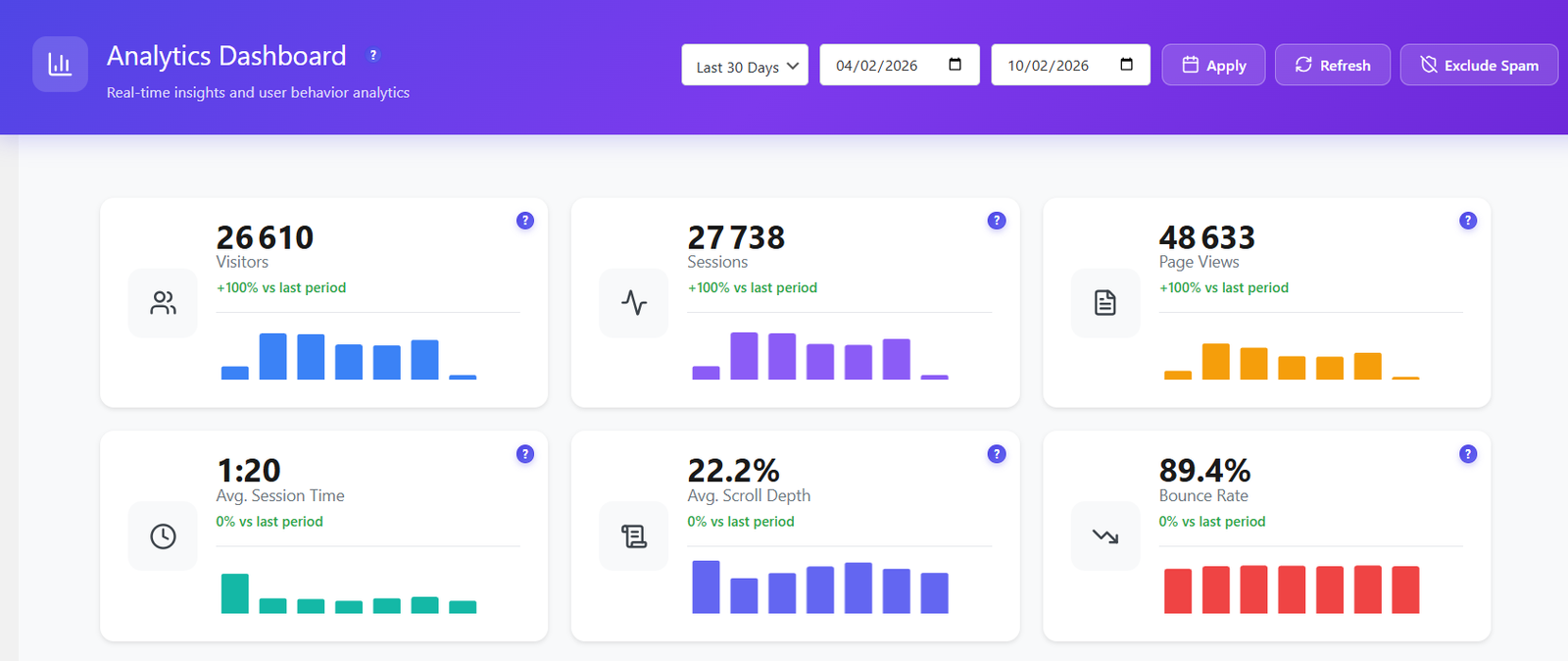
Opti-Behavior Dashboard showing real-time analytics
$0
Monthly Cost
Free forever — no subscription, no hidden fees
Sessions
Unlimited visitors, pageviews & recordings tracked
100%
Data Ownership
Your data stays on your server, always
8
Built-in Tools
Analytics, heatmaps, recordings, funnels & more
WordPress 6.7 Ready
GDPR & CCPA Ready
Zero Slowdown
6 Languages
Multisite Ready
No Cookies Needed

Every Analytics Tool Has a Hidden Cost

Microsoft Clarity Sells Your Data

Microsoft uses your visitors’ behavioral data as an independent data controller for advertising. It’s in their Terms of Service.

Hotjar Costs $2,556/Year

Heatmaps + recordings + funnels = $213+/month. Free tier? Only 35 sessions/day.

Session Limits Everywhere

Hotjar free: 35/day. Mouseflow: 500/month. Lucky Orange: 100/month. You’re only seeing a fraction of your traffic.

Ultra-Fast — Your Website Won’t Feel a Thing

Most analytics tools inject heavy scripts that slow your pages down. Opti-Behavior is engineered from the ground up for zero performance impact, powered by a revolutionary Hybrid Storage technique.

~15KB Async Script

The tracking script is only ~15KB minified and loads 100% asynchronously. It never blocks page rendering. Lighter than Hotjar, Clarity, or any competitor.

Hybrid Storage Engine

A new approach to data storage: analytics events are stored in optimized JSON files on disk, not in your database. Your MySQL stays fast. Your pages stay fast. No database bloat, ever.

Batch Processing & Pre-Aggregation

Events are collected in memory and written in batches. Daily stats are pre-aggregated so your dashboard loads instantly — even with millions of pageviews.

Smart Database Indexing

Intelligent indexes on all analytics tables ensure queries return in milliseconds, not seconds. Optimized for WordPress shared hosting and VPS alike.

0 Impact on Core Web Vitals

Fully non-blocking. No layout shifts. No render delays. Your Lighthouse score, LCP, CLS, and INP stay exactly the same after installing Opti-Behavior.

Cache-Plugin Compatible

Works perfectly with WP Rocket, LiteSpeed Cache, W3 Total Cache, and every major caching plugin. No conflicts, no cache-busting, no workarounds needed.

Cache Plugin Compatible
WP Rocket
LiteSpeed
W3 Total Cache
Autoptimize
SG Optimizer
WP Super Cache
Works With All Themes & Page Builders
Elementor
Divi
Beaver Builder
WPBakery
Gutenberg
Astra
01
FREE

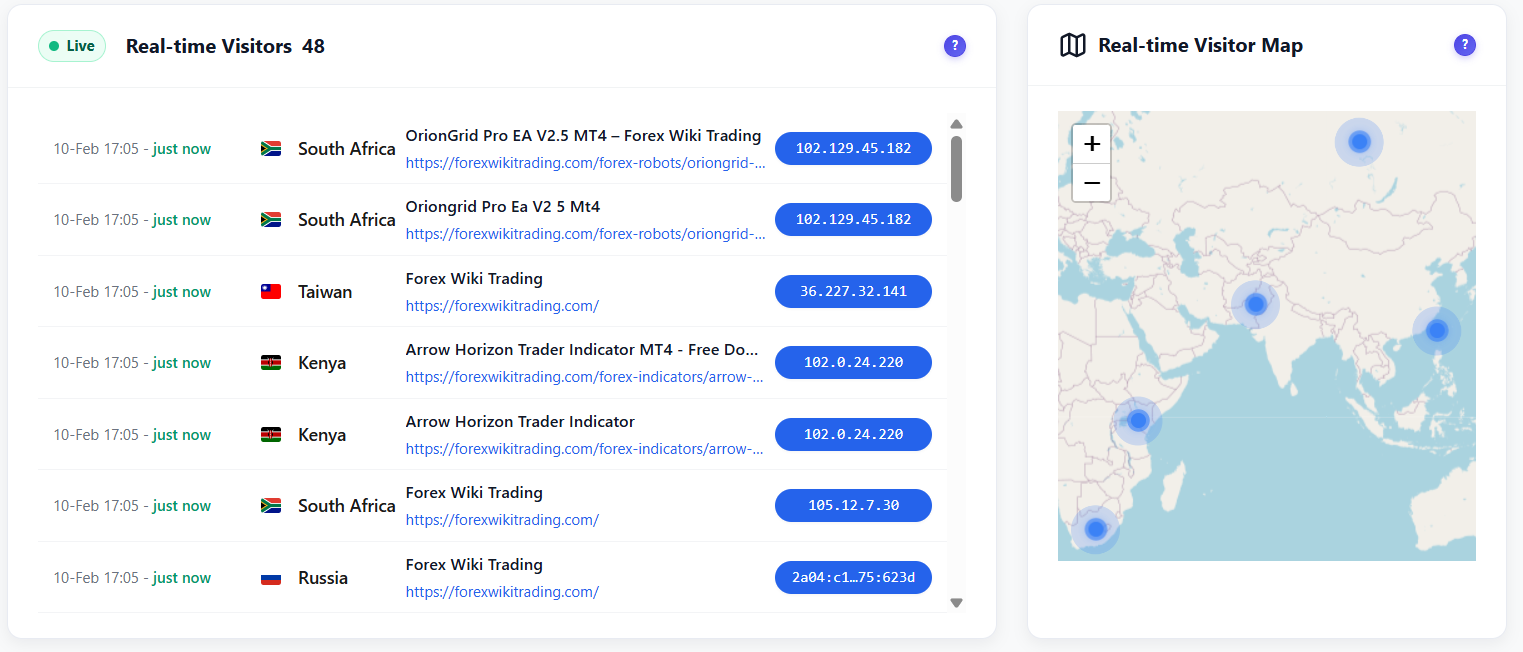
Real-Time Analytics Dashboard

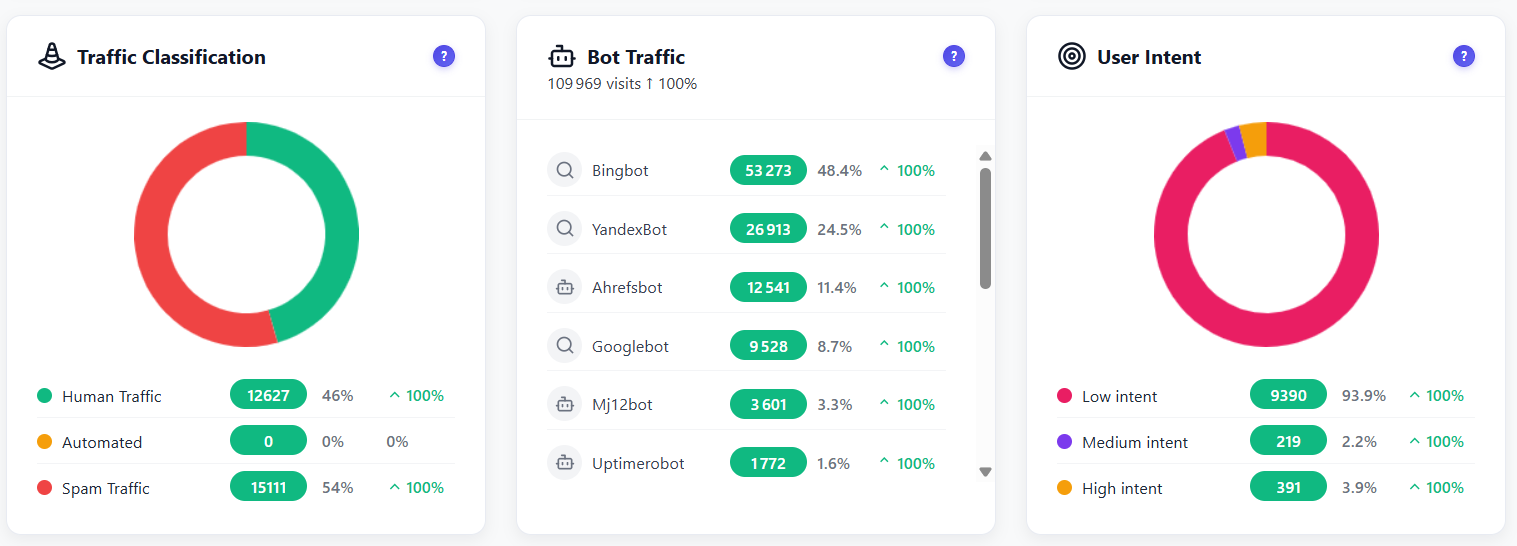
16 intelligent widgets — all updating live on YOUR server. Every visit, click, and session analyzed in real-time. Spam and bot traffic auto-excluded from every report. Zero external calls.

LIVE TRACKING
Real-time visitors + world map 6 KPI cards with bar history
TRAFFIC & ENGAGEMENT
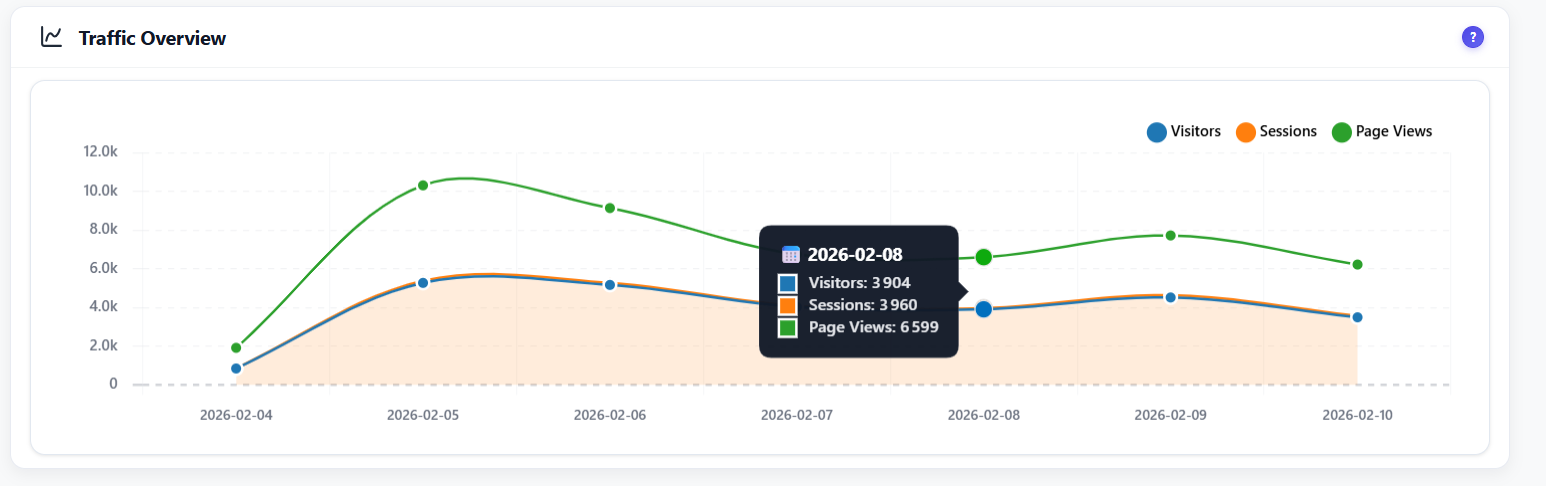
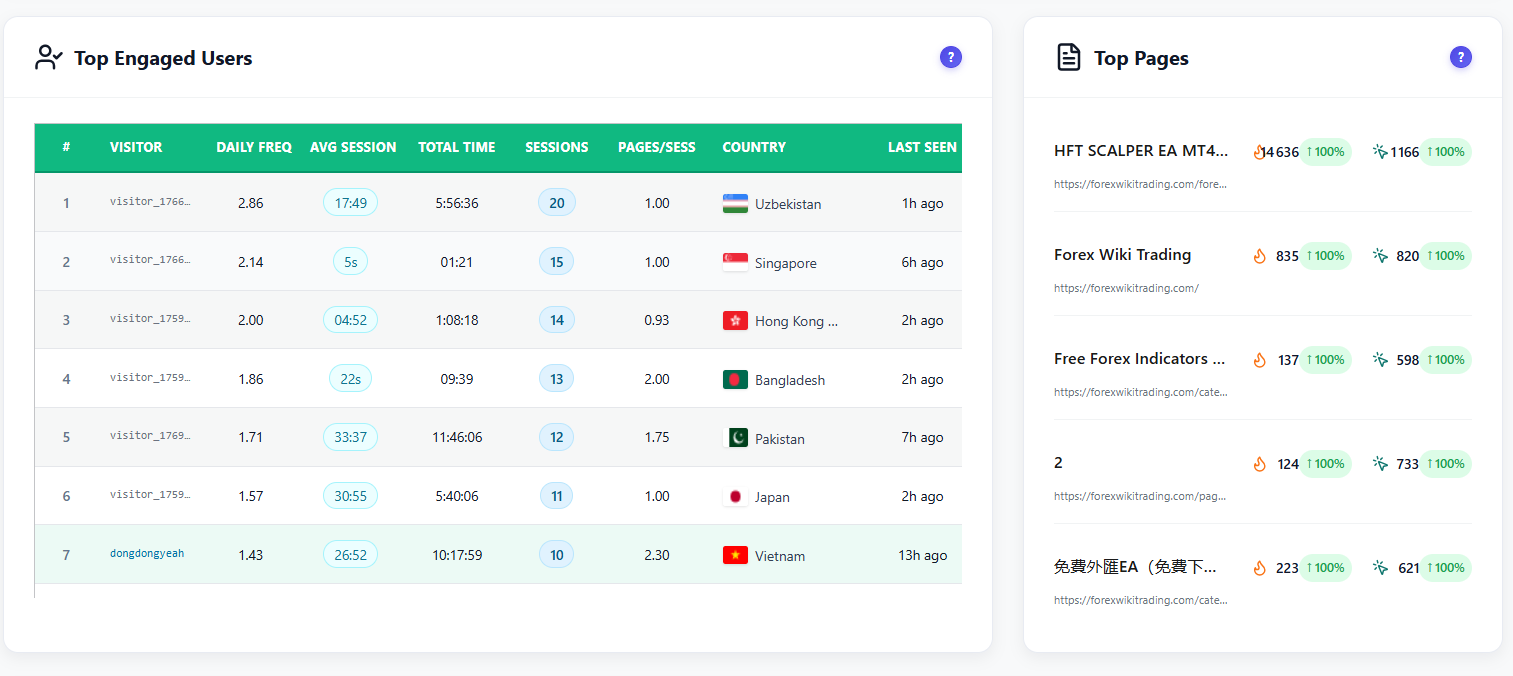
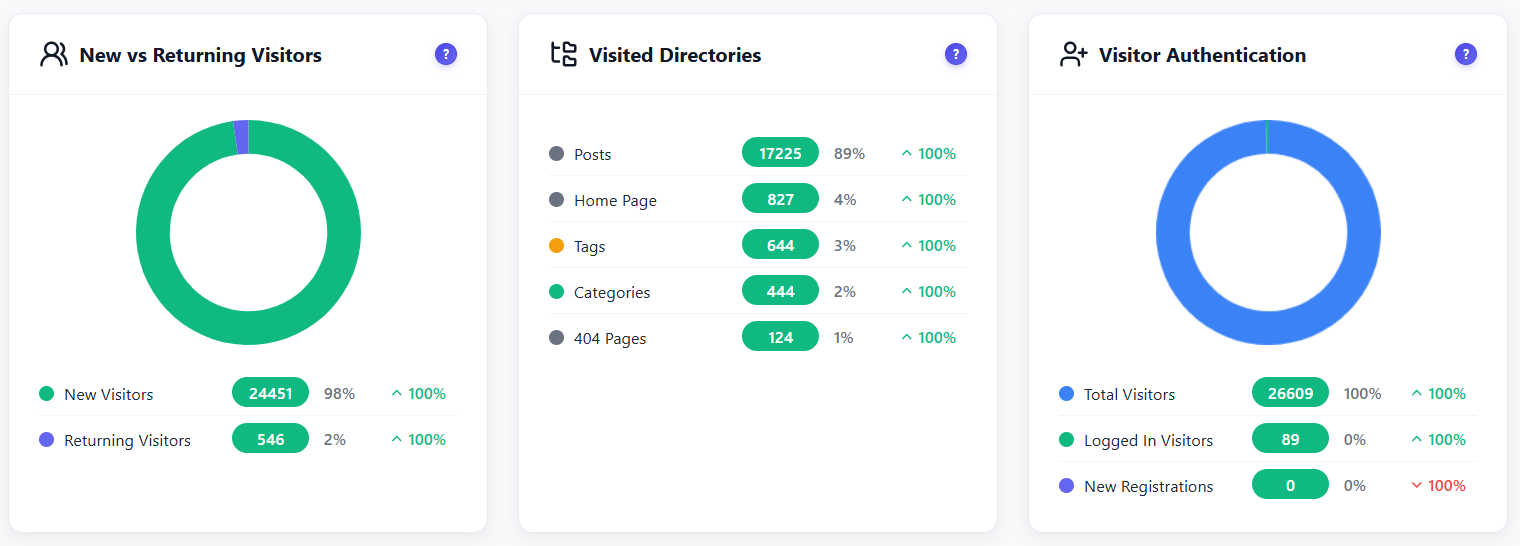
Traffic overview sessions · visitors · pageviews Top 100 engaged users Top pages growth % · heatmap · events Activity heatmap hour × day New vs returning Visited directories
TRAFFIC QUALITY
Visitor auth status Traffic classification human · bot · spam Bot detection 15+ patterns User intent score low · medium · high
SOURCES & AUDIENCE
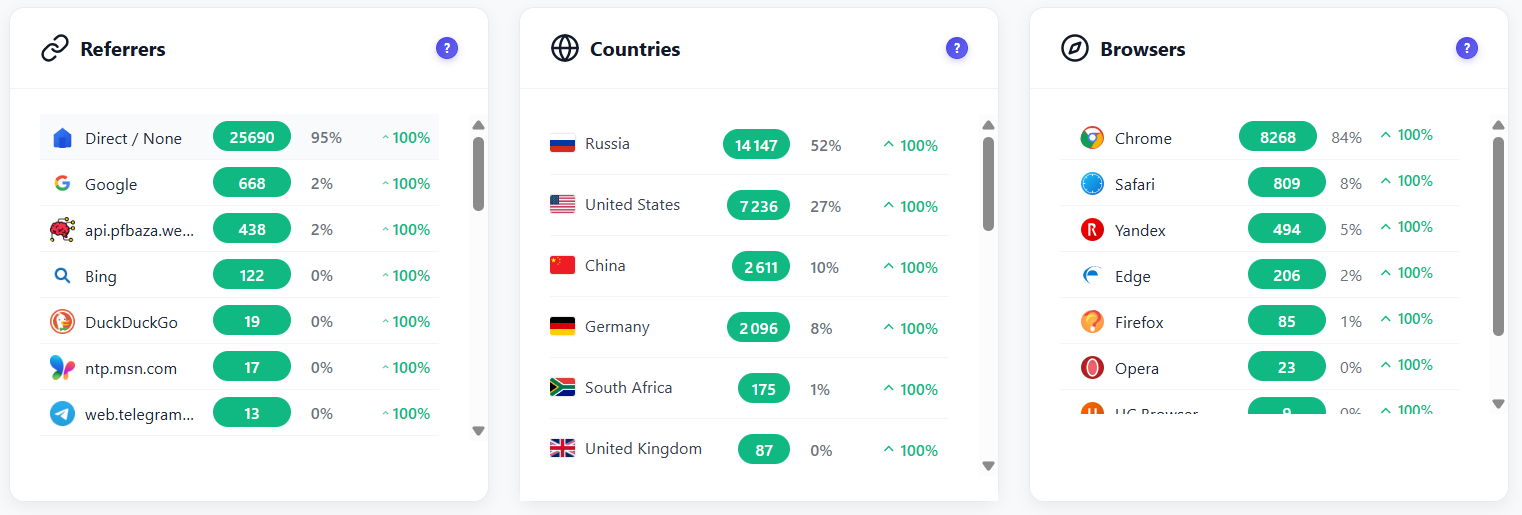
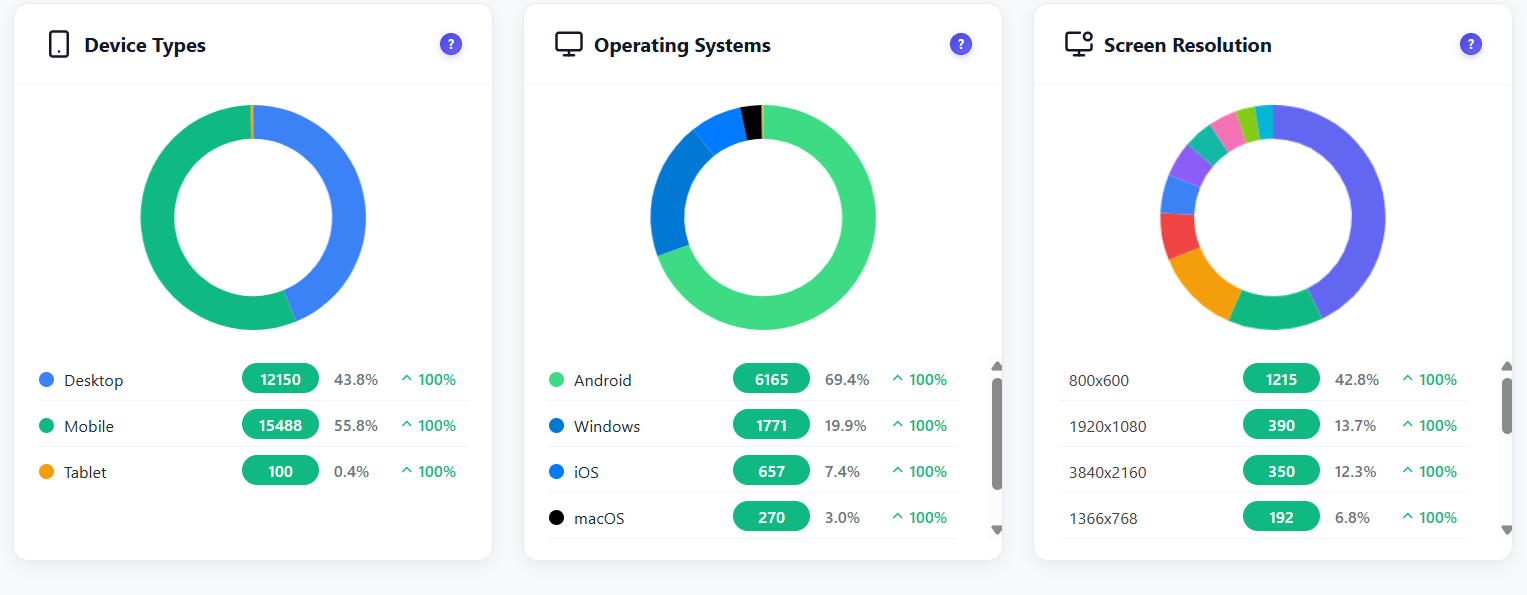
Referrers + UTM tracking Countries Browsers · Devices · OS · Resolution
16Widgets included
$0Monthly cost
0External API calls
Sessions tracked
Learn More →
Real-time visitors with interactive world map
Traffic overview charts Top engaged users and pages New vs Returning visitors and visited directories Country analytics breakdown Referrers countries and browsers Bot detection dashboard
02
FREE PRO

4 Types of Heatmaps

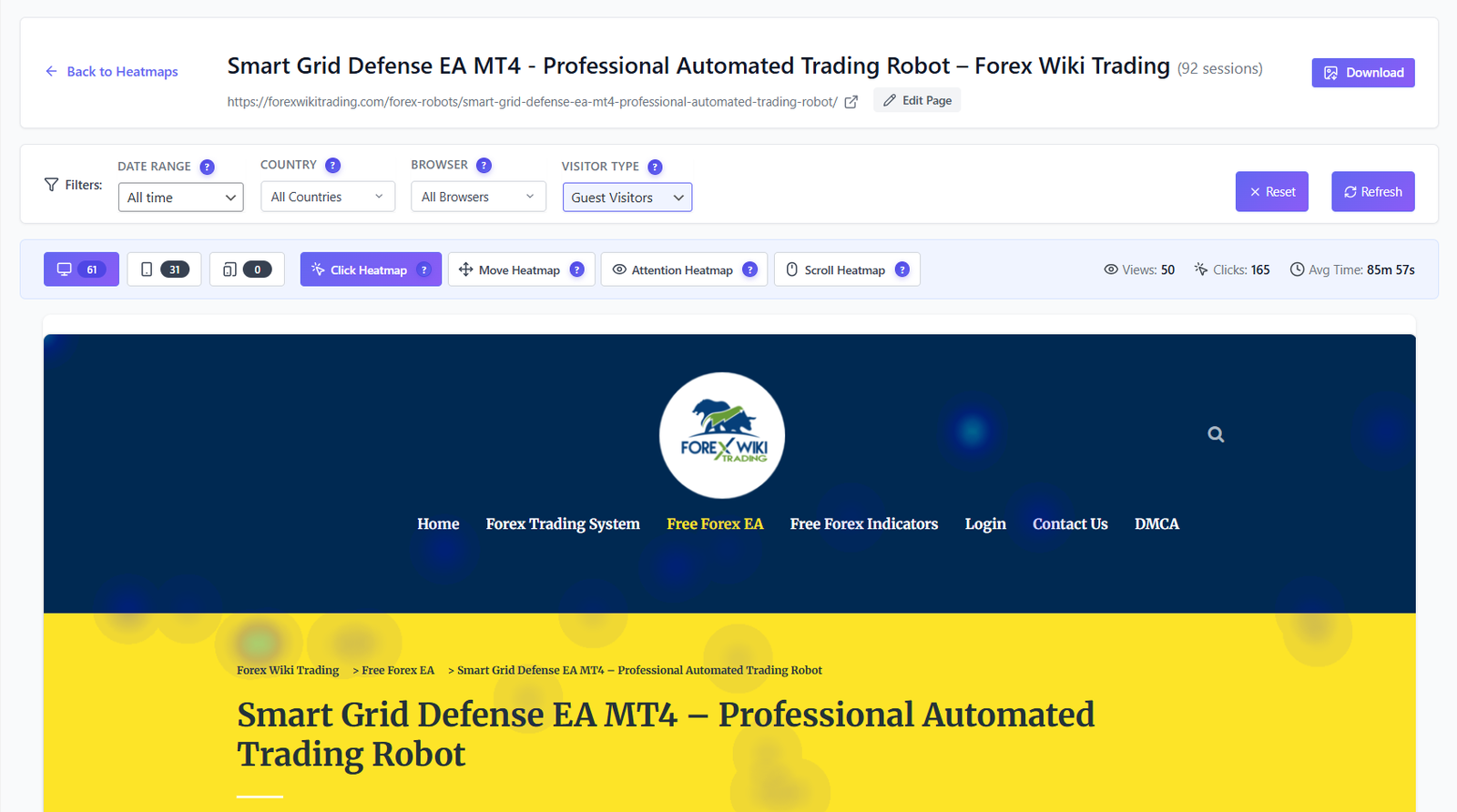
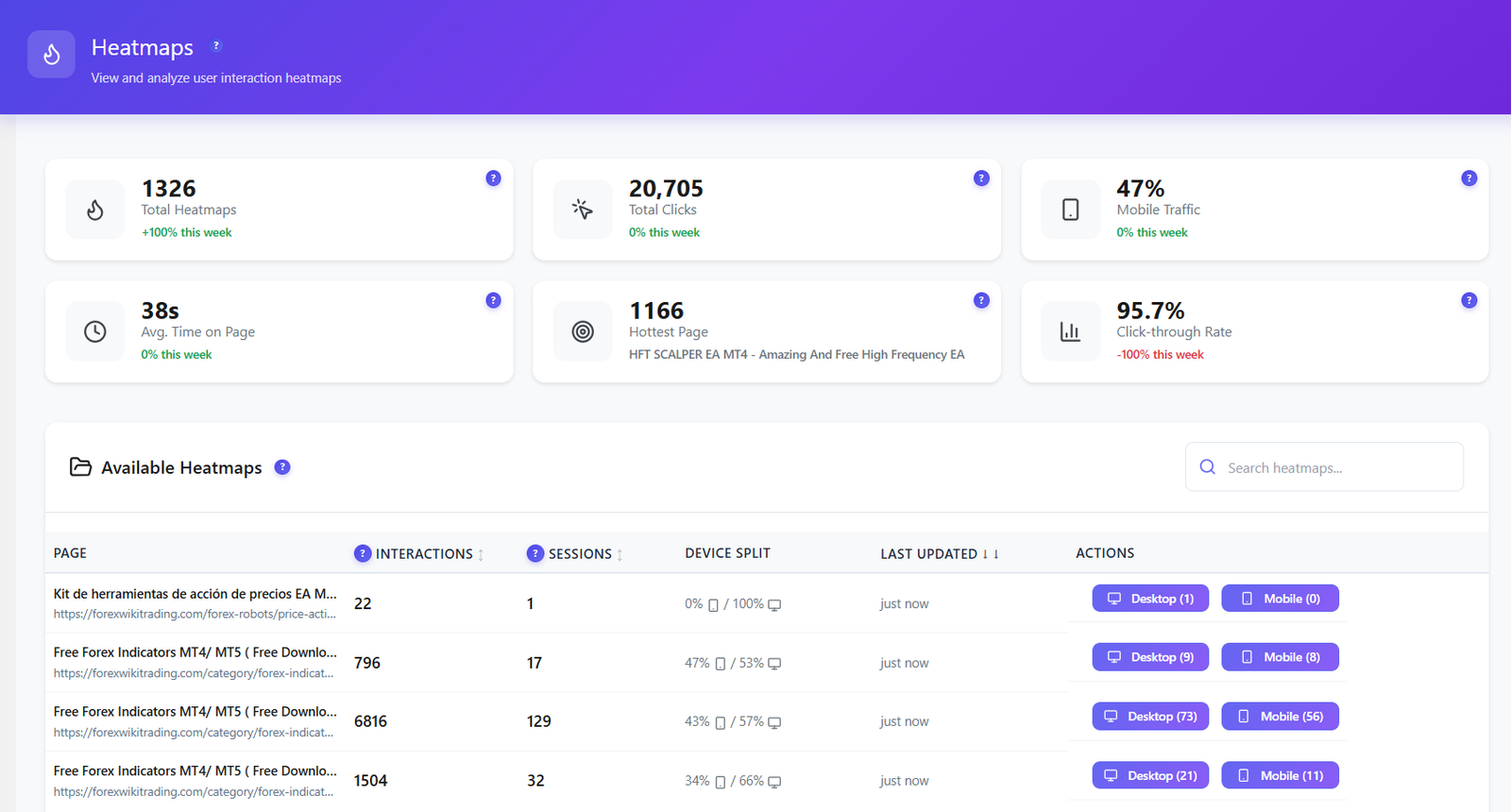
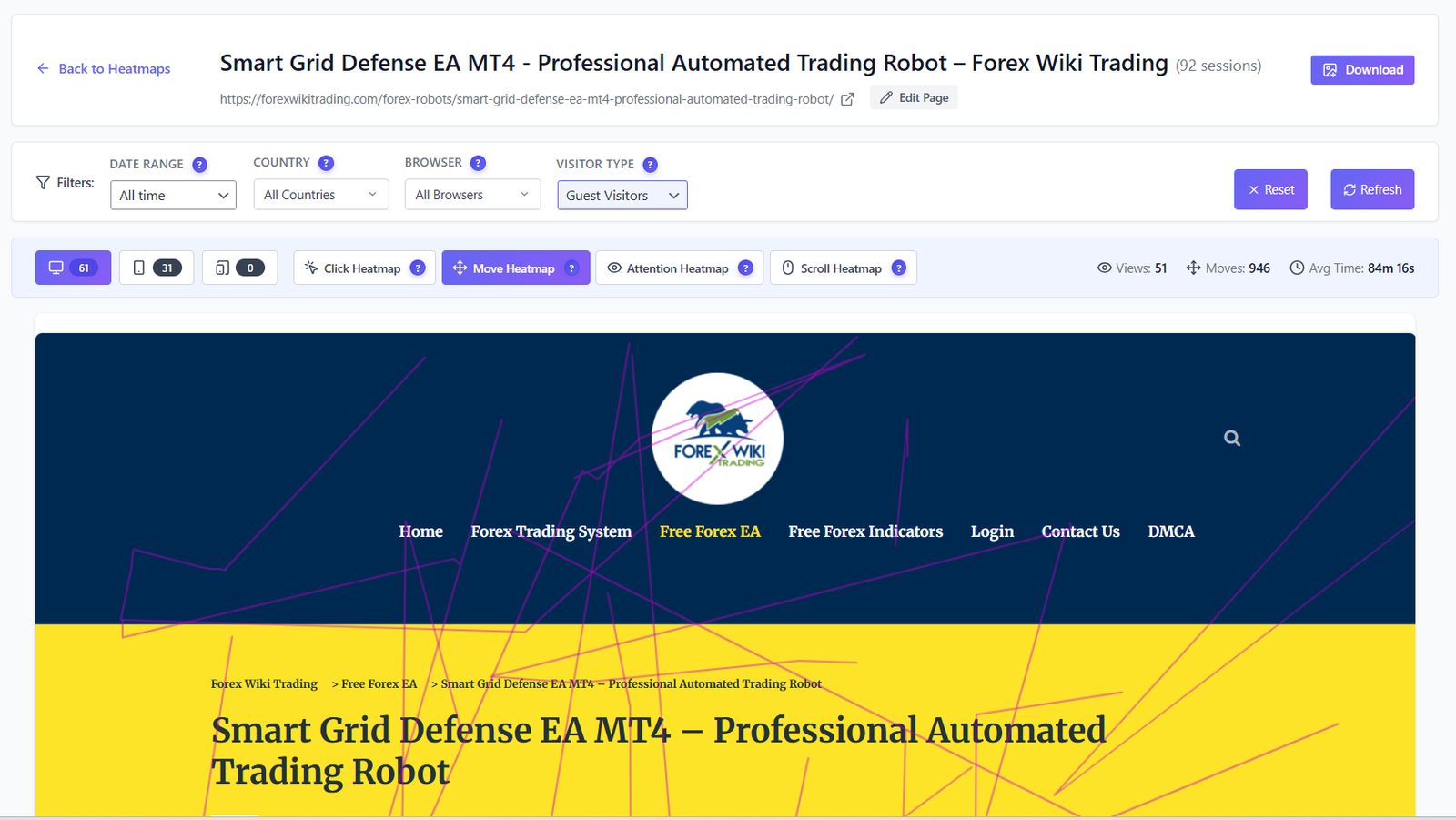
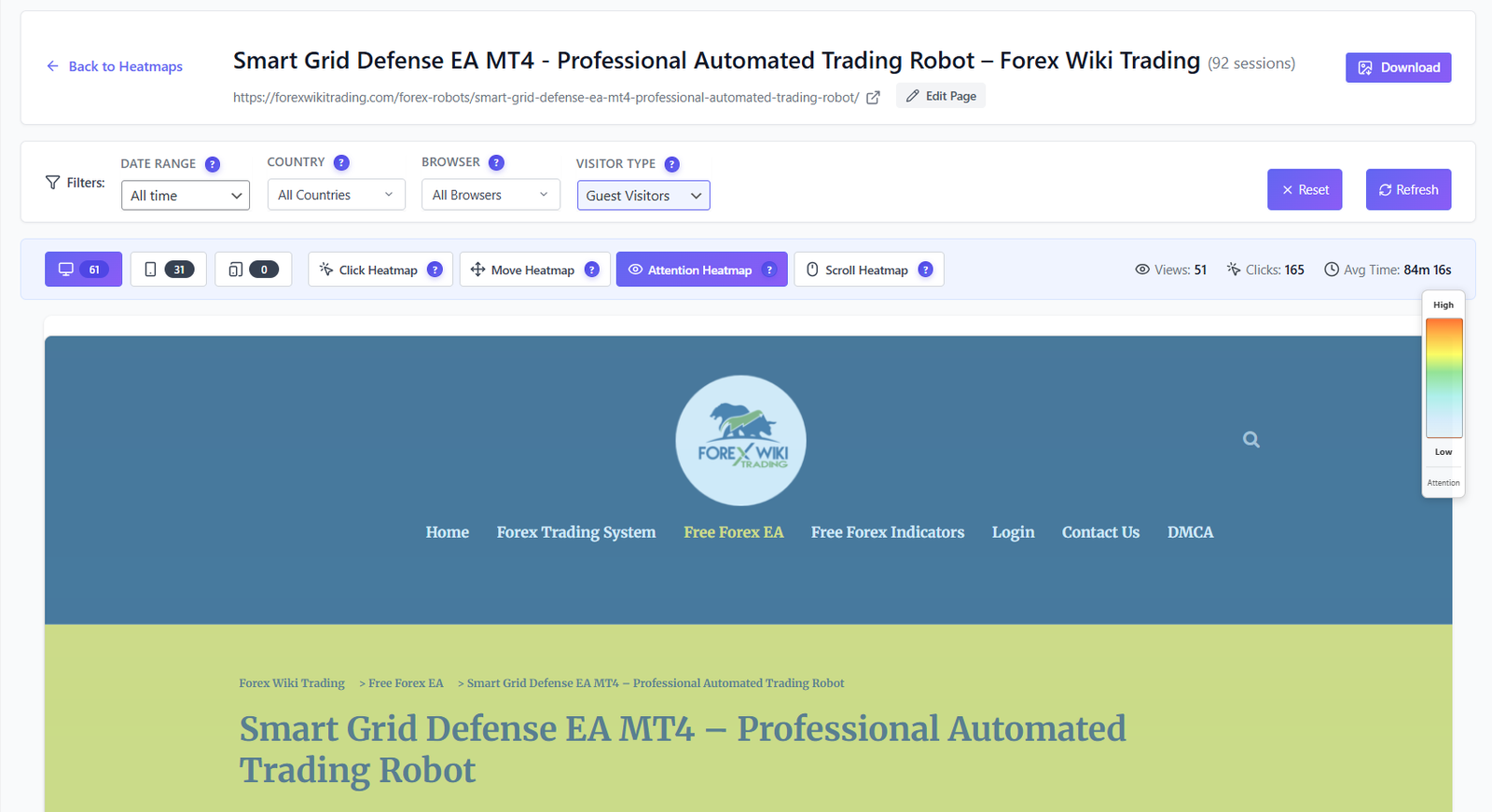
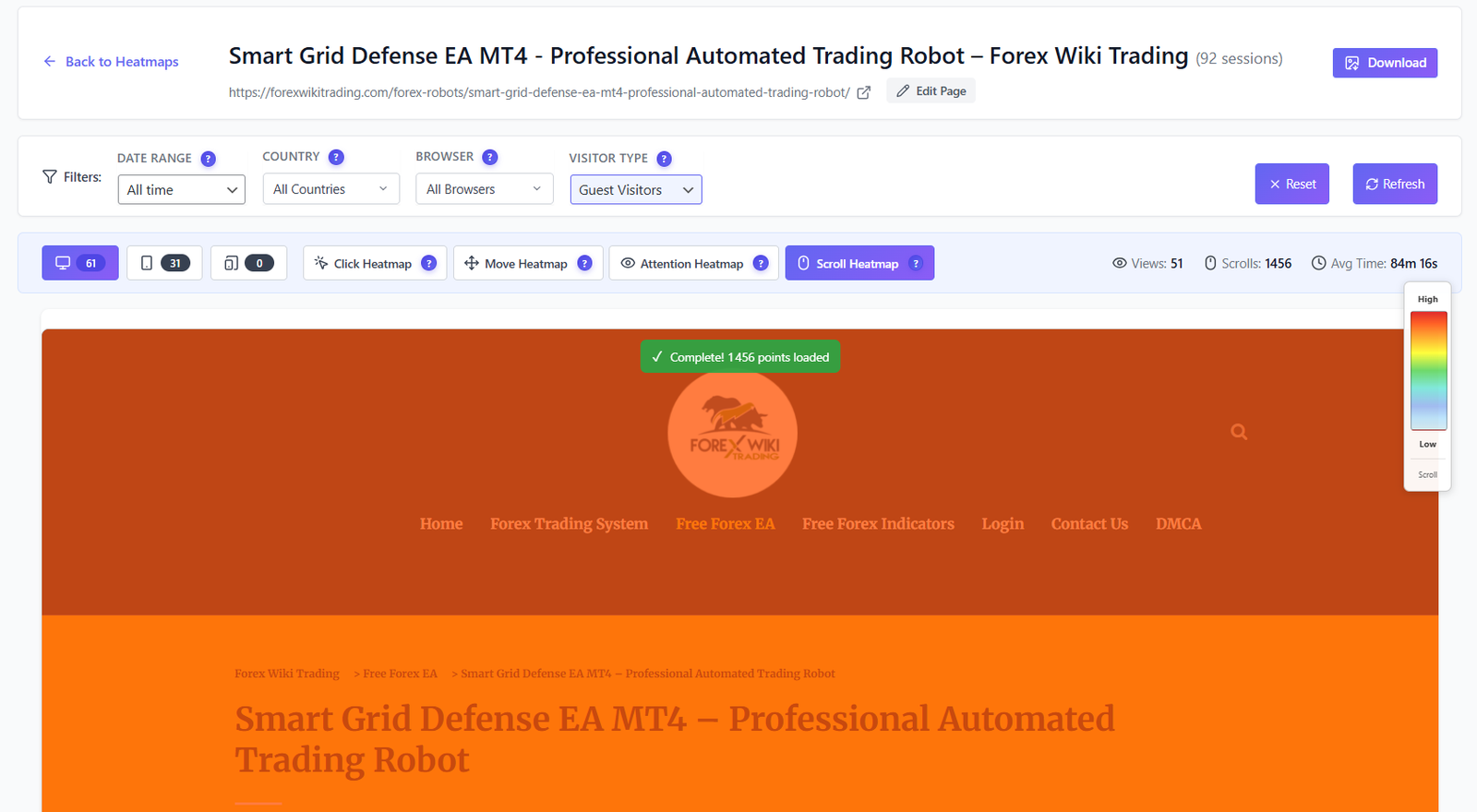
See exactly where users click, move, focus, and scroll — on every page. Separate desktop and mobile views. Advanced filtering. All data stays on your server.

KPI OVERVIEW — WITH GROWTH INDICATOR
Total heatmaps — ↑ Total clicks — ↑ Mobile traffic — ↑ Avg. time on page — ↑ Hottest page /home Click-through rate — ↑
HEATMAP TYPES
Click Heatmap Where users click Free Move Heatmap Mouse movement Pro Attention Heatmap Where users focus Pro Scroll Heatmap How far users scroll Pro
HEATMAP TABLE FILTERS
By page URL Interactions count Session count Device type Last visit time Date range Country Browser Visitor type
ACTIONS
↓ Download as image ☐ Delete by page ☐ Delete by date range ◉ AI Insights Soon
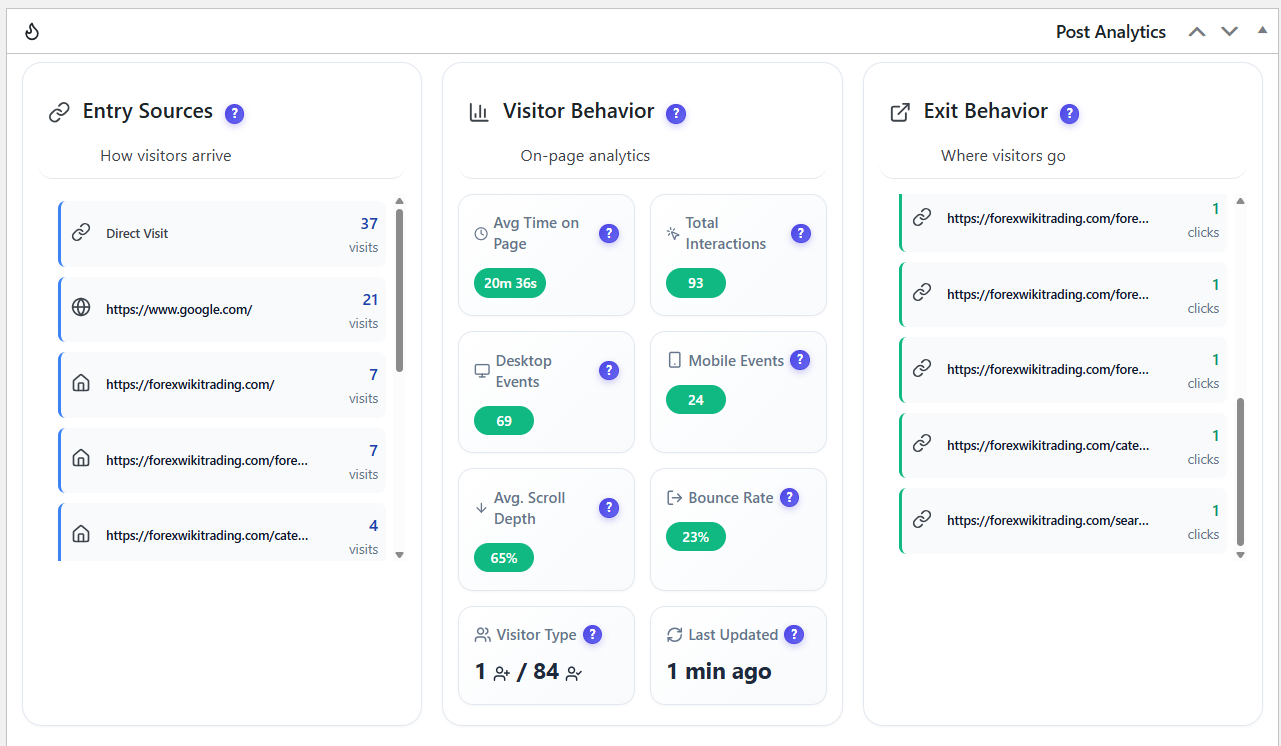
Post & Page Analytics Metabox Per-page widget
Entry Sources where visitors come from for this page
Direct Organic Referral Social
Visitor Behavior
Avg. time on page Total interactions Desktop events Mobile events Avg. scroll depth Bounce rate New vs returning Last visited time
Exit Behavior where users go next
Next URL visited Clicked outbound link
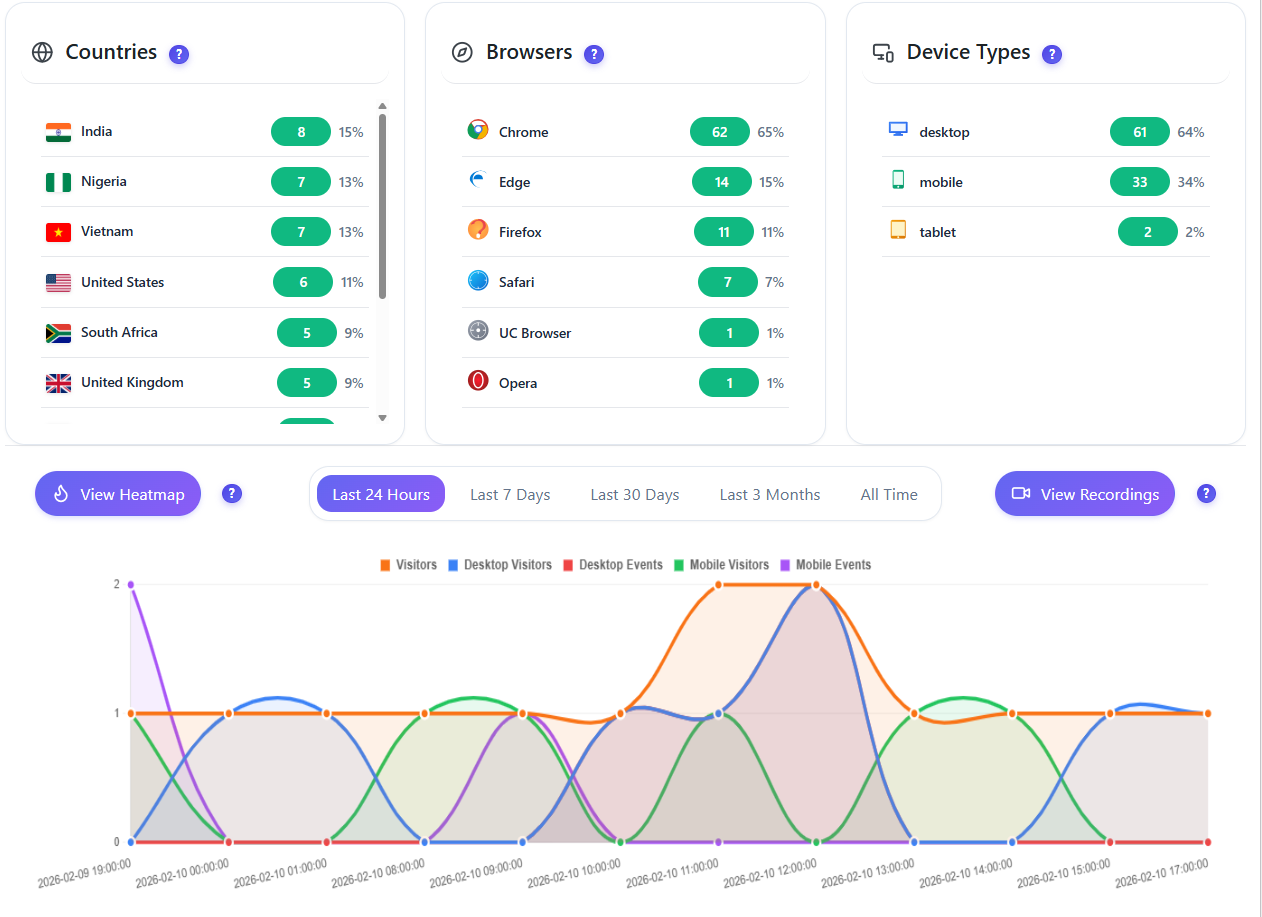
Audience breakdown
Countries Browsers Device types
Historical trend chart

All metrics on a single curve chart — track the evolution of every stat over time for this specific page.

◉ View heatmap ☐ View session recording
Learn More →
Click heatmap overlay on website page
Heatmap list and management page Move heatmap showing mouse movement patterns Attention heatmap highlighting focus areas Scroll heatmap showing user scroll depth

Post & Page Analytics

Post analytics widget with visitor stats Page analytics detail view
03
FREE

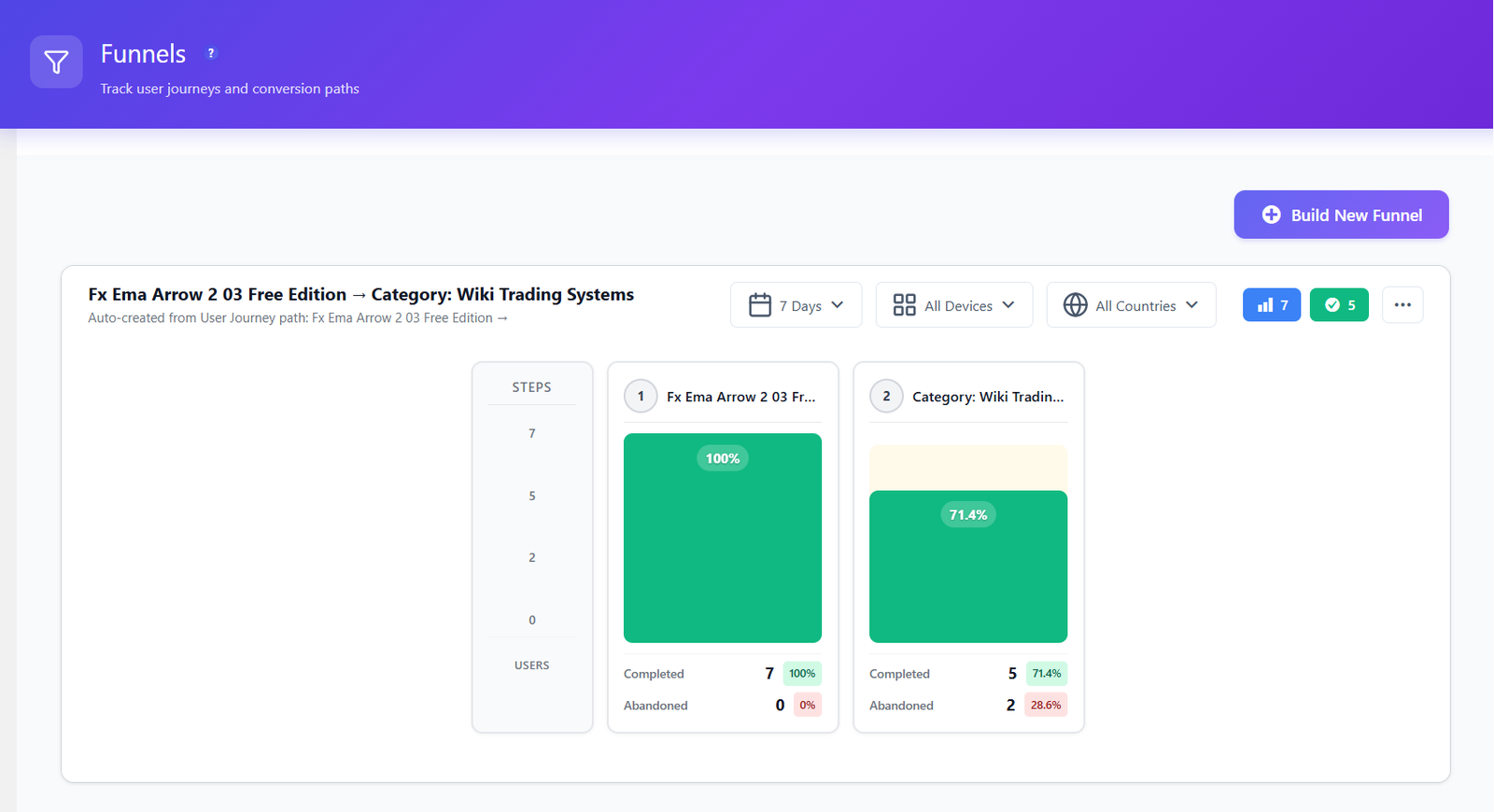
Conversion Funnels

Build unlimited multi-step funnels to track exactly where visitors drop off. Visual dropout analysis at every step — with percentage, abandoned count, and device breakdown.

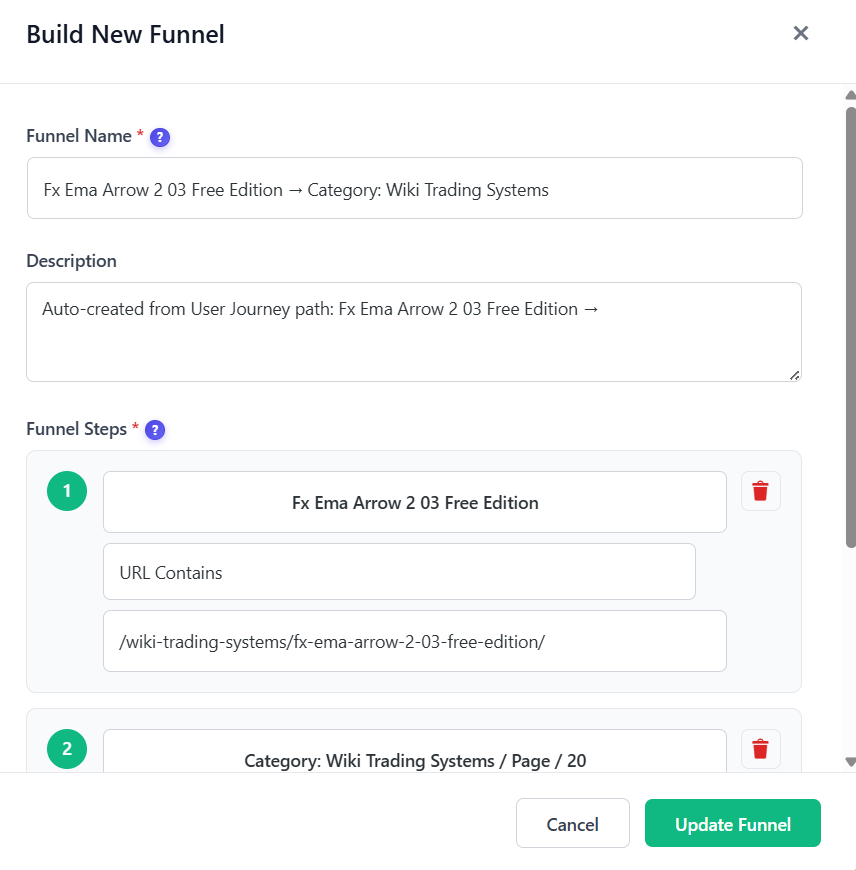
STEP MATCHING RULES
Any page view Matches all pages Exact URL Perfect match only URL contains Partial keyword URL starts with Prefix match URL ends with Suffix match Regex Advanced patterns
VISUAL STEP CARDS — LIVE DROPOUT ANALYSIS

Example funnel — /shop → /product → /cart → /checkout → /order

1/shop100%
2/product68%-32%
3/cart41%-27%
4/checkout18%-23%
5/order-confirmed12%-6%

Completed: 12%   Abandoned: 88%   Critical step: /cart → /checkout

ADVANCED FILTERS
☐ Custom date range ☐ Device type ◉ Country ☍ Referrer URL
ALL FEATURES
  • Unlimited funnel creation — no caps
  • Multi-step URL matching with 6 rule types
  • Visual dropout cards per step with % and abandoned count
  • Drag-and-drop step reordering
  • Auto-created from User Journey discovered paths
  • Completed vs abandoned breakdown per step
COMING SOON
Soon Split test comparison mode

Compare two funnel variants side by side — same steps, different pages. Identify which version converts better with statistical confidence.

Soon WooCommerce cart funnel tracking

Automatic funnel built from your WooCommerce checkout flow — product page → cart → checkout → payment → confirmation — with revenue lost per step.

Learn More →
Funnel builder with steps visualization
Funnel list and settings page
Top paths with Create Funnel button
04
PRO 6-Month Free Trial

Session Recordings

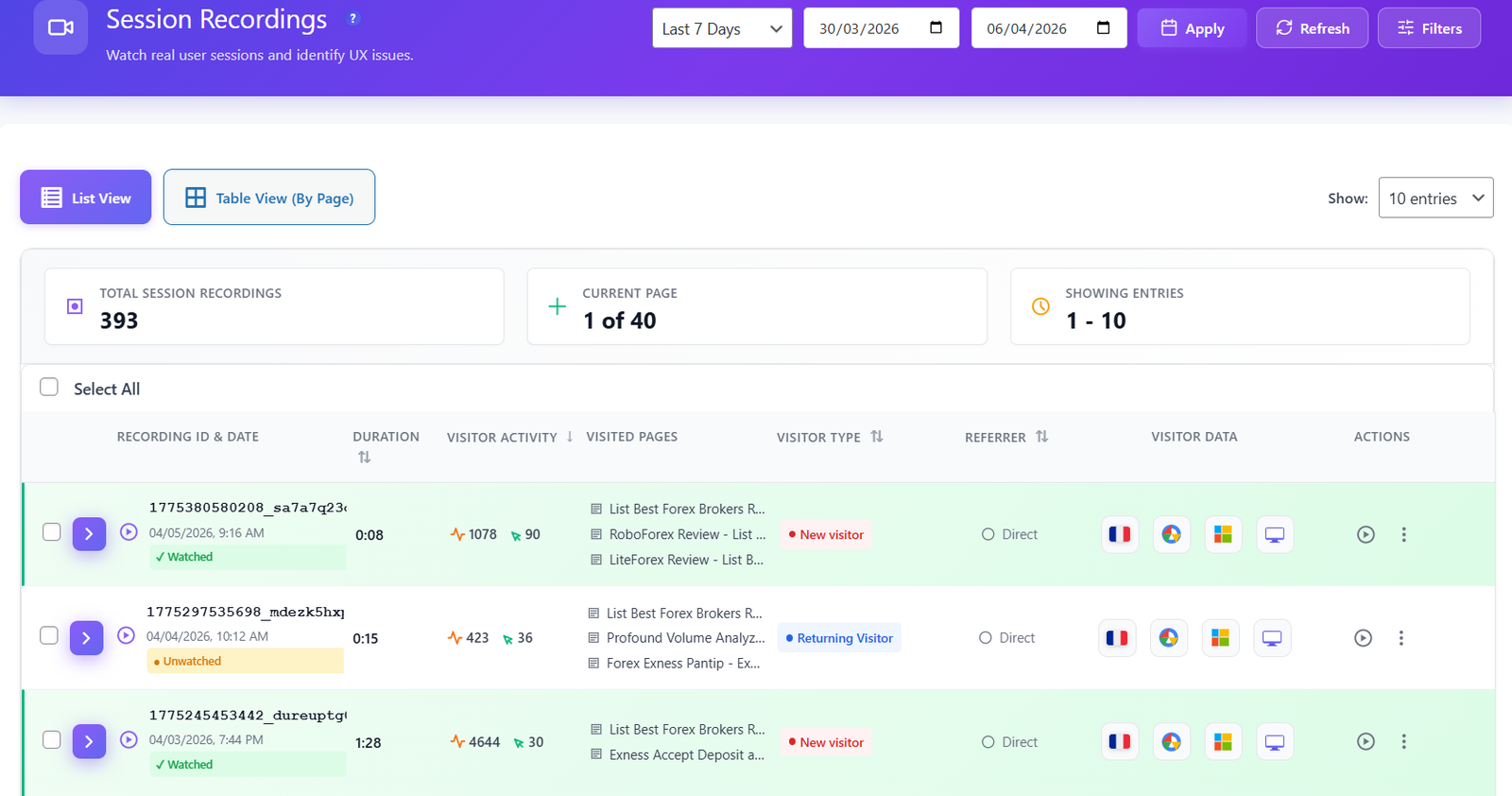
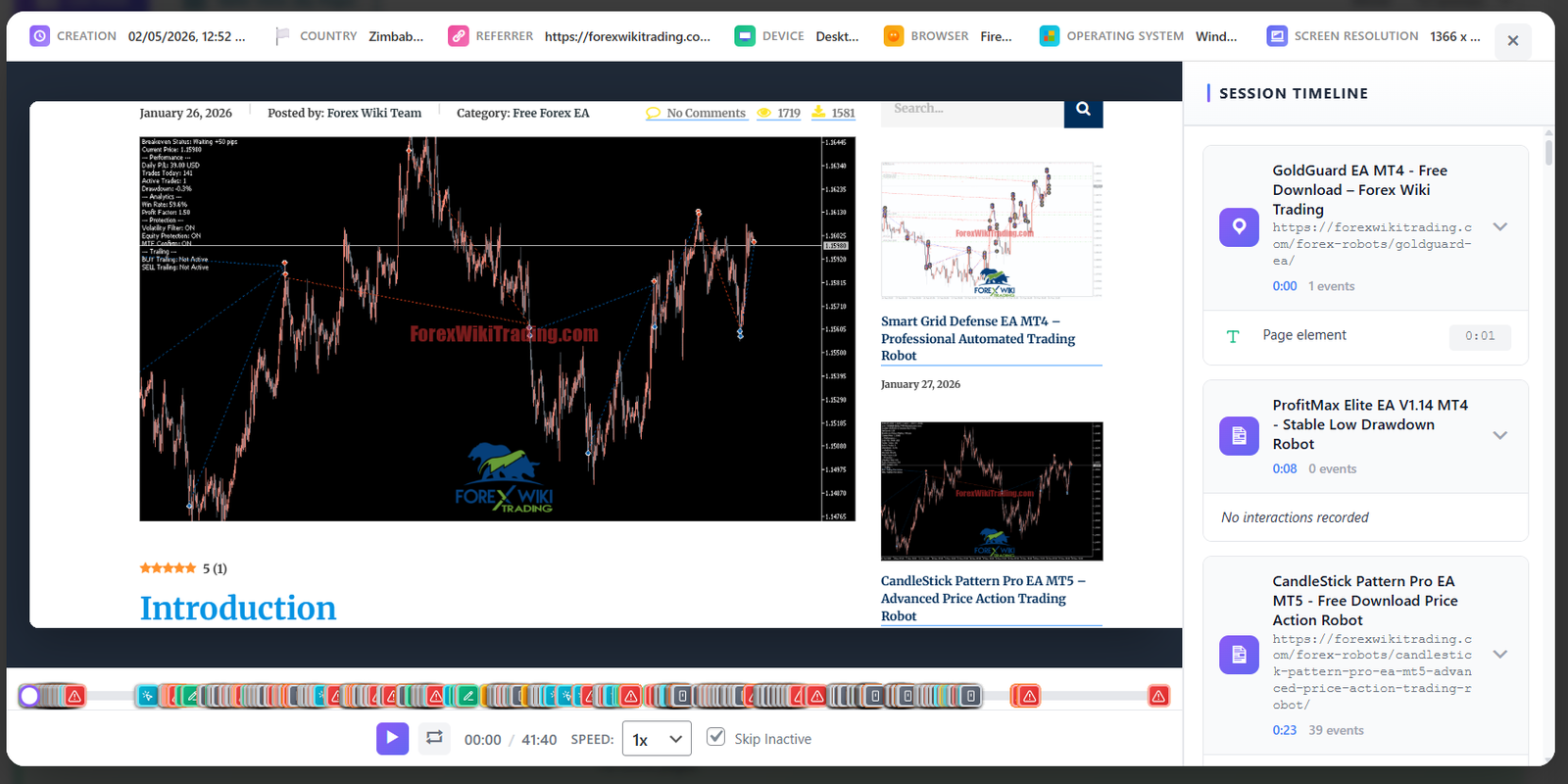
Watch real user sessions in full HD. Every click, scroll, hesitation, and tab change captured. Jump to any moment instantly — no more wasted time scrubbing through recordings.

SESSION TABLE COLUMNS
ID + Date Duration Activity count Pages visited Visitor type Referrer URL Country Browser OS Device type Watch status Clicks count
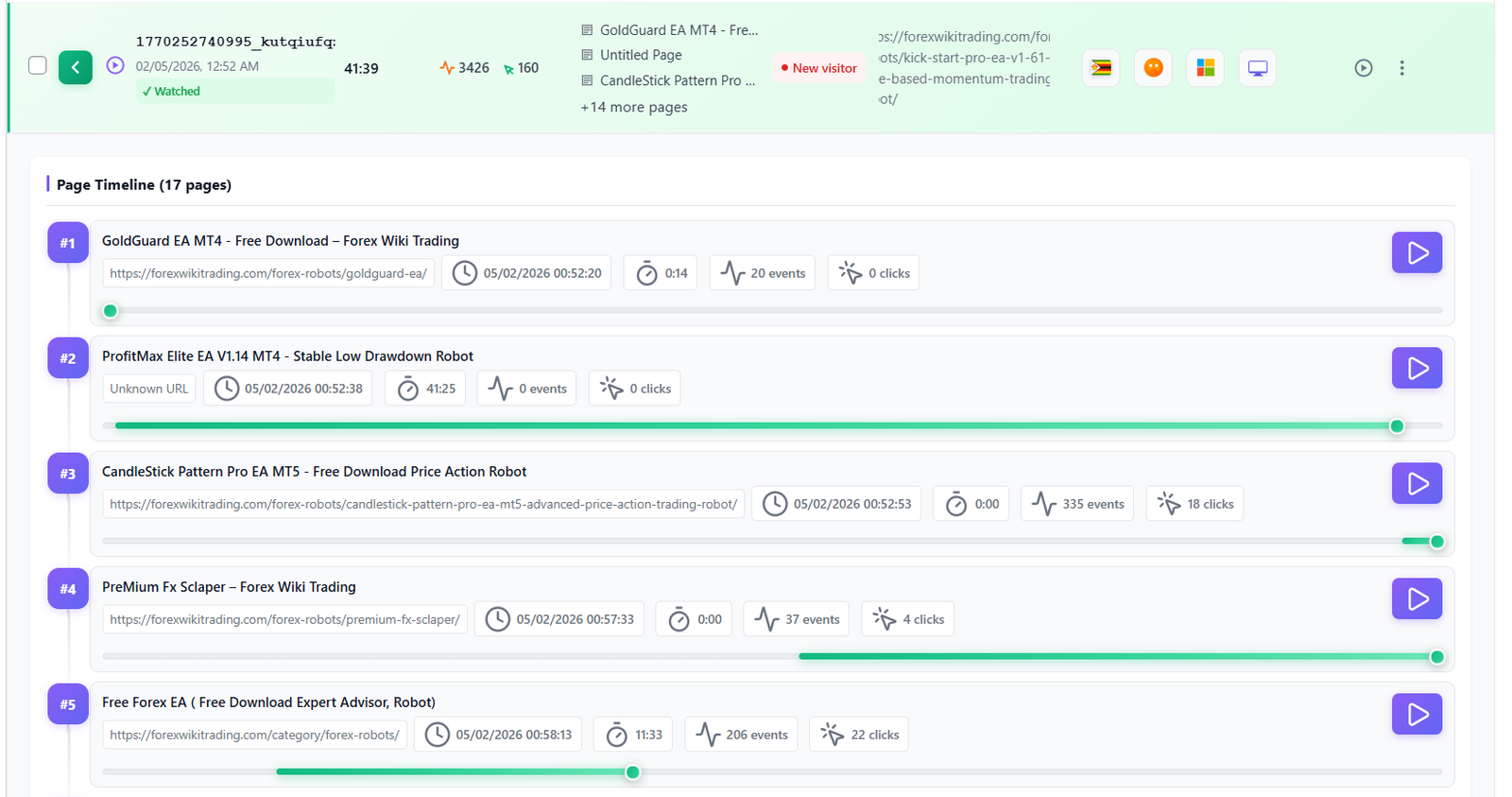
PAGE TIMELINE PER SESSION
URL visited Time of visit Duration on page Events count Clicks count Entry page Exit page Jump to moment
SESSION ACTIONS
☆ Save to favorites ↓ Download recording ↗ Share URL ◉ Mark watched ○ Mark unwatched ☐ Delete
SESSION PLAYER
Visitor metadata bar Always visible
Country + browser OS + device type Session duration Pages visited count Referrer URL UTM parameters
Interactive timeline Click to jump

Every event is marked on the timeline. Click any event to jump directly to that moment — no scrubbing needed.

Events captured in player
Rage click Dead click Double click Every click Form submit Form field focus Scroll depth Page navigation JS error Network error Tab change Window resize Text selection Copy event
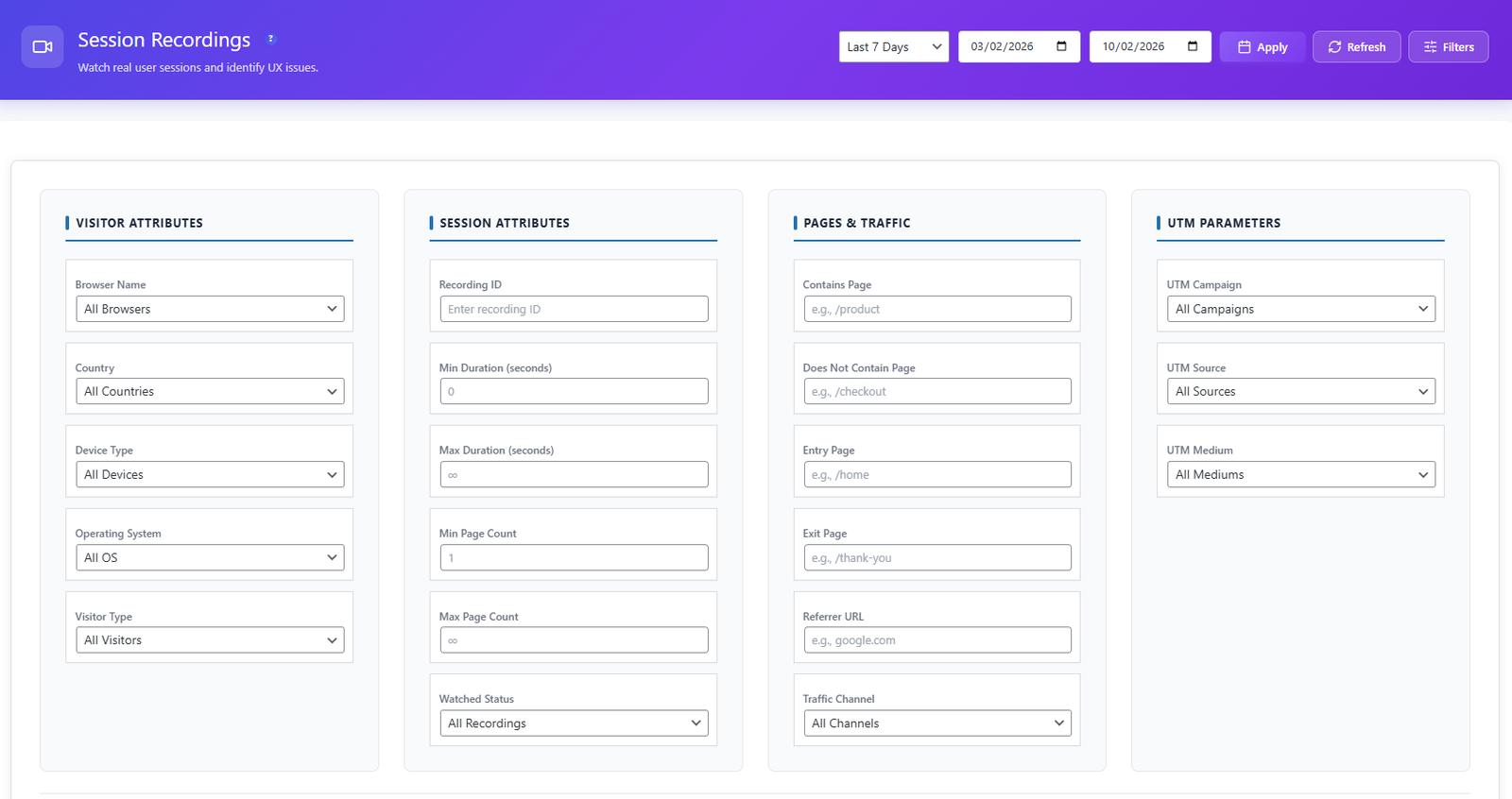
ADVANCED FILTERS — 20+ CRITERIA
TIME
Custom date range
VISITOR ATTRIBUTES
Browser Country Device type OS New visitor Returning visitor
SESSION ATTRIBUTES
Recording ID Min duration (s) Max duration (s) Min page count Max page count Watched status
PAGES & TRAFFIC
Contains page Excludes page Entry page Exit page Referrer URL Direct Organic search Paid ads Social Email Referral
UTM PARAMETERS
UTM Campaign UTM Source UTM Medium
RECORDINGS GROUPED BY PAGE

View all recordings for a specific page, post, or URL in one place — instantly see how visitors behave on each individual page without manual filtering.

Learn More →
Works with every WordPress theme & builder
Elementor Divi Astra GeneratePress Beaver Builder Gutenberg WPBakery Kadence
Session recordings table with columns and filters
Session recording player with full page replay
Page timeline with events per page
Advanced session filters panel
05
PRO 6-Month Free Trial

Errors & Performance Tracking

5 monitoring tools in one dashboard — JS Errors, Friction Events, Core Web Vitals, Performance Scoring, and Broken Link Detection. Know everything that breaks before your users do.
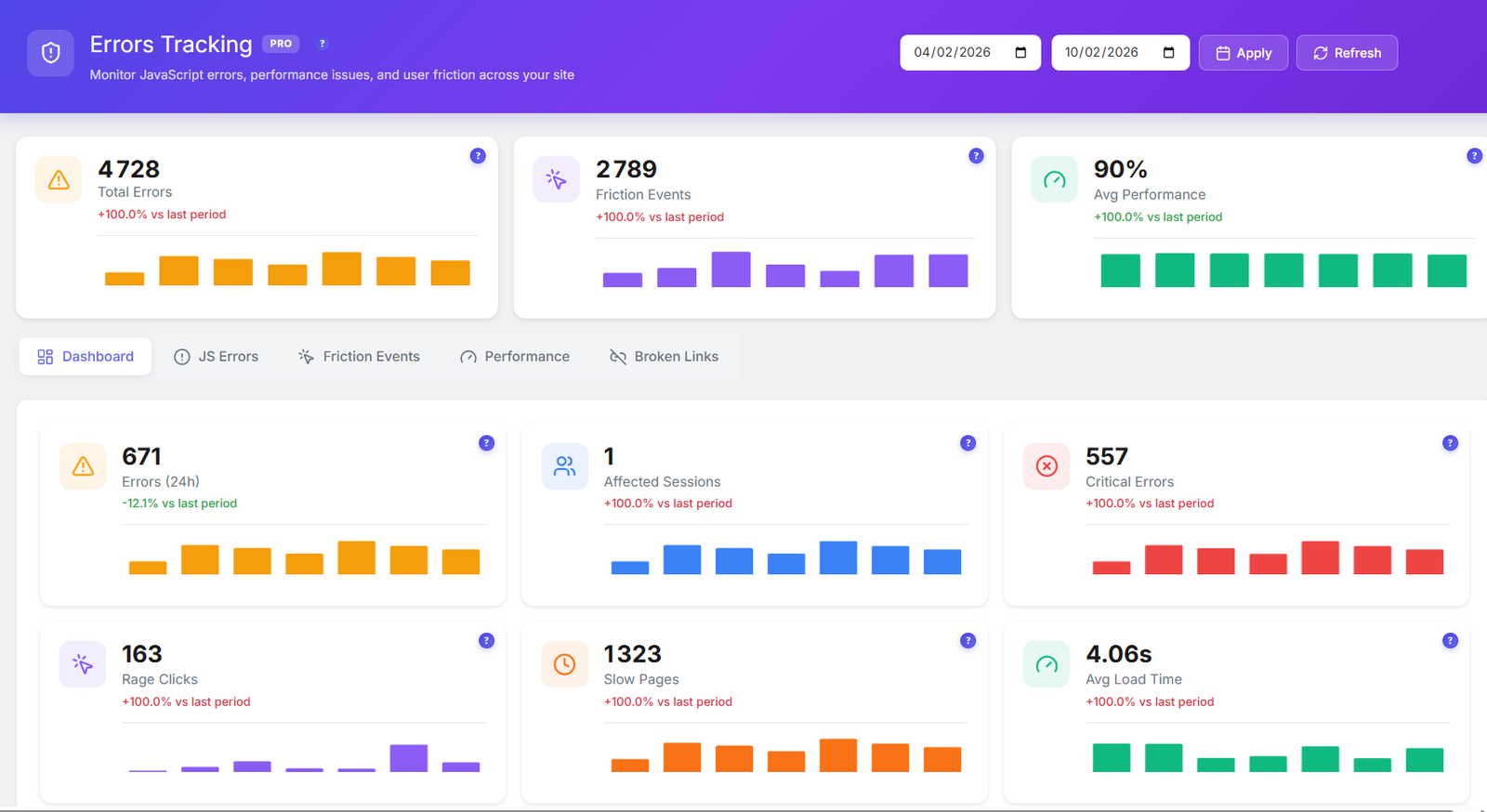
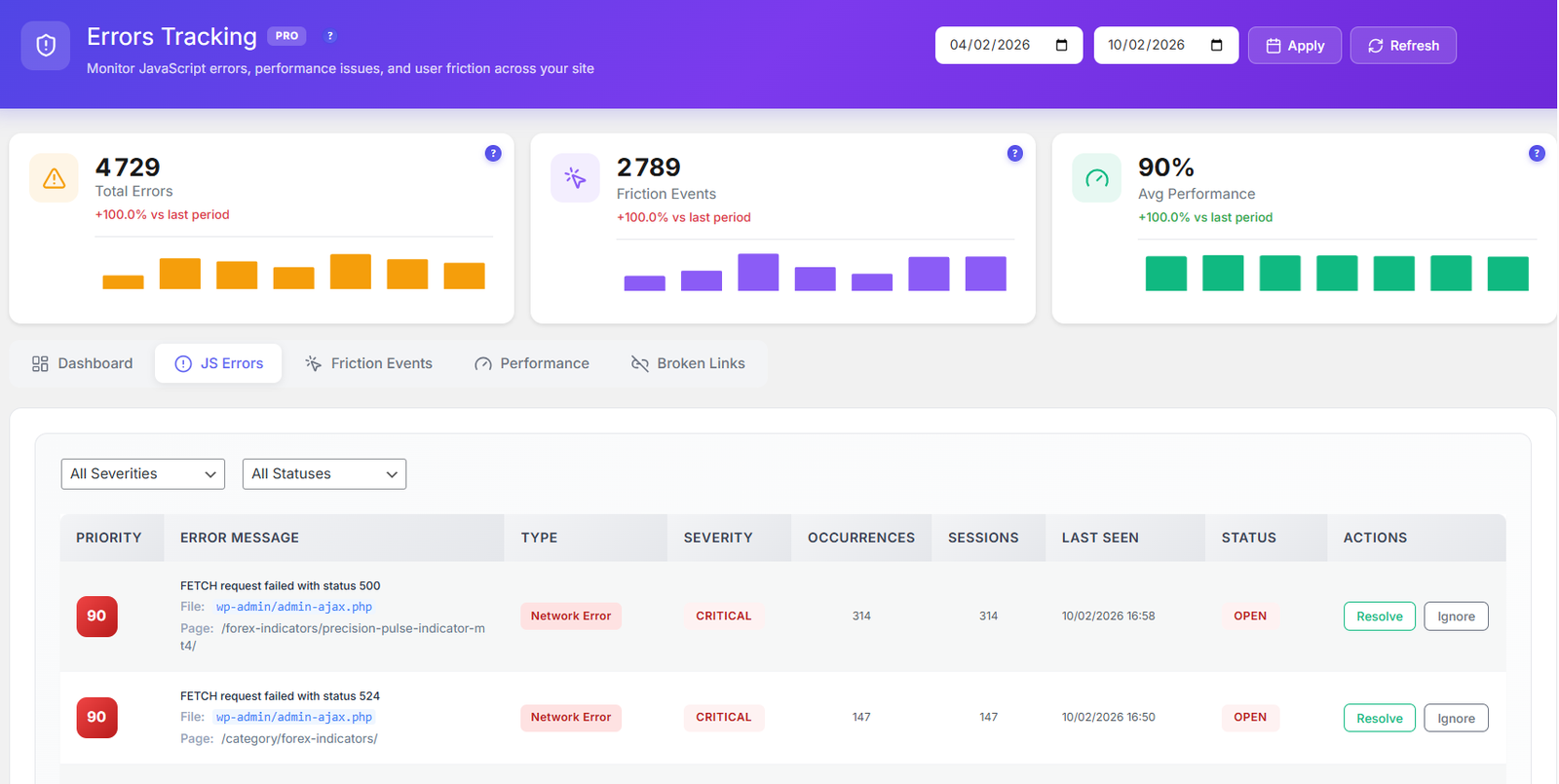
  • 3 KPI cards with history bar chart and growth indicator — Total Errors, Friction Events, Avg. Performance
  • 6 live dashboard widgets — Errors (24h), Affected Sessions, Critical Errors, Rage Clicks, Slow Pages, Avg. Load Time
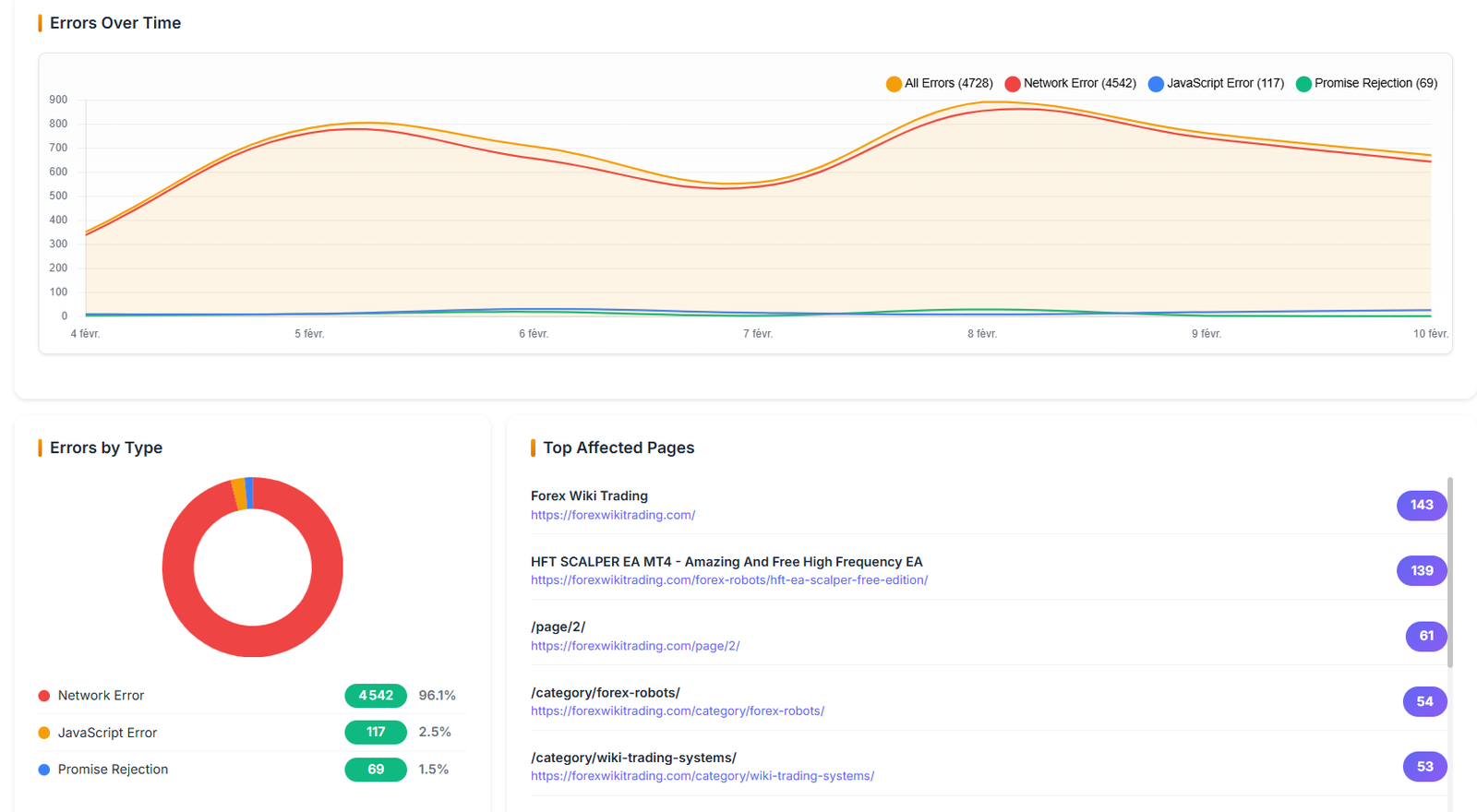
  • Errors over time chart — all errors visualized through time with type breakdown
  • Top affected pages — ranked by error count with severity and session impact
  • JavaScript error tracking with full stack traces — Priority, Message, Type, Severity, Occurrences, Sessions, Last Seen
  • Status workflow per error — Open → Investigating → Resolved
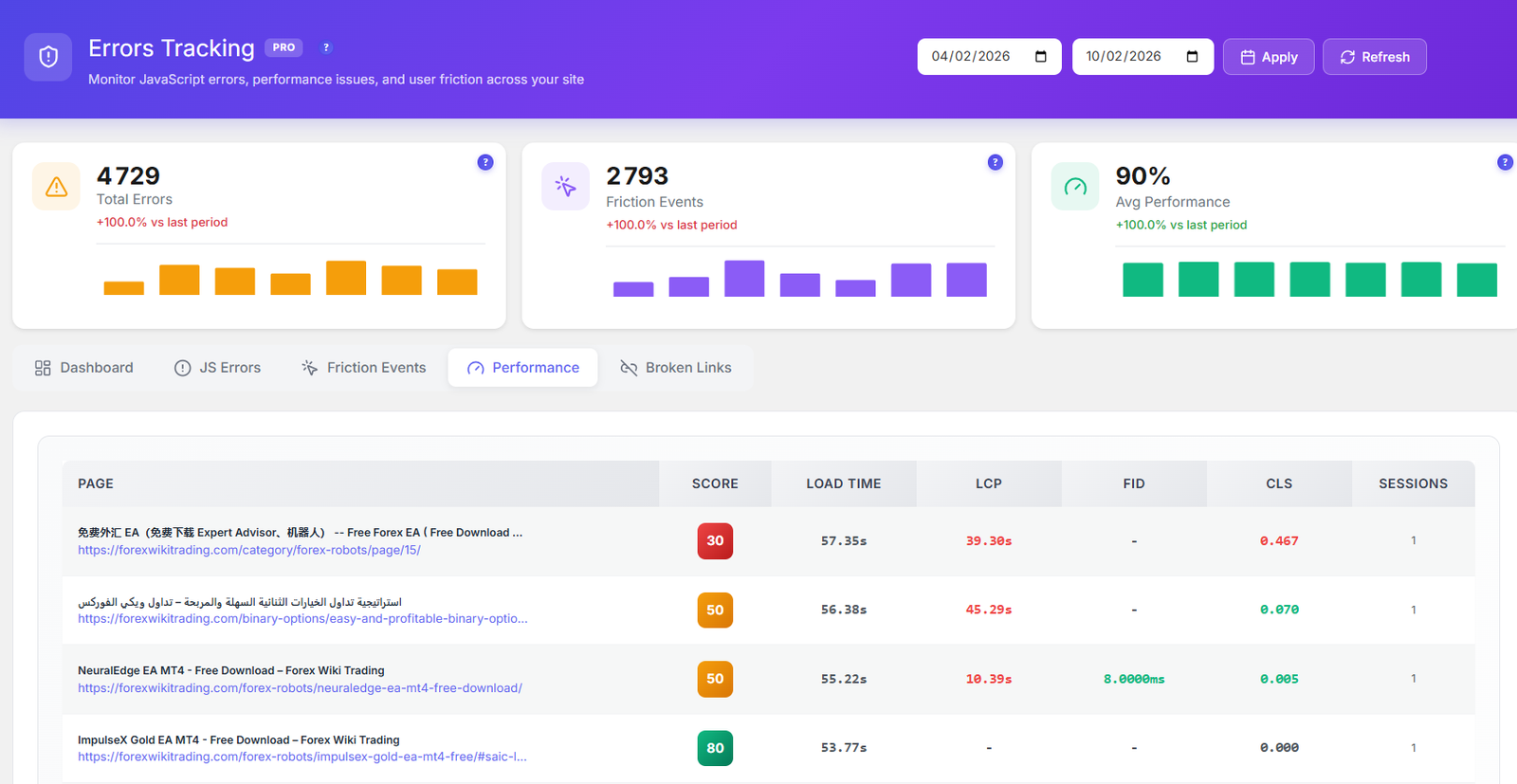
  • Performance score (0–100) per page with full table — Page, Score, Load Time, LCP, FID, CLS, Sessions
  • Broken link detection — auto-detects 404 and 500 errors with Source Page, HTTP Code, Count, Last Detected
  • Custom date range filter applies across all tabs simultaneously
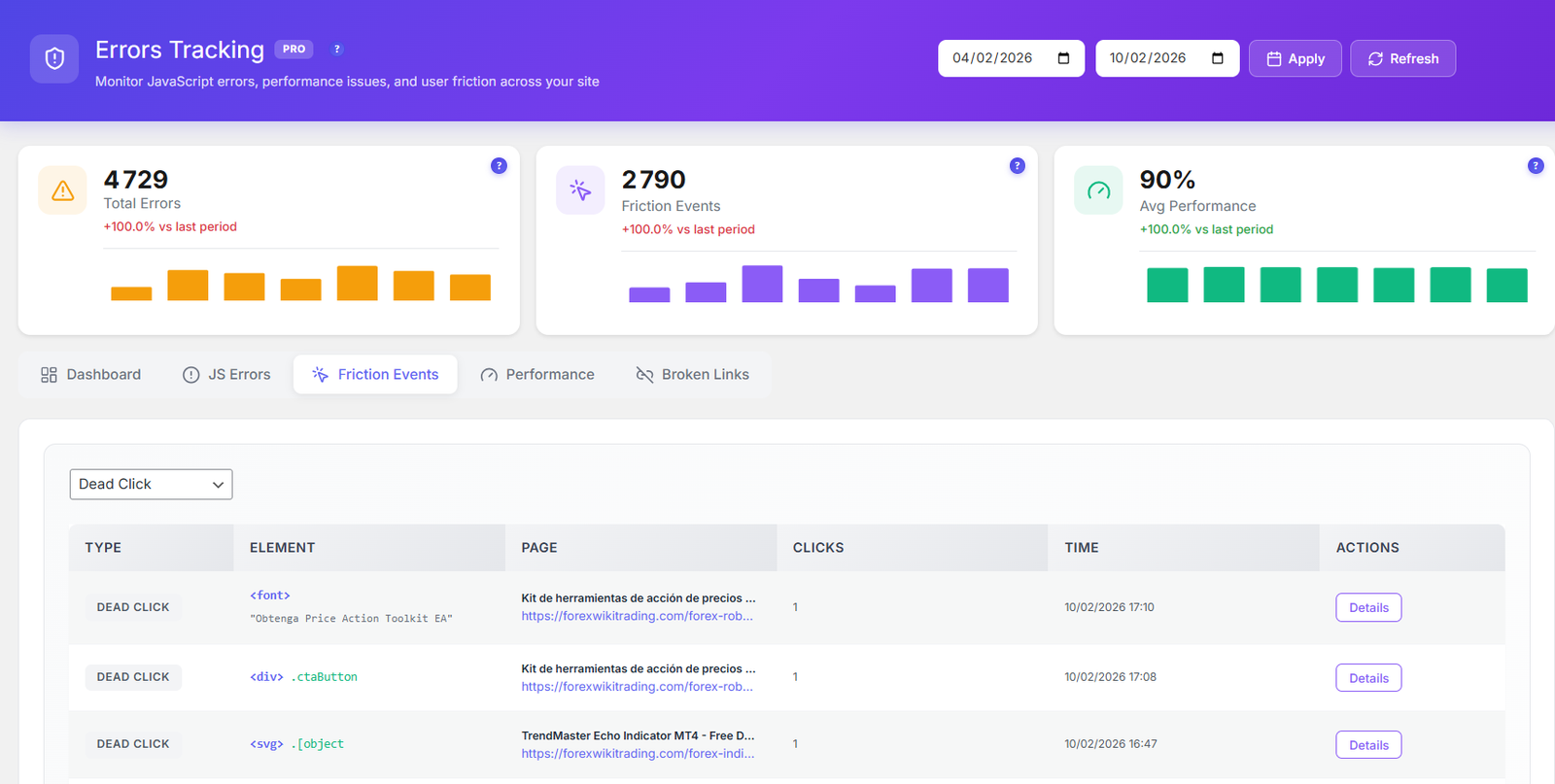
FRICTION EVENTS Rage & Dead Clicks
Rage clicks Dead clicks Element detected Page source Click count Timestamp

Every friction event links directly to the affected session recording — watch exactly what frustrated your visitor.

CORE WEB VITALS Per page
LCP — Largest Contentful Paint FID — First Input Delay CLS — Cumulative Layout Shift INP — Interaction to Next Paint TTFB — Time to First Byte FCP — First Contentful Paint

Impacts your Google ranking. Know which pages are dragging your SEO score down and fix them first.

ERROR TYPES AUTO-CLASSIFIED
JavaScript Error Network Error Promise Rejection Rage Click Dead Click 404 Not Found 500 Server Error Slow Page
Learn More →
Error tracking dashboard with KPI cards and widgets
Errors over time chart with type breakdown
JavaScript errors list with stack traces Friction events — rage clicks and dead clicks Core Web Vitals performance scores per page
06
PRO 6-Month Free Trial

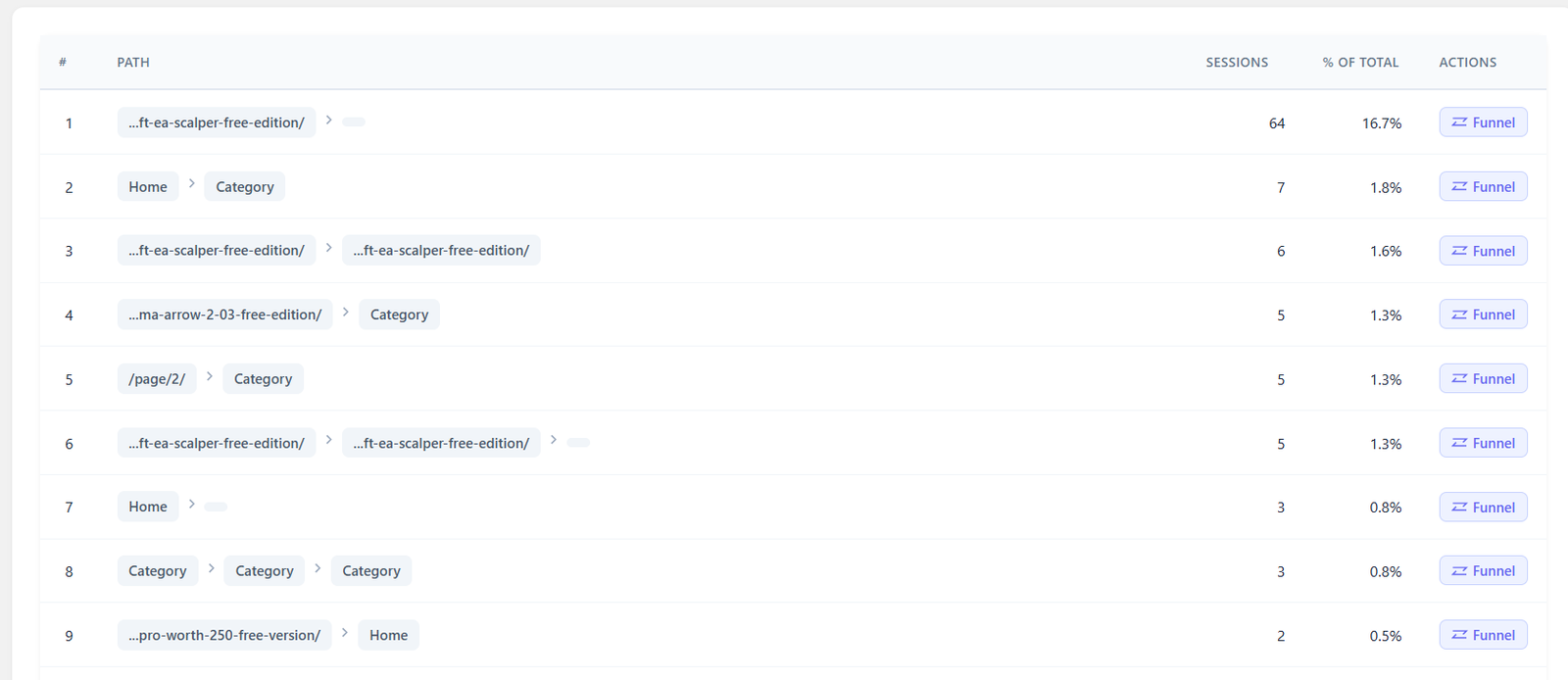
User Journey Analytics

Visualize how users navigate your site with Sankey flow diagrams. Discover top paths, analyze entry and exit pages, group similar URLs, and convert any discovered path into a funnel in one click.
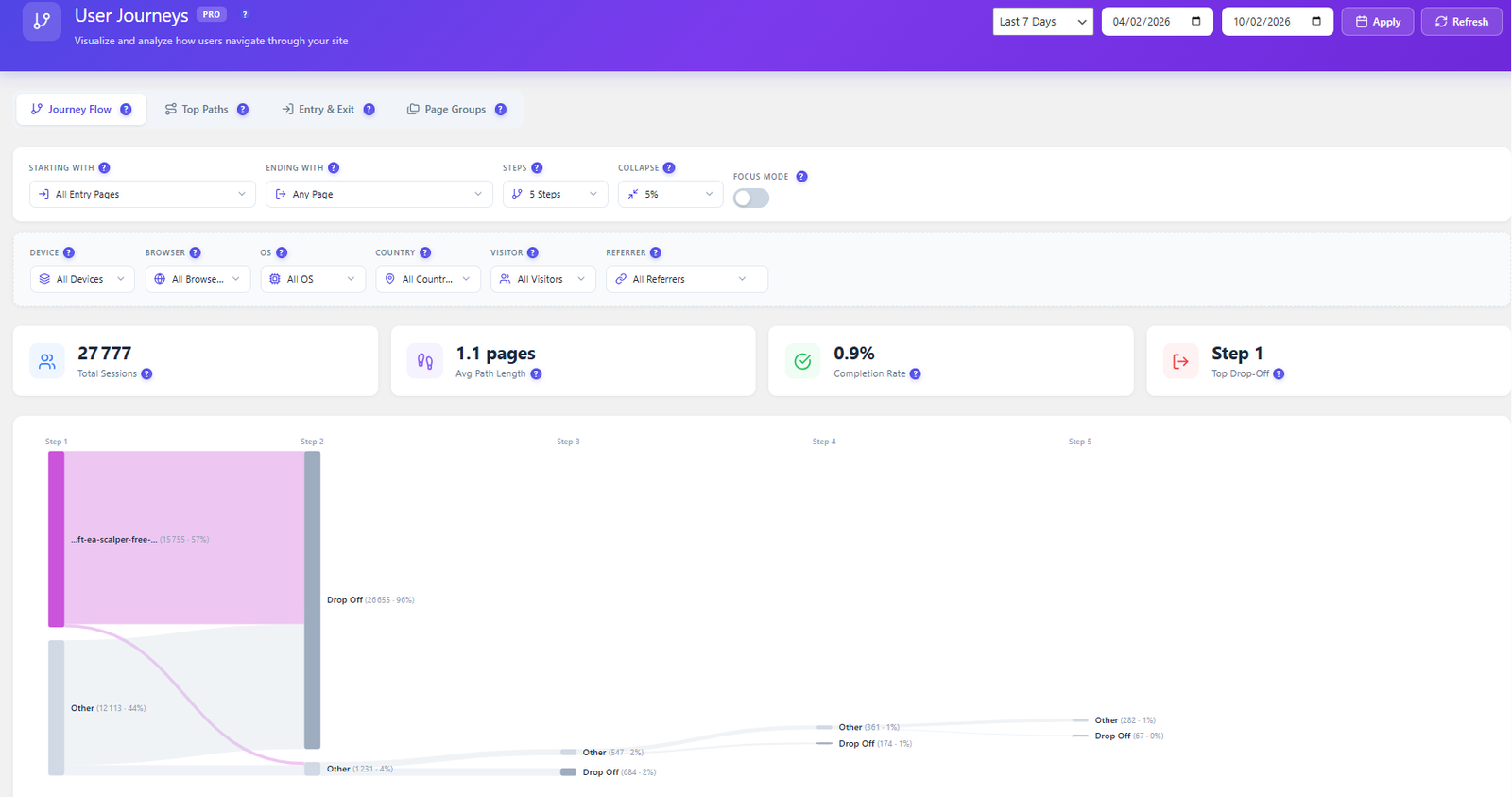
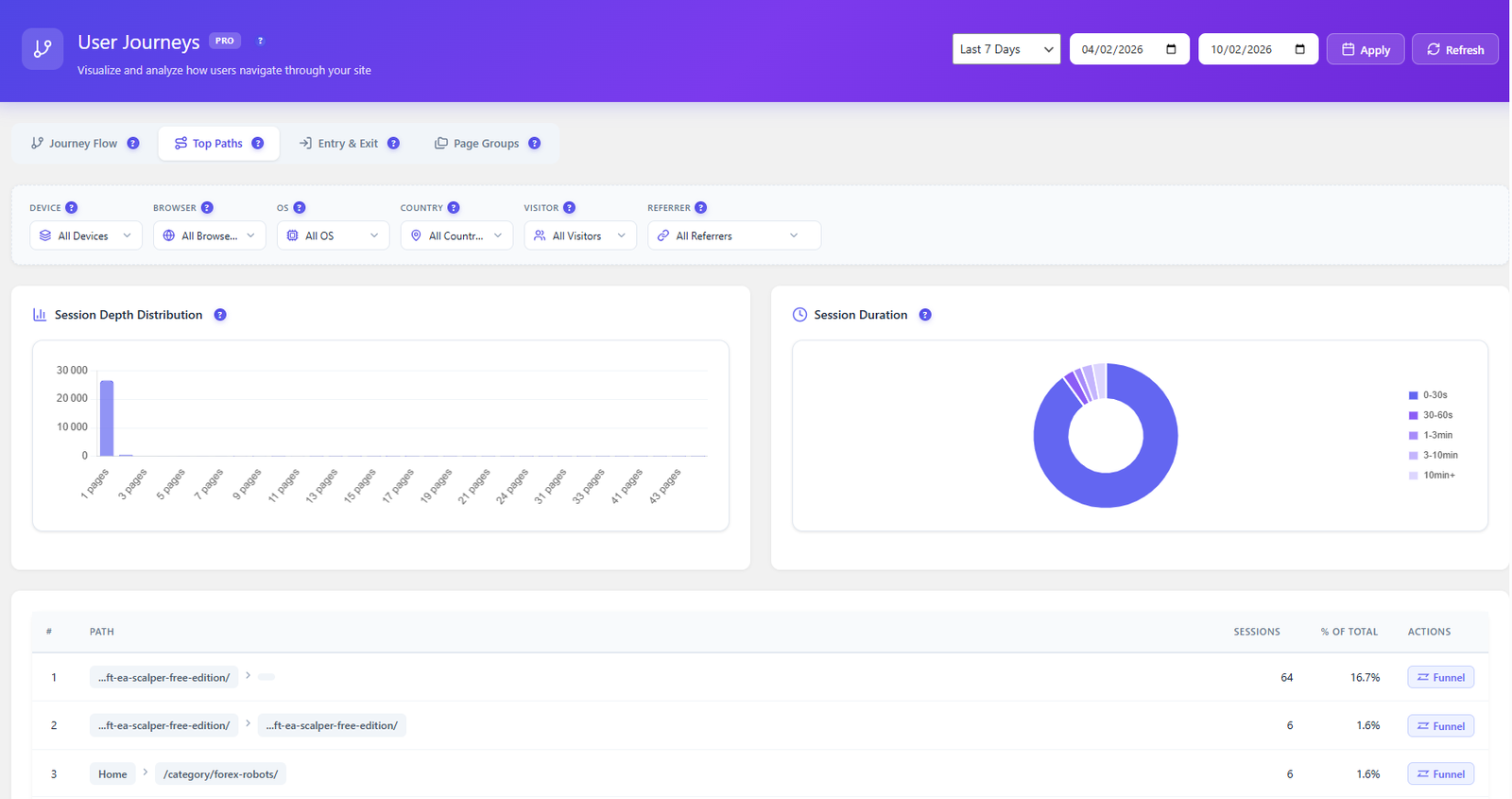
  • Sankey flow diagram — visual map of how users move through your site step by step
  • 3 to 7 step path analysis — control the depth of the journey you want to visualize
  • One-click funnel creation — convert any discovered path into a conversion funnel instantly
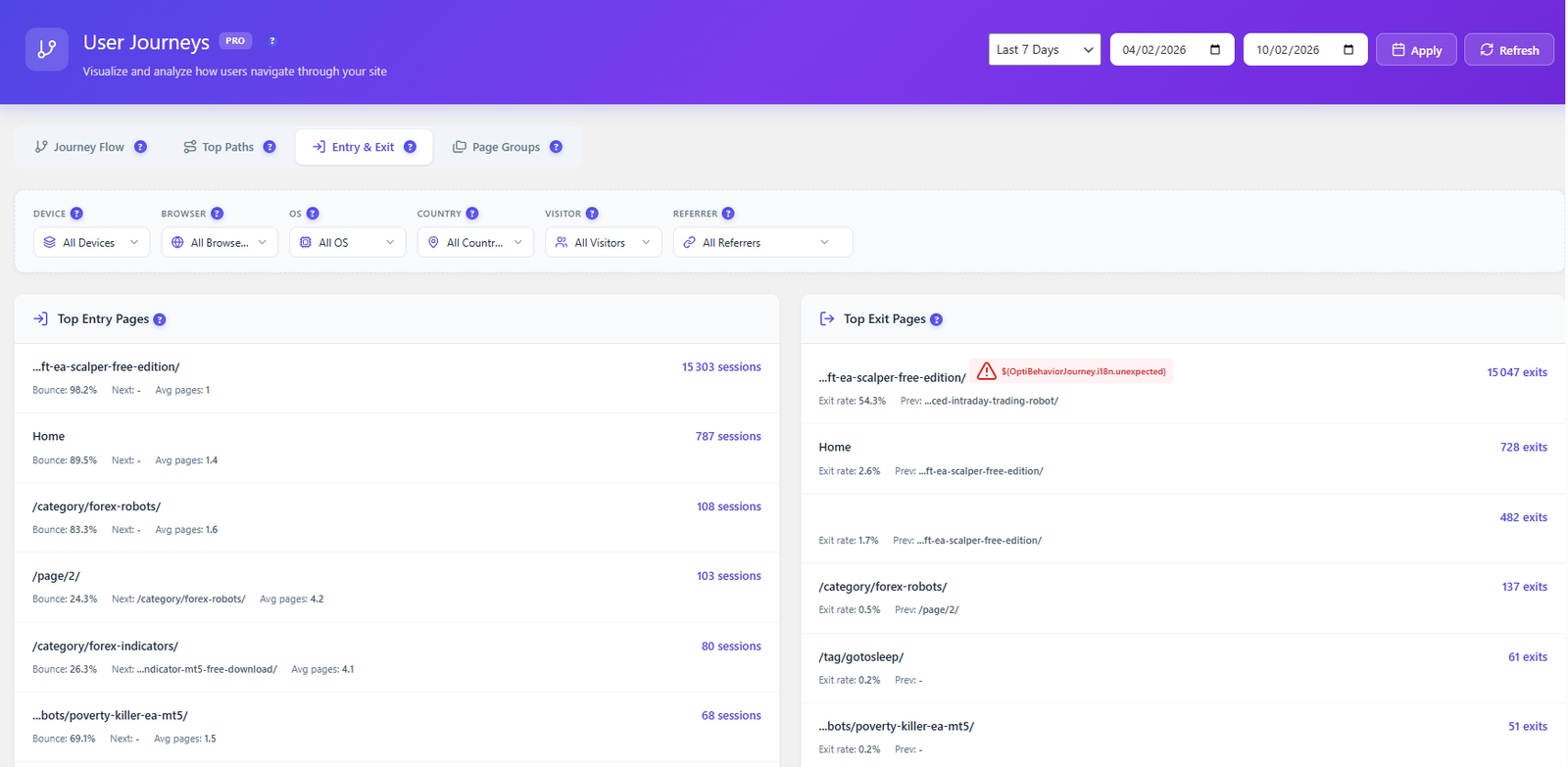
  • Entry & Exit page analysis — bounce rates, avg pages visited, and next destination per entry page
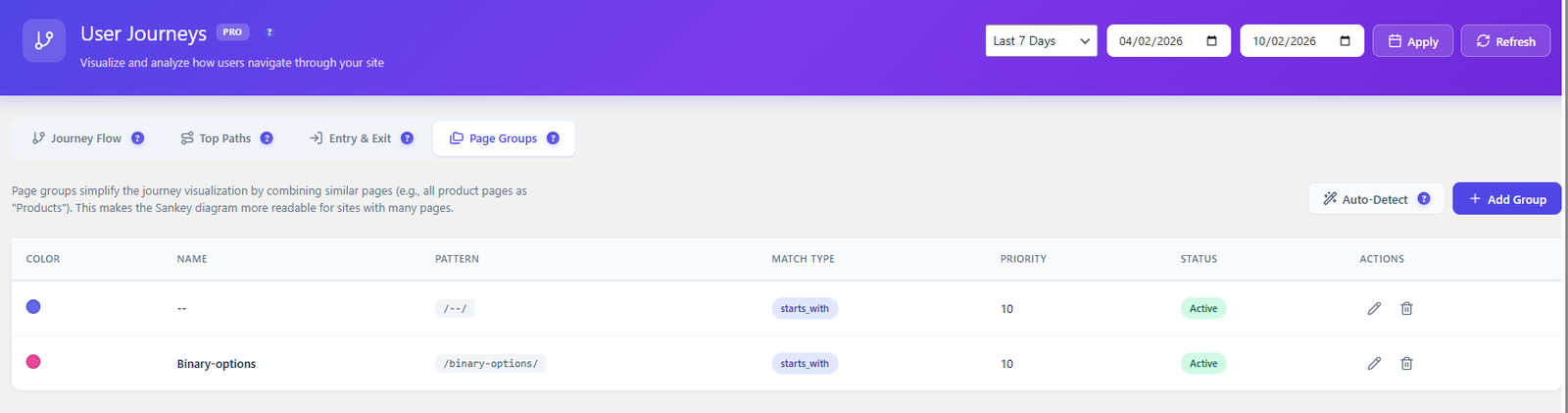
  • Page Groups — combine similar URLs into named groups to simplify the Sankey diagram
  • Auto-detect page groups — Opti-Behavior suggests logical groupings based on your URL structure
JOURNEY FLOW TAB Sankey diagram
Total matching sessions Avg. pages per session Flow completion rate % Top drop-off page

4 KPI cards always visible above the Sankey diagram. The drop-off page is automatically highlighted — focus your optimization there first.

TOP PATHS TAB Path discovery
Session depth histogram Session duration histogram Path — sessions count % of total traffic

Every discovered path shows session count, percentage of total traffic, and a direct button to convert it into a funnel — no manual setup needed.

ENTRY & EXIT TAB Bounce analysis
Top Entry Pages Top Exit Pages Sessions per page Bounce rate % Avg. pages after entry Exit rate %
PAGE GROUPS TAB Auto-detect available

Combine similar pages into named groups to make the Sankey diagram readable for large sites. Each group has a color, name, URL pattern, match type, priority, and status.

Color label Group name URL pattern Match type Priority order Active / Inactive Auto-detect groups
ADVANCED FILTERS All tabs
Custom date range Entry page Exit page Steps count Device type Browser Operating system Country New vs returning Referrer source
Learn More →
User journey Sankey diagram showing navigation flow
Top paths analysis with session counts
Entry and exit page analysis with bounce rates
Page groups for URL pattern matching
07
PRO 6-Month Free Trial

Form Analytics

Track every form interaction at the field level. Drop-off funnels, time per field, error detection, and session replay for every form submission — all self-hosted, all GDPR compliant.
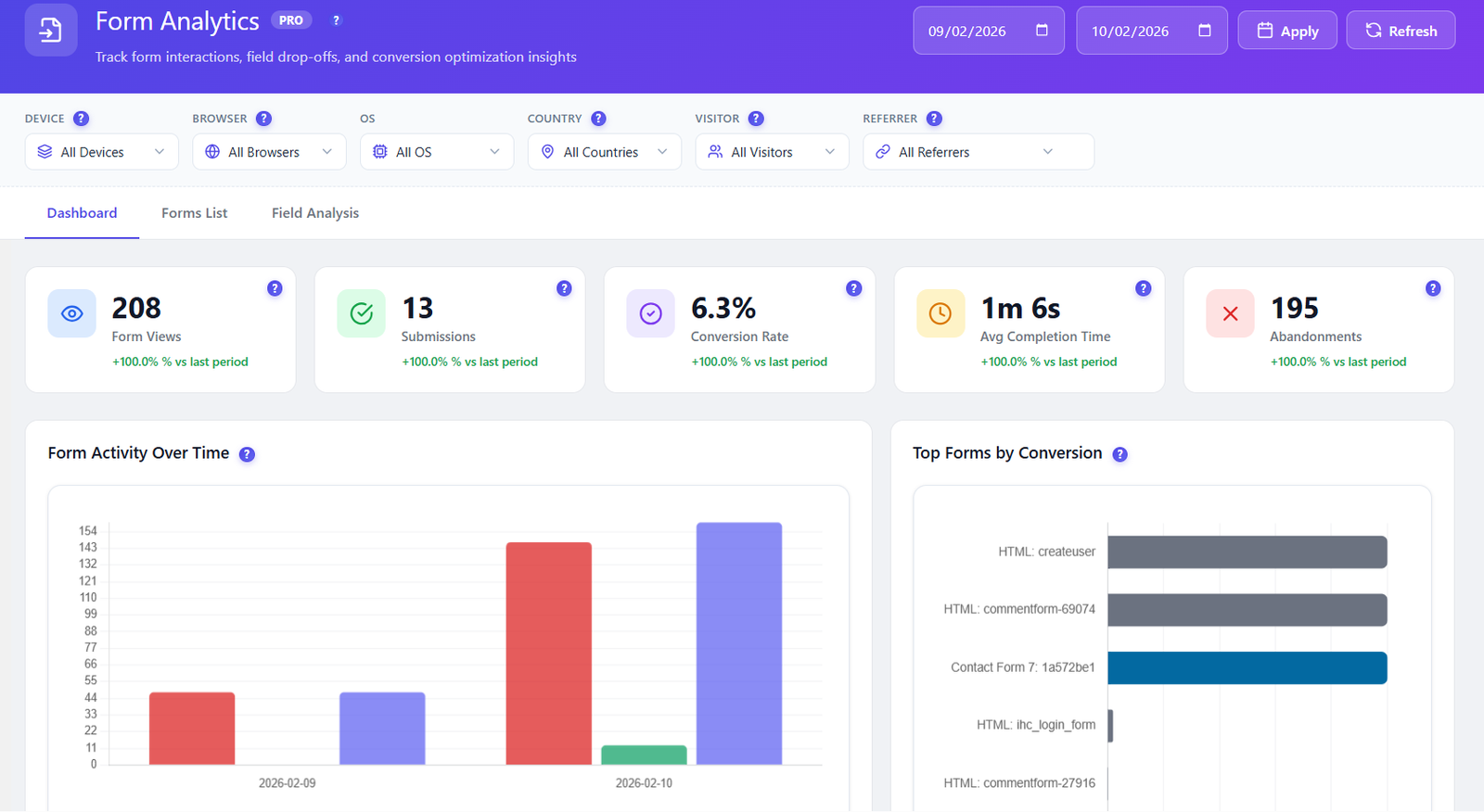
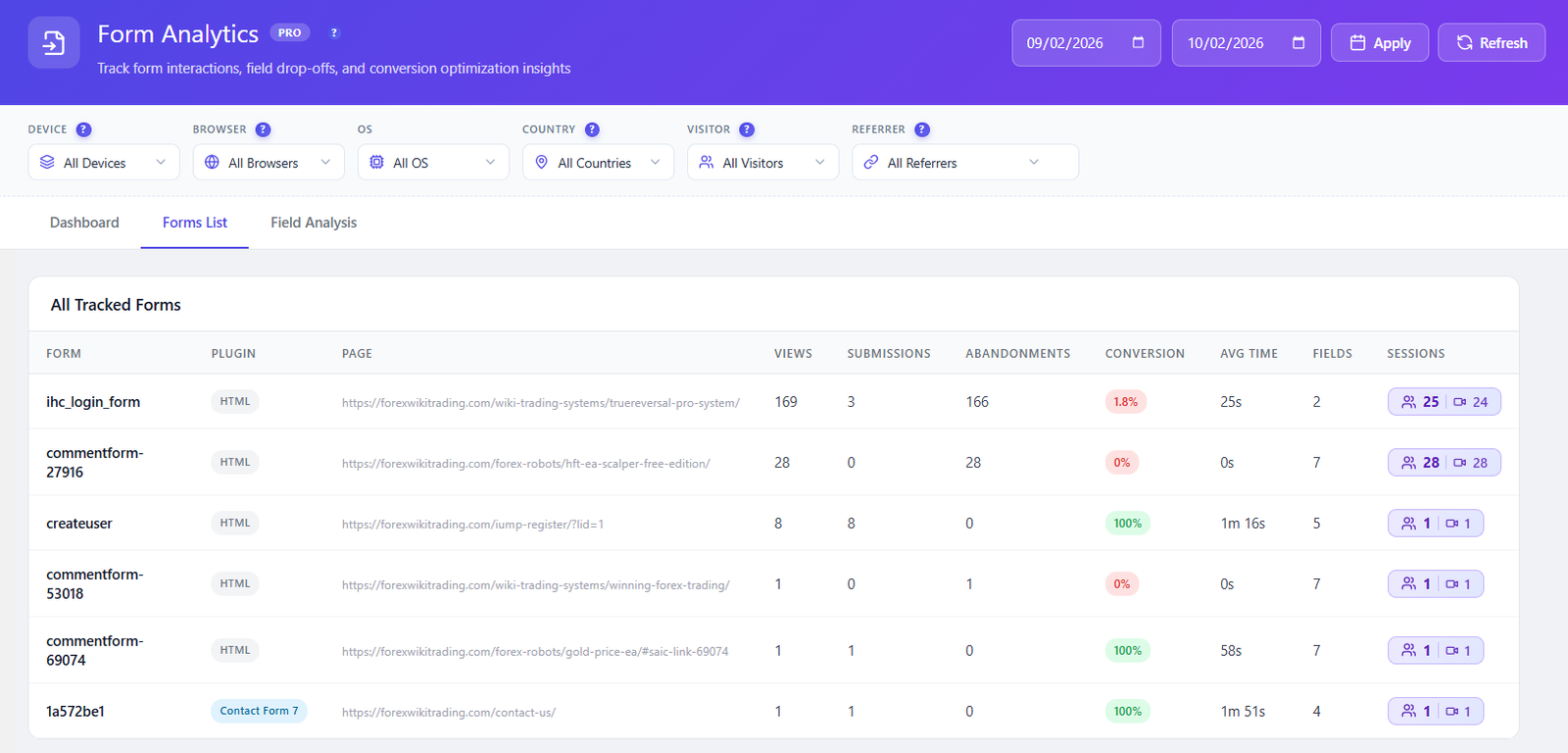
  • Auto-detects all forms — no manual setup needed. Works with CF7, WPForms, Gravity Forms, Forminator, Ninja Forms, Everest Forms, SureForms, and native HTML forms
  • Form-level KPIs — Form Views, Submissions, Conversion Rate, Avg. Completion Time, Abandonments — all with growth indicator
  • Form Activity Over Time chart — history of views, submissions, and abandonments on the same curve
  • Top Forms by Conversion — ranked by submission rate so you instantly see which forms perform best
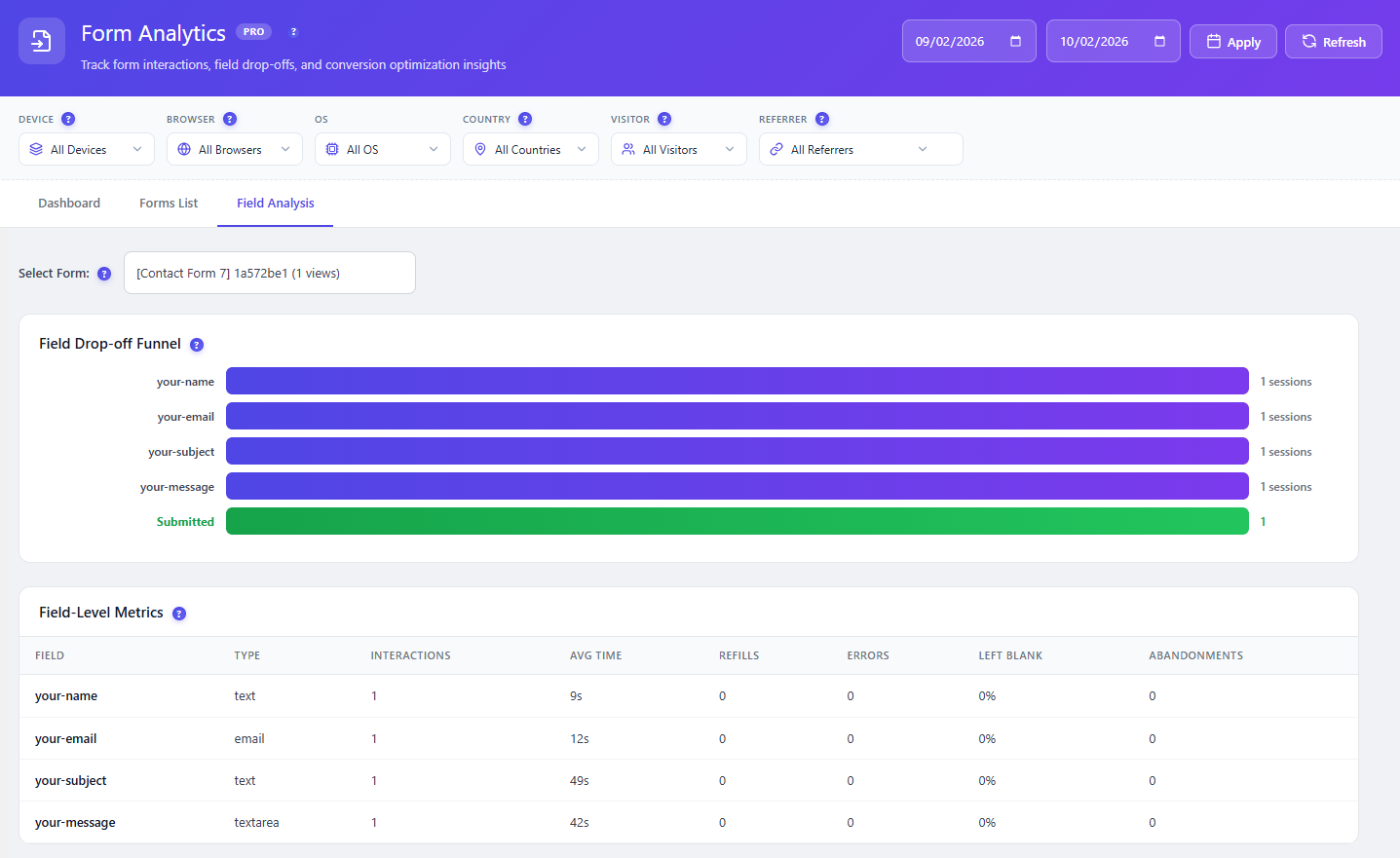
  • Field drop-off funnel — visual funnel showing exactly which field causes visitors to abandon your form
  • Field-level metrics — Interactions, Avg. Time, Refills, Error Rate, Blank Rate — per field, per form
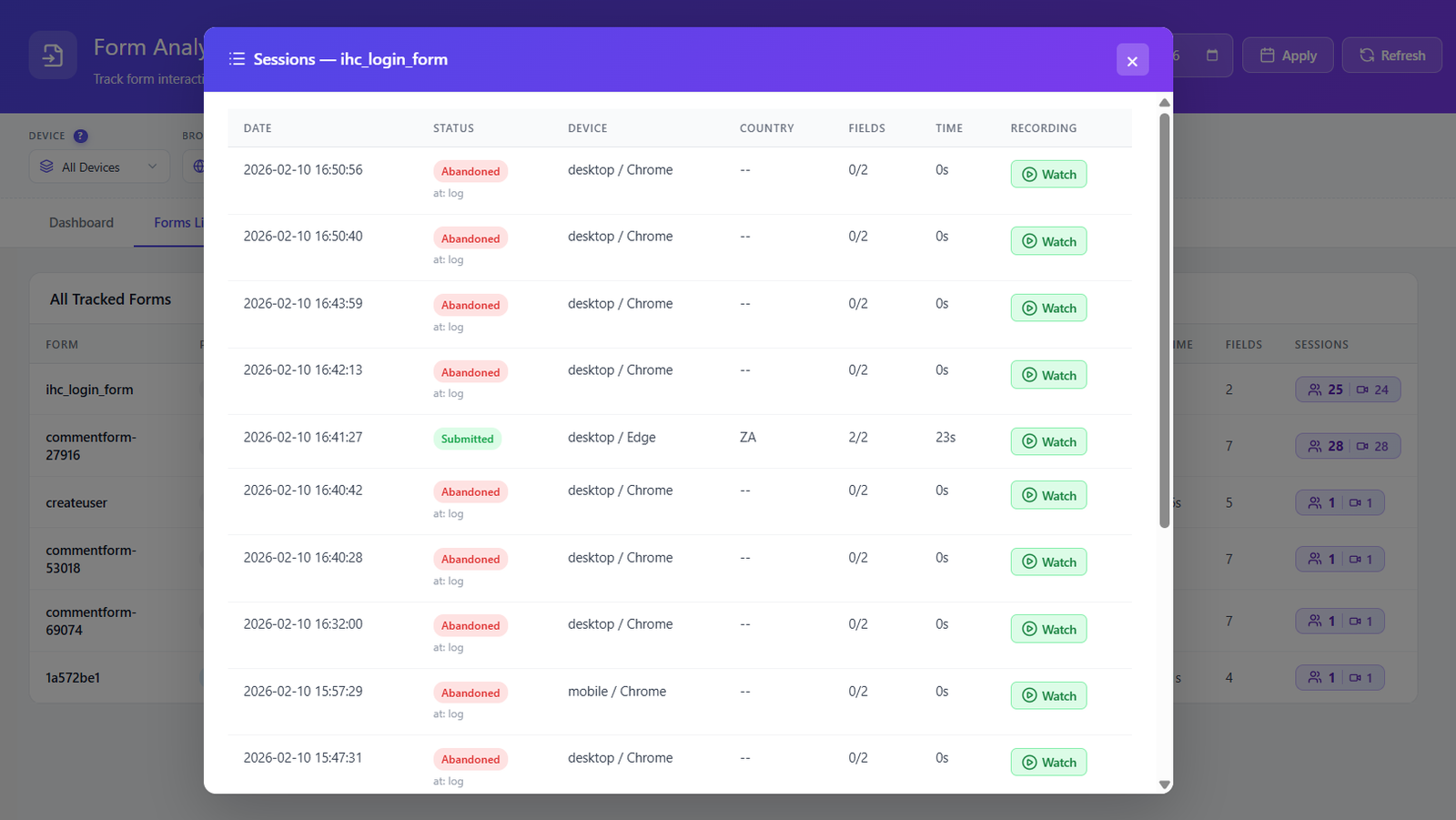
  • Session recordings per form — watch every session where a user interacted with a specific form. Filter by submitted vs abandoned
  • Abandoned vs submitted tracking — see the last field a visitor was on when they left your form
DASHBOARD TAB Overview
Form Views Submissions Conversion Rate Avg. Completion Time Abandonments Top Forms by Conversion

Recent Form Activity table shows every tracked form with Plugin, Page, Views, Submissions, Conversion Rate, Avg. Time, and Sessions. Click Sessions to watch every recording for that specific form.

FORMS LIST TAB All tracked forms
Form name Plugin auto-detected Page URL Views · Submissions Abandonments Conversion rate Avg. time · Fields Sessions link

Each form row links directly to its session recordings — watch exactly how visitors interacted with that form. Sensitive field values are never captured, fully GDPR compliant.

FIELD ANALYSIS TAB Drop-off detection

Select any form from the dropdown to instantly see its field-level data. Two views available:

Field drop-off funnel Visitors reached field Drop-off rate per field Avg. time on field Interaction count Error rate Refill rate Left blank rate

Fields with high drop-off or error rates are automatically flagged — fix the right fields first and increase your form conversion rate immediately.

ADVANCED FILTERS All tabs
Custom date range Device type Browser Operating system Country Visitor type Referrer
Learn More →
Supported Form Plugins
Contact Form 7 WPForms Gravity Forms Forminator Ninja Forms Everest Forms
Form analytics dashboard with KPIs and charts
Forms list with all tracked forms and metrics
Field-level drop-off funnel analysis
Form session recordings list
08
FREE

Complete Settings & Control

10 dedicated settings pages — fine-tune every aspect of your analytics, privacy, storage, scheduling, and data management. Full control, always on your server.
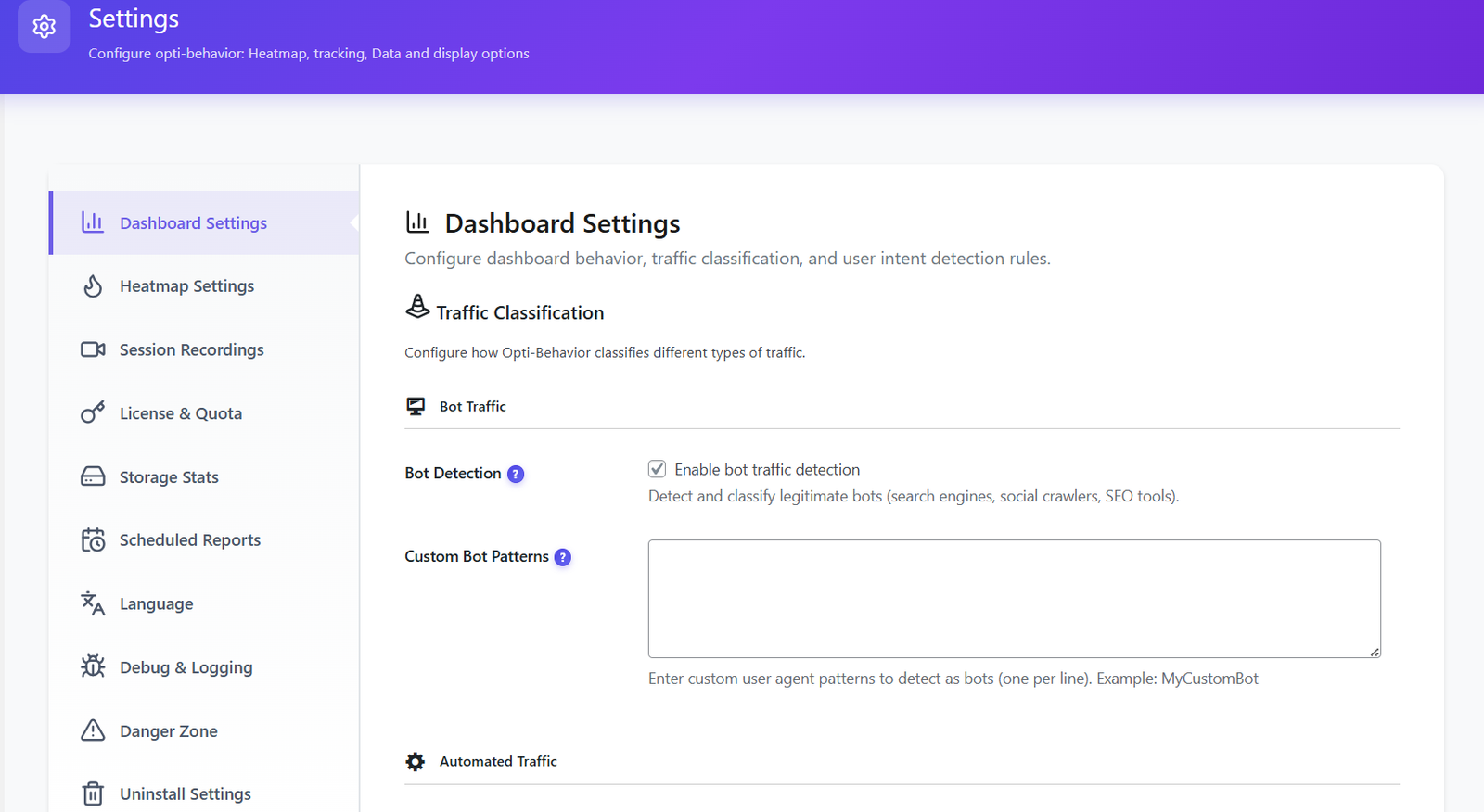
  • Privacy & GDPR — Anonymous mode or full tracking. Consent banner auto-detection for all major WordPress cookie plugins
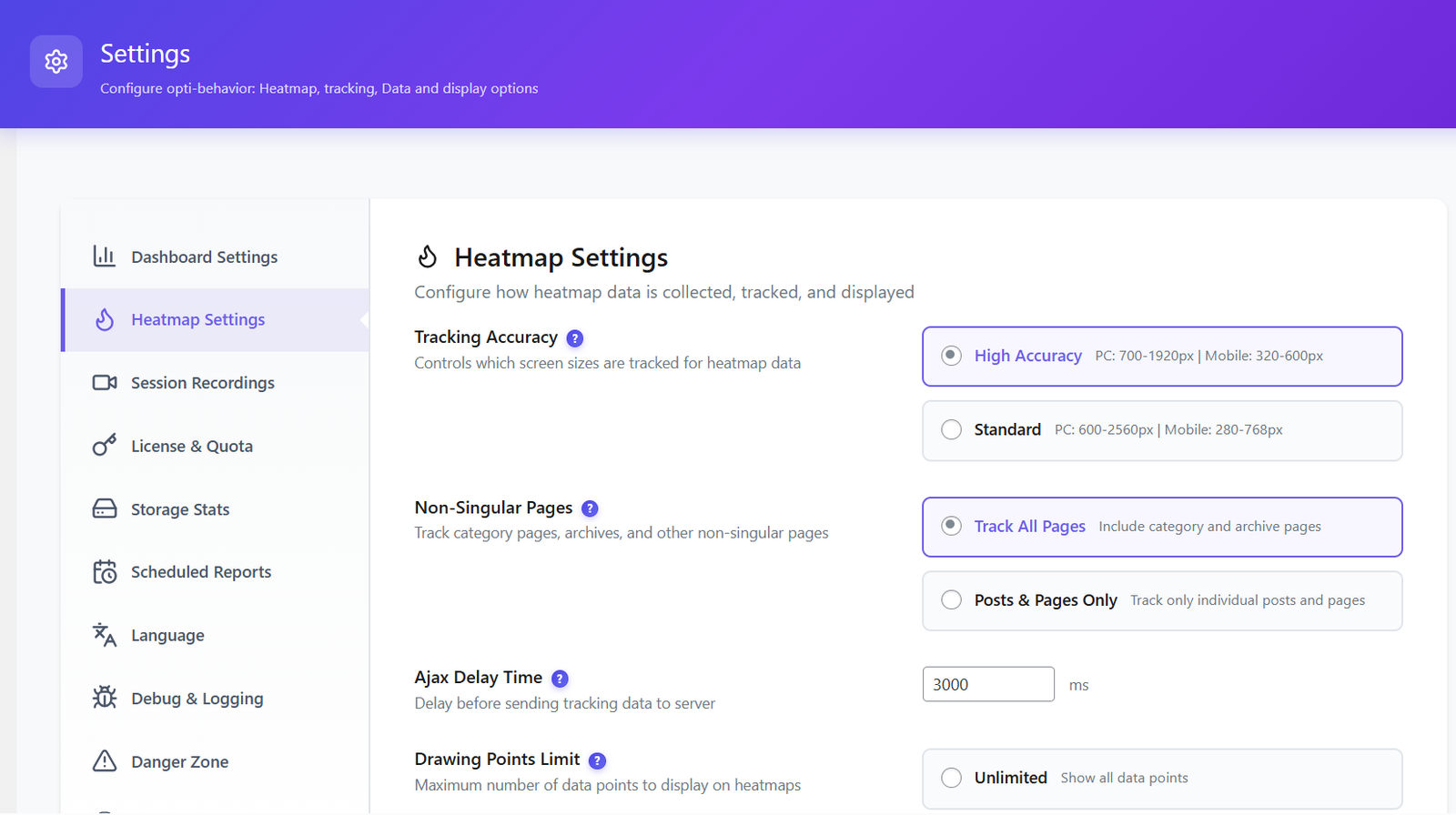
  • Heatmap settings — tracking accuracy, archive page support, URL hash handling
  • Session recording settings — enable/disable, max recording duration, privacy masking controls
  • Traffic classification — bot detection rules, spam traffic filtering, user intent scoring configuration
  • Frontend stats bar — compact analytics overlay on every page, visible to admins only, zero performance impact
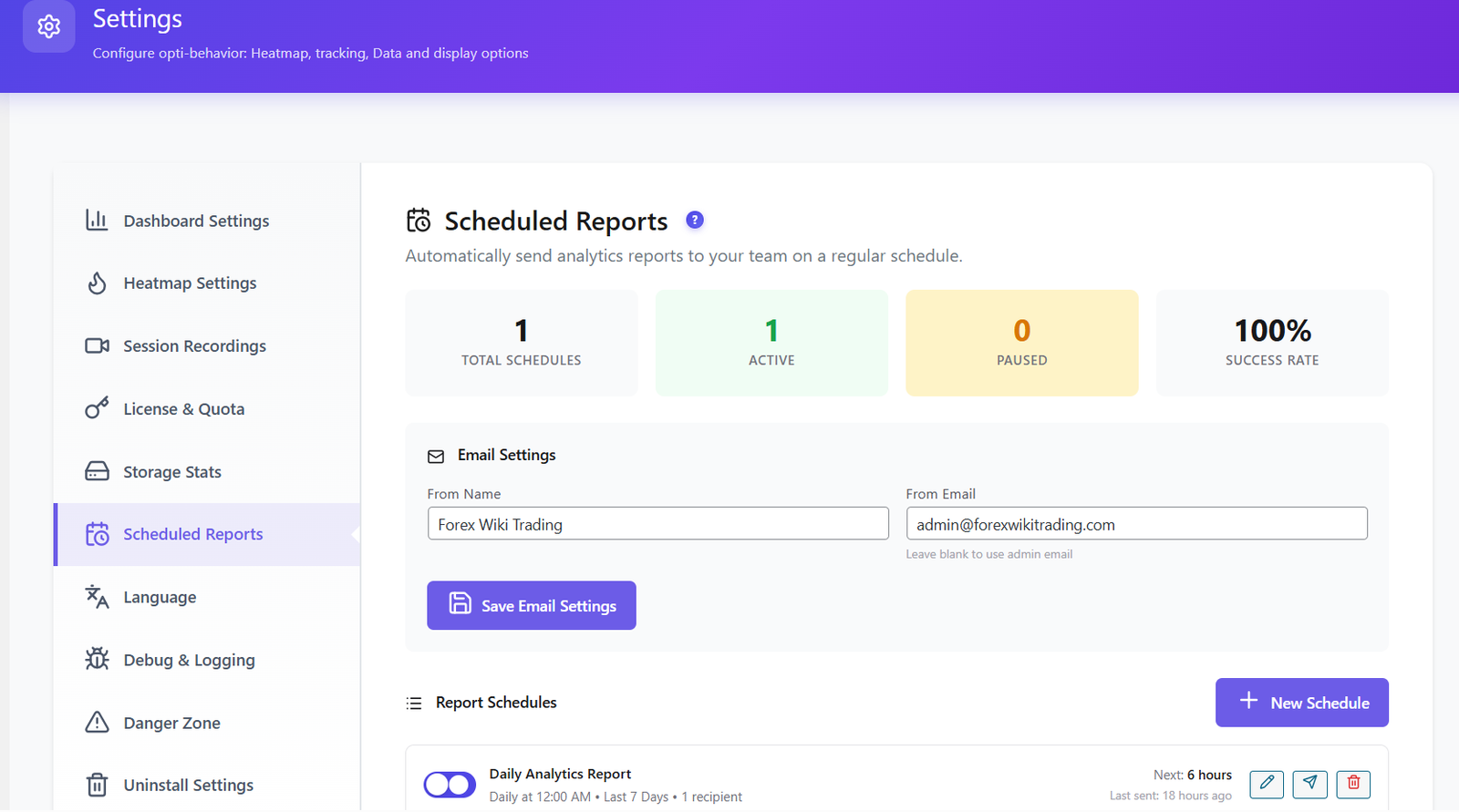
  • Scheduled reports — daily, weekly, or monthly delivery. Custom SMTP config and recent report history
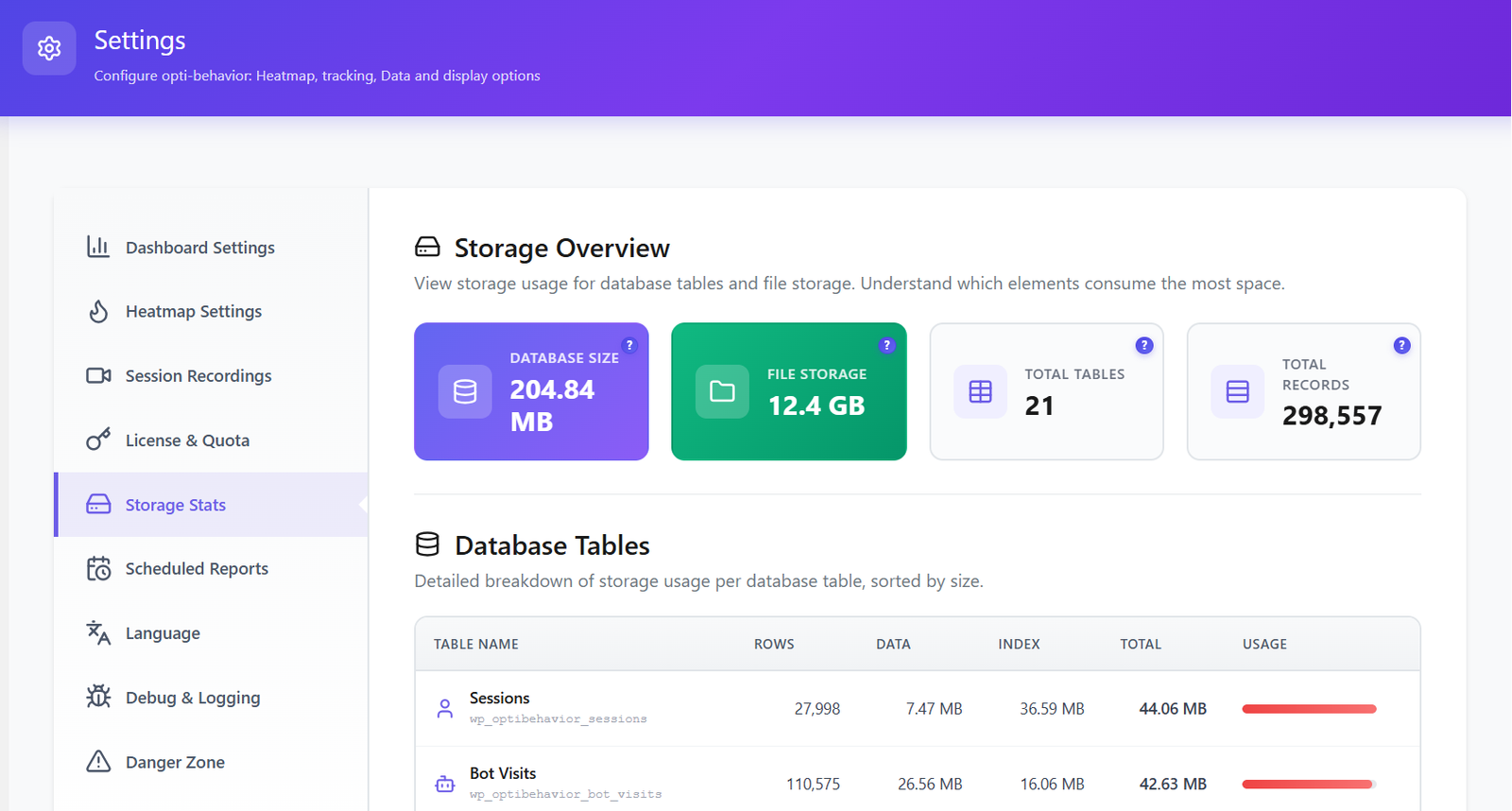
  • Storage overview — monitor database and file storage usage per module. Know what consumes the most space
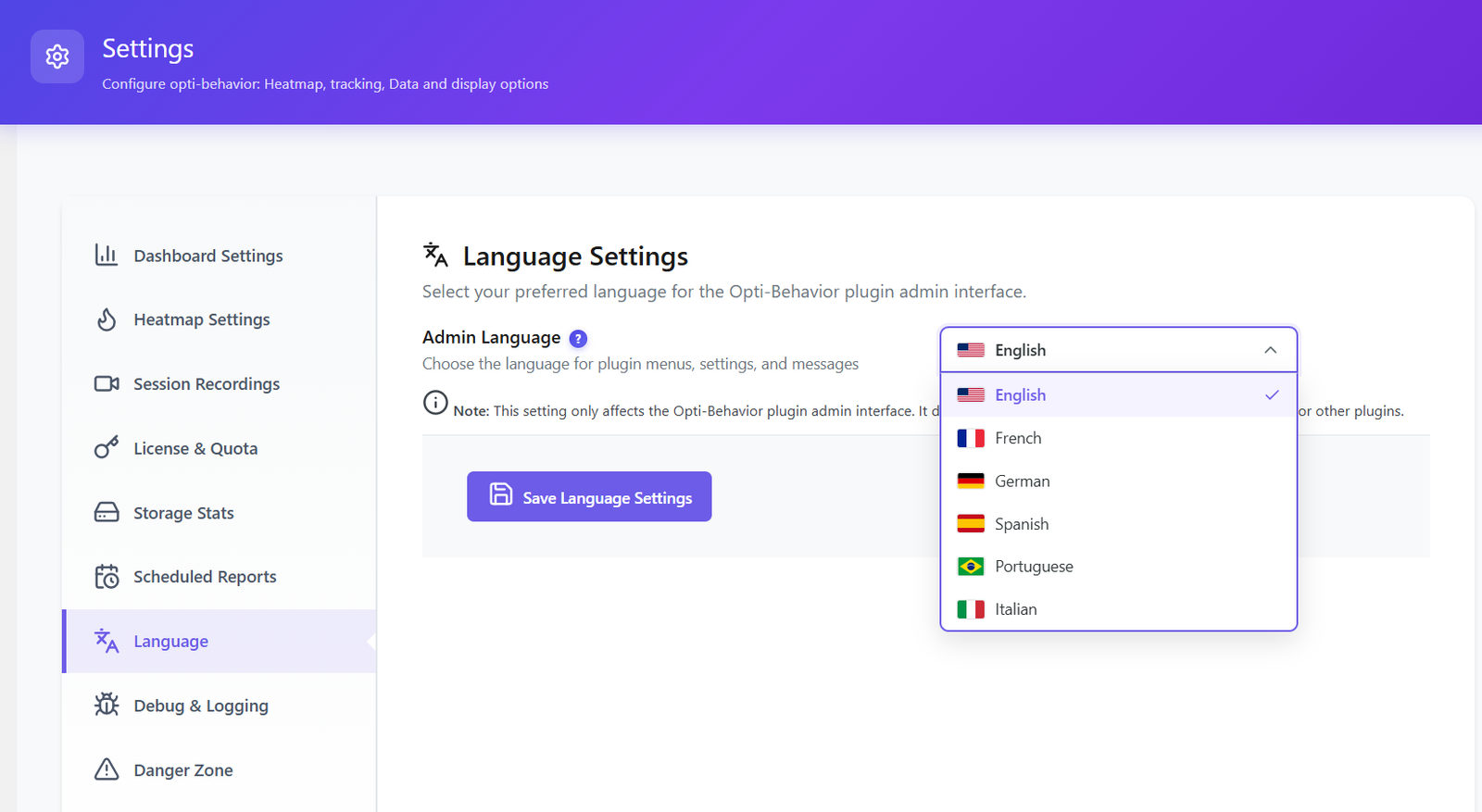
  • 6 languages — English, French, German, Spanish, Portuguese, Italian
  • Debug & logging — PHP and JS debug settings. Our team can use these logs to investigate and fix issues in your specific environment
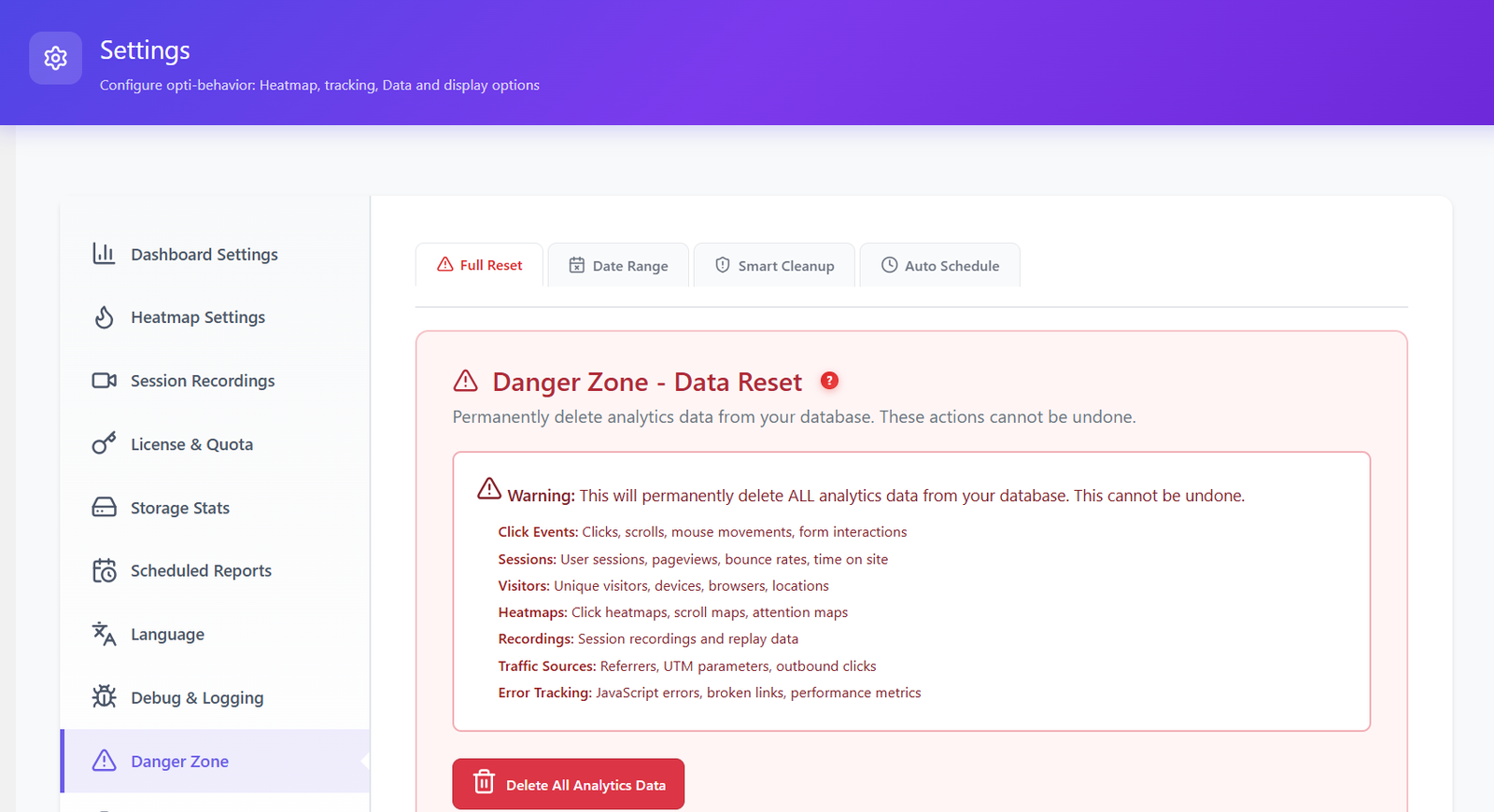
  • Danger Zone — full reset, date range deletion, smart cleanup, and scheduled auto-cleanup to keep your database lean
PRIVACY & GDPR Built-in compliance

Choose between Anonymous Mode (no personal data stored) or Full Tracking. Consent banner integrates automatically with all major WordPress cookie plugins:

Cookiebot Complianz CookieYes Moove GDPR Cookie Notice Real Cookie Banner Borlabs Cookie WP DSGVO Tools
TRAFFIC CLASSIFICATION Auto-filtering
Bot detection rules Spam traffic filtering User intent rules Custom bot patterns

Define custom user-agent patterns to detect bots specific to your environment. All filtered traffic is excluded from every report automatically.

DANGER ZONE Data management
Full reset Delete by date range Smart data cleanup Scheduled auto-cleanup

Smart cleanup identifies and removes spam, bot, and low-quality sessions using 3 configurable conditions:

Time-based Quality-based Visitor behavior

Schedule this cleanup to run automatically — keep your database lean without any manual effort.

FRONTEND STATS BAR Admin only

A compact analytics overlay displayed at the top of every frontend page — visible only to logged-in administrators. Stats load asynchronously so your visitors never see it and your page speed is never affected.

Learn More →
Dashboard Settings with traffic classification and bot detection
Heatmap Settings configuration
Storage Stats overview with database size
Scheduled Reports configuration Language Settings with 6 languages Danger Zone data reset and cleanup tools

What’s Coming Next

A roadmap packed with features that will make Opti-Behavior the most complete analytics suite for WordPress. All self-hosted, all privacy-first.

COMING SOON

AI-Powered Insights

AI-powered pattern detection, issue identification, and optimization suggestions. Get actionable recommendations automatically based on your real visitor data.

  • Automatic anomaly detection
  • Performance optimization tips
  • Engagement pattern analysis
  • Conversion opportunity alerts
COMING SOON
COMING SOON

A/B Testing

Run split tests directly from your WordPress dashboard. Test headlines, CTAs, layouts, and more — all self-hosted with zero third-party dependencies.

  • Visual editor for variants
  • Statistical significance engine
  • Revenue & conversion tracking
  • Auto-winner selection
COMING SOON
COMING NEXT

WooCommerce Intelligence

Revenue · Traffic · Behavior · Cart — all self-hosted
WooCommerce Module

The only self-hosted plugin that connects your visitors’ real behavior with your store’s actual revenue. See exactly where you lose money — field by field, page by page.

REVENUE ANALYTICS

  • Revenue heatmap per page zone
  • € lost per funnel step
  • Checkout field revenue impact
  • Refund behavior patterns

TRAFFIC INTELLIGENCE

  • Source → purchase attribution
  • Best converting traffic sources
  • Coupon behavior analysis
  • Multi-touch journey to purchase

USER BEHAVIOR

  • Product page performance score
  • Buyer vs non-buyer heatmaps
  • Stock scarcity conversion impact
  • Scroll depth vs purchase rate

CART ANALYTICS

  • Cart abandonment root causes
  • Shipping surprise detection
  • € recoverable per week estimate
  • Payment method friction score
Join the waitlist — shape this feature Early access for Pro users · No extra cost · Self-hosted always
Join waitlist ↗

How Opti-Behavior Compares

Feature Opti-Behavior Hotjar MS Clarity Matomo Mouseflow
Click Heatmaps✓ Free✓ Paid✓ Free*✓ Paid✓ Paid
Scroll & Move Heatmaps✓ Pro✓ Paid✓ Free*✓ Paid✓ Paid
Session Recordings✓ Pro✓ Paid✓ Free*✓ Paid✓ Paid
Conversion Funnels✓ Free✓ Paid✓ Paid✓ Paid
Real-Time Dashboard✓ Free✓ Paid✓ Free*✓ Free✓ Paid
Error Tracking✓ Pro
Friction Detection✓ Pro✓ Free*
Core Web Vitals✓ Pro
Form Analytics✓ Pro✓ Paid✓ Paid✓ Paid
User Journey (Sankey)✓ Pro
Broken Link Detection✓ Pro
Bot Detection✓ Free✓ Paid
Email Reports✓ Free✓ Paid✓ Paid✓ Paid
AI Insights✓ Free✓ Free*
Self-Hosted Data✓ Free✓ Paid
No Data Sharing✓ Free✗*✓ Paid
No Cookies Needed✓ Free
Session Limits (Free)Unlimited35/dayUnlimitedUnlimited500/month
Free Trial6 Months Free15 daysN/AN/A14 days
Annual Cost (After Trial)$69$2,556+$0*€926+$372+

* Microsoft Clarity is free but Microsoft uses your visitors’ data as an independent data controller for advertising.

Keep Thousands In Your Pocket

vs Hotjar

$2,556/yr
$69
SAVE $2,487/yr

vs Mouseflow

$372+/yr
$69
SAVE $326+/yr

vs Inspectlet

$698+/yr
$69
SAVE $422+/yr

vs Plerdy

$252+/yr
$69
SAVE $206+/yr
Simple, Transparent Pricing

Crush Your Analytics Costs

Start with a completely free 6-month Pro trial — no credit card needed. Every plan includes unlimited sessions, unlimited pageviews, and unlimited heatmaps. No hidden fees. Ever.

Free

Perfect to get started

$0 forever
Download Free

Up to 5,000 sessions/month

  • Real-Time Analytics Dashboard
  • Click Heatmaps (Desktop + Mobile)
  • Conversion Funnels (Unlimited)
  • Bot Detection & Filtering
  • Scheduled Email Reports
  • CSV Data Export
  • 6 Languages
  • Unlimited Sessions
  • Session Recordings
  • Scroll / Move / Attention Heatmaps
  • Error & Friction Tracking
  • Core Web Vitals
  • Form Analytics
  • User Journey (Sankey)
  • Broken Link Detection

Business

Multiple sites, one dashboard

$169 /year · 5 sites
Just $33.80 per site
Get Business →
  • Everything in Pro, plus:
  • 5 Site Licenses
  • Cross-site monitoring & synthesis
  • Priority Support (24h)
  • 1 Year of Updates
  • 51% savings vs 5x Pro

Agency

For teams & agencies

$299 /year · 10 sites
Just $29.90 per site
Get Agency →
  • Everything in Pro, plus:
  • 10 Site Licenses
  • 1 Dashboard — all sites in one place
  • Cross-site monitoring & synthesis
  • Priority Support (12h)
  • 1 Year of Updates
  • 57% savings vs 10x Pro
30-Day Money-Back Guarantee

Not satisfied? Get a full refund within 30 days. No questions asked.

Still paying $213+/month for Hotjar? Start with a 6-month free Pro trial, then switch to Opti-Behavior Pro for just $69/year and save $2,487/year.

What Early Users Are Saying

Real data. No fake reviews.

ACTIVE INSTALLS
100+
Organic growth — zero paid marketing
IN ACTIVE DEVELOPMENT
1 month
Updated less than 24 hours ago
DATA SHARED EXTERNALLY
Zero
Your visitors stay on your server. Always.
H
Hamdouch Verified — WordPress.org ★★★★★

“Opti Behavior is a real all-in-one beast for understanding your website traffic. It shows you exactly how people are moving around your site and, most importantly, what you actually need to optimize.”

Read on WordPress.org →

Be one of our first reviewers

Already using Opti-Behavior? Share your honest experience on WordPress.org — it helps thousands of users find a privacy-first analytics solution.

Frequently Asked Questions

Will this slow down my website?
Absolutely not. Opti-Behavior uses a Hybrid Storage engine that writes analytics to optimized files instead of hammering your database. The tracking script is only ~15KB, loads asynchronously, and is 100% non-blocking. Events are batch-processed and daily stats are pre-aggregated. Zero impact on your Core Web Vitals, Lighthouse score, or page speed. We tested it on sites with millions of pageviews — no performance difference.
Is this really GDPR compliant?
Yes. All data stays on your server. No cookies by default. No third-party data sharing. You are the sole data controller.
How is the free version really free?
Open source and community-driven. We fund development through Pro features. The free version is genuinely free forever with no artificial limits.
Does this work with my caching plugin?
Yes. Fully compatible with WP Rocket, W3 Total Cache, LiteSpeed Cache, and all major caching plugins.
Does this work with WooCommerce?
Yes. Track checkout funnels, product page heatmaps, cart abandonment analytics, and form submissions across your entire store.
What form plugins are supported?
Contact Form 7, WPForms, Forminator, Ninja Forms, Everest Forms, SureForms, and any standard HTML form.
Are there any session or pageview limits?
No. Track unlimited sessions, pageviews, and heatmaps. No artificial caps, no throttling, no surprise fees.
Does this work on multisite?
Yes. Full WordPress Multisite compatibility with network-wide analytics support.
What data does the plugin collect?
Page views, clicks, scrolls, mouse movements, form interactions, JavaScript errors, and performance metrics. No personal data or passwords are ever collected.
Can I delete all data when uninstalling?
Yes. The complete uninstall option removes all database tables, stored files, and plugin settings. Clean removal guaranteed.

Ready to Own Your Analytics?

Join WordPress site owners who stopped paying monthly fees, stopped sharing their data, and started making better decisions.

Free forever · Pro Trial: 6 months FREE · Then just $0.19/day · 30-day money-back guarantee · Works with any theme

Coming Soon!

Business & Agency plans are not yet available for purchase. We’re working hard to bring multi-site licensing to you soon.

In the meantime, get Pro FREE for 6 months!

Install the free plugin and activate your 6-month Pro trial — full access to all premium features, no credit card required. Use it until multi-site plans become available.

Install the free plugin → click “Try Pro Free” in your WordPress admin → enjoy 6 months of Pro features.

Image
Explore
Drag