
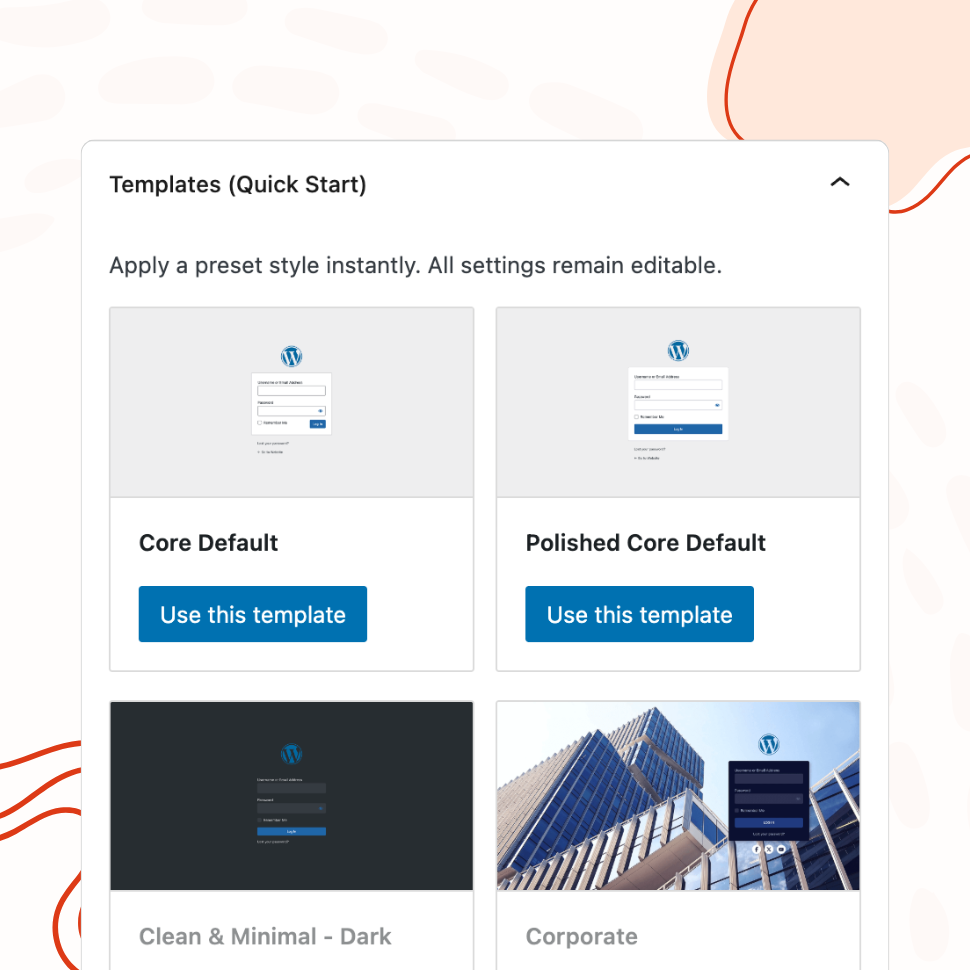
Pre-Designed Templates
Apply a Professional Login Design in One Click
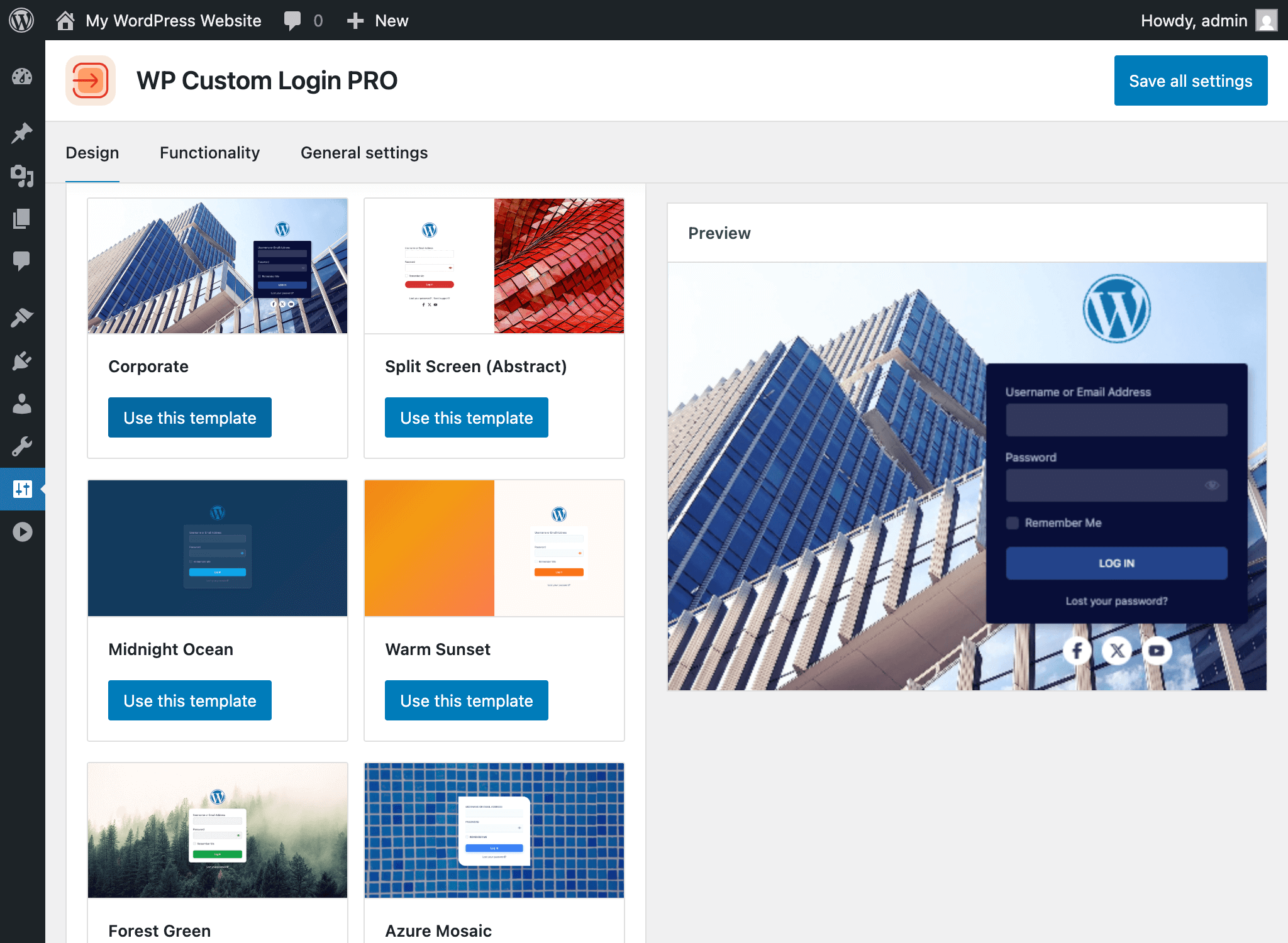
Choose from 20+ ready-made templates and customize them to match your brand — from clean and minimal to bold and corporate.
- 21 templates: minimal, corporate, split-screen, and more
- Background images auto-uploaded to your media library
- Use any template as a starting point, then customize freely
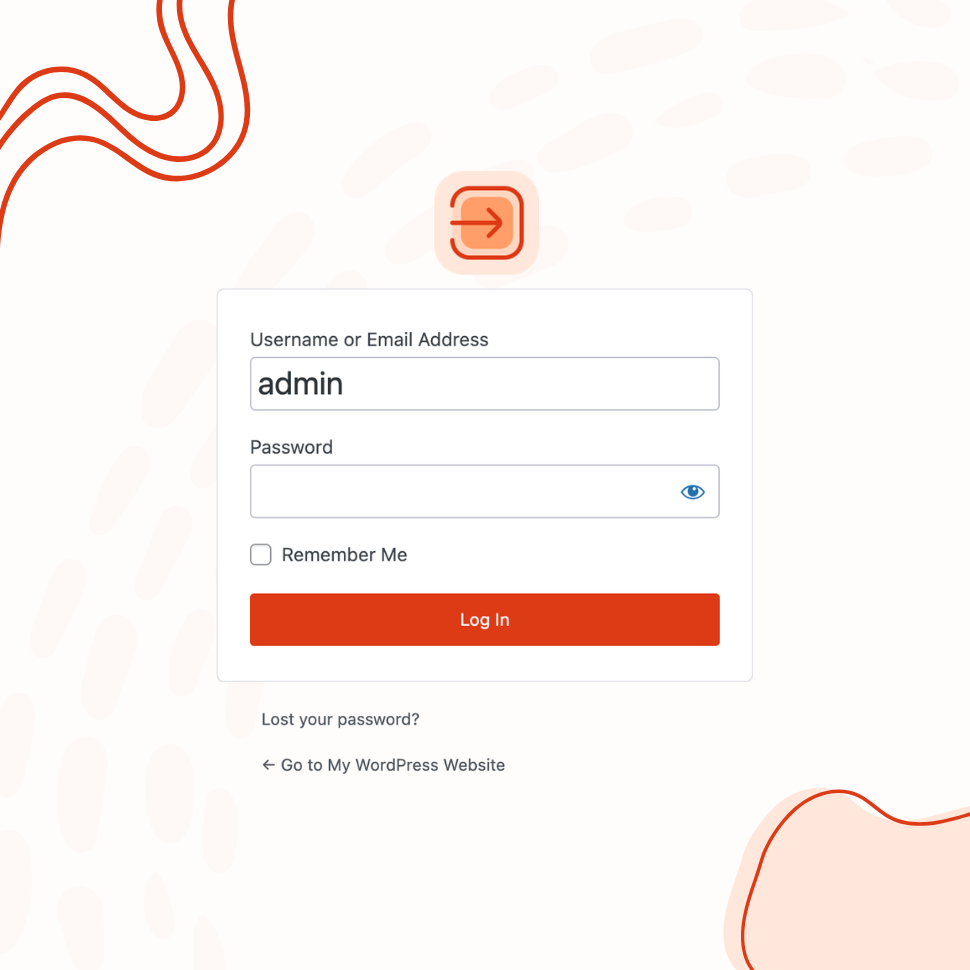
Custom Logo & Branding
Replace the WordPress Logo with Your Brand Identity
Add your custom logo or site icon, configure its link and alignment, and create a fully branded login experience.
- Use a custom image or your site icon as the logo
- Add a branded footer with custom text, font, and color
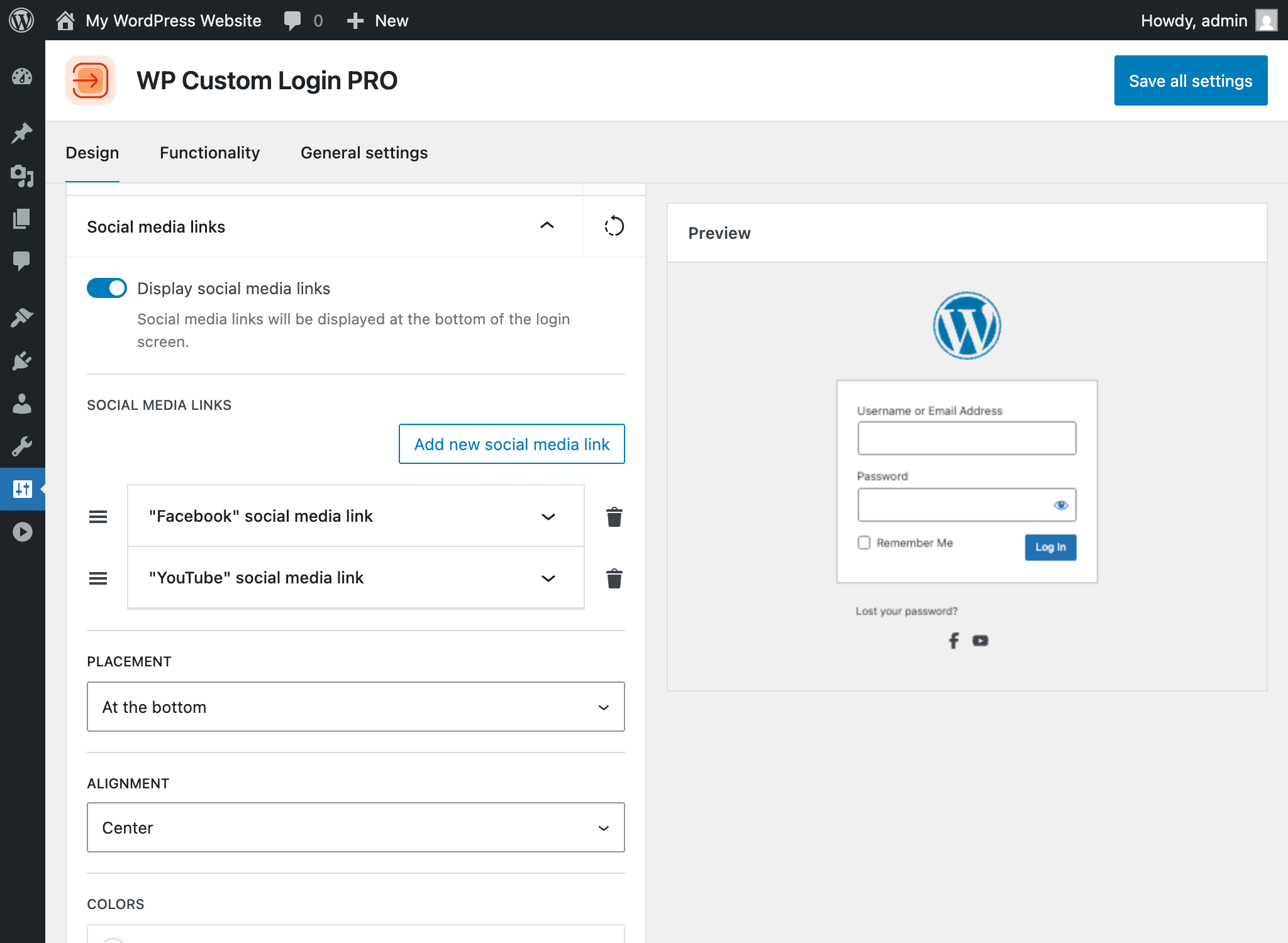
- Display social media icon links on the login page
Form & Input Styling
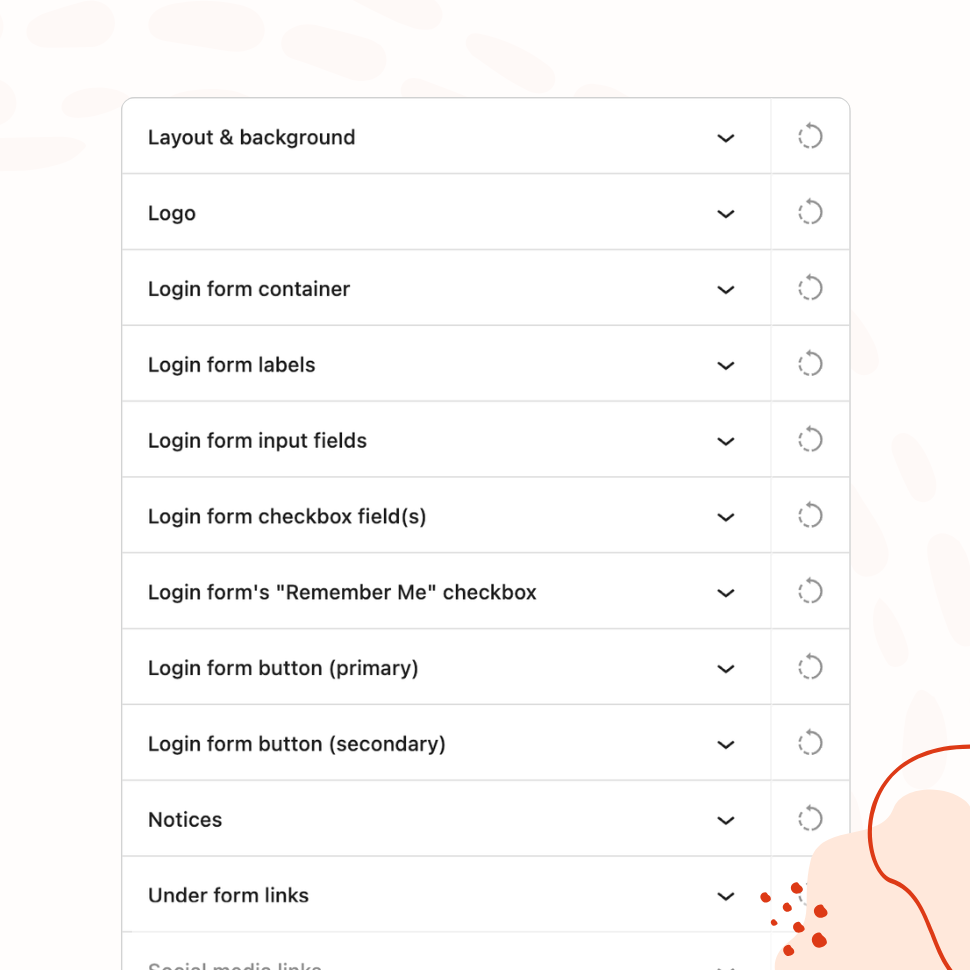
Fine-Tune Every Element of the Login Form
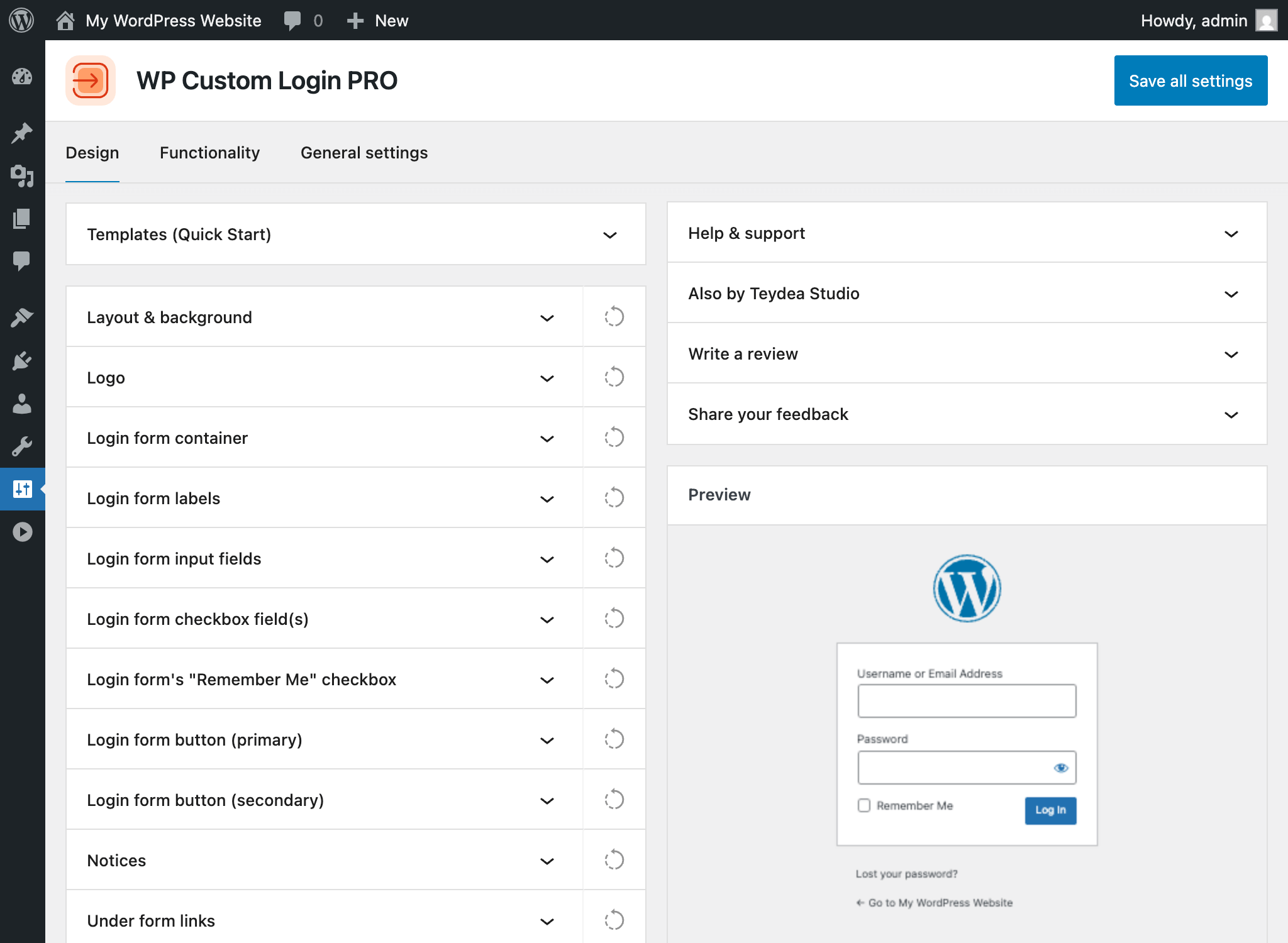
Customize labels, input fields, buttons, checkboxes, error messages, and links with granular visual controls — including hover and focus states.
- Separate controls for normal, hover, and focus states
- Per-language text for labels, placeholders, and buttons
- Independent styling for error, notice, and success messages
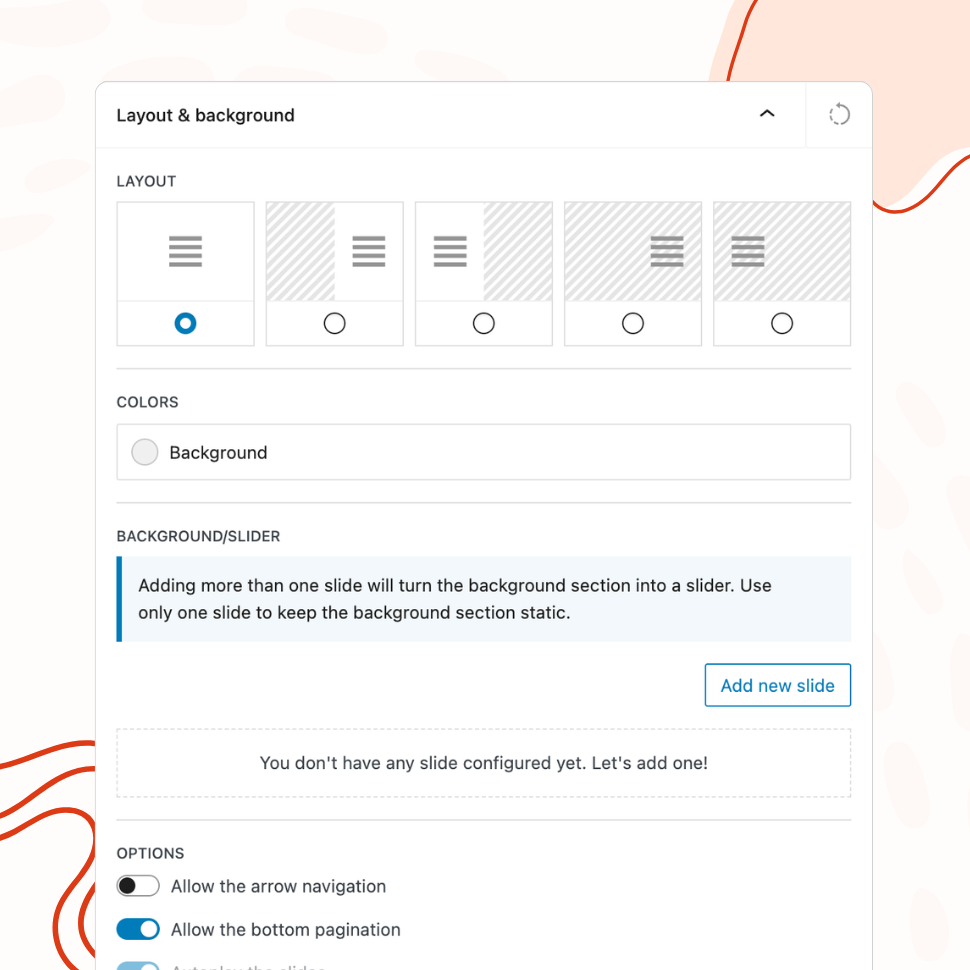
Advanced Backgrounds & Layouts
Create Stunning Split-Screen and Slider Backgrounds
Go beyond a simple background color. Use multi-column layouts, image and video sliders, animated gradients, and CSS filters to create a premium login page.
- 5 layout modes, including split-screen
- Combine image, video, gradient, and animated slides
- CSS image filters: blur, contrast, grayscale, and more
Post-Login Redirects
Send Users to the Right Page After Login
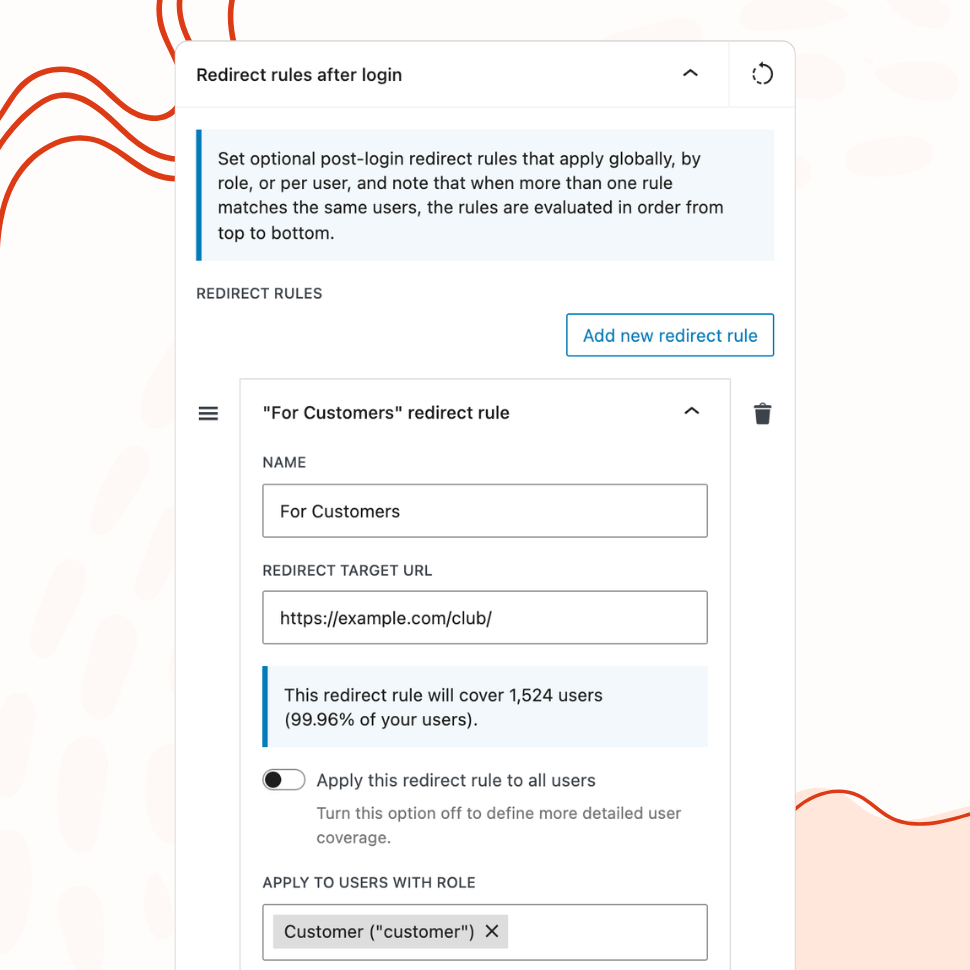
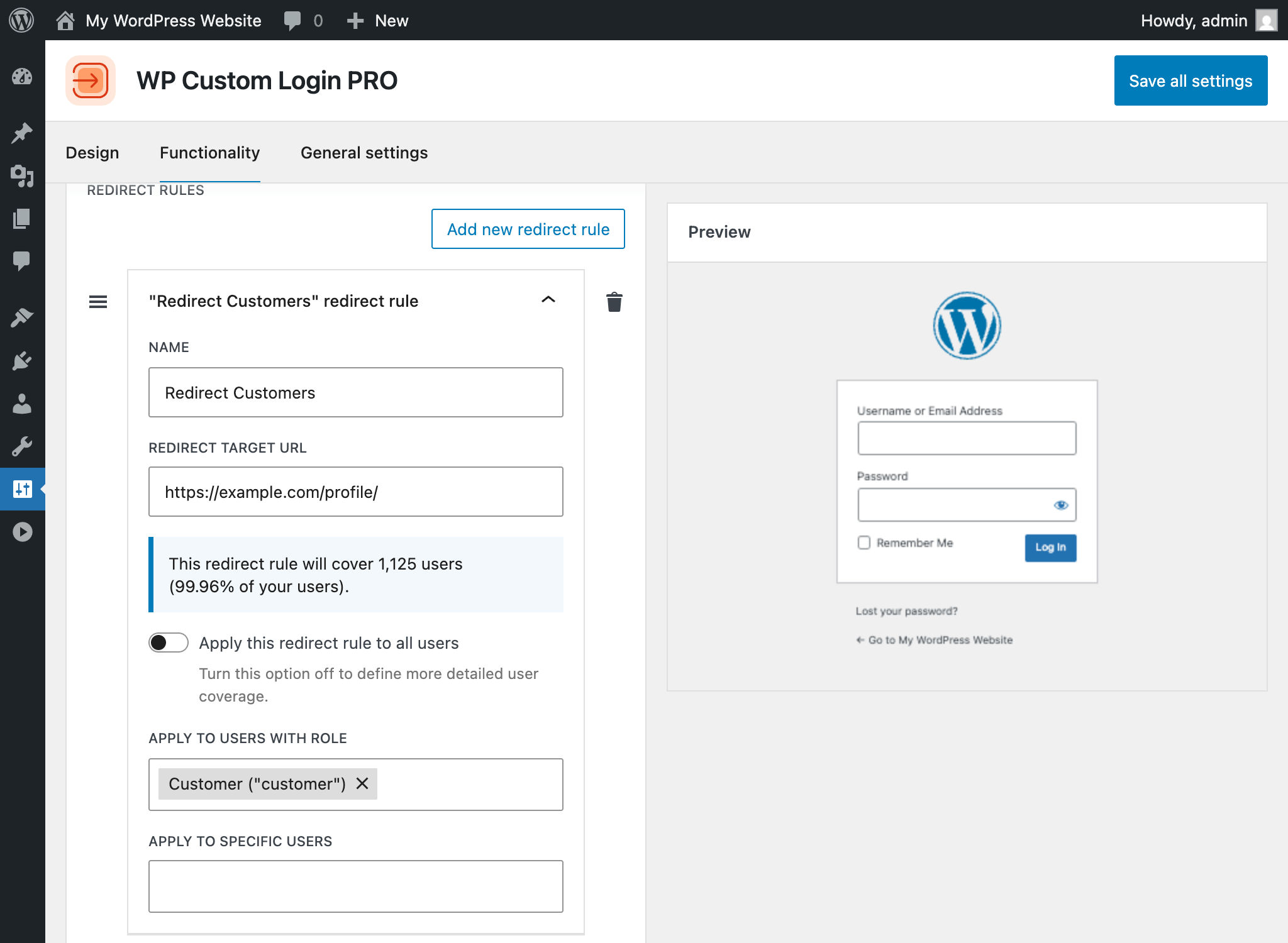
Define redirect rules by user role or individual user, so administrators, editors, and subscribers each land exactly where they should.
- Create multiple rules arranged by priority — first match wins
- Target all users, specific roles, or individual usernames
- Live coverage calculator shows affected user count and percentage
Quick Start
Get Started in Three Simple Steps
We’ve made the plugin setup and configuration process as straightforward as possible – without sacrificing flexibility or powerful functionality.
Need any support with getting started? Review the plugin’s documentation and tutorials or contact us.
Quick Preview
Live Demo & Screenshots
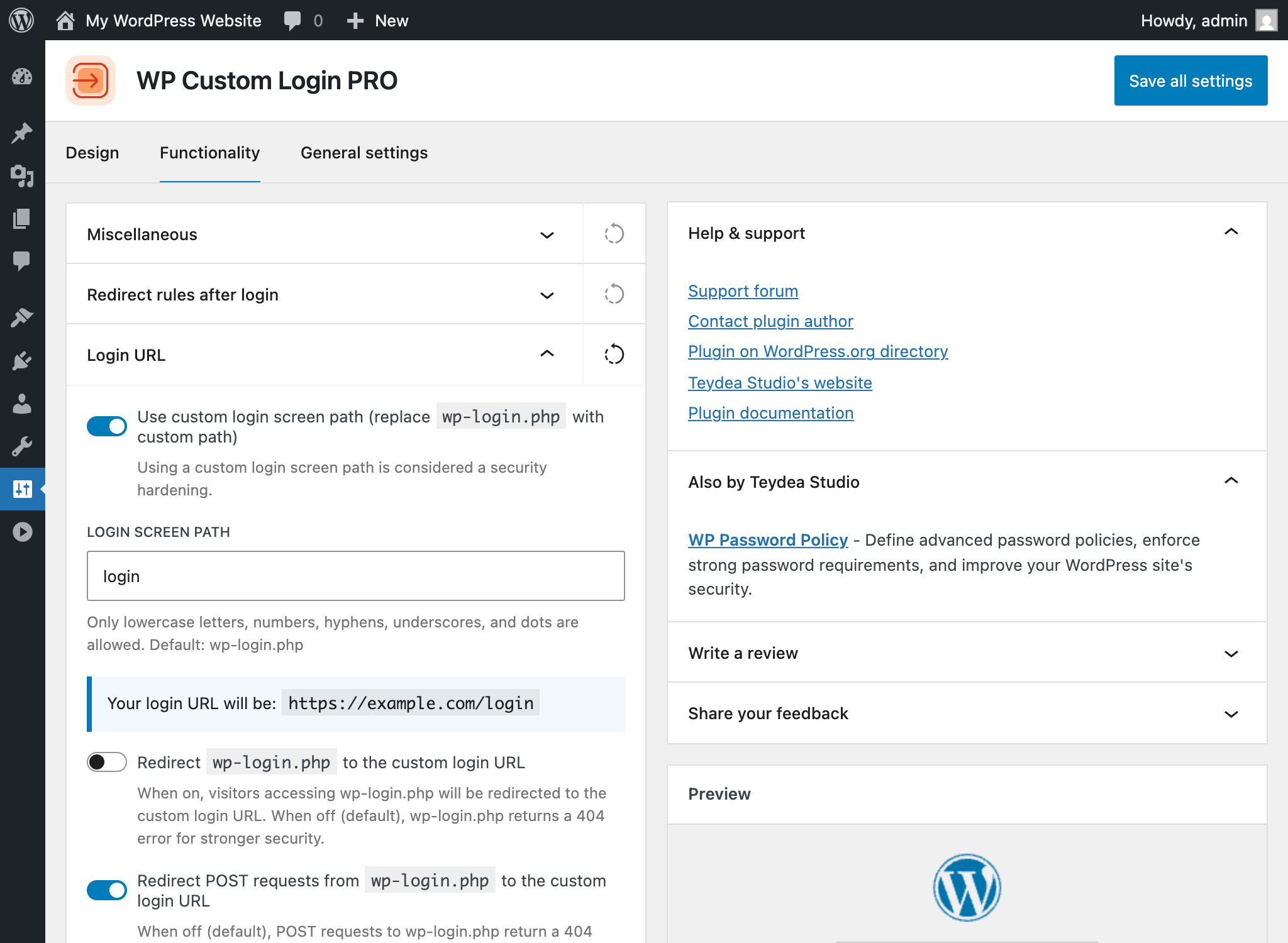
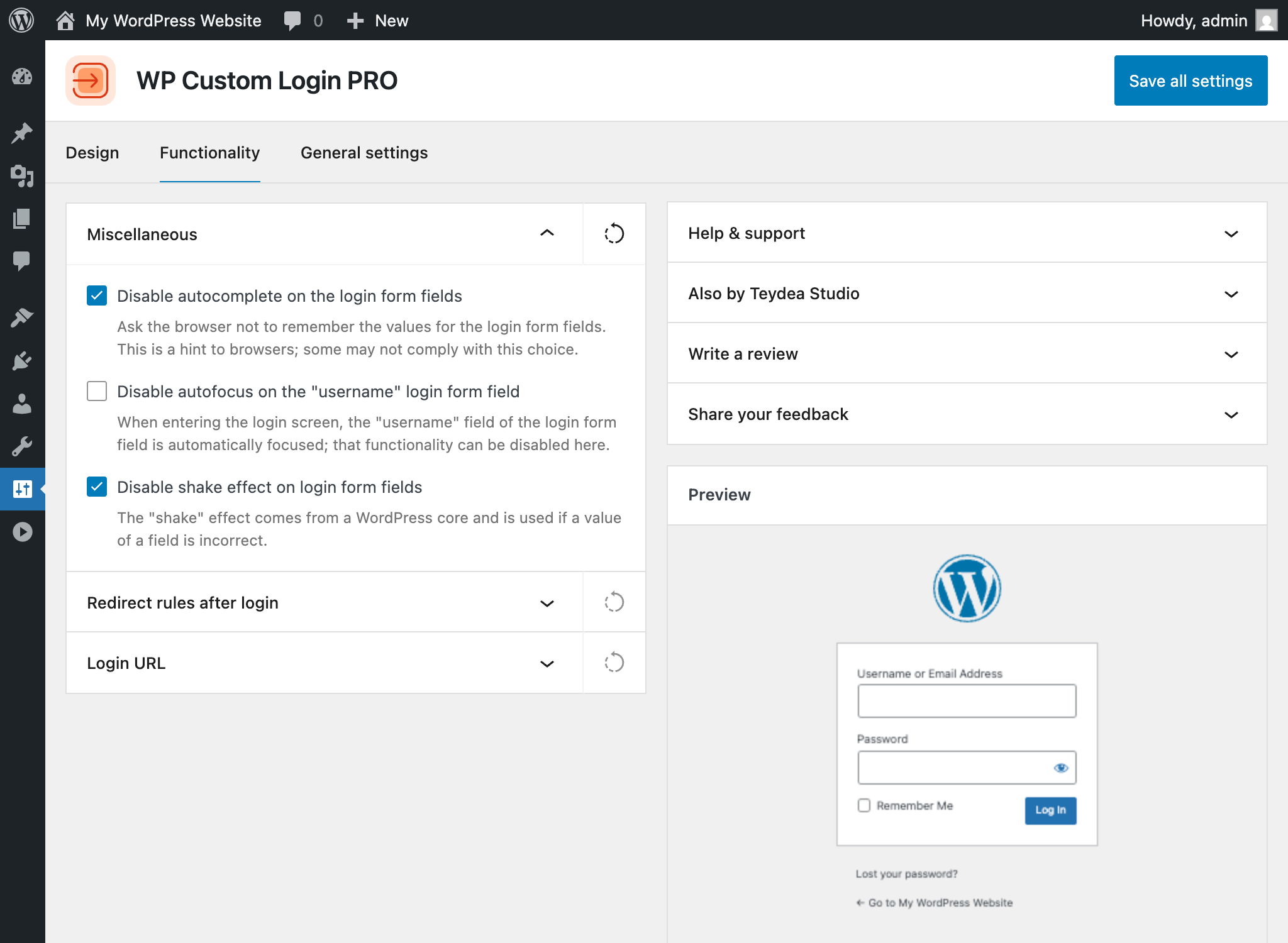
Want to see this plugin in action? Take the quick look at the screenshots below, or launch the demo site.
Video Walkthrough
Watch the plugin walkthrough video to explore all of its key features and available options.
(Available soon.)
Live Demo
Launch a demo of the Pro version of this plugin in a private, temporary environment.
You can explore the plugin freely – the test environment is dedicated exclusively to you and will automatically expire after 4 hours.
Vision Statement
Why Should You Customize Your Login Page?
The default WordPress login screen is the same on every site — the WordPress logo, a plain light gray background, and a generic form. For personal blogs, that’s fine. But if clients, team members, or customers log into your site, the default login page sends the wrong message.
A branded login page signals professionalism. It tells users they’re in the right place, reinforces your identity from the very first interaction, and sets the tone for the experience behind the login form. For agencies and freelancers managing client sites, a polished login page is one of the easiest ways to deliver a finished, white-labeled product.
WP Custom Login gives you full control over every visual element of the WordPress login screen — from the logo and background to form fields, buttons, links, and error messages. You can apply a pre-designed template in one click or fine-tune every detail with granular visual controls and a live preview. No CSS or coding knowledge required.
The PRO version adds split-screen layouts, image and video sliders, animated gradient backgrounds, post-login redirects by user role, and the ability to replace wp-login.php with a custom URL. See the complete list of features for additional details.
You’re in a Good Company
We Take Customer Satisfaction Seriously
Customer satisfaction is a core value of our business. From our dedicated support team and extensive documentation to our money-back guarantee, we’ve got you covered every step of the way.
Professional Support
Our dedicated support team is ready to answer any questions you may have.
Extensive Documentation
Access a comprehensive library of documentation and tutorials designed to help you make the most of this plugin.
30-Day Money-Back Guarantee
Our no-questions-asked refund policy ensures your purchase is completely risk-free.
Not Sure? Start with the Free Version
Install the free version of the plugin and customize your login screen design in just a few minutes.
FAQ
Find Answers to Common Questions
Browse these frequently asked questions to get quick answers about our plugin, features, and support.
Will This Plugin Work on My WordPress Website?
This plugin does not depend on any third-party libraries, plugins, or themes. It will work seamlessly on any WordPress website.
Does the Plugin Support My Language?
This plugin is translation-ready, enabling you to easily translate its content into your preferred language using any translation tool or plugin. By default, the plugin is provided in English.
What Are the Technical Requirements for This Plugin?
This plugin requires WordPress version 6.6 or later and PHP version 7.4 or later. It doesn’t require additional libraries or special hosting configurations.
The plugin has been tested up to WordPress 6.9 and PHP 8.3.
What Is Your Refund Policy?
We offer a risk-free, 30-day money-back guarantee. If you’re not satisfied with the plugin for any reason, you can request a full refund within 30 days of your purchase – no questions asked.
Is This Plugin Actively Maintained?
Yes! This plugin is actively maintained and regularly tested for compatibility with the latest versions of WordPress and PHP. For detailed information about updates, please refer to the changelog.
What Happens If I Don’t Renew My License?
You can continue to use the plugin even if your license expires; however, you will no longer receive plugin updates, new features, or access to support. Your license renews automatically each year unless canceled via the Customer Portal.
What Is the Difference Between the Free and PRO Versions?
The free version gives you full control over the login page’s visual design — custom logo, background color and image, form container styling, label and input field customization, primary and secondary button design, checkbox styling, notice and error message colors, under-form link styling, social media icons, custom footer, privacy policy link, language switcher controls, per-language text, and a custom CSS editor. You also get functionality options like disabling autofocus, the error shake animation, and browser autocomplete. Everything is configured from a visual settings page with a live preview.
The PRO version adds 20+ pre-designed templates you can apply in one click, advanced background options (multi-column split-screen layouts, image and video sliders, animated gradients, CSS image filters and color overlays), post-login redirect rules with per-role and per-user targeting, the ability to replace wp-login.php with a custom login URL, and priority support with automatic updates. See the pricing page for details.
