

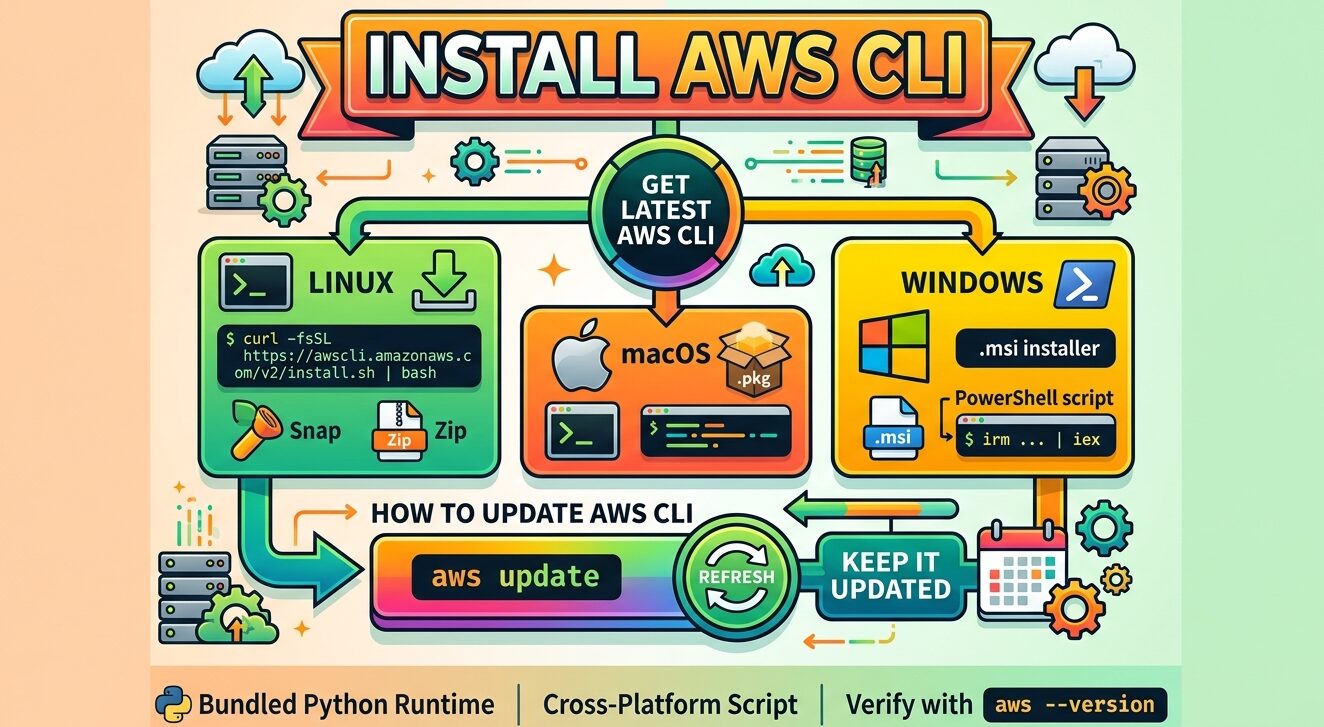
Amazon now recommends one install script for AWS CLI version 2 on Linux, macOS and Windows. A second command, aws update, moves an existing copy to the newest build.
This guide covers both, plus the version 1 check, admin rights and error fixes. Every step matches Amazon’s documentation as of October 2026. For build-by-build changes, see the version 2 changelog on GitHub.
What Changed for AWS CLI Installs in 2026?
The install script is Amazon’s recommended method on all three platforms. It downloads, verifies and installs the tool in one step, for your user account by default.
Upgrades changed too. The aws update command replaces the old habit of rerunning an installer.
Version 1 is winding down. It entered maintenance mode on July 15, 2026, and support ends on July 15, 2027, according to the AWS Developer Tools Blog. Until then it gets critical bug fixes and security patches, nothing more.
Is AWS CLI Version 1 Already on Your Machine?
Both versions answer to the same command: aws. With both on one computer, your shell runs whichever it finds first. Check before you install AWS CLI version 2:
aws --versionOutput starting with aws-cli/2 means version 2 is ready. Output starting with aws-cli/1 means you should read Amazon’s migration guide for version 2 before going further.
A “command not found” reply means nothing is installed yet.
Why pip install awscli Gives You Version 1
Older tutorials often use pip. The awscli package on PyPI is version 1. Amazon ships version 2 as a standalone build with its own Python runtime and does not publish it to PyPI.
Install AWS CLI v2 on Linux, macOS and Windows
Open the part for your system and follow it top to bottom. Each platform gets a script plus at least one official package.
| Platform | Official package | Supported systems |
|---|---|---|
| Linux | Zip installer, snap | 64-bit CentOS, Fedora, Ubuntu, Amazon Linux 1, 2 and 2023, Linux ARM |
| macOS | .pkg installer | macOS 11 and later |
| Windows | .msi installer | Microsoft-supported 64-bit Windows |
If you have set up tools like Java through apt on Ubuntu by hand, the flow will feel familiar.
Linux: Script, Zip Installer or Snap
You need unzip, glibc, groff and less. Most major distributions include the last three. Unsure of your release? Check your Ubuntu version first.
On Amazon Linux, remove the preinstalled yum copy before anything else:
sudo yum remove awscliThen run the script:
curl -fsSL https://awscli.amazonaws.com/v2/install.sh | bashFiles go to $HOME/.local/share/aws-cli, with a link in $HOME/.local/bin. Add –system with sudo to install for all users in /usr/local:
curl -fsSL https://awscli.amazonaws.com/v2/install.sh | sudo bash -s -- --systemNeed to pin a version? The zip installer lets you choose the build. Snap refreshes on its own and can’t hold a minor version.
macOS 11 and Later: Script or .pkg
The same curl command works on macOS. To change install folders on either system, set $XDG_DATA_HOME and $XDG_BIN_HOME first, using the export syntax for environment variables.
The .pkg installer offers an all-users install (needs sudo) or a current-user install. The current-user option skips symlinks, so you create links for aws and aws_completer yourself.
Windows: PowerShell Script or .msi
Run this from a PowerShell prompt:
irm https://awscli.amazonaws.com/v2/install.ps1 | iexIt installs to %LOCALAPPDATA%\Programs\Amazon\AWSCLIV2 for your account. AWSCLIV2.msi installs for all users and needs admin rights. AWSCLIV2-User.msi installs for you alone, with no admin prompt.
How Do I Update AWS CLI to the Latest Version?
Used the script or an official installer (Linux zip, macOS .pkg or Windows .msi)? One command gets the newest build:
aws updateThe upgrade keeps your first choice. Machine-wide copies stay machine-wide, and per-user copies stay per-user. You won’t need to redo that setting.
Want upgrades on a schedule? Our Bash script boilerplate generator builds a starting file with logging and a lock that stops overlapping runs.
Admin Rights for Machine-Wide AWS CLI Installs
Installed for every account on the computer? Plain rights won’t work. Run the upgrade from an elevated shell:
| Platform | How to get admin rights |
|---|---|
| Linux | Put sudo before aws update |
| macOS | Put sudo before aws update |
| Windows | Open PowerShell with “Run as Administrator” |
Unsure why the prompt matters? Read how root access fits into Linux security.
Earlier Builds and Uninstalling AWS CLI v2
Need an older release? Amazon keeps a separate page for past version 2 builds. Want the tool gone? Follow Amazon’s version 2 uninstall guide.
Fixing aws: command not found and Version Mismatch Errors
Errors can surface after setup or even after removal. Amazon’s troubleshooting page covers each case, and three sections fix most of them:
| What you see | Where to go |
|---|---|
| Your shell says it cannot find aws | Command not found errors |
| aws –version shows a build you did not install | Wrong version section |
| A version still prints after you uninstall | Version after uninstalling section |
Restart the terminal first, since that clears many missing-command errors. Still stuck? The install folder may not be on your PATH. Our guide to adding a directory to PATH covers Bash and Zsh.
Old version showing? Run type -a aws to list every aws binary your shell sees, then hash -r to clear its cached path. Both appear in our Bash builtins man page.
After Setup: Delete the Installer and Run aws configure
Setup worked? Delete the downloaded installer. It has done its job.
Two tasks remain. Meet Amazon’s prerequisites for version 2, including an AWS account and access credentials. Then follow Amazon’s setup guide, where aws configure saves your keys, default region and output format.
FAQs
Is AWS CLI free to install?
Yes. AWS CLI is a free, open source tool from Amazon. Installing and running it costs nothing. You pay for the AWS resources your commands create or use.
Do I need Python to install AWS CLI version 2?
No. AWS CLI version 2 bundles its own Python runtime, so the machine needs no separate Python or pip setup. Version 1 is the release that depends on a system Python.
What is the command to install AWS CLI on Linux?
Run curl -fsSL https://awscli.amazonaws.com/v2/install.sh | bash. The script downloads, verifies and installs AWS CLI version 2 for your account. Add sudo and the –system flag to install it for all users.
Is the Reddit advice to pip install awscli still valid in 2026?
Not for version 2. The awscli package on PyPI is version 1, which entered maintenance mode on July 15, 2026. Amazon does not publish version 2 to PyPI, so use the script or an official installer.
Should I follow Reddit tips to install AWS CLI with Homebrew?
Homebrew works, but Amazon does not maintain it. AWS says it can’t guarantee third-party repositories carry the latest AWS CLI build. The install script and .pkg installer also support aws update.

