Pages

Showing posts with label gis. Show all posts

Sunday, June 23, 2013

PyShp Version 1.1.7 Release

PyShp 1.1.7 is out after several months of virtually no updates.  This release fixes a bunch of minor issues
plus a couple of important features.  You can get it through setuptools or source from the CheeseShop: https://pypi.python.org/pypi/pyshp/1.1.7.  The Google Code page is here:https://code.google.com/p/pyshp/

And as usual there are no dependencies other than Python itself.  Updates include:
Image
  • Added Python geo_interface convention to export shapefiles as GeoJSON.
  • Used is_string() method to detect file names passed as unicode strings (failed on unicode strings before).
  • Added Reader.iterShapes() method to iterate through geometry records for parsing large files efficiently.
  • Added Reader.iterRecords() method to iterate through dbf records efficiently in large files.
  • Modified shape() method to use iterShapes() if shx file is not available as well as record() method.
  • Fixed bug which prevents writing the number 0 to dbf fields.
  • Updated shape() method to calculate and seek the start of the next record. The shapefile spec does not require the content of a geometry record to be as long as the content length defined in the header. The result is you can delete features without modifying the record header allowing for empty space in records.
  • Added enforcement of closed polygons in the Writer.poly() method.

  • Added unique file name generator to use if no file names are passed to a writer instance when saving (ex. w.save()). The unique file name is returned as a string.
  • Updated "bbox" property documentation to match Esri specification.
The __geo_interface__ update required a polygon area calculator.  This method is undocumented but you can feed a list of points representing a polygon to shapefile.signed_area(coords) and get an area calculation back. If the area is a positive number the points are clockwise (outer ring).  If the area is negative then the points are in counter-clockwise order (i.e. an inner polygon ring).

Monday, May 20, 2013

New __geo_interface__ for PyShp


Christian Ledermann took the initiative to fork pyshp and add the __geo_interface__ convention.
Image
http://twitter.com/GeoJSON


The __geo_interface__ is a community standard riding the current "less is more" entropy wave to get away from heavy data exchange standards, make software compatible, and get some work done.

This standard is very pythonic and well thought out which is no surprise because Sean Gillies and Howard Butler are a driving forces behind it.  The goal is to make moving data around among libraries with different specialties, like Shapely and PySAL, easier.  It is closely tied to GeoJSON which is getting a lot of traction and shaking up the industry and community.

Christian's  __geo_interface__ implementation for PyShp is here:

https://github.com/cleder/pyshp

He also wrote some ogr2ogr-style conversion samples to show you how to use it here:
https://github.com/cleder/geo_file_conv

I'm 100% behind these ideas and will roll this interface into the main trunk.  But there's nothing stopping you from using Christian's fork today.

Enjoy!

Tuesday, April 9, 2013

Add a Field to an Existing Shapefile

The dbf file of a shapefile is a simple file-based database with rows and columns.  The rows are
Image
Adding a field where there wasn't one before has
limitless possibilities.
"records" and the columns are "fields".  Sometimes you want to add an additional field to the dbf file to capture some new type of information not originally included.

Today's example shows you how to use pyshp to add a new field to an existing shapefile.  This operation is a two-step process.  You must first update the dbf header to define the new field.  Then you must update each record to account for a new column in the database so everything is balanced.

In the past, I've demonstrated modifying existing shapefiles for other reasons including merging shapefiles and deleting features in shapefiles.  In every case you are actually reading in the existing shapefile, creating a new shapefile in memory and then writing out the new file either separately or on top of the old one.  Even in really high-end GIS packages that's basically all you're doing.  Some packages will use a temporary file in between. 

Here's the example.  We'll create a counter that gives us unique sample data to append to each record just so we can see the changes clearly.  In the real world, you'd probably just insert a blank palce holder.

import shapefile

# Read in our existing shapefile
r = shapefile.Reader("Mississippi")

# Create a new shapefile in memory
w = shapefile.Writer()

# Copy over the existing fields
w.fields = list(r.fields)

# Add our new field using the pyshp API
w.field("KINSELLA", "C", "40")

# We'll create a counter in this example
# to give us sample data to add to the records
# so we know the field is working correctly.
i=1

# Loop through each record, add a column.  We'll
# insert our sample data but you could also just
# insert a blank string or NULL DATA number
# as a place holder
for rec in r.records():
 rec.append(i)
 i+=1
 # Add the modified record to the new shapefile 
 w.records.append(rec)

# Copy over the geometry without any changes
w._shapes.extend(r.shapes())

# Save as a new shapefile (or write over the old one)
w.save("Miss") 

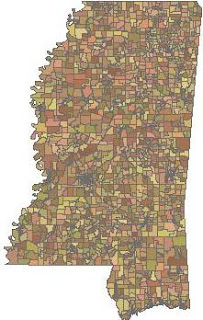
So there you have it. Overall it's a pretty simple process that can be extended to do some sophisticated operations.  The sample Mississippi shapefile can be found here.  But this shapefile only has one record so it's not that interesting.  But it's lightweight and easy to examine the dbf file in your favorite spreadsheet program.

Tuesday, May 29, 2012

SBN Mystery - Solved!

Image
Last October I asked you all for help in figuring out the spatial indexing algorithm used to create Esri sbn files.  Using Pyshp, I had successfully decoded the file formats which I provided. However I could not figure out the algorithm used to create and populate the spatial bins within these files.

Today I'm pleased to announce this challenge has been answered.  The GIS community now has access to both the sbn and sbx file format as well as the algorithm for grouping features in a shapefile into "spatial bins".

I'm glad I asked for help as this challenge turned out to be quite difficult. The brain behind this operation is Marc Pfister with some good insights from Si Parker.  Marc worked tirelessly on this problem for months with a cross-country move and complete career change thrown in to make it interesting.  Marc did all the heavy intellectual lifting with me playing an inquisitive, but usually short-sighted Watson to his Holmes.  I generated endless series of shapefiles and one-off scripts to help Marc try and flush out the algorithm based only on subtle changes in the number of bins and features they contained as well as his past experience with spatial indexing.

When I figured out the file formats I had hoped I was just a Wikipedia search away from recognizing the spatial tree algorithm.  But the solution turned out to be much more complex than that.  Esri uses a sort of balanced tree that exhibits traits of several different algorithms.  The system seems carefully designed but is by no means obvious.  I will publish Marc's findings as soon as I can.

There are still a few shapefile cases which create puzzling but insignificant results. However we are at the 98% mark. The project goal of compatibility has been reached.  There is no longer any reason to hold off on sharing the results.  We are fairly certain that we are able to create sbn and sbx files which sufficiently fool ArcMap as well as other Esri packages so other software can read, use, and generate these indexes alongside the Esri suite.  There is more testing to do but it seems we are out of the woods.

What we haven't done is nicely packaged all of this work up.  But Marc posted a small set of Python scripts on github which demonstrate the algorithm and file handling needed to copy this capability.  Over the coming months I will fold this code into Pyshp, produce better documentation on the algorithm, and provide posts on how to deal with these indexes. But for now here's what you've been waiting for:

https://github.com/drwelby/hasbeen

By the way, Marc does freelance programming.  In my job, I get the opportunity to work with lots of really bright geospatial programmers and mathematicians and this guy is one of the very best I've ever seen.  If you have a tough geospatial project and need some E=MC2 smarts definitely look him up.

Monday, May 21, 2012

Advanced Shapefile Merger

Image
Italian GIS blogger Toni sent me a message about a sophisticated OGR-based shapefile merger utility he created.  Last year I posted a simple pyshp example that would find all ".shp" files in a directory and merge the geometry and attributes into a single shapefile.  Toni's version takes this concept much further to include wildcards, recursive directory walking, exclusion lists, and some dbf tricks.  You can find this utility at Toni's blog "Furious GIS":

http://furiousgis.blogspot.it/2012/05/python-shapefile-merger-utility.html

Tuesday, May 1, 2012

Pyshp 1.1.6-beta Release for Testing

Image
Pyshp 1.1.6-beta ready for testing
A pre-release of pyshp 1.1.6 is available for testing.  This release addresses some major issues with reading/writing 3D shapefiles.  The issue was identified by John Burky.  I am currently working through several bug reports right now but this one was a show stopper so I wanted to get a fix out quickly as there seem to be several people working with z elevation values right now.  Also if you were having troubles with "m" measure values this release fixes a related issue.  The Editor class, z values, and m values are dark corners that are not as well tested as "regular" shapefile features so if you're working with these types of data keep a sharp eye out for anything weird.  I'll push this update out as an official release within the next couple of weeks if there are no complaints.

The release is available in the Pyshp Google Code site "Downloads" section here.

In other news we are still working on the sbn/sbx binning example for spatial indexes.  Very close but not there yet.

Tuesday, February 28, 2012

Pyshp shapeRecords() Method

Image
The shapefile.Reader.shapeRecords()
method lets you juggle both the
geometry and dbf attributes at the
same time.
The shapefile.Reader.shapeRecords() method is a simple convenience method which allows you to simultaneously loop through both the geometry and records of a shapefile.  Normally  you would loop through the shape records and then loop through the dbf records seperately.  But sometimes it's easier to have both sides of the shapefile equation accessible at the same time.  This ability is important sometimes because the link between geometry and attributes is implied by their order in the file and not explicit which can make referencing one side or the other a pain.  Warning: the current implementation pulls everything into memory at once which can be a problem for very large shapefiles. This weakness will be updated in future versions.

Here’s a simple usage example followed by a detailed explanation and a few other posts where I use this method without much explanation.

Let’s say you have a simple point-location address shapefile named “addr.shp” with the following structure:

GEOMETRY ADDRESS CITY STATE ZIP
[-89.522996, 34.363596] 7018 South 8th Oxford MS 38655
[-89.520695, 34.360863] 1199 South 11th Oxford MS 38655
[-89.520927, 34.362924] 8005 Fillmore Ave Oxford MS 38655

You could then use the shapeRecords method like this:

>>> import shapefile
>>> r = shapefile.Reader(“addr”)
>>> sr = r.shapeRecords()
>>> # get the first shaperecord
>>> sr_test = sr[0]
>>> # Look at the geometry of the shape
>>> sr_test.shape.points
[[-89.522996, 34.363596]]
>>> # Look at the attributes of the dbf record
>>> sr_test.record
[‘7018 South 8’,’Oxford’,’MS’,’38655’]
>>> # Now let’s iterate through all of them
>>> for sr in r.shapeRecords():
...    print “x: “, sr.points[0][0]
...    print “y: “, sr.points[0][1]
...    # Output just the address field
...    print “Address: “, sr.record[0]
x: -89.522996
y: 34.363596
Address: 7018 South 8th
x: -89.520695
y: 34.360863
Address: 1195 South 11th
x: -89.520927
y: 34.362924
Address: 805 Fillmore Ave

Here’s how it works.

The shapeRecords() method returns a list.

Each entry in that list is a _ShapeRecord object instance.

A _ShapeRecord object has two attributes: shape, record

_ShapeRecord.record contains a simple list of the attributes.

_ShapeRecord.shape contains a _Shape object instance.

A _Shape object has, at a minimum, two attributes: shapeType, points

If the _Shape instance contains a polygon a “parts” attribute will appear.  This attribute contains the index in the point list of the beginning of a “part”.  Parts let you store multiple shapes in a single record.

The shapeType attribute provides a number telling you if the shapefile is  a point, polygon, line, etc. file.  These constants are listed in the shapefile spec document as well as near the top of the source code.

The points is just a list containing lists of the point coordinates.  Two things to note:  If the geometry has multiple parts, such as multiple polygons, the points for all parts are just lumped together.  You must separate them by referencing the parts index list.  Some shape types allow for z and m values which may appear in addition to the x,y pairs.

This method is really just a clumsy convenience method that basically zips up the results of the shapes() and records() methods you are already using.

I have a few blog posts where I call this method as well:

http://geospatialpython.com/2011/02/changing-shapefiles-type.html

http://geospatialpython.com/2011/01/point-in-polygon.html

http://geospatialpython.com/2010/12/dot-density-maps-with-python-and-ogr.html  (in the comments)

Friday, November 4, 2011

Deleting Shapefile Features

Image
Sometimes, usually as a server-based operation, you need to delete all of the features in a shapefile. All you want left is the shapefile type, the dbf schema, and maybe the overall bounding box. This shapefile stub can then be updated by other processes. Pyshp currently doesn't have an explicit "delete" method. But because pyshp converts everything to native Python data types (strings, lists, dicts, numbers) you can usually manipulate things fairly easily. The solution is very similar to merging shapefiles but instead you are writing back to the same file instead of a new copy. There's only one hitch in this operation resulting from a minor difference in the pyshp Reader and Writer objects. In the reader the "bbox" property returns a static array of [xmin, ymin, xmax, ymax]. The Writer also has a "bbox" property but it is a method that is called when you save the shapefile. The Writer calculates the bounding box on the fly by reading all of the shapes just before saving. But in this case there are no shapes so the method would throw an error. So what we do is just override that method with a lambda function to return whatever bbox we want whether it be the original bbox or a made up one.
import shapefile 
# Read the shapefile we want to clear out
r = shapefile.Reader("myshape") 
# Create a Writer of the same type to save out as a blank
w = shapefile.Writer(r.shapeType) 
# This line will give us the same dbf schema 
w.fields = r.fields 
# Use the original bounding box in the header 
w.bbox = lambda: r.bbox 
# Save the featureless, attribute-less shapefile
w.save("myshape") 
Instead of using the original bounding box we could just populate it with 0's and let the update process repopulate it:
w.bbox = lambda: [0.0, 0.0, 0.0, 0.0]
Note coordinates in a shapefile must always be floating-point numbers. Sometimes you may not want to delete all of the features. You may want to select certain features by attribute or using a spatial operation.

Wednesday, November 2, 2011

Generating Shapefile shx Files

Image
Shapefile shx files help software locate records
quickly but they are not strictly necessary. The
shapefile software can manually browse the
records to answer a query.
Lately I've been following traffic and responding to posts on the excellent site GIS StackExchange.  There are several questions about shapefile shx files which also point to even more questions in the ESRI forums on this topic.

If for some reason, you end up with a shapefile that is missing the shx file then most software is going to complain and refuse to deal with it.  The shapefile spec requires, at a minimum, that you have an shp, shx, and dbf file to have a complete file.  However this requirement is not a technical requirement and a lot of people seem to be confused about that. 

The shx file is a trivial index file that provides fixed-length records pointing to the byte offsets of records in  the shp file only.  It does not connect the shp file and dbf file in any way nor does it contain any sort of record number.  There are no record numbers stored in any of the three standard files which is often a point of confusion.  The software reading a shapefile has to count the number of records read to determine the record id (geometry and attributes).  If you wrote a program to randomly select a record from a shapefile there is no way to tell what the record number is by the record contents.

The purpose of the shx file is to provide faster access to a particular record in a shapefile without storing the entire record set of the shp and dbf files in memory.  The header of the shx file is 100 bytes long.  Each record is 8 bytes long.  So if I want to access record 3, I know that 2*8  = 16 and I can jump to byte 100+16=116 in the shx file, read the 8-byte record to get the offset and record length within the shp file, and then jump straight to that location in the shp file.

While the shx file is convienient it isn't necessary.  Most software balks if it is not there though.  However pyshp handles it gracefully.  If the shx index is there it is used for record access, if not then pyshp reads through the shp records into memory and handles the records as a python list.

Sometimes shx files become corrputed or go missing.  You can build a new shx index using pyshp.  It's kind of a hack but still very simple. In the following example we build an index file for a point shapefile named "myshape" that has two files: "myshape.shp" and "myshape.dbf"

# Build a new shx index file
import shapefile
# Explicitly name the shp and dbf file objects
# so pyshp ignores the missing/corrupt shx
myshp = open("myshape.shp", "rb")
mydbf = open("myshape.dbf", "rb")
r = shapefile.Reader(shp=myshp, shx=None, dbf=mydbf)
w = shapefile.Writer(r.shapeType)
# Copy everything from reader object to writer object
w._shapes = r.shapes()
w.records = r.records()
w.fields = list(r.fields)
# saving will generate the shx
w.save("myshape")

If the shx file is missing it will be created.  If it's corrupt it will be overwritten. So the moral of the story is because shapefiles consist of multiple files, it is actually a robust format. The data in the individual files can usually be accessed in isolation from the other files despite what the standard requires - assuming the software you're using is willing to cooperate.

Monday, September 26, 2011

Reading Shapefiles from the Cloud

Image
In a previous post, I wrote about saving shapefiles using pyshp to file-like objects and demonstrated how to save a shapefile to a zip file. PyShp has the ability to read from Python file-like objects including zip files as well (as of version 1.1.2).  Both the Reader object and the Writer.save() method accept keyword arguments which can be file-like objects allowing you to read and write shapefiles without any disk activity.

In this post, we'll read a shapefile directly from a zip file on a server all in memory.

Normally to read a shapefile from the file system you just pass in the name of the file to the Reader object as a string:

import shapefile
r = shapefile.Reader("myshapefile")

But if you use the keywords shp, shx, and dbf, then you can specify file-like objects.  This example will demonstrate reading a shapefile - from a zip file - on a website.

import urllib2
import zipfile
import StringIO
import shapefile

cloudshape = urllib2.urlopen("http://pyshp.googlecode.com/files/GIS_CensusTract.zip")
memoryshape = StringIO.StringIO(cloudshape.read())
zipshape = zipfile.ZipFile(memoryshape)
shpname, shxname, dbfname, prjname = zipshape.namelist()
cloudshp = StringIO.StringIO(zipshape.read(shpname))
cloudshx = StringIO.StringIO(zipshape.read(shxname))
clouddbf = StringIO.StringIO(zipshape.read(dbfname))
r = shapefile.Reader(shp=cloudshp, shx=cloudshx, dbf=clouddbf)
r.bbox
[-89.8744162216216, 30.161122135135138, -89.1383837783784, 30.661213864864862]

You may specify only one of the three file types if you are just trying to read one of the file types. Some attributes such as Reader.shapeName will not be available using this method.

File-like objects provide a lot of power. However it is important to note that not all file-like objects implement all of the file methods. In the above example the urllib2 module does not provide the "seek" method needed by the zipfile module. The ZipFile read() method is the same way.  To get around that issue, we transfer the data to the StringIO or cStringIO module in memory to ensure compatibility. If the data is potentially too big to hold in memory you can use the tempfile module to temporarily store the shapefile data on disk.

Monday, September 5, 2011

Map Projections

Image
A reader pointed out to me recently that that the pyshp documetnatin or wiki should include something about map projections.  And he is right.   Many programmers working with shapefiles are not necessarily geospatial professionals but have found themselves working with geodata on some project.

It is very difficult to just "scratch the surface" of GIS.  You don't have to dig very deep into this field before you uncover some of the eccentricities of geographic data. Map projections are one such feature that is easy to understand at a basic level but has huge implications for geospatial programmers.

Map projections are conceptually straight-forward and intuitive.  If you try to take any three-dimensional object and flatten it onto a plane, such as your screen or a sheet of paper, the object is distorted.  (Remember the orange peel experiment from 7th grade geography?) You can manipulate this distortion to preserve common properties such as area, scale, bearing, distance, shape, etc. 

I won't go into the details of map projections as there are thousands of web pages and online videos devoted to the subject.  But there are some things you need to know for dealing with them programmatically.  First of all, most geospatial data formats don't even contain any information about map projections.  This lack of metadata is really mostly just geospatial cultural history with some technical reasons.  And furthermore, while the concept of map projections is easy to grasp, the math to transform a coordinate from one projection to another is quite complex.  The end result is most data libraries don't deal with projections in any way.

But now, thanks to modern software and the Internet making data exchange easier and more common, nearly every data format, both images and vector, have tacked on a metadata format that defines the projection.  For shapefiles this is the .prj projection file which follows the naming convention .prj   In this file, if it exists, you will find a string defining the projection in a format called well-known text or WKT.  And here's a gotch that blew my mind as a programmer a long time ago: if you don't have that projection definition, and you don't know who created the data - there is no way you are ever going to figure it out.  The coordinates in the file are just numbers and offer no clue to the projection.  You don't run into this problem much any more but it used to be quite common because GIS shops typically produced maps and not data.  All your coworkers knew the preferred projection for your shop so nobody bothered to create a bunch of metadata.  But now, modern GIS software won't even let you load a shapefile into a map without forcing you to choose a projection if it's not already defined.  And that's a good thing.

If you do need to deal with projections programmatically you basically have one choice: the PROJ4 library.  It is one of the few free libraries, if not the only library period, that comprehensively deals with re-projecting goespatial data.  Fortunately it has bindings for just about every language out there and is incorporated into many libraries including OGR.  There is a Python project called pyproj which provides python bindings.

So be aware that projections are not trivial and can often add a lot of complexity to what would otherwise be a simple programming project.  And also know that pyshp does nothing to work with map projections.  I did an earlier post on how to create a .prj file for a shapefile and why I chose not to include this functionality in the library itself.

Here are some other resources related to map projections.

SpatialReference.org - a clearning house for projection definitions

PROJ4 - the #1 map projection library

OGR2OSM - Python script to convert OGR vector formats to the Open Street Map format with projection support

PyProj - Python bindings for Proj4 library

GDAL - Python bindings to GDAL which contains OGR and PROJ4 allowing you to reporject raster and vector data

Wednesday, August 24, 2011

Smoothed Best Estimate of Trajectory (SBET) Format

Image
A buddy of mine in the LiDAR industry asked me if we had any software which could handle the Applanix SBET binary format.  I wasn't familiar with it but it turns out on Google the only parsers you can find just happend to be in Python. 

I'm still not 100% sure what these datasets do so if you know feel free to post a comment.

So if you need to work with this format here are two options:

http://arsf-dan.nerc.ac.uk/trac/attachment/wiki/Processing/SyntheticDataset/sbet_handler.py

http://schwehr.blogspot.com/2010/12/best-possible-python-file-reading.html

And if you're into LiDAR you are probably already aware of PyLAS for the LAS format;

http://code.google.com/p/pylas/

Saturday, August 20, 2011

Create a Zipped Shapefile

Image
Shapefiles consist of at least three files. So zipping up these files is a a common means of moving them around - especially in web applications. You can use PyShp and Python's zipfile module to create a zipped shapefile without ever saving the shapefile to disk (or the zip file for that matter).

Python's "zipfile" module allows you to write files straight from buffer objects including python's StringIO or cStringIO modules. For web applications where you will return the zipped shapefile as part of an http response, you can write the zip file itself to a file-like object without writing it to disk. In this post, the example writes the zip file to disk.

In Python, file-like objects provide a powerful way to re-route complex data structures from the disk to other targets such as a database, memory data structures, or serialized objects. In most other programming languages file-like objects are called "streams" and work in similar fashion. So this post also demonstrates writing shapefiles to file-like objects using a zip file as a target.

Normally when you save a shapefile you call the writer.save method which writes three files to disk. To use file-like objects you call separate save methods for each file: writer.saveShp, writer.saveShx, and writer.saveDbf.

import zipfile
import StringIO
import shapefile

# Set up buffers for saving
shp = StringIO.StringIO()
shx = StringIO.StringIO()
dbf = StringIO.StringIO()

# Make a point shapefile
w = shapefile.Writer(shapefile.POINT)
w.point(90.3, 30)
w.point(92, 40)
w.point(-122.4, 30)
w.point(-90, 35.1)
w.field('FIRST_FLD')
w.field('SECOND_FLD','C','40')
w.record('First','Point')
w.record('Second','Point')
w.record('Third','Point')
w.record('Fourth','Point')

# Save shapefile components to buffers
w.saveShp(shp)
w.saveShx(shx)
w.saveDbf(dbf)

# Save shapefile buffers to zip file 
# Note: zlib must be available for
# ZIP_DEFLATED to compress.  Otherwise
# just use ZIP_STORED.
z = zipfile.ZipFile("myshape.zip", "w", zipfile.ZIP_DEFLATED)
z.writestr("myshape.shp", shp.getvalue())
z.writestr("myshape.shx", shx.getvalue())
z.writestr("myshape.dbf", dbf.getvalue())
z.close()

If you've been using PyShp for awhile make sure you have the latest version. The file-like object save feature was uploaded to the PyShp subversion repository on Aug. 20, 2011 at revision 30.

You can download PyShp here.

You download the sample script above here.

Tuesday, August 16, 2011

Geospatial News Apps

Image
The Tribune's "Englewood" module helps you create very
scalable dot-desnity maps and is named after a well-known
Chicago neighborhood.
My background started in the newspaper business so I was pleased to see "The Chicago Tribune" has its own developers who maintain a newspaper technology blog.  Newspapers have always worked with census data to back up news stories but the Tribune staff takes it much further.  Through their blog they document apps they have created and release them as open source.  In an age when many newspapers have folded because of advances in technology this team is using it to take Journalism in interesting new directions.

In a recent post on the Tribune's "News App Blog", they published a module for creating elaborate dot-density maps named "Englewood".  They referenced my post "Dot Density Maps with Python and OGR" and turned that sample into the Englewood module named after the beleaguered Chicago neighborhood which often appears in the news.

The Tribune team pulls in several other tools and goes through the details of going all the way from census data to online dot-density maps.  In addition to the basic how-to of producing the data they cover how they made the production really fast and deployed it to a massively-scalable S3 Amazon server.  The blog gives a lot of insight into how a newspaper uses technology to apply geospatial technology in support of the news.  Way more info than you get from your typical code-snippet blog.  Fascinating stuff.

Thursday, December 2, 2010

Dot Density Maps with Python and OGR

Image
If you use Python for GIS sooner or later you'll use GDAL for manipulating raster data and its vector cousin OGR for working with vector data. OGR has a Python API for most of the methods in the C++ library and even provides some basic geometry analysis. And most importantly it can read/write and therefore convert data in a variety of vector file and database formats.

OGR provides a fast way to create dot density maps.  A dot density map represents statistical information about an area as mathematically distributed points. Areas with higher values have a higher concentration of points. This is one of my favorite types of maps because it is a great example of GIS - visualizing geographic data in a way that is instantly comprehensible.

I'm using OGR in this example because it can read and write shapefiles. But unlike the Python Shapefile Library it can also perform basic geometry operations needed for this sample. Most GIS programs would display the population information on some type of memory layer instead of actually outputting a shapefile for the density layer as demonstrated here.  But we're going to keep things simple for this example and just create a shapefile.

Assuming you have Python installed, here are some basic gdal/ogr installation instructions.
1. Go to http://trac.osgeo.org/gdal/wiki/DownloadingGdalBinaries and download the gdal binary for your platform
2. Extract the directory to your hard drive
3. Add the "bin" directory within the gdal folder to your system shell path
4. Set the path to the "data" directory in the gdal folder to an environment variable called "GDAL_DATA"
5. Install the appropriate python module for your Python version and platform from here: http://pypi.python.org/pypi/GDAL/1.6.0#downloads

If you want to follow along with the example below you can download the source shapefile:
http://pyshp.googlecode.com/files/GIS_CensusTract.zip

The end result of this demo is pictured above with both the input census block and output dot density shapefiles. 

The following code will read in the source shapefile, calculate the number of points needed to represent the population density evenly, and then create the point shapefile:

from osgeo import ogr
import random
# Open shapefile, get OGR "layer", grab 1st feature
source = ogr.Open("GIS_CensusTract_poly.shp")
county = source.GetLayer("GIS_CensusTract_poly")
feature = county.GetNextFeature()
# Set up the output shapefile and layer
driver = ogr.GetDriverByName('ESRI Shapefile')
output = driver.CreateDataSource("PopDensity.shp")
dots = output.CreateLayer("PopDensity", geom_type=ogr.wkbPoint)
while feature is not None:
  field_index = feature.GetFieldIndex("POPULAT11")
  population = int(feature.GetField(field_index))
  # 1 dot = 100 people
  density = population / 100
  # Track dots created
  count = 0   
  while count < density:
    geometry = feature.GetGeometryRef()
    minx, maxx, miny, maxy = geometry.GetEnvelope()
    x = random.uniform(minx,maxx)
    y = random.uniform(miny,maxy)
    f = ogr.Feature(feature_def=dots.GetLayerDefn())
    wkt = "POINT(%f %f)" % (x,y)
    point = ogr.CreateGeometryFromWkt(wkt)
    # Don't use the random point unless it's inside the polygon.
    # It should be close as it's in the bounding box
    if feature.GetGeometryRef().Contains(point):
        f.SetGeometryDirectly(point)
        dots.CreateFeature(f)
        count += 1
    # Destroy C object.
    f.Destroy()
  feature = county.GetNextFeature()
source.Destroy()
output.Destroy()    

There is no error handling in this sample so if you run it multiple times you need delete the output dot density shapefile.

Note that this type of rendering only works when you have one polygon representing each data value. For example you couldn't do this operation with a world country boundary shapefile because islands like Hawaii associated with a country would force an inaccurate representation. For that type of map you need to use a choropleth map.

Also note that when you use OGR for shapefile editing you must specify a "layer" after opening a file. This extra step is necessary because OGR handles dozens of formats, some of which are layered vector formats such as DWG using the same API. Also because OGR is a wrapped C library you have to adjust to explicitly destroying objects and extreme camel casing on method calls usually not found in Python.

OGR and the raster equivalent GDAL are two very powerful libraries which dominate the open source geospatial world. They are also included in several well-known commercial packages thanks to the commercial-friendly MIT license.

Sunday, November 28, 2010

Introducing the Python Shapefile Library

ImageOver Thanksgiving I finally got around to releasing the Python Shapefile Library. It is a single file of pure Python with no dependencies. It reads and writes shp, shx, and dbf for all 15 types of shapefiles in a pythonic way. You can find it with documentation here in the CheeseShop or search for "pyshp" on Google Code.

This library simply reads and writes shapefiles with no support for geometry calculations or the other eight or nine other supporting and undocumented shapefile formats including indexes and projection files which have been added since the specification was published in 1998.

Here's a basic example of writing a polygon shapefile:
import shapefile
w = shapefile.Writer(shapefile.POLYGON)
w.poly(parts=[[[1,5],[5,5],[5,1],[3,3],[1,1]]])
w.field('FIRST_FLD','C','40')
w.field('SECOND_FLD','C','40')
w.record('First','Polygon')
w.save('shapefiles/test/polygon')
There are plenty of other examples in the documentation.

The library consists of a Reader class, a Writer class, and an Editor class which simplifies making changes to an existing shapefile by giving you one object to work with so you don't have to juggle the Reader and the Writer objects yourself.

Beyond the docstring tests and some unit tests I tried PSL out in Jython with no issues. It's been awhile since I've run the tests. I want to try out Jython again as well as the other Python implementations which have a "struct" and some form of "os" module. I don't expect any issues with IronPython.

My company sells industrial-strength, native shapefile libraries for Java and Visual Basic which I was not involved in developing. I wrote this simple library to fully learn the shapefile specification for my own curiosity and to lead to some improvements in our commercial libraries. I learned quite a bit and we plan to release some very interesting features to our JShapefile and VBShapefile libraries in 2011 which will solve some major annoyances faced by developers who work with the shapefile format on a regular basis. More on that later...

PSL is not the only way to write shapefiles with Python however as far as I know it is the only complete pure Python library. Every other option is a Python wrapper around a C or C++ library (not that there's anything wrong with that) or partially-developed in Python only. I like having a pure Python, dependency-free, no-setup choice even if it's much slower than a highly-optimized, C-based module. Here's why:
  1. C-based modules can't follow your code everywhere - at least not easily (ex. Google App Engine and other web hosts, many embedded platforms, Python on different runtimes such as Jython and IronPython)
  2. Unless the developer really goes out of his or her way, C-based geospatial libraries wrapped in Python have kludgy-feeling methods and return opaque objects. There are notable exceptions to this rule but they are few and far between.
  3. Speed is the #1 reason developers cite as a reason to create C-based Python modules. In the geospatial domain the complexity of the data formats and spatial calculations makes wrapping libraries the easier choice. But most developers use Python because of the speed of development and ease of maintenance rather than program execution. In the rapidly-growing geospatial technology world new ideas are coming out every day. Rapid application development is key. The more easy-to-use, easy-to-change libraries the better.
Here are some other Python shapefile tools.

ShpUtils - Zack Johnson's pure-Python shapefile reader.

Shapelib - The original C-based shapefile library with Python bindings.

Pyshape - an alternative shapelib wrapper

OGR - General vector read/write library from shapelib creator Frank Warmerdam

Shapefile - a pure-Python read/write module under development

Tuesday, February 17, 2009

Zippity Doo Dah

Back in mid 2003 NVision had just a handful of geospatial programmers and we were relatively unknown outside of the NASA Stennis Space Center incubator which housed our tiny office. So I was surprised when a stranger who had googled us called asking about a adding a zipcode store finder to his website. "Simple enough," I thought.
Image
I quickly did the calculations in my head for labor and data preparation of an HTML iframe containing a form with an ArcIMS map. I put the stranger on hold and ran my estimate by my boss. It sounded reasonable to him. So I took the stranger off hold and said, "Yes sir, we can do that for about $2,000." He repeated the figure back to me in disgust, "Two-THOUsand dollars? Are you kidding me?" He hung up. I was caught off guard. Didn't this guy realize what he was asking for? Geocoding stores, running those points against polygons, returning a distance to the would-be customer - and all on the Internet of all places. This was before GoogleMaps mind you.

Of course the point of all this is to show how far we've come in 6 years. Now zipcode calculators are a nifty hack people blog about using their cell phone on the way to the airport. And there are plenty for Python.

Here's several Python zipcode calculators in order of complexity.

This one uses a database built in MySQL:;
http://jehiah.cz/archive/spatial-proximity-searching-using-latlongs

This one provides a python interface to geonames.org:
http://www.zindep.com/news/interface-python-pour-geonames/?searchterm=geonames

Here's one using SQLObject to store the data
http://www.zachary.com/s/blog/2005/01/12/python_zipcode_geo-programming


And just to show how common this concept has become - it's now a casual entry in the Python Cookbook alongside other bits of trivial python code:
http://code.activestate.com/recipes/393241/


Granted some of these scripts are distance calculators but I have to concede the stranger who called me in 2003 was absolutely right but maybe a little ahead of his time. It was really more of a $200 problem than $2000.

Thursday, February 12, 2009

Mapnik - Maybe the best Python Mapping Platform Yet

The vast majority of geospatial libraries are written in either C or C++ for two reasons: 1) Speed and 2) Many of these libraries have began development when C/C++ were the languages du jour.

Over the years Python bindings have appeared for many of these libraries to make them more easier to use. These bindings are extremely helpful as so much of geospatial work involves one-off data conversions or quick map production. Over the last few years several Python libraries have emerged developed from the ground up for Python and these are downright fun!

One of the most notable examples is Mapnik started by Artem Pavlenko. Mapnik caught my eye when it first started because it promised to have a great Python API. Mapnik also had a sharp focus on attractive maps using anti-aliasing and some relatively new graphics libraries. When I checked in on Mapnik recently I was really impressed.


View Larger Map


Mapnik fills all the checkboxes for a great python tool and it's a great geospatial library as well. It has pre-compiled binaries for python 2.5 so there's no need to go back and forth to the mailing list just to get it to compile before you see if you like it or not. Most opensource libraries have troubles keeping documentation current with the rapid pace of development. Mapnik addresses this problem by heavy use of example/test scripts and a busy wiki with lots of examples from users and developers.

Another interesting feature of Mapnik is its straightforward xml dialiect for styImageling maps allowing you to cleanly separate map appearance from programming logic. And not to forget one of the core values of the library the rendering is truly great. There are several output options including svg and pdf using either the Agg or Cairo graphics libraries. The developers openly compare the rendering quality to GoogleMaps and rightfully so. Mapnik goes beyond antialiasing and rouned line joints to address even more interesting rendering challenges. One striking example of the rendering quality is the new "BuildingSymbolizer" which creates a nifty "pseudo 3D building effect" on polygons.

Mapnik was designed from the start for both web and desktop use. OpenStreetMap uses the library to render it's map. Go to OpenStreetMap.org and zoom into London to see it in action. From its trendy Django website and Trac Wiki to its slick rendering, xml map descriptors, and ready-to-run pythonic API Mapnik is a modern geospatial python library that will certainly add users to the geospatial python community.

Thursday, July 3, 2008

The GeospatialPythonosphere

Google indexed and pageranked the Internet. Then Google bought the obscure program "Keyhole 2 Lt" and branded it "GoogleEarth". Next Google hired Plone developer Alexander Limi. And finally they hired Python's creator Guido von Rossum.

Of course other significant things happened too like ESRI making Python an official scripting language for their flaghship product, but Google caused the explosion of interest in geographic information technology and Python.

Despite this explosion if you are interested in the combination of Python and GIS/Remote Sensing there is surprisingly little discussion on this topic given the independent popularity of these two technologies.

One reason is the the combination of Python and GIS is still new and niche despite Python's success and the growth of GIS. Another reason is the few people out there deeply interested in the advancement of Python as a GIS technology are too busy writing the few pieces of software out there to spend a lot of time blogging and making presentations at mainstream conferences.

This fact struck me at the 2006 ESRI User Conference in San Diego. There was a lot of buzz and curiosity about ESRI adopting Python in ArcGIS. At the conference bookstore I eavesdropped on a lady complaining to the cashier that there were no books on using Python in ArcGIS. There were hundreds of ESRI Press books, case studies, and well-known GIS textbooks but the only Python related material was a handful of O'Reilly Python books.

The number of professionally published books about a technology are a good indicator of mainstream interest. And to my disappointment geospatial python hasn't even reached the bar needed to publish O'Reilly's "Perl for Bioinformatics" series. Tyler Mitchell's excellent "Web Mapping Illustrated" came close but I want to see Python in the title. But you'd think there'd be more GP blogs out there given the dead-simple medium of blogging.

This blog intends to tip that scale of general disinterest ever so slightly. Python provides the lightweight fits-your-brain agility needed to keep up with the booming geographic technology industry while GIS provides an endless realm of killer applications waiting to be developed.

If you're starving for geospatial python information diet this post provides the available rations out there for a steady diet.

The Blogs

One of the most prolific GP writers and developers out there is Sean Gilles who posts frequently to his blog "import cartography". Sean has been a leader in the open source GIS arena and happens to have an interest in Python. His contributions to GP are too numerous to list but include Python Mapscript, Cartographic Objects for Zope, the Python Cartographic Library, PrimaGIS, Shapely, Pleiades, and more all linked at gispython.org.

Howard Butler with his consulting blog hobu.biz is another must-have RSS feed. Hobu has been blogging about Python and GIS topics since the turn of the century on his original blog "Fanning Mill". In addition to his many open source GIS contributions Howard's GP contributions are also industry staples including Python bindings for software and libraries including ArcView 3.x, GDAL, shapelib, Proj4, and ArcSDE to name a few. It is rumored Howard's Python bindings to the old ArcView 3.x dlls which were published in ESRI's ArcUser magazine are one of the factors that led to the use of Python in ArcGIS.

Chris Tweedie publishes a steady stream of open source GIS topics on his blog "Chris GISmo's". Many of his posts are Python related but all of them are worth reading.

The fourth geospatial python news source is simply gis+python on del.icio.us as an rss feed. It will turn up a lot of links to interesting software and posts you wouldn't find otherwise.

The Feeds

And here are the feeds:

import cartography: http://zcologia.com/news/
hobu.biz: http://hobu.biz/feed/
Chirs GISmo's: http://chris.narx.net/feed/
Del.icio.us: http://del.icio.us/rss/tag/gis+python