Validating an email address is the most common scenario that a developer may come across while learning a new programming language, but it's important to know that Regular Expressions are the most powerful way to validate an email address.
In order to validate email in Python, you would need to make use of the re package,
Background:You may skip this part if you already know about it,
let's start with how the email address is structured, all the email addresses that you may have come across have the following, the unique user name and the domain, the domain consists of .com .org .uk .info .gov .edu .tv .io, etc,
- The Username: most of the usernames can consist of roman alphabets upper letter A-Z, lower a-z, number 0-9, underscores and dots.
- The Domain name: most domains consist of roman alphabets upper letter A-Z, lower a-z, number 0-9, and underscores.
- The Domain: as you know .com is not the only one, it could range from 2 to 4 characters is what I know, if you have come across more then the logic should be alphabet upper letter A-Z, lower a-z
The @ sperator
- The dot seperator
Example email: username@domain.com
The RegexKeeping all the details in mind we can come up with something like this,
- The Username: [\w\.\_]+ (can contain any number letters, numbers, dots and underscore
- The @ seperator: @{1} (@ should occur only once!)
- The doman name: \w+\ (can contain any number letters, numbers)
- The dot sperator: .{1} (should occur only once)
- The domain: [a-zA-Z]{2,4} (should be minimum two, maximum four character long)
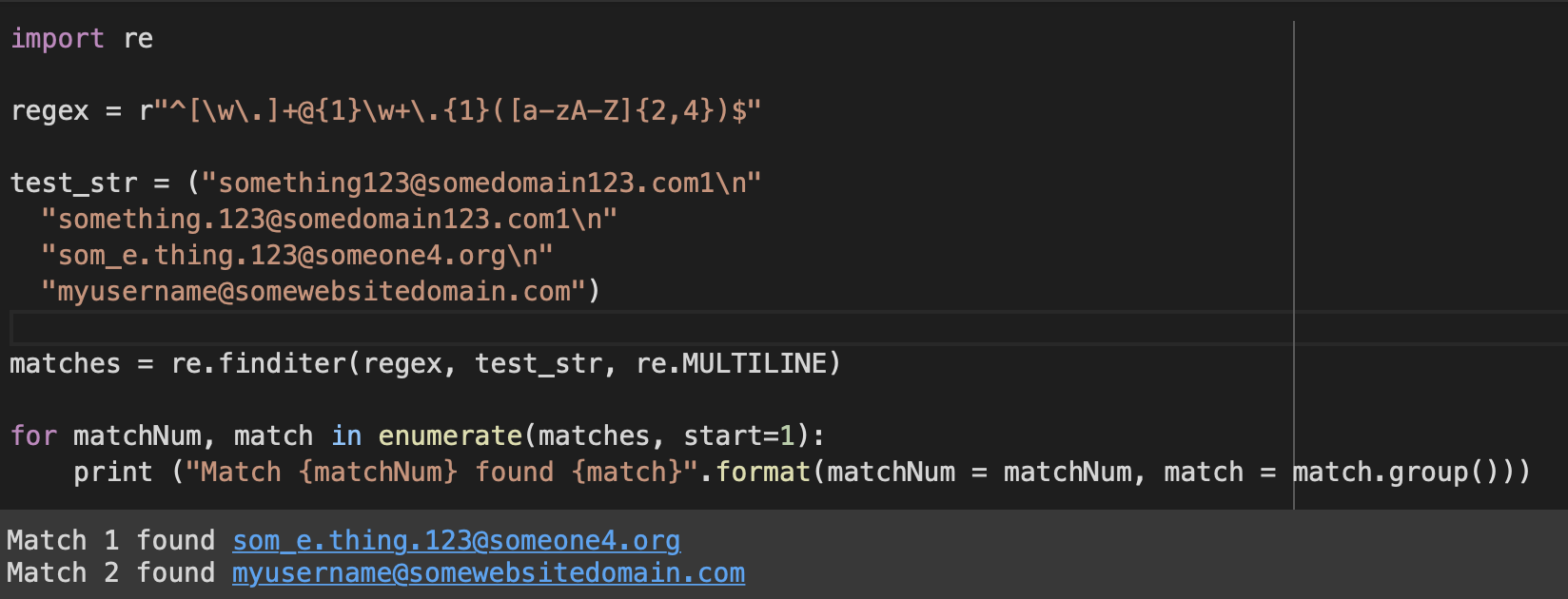
regex = r"^[\w\.]+@{1}\w+\.{1}([a-zA-Z]{2,4})$"
Example:import re
regex = r"^[\w\.]+@{1}\w+\.{1}([a-zA-Z]{2,4})$"
test_str = ("something123@somedomain123.com1\n"
"something.123@somedomain123.com1\n"
"som_e.thing.123@someone4.org\n"
"myusername@somewebsitedomain.com")
matches = re.finditer(regex, test_str, re.MULTILINE)
for matchNum, match in enumerate(matches, start=1):
print ("Match {matchNum} found {match}".format(matchNum = matchNum, match = match.group()))Match 1 found som_e.thing.123@someone4.org
Match 2 found myusername@somewebsitedomain.com
You can download this article in various formats for your convenience. Choose from the options below:
Facing issues? Have Questions? Post them here! I am happy to answer!
Provide Feedback For This Article
We take your feedback seriously and use it to improve our content. Thank you for helping us serve you better!
- Python List of Lists with Examples
- Fix: ERROR: Could not find a version that satisfies the requirement tkinter (from versions: none) ERROR: No matching distribution found for tkinter
- How to Convert Python Notebook .ipynb (JSON) to Executable .py Module
- ModuleNotFoundError: No module named qdarkstyle.colorsystem [Python]
- Python: Pandas Merge Indicator (Left, Right and Both) Example
- Fix: EOFError Exception in Python
- How to URL Decode a Query String in Python
- How to take user input from the console in a Python program
- Compare two lists in Python and return matches
- How to change the Python Default version
- Fix: KeyError: exception in Python
- How to get the Execution Time of A Python Program
- Fix: ModuleNotFoundError: No module named boto3 [Python]
- How to get unique values from a list in Python
- How to pip install Python Modules in VSCode
- Python: Fix - TypeError: NoneType object is not iterable
- How to delete a file using Python code example
- How to create a dictionary comprehension in Python
- Python: Get just the filename without extension using Path
- How to comment out a block of code in Python
- How to add two float numbers in Python
- Python: How to POST Json Data with HTTP Request
- Get MD5 Hash as Checksum of a String in Python
- Python - Convert float to String
- How to Parse XML String in Python
- How to turn off Stage Manager - macOS Ventura - MacOS
- Read file from Windows CMD (Command Line) - Windows
- Compare two lists in Python and return matches - Python
- Vertically Center Text in a DIV Element - CSS
- How to Word-Warp Console logs in IntelliJ - Java
- Adding Widgets to Mac Desktop Screen on macOS Sonoma 14 - MacOS
- How to install xz data compression software using Brew - HowTos
- Fibonacci series from 1 to 500 table - Html