10 Best Flowchart JavaScript Libraries To Visualize Workflows (2026 Update)
What Is Flowchart
A flowchart is a type of diagram for representing a workflow or process that commonly consists of blocks (nodes), directional arrows, and various geometric figures.
It is typically used to visualize the relationships or interactions between people and systems, such as decision tree, organization chart, and much more.
The Best Flowchart Library
If you're looking for an online flowchart marker. You're at the right place.
The easiest way to visualize your workflow on the webpage is to use a JavaScript flowchart library.
This post rounds up some of the best jQuery plugins and Vanilla JavaScript libraries that make it easier to draw and render customizable flowcharts on your existing web project. Have fun with it.
Originally Published Oct 28 2020, updated Dec 09 2025
Table of contents:
Best jQuery Flowchart Plugins
Drag'n'drop Flow Chart Plugin With jQuery And jQuery UI - flowchart.js
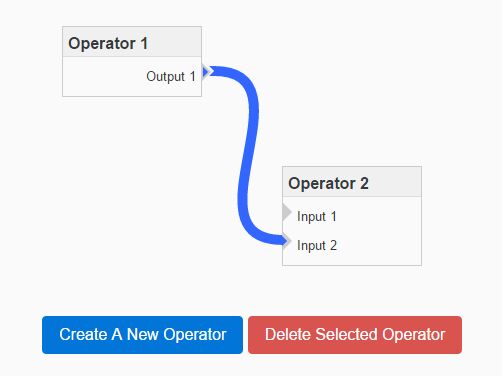
flowchart.js is a jQuery & jQuery UI based flowchart plugin which enables you to create drag'n'drop flowchart boxes and connect between them with a custom line.
Best FOR:
- Legacy projects already using jQuery UI.
- Simple drag-and-drop requirements.
SVG Based Workflow Diagram Plugin With jQuery - workflowChart.js
A simple, lightweight jQuery plugin which uses svg.js to draw a SVG based workflow diagram to visualize how tasks will flow between nodes.
Best FOR:
- Applications requiring crisp vector scaling.
- Visualizing static workflows.

Best Vanilla JS Flowchart Libraries
Drag And Drop Flowchart Builder - Flowy.js
Flowy.js is a pretty nice and user-friendly flowchart builder to create responsive, professional flowchart using drag and drop.
More features:
- Based on Vanilla JavaScript.
- Auto snaps blocks to another one.
- Easy to create your blocks.
- Output the flowchart data as a JS object or JSON string.
Best FOR:
- Building logic trees or automation workflows.
- Projects requiring JSON data export.
Drag And Drop Flowchart Builder – Drawflow
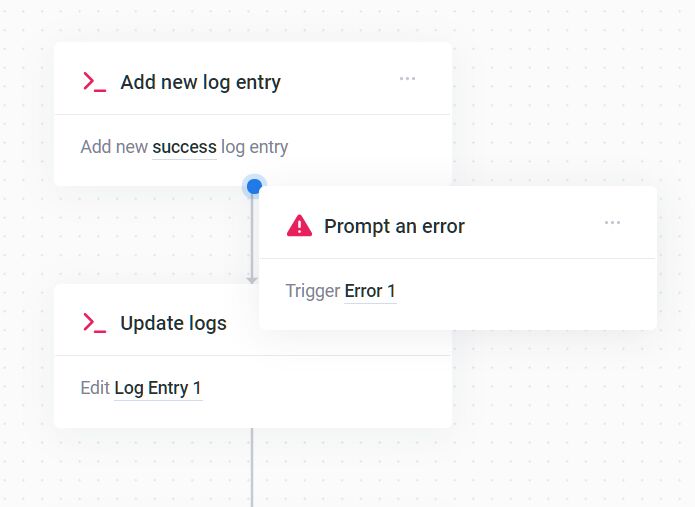
A JavaScript library to dynamically generate a pretty flowchart via drag and drop.
More features:
- Zoom in/out.
- keyboard interactions.
- Preview & Editor mode.
- Predefined node blocks.
- Add/remove/clear nodes.
- Draw connection lines between blocks.
- Responsive and mobile-friendly.
- Import & Export as JSON data.
- Event handlers.
Best FOR:
- Complex visual editors.
- Mobile-friendly applications.

Generate SVG-based Flowcharts From JSON Data – jsontr.ee
a lightweight and easy-to-use JavaScript JSON visualization library that transforms raw JSON into clear, SVG-based tree diagrams (flowcharts).
It's perfect for debugging JSON data, visualizing API responses, and managing hierarchical structures.

Create Interactive Flowchart With JavaScript And Canvas – diagramflowjs
A JavaScript library to draw an interactive, editable flowchart representing workflows, decisions, complex process, and much more.
Best FOR:
- High-performance rendering of many nodes.
- Canvas-based game or app interfaces.

Draw Object-based SVG Flow Charts With obfc.js
A standalone JavaScript library for creating flowcharts & relationship diagrams using SVG and plain JavaScript. Ideal for adding interactive flow, sequence, organizational, or decision tree diagrams to web apps and sites.
Best FOR:
- Adding simple diagrams to static sites.
- Developers who prefer configuration-over-code.

Dynamic Flow Chart Library with CreateJS – flowjs
A JavaScript library built with CreateJS that allows you to render dynamic, animated flow charts using html5 canvas API.
Best FOR:
- Projects already using CreateJS.
- Diagrams requiring animation effects.

SVG Based JS Code Flowchart Generator – js2flowchart
A pure JavaScript library used to dynamically render JS code flowchart diagrams using SVG.
Best FOR:
- Documentation generation.
- Visualizing legacy code logic.

Bonus: Pure CSS Flowchart
Process Flow Diagram In Pure CSS
A Pure CSS library to render a Process Flow Diagram illustrating the relationships between nodes defined in nested HTML lists.
Best FOR:
- Static websites.
- SEO-friendly site structures.

Which Flowchart Library Should You Use?
- You need a jQuery-based solution: Use flowchart.js for a drag-and-drop builder or workflowChart.js for simple SVG diagrams.
- You need a modern, feature-rich drag-and-drop builder: Choose Flowy.js for a clean, vanilla JS approach or Drawflow for advanced editor features like zoom and modes.
- You need to generate a diagram from JSON/code: Use jsontr.ee to visualize JSON data or js2flowchart to diagram JavaScript source code.
- You need canvas-based rendering for interactivity or animation: Consider diagramflowjs for editable charts or flowjs for animated charts (with CreateJS dependency).
- You need a lightweight, static diagram without JavaScript: The Pure CSS library works for very simple, defined hierarchies.
- You need a standalone SVG library for custom integration: Evaluate obfc.js for object-based SVG charts.
FAQs:
Q: Should I use SVG or Canvas for flowcharts?
A: SVG works best for interactive diagrams where users click individual nodes (DOM accessibility). Canvas offers better performance for diagrams with thousands of nodes but lacks built-in DOM interaction.
Q: Can these libraries export data?
A: Libraries like Flowy.js and Drawflow export the diagram structure as JSON. You can save this JSON string to a database and reload the chart later.
More Resources:
Want more jQuery plugins or JavaScript libraries to draw flowcharts on the page? Check out the jQuery Flowchart and JavaScript Flowchart sections.
See Also:
- 10 Best Pie/Donut Chart Plugins In JavaScript
- 7 Best Organizational Chart Generators In JavaScript Or Pure CSS


