Easily Add Clear Buttons to Text Inputs with Zebra_ClearInput
| File Size: | 15.6 KB |
|---|---|
| Views Total: | 238 |
| Last Update: | |
| Publish Date: | |
| Official Website: | Go to website |
| License: | MIT |
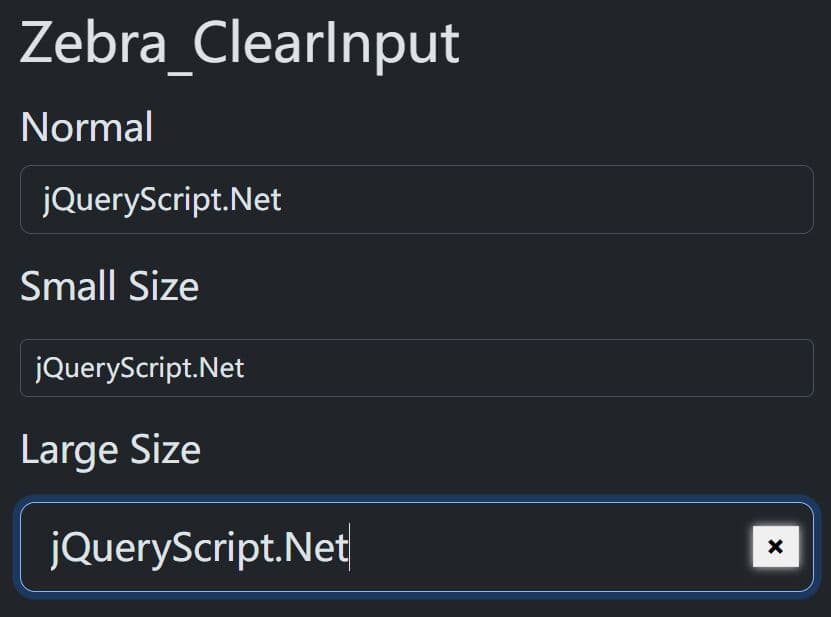
Zebra ClearInput is a super tiny jQuery plugin that adds clear buttons to input fields. It automatically displays a small × button inside text inputs when users start typing.
Clicking the button clears the field value and returns focus for immediate re-entry. The button appears on focus or hover and hides when the field is empty or loses focus.
Features:
- Event delegation: Uses optimized event handling.
- Namespace isolation: Supports multiple independent instances.
- Dynamic input support: The update() method handles inputs added after initialization.
- Layout preservation: The plugin wraps inputs in a container.
- Memory leak prevention: The destroy() method removes all event handlers and DOM modifications.
Use Cases:
Password field enhancement: Users can quickly clear passwords during re-entry.
Search bars and filters: E-commerce sites need instant field clearing for rapid search refinement.
Form validation workflows: Users can rapidly correct invalid inputs.
How to use it:
1. Download and add the Zebra_ClearInput plugin's files to the web page.
<!-- jQuery Is Required -->
<script src="/path/to/cdn/jquery.slim.min.js"></script>

<!-- jQuery Zebra_ClearInput Files -->
<link rel="stylesheet" href="/dist/zebra_clearinput.min.css" />
<script src="/dist/zebra_clearinput.min.js"></script>
2. Call the function Zebra_ClearInput on your input field(s) and the plugin will do the rest.
<input type="text" />
$(document).ready(function() {
  var clearInput = new $.Zebra_ClearInput('input[type="text"]');
});
3. Apply custom styles to the clean icon.
$(document).ready(function() {
  var clearInput = new $.Zebra_ClearInput('input[type="text"]',{
      container_class_name: 'Zebra_ClearInput_Container',
      button_class_name: 'Zebra_ClearInput'
  });
});
4. Replace the default 'X' symbol with custom content:
// Use a custom icon or HTML entity
new $.Zebra_ClearInput('input[type=text]', {
  button_content: '<i class="fas fa-times-circle"></i>' // FontAwesome icon example
});

// Or use a simple text label
new $.Zebra_ClearInput('input[type=text]', {
  button_content: 'Clear' // Plain text button
});
5. Enable clear buttons on password fields:
new $.Zebra_ClearInput('input[type=password]', {
  enable_on_password: true
});
6. Delay in milliseconds for debouncing keyup events. Reduces show() calls during rapid typing. Defaults to '150'.
new $.Zebra_ClearInput('input[type=password]', {
  debounce_delay: 300,
});
7. Delay in milliseconds for debouncing keyup events. Reduces show() calls during rapid typing. Defaults to '150'.
new $.Zebra_ClearInput('input[type=password]', {
  debounce_delay: 300,
});
8. Handle inputs added after page load:
// Initialize plugin on existing inputs
var clearInput = new $.Zebra_ClearInput('input[type=text]');

// Later, add new inputs dynamically
$('body').append('<input type="text" name="dynamic_field" class="new-input">');

// Update plugin to initialize clear buttons on new inputs
clearInput.update(); // Scans selector for new matches
9. Destroy the plugin.
clearInput.destroy();
Changelog:
v2.0.0 (2025-12-21)
- implemented instance isolation by adding unique namespace per instance to support multiple independent plugin instances without conflicts
- optimized event binding by using delegated events to reduce the number of event listeners
- added update() method to initialize clear buttons on inputs added to the DOM after plugin initialization
- added button_content configurable option for customizing the clear button's HTML content
- fixed layout issues in responsive designs by inheriting display properties
- password fields don't get the clear input button anymore by default - this can be enabled through the newly added enable_on_password configurable option
v1.0.2 (2024-05-09)
- minor maintenance release
v1.0.1 (2023-09-18)
- improved management of button and text overlapping
This awesome jQuery plugin is developed by stefangabos. For more Advanced Usages, please check the demo page or visit the official website.


