Microsoft Windows: The Operating System That Shaped Computing History

Microsoft Windows stands as one of the most iconic and widely used operating systems in the history of computing. Since its initial release in 1985, Windows has grown from a graphical user interface add-on for MS-DOS into a comprehensive and versatile platform powering billions of devices worldwide. From personal computers to servers and even IoT devices, Windows has evolved to meet the diverse needs of users in an ever-changing technological landscape.

Throughout its history, Microsoft Windows has been synonymous with accessibility and innovation. The operating system introduced features that became industry standards, such as the graphical desktop environment, taskbar, and multitasking capabilities. Over the decades, it has catered to both personal and professional users, establishing itself as a trusted foundation for productivity, entertainment, and enterprise solutions.

Designed for adaptability, Windows has gone through multiple iterations, each bringing new functionalities and supporting advancements in hardware and software technologies. As a result, Microsoft Windows is not just a product—it’s a cornerstone of the digital age, bridging the gap between user needs and technological possibilities.

The Evolution of Microsoft Windows: From Windows 1.0 to Modern Computing

The journey of Microsoft Windows began in 1985 with the launch of Windows 1.0, a rudimentary graphical user interface layered on top of MS-DOS. Despite its limitations, it introduced users to the idea of a point-and-click environment, setting the stage for modern computing. Over the years, Windows underwent a series of revolutionary upgrades, each one addressing the growing demands of both consumers and businesses.

In the early 1990s, Windows 3.0 and 3.1 brought significant enhancements, including better memory management and the iconic Program Manager. The Windows 95 release, however, marked a turning point. With its Start menu, taskbar, and support for 32-bit applications, it became a landmark operating system that shaped how people interacted with computers.

Subsequent versions, such as Windows XP, Windows 7, Windows 10, and Windows 11 brought their own innovations, cementing Windows as the dominant operating system globally. Each iteration reflected the evolving landscape of technology, from the rise of the internet to the shift toward cloud computing and hybrid work environments.

Key Features That Define Microsoft Windows

Microsoft Windows has always been known for its adaptability and feature set, catering to a wide range of users. Core features of Windows include a user-friendly graphical interface, comprehensive hardware compatibility, and a rich ecosystem of applications. The introduction of features like the Start menu, File Explorer, and Control Panel made navigating and managing the operating system intuitive even for beginners.

Security has also been a major focus, with Windows incorporating advanced technologies such as Windows Defender, BitLocker encryption, and secure boot mechanisms. Beyond this, Windows supports seamless integration with Microsoft services like Office 365, OneDrive, and Teams, making it an ideal choice for both individual users and businesses.

Another standout feature is Windows’ backward compatibility, ensuring that legacy software can run alongside modern applications. This has been critical in retaining the platform’s large user base across industries and geographies.

A Platform for Innovation: The Windows Ecosystem

One of the defining aspects of Microsoft Windows is its ability to foster innovation through its expansive ecosystem. By providing a stable and flexible platform, Windows has enabled developers and hardware manufacturers to build tools, applications, and devices that enhance the user experience. This ecosystem has flourished with contributions from individuals, startups, and tech giants, making Windows a versatile operating system for countless use cases.

Windows has historically supported diverse hardware, ranging from desktop PCs to tablets and laptops. Its compatibility with peripherals, including printers, scanners, and specialized devices, has made it a cornerstone for industries such as healthcare, education, and engineering. Furthermore, the Windows Store (later rebranded as Microsoft Store) has centralized access to applications, games, and services, creating a seamless distribution channel for developers.

The emergence of tools like Visual Studio and the Windows Subsystem for Linux (WSL) has reinforced Windows as a go-to platform for developers. Whether building applications, managing servers, or experimenting with cutting-edge technologies, Windows continues to empower creators to innovate.

Microsoft Windows in Popular Culture

Beyond its technical significance, Microsoft Windows has left an indelible mark on popular culture. From the nostalgic sounds of the Windows 95 startup chime to the memorable marketing campaigns that accompanied each release, Windows has become a cultural icon in its own right.

In the 1990s, the launch of Windows 95 was accompanied by a groundbreaking advertising campaign featuring The Rolling Stones’ “Start Me Up.” This campaign not only highlighted the new Start menu but also cemented Windows as a household name. Over the years, references to Windows have appeared in movies, television shows, and internet memes, reflecting its ubiquity in daily life.

The design elements of Windows, such as its wallpapers and interface themes, have also become widely recognized symbols of an era. For example, the “Bliss” wallpaper from Windows XP remains one of the most famous images in digital history.
The Latest about Microsoft Windows

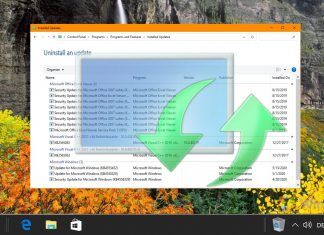
Featured - How to Reset Windows Update in Windows 11

Microsoft Releases Final Windows 11 2025 Preview Update with AI Exclusives and Virtual Workspaces

Microsoft has released update KB5070311, restricting new AI configuration tools to NPU hardware while standard users receive virtualization fixes.
Featured - How to Reset Windows Update in Windows 11

Microsoft Decouples App Updates from Store Client in Latest Windows 11 Preview

Microsoft is integrating Store app updates directly into Windows Update settings, allowing maintenance even when the Store client is removed or blocked.
Microsoft Notepad table support

Microsoft Adds Tables and Streaming AI to Windows Notepad App

Microsoft has updated its Notepad app with native table support via Markdown and introduces a streaming UI for AI features, though some remain hardware-locked.
Windows File Explorer Update

Windows 11 File Explorer: Microsoft Tests ‘Preloading’ to Fix Lagging Behavior

Microsoft has introduced a controversial "preloading" feature in Windows 11 Build 26220 to reduce File Explorer launch latency by keeping the process permanently resident in RAM.
Microsoft Surface Laptop 7

Germany Ratifies Controversial ‘One-Button’ Porn Filter Law for All Operating Systems

Germany has ratified a treaty forcing OS vendors to add system-wide porn filters by 2027, defying industry warnings and risking EU legal action.
Image

Microsoft Restores Windows 11 Taskbar Calendar Events with New ‘Agenda View’

Microsoft has confirmed the return of taskbar calendar events via a new Agenda View in the Notification Center, integrating Copilot for seamless meeting management.
Microsoft Copilot Windows taskbar integration

Microsoft Warns its ‘Agentic’ AI Features Can Be Hijacked to Install Malware

Microsoft has admitted that its new Copilot Actions introduce "novel security risks" like Cross-Prompt Injection (XPIA), warning users that the feature can be exploited to install malware or steal data.
Microsoft Datacenters Infrastructure Servers AI

Microsoft Unveils “AI-Enabled Cloud PCs”, Bypassing Local NPU Requirements

Enterprise users can now access flagship Copilot+ PC features on legacy hardware via high-performance cloud instances, while Azure Virtual Desktop gains bare-metal support for regulated industries.
Featured - How to map a network drive in Windows 11 and Windows 10 - Kopie

How to Map a Network Drive in Windows 11 and Windows 10

We show you how to map a network drive in Windows 11 and Windows 10 for easier access to your media or FTP server.
Featured - Disable Modern Standby in Windows 10 and Windows 11

How to Enable or Disable Modern Standby in Windows 11 and Windows 10

We show you how to disable modern standby in Windows 11 and Windows 10 and explain what the different acpi power states in Windows are used for.
Featured - How to Delete Temporary Files in Windows 11 and Windows 10

How to Delete Temporary Files in Windows 11 and Windows 10

We show you two methods on how to delete temp files in Windows 10 and Windows 11 and through File Explorer and Command-Line.
Windows How to locate Store Apps

How to Access Microsoft Store App Folders in File Explorer

Windows 11 and Windows 10 store Microsoft Store Apps like any other apps, except the file are hidden. We show you how to locate and access Windows Store Apps in File Explorer.
Featured - How to Open a File Folder in Command Prompt Windows 11

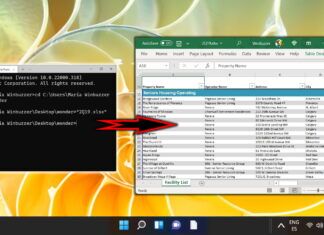
How to Open a File or Folder in Terminal in Windows 11

We show you how to quickly open a file or folder in Command Prompt or PowerShell how to change directory from ther in Windows 11 using a series of commands.
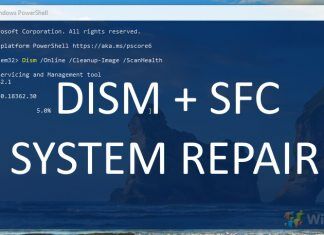
How to Use DISM and SFC Scannow – Windows 10's Native Repair Tools

How to Repair Corrupted Windows System Files with DISM and SFC

The SFC and DISM repair tools in Windows 11 and Windows 10 can get you back on track without the need for data loss or third-party programs. Here's how to use them.
Featured - Windows 11 How to remove Chat from the taskbar and disable Microsoft Teams

How to Remove Bloatware From Windows 11

We show you how to remove Windows 11 bloatware by uninstalling its default apps. A few PowerShell commands are all you need to be on your way.
Microsoft bug bounty research cybersecurity ai research

Microsoft November 2025 Patch Tuesday Fixes Actively Exploited Zero-Day, 63 Vulnerabilities

Microsoft's November 2025 Patch Tuesday addresses 63 vulnerabilities, including an actively exploited Windows Kernel zero-day (CVE-2025-62215) and five critical flaws.
Windows 10 How to Pause or Defer Feature and Quality Updates

How to Enroll in Windows 10 Extended Security Updates (ESU)

We show you how to enroll in the consumer version of Windows 10 ESU to ensure your PC remains protected against malware and cybersecurity threats until October 2026.
Featured - Add or Remove Default Items on New Context Menu in Windows 11

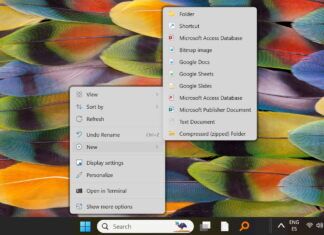
Microsoft Tackles Windows 11’s Cluttered Context Menus With New Developer Tool

Microsoft is addressing user complaints about Windows 11's cluttered right-click menus by introducing a 'Split Menu' control for developers in a future App SDK.
Passkey-Saving-Windows-11-Hello

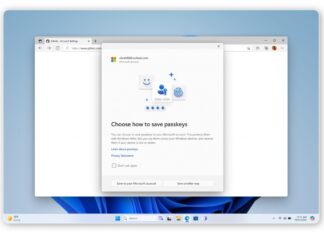
Microsoft Edge Now Syncs Passkeys Across Windows Devices, Bolstering Passwordless Push

Microsoft Edge now saves and syncs passkeys via its Password Manager on Windows, a key step in its strategy to move users away from traditional passwords.
Featured - How to Reset Windows Update in Windows 11

Microsoft Partially Reverses Windows Update Naming Change After Administrator Backlash

Microsoft is partially reversing its decision to simplify Windows Update names, restoring dates to titles after significant backlash from IT administrators and technical users.
Windows 11 25H2 Shared Audio

Windows 11 ‘Shared Audio’ Preview Arrives, But Only for Select PCs

Microsoft has launched a preview of its 'Shared Audio' feature for Windows 11, enabling dual Bluetooth device streaming. Learn how it works and why it's currently limited to new Copilot+ PCs.
Image

Chinese Hackers Exploit Unpatched Windows Zero-Day to Spy on European Diplomats

China-linked hacking group UNC6384 is exploiting an unpatched Windows zero-day to spy on European diplomats with PlugX malware.
Featured - How to Reset Windows Update in Windows 11

Microsoft Simplifies Windows Update Titles for Better User Clarity

Microsoft is rolling out a new, simplified naming system for Windows updates to improve clarity for users, removing technical jargon from titles in the Settings app.
ROG Xbox Ally

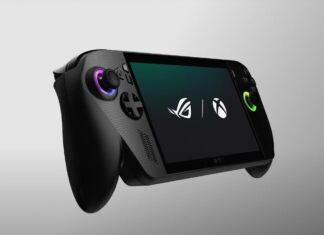
Microsoft’s Next Xbox Ditches Multiplayer Fees in Radical Shift to PC-Hybrid Console

Microsoft's next-gen Xbox will reportedly be a Windows-powered PC hybrid, allowing access to Steam and eliminating the long-standing multiplayer paywall.
Game Bar AI Gaming Copilot

Microsoft Defends Gaming Copilot Privacy After Backlash Over Hidden Screenshot Data Capturing

Microsoft faces a new privacy backlash over its Gaming Copilot AI, which users report automatically installs and sends gameplay data for AI training.
Microsoft Copilot banner

Microsoft Reimagines Copilot with ‘Mico’ Avatar and Social Features in Human-Centered AI Push

Microsoft's Copilot Fall Release introduces Mico, an expressive avatar, plus collaborative Group chats and a 'real talk' mode to make AI more personal.
Microsoft Paint Restyle feature

Microsoft Rolls Out ‘Restyle’ AI Feature to Paint App, Tying It Exclusively to Snapdragon...

Microsoft is rolling out 'Restyle,' a new on-device AI art feature for Paint, exclusively for Windows Insiders with Snapdragon-powered Copilot+ PCs.
Featured - Unblock File Downloaded from Internet in Windows 11

Microsoft Disables File Explorer Preview for Internet Files to Patch NTLM Vulnerability

Microsoft's October 2025 updates for Windows 10 and 11 disable the File Explorer preview for downloaded files to fix a critical NTLM hash leak vulnerability.
Microsoft Copilot Windows taskbar integration

Microsoft Overhauls Windows 11, Turning Every PC into an ‘AI PC’ with Advanced Copilot

Microsoft is updating Windows 11 with a new "Hey, Copilot" wake word, global Copilot Vision, and experimental Copilot Actions to create an "AI PC."
Featured - How to add a user account on Windows 11 (local or Microsoft account)

Microsoft Blocks Another Windows 11 Local Account Workaround

Microsoft's latest Windows 11 Insider build disables another popular command-line workaround for creating a local account, pushing users toward MS accounts.
Table of Contents: