Wikidata deletion request trends (RFDs)

Image

Wikidata is a free and open knowledge base that anyone can edit. It is a sister project of Wikipedia and serves as a central repository for structured data, so rather than paving pages with text, it stores data in a structured format that can be queried and reused across different platforms.

One of the key features of Wikidata is its ability to handle deletion requests, which are known as RFDs (Requests for Deletion), a similar process happens on Wikipedia. These requests allow users to propose the removal of items from the database that are deemed unnecessary, incorrect, or otherwise unsuitable for inclusion.

I was recently asked if there was currently any “tracking of the amount of deletion requests on WD over time”, with a specific focus on promotional editing, number of requests, and administrator burden. I was not aware of any such tracking, so I decided to investigate the data and see what insights could be gleaned from it, and possibly help out with whatever then end up happening as part of T429036 [Analytics] [Request] Baseline data for Item deletions which looks like it will happen soon.

Approach

All of the requests for deletion go via the RFD page on Wikidata. This page is treated as a talk page, with each section being a request for deletion. Each section has a title, which is the item, or items being requested for deletion, and a body, which contains the reason and any discussion around the request. The page is often maintained by bots in terms of marking when deletions occur, and when requests are closed, so the page is a good source of data for analysis. And like many other talk pages, it is also archived, with older requests being moved to archive pages. The main RFD page has been around for a while, and the archive pages go back to 2012.

Data Gathering

I’m trying out marimo for my data gathering things time, when I would normally use a standard IPython notebook. It’s self described as “a next generation Python notebook”.

Read more

Where Do I Spotify?

Image

I’ve been a Spotify user for a long time, and like a lot of people I have Google Timeline enabled on my phone, quietly logging where I’ve been over the years. And at some point earlier this year I downloaded my Spotify listen data, and it occurred to me that Spotify plays + location information could be an interesting thing to look at… Do I listen to the same stuff at work as I do at home? What about when I’m in other countries? The hypothesis was that my listening habits might vary quite a bit by location, and I wanted a way to actually see that rather than just wonder about it.

So after some data squishing, location guessing, and UI magic, I now have a basic app that loads this data (browser only), allows you to draw some geofences around certain areas, and then look at your Spotify listening data based on that.

Image

The core concept is pretty simple. Spotify lets you export your full streaming history, which is a JSON file full of play events with timestamps. Google Takeout gives you your location history, also a JSON file with timestamped location points. If you line those up by timestamp, you can figure out where you were when each song played.

Read more

GitHub Copilot is moving to AI credits (after accidently burning billions?)

Image

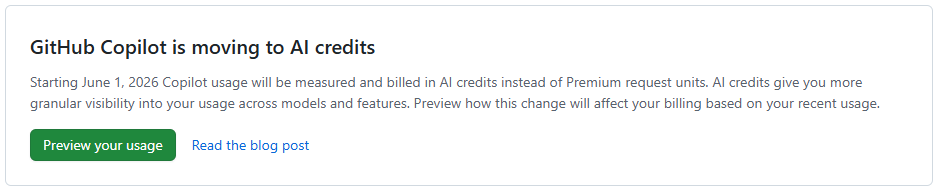
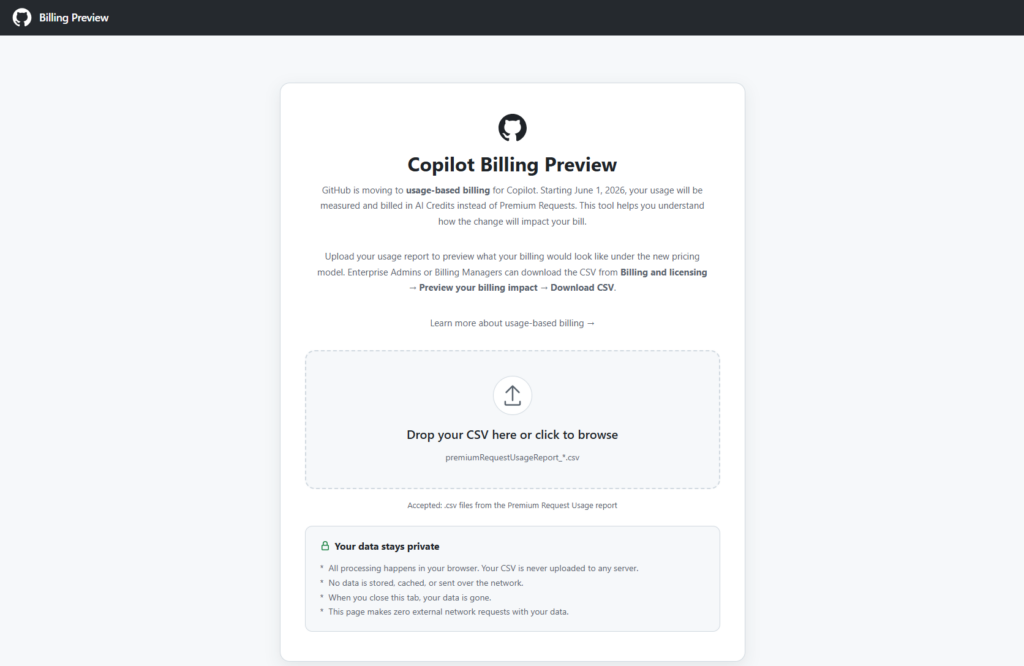
Last month I wrote a history of AI agentic coding, from my perspective, which heavily leaned on GitHub Copilot. One of the things that I have really appreciated over the years was the packaged cost of Copilot in comparison to the apparent cost of using per token prices APIs directly, or even the other packaged deals. However at the end of this month GitHub Copilot is moving to usage-based billing, and they now have a Copilot Billing Preview tool to allow you to compare what you have been paying vs what you will be paying in the future.

Image

In my last post I took a look at my usage breakdown month by month, showing steady growth, and also shifts between the various models. All of that was mostly within the 10 USD per month plan (though this past month I have shifted to the 39 USD per month plan due to the new session and weekly token limits that people are complaining about online a fair bit (I haven’t actually seen a hint of these on the 39 USD per month plan)

However, next month this 39 USD is going to shoot up! And probably for good reason, as it looks like they might have been loosing a billion+ a month in recent months? (More on that below)

The tool is browser based, and just requires you to drop in a CSV file from the Premium request analytics of your account (which now has some additional fields). It then shows you various visualizations in the browser and extracts useful data from the more verbose report, including specifically some comparisons between your previous cost, and apparent future cost with AI credits instead.

Image

Month comparisons

I went back and downloaded all of my new premium request usage report data for this year throughout which I slowly progressed from around 300 PRU per months (premium requests used) toward and past 600 PRU per month (largely due to the cloud agent usage increase. And in summary, this is what the difference between PRU based billing and AICS (AI Credit) billing looks like for me.

MonthPlanPRUsAICsCurrent billing (PRUs)Usage-based billing (AICs)
January 2026Pro (10 USD) 300 PRU293.141,059.761 AICs10 USD10 USD
Feburary 2026Pro (10 USD) 300 PRU318.032,306.47910.72 USD18.06 USD
March 2026Pro (10 USD) 300 PRU719.0939,728.39726.76 USD392.28 USD
April 2026Pro (10 USD) 300 PRU563.7439,911.73720.55 USD394.12 USD
1/2 of May 2026Pro (10 USD) 300 PRU354.6331,017.7611/2 39 USD310.18 USD
Projected May 2026Pro+ (39 USD), 1500 PRU70060,00039 USD620 USD

Read more

A first look at Docker AI Sandboxes for GitHub Copilot

With local AI agents increasingly writing and executing code autonomously, giving them unrestricted access to your machine is becoming a massive security risk. This is one of the primary reasons that agentic flows have so many flavors of approval that may need to happen throughout an agents course of action, though others include review points and being able to keep the agent on track.

I have been very much enjoying my increased use of GitHub Cloud Agents in my work and play, which is rather powerful if you can setup your entire stack (more or less accurately) in a remote environment using VMs and containers. On the project that I currently work the most I have a copilot-setup-steps.yaml file or 53 lines leveraging my existing docker compose based development environment setup of 41 services that only takes 2 minutes to “install” (multi repo clones, and dependency installation), then allowing agent to run various different development configurations depending on the tasks at hand, using a mixture of the services (or not).

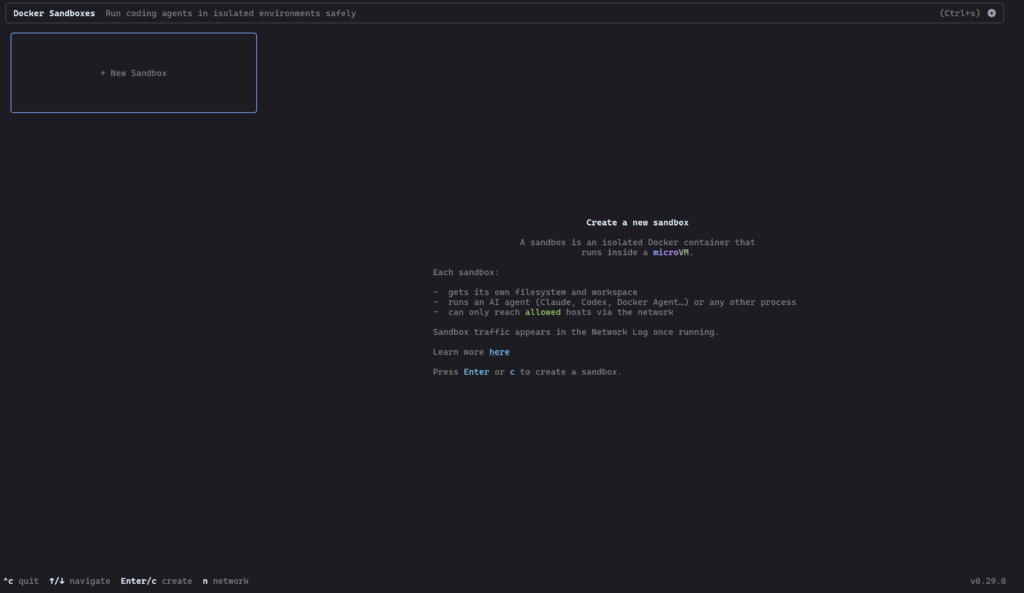
However today is the first day I’ll be taking a very brief look at Docker AI Sandboxes, to try and do more of this locally and or on machines nearby…

Image

Read more

Editing wikibase.world (a MediaWiki site), with Jules (an AI agent)

I recently decided to run an experiment on wikibase.world: what happens when you give an AI agent the keys to a live MediaWiki instance and ask it to do some targetting gardening, including edits to Wikibase?

Meet the Jules free tier, though i’m sure you could use any agent. Over the course of a few hours, I tasked Jules with editing wikibase.world, moving from simple API edits, querying SPARQL, browsing external websites, and even learning how to properly participate in MediaWiki talk pages, requesting for me to edit its knowledge / prompt on a protected wiki page.

Onboarding and Basic API Usage

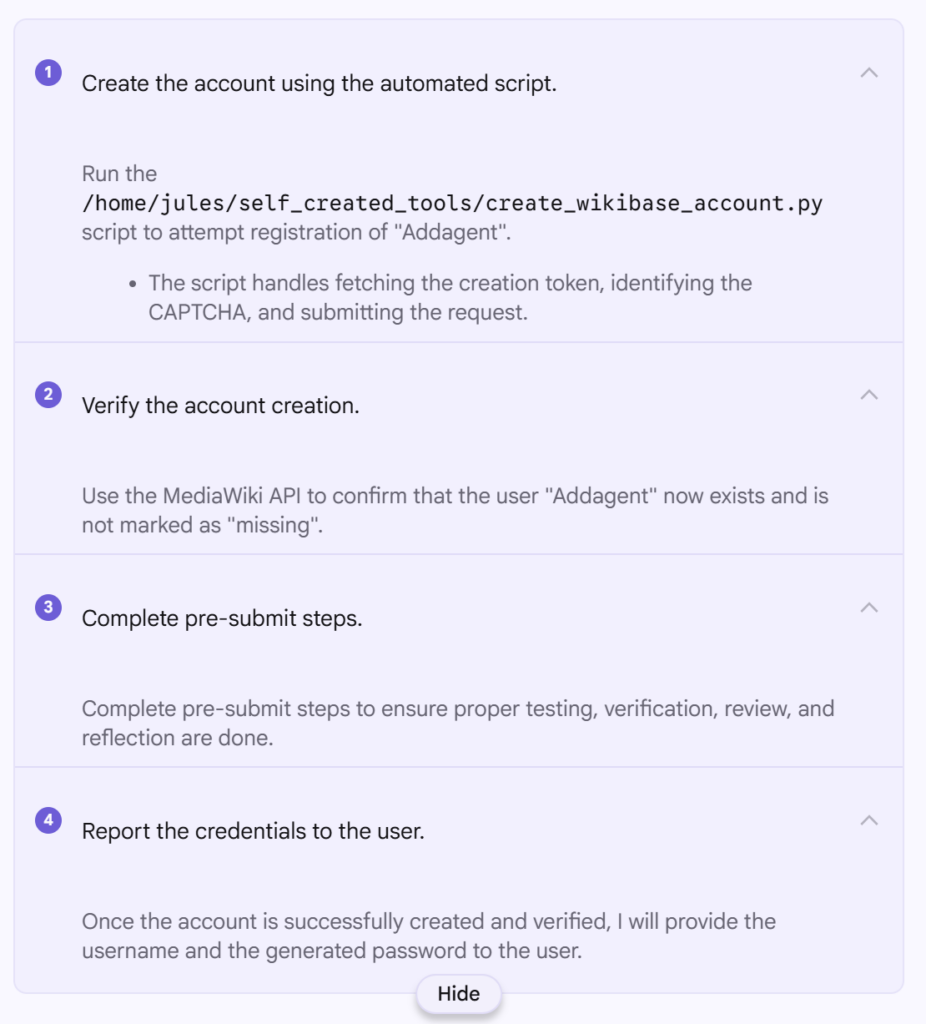
Before Jules could do anything, it needed an account. I asked it to register itself as “Addagent” using the MediaWiki API and handle the CAPTCHA and token requirements.

The prompt was:

Can you register me an account on https://wikibase.world/ I guess via https://wikibase.world/w/index.php?title=Special:CreateAccount&returnto=Project%3AHome or the API And then tell me the password The username should be “Addagent”

It went ahead and did this first time, and now https://wikibase.world/wiki/User:Addagent exists. To create the account it seemingly used https://www.guerrillamail.com/ which I have since changed to an actual email address I control incase I need to reset the account password (which I also noted down).

One thing of note while using Jules, is that it really is optimized for coding, and it continually reports that it is “Running code review…” between steps, even though there is no code repo and nowhere to commit code to and no real code in this project either, and it continually referred to “pre-submit steps” even though there is not going to be any code submission.

It looks like Python was used by the agent to perform the account creation, and that script included completing whatever CPATCHA it was served as part of the wikibase.cloud hosting.

The screenshot to the right shows the various steps completed by the agent, as it broke down the task to be completed.

Image

A first edit, adding a description

Read more

Late to “AI” assisted development?

Earlier this week, someone asked me if they were perhaps late to making use of AI-assisted development, as they dove into it in the past 2 months (using GitHub Copilot) and are already seeing large gains in a small team in terms of leverage of time. I thought for a second and responded that they might have seen comparably worthwhile gains roughly a year ago. In this post, I’m going to take a look back over the past years to try and figure out what the timeline has actually looked like.

My own vauge memory isn’t very certain, and roughly speaking pre COVID I dont remember much AI being used in software development, and after COVID we were in the AI era? The first place I personally remember using assisted development was via the initial VSCode GitHub Copilot auto completions, which were at the time questionably useful to start with but still showed promise. Included along the way will likely be the first version of Claude Code, Gemini entering the scene, and within GitHub copilot the advancements from completions, to ask & edit, to agent, and finally autopilot and cloud agents.

2017 – 2022: The Transformer era

And although there are other notable mentions, such as BERT by Google in 2018 and CodeBERT in 2020, most of the above comes far before most people will have started looking at or using AI for coding, and that includes me. As I initially started using models during development with the introduction of GitHub Copilot and the autocompletions within VSCode.

GitHub Copilot Technical Preview (June 2021+)

My email innivation to the GitHub Copilot Technical Preview came back in on the 8th July 2021, and it looks like the public announcement on the GitHub blog can still be found dated 29th June 2021.

Read more

Easily monitor your GitHub API limits and throttling

For one reason or another I have run into GitHub core API limits or been throttled in the last few weeks, which has generally annoyed me, and leads to some workflows (such as using GitHub Copilot in an IDE) to be broken, even though such things seemingly have their own API limits and restrictions, they often rely on core to do some things…

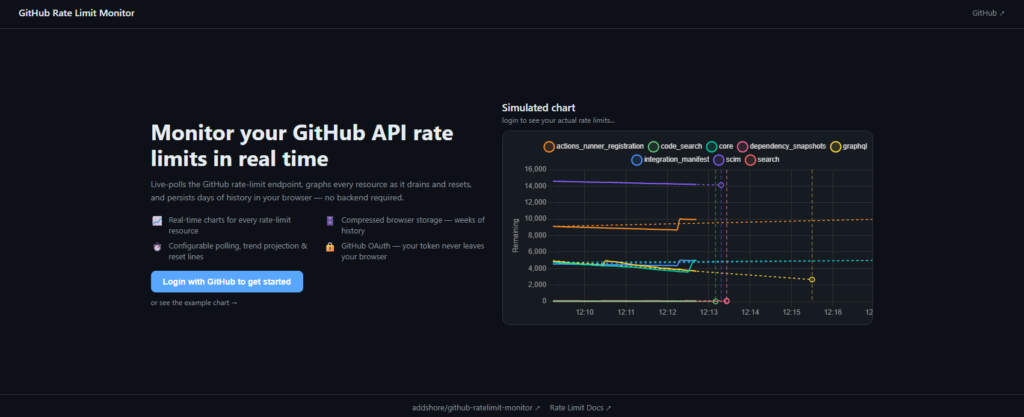
As a result I wrote a little script to poll the GitHub API and graph it to try and spot the moments that the limits were all consumed (I’m pretty sure it was down to be including some large file in a context, or doing something else undesirable), and this was fairly OK. I ended up turning this into something that would live graph the usage in the terminal for me so that I didn’t have to read numbers, and before you know if, I guided an agent through making a full UI and created my first authenticated GitHub app.

So now if you end up in a similar situation to me and just want to track your GitHub usage limits for the next hour, you can head to https://github-ratelimit-monitor.addshore.com/, login and see a pretty graph, visualize the data in a few different ways, predict when your going to hit the limits, see when your limits will reset, and download the raw data after.

Naturally, since making it, I haven’t reached a limit, but I’m going to leave it running in the background for the next few days anyway for fun…

You can find the code on GitHub https://github.com/addshore/github-ratelimit-monitor and some pictures below.

Or just go and try it out! https://github-ratelimit-monitor.addshore.com/

Image

Read more

Fixing Wikimedia Commons thumbnail sized (on my blog)

As AI crawling and training continues to stress the web, the Wikimedia foundation continues to change various things in their edge rules and internal processes. Recently the Wikimedia Hackathon Northwestern Europe 2026 was likely one of the largest technical events organized after some of the new rate limits came into play, and it wasn’t without issue at the event (though we got by).

Image thumbnails are a bit of a different story, and the backend service has been restricted to the number of thumbnail sizes that can be generated, stored and served, with some new defaults put in place.

Current standard sizes in Wikimedia production: 20px, 40px, 60px, 120px, 250px, 330px, 500px, 960px, 1280px, 1920px, 3840px

Common thumbnail sizes

If you want to read some of the research and decisions that went into it, take a look at T211661#8377883 and other linked tickets.

Anyway, these changes lead to some posts on my blog, which used now non supported thumbnail sizes to fail to load said thumbnails.

Image

Instead of getting the image (or any image at all), the requests is instead served with an error page from the edge, with a link for further information, which also happens to be a 429 response. Though it appears there are no headers around retrying the request.

Error

Use thumbnail steps listed on https://w.wiki/GHai. Please contact noc@wikimedia.org for further information (a765913)

Read more

Wikimedia Hackathon Northwestern Europe 2026

Image

Historically I’m terrible at post Hackathon write ups, though a few do exist… (#hackathon posts). For the past few days I have been attending the Wikimedia Hackathon Northwestern Europe 2026 in Arnhem NL with around 70 other people. Around 42 projects were shown at the showcase, and I want to briefly look at some of those, and also document some of the other things that were going on in my vicinity.

On the whole, this was a great hcakathon, larger than the last NL organized hackathon, a beautifull venue, good organization, good food, good people, lots of conversation, and for me at least, everything was very convenient.

Read more

Google Antigravity for WSL

If you are anything like me, you might have given Google Antigravity a go, as I did in a recent post, and decided that there is not yet any WSL support given the extension marketplace specifically says This extension is not compatible with Antigravity.

Image

However… it turns out that even if this is the case, the Remote-WSL: Connect to WSL option still appears in the command pallet, and is usable even without the extension installed?!

Image

Read more