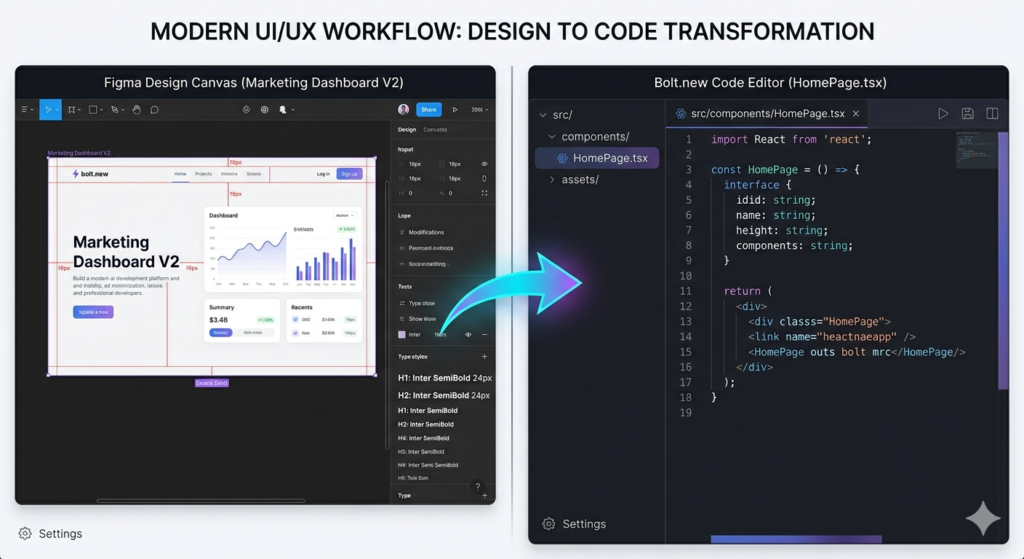
Image

The Latest Blog of the AI Tool Updates

  • How to Build an AI YouTube Strategist That Generates $6K/Month

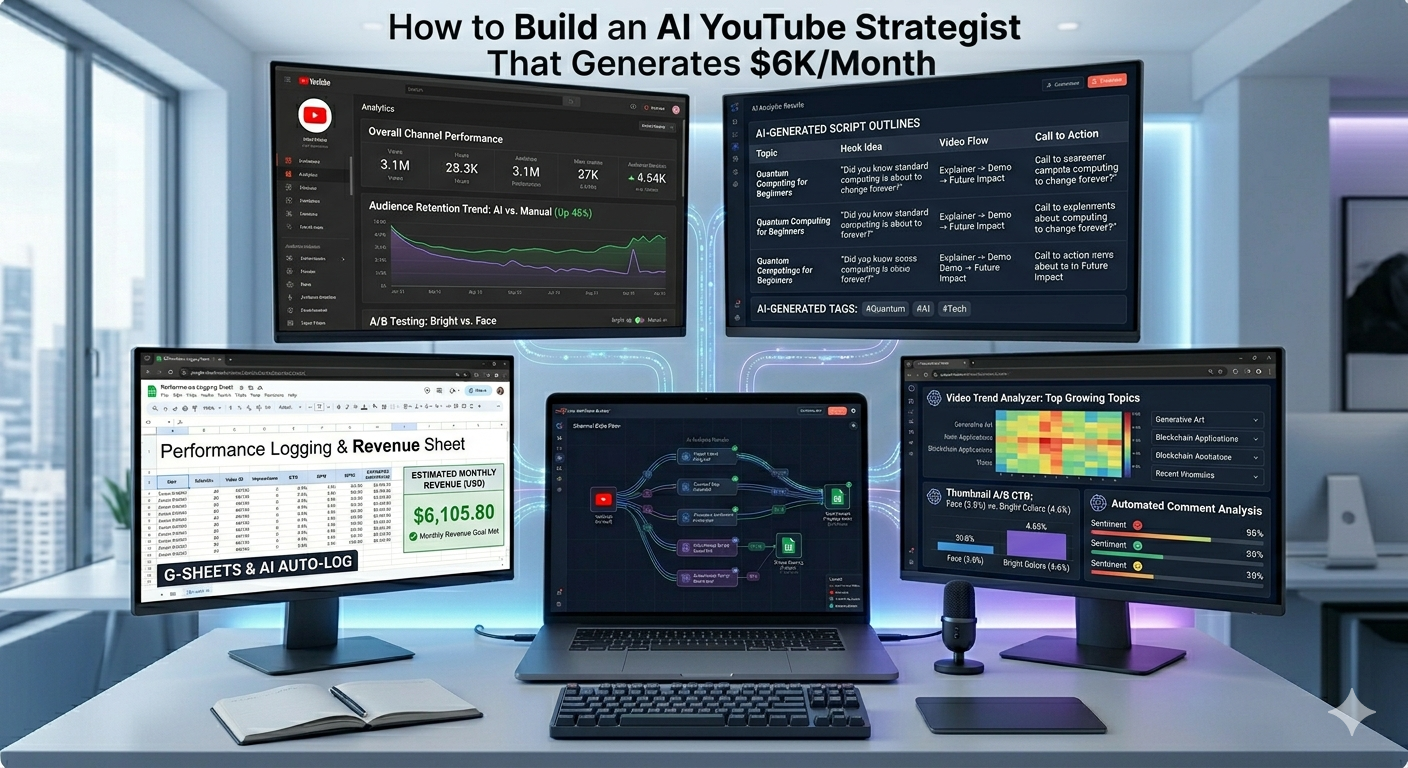
    How to Build an AI YouTube Strategist That Generates $6K/Month

    How to Build an AI YouTube Strategist That Generates $6K/Month

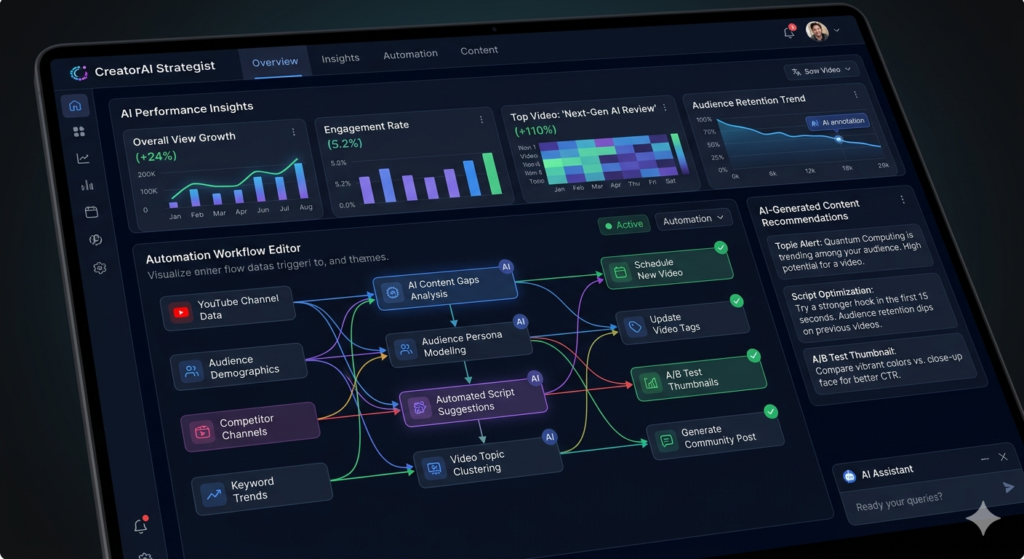
    In today’s competitive creator economy, standing out on YouTube requires more than just great content—it demands data-driven strategy. That’s where an AI YouTube strategist comes in. This powerful automation system analyzes top-performing videos in your niche, reverse-engineers winning titles and thumbnails, and even generates fresh content ideas based on real audience feedback. Best of all? You can build and run this entire workflow for free using n8n, Apify, and OpenAI. In this guide, we’ll break down exactly how this AI YouTube strategist works, why each component matters, and how you can deploy it to grow your channel consistently.
    Image

    What Is an AI YouTube Strategist?

    An AI YouTube strategist is an automated workflow that replaces manual competitor research, audience analysis, and content ideation with intelligent agents. Instead of spending hours scrolling through YouTube or guessing what thumbnails will convert, this system:

    • Scrapes top-performing videos from channels in your niche
    • Analyzes title power words and thumbnail design patterns
    • Monitors your own comments for audience sentiment and requests
    • Generates three new, data-backed video concepts daily

    The result? A continuous stream of high-potential content ideas grounded in what’s actually working—right now.

    n8n automation tutorials – aitoolsupdates.net/n8n-tutorials

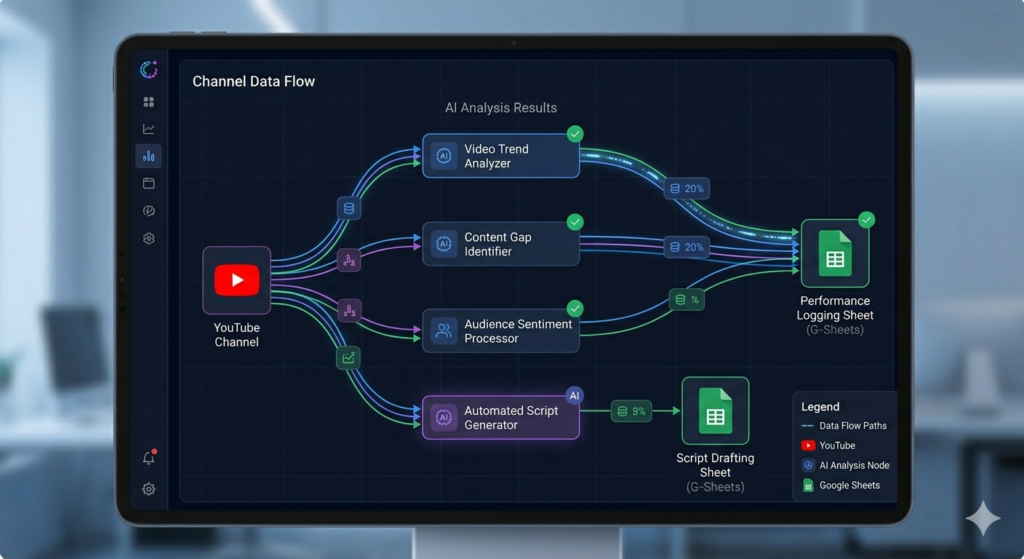
    The 5-Phase Workflow Breakdown

    Phase 1: Niche Outlier Analysis

    The foundation of any strong AI YouTube strategist is understanding what’s already working in your space. Phase one starts with a simple form submission where you input three competitor channels. The system then:

    • Scrapes each channel’s top 10 videos from the past 6 months
    • Uses AI to extract “power words” from titles (e.g., “free,” “step-by-step,” “2025”)
    • Analyzes thumbnails for visual hooks like contrast, text placement, and emotional triggers
    • Outputs everything to a Google Sheet for easy pattern spotting

    This creates your first “pattern bank”—a living database of proven packaging strategies you can adapt to your own content.

    Phase 2: Broad Niche Intelligence

    To avoid niche tunnel vision, Phase two runs weekly and scans your broader category (e.g., “artificial intelligence” if your niche is “n8n tutorials”). This helps you:

    • Spot emerging trends before they saturate your specific niche
    • Borrow high-performing packaging from adjacent topics
    • Stay ahead of algorithm shifts by monitoring macro-level engagement

    YouTube Creator Academy – https://creatoracademy.youtube.com

    Phases 3–5: Daily Insights & Ideation

    The real magic happens in the daily automation trio:

    • Phase 3 scrapes the top 5 videos in your exact niche from the past 7 days
    • Phase 4 analyzes your latest video comments, categorizing feedback into “what’s working,” “what’s not,” and “what viewers want next”
    • Phase 5 synthesizes all this data to generate three new video concepts complete with title suggestions and thumbnail inspiration

    This closed-loop system ensures your content strategy evolves in real-time with audience demand.
    Image

    Why Your AI YouTube Strategist Needs These Components

    Title Analysis with Power Word Extraction

    Titles drive clicks. Your AI YouTube strategist uses a custom prompt to identify 1–3 high-impact words per title that create urgency, promise value, or spark curiosity. Examples from the demo include:

    • “Full Course,” “Build & Sell,” “1.5K Each”
    • “Start Today,” “Boring Automations,” “2025 Guide”

    By cataloging these patterns, you can craft titles that tap into proven psychological triggers.

    Thumbnail Analysis with AI Vision

    Using OpenAI’s image analysis, the system evaluates thumbnails for:

    • Visual hierarchy and text readability
    • Emotional resonance and curiosity gaps
    • Brand consistency and color contrast

    This isn’t about copying—it’s about understanding why certain visuals convert so you can innovate within those frameworks.

    Comment Analysis for Audience Insights

    Your viewers tell you exactly what they want—if you listen. The comment analyzer processes dozens of recent comments to surface:

    Praise patterns: “Clear explanations,” “great for beginners”
    Pain points: “Git errors,” “setup confusion”
    💡 Requests: “Show AWS hosting,” “add LangChain integration”

    This direct feedback loop turns audience noise into actionable content direction.

    AI content creation tools – aitoolsupdates.net/ai-content-tools

    Getting Started With Your AI YouTube Strategist

    You don’t need to code to deploy this system. Here’s what you’ll need:

    1. n8n account (free tier works) for workflow orchestration
    2. Apify API key for YouTube scraping ([Link: Apify YouTube Scraper documentation – https://apify.com/apify/youtube-scraper])
    3. OpenAI API key for title/thumbnail analysis
    4. Google Sheets for data storage and review

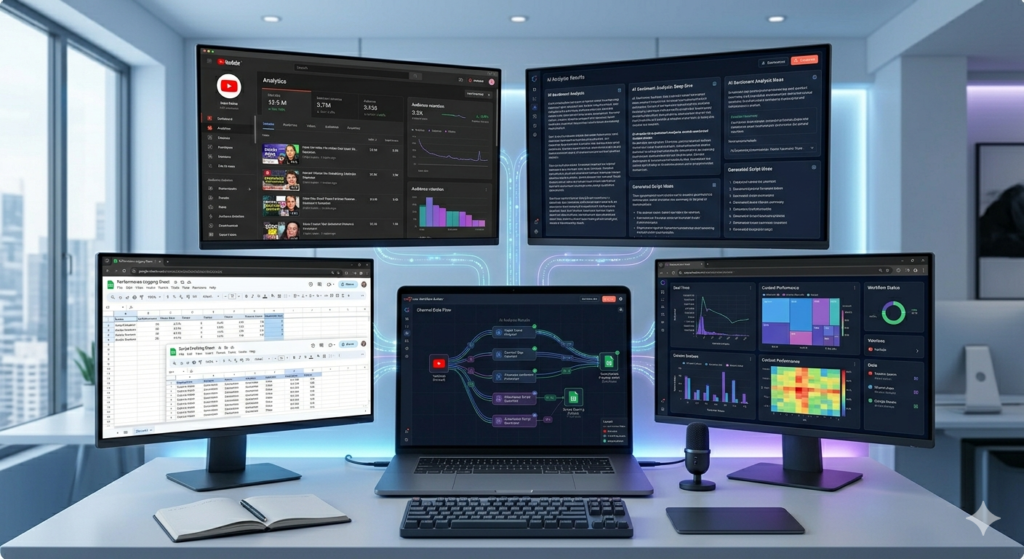
    The creator offers a free template with pre-built nodes and a setup guide. Just import the JSON file into n8n, add your API keys, and connect your Google Sheet. Within minutes, your AI YouTube strategist begins working.
    Image

    Cost Breakdown & ROI

    One of the biggest advantages of this AI YouTube strategist is its affordability:

    • Apify YouTube Scraper: $5 per 1,000 videos (you’ll use ~90 videos/week)
    • Apify Comments Scraper: $1.30 per 1,000 comments (~150/day)
    • OpenAI image/text analysis: Fractions of a cent per call

    With a 30% discount code, most creators spend under $10/month to run the entire system—while potentially gaining thousands in ad revenue, sponsorships, or product sales from optimized content.

    Advanced Customizations for Your AI YouTube Strategist

    Once your base workflow is running, consider these upgrades:

    • Hook Analyzer: Scrape video transcripts to identify high-retention opening lines
    • Positioning Agent: Chat with an AI trained on your pattern bank to refine new video concepts
    • Trend Alert System: Monitor news or social signals to pivot content toward breaking topics

    These enhancements turn your AI YouTube strategist from a research tool into a full creative partner.

    Final Thoughts: Automate Strategy, Amplify Growth

    Building a successful YouTube channel doesn’t have to mean burning out on guesswork. By deploying an AI YouTube strategist, you automate the heavy lifting of market research, audience analysis, and ideation—freeing you to focus on creation and connection. The system outlined here is fully functional, free to start, and designed for creators who want to scale intelligently.

    Ready to put an AI YouTube strategist to work for your channel? Download the free n8n template, connect your API keys, and start generating data-backed content ideas today. Your next viral video might be just one automated insight away.
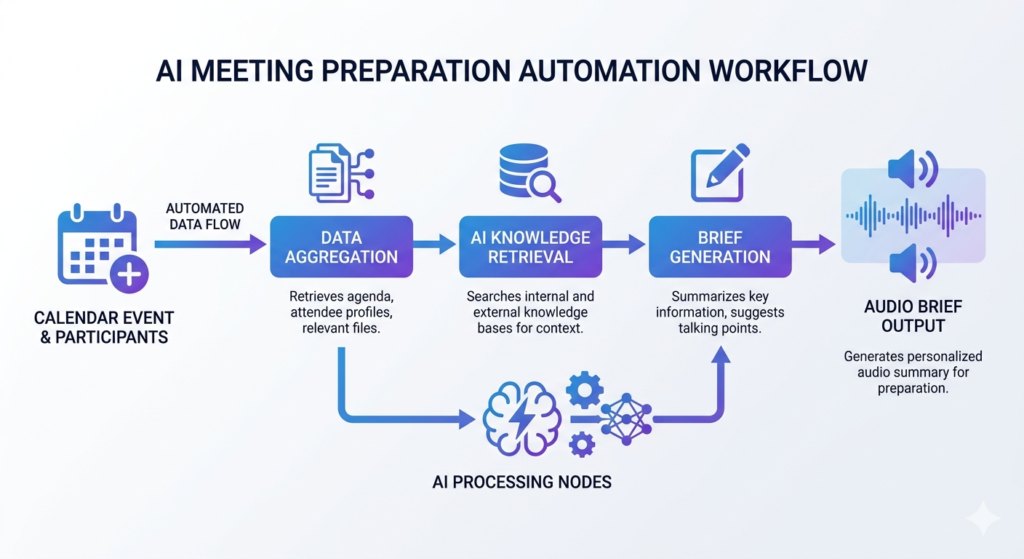
  • How AI Meeting Preparation Automation Transforms Your Workflow

    How AI Meeting Preparation Automation Transforms Your Workflow

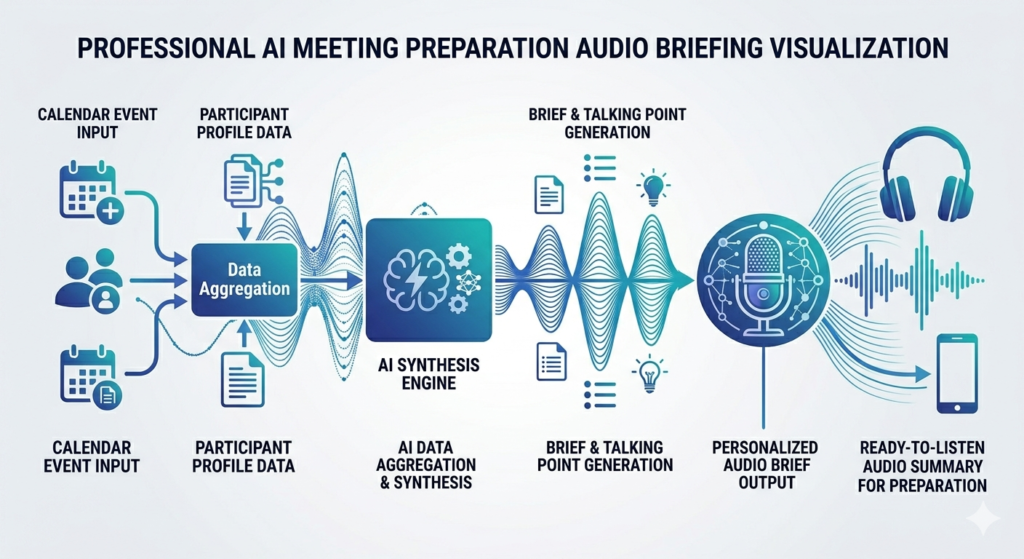
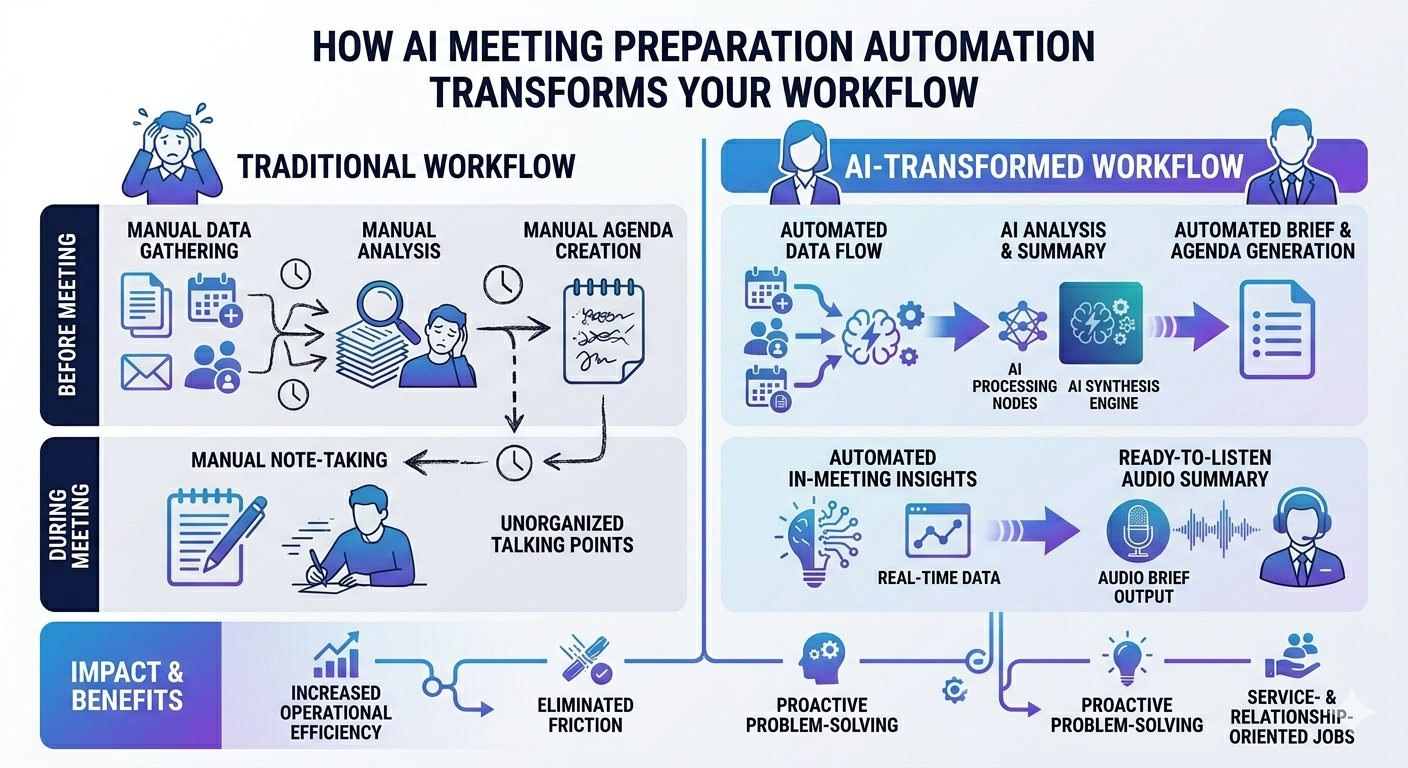
    Imagine walking into every meeting so well-prepared that your clients are blown away. You know their background, their company’s recent developments, and exactly what matters to them—as if you’ve spent hours researching. AI meeting preparation automation makes this possible with just a few seconds of automated research. In this comprehensive guide, we’ll explore how to build a powerful workflow that takes you from a booked meeting to an AI-generated voice briefing with everything you need to know, all in seconds.
    Image

    If you’re juggling multiple meetings daily or simply want to present as a complete professional without hours of manual preparation, this automation approach is a game-changer. Let’s dive into how you can replicate this system.

    What Is AI Meeting Preparation Automation?

    AI meeting preparation automation refers to intelligent workflows that automatically research meeting participants, analyze company backgrounds, identify meeting objectives, and generate comprehensive briefings—often in audio format—before your calls begin. This technology eliminates the tedious manual research phase, allowing professionals to focus on building relationships and delivering value.

    The system works by integrating your calendar booking platform with AI research tools and text-to-speech capabilities. When someone books a meeting, the automation instantly:

    • Extracts booking details and form responses
    • Researches the attendee’s professional background
    • Analyzes their company’s recent news and developments
    • Identifies potential pain points and meeting goals
    • Generates personalized questions for discussion
    • Creates an audio briefing you can listen to on the go

    The Technology Stack Behind Automated Meeting Research

    Building an effective AI meeting preparation automation requires integrating several powerful tools and APIs. Here’s what makes this workflow possible:

    Perplexity API for Deep Research

    Perplexity’s Sonar API provides real-time, citation-backed research capabilities. Unlike traditional search engines, Perplexity delivers synthesized answers with sources, making it ideal for professional research. The API offers different research modes:

    • Deep Research: Comprehensive analysis with multiple sources
    • Deep Research with Reasoning: Enhanced analytical capabilities
    • Standard Search: Quick factual lookups

    Best AI Research Tools – aitoolsupdates.net/ai-research-tools

    For meeting preparation, deep research modes work best as they uncover nuanced information about professionals and companies, including recent funding rounds, press mentions, and strategic initiatives.

    OpenAI for Intelligent Processing and Audio

    OpenAI’s ecosystem powers multiple aspects of the workflow:

    • GPT-4o Mini: Processes and synthesizes research data quickly and cost-effectively
    • Text-to-Speech API: Converts written briefings into natural-sounding audio
    • Voice Options: Choose from voices like Alloy, Shimmer, Onyx, or Nova

    The beauty of using GPT-4o Mini is its balance of speed, reasoning capability, and affordability—perfect for processing multiple data points without breaking the bank.

    Integration Platform: n8n

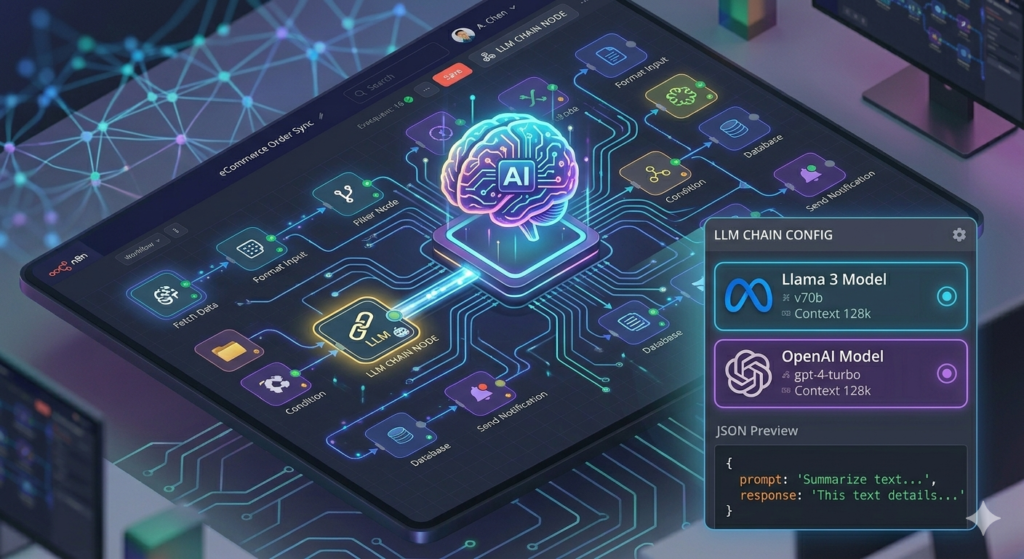
    n8n serves as the workflow orchestration platform, connecting Calendarly, Perplexity, OpenAI, and Gmail. Its visual interface makes it accessible even for those without extensive coding experience.

    Image

    Step-by-Step: Building Your AI Meeting Prep Workflow

    Step 1: Capturing Booking Details

    The workflow begins with your calendar platform trigger. Whether you use Calendarly, Cal.com, or another scheduling tool, the system captures:

    • Attendee name and email
    • Company information
    • Meeting purpose from booking questions
    • Additional context from custom fields

    The extraction node filters relevant information, creating a clean JSON payload that feeds subsequent research steps. Even if some fields are blank, the automation continues seamlessly.
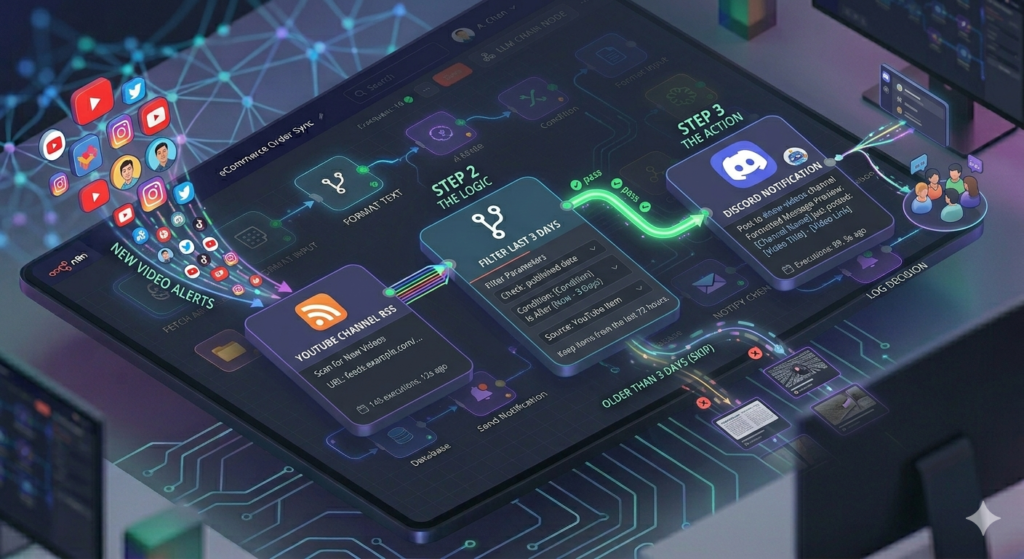
    Step 2: Researching Attendees and Companies

    This is where AI meeting preparation automation truly shines. The workflow conducts parallel research streams:
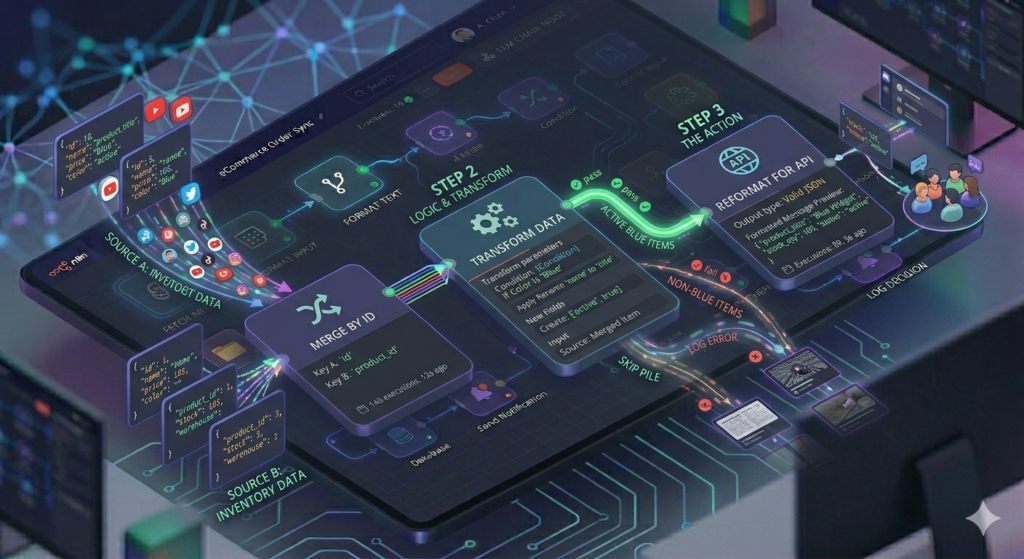
    Attendee Research: The Perplexity API receives a prompt like: “Summarize the professional background and relevant information about [Name] from [Company]. Focus on job title, industry, notable press mentions, and interesting professional highlights.”

    This uncovers:

    • Career trajectory and expertise areas
    • Speaking engagements or publications
    • Notable achievements or recognition
    • Communication style indicators

    Company Research: A separate Perplexity query analyzes the organization: “Provide a comprehensive analysis of [Company Name]. Include mission, key products or services, leadership team, company history, recent news or developments, and funding history if applicable.”

    This reveals:

    • Recent funding rounds or acquisitions
    • Product launches or pivots
    • Market positioning
    • Competitive landscape

    Top AI Automation Platforms – aitoolsupdates.net/automation-platforms

    Meeting Goal Analysis: An OpenAI node processes the booking details with a prompt like: “Analyze these calendar booking details to identify the requester’s possible goals, pain points, and expectations. Summarize their likely needs and suggest tailored questions.”

    Step 3: Consolidating and Structuring Information

    The workflow then appends all research outputs into a comprehensive payload. A consolidation node organizes information by category:

    • Individual profile summary
    • Company overview
    • Key insights and trends
    • Inferred meeting objectives
    • Suggested discussion questions

    This structured approach ensures no critical information gets lost in translation.

    Step 4: Generating Audio Briefings

    Here’s where the magic happens for busy professionals. The consolidated briefing feeds into OpenAI’s text-to-speech API with a carefully crafted prompt:

    “Compile the following information into a structured briefing report that flows naturally when read aloud. Include a brief summary of the individual, company overview, key insights, inferred goals, and 3-5 personalized questions.”

    The system generates an MP3 file you can listen to while commuting, exercising, or preparing mentally for the call.

    Image

    Step 5: Email Delivery

    The final step packages everything into a polished email:

    • Subject Line: “Meeting Prep: [Attendee Name] – [Company]”
    • Body: HTML-formatted summary with bullet points
    • Attachment: The audio briefing MP3
    • Sections: Profile, company insights, meeting goals, and smart questions

    This arrives in your inbox automatically, ready for review minutes after the booking confirmation.

    Benefits of AI-Powered Meeting Preparation

    Implementing AI meeting preparation automation delivers measurable advantages:

    Time Savings:

    • Reduce prep time from 30-60 minutes to under 5 minutes
    • Eliminate repetitive research tasks
    • Scale preparation across unlimited meetings

    Enhanced Professionalism:

    • Reference recent company developments naturally
    • Ask insightful, personalized questions
    • Demonstrate genuine interest and preparation

    Competitive Edge:

    • Uncover information competitors might miss
    • Identify pain points before they’re mentioned
    • Position solutions more effectively

    Consistency:

    • Never forget to research a meeting attendee
    • Maintain quality across all client interactions
    • Build systematic preparation habits

    Advanced Customization Options

    The beauty of this AI meeting preparation automation lies in its flexibility:

    Voice Cloning: Instead of standard AI voices, integrate ElevenLabs to clone your own voice or choose from premium voice options for a more personalized experience.

    Research Depth: Adjust Perplexity’s research mode based on meeting importance. High-stakes client meetings might warrant deep research with reasoning, while internal syncs could use standard search.

    CRM Integration: Connect the workflow to HubSpot, Salesforce, or Pipedrive to automatically log research findings and update contact records.

    Multi-Language Support: Leverage OpenAI’s translation capabilities to research international clients in their native language and receive briefings in yours.

    Perplexity API Documentation – https://docs.perplexity.ai

    OpenAI Text-to-Speech Guide – https://platform.openai.com/docs/guides/text-to-speech

    Getting Started with Automated Meeting Research

    Ready to transform your meeting preparation? Here’s how to begin:

    1. Set Up Your Tools: Create accounts on n8n, Perplexity (for API access), and OpenAI
    2. Configure Calendar Integration: Connect your scheduling platform to n8n
    3. Build the Workflow: Follow the node structure outlined above or use a pre-built template
    4. Test Thoroughly: Book test meetings to refine prompts and data extraction
    5. Iterate and Improve: Adjust research depth and briefing format based on your needs

    The initial setup might take 1-2 hours, but the time savings compound with every meeting you attend.

    Conclusion

    AI meeting preparation automation represents the future of professional productivity. By leveraging tools like Perplexity for research, OpenAI for synthesis and audio generation, and n8n for orchestration, you can transform hours of manual preparation into seconds of automated intelligence.

    The result? You show up to every meeting informed, confident, and ready to deliver exceptional value. Your clients notice the preparation, your close rates improve, and you reclaim hours of your week for higher-value activities.

    Start implementing this workflow today, and experience the difference that AI-powered preparation makes in your professional relationships.

  • Build an AI Ad Scraper: Automated PPC Ad Generation with n8n

    Build an AI Ad Scraper: Automated PPC Ad Generation with n8n

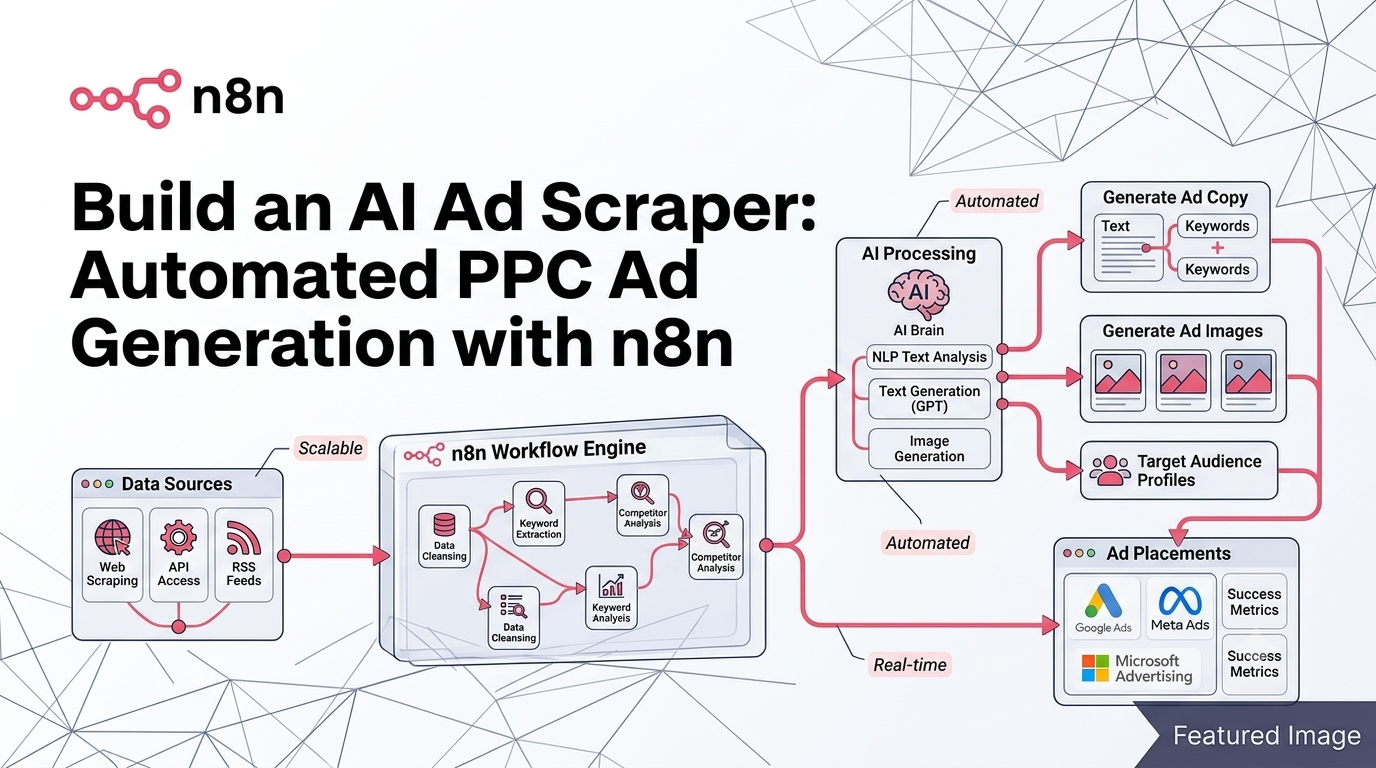
    The AI ad scraper is revolutionizing how PPC agencies and growth marketers source, analyze, and recreate high-performing ad creatives. By combining workflow automation platforms like n8n with powerful APIs from Apify and OpenAI, you can build a fully autonomous system that scrapes competitor ads, analyzes visual elements, spins creative variations, and outputs ready-to-test assets—all without manual intervention. In this guide, we’ll walk through the exact architecture of an end-to-end AI ad scraper system, so you can replicate it for your own campaigns or client work.

    Image

    What Is an AI Ad Scraper System?

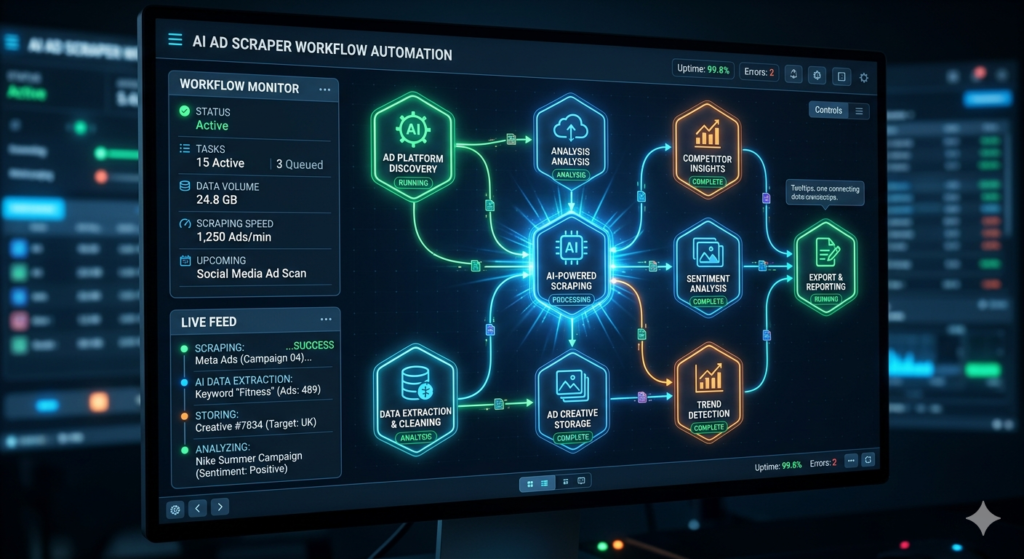
    An AI ad scraper isn’t just a simple data extraction tool—it’s an intelligent pipeline that transforms public ad library data into actionable creative assets. The system leverages regulatory-compliant ad repositories (like Meta’s Ad Library) to source live advertisements, then uses computer vision and generative AI to deconstruct and reimagine those creatives. This approach allows marketing teams to rapidly prototype dozens of ad variants based on proven performers, dramatically reducing the time spent on creative brainstorming and manual design work.

    The core value proposition? Instead of manually browsing competitor ads, screenshotting winners, and briefing designers, your AI ad scraper handles the entire workflow: discovery → analysis → variation → organization. This is especially powerful for agencies managing multiple clients or in-house teams scaling paid social campaigns across platforms.

    Key Components of the Workflow

    Scraping Ads with Apify

    The foundation of any effective AI ad scraper is reliable data ingestion. Apify, a marketplace for web scrapers and automation actors, provides pre-built solutions for extracting ads from Meta, Google, LinkedIn, and more. By calling Apify’s API via an HTTP request node in n8n, you can programmatically submit search terms (e.g., “marketing agency,” “SaaS onboarding”) and retrieve structured JSON containing ad creatives, copy, impression counts, and direct image URLs.

    Pro tip: Always filter results to static images initially, as video ad recreation remains less reliable with current generative models. Use n8n’s Filter node to discard non-image records before proceeding to downstream processing.

    Apify API Documentation – https://docs.apify.com

    Image Analysis with OpenAI Vision

    Once images are downloaded and uploaded to a private Google Drive folder, the next step is semantic analysis. Using OpenAI’s vision-capable models (like GPT-4o), the system prompts the AI to “describe this image comprehensively, leaving nothing out.” This generates a detailed textual representation of visual elements: color palettes, layout structure, text overlays, product placement, and stylistic cues.

    This description becomes the foundation for creative variation. Rather than guessing what makes an ad effective, you now have an AI-generated brief that captures the essence of high-performing creatives—ready for strategic iteration.

    Prompt Spinning for Creative Variations

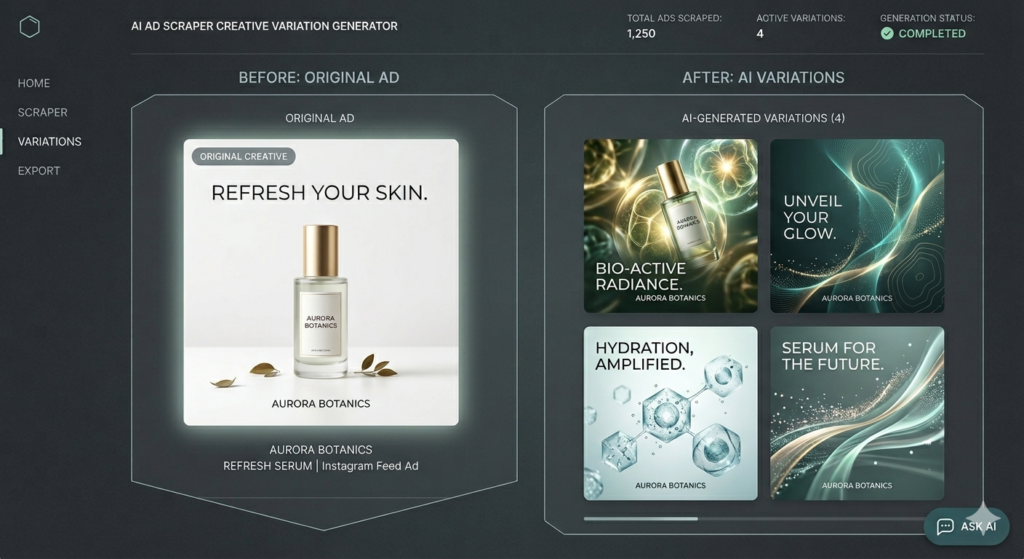
    “Spinning” is a classic copywriting technique adapted for generative AI: take a base description and systematically alter key variables to produce novel outputs. In our AI ad scraper, a dedicated OpenAI node receives the image description and a change-request template (e.g., “Make the background bright blue ultra-maximalist style; replace text with ‘Get Your AI Automation Today’”). The model then outputs 3–5 distinct prompt variants, each preserving core messaging while exploring new visual directions.

    This step is where scalability happens. Instead of manually briefing a designer for each variant, your system auto-generates diverse creative directions ready for image synthesis.

    Image

    Setting Up Your n8n Automation

    Building this workflow in n8n requires careful node sequencing and error handling. Start with a trigger (manual or scheduled), then chain these core modules:

    1. HTTP Request Node: Call Apify’s “run actor synchronously” endpoint with your API token and target URL.
    2. Filter Node: Remove records missing originalImageUrl to avoid broken downstream steps.
    3. Google Drive Nodes:
      • Create a master folder for the campaign
      • Upload source images to a /source subfolder
      • Share files publicly (temporarily) for OpenAI access
    4. OpenAI Nodes:
      • Vision analysis for image description
      • Text generation for prompt spinning
    5. Image Generation Loop: Use n8n’s “Loop Over Items” to process each spun prompt through OpenAI’s image edit endpoint, adding a 1-second wait between calls to respect rate limits.
    6. Final Organization: Upload generated assets to a /spun subfolder and append metadata to a Google Sheet for performance tracking.

    n8n automation tutorials – https://aitoolsupdates.net/n8n-automation

    Critical implementation notes:

    • Use n8n’s “Set” node to store reusable variables (folder IDs, change-request templates)
    • Pin test outputs during development to avoid re-running expensive API calls
    • Always test with 2 items first—enough to validate multi-item handling without wasting tokens

    Best Practices for AI-Generated Ad Variations

    While automation accelerates creative production, human oversight remains essential. Here’s how to maximize quality:

    • Control style via prompts: Define your brand’s visual language in the change-request template (e.g., “minimalist,” “bold gradients,” “user-generated aesthetic”).
    • Batch generate, then curate: Produce 10–50 variants per source ad, then have a team member select top performers for A/B testing.
    • Track performance systematically: Use the Google Sheet output to log which spun creatives drive clicks, conversions, or ROAS—feeding insights back into your prompt library.
    • Stay compliant: Only scrape ads from public libraries; never use scraped assets directly without transformation.
    Image

    OpenAI Image API Guide – https://platform.openai.com/docs/guides/images

    Conclusion: Scale Your Creative Workflow with Confidence

    An AI ad scraper built on n8n, Apify, and OpenAI isn’t just a technical curiosity—it’s a force multiplier for performance marketing teams. By automating the tedious parts of ad research and creative iteration, you free up strategic bandwidth for testing, optimization, and client strategy. And because the workflow is modular, you can adapt it for LinkedIn ads, e-commerce product creatives, or even local service promotions.

    Ready to implement this system? Start small: scrape 10 ads for a single keyword, generate 3 variants each, and measure engagement against your baseline. As you refine your prompt templates and folder structure, you’ll unlock compounding efficiency gains.

    AI marketing tools – https://aitoolsupdates.net/ai-marketing-tools

    The future of PPC isn’t just about bidding algorithms—it’s about creative agility. With an AI ad scraper in your toolkit, you’ll always have a pipeline of fresh, data-informed ad concepts ready to test, scale, and dominate your niche.

  • Master RAG Agent Reranker Implementation in n8n

    Master RAG Agent Reranker Implementation in n8n

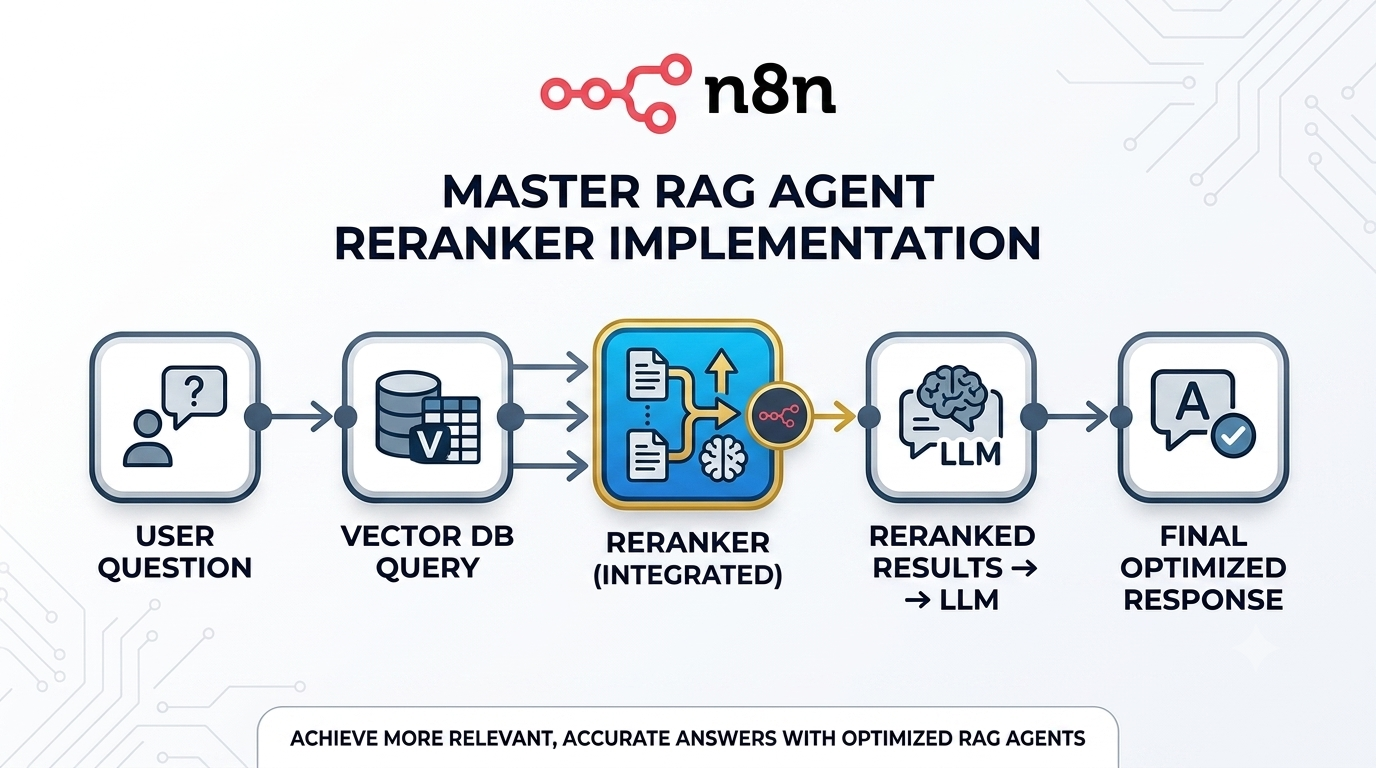
    When engineering intelligent retrieval-augmented generation systems, deploying a RAG agent reranker stands out as one of the most impactful yet straightforward enhancements you can implement. This comprehensive walkthrough explores the mechanics behind reranking technology, provides a practical implementation guide using n8n’s visual workflow builder alongside Cohere’s ranking API, and reveals how strategic metadata utilization enables surgical-precision context retrieval. After completing this guide, your AI assistants will consistently fetch information that’s genuinely aligned with user intent—not just statistically proximate.

    Image

    Understanding the Core Value of a RAG Agent Reranker

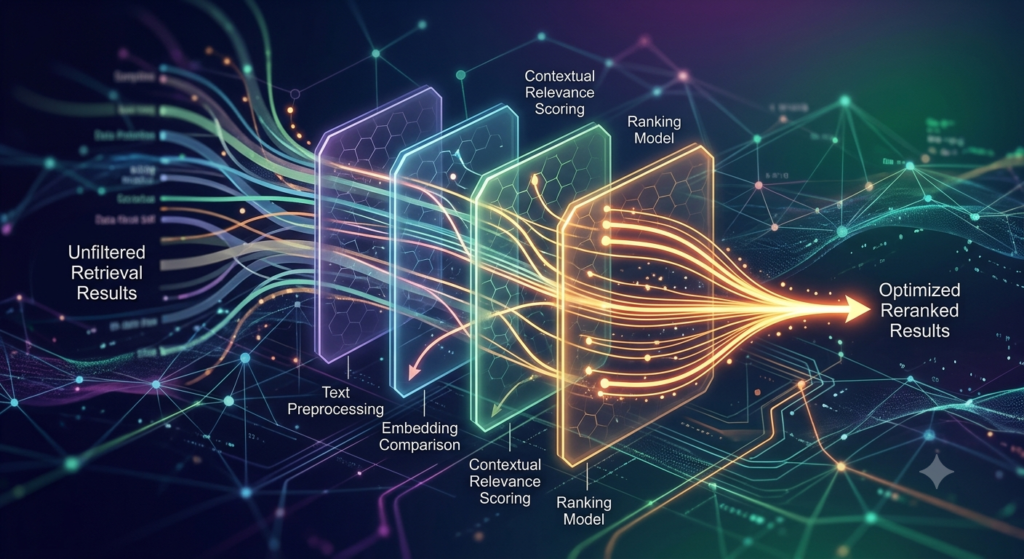
    Traditional vector-based retrieval operates on semantic similarity—locating text fragments that occupy nearby positions in embedding space relative to your query. However, mathematical closeness doesn’t automatically translate to contextual usefulness. A retrieved chunk might discuss general golf terminology when the user specifically needs guidance on penalty procedures for out-of-bounds shots.

    This limitation is precisely where a RAG agent reranker delivers transformative value. Rather than restricting initial retrieval to just 3-4 nearest neighbors, your system fetches a broader candidate pool (typically 20-30 chunks), then processes these through a specialized ranking model. The reranker evaluates each candidate against the original query, computes relevance probabilities, and surfaces only the highest-confidence matches. The result? Your language model receives context that directly addresses user needs—not merely content that shares vocabulary or thematic elements.

    Primary advantages of integrating reranking capabilities:

    • Enhanced response fidelity: Eliminates semantically adjacent but contextually mismatched results
    • Lower hallucination probability: Agents operate with verified, high-quality source material
    • Adaptive retrieval depth: Expand initial candidate sets without exceeding LLM context constraints

    Practical Implementation: Configuring Your RAG Agent Reranker

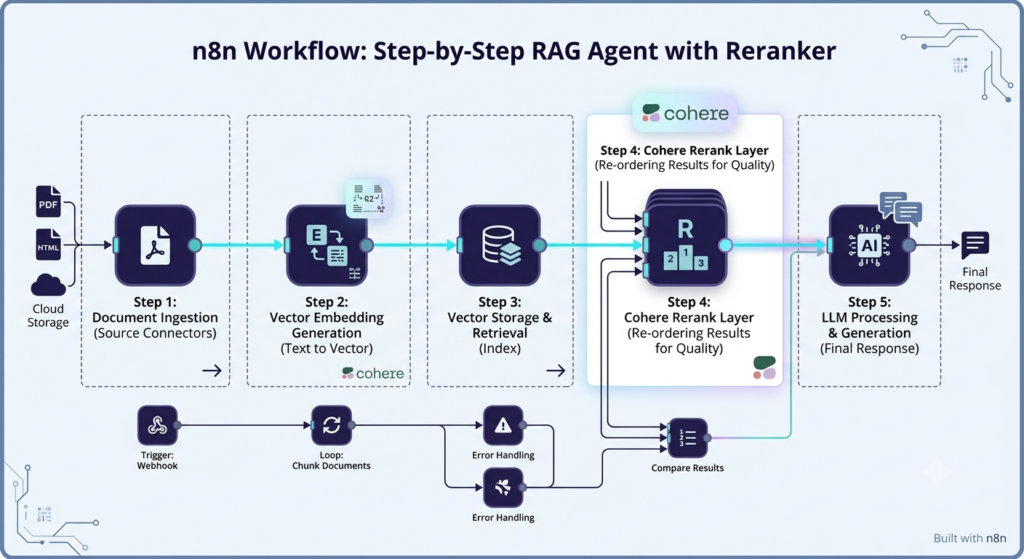
    Deploying reranking functionality within n8n requires minimal technical overhead. Below is a streamlined approach using Cohere’s enterprise-grade ranking infrastructure.

    Foundation Setup and Node Configuration

    Before proceeding, verify these prerequisites:

    • An active n8n workflow with Supabase vector store connectivity
    • Documents pre-processed into chunks with embedded metadata fields

    Within your Supabase Vector Store node configuration:

    1. Adjust the limit parameter upward from its default value of 4 to approximately 20-30. This expands the initial retrieval dataset available for reranker evaluation.
    2. Enable the “Rerank Results” toggle to activate the ranking service connection.
    3. Select Cohere as your ranking provider and supply your API credential (obtain one freely via Cohere’s developer portal).
    Image

    Model Selection and Performance Tuning

    Cohere currently maintains several ranking model variants. For most production scenarios, rerank-english-v3.5 delivers optimal equilibrium between inference speed and accuracy performance. While experimentation with alternative versions is possible through Cohere’s technical documentation, beginning with v3.5 is advisable for stable deployments.

    Professional recommendation: Monitor relevance confidence scores within execution logs. Values exceeding 0.70 typically indicate high-certainty matches. Consider implementing conditional branching downstream to filter out results below predetermined thresholds, establishing an additional quality assurance layer.

    Strategic Metadata Integration for Targeted Retrieval

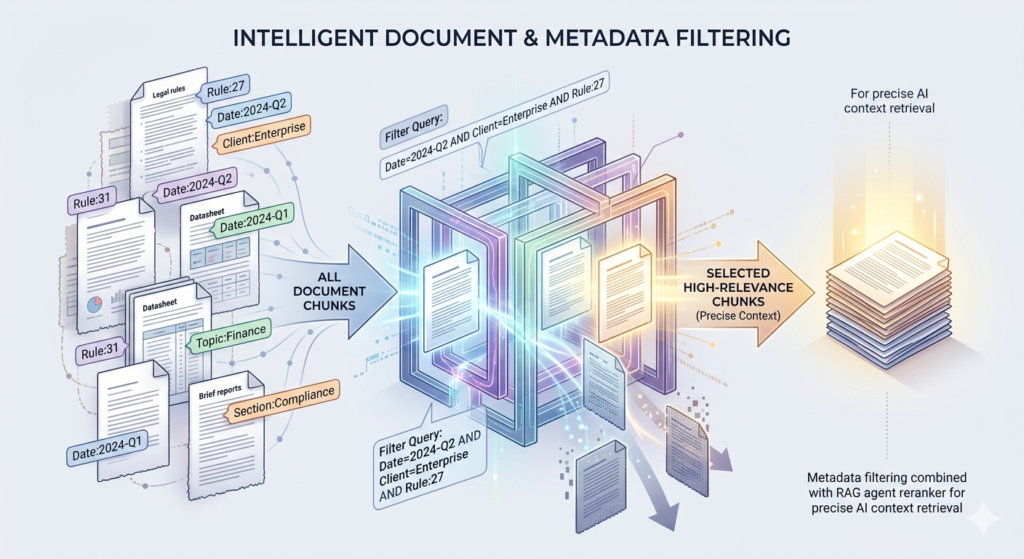
    Although reranking substantially elevates relevance precision, combining this capability with metadata filtering unlocks enterprise-grade retrieval accuracy. Consider this practical example: your vector repository contains golf regulation documents, but Rule 3 spans three distinct text chunks. Without contextual metadata, a query for “Rule 3” might retrieve unrelated segments that coincidentally reference “rule” or numerical identifiers.

    Embedding Metadata During Document Ingestion

    When processing documents through n8n’s Default Data Loader component:

    1. Implement a Code node to extract structured contextual attributes (e.g., regulation numbers, timestamps, project identifiers)
    2. Map these attributes to the metadata parameter within your vector storage operation
    3. Ensure every text chunk carries descriptive tags such as regulation_id: 27 or session_date: 2024-06-20

    This methodology transforms your retrieval approach from probabilistic guessing to deterministic filtering. Instead of relying on semantic search to locate “Rule 27,” you can explicitly constrain results: regulation_id = 27.

    Architecting Metadata-Aware Agent Workflows

    For dynamic filtering capabilities, design a dual-agent architecture:

    1. Context Interpreter Agent: Analyzes incoming queries and determines applicable metadata constraints (e.g., identifies “Rule 27” → establishes regulation_id: 27)
    2. Retrieval Execution Agent: Applies metadata filters alongside reranking to fetch precisely relevant content segments

    n8n workflow automation guides – aitoolsupdates.net

    Within your Supabase Vector Store node configuration, append a metadata filter object:

    json123

    This constraint guarantees only chunks tagged with Rule 27 enter the reranking evaluation pool—substantially improving first-attempt retrieval accuracy.

    Image

    Validation and Continuous Optimization Strategies

    Systematic verification remains essential post-deployment. After implementation, examine your agent’s execution telemetry to validate the complete retrieval pipeline:

    1. Assess initial retrieval breadth: Confirm 20+ candidate chunks are fetched from the vector repository
    2. Review reranker scoring output: Verify relevance probabilities are computed and only top-ranked results proceed
    3. Evaluate final response quality: Ensure generated answers directly address queries using high-confidence context

    In a practical test scenario querying “Rule 27 golf procedures,” the initial semantic search retrieved content from Rules 26 and 28 due to textual overlap. After implementing a regulation_id metadata constraint, the system retrieved three Rule 27 chunks on the first attempt—with relevance confidence scores of 0.84, 0.76, and 0.71.

    Advanced Enhancement Techniques

    • Adaptive confidence thresholds: Automatically discard reranked results below 0.70 relevance to prevent low-quality context injection
    • Multi-dimensional filtering: Combine regulation_id, timestamp, and department_code filters for enterprise-scale precision
    • Query refinement preprocessing: Implement a preliminary agent to rephrase ambiguous user queries before retrieval execution

    AI vector database optimization – aitoolsupdates.net

    Final Thoughts: Elevate Your RAG Systems Today

    Integrating a RAG agent reranker represents more than a technical enhancement—it’s a strategic differentiator for AI application quality. By combining Cohere’s sophisticated ranking models with n8n’s flexible workflow orchestration and intelligent metadata strategies, you create AI assistants that retrieve contextual information with unprecedented precision. The implementation requires minimal time investment, yet the measurable impact on response accuracy is immediate and substantial.

    Begin with focused experimentation: integrate reranking into a single workflow, monitor relevance metrics, then progressively expand to metadata-enhanced filtering. Each iteration strengthens your agent’s reliability, speed, and contextual understanding.

    Ready to implement these improvements? Access our complimentary n8n RAG template featuring pre-configured reranker and metadata workflows at aitoolsupdates.net/free-resources. For comprehensive mastery, explore our advanced automation curriculum designed to transform prompt engineers into production-ready AI solution architects.

    Cohere reranking API reference – https://docs.cohere.com/docs/rerank

    Supabase vector search implementation – https://supabase.com/docs/guides/ai/vector-embeddings

  • How to Build an AI Resume Screening System That Saves Hours Every Week

    How to Build an AI Resume Screening System That Saves Hours Every Week

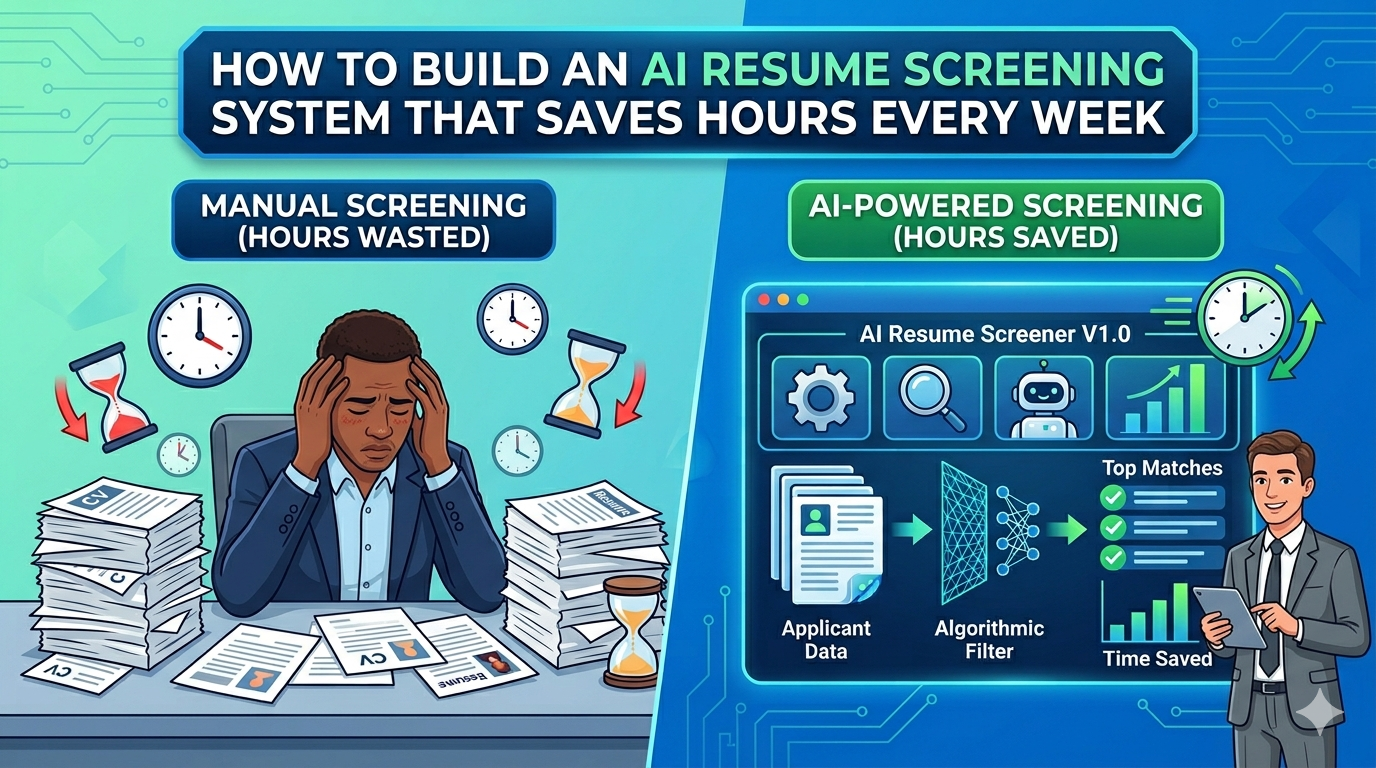
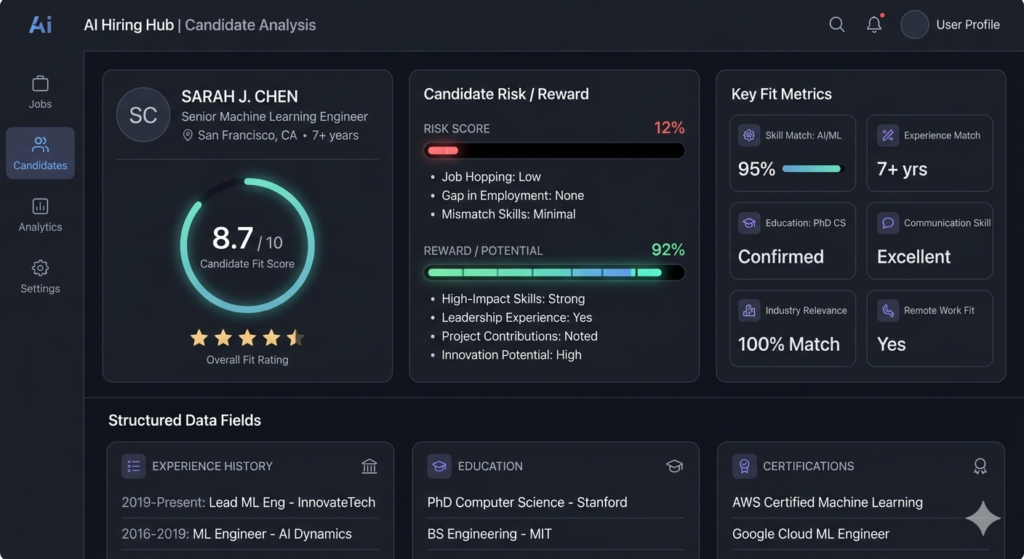
    HR professionals and talent acquisition teams struggle daily with the daunting task of reviewing countless applications to identify qualified applicants. Imagine streamlining your candidate evaluation process while minimizing inherent prejudices. This is precisely where AI resume screening technology proves invaluable. These sophisticated systems evaluate applicant credentials against position requirements, generating comprehensive analyses of potential risks, benefits, and compatibility ratings—all before a recruiter manually reviews the document. Throughout this comprehensive guide, you’ll discover how to create a flexible, automated system that revolutionizes your recruitment timeline, reducing processing time from hours to mere minutes.

    Image

    Understanding Intelligent Resume Evaluation Technology

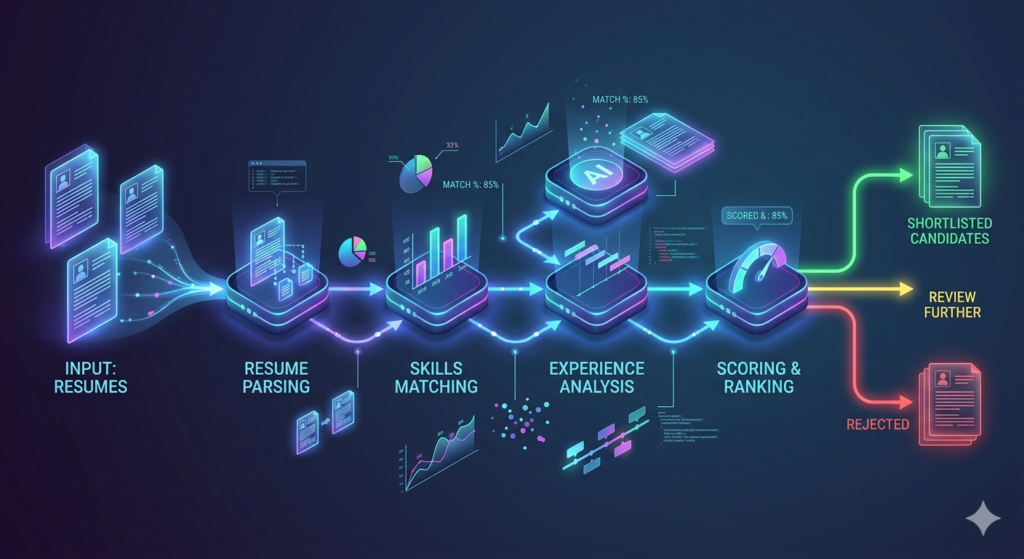
    AI resume screening refers to automated platforms that parse candidate submissions, compare qualifications against role specifications, and generate structured evaluations using machine learning algorithms. Unlike traditional manual review, these intelligent systems apply uniform criteria to every application, empowering teams to:

    • Reclaim valuable time previously spent on preliminary candidate filtering
    • Mitigate unconscious bias by emphasizing demonstrable skills and measurable experience
    • Enhance hiring outcomes through evidence-based decision frameworks
    • Expand recruitment capacity without increasing operational overhead

    For scaling organizations and resource-constrained HR departments, deploying an intelligent evaluation workflow represents more than convenience—it’s a competitive differentiator. By automating repetitive assessment tasks, talent professionals can redirect energy toward strategic initiatives like candidate relationship building and organizational culture alignment.

    Constructing Your AI Resume Screening Architecture: A Practical Framework

    Developing an effective AI resume screening solution demands deliberate system design. Below outlines a validated methodology using workflow automation platforms like n8n, which seamlessly integrates email triggers, document processing, artificial intelligence analysis, and structured data output.

    Configuring Email Triggers and Attachment Management

    Your workflow initiates with an event trigger—commonly a new email containing a resume attachment. Configure your automation environment to:

    • Monitor a designated Gmail inbox or webhook endpoint for incoming applications
    • Automatically download attachments to secure cloud storage (e.g., Google Drive)
    • Capture relevant metadata including sender information and subject lines for audit trails

    This foundational step guarantees consistent ingestion of every application, irrespective of submission method or file format.

    Normalizing Resume Content Across Multiple File Formats

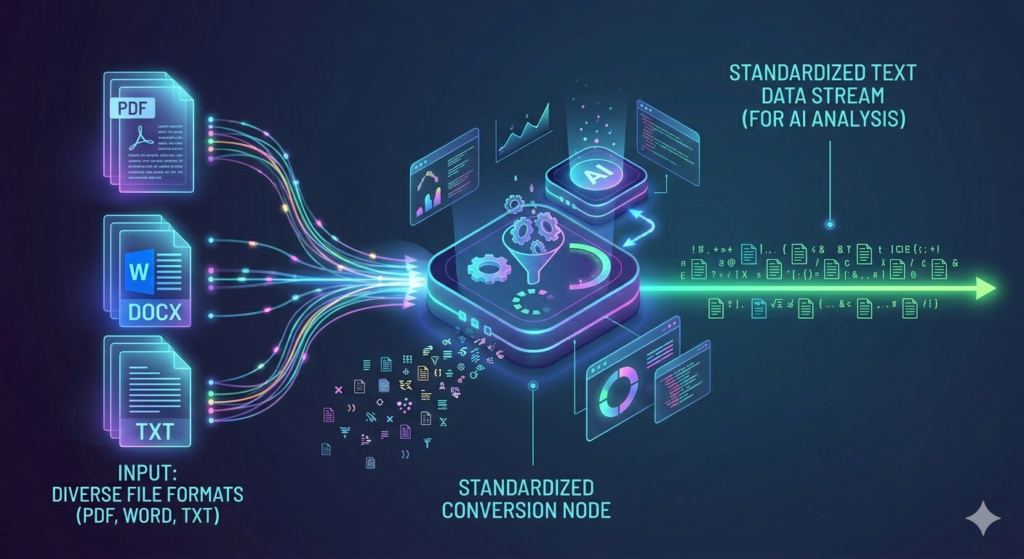
    Applicants submit materials in diverse formats: PDF documents, Microsoft Word files, or plain text. Your system must process each reliably:

    • Word documents: Convert to Google Docs via API integration, then extract textual content
    • PDF files: Download directly and utilize specialized text extraction utilities
    • Plain text files: Parse content immediately with minimal transformation overhead
    Image

    Route all extracted content into a unified field designation (e.g., resume_text). This standardization phase proves essential—subsequent AI evaluation requires clean, consistent input regardless of original source format.

    Deploying AI Analysis for Comprehensive Candidate Assessment

    With resume content and job specification data prepared, introduce an AI agent configured as a specialized technical recruiter. Strategic prompt engineering drives effectiveness here. Your system instructions should direct the AI to:

    1. Evaluate the resume against the published job description
    2. Identify candidate strengths and potential development areas
    3. Assess risk factors and opportunity potential
    4. Generate an overall compatibility rating (e.g., 1-10 numerical scale)
    5. Provide transparent justification supporting each evaluation component

    Implement structured output formatting (JSON schema) to ensure results populate cleanly into your database infrastructure. This enables straightforward sorting, filtering, and analytical reporting later in the hiring pipeline.

    AI automation tools – https://aitoolsupdates.net/

    Refining Your AI Recruiter Agent for Superior Evaluation Quality

    The caliber of your AI resume screening output depends significantly on prompt architecture and model selection. Consider these implementation best practices:

    • Leverage reasoning-capable models (such as OpenAI’s o4-mini) for complex evaluation scenarios
    • Define explicit output schemas to prevent unstructured text that complicates downstream parsing
    • Incorporate few-shot examples within prompts to guide consistent response formatting
    • Validate with diverse resume samples to identify and address potential bias or blind spots

    Additionally, separate functional concerns where feasible. Dedicate one AI node to resume parsing (extracting name, contact information, core competencies) and another to evaluative analysis. This modular architecture improves system maintainability and enables independent optimization of each component.

    n8n Documentation – https://docs.n8n.io
    Google Drive API Guide – https://developers.google.com/drive

    Scaling Your Automated Recruitment Infrastructure

    Once your core AI resume screening workflow demonstrates reliability, amplify its organizational impact through these strategic enhancements:

    • Implement notification triggers: Deliver Slack alerts or email summaries when high-compatibility candidates are identified
    • Integrate with ATS platforms: Push evaluated candidates directly into your applicant tracking ecosystem
    • Establish feedback mechanisms: Enable recruiters to rate AI suggestions, generating training data for continuous model refinement
    • Customize evaluation parameters: Adjust prompts per role category (engineering versus marketing versus sales functions)
    Image

    Remember: automation should augment human expertise, not supplant it. Leverage AI-generated insights to prioritize candidates for human review, rather than delegating final hiring decisions to autonomous systems.

    recruitment software reviews – https://aitoolsupdates.net/

    Launching Your Intelligent Screening System Today

    Constructing an intelligent resume evaluation system may appear complex initially, but decomposing the project into discrete, testable components renders it achievable. Begin with a single file format and one job description template. Validate outputs collaboratively with your recruitment stakeholders. Then systematically expand to accommodate multiple formats and role types.

    The initial time investment yields compounding returns: every automated screening conserves minutes that aggregate to hours weekly. More significantly, consistent, bias-aware evaluation supports building stronger, more inclusive teams.

    Prepared to transform your hiring workflow? Explore our curated resources on automation platforms and AI recruitment technologies to identify the optimal stack for your organization. With the right implementation strategy, AI resume screening becomes your strategic advantage for smarter, faster, and more equitable talent acquisition.

  • AI Podcast Clipping Automation: Transform Long-Form Content Into Viral Shorts

    AI Podcast Clipping Automation: Transform Long-Form Content Into Viral Shorts

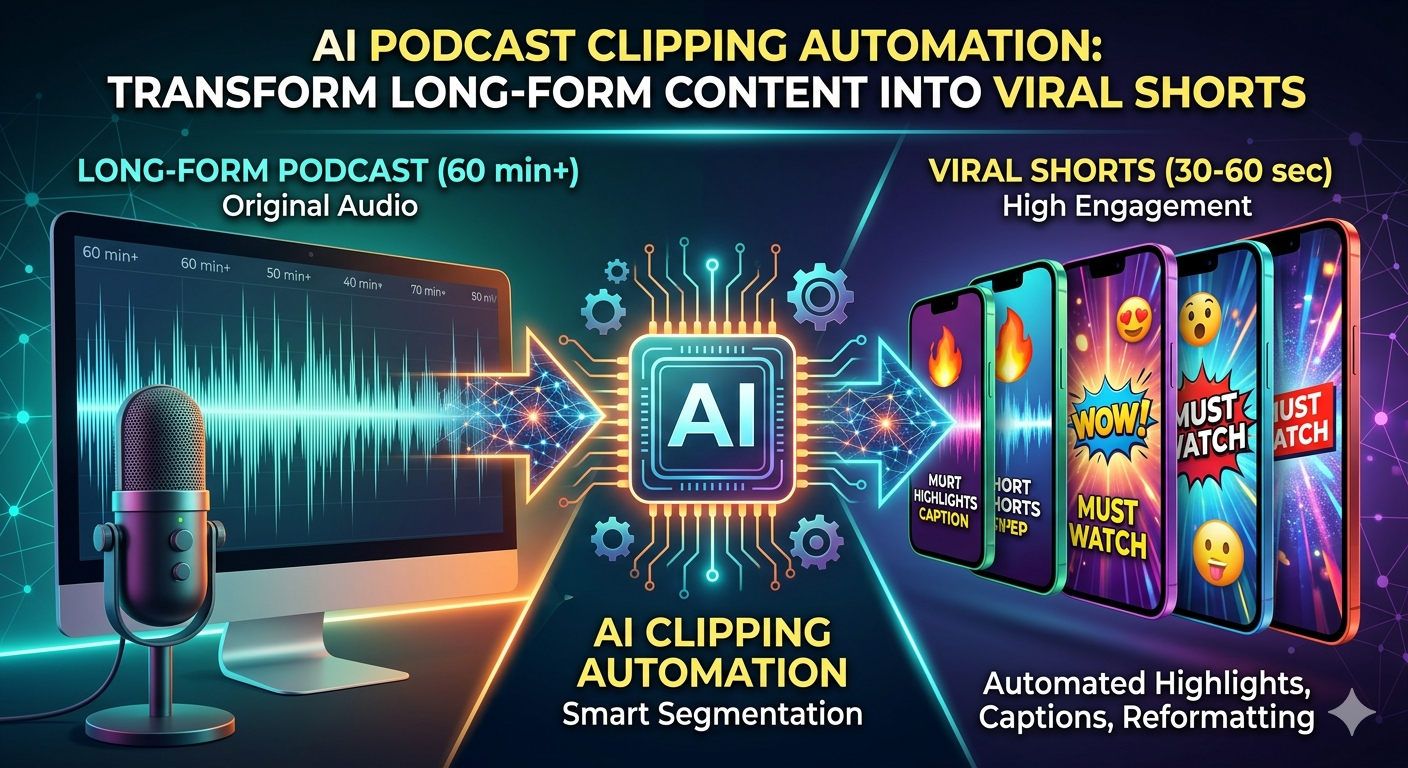
    In today’s fast-paced content landscape, AI podcast clipping automation has emerged as a game-changer for creators looking to maximize their reach without multiplying their workload. This powerful approach automatically transforms long-form podcast episodes into engaging, platform-optimized short clips for TikTok, Instagram Reels, and YouTube Shorts—handling highlight extraction, caption generation, background visuals, and even scheduling. For podcasters and digital media professionals, implementing AI podcast clipping automation isn’t just convenient; it’s a strategic advantage that drives consistency, engagement, and revenue.

    Why AI Podcast Clipping Automation Solves a Real Business Problem

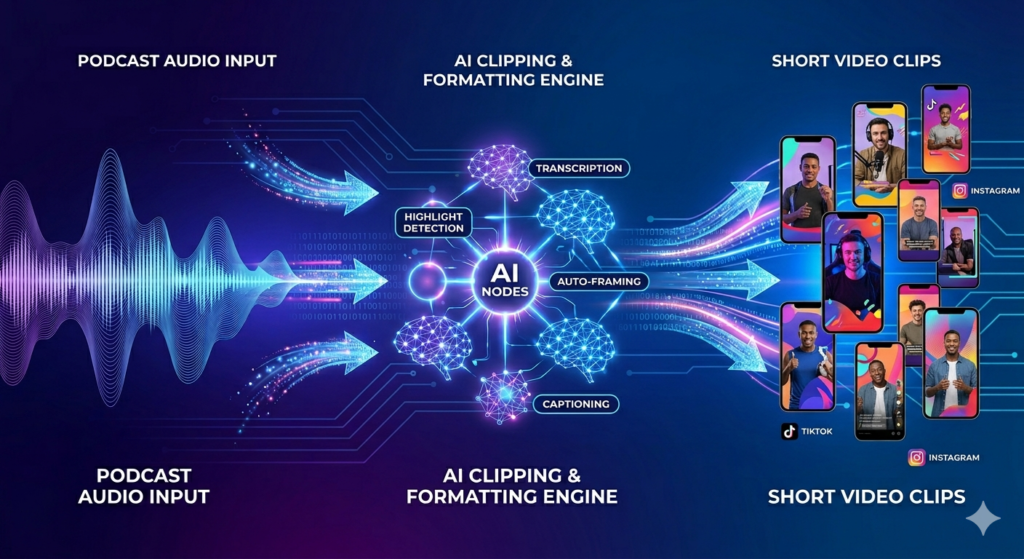
    Creating short-form content from podcasts manually is notoriously time-intensive. Editors spend hours reviewing footage, identifying compelling moments, trimming clips, adding captions, and formatting for each platform. AI podcast clipping automation eliminates this bottleneck by leveraging machine learning models to:

    • Analyze full episodes and detect high-engagement segments using speech patterns, sentiment, and topic shifts
    • Auto-generate attention-grabbing captions and titles optimized for social algorithms
    • Apply dynamic background visuals and branding elements without manual editing
    • Export ready-to-publish clips in platform-specific formats

    The result? A single 60-minute podcast can yield 10–12 polished, high-performing shorts—ready for distribution in under 10 minutes. For agencies and freelancers, this workflow represents a premium service easily priced at $1,000–$2,000 per client setup.

    Explore AI Automation Services – aitoolsupdates.net

    Building Your AI Podcast Clipping Automation Workflow: Step-by-Step

    Step 1: Select the Right AI Clipping API

    Not all tools are created equal. When evaluating platforms for AI podcast clipping automation, prioritize APIs that support:

    • Direct YouTube/RSS feed ingestion
    • Webhook callbacks for asynchronous processing
    • Customizable clip length and style preferences
    • Transparent pricing and usage limits

    Two strong contenders are Visard and Clap. Visard offers an accessible entry point at $29/month with robust API documentation and webhook support—ideal for prototyping.

    Visard API Documentation – https://docs.visard.ai

    Always verify authentication flows and response structures before committing to a build.

    Step 2: Structure Your Data Pipeline with N8N

    N8N (often mistyped as “NADN” in tutorials) serves as the orchestration layer for your AI podcast clipping automation system. A typical workflow splits into two phases:

    Scrape & Send Phase:

    • Use YouTube’s native RSS feed (format: https://www.youtube.com/feeds/videos.xml?channel_id=YOUR_CHANNEL_ID) to fetch new episodes
    • Parse video URLs and metadata
    • Submit clips to your chosen AI API via HTTP request with API key authentication

    Retrieve & Generate Phase:

    • Capture completed clips via webhook or polling
    • Split batch responses into individual video objects
    • Enrich each clip with AI-generated captions using OpenAI’s GPT-4
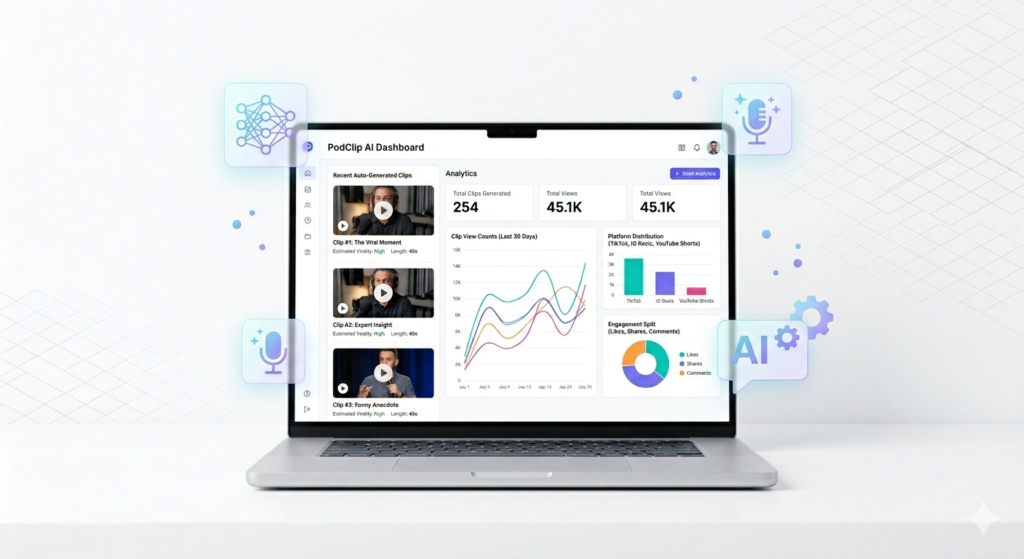
    • Log all assets to a Google Sheet database for tracking and client delivery

    N8N Workflow Templates – aitoolsupdates.net

    Step 3: Enhance Outputs with AI Caption Generation

    Raw clips gain significant engagement lift when paired with platform-native captions. Integrate an OpenAI node configured to:

    • Accept transcript text as input
    • Generate 50–100 word captions in a conversational, first-person tone
    • Output structured JSON for easy database mapping
    • Apply brand voice guidelines (e.g., “Spartan tone, emoji-sparing, university reading level”)

    This step ensures your AI podcast clipping automation system delivers not just video, but complete, publish-ready content packages.

    Image

    Overcoming Common Implementation Challenges

    Even with powerful tools, builders encounter predictable hurdles:

    • Webhook Timeouts: N8N’s test environment may timeout before AI processing completes. Solution: Implement polling logic or use production webhook URLs with proper endpoint configuration.
    • Rate Limiting: Bulk-inserting 30+ clips into Google Sheets can trigger API limits. Solution: Use N8N’s “Loop Over Items” node with a 2-second delay between iterations.
    • Visual Quality: Screen-share heavy podcasts may produce pixelated face crops. Advanced fix: Add a Gemini vision analysis step to filter clips based on visual composition before export.

    Documenting these detours isn’t just instructive—it builds trust with clients who value transparency over “magic button” promises.

    Monetizing Your AI Podcast Clipping Automation Service

    Once your workflow is stable, packaging it for sale is straightforward:

    1. Productize the Setup: Offer a one-time $1,000–$2,000 implementation fee covering API configuration, N8N workflow deployment, and client training.
    2. Add Retainer Options: Charge $200–$500/month for ongoing maintenance, clip performance reporting, and strategy tweaks.
    3. White-Label for Agencies: License your system to marketing firms serving podcast clients, creating scalable B2B revenue.

    Podcasters immediately recognize the value: consistent short-form presence without hiring editors or learning complex tools. Your system gets them 90% of the way to publication-ready content—freeing them to focus on creation, not clipping.

    Social Media Examiner – Short-Form Video Strategy Guide – https://www.socialmediaexaminer.com/short-form-video-strategy

    Get Started With AI Podcast Clipping Automation Today

    The barrier to entry has never been lower. With free tiers on N8N Cloud, affordable AI APIs, and comprehensive documentation, you can prototype a production-ready AI podcast clipping automation system in a single afternoon. The real differentiator isn’t technical skill—it’s taking action.

    Image

    Ready to deploy your own system? We’ve packaged the complete N8N workflow, setup checklist, and client onboarding template as a free download. [Internal Link: Download Free AI Workflow – aitoolsupdates.net/free-ai-tools] Start offering AI podcast clipping automation to creators in your network—and turn content repurposing from a chore into your most profitable service line.

  • Master Parallelization Automation: Speed Up Your n8n Workflows

    Master Parallelization Automation: Speed Up Your n8n Workflows

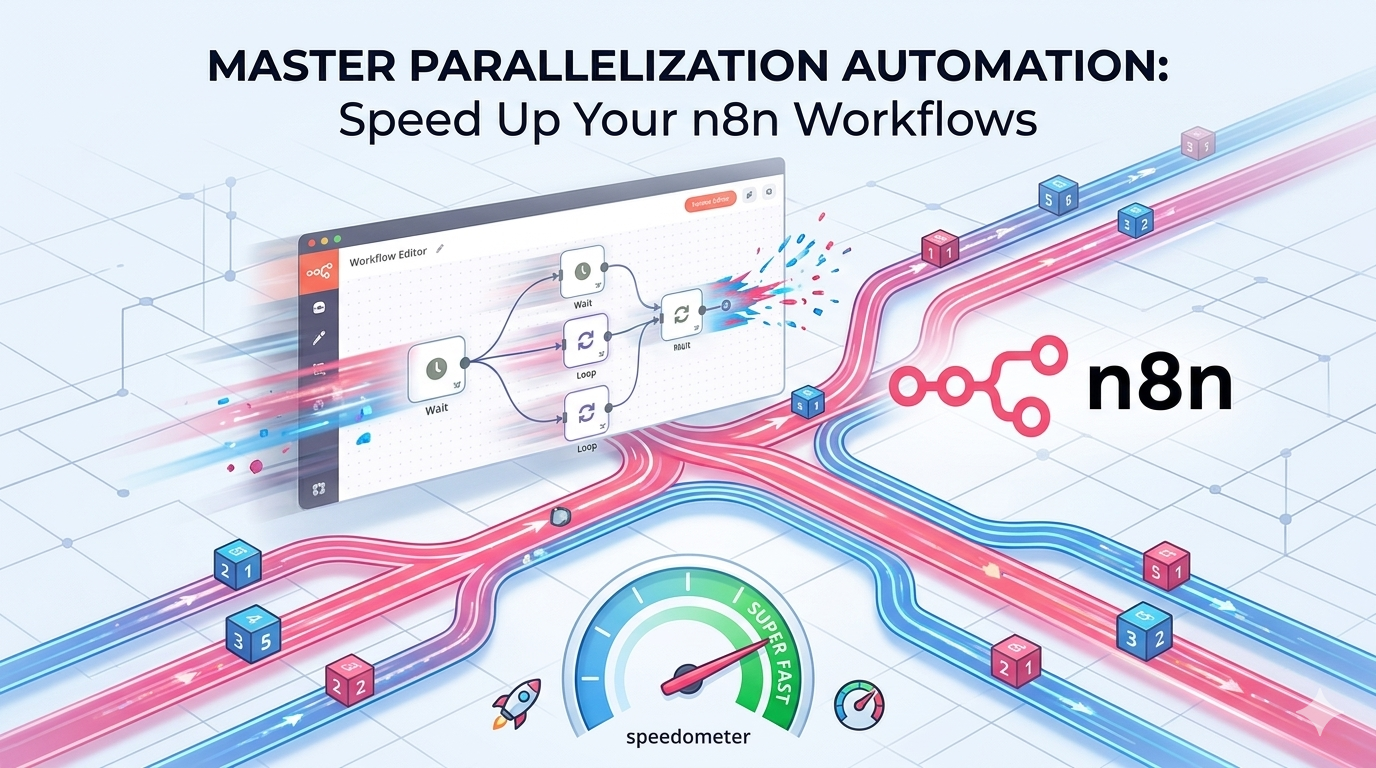
    In today’s fast-paced digital landscape, parallelization automation has emerged as a game-changing technique for developers and automation engineers seeking to maximize efficiency. While many creators focus on basic workflow sequencing, understanding how to execute multiple tasks simultaneously can dramatically reduce processing time and unlock new levels of scalability. This comprehensive guide explores how to implement parallelization automation using n8n, covering setup steps, strategic considerations, and real-world applications that will transform your automation architecture.

    What Is Parallelization Automation?

    Parallelization automation refers to the practice of executing multiple tasks or processes concurrently rather than sequentially. Think of it like cooking: if you have three turkeys that each take 30 minutes to roast and only one oven, you’d spend 90 minutes total cooking them one after another. But with three ovens working simultaneously, all three turkeys finish in just 30 minutes. This same principle applies to digital workflows.

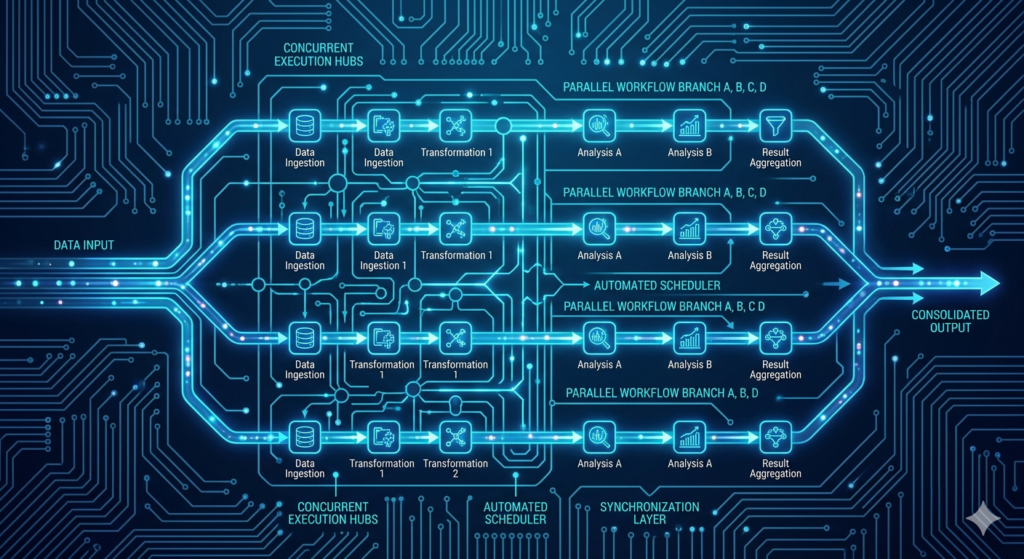
    In automation platforms like n8n, sequential processing means each item in a dataset waits for the previous item to complete before beginning. Parallelization automation breaks this bottleneck by distributing tasks across multiple execution threads, allowing your workflow to process dozens—or even hundreds—of items in the time it would normally take to handle just one. This approach is particularly valuable when working with API calls, data enrichment tasks, or AI agent processing where individual operations are independent of one another.

    How to Set Up Parallelization Automation in n8n

    Converting Nodes to Subworkflows

    The foundation of effective parallelization automation begins with modular design. n8n’s recent update introduces a powerful feature: select any group of nodes, right-click, and choose “Convert to Subworkflow.” This action encapsulates your logic into a reusable component that can be called independently. When building for parallel execution, isolate the core processing logic—such as AI analysis, API requests, or data transformation—into its own subworkflow. This modular approach not only enables parallel execution but also improves maintainability and testing.

    Configuring Parallel Execution Settings

    Once your subworkflow is created, proper configuration is critical. In the node that calls your subworkflow, change the execution mode from “Run Once with All Items” to “Run Once for Each Item.” This ensures each data entry triggers an independent execution. Next—and this is the crucial step—disable the “Wait for Subworkflow Completion” option. Leaving this enabled would force sequential processing, negating the benefits of parallelization automation. With these settings applied, your workflow will dispatch all items simultaneously, dramatically reducing total runtime.

    Image

    Key Benefits of Parallelization Automation

    • Dramatic Time Savings: Process 20 items in the time it previously took to handle one
    • Improved Resource Utilization: Maximize API quota efficiency by reducing idle time between calls
    • Enhanced Scalability: Handle growing datasets without proportional increases in runtime
    • Better User Experience: Deliver faster results in customer-facing automations and reporting tools

    When implemented correctly, parallelization automation can reduce workflow execution time by 70-90%, transforming hour-long processes into minute-scale operations.

    Drawbacks and Considerations for Parallelization Automation

    Resource Limits and Rate Limiting

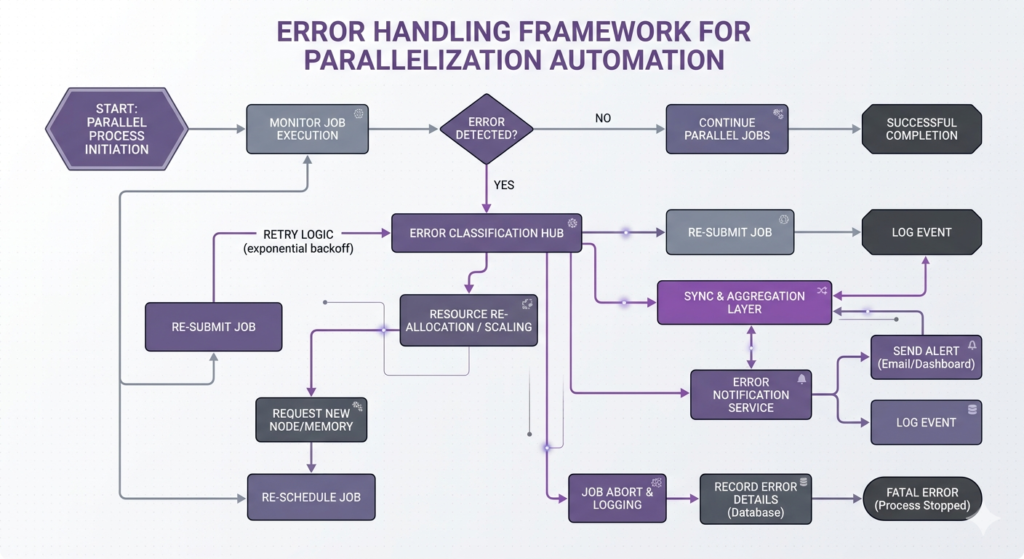
    Many APIs enforce rate limits—such as 20 requests per minute—which can cause failures when too many parallel calls are made simultaneously. To mitigate this, consider implementing batch processing or adding delay nodes to stay within provider thresholds. Monitoring tools and exponential backoff strategies can help maintain reliability while preserving speed advantages.

    Error Handling Challenges

    When running 50 items in parallel, a single failure shouldn’t halt the entire process. Design robust error-handling logic within your subworkflows to capture failures, log them appropriately, and optionally retry failed executions. This ensures that one problematic item doesn’t compromise your entire dataset.

    Workflow Dependencies

    Not all processes can be parallelized. If Step C depends on output from Step B, parallel execution could cause logic errors. Always map data dependencies before implementing parallelization automation to ensure task independence.

    Troubleshooting Complex Executions

    Parallel executions generate multiple simultaneous runs, which can complicate debugging. Use descriptive naming conventions, structured logging, and n8n’s execution history to track individual item processing. This visibility is essential for maintaining and optimizing complex workflows.

    Image

    When to Use Subworkflows Beyond Parallelization

    While parallelization automation delivers significant speed benefits, subworkflows offer additional strategic advantages even when sequential processing is required:

    • Repeated Logic and Reusability: Package common operations—like AI analysis or data formatting—into subworkflows that can be referenced across dozens of automations. Update the logic once, and all dependent workflows inherit the change.
    • Workflow Complexity Management: Break large, monolithic workflows into logical modules. This improves readability, simplifies onboarding for team members, and makes testing more manageable.
    • Error Handling and Recovery: Isolate high-risk operations into dedicated subworkflows with specialized retry logic or notification systems.
    • Team Collaboration and Hygiene: Well-structured subworkflows with clear input/output definitions enable multiple developers to work on different components without conflict.

    Best Practices for Implementation

    1. Start Small: Test parallelization automation with 3-5 items before scaling to larger datasets
    2. Monitor Execution Metrics: Track runtime, success rates, and resource consumption to identify optimization opportunities
    3. Document Dependencies: Clearly map which tasks can run independently versus those requiring sequential order
    4. Implement Logging: Add structured logging to each subworkflow execution for easier troubleshooting
    5. Use Environment Variables: Store API keys and configuration settings externally to simplify workflow portability

    Explore advanced n8n tutorials – aitoolsupdates.net
    Download workflow templates – aitoolsupdates.net

    n8n Official Documentation – https://docs.n8n.io
    TechCrunch Automation Coverage -https://techcrunch.com/category/artificial-intelligence/automation

    Conclusion: Elevate Your Automation Strategy

    Mastering parallelization automation represents a significant leap forward in workflow efficiency. By strategically implementing subworkflows with parallel execution settings, you can transform sluggish, sequential processes into high-performance automation pipelines. Remember to balance speed with reliability—consider rate limits, error handling, and dependency mapping to ensure robust operation.

    Whether you’re processing AI research requests, enriching CRM data, or generating reports, parallelization automation empowers you to do more in less time. Start by converting one repetitive workflow section into a parallelized subworkflow today, measure the performance gains, and gradually expand this pattern across your automation ecosystem. Your future self—and your stakeholders—will thank you for the time saved and the scalability unlocked.

    Ready to implement these strategies? Explore our library of pre-built automation templates and advanced n8n guides to accelerate your journey toward enterprise-grade workflow optimization.

  • AI Agent Knowledge Graph Guide: Long-Term Memory Setup

    AI Agent Knowledge Graph Guide: Long-Term Memory Setup

    Why AI Agent Knowledge Graph Memory Matters

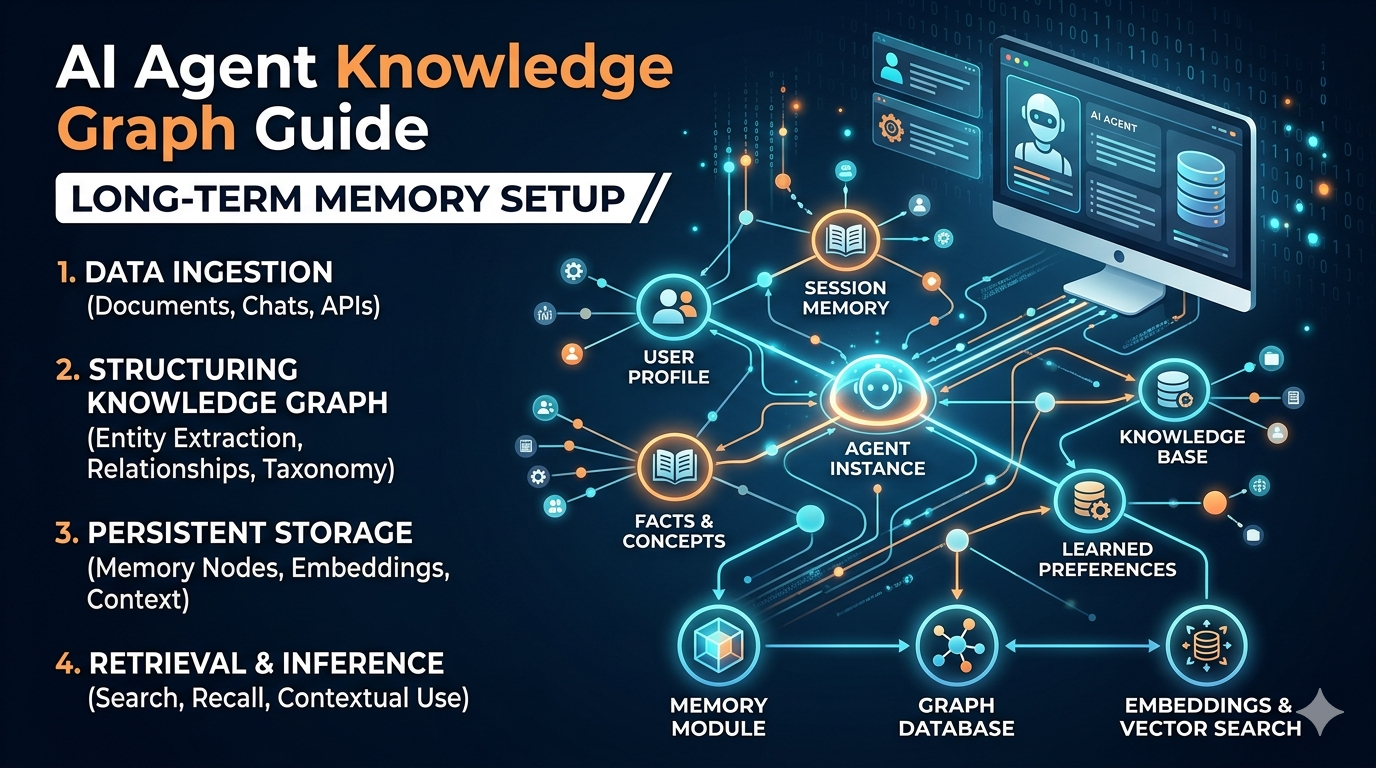
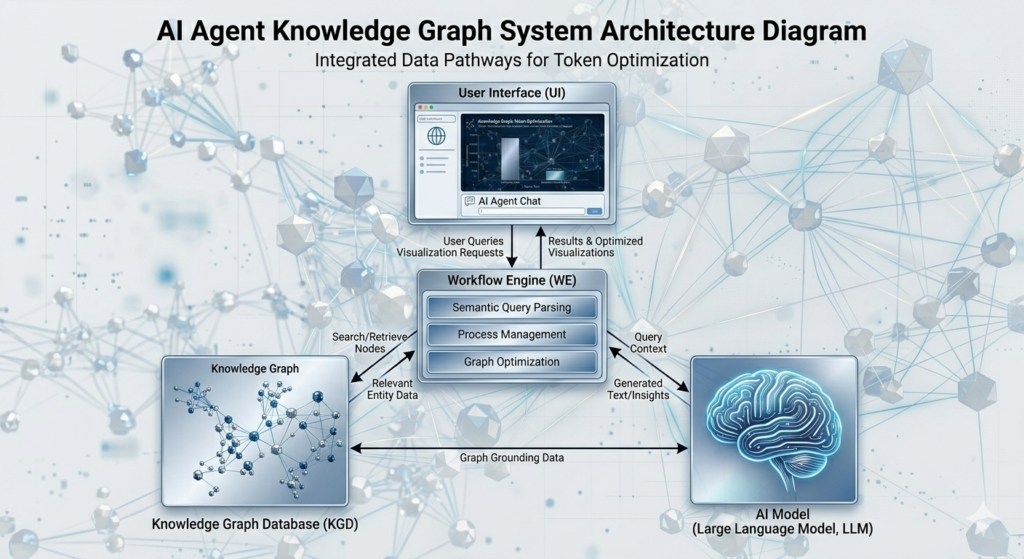
    The next evolution of intelligent automation isn’t just about smarter models—it’s about smarter memory. An AI agent knowledge graph enables persistent, relational understanding that transforms how agents recall user preferences, business context, and historical interactions. Unlike basic context windows that forget after 10 messages, knowledge graphs create structured, queryable long-term memory that compounds value with every conversation.

    For developers building customer-facing bots, personalized coaching tools, or adaptive learning systems, implementing an AI agent knowledge graph is no longer optional—it’s essential for competitive differentiation. This guide walks through practical implementation using Zep, token optimization strategies, and real-world architecture patterns.

    Image

    Understanding the Limitations of Simple Memory

    Most AI agents begin with linear memory systems that store conversation history chronologically. While functional for brief exchanges, this approach creates three critical bottlenecks:

    • Context decay: Only recent messages remain accessible, losing valuable long-term signals
    • No semantic reasoning: Agents can’t connect “user prefers video tutorials” with “user struggles with API setup”
    • Token inefficiency: Full transcript retrieval wastes budget on irrelevant context

    When an agent can’t access structured historical knowledge, personalization suffers. Business applications—like onboarding flows or support bots—require memory that understands relationships, not just recites logs.

    Building Your AI Agent Knowledge Graph with Zep

    Zep provides a developer-friendly framework for implementing relational memory. The setup process involves three core components:

    Step 1: Session Management Configuration

    Assign unique session identifiers (Telegram ID, email, UUID) to isolate user graphs. This enables one agent instance to serve thousands of users with personalized memory.

    Step 2: Entity Extraction Rules

    Define how conversations populate the graph. For example:

    • When a user says “I live in Chicago,” create a lives_in relationship
    • When they mention “I use n8n,” link the user entity to the tool entity

    Step 3: Relevance-Filtered Retrieval

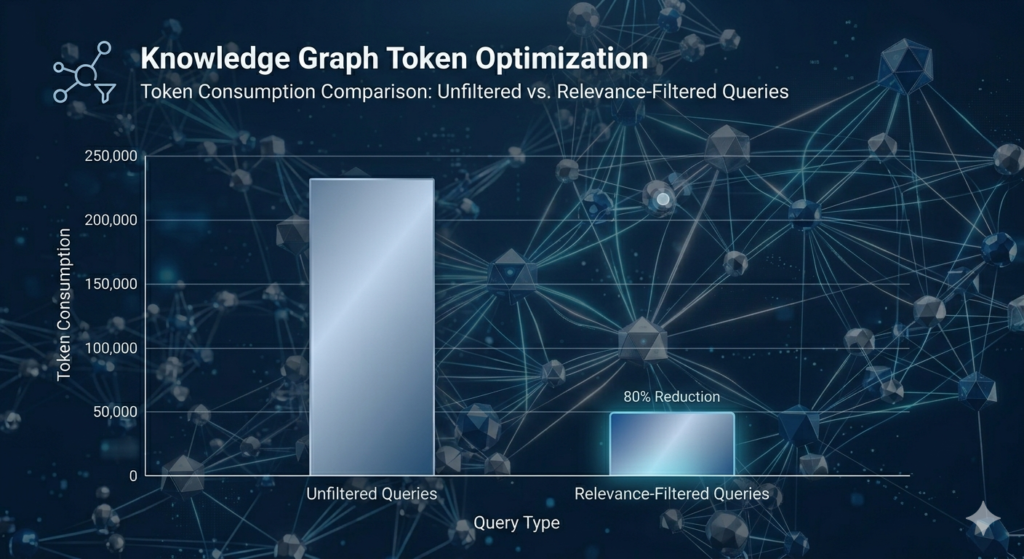
    Query the graph with thresholds to avoid token bloat. Instead of retrieving all 50+ user facts, pull only the 3–5 most relevant to the current query.

    Explore n8n automation templates – aitoolsupdates.net

    Watching the Graph Populate

    During testing, a user stating “I love soccer and watch Messi” automatically creates:

    • User entity: “Jim”
    • Interest entity: “soccer” with plays relationship
    • Preference entity: “Messi” with admires relationship

    Subsequent queries like “What should I watch this weekend?” leverage these relationships for personalized recommendations—without manual configuration.

    Optimizing Token Usage in AI Agent Knowledge Graph Systems

    A common implementation mistake: retrieving the entire graph for every query. This causes token consumption to scale linearly with graph size, quickly becoming cost-prohibitive.

    The solution: Hybrid retrieval architecture

    plaintext1234567

    This approach typically reduces token usage by 60–75% while maintaining response quality. Critical implementation details:

    • Use HTTP requests instead of native integrations for granular control over retrieval parameters
    • Apply relevance scoring to prioritize contextually appropriate facts
    • Clean JSON responses via code nodes to remove metadata bloat

    Zep Documentation – https://docs.getzep.com
    n8n HTTP Request Node Guide – https://docs.n8n.io/integrations/builtin/core-nodes/n8n-nodes-base.httprequest/

    Image

    Hybrid Memory Architecture: Zep + PostgreSQL

    For production deployments, separate long-term and short-term memory storage:

    Memory TypeStorage SolutionPurpose
    Long-termZep Knowledge GraphUser preferences, relationships, historical facts
    Short-termPostgreSQLRecent conversation history (last 5–10 exchanges)

    This hybrid model delivers:

    • Cost efficiency: Only relevant long-term facts + minimal recent history enter the context window
    • Contextual accuracy: Agents retain immediate conversation flow while accessing deep user knowledge
    • Scalability: Session-based architecture supports thousands of unique users

    Code-Free Implementation Tips

    Developers without deep coding experience can leverage AI assistants to generate cleanup scripts:

    1. Copy the raw Zep API response schema
    2. Prompt an AI: “Write a JavaScript function to extract human/AI message pairs from this JSON”
    3. Paste the generated code into an n8n code node
    4. Test and iterate

    Read our AI automation best practices – aitoolsupdates.net

    Real-World Applications of AI Agent Knowledge Graphs

    Organizations across sectors are leveraging this architecture for measurable impact:

    • E-commerce: Agents recommend products based on past purchases and stated preferences stored in the graph
    • SaaS onboarding: Flows adapt to user role, company size, and integration needs remembered across sessions
    • Education: Tutoring bots track learning progress and preferred teaching styles for personalized guidance

    The key differentiator: agents that improve with every interaction, delivering compounding value without manual retraining.

    Image

    Conclusion: Deploy Smarter AI Agents Today

    Implementing an AI agent knowledge graph transforms your automation from reactive to relational. By combining Zep’s structured memory with strategic token optimization, you create agents that deliver personalized, cost-efficient experiences at scale.

    Your implementation checklist:

    1. Start with a pilot segment to validate graph population logic
    2. Apply relevance filtering from day one to control token costs
    3. Monitor retrieval patterns to refine entity extraction rules
    4. Scale with hybrid storage (Zep + PostgreSQL) for production workloads

    The future of conversational AI belongs to systems that remember intelligently—not just extensively. By mastering AI agent knowledge graph architecture today, you position your solutions to lead tomorrow’s personalized automation landscape.

    Ready to accelerate development? Explore our library of pre-built workflows and advanced memory patterns at aitoolsupdates.net to implement these strategies faster.

  • n8n Automation: The Ultimate Guide to Transforming Your Workflow

    n8n Automation: The Ultimate Guide to Transforming Your Workflow

    Image

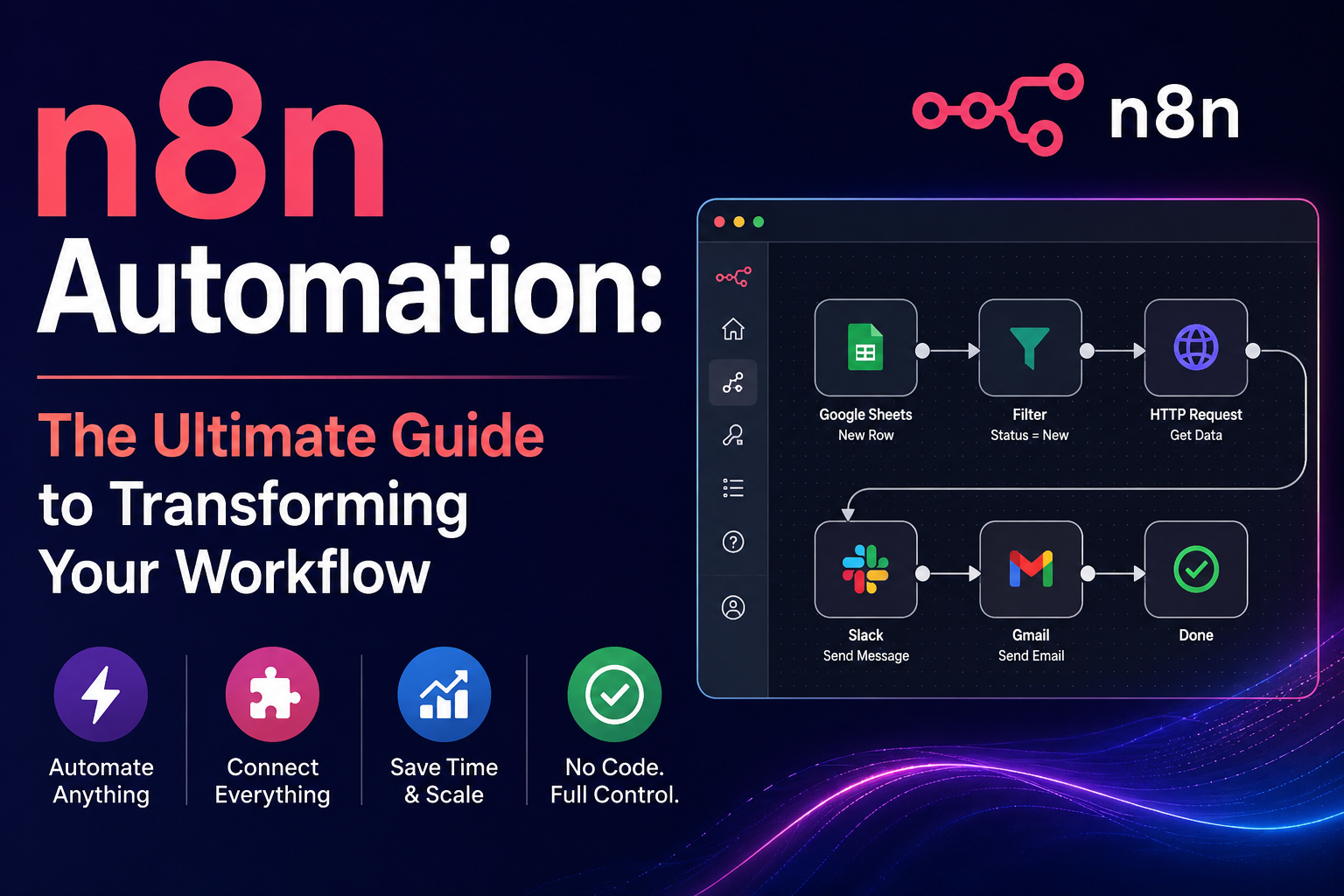
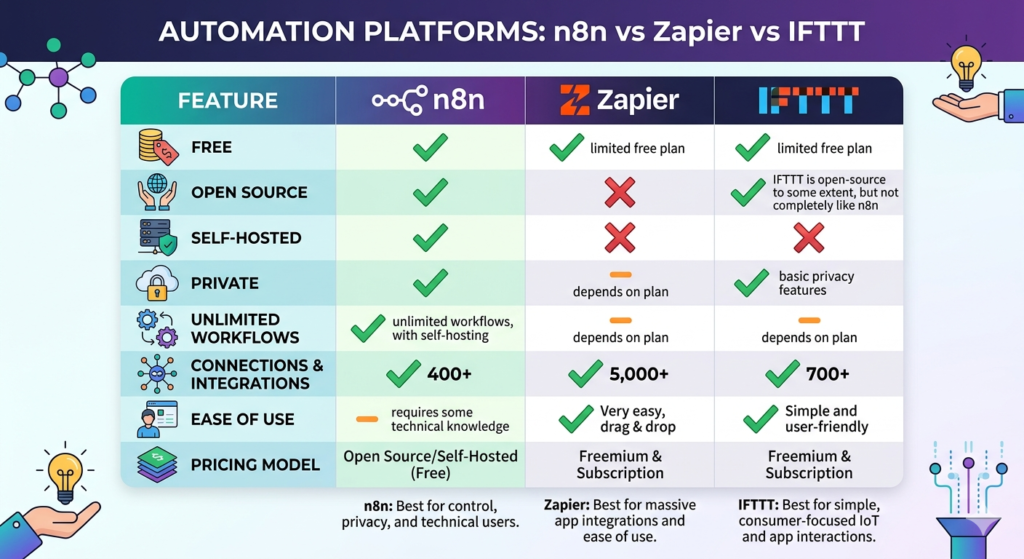
    If you’re still manually copying data between apps or checking multiple websites for updates, it’s time to discover n8n automation – the most powerful, open-source workflow automation tool that’s revolutionizing how IT professionals and tech enthusiasts handle repetitive tasks. Unlike expensive alternatives like Zapier or IFTTT, n8n is completely free, self-hosted, private, and gives you unlimited possibilities to automate literally everything in your digital life.

    Why n8n is the Automation Tool You’ve Been Waiting For

    Image

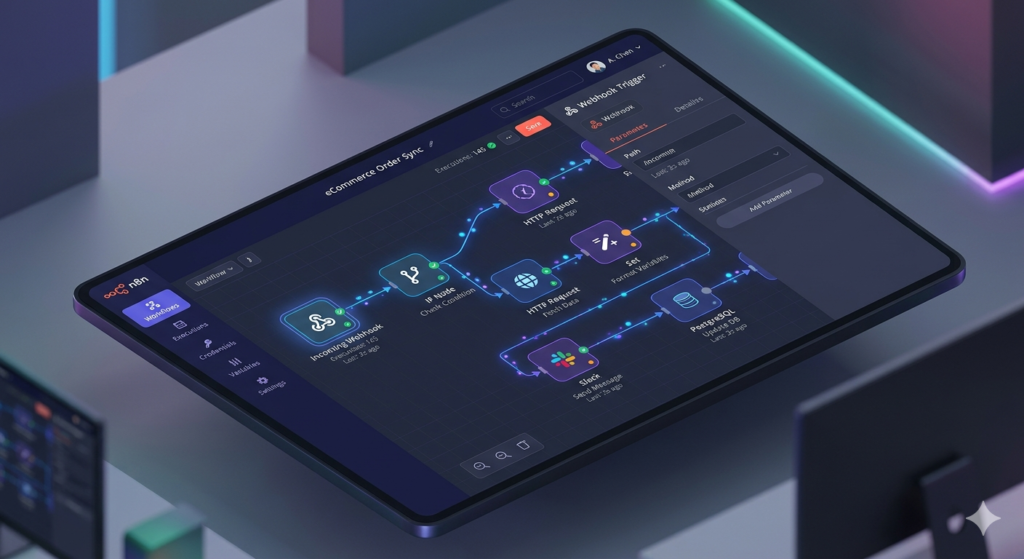
    n8n (pronounced “n-eight-n”) stands out as the ultimate automation platform because it combines enterprise-level power with complete privacy and zero cost. Whether you’re managing a home lab, streamlining your IT operations, or simply trying to keep up with tech news, n8n can handle it all from a beautiful, intuitive graphical user interface.

    The platform’s true power lies in its flexibility. You can aggregate news from RSS feeds, automate home lab maintenance, create AI agents that troubleshoot issues before they occur, integrate with hundreds of services, and even execute custom commands on your servers. The hardest part isn’t setting it up – it’s deciding which automation to build first!

    Installation Options: Cloud vs Self-Hosted

    Image

    Getting started with n8n is straightforward, with two primary deployment options to suit your needs:

    Option 1: Self-Hosted in Your Home Lab

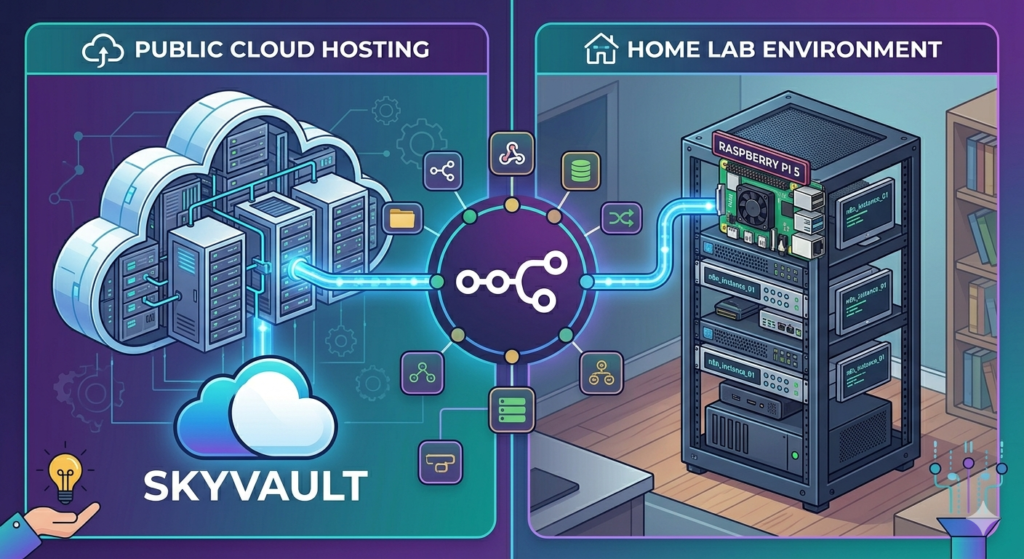
    For those who love having complete control, installing n8n on-premises is incredibly lightweight. You don’t need expensive hardware – it runs perfectly on a Raspberry Pi or any Linux server. The installation uses Docker, making deployment simple even if you’re new to containerization. Since n8n isn’t CPU-intensive, it won’t bog down your existing infrastructure.

    Option 2: Cloud Hosting (Recommended for Beginners)

    If you want to get up and running in minutes rather than hours, cloud hosting is the way to go. Services like Hostinger offer specialized n8n VPS plans that come pre-configured and ready to use. With a KVM 2 plan, you’ll have enough resources to run n8n alongside other home lab projects like websites, Open WebUI, and various automation tools. Plus, you can often find promotional codes to reduce costs significantly.

    Your First n8n Workflow: Building a News Aggregator

    Image

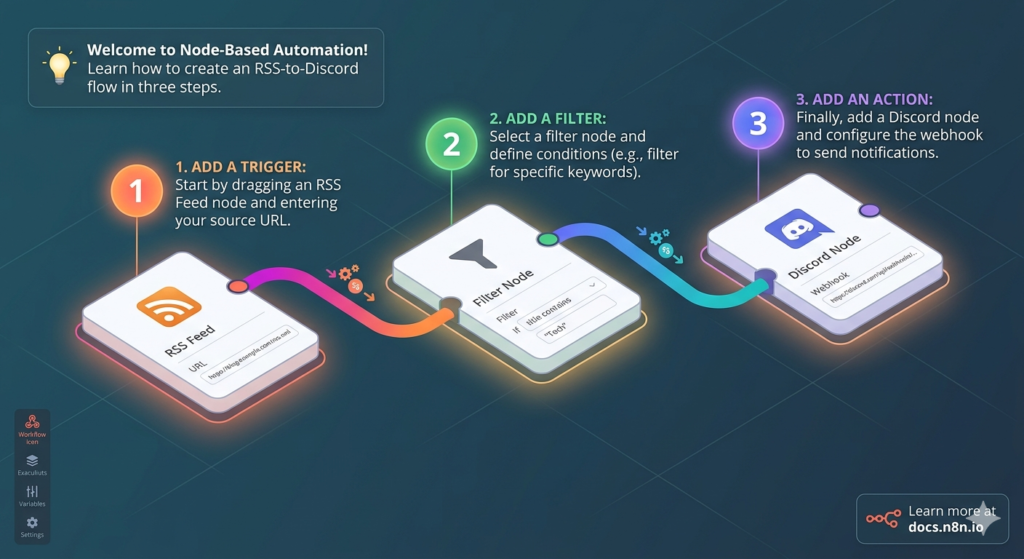
    Let’s dive into creating your first automation. We’ll build a practical news aggregator that pulls tech news from your favorite sources and delivers it directly to your Discord channel.

    Step 1: Setting Up Triggers

    Every workflow starts with a trigger – the event that kicks off your automation. In n8n, you can use:

    • Manual Trigger: Perfect for testing workflows
    • Schedule Trigger: Run automations at specific times (daily, hourly, etc.)
    • Webhook Trigger: Respond to external events

    For our news aggregator, we’ll use a schedule trigger set to run daily at midnight, ensuring you wake up to fresh tech news every morning.

    Step 2: Adding RSS Feed Integration

    Image

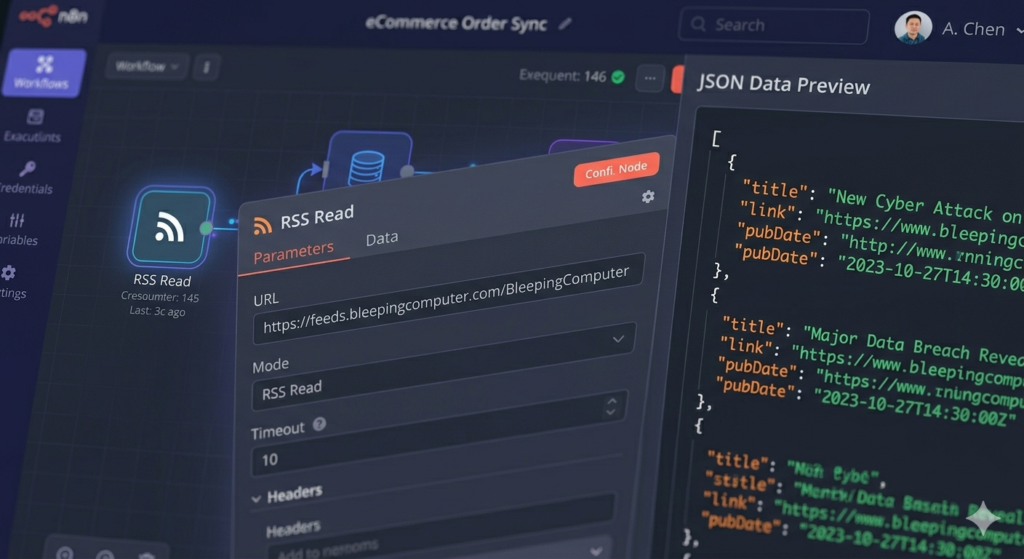
    The RSS Read node is where the magic begins. Simply add your favorite tech news sources:

    • BleepingComputer for security news
    • Krebs on Security for in-depth security analysis
    • Hacker News for community-driven tech discussions
    • Subreddits relevant to your interests

    When configured, n8n fetches all articles from these feeds, parsing titles, authors, publication dates, links, and full content into structured JSON data that you can manipulate however you like.

    Step 3: Filtering and Limiting Results

    Nobody wants to wake up to 50+ news articles. Use the Limit node to control how many items pass through your workflow. Setting it to 5-10 items ensures you get the most important news without feeling overwhelmed.

    Step 4: Discord Integration

    Image

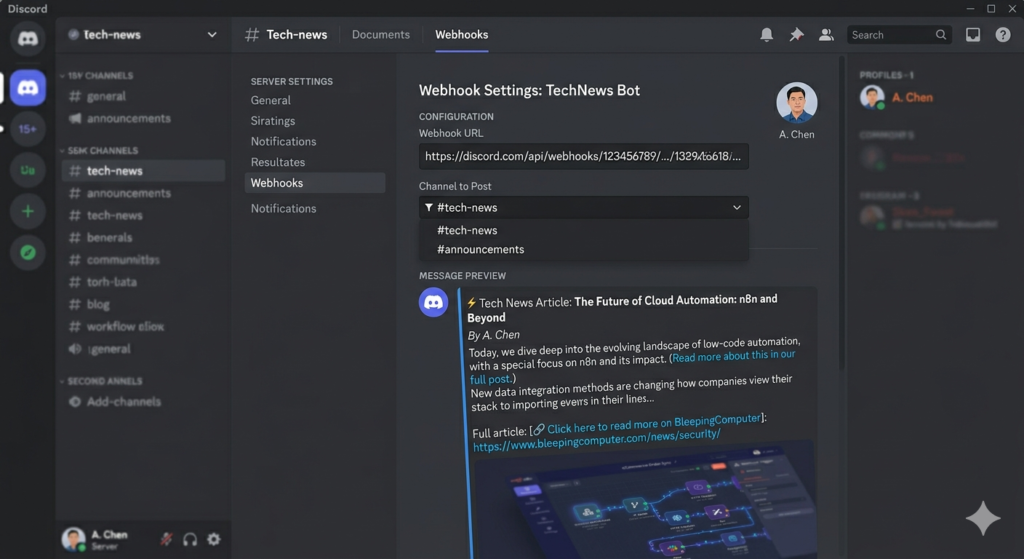
    Connecting n8n to Discord is straightforward:

    1. Create a Discord webhook in your server settings
    2. Add the Discord node to your workflow
    3. Select “Send Message” as the action
    4. Paste your webhook URL as credentials
    5. Map your RSS data to the message content

    Here’s where n8n’s visual interface shines – simply drag and drop fields from your RSS data (like {{ $json.title }} or {{ $json.creator }}) into the message builder. n8n automatically formats these as JavaScript expressions, but you don’t need to be a coding expert to use them.

    Advanced Automation: Adding AI Power to Your Workflows

    Image

    This is where n8n truly separates itself from basic automation tools. By integrating AI models, you can:

    AI-Powered Article Summarization

    Instead of reading full articles, let AI summarize them for you:

    1. Add an LLM Chain node between your RSS reader and Discord sender
    2. Connect an AI model (OpenAI’s GPT-4, Anthropic’s Claude, or even local models like Llama via Ollama)
    3. Create a prompt: “Summarize this article in 2 sentences: {{ $json.content }}”
    4. Watch as n8n automatically generates concise summaries for each article

    The platform tracks token usage in real-time, helping you manage costs when using paid AI services. For privacy-focused users, local models running on your hardware provide unlimited summarization without sending data to external APIs.

    Smart Filtering with AI

    Image

    Take it further by having AI rate articles based on your interests:

    • “Rate this article 1-10 for relevance to cybersecurity professionals”
    • “Determine if this news requires immediate attention”
    • “Categorize as: breaking news, tutorial, opinion, or research”

    This creates an intelligent news filter that learns your preferences and prioritizes what matters most to you.

    Home Lab Automation: Beyond News Aggregation

    Image

    n8n’s power extends far beyond RSS feeds. For IT professionals and home lab enthusiasts, the possibilities are endless:

    System Monitoring and Alerts

    Use the Execute Command node to run system checks:

    bash123

    Combine this with AI analysis:

    • “Analyze these ping results and tell me in a funny Eddie Murphy impression if the internet is up”
    • “Check disk usage and alert me if any partition is above 80%”
    • “Verify all critical services are running and summarize their status”

    SSH Integration for Remote Management

    Image

    The SSH node lets you:

    • Execute commands on remote servers
    • Configure network switches and routers
    • Deploy updates across multiple machines
    • Automate backup procedures
    • Troubleshoot issues before users notice them

    AI Agents with Memory and Tools

    This is n8n’s killer feature: AI Agents that can make decisions and take actions autonomously. Unlike simple LLM chains, agents have:

    • Memory: They remember previous interactions
    • Tools: Access to commands, APIs, and functions
    • Autonomy: They decide which tool to use based on your query

    Example setup:

    1. Create an AI Agent node
    2. Add tools: “Ping external website,” “Check internal server status,” “Query database”
    3. Connect a Chat Trigger
    4. Ask: “Is the internet working?” or “Is Terry (my server) online?”

    The agent intelligently selects the right tool, executes it, and provides a natural language response. This is the foundation for building sophisticated IT automation that can troubleshoot issues, perform maintenance, and even predict problems before they occur.

    YouTube Automation: Never Miss Important Content

    Image

    Every YouTube channel has an RSS feed, which means n8n can monitor your favorite creators and notify you of new videos:

    1. Add Channel IDs: Create a list of channels you want to track
    2. Use Split Out Node: Process multiple channels simultaneously
    3. Filter by Date: Only show videos from the last 3 days
    4. AI Summarization: Have AI analyze video transcripts and comments to determine if you actually need to watch the full video

    This approach frees you from YouTube’s algorithm and ensures you see content from creators you actually care about.

    Data Manipulation Techniques

    Image

    Mastering these n8n nodes will supercharge your workflows:

    • Merge Node: Combine data from multiple sources (RSS feeds + system stats + AI summaries)
    • Set Field Node: Extract only the data you need, reducing clutter
    • Split Out Node: Process arrays of items individually
    • Filter Node: Remove items that don’t meet your criteria
    • Code Node: Write custom JavaScript for complex transformations

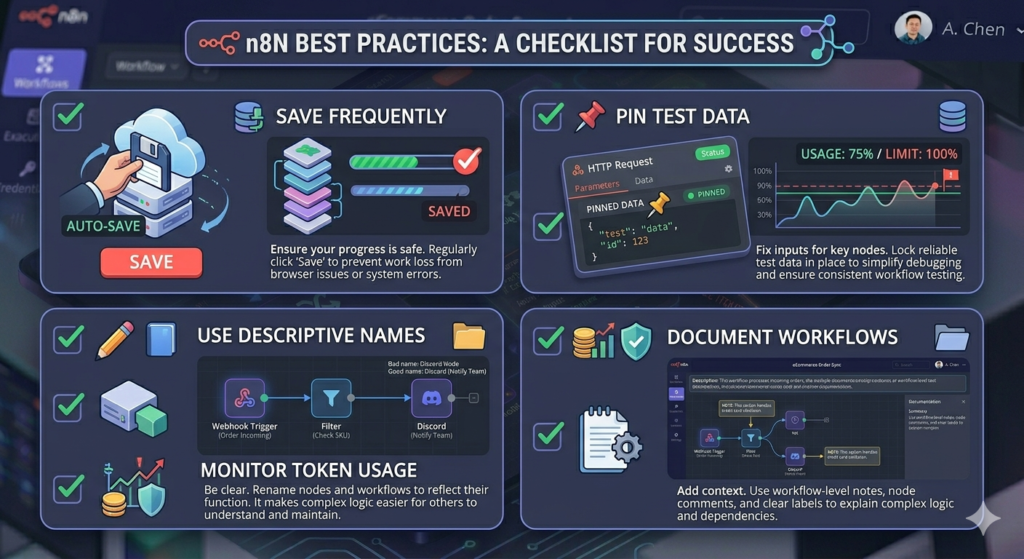
    Pro tip: Use the “Pin Data” feature during development to keep test data available across workflow executions, saving time and API calls.

    Best Practices for n8n Success

    Image
    1. Save Frequently: n8n doesn’t auto-save during complex edits
    2. Name Your Workflows Descriptively: “Daily Tech News Digest” is better than “Workflow 1”
    3. Use Credentials Securely: Never hardcode API keys; use n8n’s credential management
    4. Monitor Execution History: Review past runs to debug issues and optimize performance
    5. Start Simple, Then Scale: Master basic nodes before building complex AI agents
    6. Duplicate Before Major Changes: Use the duplicate feature to experiment safely

    The Future of Your Automation Journey

    Image

    What we’ve covered here is just the beginning. With n8n, you can:

    • Automate your entire email workflow with AI-powered responses
    • Post to social media platforms on schedule
    • Integrate with home automation systems (Home Assistant, smart devices)
    • Create custom APIs and webhooks
    • Build complete business process automation
    • Develop AI-powered customer support bots
    • Automate data entry and reporting

    The community around n8n is vibrant and growing, with hundreds of pre-built templates and nodes for virtually every service imaginable. And if a service doesn’t have a native integration, you can use HTTP requests, webhooks, or custom code to connect to it.

    Ready to Transform Your Workflow?

    Image

    n8n automation isn’t just a tool – it’s a paradigm shift in how you interact with technology. Instead of spending hours on repetitive tasks, you’ll build once and automate forever. The time you invest in learning n8n pays dividends every single day as your workflows silently handle the mundane while you focus on what matters.

    The hardest part is starting. Pick one repetitive task that annoys you daily, and build your first workflow this week. Whether it’s news aggregation, system monitoring, or AI-powered content curation, n8n makes it possible – for free, privately, and with unlimited potential.

    Your future automated self will thank you. Now go build something amazing!

  • Transform Figma Designs to Pixel-Perfect Code with bolt.new: The Complete Guide

    Transform Figma Designs to Pixel-Perfect Code with bolt.new: The Complete Guide

    The web development landscape is experiencing a revolutionary shift, and bolt.new is at the forefront of this transformation. This innovative AI-powered platform is making waves in the developer community by bridging the gap between design and development like never before

    bolt.new. In this comprehensive guide, we’ll explore bolt.new’s groundbreaking feature that converts Figma designs into pixel-perfect, production-ready code for websites and mobile applications.

    What is bolt.new?

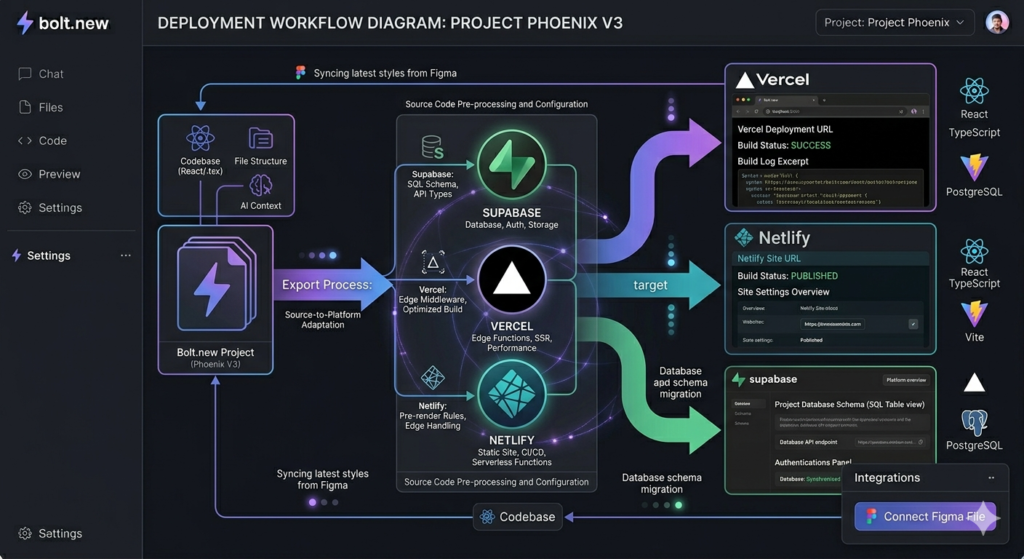
    bolt.new is an AI-powered full-stack web development platform that integrates frontier coding agents directly inside a familiar visual interface

    bolt.new. Unlike traditional development workflows that require juggling multiple platforms and dealing with AI anxiety, bolt.new streamlines the entire process in one browser-based environment

    skywork.ai. The platform allows developers to prompt, run, edit, and deploy full-stack applications directly from their browser without any local setup

    GitHub.

    What sets bolt.new apart is its ability to transform natural language prompts into editable, full-stack web and mobile prototypes with an in-browser runtime, exportable code, and one-click deployment capabilities

    octogamma.com. Whether you’re building 2D RPG games, racing simulations, physics-based 3D engines, or simple MVPs, bolt.new provides the tools to bring your ideas to life rapidly

    boltnewexperts.com.

    Image

    The Game-Changing Figma to Code Feature

    The newest addition to bolt.new’s arsenal is its Figma integration, which allows designers and developers to quickly load Figma designs and generate sites and UIs based on those designs

    support.bolt.new. This feature is built on top of Anima’s technology, combining the power of AI with proven design-to-code conversion methodologies

    www.animaapp.com.

    Why This Matters

    For years, the handoff between designers and developers has been a bottleneck in the web development process. Designers would create beautiful mockups in Figma, and developers would spend hours or even days recreating those designs in code. bolt.new eliminates this friction by automatically converting Figma frames into clean, production-ready React code using Vite, complete with Tailwind CSS classes, separated components, and proper variables

    www.banani.co.

    Step-by-Step: How to Import Figma Designs into bolt.new

    Step 1: Connecting Figma to bolt.new

    The process begins with establishing a connection between your Figma account and bolt.new. When you select “Import from Figma” for the first time, you’ll need to log into both accounts to create an API connection between the two platforms. This secure connection enables seamless communication and data transfer between Figma and bolt.new.

    Step 2: Copying the Correct URL

    Here’s where many users make their first mistake: you need to copy the URL of your Figma frame, not the entire Figma page. This distinction is crucial because bolt.new uses the frame as a reference to create the specific component or page you’re targeting.

    To do this:

    1. Navigate to your Figma design
    2. Right-click on the specific frame you want to convert
    3. Select “Copy link” to get the frame URL
    4. Return to bolt.new and paste the URL into the Figma importer

    Step 3: Let the AI Work Its Magic

    Once you’ve pasted the URL, bolt.new goes to work in the background, performing several tasks simultaneously:

    • Downloading all images and assets
    • Extracting SVG elements
    • Building a new project on Vite with ReactJS
    • Creating variables and separated components
    • Applying Tailwind CSS class names
    • Adding manual styling where necessary

    This process typically takes just a couple of minutes, after which you’ll have a fully functional website or component ready for customization.

    Image

    Exploring the VS Code-Like Interface

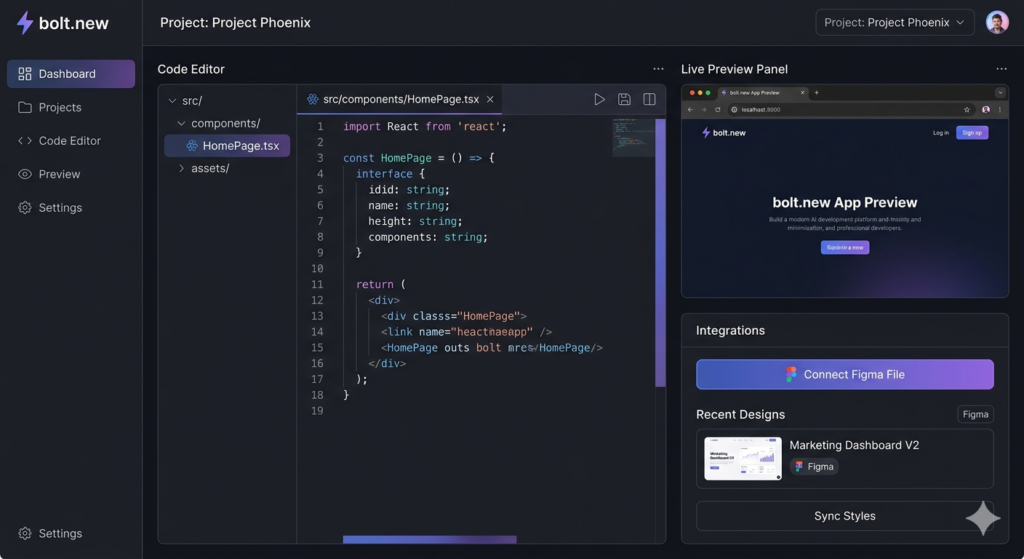
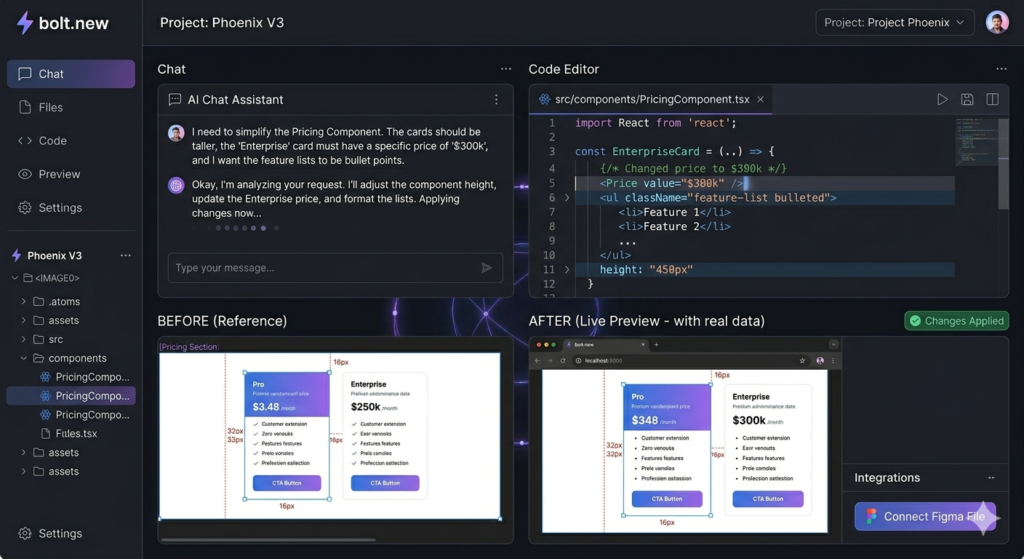
    Once your design is imported, bolt.new presents it in a familiar VS Code-like interface that includes:

    • React code editor: View and edit the generated React components
    • Data elements: Access and modify component data and props
    • Live preview: See your design rendered in real-time
    • File structure: Navigate through separated components and assets

    This comprehensive view allows both designers and developers to understand exactly how the design translates into code, making it an invaluable learning tool for those new to web development.

    Best Practices for Preparing Figma Designs

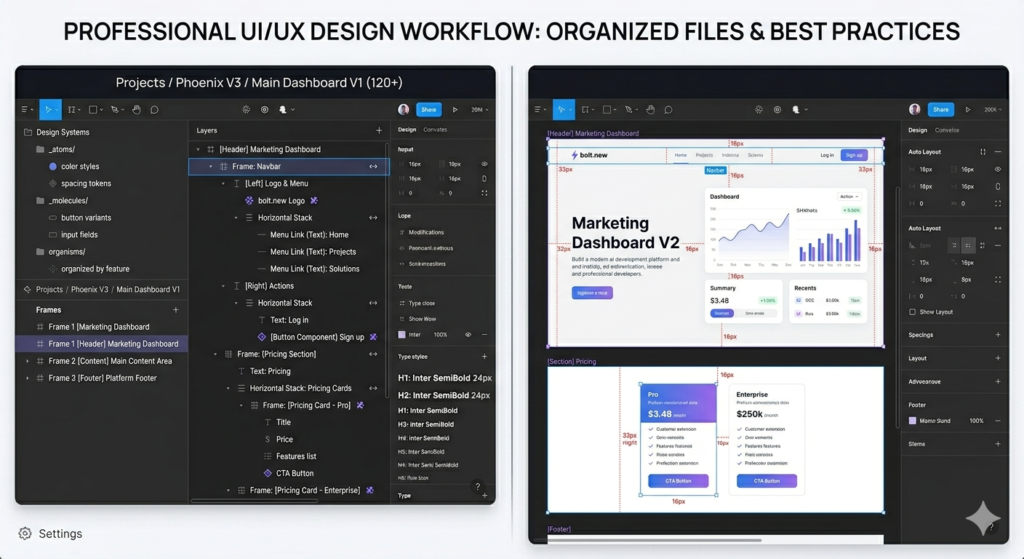
    To ensure the cleanest, most accurate code generation, proper Figma file preparation is essential. Here are the professional techniques that will maximize your results:

    1. Label Your Layers Properly

    One of the most common mistakes designers make is leaving layers unlabeled or using generic names like “Frame 1” or “Group 23.” Take the time to rename your frames and layers with descriptive names. For example, instead of “Frame 1,” use “Desktop Size 1440×2910” to give the AI context about the design’s purpose and dimensions.

    2. Use Frames Strategically

    Frame your elements logically. For instance, if you have a navbar, select all navbar elements, right-click to “Frame Selection,” and rename it “navbar.” This hierarchical structure helps bolt.new understand the relationship between elements and generate more semantic code.

    3. Expand Groups and Layer Child Elements

    Don’t rely heavily on nested groups. Instead, expand all groups and properly layer child elements. This gives the AI clearer visibility into your design structure and results in cleaner, more maintainable code.

    4. Implement Auto Layouts

    This is perhaps the most important preparation step. Auto layouts in Figma allow you to move elements left, right, up, or down while maintaining proper spacing and alignment. When combined with bolt.new’s conversion engine, auto layouts ensure that components are designed with proper responsive behavior and CSS flexbox or grid structures

    www.locofy.ai.

    Auto layouts provide the AI with crucial information about:

    • Spacing between elements
    • Alignment preferences
    • Responsive behavior
    • Component relationships

    5. Organize Your Design System

    If you’re using design tokens, color styles, or text styles in Figma, make sure they’re properly named and organized. This helps bolt.new create consistent CSS variables and maintain design system integrity in the generated code.

    Image

    Customizing Your Imported Design

    Once your Figma design is converted to code, the real power of bolt.new shines through its AI-powered customization features.

    Element Selector Tool

    Use the element selector to click on specific components you want to modify. This visual approach makes it easy to target exact elements without needing to hunt through code.

    Chat-Based Customization

    Simply describe what you want to change in natural language. For example:

    • “Change the price from $19 to $50 per month”
    • “Update the heading text to ‘Premium Design Course’”
    • “Make the button color blue”

    bolt.new’s AI will jump back into the code, rewrite the component, update the values, and instantly display the new design. This iterative process allows for rapid prototyping and refinement without manual coding.

    Comprehensive Design Overhauls

    Need more than granular changes? You can request complete design transformations with prompts like: “Update this entire pricing component to reflect a design course I’m selling, ensuring all feature items are specific to design education rather than generic placeholders.”

    The AI understands context and will rewrite multiple components to maintain design consistency while implementing your requested changes.

    Image

    Real-World Applications and Use Cases

    While the Figma import feature is powerful on its own, it’s important to understand that bolt.new is a comprehensive development platform capable of creating all sorts of applications

    mindlabssys.com.

    Rapid MVP Development

    For entrepreneurs and startups, bolt.new enables incredibly fast MVP (Minimum Viable Product) development. Import your Figma designs, customize with AI assistance, and deploy to platforms like Supabase, all within hours instead of weeks.

    Mobile App Development

    Using frameworks like Expo, you can convert Figma mobile designs into functional React Native applications. The same principles apply: proper Figma preparation, import, customization, and deployment.

    Educational Tool

    For those learning web development, bolt.new serves as an exceptional educational resource. By examining how your Figma designs translate into React, HTML, and CSS code, you gain valuable insights into:

    • Component structure
    • Responsive design principles
    • CSS organization with Tailwind
    • React best practices
    • Proper element hierarchy

    Professional Workflow Enhancement

    Even experienced developers benefit from bolt.new’s ability to handle repetitive coding tasks. Instead of manually coding standard components like pricing tables, navigation bars, or contact forms, import them from Figma and focus your energy on complex business logic and unique features.

    Deployment and Next Steps

    Once you’re satisfied with your design and customization, bolt.new offers several deployment options:

    1. Download Files: Export all code files to continue development in your local environment
    2. Publish Directly: Deploy your project using bolt.new’s built-in hosting
    3. Deploy to Supabase: Connect to Supabase for backend functionality and database integration
    4. Export to Other Platforms: Integrate with platforms like Vercel, Netlify, or your preferred hosting solution

    The generated code is production-ready, using industry-standard frameworks like ReactJS, Vite, and Tailwind CSS, ensuring compatibility with modern development workflows

    pandaitech.my.

    Image

    Why bolt.new Stands Out in the Design-to-Code Landscape

    While there are several tools available for converting Figma to React code, including Locofy.ai, Builder.io’s Visual Copilot, and Anima, bolt.new distinguishes itself through several key features

    DEV社区

    www.builder.io

    www.locofy.ai:

    1. Full-Stack Capabilities

    Unlike tools that only generate frontend code, bolt.new supports full-stack development, allowing you to build complete applications with backend integration.

    2. AI-Powered Customization

    The ability to modify designs through natural language chat sets bolt.new apart from traditional design-to-code converters that require manual code editing.

    3. Browser-Based Development

    No local setup required. Everything runs in your browser, making it accessible from any device and eliminating environment configuration issues

    ajay-arunachalam08.medium.com.

    4. Integrated Development Environment

    The VS Code-like interface provides everything you need in one place: code editor, preview, file management, and deployment tools.

    5. Active Development and Community

    As a StackBlitz product, bolt.new benefits from continuous improvement and an active developer community

    GitHub.

    Tips for Maximizing Your bolt.new Experience

    Start Simple

    If you’re new to bolt.new, begin with simple components like buttons, cards, or pricing tables before tackling complex multi-section pages.

    Iterate Quickly

    Don’t aim for perfection in your first Figma design. Import, see the results, adjust your Figma file, and re-import. The rapid iteration cycle is one of bolt.new’s greatest strengths.

    Learn from the Code

    Take time to review the generated code. Understanding how the AI translates your designs will make you a better designer and help you prepare Figma files more effectively.

    Combine with Other AI Tools

    Consider using AI tools like Claude or ChatGPT to help refine your prompts for bolt.new or to generate content for your designs before importing.

    Join the Community

    Engage with the bolt.new community to share tips, learn from others’ experiences, and stay updated on new features and best practices.

    Image

    Conclusion: The Future of Design-to-Development Workflow

    bolt.new’s Figma import feature represents a significant leap forward in bridging the gap between design and development. By automating the tedious process of converting designs to code while maintaining pixel-perfect accuracy, it frees designers and developers to focus on what truly matters: creating exceptional user experiences.

    Whether you’re a designer looking to bring your creations to life without deep coding knowledge, a developer seeking to accelerate your workflow, or an entrepreneur wanting to rapidly prototype ideas, bolt.new provides the tools to succeed.

    The platform’s ability to handle everything from simple components to complex full-stack applications, combined with its AI-powered customization and deployment capabilities, makes it an invaluable addition to any modern web development toolkit. As the platform continues to evolve and the community grows, we can expect even more innovative features that will further revolutionize how we transform designs into functional, production-ready applications.

    Ready to transform your Figma designs into code? Start experimenting with bolt.new today and experience the future of web development.

Image