
Freshmarketer is a cloud-based conversion optimization solution that offers analytics and testing features for marketing teams. Its testing feature is A/B testing, and its analytics features include heatmaps and funnel analysis. Heatmaps summarize visitor clicks and mouse movements in real time, while funnel analysis identifies where visitors drop off across a multi-page site.
Integrating Freshmarketer with Document360 lets you run these features on your knowledge base site and manage list management, marketing campaigns, and automated email marketing from the Freshmarketer dashboard.
Before you begin
- You need a Freshmarketer account.
- You need your Freshmarketer Script Tag Src. See How to find your Freshmarketer Script Tag Src below.
How to find your Freshmarketer Script Tag Src
The Freshmarketer Script Tag Src is a combination of the Freshmarketer URL and a Freshsales Analytics authentication token, obtained from the Freshmarketer application.
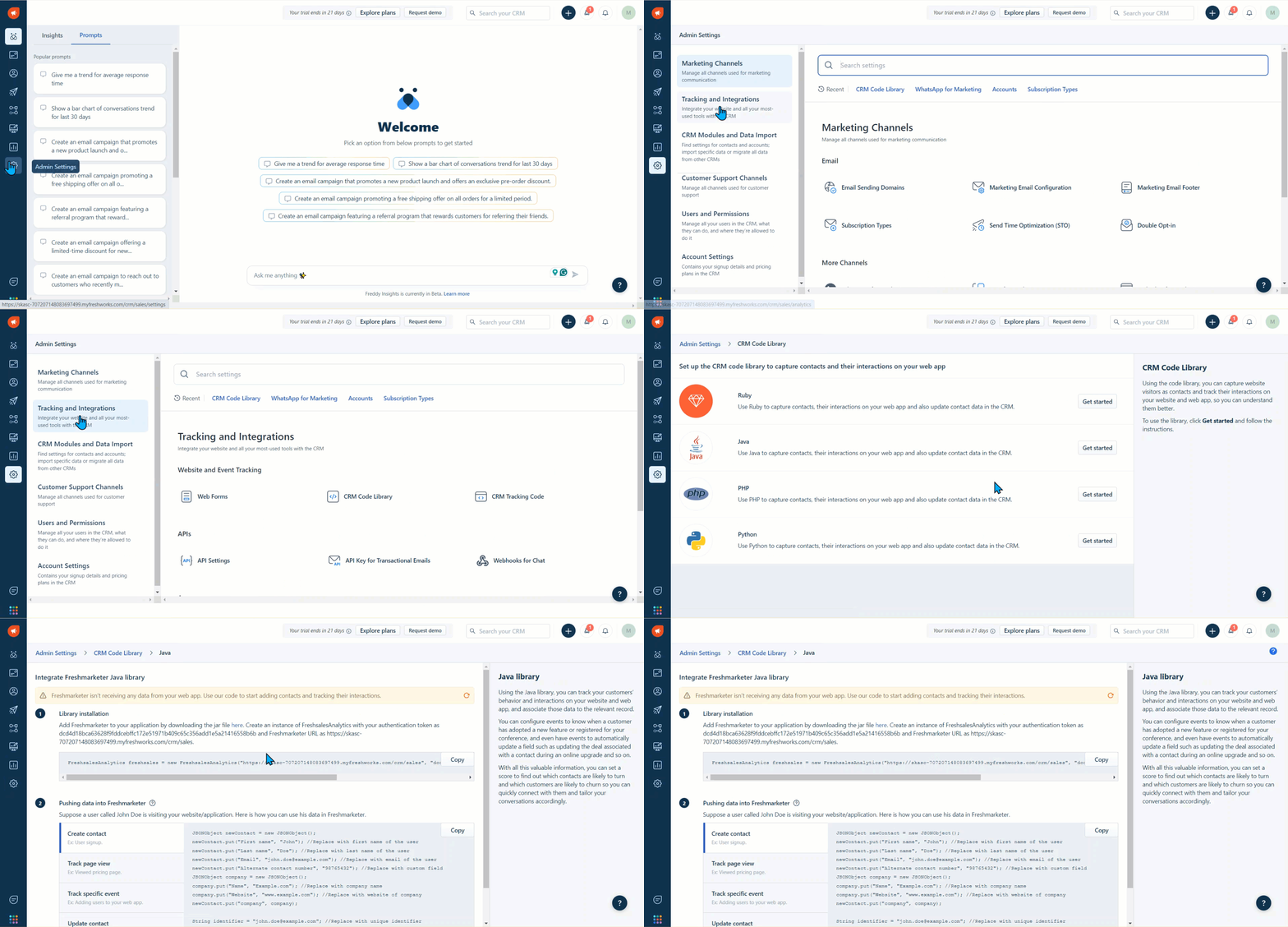
- Open your Freshmarketer Dashboard and click Admin settings.
- Select the Tracking and Integrations section and scroll down to CRM Code Library under Website and Event Tracking.
- Click the Get started button next to the Java section.
- Copy the Script Tag Src provided as a URL.
How to integrate Freshmarketer with Document360
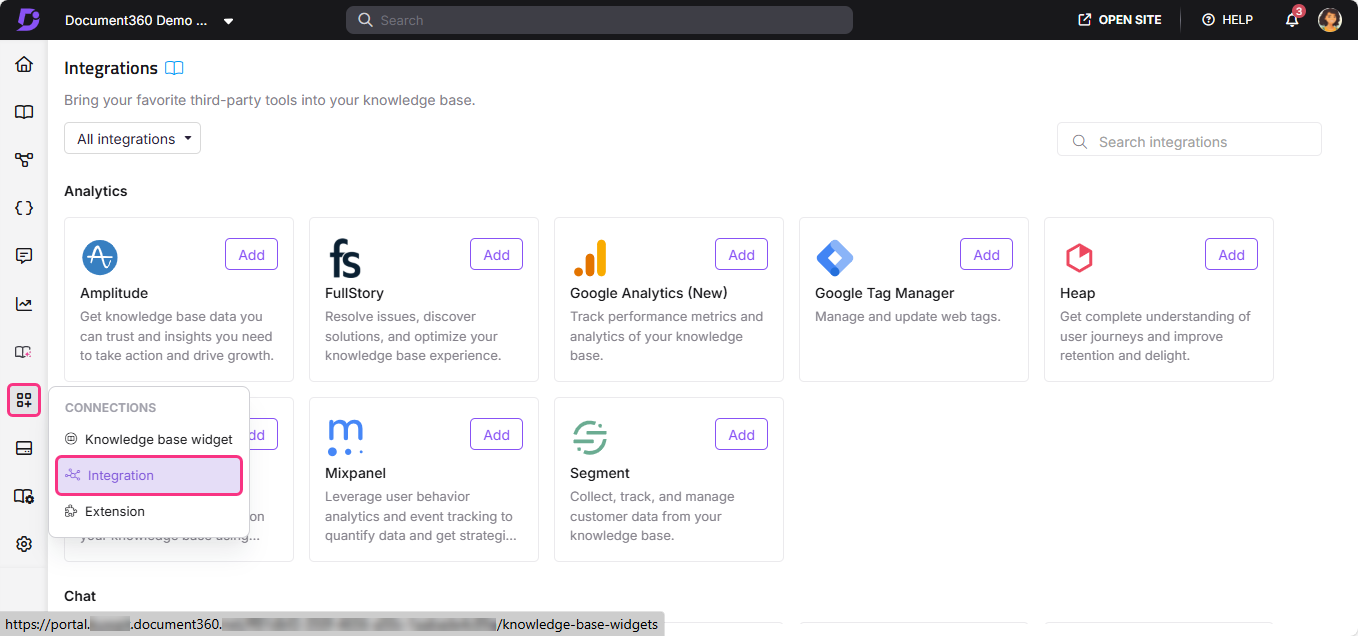
- In the Document360 portal, navigate to Connections () > Integrations () in the left navigation bar.
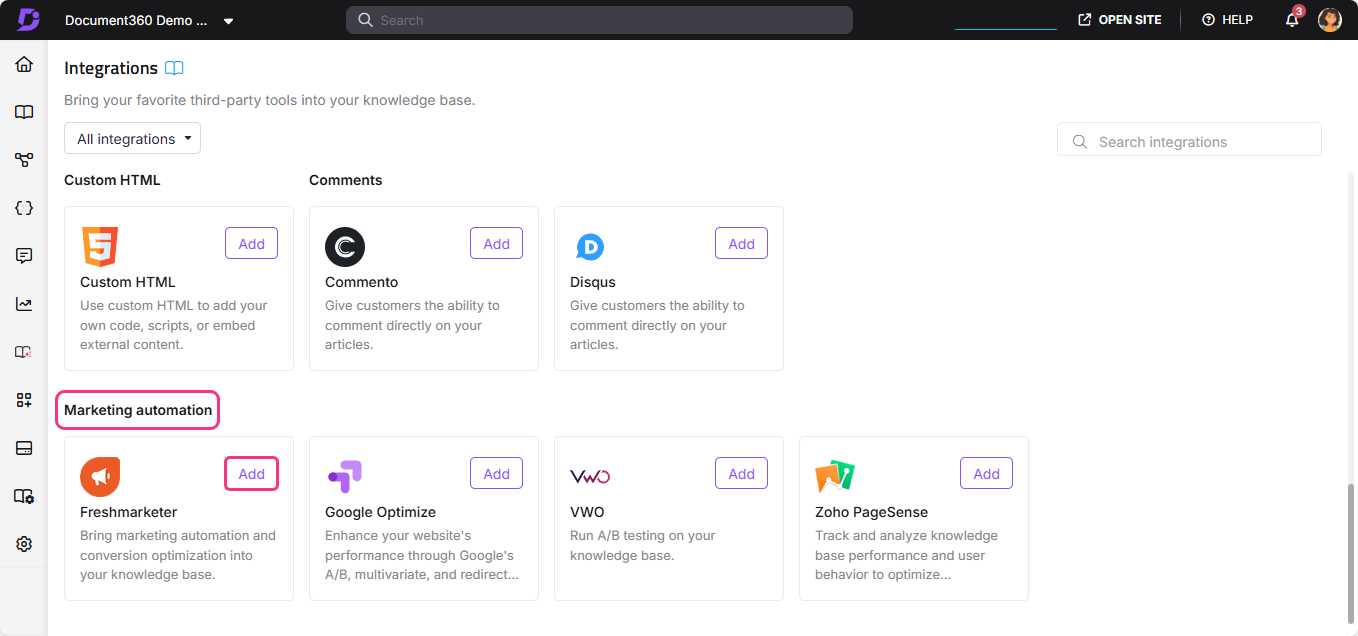
- Select Freshmarketer from the list of integrations and click Add. The Add new integration panel appears.
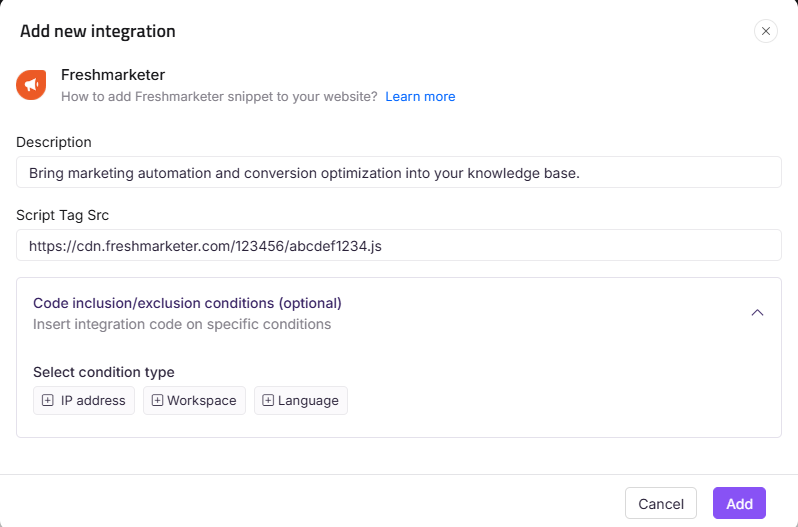
- Add a Description and enter your Freshmarketer Tag Src.
The Freshmarketer Script Tag Src is a combination of the Freshmarketer URL and a Freshsales Analytics authentication token. You can obtain it from the Freshmarketer application under Admin settings.
- Optionally, expand Code inclusion/exclusion conditions to control when the integration runs based on IP address, Workspace, or Language.
- Click Add.
After setup, open your Freshmarketer dashboard to view and manage your contact list, deliver marketing campaigns, and set up automated emails.
Integrating Freshmarketer with Document360 lets you upgrade your marketing capabilities with list management, marketing campaigns, and automated email marketing.
Best practices
- Use heatmaps to identify which article sections readers engage with most. After integration, run heatmaps on your most-visited articles to see which parts readers click and scroll through, and which they skip.
- Use funnel analysis to track reader journeys. Set up funnels in Freshmarketer to see where readers drop off as they move through your knowledge base, and use those insights to improve navigation or content structure.
- Use A/B testing to improve article layouts. Test different article structures, heading styles, or call-to-action placements to find what keeps readers engaged and drives them to the content they need.
- Use automated emails to re-engage readers who drop off. Set up Freshmarketer automated emails to follow up with readers who visited specific articles but did not complete a desired action.
- Use Code inclusion/exclusion conditions to exclude internal traffic. Add your office IP address as an exclusion to keep team visits from skewing your heatmap and funnel data.
FAQ
What is the Freshmarketer Script Tag Src?
The Freshmarketer Script Tag Src is a URL that combines the Freshmarketer URL and a Freshsales Analytics authentication token. You can find it in the Freshmarketer dashboard under Admin settings > Tracking and Integrations > CRM Code Library > Java > Get started.
What analytics features does Freshmarketer include?
Freshmarketer includes heatmaps, funnel analysis, and A/B testing. Heatmaps show visitor clicks and mouse movements in real time. Funnel analysis identifies where visitors drop off across multi-page journeys. A/B testing lets you test different page variations to find what performs best.
What can I do after completing the Freshmarketer integration?
After setup, open your Freshmarketer dashboard to view and manage your contact list, deliver marketing campaigns, and set up automated email marketing. You can also run heatmaps, funnel analysis, and A/B tests on your knowledge base site.
Can I limit which workspaces or languages Freshmarketer tracks?
Yes. When adding or editing the Freshmarketer integration, expand Code inclusion/exclusion conditions and add conditions based on IP address, Workspace, or Language. See Code inclusion and exclusion conditions for full details.
Why should I integrate Freshmarketer instead of a standard analytics tool?
Freshmarketer combines conversion optimization with marketing automation. Beyond tracking and analytics, it lets you run A/B tests, build contact lists, deliver campaigns, and set up automated emails, making it a more complete marketing tool than a standard analytics platform.
