A free audio tag editor
EasyTAG is a free audio file metadata editor software that allows you to easily view and edit tags in audio files. Initially developed by Jérôme Couderc and now maintained by the EasyTAG community, this graphical tag editor provides easy-to-use features in a user-friendly interface. It is an open-source program that you can build yourself—however, you can’t donate to its project. You can still send feedback regarding bugs, though.

Unlock your creativity with Adobe Stock
Get 10 images or 1 video with a free trial
A wide range of support
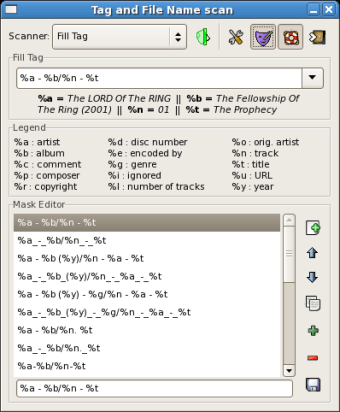
EasyTAG is a simple multimedia program that was written in the C programming language and depends on other tools and libraries for its features, such as GTK+ for graphics and id3lib for ID3 tag handling. It can edit metadata such as the title, artist, album, year, and more. It can also do automated tagging with the help of presets and custom masks. It’s designed for easy audio file editing, especially when you have several files to organize.
This software supports formats such as MP3, MP2, MP4/AAC, FLAC, Ogg Opus, Ogg Speex, Ogg Vorbis, MusePack (MPC), Monkey's Audio (APE), and WavPack. It’s also a cross-platform program that can work on other PC operating systems. Thus, it can be operated by any type of user, whether they’re familiar with tag editors or not. However, take note that you will need GTK+ preinstalled for it to work. The program will notify you if you don’t have it and will prompt for an installation.
Highly user-friendly
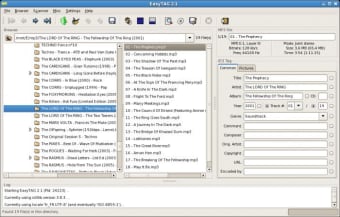
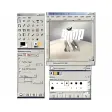
EasyTAG’s main interface displays three panels. The left one contains the tree-based browser that lets you manually select the source location or folder of a file. The middle one is for the files themselves, which displays their current filename. Lastly, the right panel has all of the metadata information of the currently-selected file. You can directly edit them on this panel and even view and change their images.
This program also offers an advanced feature such as a recursion function for tagging, removing tags, renaming, saving, and the like. It can set selected fields to all other files, undo and redo last changes, auto-complete dates if you typed in a partial one, and even generate a playlist for you. For file searching, this tool offers CDDB (Compact Disc Database) support, as well—using Freedb.org and Gnudb.org servers for manual and automatic searches.
In terms of interface design, this tag editor can look a bit bland and boring, despite its streamlined navigation. However, the features themselves are easy to use. Most are either empty fields you can write on, drop-down lists, or toggleable buttons for settings. This is highly user-friendly even without looking up tutorials or its official website’s documentation—and the fact that it’s an open-source project makes it a desirable choice for developers, as well.
Slow to load but still useful
All in all, EasyTAG is a great audio file metadata editor that’s recommended for everyone. It’s straightforward with its interface design despite its appearance. Using it for the first time isn’t a hassle. The biggest issue you would just face is that compared to other tag editor tools, it doesn’t perform as quickly as them. Nevertheless, this one’s free and available to developers to build their own versions.