Google’s newest and most powerful AI
Gemini is a sophisticated AI model from Google that’s capable of performing a wide range of tasks—from generating creative content to developing codes. It’s built upon the original Bard AI model, which is a simpler and more beginner-friendly entry to the AI chat sphere.
Top Recommended Alternative

Gemini presents three different sizes: namely Gemini Ultra, their largest model which is built for more high-power, complex tasks; Gemini Pro, which is a slightly smaller scale option that is still perfectly capable of a wide variety of duties; and Gemini Nano, which is the model built for smaller, on-device tasks.
A wide range of capabilities
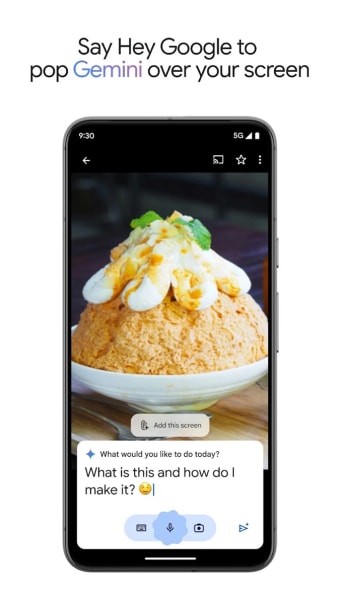
The program is not just about textual assistance; Gemini can generate images on the fly, serving as a testament to the versatility of the AI models it brings to your pocket. The integration of multiple input methods like text, voice, photos, and camera usage expands the horizon of how you can seek help, reducing the cognitive load on users by offering more intuitive ways to interact with their devices.
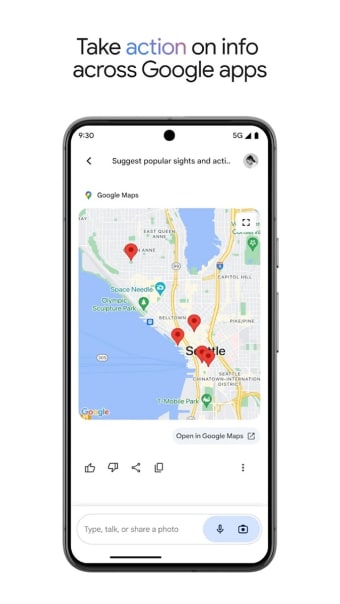
Every version of Gemini—Ultra, Pro, and Nano—has been painstakingly pre-trained and fine-tuned with a wealth of data encompassing audio, images, videos, extensive code repositories, and multilingual text, ensuring a breadth of knowledge. The app's potential shines through its integration with other Google-powered applications. However, access to the full array of features will take some time, as it has yet to support all the actions you’ve come to enjoy with Google Assistant.
The AI assistant that keeps on improving.
As previously mentioned, the more advanced plans—such as Gemini Ultra—present users with an extensive range of possibilities that were much more difficult for the original Bard app to perform. Much like the original app, this AI program is also capable of running even as users browse the web. Even more notable is the program’s user-friendly interface, allowing even new users to easily navigate its various features and input their desired prompts.
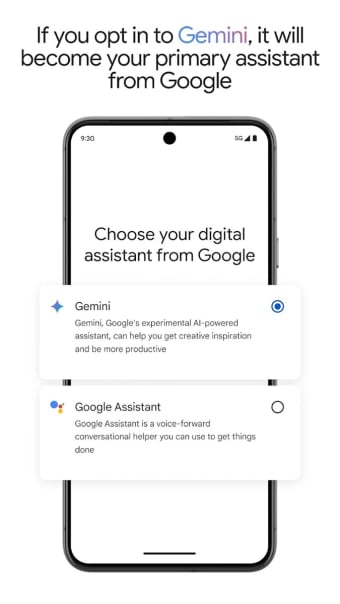
This assistant has seen several notable updates since its initial launch. Google introduced the Gemini 1.5 model, which significantly expanded the system’s context window and allowed the AI to process much larger documents and datasets within a single conversation. This improvement made it easier for users to analyze long reports, code files, or research papers. Google also integrated Gemini more deeply into Android devices, replacing the traditional Google Assistant on some supported systems.
Knowledgeable and powerful
Gemini represents Google’s ambitious step toward a more capable and versatile AI assistant. Its ability to handle multiple input types, generate creative content, and integrate with Google’s ecosystem makes it a flexible tool for productivity and everyday tasks. While some features are still evolving compared to Google Assistant, continuous updates and expanding capabilities position Gemini as one of the most promising AI platforms available today.
What's New
- Gemini rolls out the Gemini Omni model and its first iteration—Gemini Omni Flash—to the app, Google Flow, and YouTube Shorts for Google AI Plus, Pro, and Ultra subscribers. With it, you can combine images, audio, video, and text as input, and generate and edit high-quality videos. Plus, the “Daily Brief” agent is a new addition to Gemini that builds a concise, personalized morning digest from your inbox, calendar, and tasks, and suggests next steps.
- Gemini is rolling out a redesigned “Neural Expressive” interface globally on web, Android, and iOS—featuring fluid animations, vibrant colors, new typography, and haptic feedback. Another new feature is the “Daily Brief”, an agent that gives you a personalized morning brief. Plus, the new Universal Cart feature for shopping works across merchants and services, so you can add things to your cart while you’re browsing Search, chatting with Gemini, watching YouTube, or even reading Gmail.