सामग्रीमा जानुहोस्
WordPress.org

नेपाली

  • थिमहरू
  • प्लगिनहरू
  • समाचार
  • बारेमा
  • नेपालीमा वर्डप्रेस
  • टिम
  • WP-CLI
  • वर्डप्रेस प्राप्त गर्नुहोस्
वर्डप्रेस प्राप्त गर्नुहोस्
WordPress.org

Plugin Directory

hideShowPassword

  • प्लगिन पेस गर्नुहोस्
  • मेरा मनपर्दोहरू
  • लगइन गर्नुहोस्
  • प्लगिन पेस गर्नुहोस्
  • मेरा मनपर्दोहरू
  • लगइन गर्नुहोस्
Image

यो प्लगिन वर्डप्रेसका ३ प्रमुख नवीनतम रिलीजहरूसँग परीक्षण गरिएको छैन। यो अब सम्भवतः व्यवस्थित वा समर्थन नभएको हुन सक्छ र वर्डप्रेसका नयाँ संस्करणहरूमा प्रयोग गर्दा अनुकूलता सम्बन्धी समस्या हुन सक्छ।

Image

hideShowPassword

Barry Ceelen द्वारा
डाउनलोड गर्नुहोस्
  • विवरण
  • समीक्षाहरू
  • स्थापना
  • विकास
सहायता

विवरण

Lets you easily show or hide the contents of the password field on the WordPress login screen. Uses the excellent hideShowPassword jQuery plugin by the equally excellent Cloud Four.

Suggested reading: “a compendium of why and how to show passwords and what’s coming next” by Luke Wroblewski.

विकल्पहरु

A settings section is added to the ‘General Settings’ page. You can select between toggling password visibility via an icon in the password field (default) or via a checkbox below the password field.

अनुवादहरु

The default setting of toggling the password via an icon in the password field does not require translation as no text will be visible to the user. If you select the option of toggling the password via a checkbox, the following translations are included:

  • Dutch
  • जर्मन

Github

Fork me on Github.

स्क्रिनसटहरू

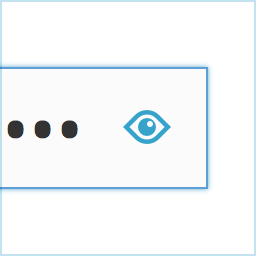
Adds an icon to the password field on the login screen.
Show your password by clicking the icon.
Alternatively, toggle the password via a checkbox labeled "Show Password".
Alternatively, toggle the password via a checkbox labeled “Show Password”.

स्थापना

  1. Install hideShowPassword either via the Plugins Add New Screen, or by uploading the files to your server
  2. Activate the plugin through the ‘Plugins’ menu in WordPress

प्रश्नोत्तर

Installation Instructions
  1. Install hideShowPassword either via the Plugins Add New Screen, or by uploading the files to your server
  2. Activate the plugin through the ‘Plugins’ menu in WordPress

समीक्षाहरू

Image

Woocommerce Admin Only?

flyingkites फेब्रुअरी 3, 2022
Seems to only work on the admin login. Does not work on the site login for Woocommerce.
Image

Password protected pages

josanto48 जनवरी 9, 2020
Is there any way to use it on password protected pages?
Image

Indispensable

lhberg अगस्ट 5, 2019
is it possible to motivate you to update the plugin for WP 5.x compatibility by sending you some bucks for the coffee you’ll need? If yes, please provide a donation link on the plugin page! Thanks, Lukas
Image

It Works!

the masked cat अप्रिल 11, 2018
I am using WP 4.9.5 and this old buddy still works.
सबै 6 समीक्षाहरू पढ्नुहोस्

योगदानकर्ता र डेभलपरहरू

“hideShowPassword” खुला स्रोत सफ्टवेयर हो। निम्न व्यक्तिहरूले यो प्लगिनमा योगदान गरेका छन्।

योगदानकर्ताहरू
  • Image Barry Ceelen

“hideShowPassword” 1 लोकेलमा अनुवाद गरिएको छ। योगदानको लागि अनुवादकहरूलाई धन्यवाद।

“hideShowPassword” लाई आफ्नो भाषामा अनुवाद गर्नुहोस्

विकासमा रुचि छ?

आरएसएस द्वारा कोड ब्राउज गर्नुहोस्, एसभीएन रिपजिटरी हेर्नुहोस्, वा विकास लग को सदस्यता लिनुहोस्।

चेन्जलग

2.0.1

  • For WordPress version 4.3 and up, Dashicons is used for the toggle icon.

2.0.0

  • Adds the option of toggling password visibility via a checkbox below the password field
  • Update hideShowPassword.js to version 2.0.4

1.0.4

  • Update hideShowPassword.js to version 2.0.3, fixes #11, #13

1.0.3

  • Update hideShowPassword.js to version 2.0.1, fixes #10

1.0.2

  • Update hideShowPassword.js to version 1.0.3, set touchSupport to true

1.0.1

  • Hide default Internet Explorer 10 control for toggling password visibility

1.0.0

  • Initial version

मेटा

  • संस्करण 2.0.1
  • पछिल्लो अपडेट 8 वर्ष अघि
  • सक्रिय स्थापना 400+
  • वर्डप्रेस संस्करण 3.5.1 वा उच्च
  • जाँच गरिएको 4.9.29
  • भाषाहरू

    English (US) र Swedish.

    आफ्नो भाषामा अनुवाद गर्नुहोस्

  • ट्यागहरू
    loginpasswordshow passwordtoggle
  • उन्नत दृश्य

रेटिङ्गहरू

५ मा 4.5 तारा।
  • 4 5-तारा समीक्षाहरू 5 तारा 4
  • 1 4-तारा समीक्षा 4 तारा 1
  • 1 3-तारा समीक्षा 3 तारा 1
  • 0 2-तारा समीक्षाहरू 2 तारा 0
  • 0 1-तारा समीक्षाहरू 1 तारा 0

Your review

See all reviews

योगदानकर्ताहरू

  • Image Barry Ceelen

सहायता

केही भन्नु छ? सहयोग चाहियो?

सहायता फोरम हेर्नुहोस्

  • बारेमा
  • समाचार
  • होस्टिङ
  • गोपनीयता
  • सोकेस
  • थिमहरू
  • प्लगिनहरू
  • प्याटर्नहरू
  • लर्न
  • सहायता
  • डेभलपरहरू
  • WordPress.tv ↗
  • संलग्न हुनुहोस्
  • कार्यक्रमहरू
  • दान ↗
  • भविष्यको लागि पाँच
  • WordPress.com ↗
  • म्याट ↗
  • बिबिप्रेस ↗
  • बडीप्रेस ↗
WordPress.org
WordPress.org

नेपाली

  • हाम्रो X (पहिले ट्विटर) खातामा जानुहोस्
  • हाम्रो Bluesky खाता भ्रमण गर्नुहोस्
  • हाम्रो म्यास्टोडन खाता भ्रमण गर्नुहोस्
  • हाम्रो थ्रेड्स खातामा जानुहोस्
  • हाम्रो फेसबुक पेजमा जानुहोस्
  • हाम्रो इन्स्टाग्राम खातामा जानुहोस्
  • हाम्रो लिङ्क्डइन खातामा जानुहोस्
  • हाम्रो TikTok खाता भ्रमण गर्नुहोस्
  • हाम्रो युट्युब च्यानलमा जानुहोस्
  • हाम्रो टम्बलर खाता भ्रमण गर्नुहोस्
कोड कविता हो।
The WordPress® trademark is the intellectual property of the WordPress Foundation.
Image
Image
Advertisement
Advertisement