Nintendo 64 games emulator
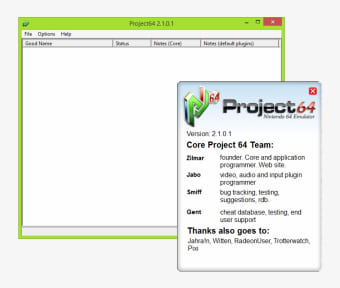
Although it didn’t have anything like the fancy wireless wands or web browsing capabilities of the Wii, there was always something quite enchanting about Nintendo’s N64. Ultimately it was never going to beat the PlayStation in terms of its market share, but the 64 still brings back fond memories of endless nights blasting the hell out of each other on Goldeneye, or missing dozens of lectures to concentrate on Super Mario 64. The chances are that as soon as the GameCube came along, your N64 went out with the rubbish – a decision you’ve probably lived to regret if you’re anything like us. Thankfully, Project64 helps you to transport yourself back to those halcyon days by allowing you to emulate all your old favourite N64 games on your PC.
Top Recommended Alternative
The application is designed to play ROM files, which are essentially 'images' of the data inside an N64 cartridge. Graphically, the games are pretty good, although not quite as sharp as we remember, with a few too many jagged lines and blocky sprites for our liking. This is understandable, given that the games were originally intended to be played on a TV, which has a completely different way of perfecting pixels. Nevertheless, the overall visual experience is quite authentic, and is complemented by crisp audio reproduction.
In terms of its performance, Project64 is able to handle most ROMs without any problems and we didn’t experience any compatibility issues. Be warned though, that you’ll need a decent amount of RAM and a fairly good graphics card if you want to avoid any jerkiness when playing some of the more sophisticated games, such as Super Smash Bros. There are lots of options within the emulator for tweaking the visuals, including changing the screen resolution, running in full-screen mode or applying anti-aliasing. However, the audio functions are limited to a bog-standard volume control.
Thankfully, the fun of playing N64 games with your pals isn’t lost in this emulator and Project64 supports up to four players. As you can imagine, it’s pretty tricky fitting four people around one keyboard, so you’re best off using USB controllers if there’s more than two of you. Another nice touch is the inclusion of a cheat mode, which provides you with the opportunity to power-up your games or access special options, much as the old Action Replay cartridges used to. Each game has its own set of cheats, which is great for prolonging the life of a game or getting through particularly tough levels.
Project64 is the closest thing you’ll get to the N64 without actually buying the console itself and it performs better than other Nintendo emulators, as well as generic solutions such as MAME. It may not be a pixel-perfect recreation of the device, but it’s certainly entertaining enough to keep you off work for a few days.
Fixed antialiasing validation for fullscreen Added an additional texture dumping option Major cleanup - things may be broken 1080 - frame buffer fixed Mario Kart J - frame buffer emulation Pokemon Snap - album works now FIFA98 - field fixed Jet Force Gemini - texture bugfixes Software rendering optimization FZERO-X - fixed overflow issue Remove button added Texture pack picke