Open-source remote desktop program
RustDesk is a free Remote PC software created by RustDesk. This open-source program helps users access and control their computers from any location. It serves as both a client and a server hence, there is no need to use any other third-party apps in order to use it.
Top Recommended Alternative

RustDesk is an alternative to popular remote desktop applications like TeamViewer or AnyDesk. It offers much of the same essential functionalities, with the added bonus of being free to use and having cross-platform compatibility. It is available as an installable file or as a portable program.
What can RustDesk do?
RustDesk is a remote desktop program that can run across all major platforms and OS. What's good about it is that it can serve as both client and server for you. This makes the process of using it a lot simpler since you’ll be using it on your main PC and your remote machine. It is also easy to use and does not require much configuration to get you started.
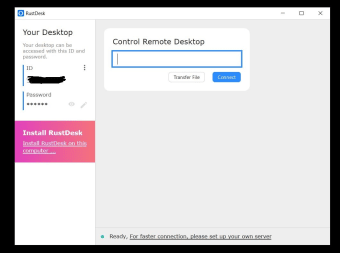
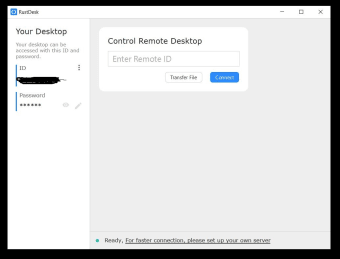
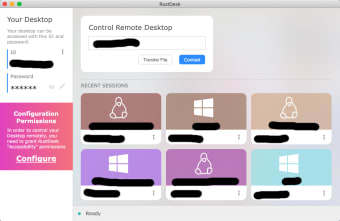
The software features a clean and intuitive UI. To begin, you’ll need to take note of your device's credentials that will be used for remote access, which are the ID and password. Next, open the program on the other machine that you’ll access your PC from, and type in your ID and password credentials. A history of all connected devices will be displayed on the main screen to the right.
In addition, you can use it as a simple file transfer solution between both devices — one thing to be aware of before you give it a try, while it is free to use, it only features a single dev-hosted server for access and some extra features can be unlocked through purchases, making these aspects of the software more closed-source than open.
The program also supports unattended access, allowing you to connect to devices anytime without manual approval once permissions are set. It offers clipboard sharing, multi-monitor support, and reliable keyboard and mouse control for smooth remote operation. For users concerned about privacy, it allows self-hosting, giving you full control over data and connections. This flexibility makes it suitable for personal use, IT support, and small business environments.
Simple and easy-to-use remote PC tool
All in all, if you're just after a simple and easy-to-use remote desktop tool for personal use, RustDesk is worth considering. It does not require installation, it's intuitive to use, and setting it up takes no time at all. Some features need to be purchased, though, but if you're okay with that, give this one a shot.