User-friendly screen recorder and editor
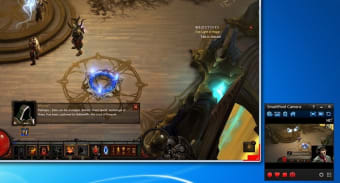
SmartPixel is a screen recording and video editing tool for Windows users. The program is rich in features and lets users create professional-looking videos in high-definition. Since SmartPixel comes with D3D technology, you can use it to record almost all PC video games. In case you’re looking for advanced features and video effects, you can upgrade to the paid version of the software. Regardless of your choice, the basic, free version is quite comprehensive and has multiple uses.

Unlock your creativity with Adobe Stock
Get 10 images or 1 video with a free trial
What is SmartPixel?
Smart Pixel software is a beginner-friendly screen recorder that helps users record high-definition gameplay, tutorials, and webcam videos with ease. The program features some essential video editing tools so users can turn their recordings into professional-looking videos. Since the application is based on D3D video technology, it is quite lightweight and hardly takes up any system resources.
Offers multiple uses
The all-in-one recording and editing tool is suitable for influencers, gamers, and online teachers, among others. You can use the SmartPixel screen recorder to capture parts of your computer screen or use the webcam to record an interactive tutorial. Whatever you do, you can add the final touches to the video using the editing tools, and later share it on social media sites like Instagram and Facebook.
Easy installation process
Downloading and installing SmartPixel on your computer is quite simple. For starters, the program is less than 28MB. Once downloaded, you have to follow the instructions on the screen to complete the installation. Upon launching the program, a small window will pop-up and ask you to choose from any of the three available options: Record, Produce, WebCam.
Beginner-friendly interface
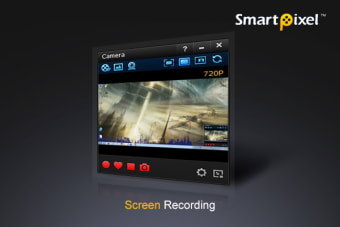
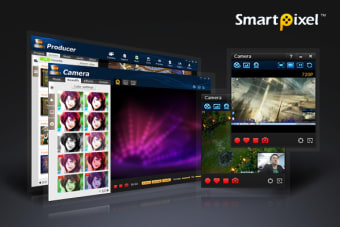
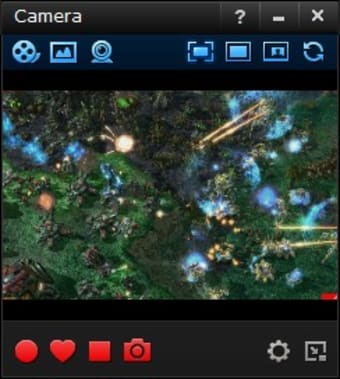
SmartPixel comes with a dark and sleek interface that’s highly organized. This means that the program is quite easy to maneuver, understand, and use. If you select the Record category, the program will turn on the screen recorder so you can capture your screen while you’re gaming, creating software tutorials, or making other videos that require your screen to be visible.
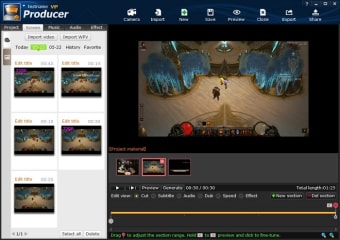
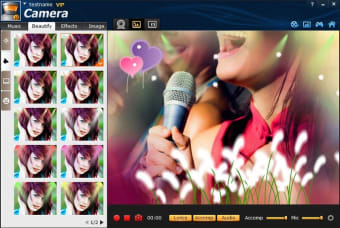
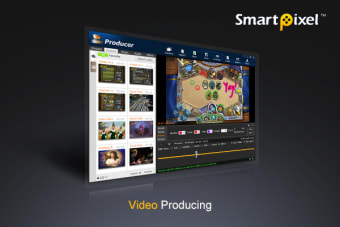
However, if you wish to record a lecture or give voice-over to a tutorial, you’ll have to select the WebCam category. Doing this will add microphone audio over your screen recording. Once your recording is complete, you can head to the Producer category to make edits to your videos. You can also use this section to create a slideshow or add transition effects and subtitles to your recordings.
Record parts of your screen
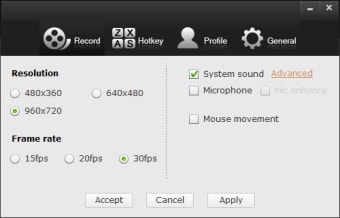
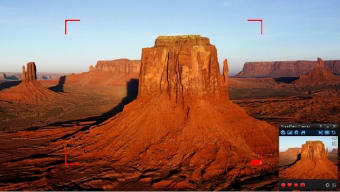
SmartPixel video recorder comes with three screen capturing modes. These are full-screen, part-screen, and picture-in-picture (PIP). When recording anything on your computer, you can either enable full-screen recording or capture only a small area with part-screen mode. However, in case of performance issues, the program may prompt you to go from full-screen to partial mode.
The PIP or picture-in-picture option lets you enable your WebCam as well as audio channels to act as overlays. While recording a screen, you can add a personal touch by sharing your inputs or giving a demo. The program, more importantly, activates an indicator to let you know you’re recording and shares additional information on various features.
Edit your videos
Apart from screen capturing, SmartPixel offers multiple editing functionalities for users to clip, edit, merge, and split videos in a matter of minutes. You can use the program to add subtitles, voice-overs, background music, text, and audio effects. You can even create a dubbing of your voice and add it to your screen recordings without much hassle.
While the program isn’t as feature-packed as other professional screen recorders and editors, it does offer some effects that are enough to create and upload online videos. You can use it to easily adjust the frame rate, brightness, contrast, and resolution. You can count on the fact that your videos will look professional enough after using the program, so you can push out regular content on social media sites like YouTube.
Supports multiple file formats
Once you’ve edited your video, you can export it in different file formats. The program supports almost all popular video formats, including FLV, MP4, AVI, and WMV, among others. Additionally, you can even import files in different formats to the platform and edit them using the available tools. SmartPixel also lets users create slideshows; you can upload screenshots or images to create personal or professional presentations.
Is SmartPixel free?
The basic version of SmartPixel, which includes the recording and editing features mentioned above, is available for free. However, if you want to access additional tools, you’ll have to purchase the VIP version that comes at a yearly subscription.
Are there any alternatives?
Yes, there are a few similar alternatives that can help you capture your screen and create professional-looking videos. These are Bandicam, Free Screen Recorder, Snagit, and iSpring Cam.
Should I download SmartPixel?
If you’re looking for an easy-to-use screen recorder and editor, you should download SmartPixel. The program has all the necessary features needed to record video tutorials, games, and other screen capture requirements. It comes with a clean interface that organized and lets the user make a choice between recording screens, webcam recording, or production.
On selecting production, you’ll be able to edit and save videos in a range of file formats. Editing isn’t limited to cropping and merging but includes essential features like effects, text additions, background score, and subtitles. You can even add your voice to the video tutorials you create. The basic version of Smart Pixel is available for free, making it one of the best screen recording and editing tools for most users.
.png)