Product Description
Dynamic & Smart Saturation / Overdrive Plugin
Boost X is a dynamic and smart Saturation/Overdrive plugin. Used to make any sound warmer by adding extra harmonics.
Many other Saturation/Overdrive plugins use a static (stateless) algorithm that doesn’t change depending on the audio passed through. These effects rely on a gain boost, when the audio hits a certain threshold then Saturation is applied. They are either on or off and the amount of saturation is heavily dependent on the loudness of the audio passed into them.
Boost X is different, it reacts to the input audio and applies the perfect amount of saturation at the current loudness. This means even quiet sounds can be overdriven without any gain in loudness. Boost-X also compensates for perceived loudness, bringing the loudness down even further so you get nice rich harmonics added to your sound, without destroying the balance of your mix.
Boost X gives your sounds a rich depth and warmth that sits well in your mix, bringing your vocals and instruments to life with a true analog feel and warmth. Get it with Boost X – Dynamic Saturation.
Features
- Dynamic Saturation - Stateful saturation which dynamically responds to the input signal
- 16x Oversampling - For maximum aliasing repression and highest quality sound
- 7 Saturation Types
- Large Amount Knob for Fine Control
- High Definition Resizable GUI.
System Requirements
macOS
- macOS 10.14 Mojave or later (64-bit only)
- Intel or M1 Apple Silicon Processor
- 4 GB RAM
- 40 MB file size
- VST2, VST3, AAX, AU
Windows
- Windows 7 or higher (64-bit only)
- 4 GB RAM
- 40 MB file size
- VST2, VST3, AAX

View Installation Instructions
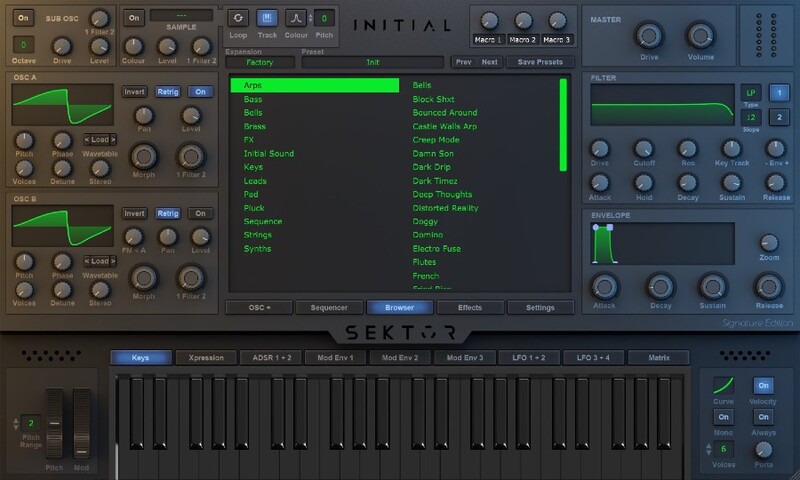
Please note: Sektor is used as an example.
Registration
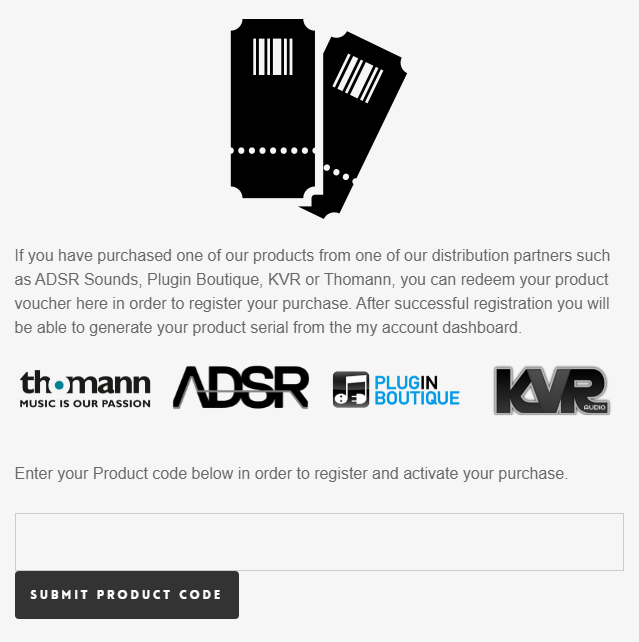
1. Click Download in your Sounds Space account or go to https://initialaudio.com/register/.
2. Enter the product code found in your Plugin Boutique account and click 'SUBMIT PRODUCT CODE'.
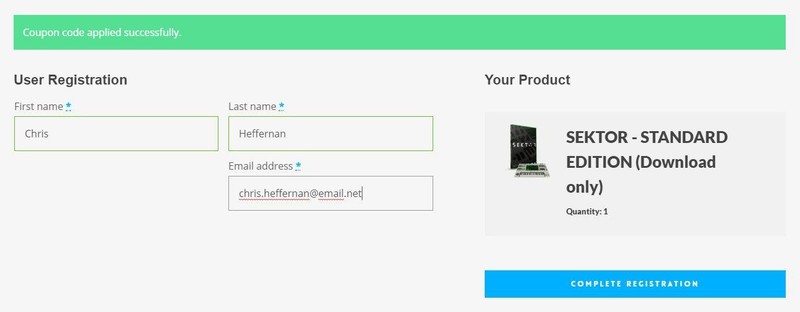
3. Please login, or create an account by entering your details > 'COMPLETE REGISTRATION'. Your product code is now registered in your Initial Audio Account.
Mac Installation
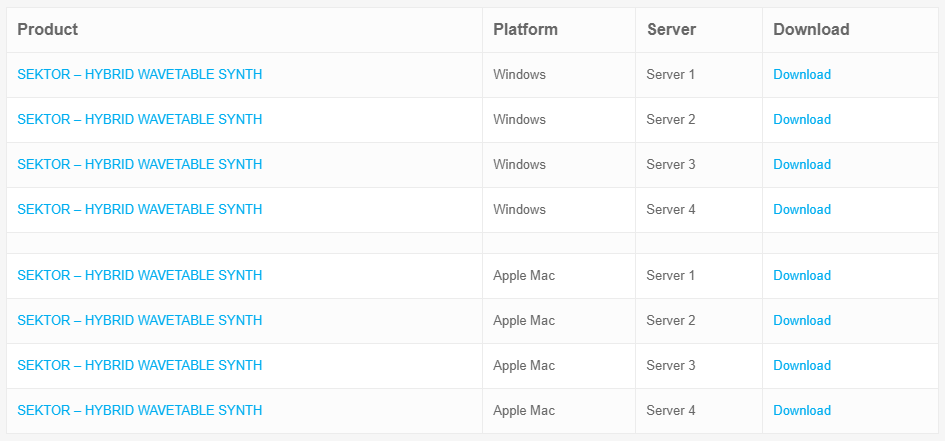
1. Go to 'My Account > Click 'My Downloads' > Click one of the Mac Download links. (If you have issues with one, try another server).
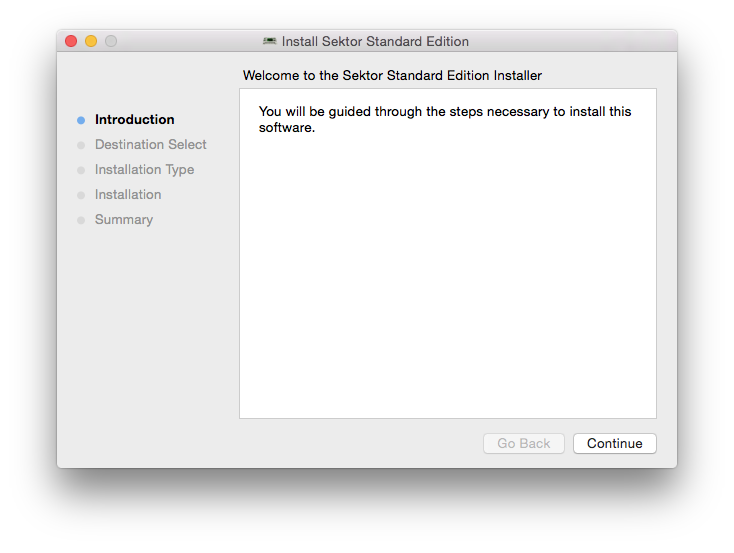
2. Open the .pkg file once it has downloaded > Click 'Continue'.
3. Select an install location > Click 'Continue'.
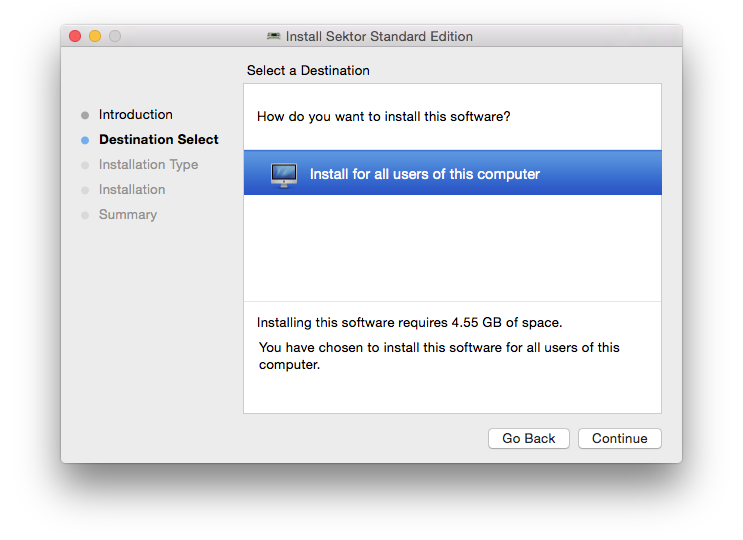
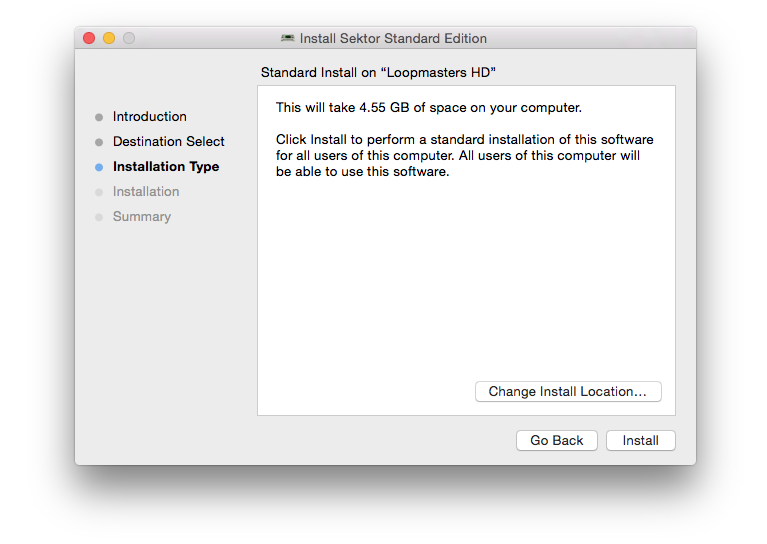
4. Click 'Install'.
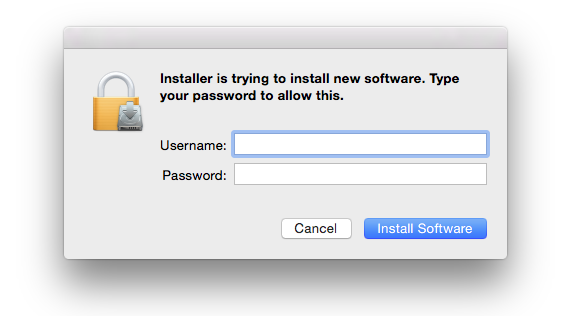
5. Enter your computer username and password > Click 'Install Software'.
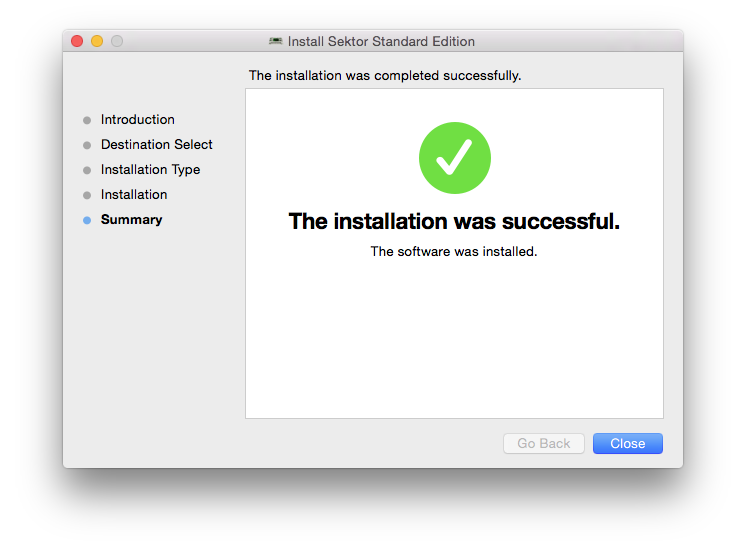
6. The Installation is complete > Click 'Close'.
Activation
1. Open the plugin in your DAW (you may need to restart your Mac and/or rescan your plugins) > Copy the Activation Code displayed > Click the activation hyperlink displayed on the plugin.
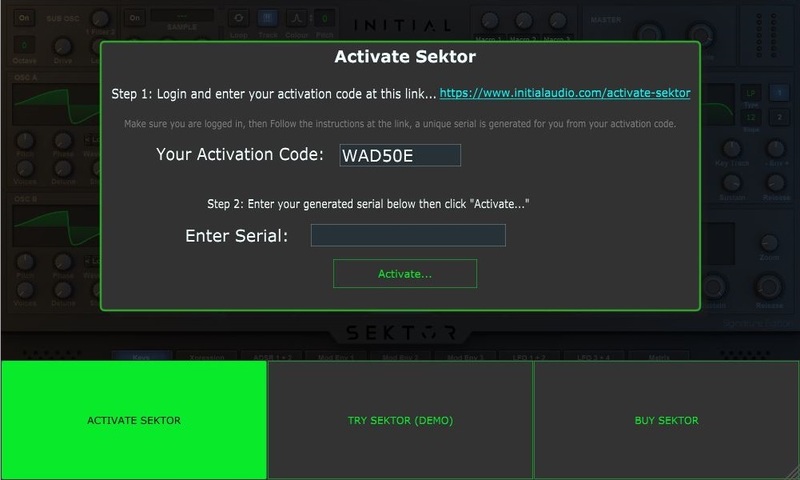
2. Enter the name of your device (this can be anything) > Paste your activation code > Click 'GENERATE SERIAL...'.
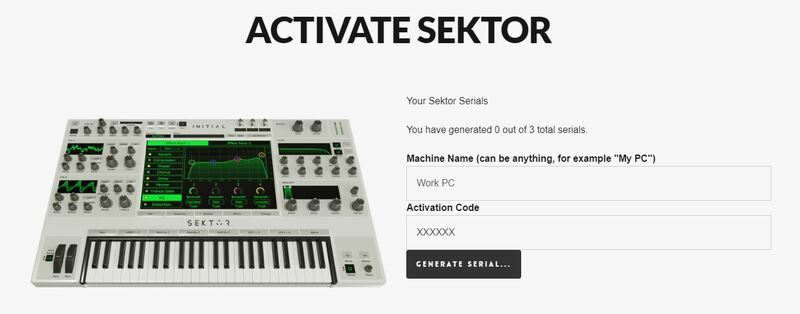
3. Copy the 16-digit serial that's displayed on this page.
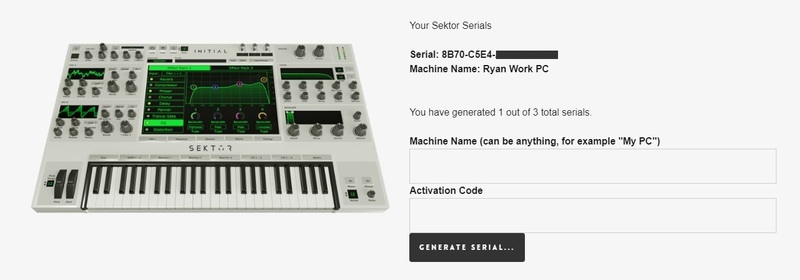
4. Go back to the plugin in your DAW > Enter your 16-digit serial > Click 'Activate...'.
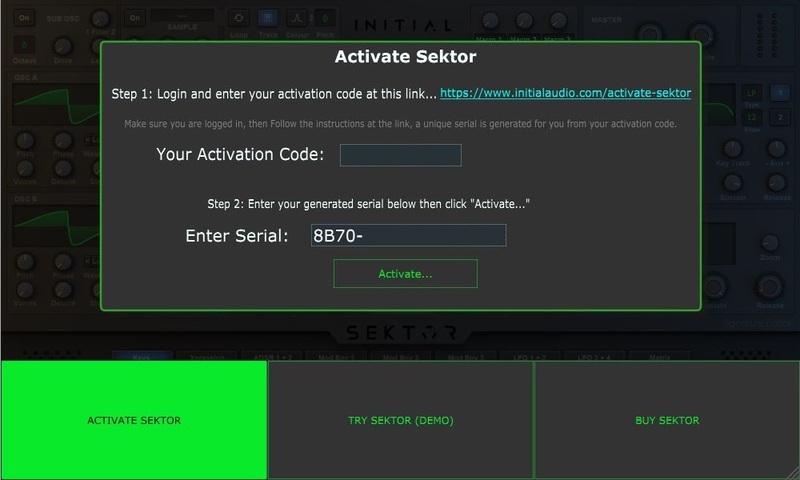
Your software is now activated and ready to use!
Windows Installation
1. Go to 'My Account > Click 'My Downloads' > Click one of the Windows Download links (if you have issues with one, try another server).
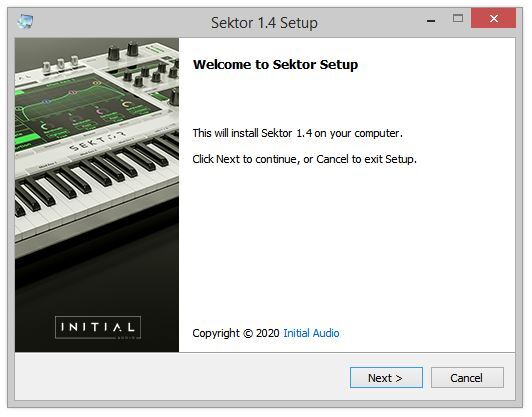
2. Double-click the .zip file to extract its contents > Double-click the .exe file to begin the installation > Click ‘Next’.
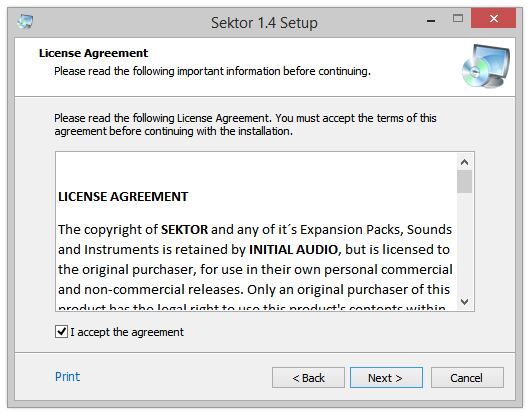
3. Read the License Agreement > Select ‘I accept the agreement’ > Click ‘Next’.
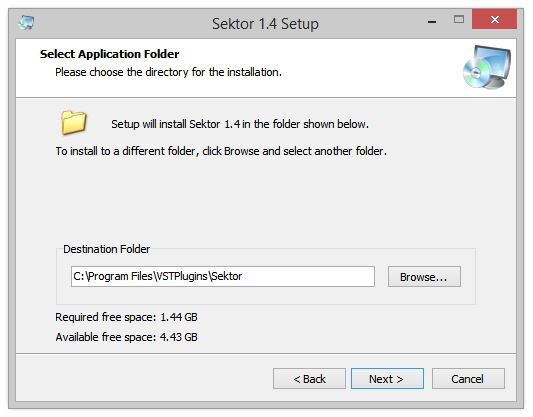
4. Choose the location for the installation (leave the default if you're unsure) > Click ‘Next’.
5. Select any additional tasks you wish to be performed > Click ‘Next’.
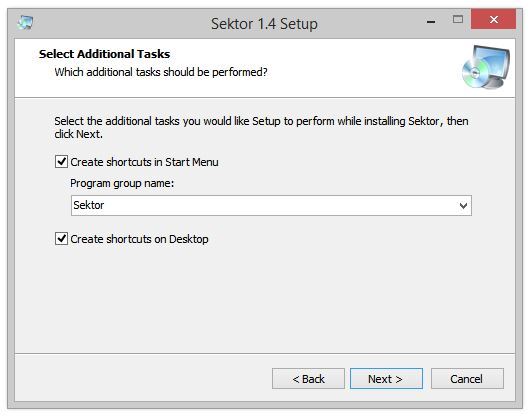
6. Click 'Install'.
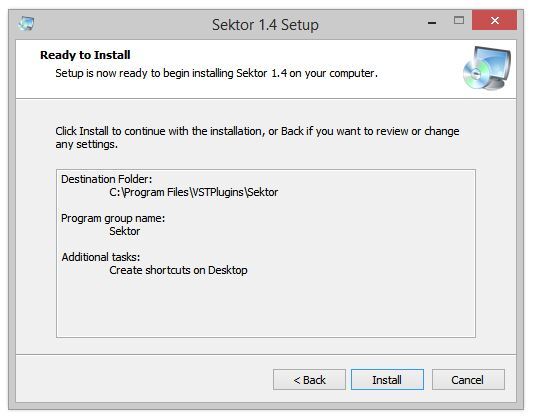
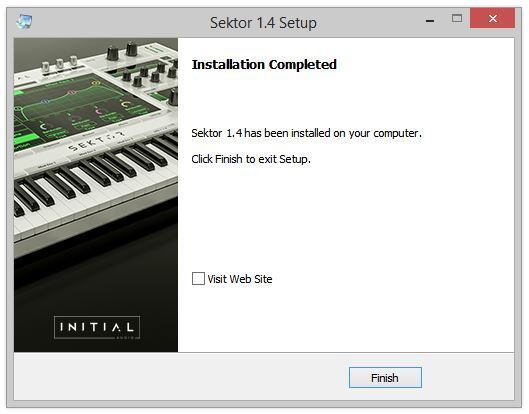
7. The installation is complete. Click ‘Finish’.
Activation
1. Load the plugin in your DAW (you may need to restart your PC and/or rescan your plugins) > Copy your Activation Code > Click the activation hyperlink displayed on the plugin.
2. Enter the name of your device (this can be anything) > Paste your activation code > Click 'GENERATE SERIAL...'.
3. Copy the 16-digit serial that's displayed on this page.
4. Go back to the plugin window in your DAW > Enter your 16-digit serial > Click 'Activate...'.
Your software is now activated and ready to use!
$79.00

Digital Product - Delivered via Email.
64 Bit