






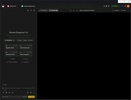

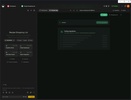

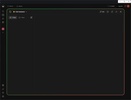
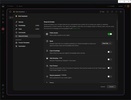



Taskade is a collaborative work app that combines to-do lists, shared documents, and video calls on the same interface. The software makes full use of engines like ChatGPT and Claude to allow AI to handle writing content, summarizing meetings, or setting up tasks without relying on other third-party programs.
Virtual agents and automated tasks
What truly sets this program apart from the competition is Genesis, its technology designed to create complex routines using everyday phrases. With Taskade, you can configure custom digital assistants that read files, devour PDFs, or analyze YouTube links to then take care of the boring tasks. You can ask the bot to extract the main conclusions from a very long video or write an email draft for you using the notes from the last meeting, and it will do it in seconds.
Video calls and chats on the same screen
Organizing an urgent meeting usually requires an external platform, but here the communication ecosystem is built right into the project space. Taskade features a live chat and a dedicated button to launch video calls with the team while you all check out the same document. Any change you make, such as crossing out a goal or adding a quick comment, is instantly synchronized to the cloud so that others can see it on their screen without needing to refresh the page.
Visual control using boards and maps
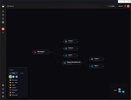
You can forget about getting stuck in the typical endless list format if it doesn't convince you since the central panel lets you rotate the project view with a single click to adapt the screen to what is needed at each moment: Switch from a hierarchical task outline to a Kanban board where you can drag status cards, or set up a giant mind map if you need to draw lines and visually connect concepts before starting work.
Connectivity and payment barriers
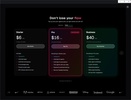
At an ecosystem level, the platform connects seamlessly with the typical external apps used in any office to cross-reference data. As for the price, there is an always-free plan at your disposal that can be used to set up simple projects and test the waters. The problem arises when you want to get serious about automation or get the most out of virtual assistants, at which point you have to dig into your pocket for subscriptions that range from a few dollars to hundreds if you manage huge teams.
My experience with Taskade
I booted up Taskade with the idea of setting up an editorial calendar and, while I was at it, organizing my meals for the week. I created a new board and chose the Kanban view to have separate columns for items in progress and items completed. Then I called on the AI agent to give me three catchy headlines about technology, and it added them as pending cards of its own accord. When it was time for dinner, I opened the Chef assistant chat, sent it a photo of what I had in the fridge, and it gave me a quick five-day meal plan, even going so far as to create the shopping list for the weekend for me.
What I liked most about Taskade and what could be improved
· What I liked most: Launching a video call from the same space where you have your tasks noted down really speeds up teamwork.
· What could be improved: The free version falls short as soon as you try to push the virtual assistants a little, and the screen becomes very cluttered if you open several panels at once.
Download Taskade to organize your team by combining video calls, notes, and task lists supercharged with artificial intelligence assistants.
Taskade is for you if
✓ You want one workspace unifying tasks, shared documents, chat, and video calls in real time
✓ You crave AI assistants to summarize meetings, draft content, and automate from PDFs or videos
✓ You prefer flexible project views, switching instantly between lists, Kanban boards, and interactive mind maps
















Comments
There are no opinions about Taskade yet. Be the first! Comment