A secure messenger with a unique toolkit
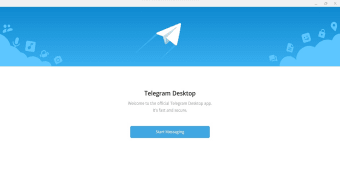
Telegram on the desktop is the version of the free popular cloud-based messaging app developed by Pavel Durov. Designed for speed, security, and cross-platform accessibility, this messaging app offers more than just standard messaging, it’s a multi-functional communication tool used for personal chats, professional collaboration, and even public broadcasting.

Unlock your creativity with Adobe Stock
Get 10 images or 1 video with a free trial
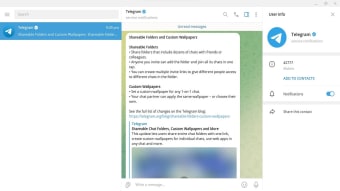
Telegram retains its minimalist interface keeps things sleek and clean; it’s packed with features that appeal to both casual users and tech-savvy power users such as instant saving of media and files on its cloud folder on PC. The desktop version also syncs seamlessly with mobile, ensuring continuity and consistency across devices.
Messaging, features and security
Telegram shines in its versatility. Chats are instantly synced via the cloud, with no need for manual backups. Users can send text, images, videos, documents, and files up to 2GB per item, making it a favorite for file sharing. It supports rich group chats with up to 200,000 members, custom folders, bots, and even self-destructing messages for privacy. Voice and video calls are available.
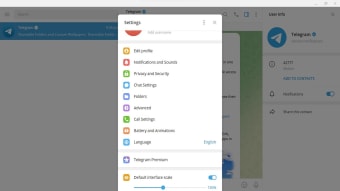
The interface is fast, responsive, and uncluttered, with keyboard shortcuts and multi-tab support for managing multiple conversations efficiently. Power features like Channels, Polls, and Telegram Bots allow a level of customization and interaction beyond most standard messengers. Users can toggle between dark and light themes, choose from color palettes, and even design their own themes. Animated stickers, emojis, and chat backgrounds add personality without clutter.
Telegram is known for its privacy-first approach, although it’s important to note that end-to-end encryption is only enabled in Secret Chats, not regular ones. Messages on the cloud are encrypted client-to-server, but privacy-conscious users might find this distinction important. It also lets users stay anonymous through usernames, hiding phone numbers from non-contacts. The desktop app runs efficiently even on low-end hardware, consuming minimal system resources and offering stable performance.
A versatile, cloud-powered messenger for every user
Telegram for Desktop offers a powerful, privacy-conscious messaging platform that caters to both casual and advanced users. With seamless cross-device syncing, generous file-sharing limits, and customizable features, it excels in flexibility and efficiency. While its regular chats lack full end-to-end encryption, its balance of speed, security, and functionality makes it a top-tier desktop messaging solution.
Telegram supports fan communication during the FIFA World Cup 2026.
• telegram channels share match day updates.
• Group chats for following the tournament together.
• Connects supporters across markets.


















.png)