
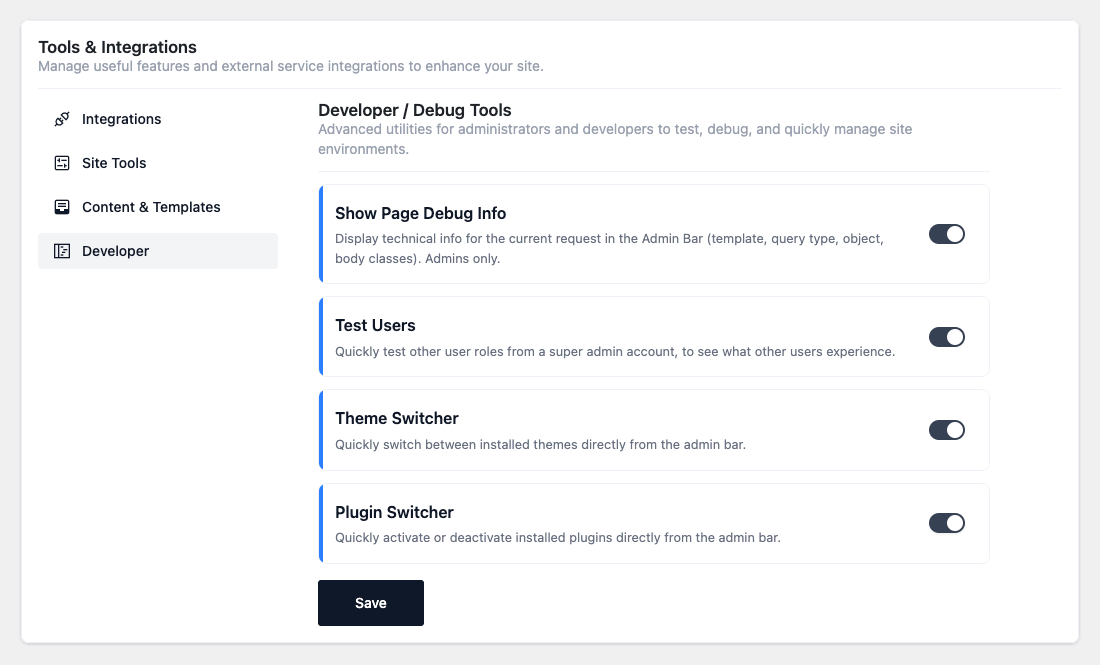
Advanced utilities for administrators and developers, enabled under Tools → Developer. Most are
admin-bar tools (visible while the admin bar is showing) and are restricted to capable users.
Revision History
Before a snippet is overwritten, its previous state (title and all code, plus who saved it and when)
is saved as a snapshot, so you can view and restore earlier versions.
- Revision History Limit (default 10) — only the most recent snapshots per snippet are kept;
older ones are removed automatically. - Restore first snapshots the current state (so a restore can be undone), then reverts the
snippet. - When a snippet is deleted, its revisions are removed too.
⚠ Snapshots are taken only while the tool is on (except the safety snapshot during a restore, which
always runs).
WP Coder Debug Bar
Adds a front-end panel for administrators showing, for the current page: which snippets are
active, which are shortcode-only, and which were skipped and why, plus loaded/error
counts. Visible only when the admin bar is showing.
Show Page Debug Info
Shows technical info for the current page in the admin bar — the template file, query type,
queried object and body classes — to help you see which template and conditions a page hits.
Test Users
Adds a “Test User Role” admin-bar menu (for super admins) listing all roles. Selecting a role
temporarily changes your own role so you can experience what that role sees. Your original roles are
restored on logout or next login.
⚠ This is for previewing roles — don’t rely on it as a permanent multi-account login.
Theme Switcher
Adds a “Themes” admin-bar menu listing installed themes. Clicking one activates it and returns
you to the page you were on.
Plugin Switcher
Adds a “Plugins” admin-bar menu listing installed plugins. Clicking one activates or deactivates
it and returns you to the current page. ⚠ Deactivating a critical plugin takes effect immediately —
use with care.
Cron Events Viewer
A read-only admin-bar list of scheduled WP-Cron events: hook name, next run (“in X” / “due now”) and
recurrence. Capped at 40 events.
Registered Shortcodes
A read-only admin-bar list of every shortcode registered on the site, added late so all plugin/theme
shortcodes are included.
Block Inspector
Adds an Inspector button to the WP Coder block toolbar. Hover preview elements to see their tag
and CSS classes; click an element to copy its CSS selector — handy when writing the snippet’s CSS.
Image Cache
A “Clear Image Cache” button. WP Coder remembers which attachment each image URL maps to; use
this button when images replaced via Enable Media Replace (or similar) aren’t showing the updated
version.
Page Cache
A “Clear Page Cache” button that purges common full-page caches so updated snippets become
visible to logged-out visitors. It supports Nginx Helper, LiteSpeed, WP Rocket, W3 Total Cache, WP
Super Cache and the WP object cache (Redis/Memcached); each is skipped if that plugin isn’t active.
⚠ This purge also runs automatically every time a snippet is created, updated or deleted — the
button is just for manual purges.
