Showing posts with label Windows. Show all posts

Monday, May 29, 2023

Linspire 12 Service Pack 1 Release

Image

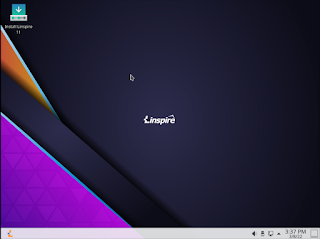
Today the Linspire development team is pleased to announce the release of Linspire 12 Service Pack 1.  Linspire is our premier commercial desktop Linux product for home users, small business users and freelance developers.  Linspire is a powerhouse for users who want a stable and easy to install release of Linux and is compatible with all types of hardware.  Our backwards compatibility with systems 7 years old and is supported on recycled or new modern hardware.  Linspire 12 SP1 is our latest improvements to the Linspire release.  As always we aim to create the best desktop Linux distribution on the market and we strive to continue that excellence.  While there have been many improvements under the hood one of the major changes you will notice is in the user interface.  While yes, the desktop environment that we use is GNOME many of our users and customers have told us that they want the more traditional user interface that is not so different from Windows 10 or Windows 11 and in this release we have delivered that.  You have your classic "dock" as well as "start" menu.  If you prefer the traditional GNOME 4 layout its easy to switch back.

As always we have also worked on security and reliability.  This release also fixes many of the core bugs that came about from our initial released.

Linspire 12 Service Pack 1 is not only for productivity its also built for anyone who produces or consumes multimedia.  With support for all multimedia codecs, you are unlimited in the formats you decide to use or consume.

Here is a list of some of the important changes:

  • Kernel 5.19.0-42
  • OnlyOffice 7.3
  • Etcher 1.8
  • Microsoft Edge Web browser 113
  • Thunderbird  102
  • Powershell
  • OpenJDK
  • .NET Core 7
  • VS Code 1.78
  • Powershell 7.3.4
  • Discover Software Store
  • Muon Package Manager
  • Flatpak

All security updates up to May 23, 2023.  For a full list of packages included you can read that here

There are many in the Linux community who have expressed concern regarding our use of Microsoft applications in Linspire.  These tools are provided for familiarity and ease of use.  We in NO WAY provide any information to Microsoft or any third party.  We do not provide customer data including 

  • System Specs 
  • Customer names 
  • Private Information 
  • Payment Details 
  • Contents of individual contracts
  • Technical support information

If you do not wish to use the Microsoft tools they are simple to remove and you can add any alternatives that you wish to use.

Current customers can perform a system update and get the new update.  If you need a new ISO please contact the support team.  New users can order the digital download below and/or physical media from our webstore

Linspire Download Edition
Image


Monday, March 14, 2022

Linspire 11.5 Released

Image

Today, the PC/OpenSystems LLC development team is pleased to announce the release of Linspire 11.5, a fully commercial supported release. With a great application lineup, Linspire remains the #1 desktop Linux distribution for home users. Linspire 11.5 also includes tools and resources to help users switching from legacy operating systems / other LInux distributions. 

 We have also introduced a new minimal install feature that allows just the web browser and essential system services to be installed for users who just want a PWA platform. Gamers are not forgotten; the Steam Launcher is included in the minimal install for users who want to turn their PC into a dedicated gaming console. 

Linspire 11.5 support comes with a 1 year subscription for both phone and e-mail. The self support option, even though focused on the self-sufficient power user, does come with installation support and priority bug submissions. Linspire is released with incremental upgrades and ISO refreshes every 6 to 8 months; new versions will be released every 12 to 16 months. 

 For security, reliability and long term viability, Linspire is attractive, flexible and well-supported. The distribution includes : 

KDE Plasma 5.18.8 - The fast and lean Linux desktop, fully functional and performance enhanced; peerless in terms of speed and user friendliness. 
Kernel 5.13.0-35 LTS - Long Term Support kernel designed to stand the test of time. 
Flatpak - Alternative package manager to SNAP, the current Ubuntu standard.  SNAP has now been disabled by default.  SNAP packages will not be able to be installed.
Microsoft Edge 99 - Web browser from Microsoft, built using the Open Source Chromium project,  engineered for privacy, web app integration and performance 
Kpat - Solitaire game 
Knights - Chess game 
Steam Launcher - Want to play all your steam games on Linux? We make that extremely simple with the Steam launcher. Being that it is included in the base install you don't have to worry about it removing your desktop environment. 
OnlyOffice - Office suite that can handle even the most complex documents and is compatible with Microsoft Office. 
DragonPlayer - Multimedia player 
 Juk - Music Player 
PowerShell 7.2 - Alternative shell thats a free/open source project from Microsoft 
BTRFS, XFS. JFS. EXT4 - available filesystems for installation 
Timeshift - Snapshot utility which allows you to set restore points in case of errors 
Audio recorder - Sound recorder. 
Balena Etcher - Utility for writing ISO’s to a USB stick 
Active Directory integration - Use active directory in your infrastructure? You can add Linspire clients to them 

This release also contains many functionality / security updates. You can purchase Linspire 11.5 below. If you need a high performance OS for your enterprise or education facility, Xandros OpenDesktop is designed and engineered for crucial deployments and you can find that here

Linspire Physical Media
Install Media
Order Notes
Image
You can also purchase the digital download here

Linspire Download Edition
Image


Thursday, September 2, 2021

Linspire 10 SP2 Released

Image

Today, the PC/OpenSystems LLC Development team has released Linspire 10 SP 2, a major update which begins a new chapter in Linspire’s story by taking it to the cloud. Linspire streamlines all of Google’s services into the distro; users can create any web app they want, on the fly, using the IceSSB utility which seamlessly turns any web page / web app into a dedicated desktop application utilizing the Chrome/Chromium framework. Which includes 1). full use of audio / video and 2). drag and drop from the Caja file manager. And never fear : all of the applications and resources of the Ubuntu repositories are available as well as installation from traditional Debian/Ubuntu packages, Flatpak and AppImage are available for traditional use cases. The underpinnings of Linspire still support a full-blown Linux desktop experience. 

Play games, watch and listen to all multimedia formats, install a Office-compatible productivity suite and more. PCOS has released cloud-focused operating systems in the past as special or limited releases, but we have wanted to make these changes distribution-wide; we feel that now is this time. Widespread positive user feedback confirmed this shift. When all is said and done, Linspire is the premiere desktop Linux system for both the average PC user who wants their computer “To just work” and the performance-focused power user. 

The distribution includes : 

  • XFCE Desktop or GNOME 3.34 Desktop 
  • Kernel 5.4.0-81
  • Synaptic 
  • Google Chrome 93
  • Ice SSB 
  • Kpatience 
  • Dreamchess 
  • Gmail 
  • Google Docs 
  • Google Calendar 
  •  Google Keep 
  • YouTube 
  • Google Maps 
  • Weather.com 
  • Krita 
  • Rhythmbox 
  • Video Player (Totem) 

 Linspire 10 SP 2 includes several other security and feature updates including a very important kernel update and some urgent Systemd fixes. You can purchase Linspire below. Make sure you designate which desktop you wish to use.

Linspire Physical Media
Install Media
Order Notes
Image

Linspire Download Edition
Desktop Environment
Image
Image


Tuesday, April 13, 2021

Linspire XFCE 10.1 Released

Image

Today, our development team is excited to announce the release of Linspire XFCE 10.1; while a little late, this major update to our XFCE desktop brings the codebase to the latest secure and stable Ubuntu 20.04 LTS. The team has worked extremely hard to make sure this update displays the same outstanding quality as our previous XFCE release. Windows users will find this desktop layout familiar; Linspire users will appreciate the speed and flexibility that XFCE has to offer. 

Features included : 

Customized XFCE Desktop 

Kernel 5.4.0-70 

Firefox ESR 

Thunderbird 78.8 

Kpatience 

DreamChess 

VLC 

Rhytmbox 

KolourPaint 

LibreOffice 

Boot Repair 

Full UEFI support 

TCSH, CSH, ZSH shells are now included due to user requests 

Flatpak 

Software Market 

Full Multimedia Codec support 

DVD and Blu-Ray playback 

SNAP is not included by default, but can be installed from Synaptic These are only some of the changes; questions regarding any others can be directed to support AT pc-opensystems DOT com 

Linspire XFCE 10.1 can be purchased as a digital download or if you have bandwidth constraints, physical copies are available in USB format. 


Linspire Download Edition
Image
 
Linspire Physical Media
Install Media
Order Notes
Image


Image


Sunday, March 15, 2020

Tax Season with Linspire and TurboTax

Image


Tax season is upon us folks and with Linspire, you can now get your taxes completed effectively and efficiently.  This year like with the last 4 years we are pleased that we will be continuing to partner with Intuit and have tested Linspire with their online portal.  No more swapping computers, no more having to guess whether you can complete your taxes hassle-free and without any questions of support with Linspire 8.x.  PC/OpenSystems LLC has worked with Intuit and with H&R Block longer than ANY Linux distributor to ensure that Americans everywhere can safely and securely complete the process of filing your taxes on time.

Our Lead System designer and developer Roberto Dohnert had this to say, " With the retirement of Windows 7 and many tax experts questioning the safety and security of using older Windows systems to complete this delicate yet important task; Linspire with its rock-solid performance and up2date software stack ensures that peace of mind that you can transmit your data without fear of having your personal information or identity being compromised or stolen.  We are extremely proud of working with Intuit for the last 5 years to ensure our Linux based OS can stand up to the task."

If you are still running Windows 7 on your PC and would like to upgrade you can purchase Linspire here.

If your order the box set over the Digital Download in order notes type "TaxPrep" to ensure 48-hour shipping


Linspire Download Edition
Image


Linspire Support License
Install Media
Order Notes
Image


Wednesday, January 15, 2020

Windows 7 End Of Life special

As everyone knows Windows 7 has reached its End Of Life.  This leaves millions of Windows 7 systems vulnerable to malware, security exploits and bugs that will go unpatched and unfixed.  Everyone is scrambling to find a solution.  The common thread is to either upgrade to Windows 10 or find an alternative to run on older hardware that may not be Windows 10 compatible.

Enter the 'Windows 7 Refugee Program'.  This program is run by PC/OpenSystems LLC and the Linspire team where we are offering Windows 7 users who may be left out in the cold an alternative for those Windows 7 PC's.  Linspire 8.5.

Linspire 8.5 is an ideal solution for those Windows 7 users who may not be able to upgrade to Windows 10.

Linspire 8.5 offers the following features:

Familiar user interface
Easy setup and installation
KDE Plasma 5
Google Chrome 79
Ice SSB - Which allows you to turn any web app into a fully functional desktop application
Amarok Music Player
VLC Media Player
OnlyOffice desktop suite - Fully featured office suite which resembles Microsoft Office and saves files in the Microsoft Office file format.
Full multimedia Codecs - Linspire offers playback from Blu-Ray, DVD, Windows Media, Apple Quicktime and more.
Built in Anti-Virus and Firewall controls

From Today until Feb 1st we are offering Linspire 8.5 at a discounted rate.  The download Edition will be $19.99 USD.  The boxed set with a ready to use and install Live USB drive will be $30.99.  Gets yours today.


Windows 7 Refugee Program Boxed Set
Image


Windows 7 Refugee Program Digital Download
Image

Tuesday, January 14, 2020

Linspire Enterprise Server 2019 R2 Released

Today the PC/Opensystems Enterprise development team is pleased to announce the release of Linspire Enterprise Server 2019 R2, our high-performance solution to SMB customers who require constant uptime coupled with reliability, scalability, and flexibility. Since the last release of LES 2019, PC/OpenSystems LLC has been hard at work to ensure LES 2019 R2 is well suited for web, application, file and print services; it can just as easily be deployed as a thin client server or virtual machine host. The LTS server kernel 5.0.0-37 will offer rock-solid performance for any workload you throw at LES 2019 R2.

Features : Full GUI System – XFCE + DWN Tiling Window Manager
LTS Server Kernel 5.0.0-37
Oracle Java 11 Pre-installed
OpenSSH Server and Client
Chrome web application framework
NFS / XFS / JFS / BTRFS / exFAT support
Multimedia support
VirtualBox preinstalled
Remote Administration capability
Biometric Services
Headless support
MongoDB Preinstalled
Samba
LDAP Directory services
Microsoft Powershell
Visual Studio Code
Microsoft SQL integration

Certified/tested hardware : HPE Proliant DL360 / DL380 / DL385 G10
HPE Microserver G10
HPE SGI 8600
Lenovo ThinkSystem SR590 / SR670 / ST550
Lenovo ThinkServer RS160 / TS150
Dell PowerEdge Rack / Tower Servers
IBM Z13/Z14/Z15 and IBM LinuxONE via emulation

24 months Phone, e-mail, and remote support; on-site repair and deployment services available for an additional charge. Contact sales@pc-opensystems.com for details. Mobile System support is very limited; Linspire Enterprise Server was not designed with laptops, notebooks or tablets in mind - your mileage may vary; features such as Bluetooth, wireless and suspend / resume are unsupported. Pricing : Download Edition: $119.99 USD  Boxed Set: $299.99 USD - single license / $2999.99 USD unlimited site licensing


Linspire HPC Support License
Install Media
Order Notes
Image

Thursday, October 31, 2019

Linspire 8.5 Released

Happy Halloween. Today the PC/OpenSystems development team is pleased to announce the release of Linspire 8.5 (Swordfish 2) to the general public as well as our faithful user base. This is a major release of Linspire from PC/OpenSystems which furthers our commitment to desktop Linux.

 Linspire 8.5 is packed with enhancements and features showcasing its ease of use and polish as one of the industry's leading Linux distributions. As with Freespire our goal was to “trim the fat” on our flagship distro. Many of our users and customers have told us that Linspire / Freespire as a whole were bloated; what we did in response was pick “best of breed” applications that added to the overall simplicity of the system. The software center is loaded with thousands of applications which make YOUR computer work YOUR way.

 Linspire 8.5 was designed with an intuitive user interface, making it extremely easy to use; easy enough for any Window or macOS convert to make the switch to desktop Linux seamlessly. Aside from the GUI, there has been a lot of work done under the hood to make the system more stable and secure than previous releases. Multimedia codecs, including some under license, are included so that users can enjoy any audio format and video playback of all types.

Linspire 8.5 contains the following enhancements:

Kernel 5.0.0-31
KDE 5.12.9
Ice 6.0.4
Google Chrome 77
KolourPaint
OnlyOffice Desktop Editors
Amarok
Kpatience
DreamChess
VLC Media Player
Kamerka
Boot Repair
Firewall configurator
Powershell 6.2.3

 You can purchase a copy of Linspire 8.5 right now; either self-support or full service.


Linspire Support License
Install Media
Order Notes
Image


Linspire Download Edition
Image

Below is a Q&A with the Linspire lead system designer and conceptualist.

Q) : What changes are we seeing from Linspire 8 to 8.5 to justify this as a major release? 
Linspire 8.5 contains a lot of changes which justify it being labeled major rather than incremental. First, major kernel changes; we moved from the 4.x to the 5.x series. Second, installed applications; we removed many that customers have told us weren’t necessary or that required configuration to make the system operate the way they wanted. Fine tuning was performed per customer requests.

Q) There was a story written a few months ago that Linspire broadcasts information to Microsoft servers. To what level do Linspire and PC/OpenSystems developers communicate with Microsoft? Should customers be concerned that their information is being transmitted without consent to a third party? 
Microsoft collects NO customer information, system information or data from PC/OpenSystems LLC and Linspire. Linspire CE Office does use Microsoft Office Online, Outlook, and OneDrive but users have the option to disclose information to Microsoft when they choose to use the release. Linspire comes preinstalled with the Microsoft repositories for Powershell, Skype, .NET Core and VS Code to make it easier for users who wish to use those offerings (NOTE : Skype and Powershell are the ONLY Microsoft applications pre-installed). The ONLY communication Linspire as an OS product has with Microsoft servers is when those applications are updated. Once again, no customer information is transmitted to Microsoft or ANY third-party whatsoever; any claims to the contrary are false.

Q) Who are our customers for Linspire? Who uses Linspire? 
Linspire is used in many different environments and by a diverse group of individuals. Home and home office and all kinds of enterprise-level customers. Its also used by educational facilities, law enforcement agencies, military, scientists and by creative professionals. Linspire and Linspire Enterprise continues to grow and thrive from our expertise in enterprise computing.

Q) Does removing applications make the system less attractive to end users? How does that add value for customers? 
No, it makes it more attractive. If you look at the current market OS alternatives, Windows, macOS, and ChromeOS, they don’t feature tons of software out-of-the-box. Applications are added as necessary to improve the overall experience. Linspire includes an office suite, web browser, audio / video player, and a basic graphics program. Anything else the user may need can be found it in the Software Center and install as needed. For corporate customers who need a custom ISO with specific additional packages, those will be provided when they purchase their license(s). The value added for our customers is ease-of-mind, secure in the knowledge that everything proprietary from Java to BluRay is completely licensed.

Q) How did you choose what software is included in the system and why did you include OnlyOffice vs LibreOffice?
We parsed the available options, looking and opting for simplicity, the least complicated / most immediately intuitive apps we could find. We looked at other OS’ featured in their core lineup. Multimedia, image manipulation, web browsing and a couple of simple games seemed to be the norm; we went one step further and added an office suite. Why did we choose OnlyOffice? What are the common usage scenarios for office suites? Documents, Spreadsheets, and Presentations are the straightforward options shown on the left when the program is launched. The interface resembles MS Office - most of our users and customers are migrating from that environment and we wanted to make the transition seamless.

Q) Is the main distribution the only one being updated? 
 No, All of our CE releases are being updated as is our custom education release. Linspre CE, Linspire CE Office 365 and Linspire CE EDU.

Q) Are the Enterprise releases also being updated as well? 
 No, that update is coming sometime around January 2020.

Saturday, June 15, 2019

Linspire 8.0 Maintenance Release 1 RELEASED

Today our development team is pleased to announce the release of Linspire 8.0 Maintenance Release 1. MR1 is part of our bi-annual strategy to make sure Linspire is kept as secure as possible for our customers and users. Proving once again, beyond a shadow of a doubt, that Linspire is the best commercially supported Linux-based operating system on the market today. With all of the features modern PC users expect from their computing experience, Linspire continues to rise above and shine over all other commercial Linux desktop solutions.

This release also features improvements to Linspire CE and Linspire CE Office 365. Linspire 8.0 MR1 integrates the following upgrades / improvements :

Linux Kernel 4.18.0-18
KDE Plasma 5.12.7
Plays On Linux 4.3.4
Wine 4.0 Stable
LibreOffice 6.4.2
Google Chrome 75
Thunderbird 60.7
VLC Media Player
Amarok Full multimedia codecs
Ice SSB

Many more performance and security enhancements under-the-hood will improve your experience, making it smoother and typically hassle-free. You can purchase Linspire 8.0 MR1 below; purchasing Linspire 8.0 MR1 entitles you to free upgrades for the lifetime of the release and 12 months of e-mail support / 6 months of phone support or you can purchase the self-support release and download it from the digital locker today.


Linspire Support License
Install Media
Order Notes
Image


Linspire Download Edition
Image

Monday, May 6, 2019

Linspire 8. MR1 Presale

As everyone knows June 15, 2019, we are launching Linspire 8.0 MR1 which will be the newest release of Linspire for the market.  With that said we are having a presale which means those who purchase it will get the ISO or USB key will have it shipped 1 week before the public release.  We are also offering from today until June 9, 2019,

Thursday, February 14, 2019

Linspire CE 8.0 Office 365 Released

Today the Linspire team is pleased to announce the release of Cloud Edition 8.0 Office 365. This is an update to our CE Office - by far one of our most popular business releases for 2018. We have worked diligently to thoroughly integrate Microsoft’s web services into this product. Who was this designed for? For our business and education users who rely on Microsoft’s web services in their offices and classrooms.  CE Office 365 offers the standard Microsoft Office online platform married to the stability and security of the Linux desktop.

The systems include:

Google Chrome
KDE Plasma
VLC Player
Powershell
Full DVD Playback
Office 365 Online launcher
Skype

We have worked with many state and educational facilities to verify/certify that Linspire CE does indeed work with their Online and localized web apps; it is fully supported.

The cost of Linspire CE 8.0 Office 365 is as follows:

Single user license: $49.99 USD / user
Corporate unlimited user license: $1,500.99 USD

Educational, military and law enforcement discounts are available for the unlimited license. Contact sales@pc-opensystems.com for details.


Linspire CE Office 365
Install Media
Order Notes
Image


Let’s go over some frequently asked questions regarding this distribution.

What is Linspire CE, exactly? 
Linspire CE is a specialized variant developed for the execution of cloud-based applications. It has a smaller disk/memory footprint, making it ideal for lower-end systems, i.e. laptops and Chromebooks. This allows organizations to repurpose older systems into their organizations, extending their hardware refresh cycle.

Can I run standard Linux desktop applications on my system? 
Yes. All standard Linux desktop apps run on this system: Gimp, LibreOffice, Inkscape, Spotify, Dia, Krita, Kdenlive, Audacity etc.

Can I still use Google’s web apps if I choose to?
Yes, all of Google’s online apps are available to mix/match with locally installed applications, if you so desire.

I have specialized QT and GTK based apps that I use in my – will they run on Linspire CE?
Yes. We support all QT / GTK based apps. If you have a legacy program, we will help you migrate it to Linspire CE

Does the Linspire SDK work on Linspire CE? 
Yes.

If I use Linspire CE can I change to Linspire CE Office 365 free of charge?
Yes.

Can I dual boot Linspire CE with Windows 10? 
You can, but we don’t support dual boot with Linspire CE out of the box. That’s a deployment that undertaken at your own risk. Caveat emptor.

Can I dual boot Linspire CE with Chrome OS? 
Unknown; untried. Linspire CE and Android-x86_64 is a known, supported and thoroughly tested configuration.

What are the system requirements for Linspire CE? 
As follows: 64 bit processor, 2 GB RAM (4 + GB recommended), 20 GB HDD space. Touch or mouse/keyboard input.

How can I get Linspire CE Office 365? 
When you order Linspire CE Office 365 we deliver that to you on physical media - it is not available as a download option.

What are the support options for Linspire CE Office 365? 
Linspire CE and Linspire CE Office 365 follow the support options usually available for Linspire Server - 2 years of phone, e-mail, remote support for a bi-yearly rate as well as on-site service for an additional fee.

What desktops are available with Linspire CE? 
KDE Plasma 5

Can I order systems with Linspire CE preloaded? 
Yes. We have two systems available, the InspireBook laptop and an AIO desktop system, the InspireStation.

What applications are available with Linspire CE 8.0 Office 365? 
Google Chrome
KDE Plasma
VLC Player
Powershell
Full DVD Playback
Office 365 Online launcher
Skype
Bing Search integration

Wednesday, January 2, 2019

Linspire 8.0 Released

Image


New year, New Linspire. Today our development team is pleased to bring you Linspire 8.0 - the latest and greatest Linux desktop distribution from PC/OpenSystems LLC showcasing the latest open source technologies to our users. We have toiled diligently over the past year to improve security, stability and functionality in our alternative to Windows 10, ChromeOS and macOS. Linspire 8 offers the choice of a full desktop environment, KDE and Mate are available, bundling productivity, full multimedia playback, audio and video production, games and productivity.

 We have listened to our customer base and preinstalled many applications our users utilize in their daily lives. With Linspire 8.0 there is very little package installation users will have to do after installation. The Minimal install is an ISO that installs a subset containing only a web browser, ideal for users who wish to create and deploy their own desktop systems and customize their application line-up. Linspire CE, Cloud Edition, targets customers who wish to completely embrace a cloud only or hybrid infrastructure - cloud based apps in tandem with locally installed applications. Linspire CE’s flexibility makes it the best-in-breed cloud operating system on the market today.

Linspire 8.0 is a continuation of the first commercial Linux desktop distribution that set the bar for open source desktop computing; it continues to set the bar today.

Linspire 8.0 contains the following features and enhancements

KDE 5.12.7
Mate 1.20.1
18.04.1 LTS Base
Google Chrome
Thunderbird e-mail and PIM suite
LibreOffice 6.1.3
VLC Video Player
Rhythmbox Audio Player
Skype KPatience
KDE Runtime
DreamChess
Microsoft Powershell
Dia
Inkscape
Gimp
Audacity
Openshot
Ice SSB
.NET Core Runtime
Oracle Java 10

 Full list of applications can be found here 

Linspire CE 8.0 has the following features :

Google Chrome
Ice SSB
Kpatience
DreamChess
VLC
Geary mail client
Skype

Full list of applications can be found here 

 You can purchase Linspire 8.0 and Linspire CE 8.0 from our webstore or below. Purchasing the product entitles you to 12 months of updates in addition to 6 months of phone and e-mail support. Purchasing Linspire 8.0 gets you both the full desktop and minimal install ISO.


Linspire Support License
Install Media
Order Notes
Image


Linspire Download Edition
Image

 For commercial use of Linspire and deployment in your business contact

sales@pc-opensystems.com

Wednesday, May 30, 2018

Introducing Linspire CE Office365

Image


Today we are pleased to announce a new release for our Education and business customers.  Linspire 7.0 SP1 CE Office365.  Linspire CE Office365 is our release of Linspire CE (cloud edition) dedicated to Microsoft's online platform..  Linspire CE Office365 is available today from our webstore.

We are providing this release for education facilities and companies that have standardized on the Microsoft Office platform and who need a robust alternative operating system platform for collaboration with existing infrastructure and migration to the web and cloud storage hosting.

Linspire CE Office365 includes the following features from Linspire:

kernel 4.13.0-43
KDE Plasma Desktop environment
Google Chrome
The VLC media player
IceSSB
Biometric support

The following Microsoft app shortcuts are provided out of box:

Bing
OneDrive
Office365 console
Microsoft Word
Microsoft Excel
Microsoft PowerPoint
Microsoft OneNote
Skype Web
Microsoft Outlook

You can purchase this release from our online store 

More information is available from our live product launch which was recorded


If you have any questions contact:

sales@pc-opensystems.com
support@pc-opensystems.com

Sunday, April 8, 2018

Linspire 7.0 Service Pack 1 released

Image


Today we are delivering Linspire 7 SP1 for general release.  With this release we have several fixes and changes that we have made to Linspire.   With this release we have resolved many of the issues that users had with our first release.  Linspire 7 is the only desktop distribution that is supported for 10 years on the desktop.  Linspire is deployed by many companies, government agencies and education facilities for their productivity, design and development workstations.

Resolved Issues

With this release we have resolved the following issues

Installer rebranded for Linspire
All Xubuntu and Kubuntu documentation removed
All Xubuntu and Kubuntu branding removed
iMac wireless and iSight camera drivers now included
Google Pixelbook support
Linspire Server Core 7.0 now supports many HPE, Dell and Lenovo server systems.

Features and Updates

Kernel 4.13.0-38
KDE 5.8.9
XFCE 4.12
LibreOffice 6.0.3
Google Chrome 65
Thunderbird 52.7
Ice SSB 5.2.7
VLC 2.2.8 (3.0 will be coming in our next update)
Skype 8.18.0.6
OpenBoard white board application
All Security updates until April 5, 2018

Availability

Linspire 7.0 SP1 is available today with KDE as our default desktop and XFCE for lower end and older systems.  To acquire XFCE place it in your order notes.

Linspire 7.0 is the most affordable desktop Linux distribution on the market,

Boxed set - $79.99 USD
Digital download - $29.99 USD

Linspire is also available preloaded on hardware.  Linspire comes with 12 months of phone and e-mail support and commercial support also includes remote service and on-site service.

All current subscribers and customers have received a download for the new ISO.

Purchase

You can purchase Linspire from our webstore.

http://www.linspirelinux.com/p/webstore.html


If you have any questions, comments or suggestions contact support@pc-opensystems.com or join our forums.


Friday, April 6, 2018

Enabling KDE Wallet

As many of you have noticed on our KDE desktop we disable KDE wallet.  While we have our reasoning why we do it many of our commercial customers use Kontact as their groupware suite.  The Kontact suite does need KDE enabled so in this tutorial we will explain how to enable KDE wallet.

1.  Open the Settings Manager

Image

2.  Click on Account Details

Image

3.  Click on Enable KDE Wallet

Image

4.  After you enable Wallet click on Launch Wallet Manager

Image


5.  When wallet manager launches click on Open; when prompted type in the password 'desktop' all lower case

Image

6.  Next you will want to change your password.  Click on Change Password and choose a password of your own choosing

Image

7.  When you choose your new password close the wallet manager, go back to the Settings Manager and click 'Apply'


Saturday, March 31, 2018

Microsoft Office Ribbon in LibreOffice

Many of our Black Lab and Linspire customers have asked us; Can you implement the Microsoft Office ribbon in LibreOffice? Well we did our research and LibreOffice 5.3 and 6.x have a "ribbon" type interface called the Notebook Bar.

 Here is how you enable it

To enable the Notebook Bar do this:

 Click on the menu Tools > Options Select ‘LibreOffice’ > ‘Advanced’ Check ‘Enable Experimental Features’ Press ‘OK’ Atfer clicking okay you’ll be prompted to restart LibreOffice (yep the app, not your PC) so that the changes you requested can take effect.

 Click ‘Restart Now’.

Once the suite pops back up you’ll instantly notice that things look no different to how they did before.

 Head to the new View > Toolbar Layout menu. libreoffice view toolbar layout menu You’ll see a set of 4 toolbar layouts in LibreOffice 5.3: Default (Classic Toolbar) Notebookbar Single Toolbar Single Toolbar + Sidebar.  Choose Notebook Bar.

That is how you enable the "ribbon" interface in LibreOffice.  This has been tested on Linspire, Black Lab, Linux Mint, Ubuntu and OpenIndiana.  We have NOT tested on Windows or macOS


Image

Changes to delivery

 The number of scams against Linspire have grown to be a problem.  People have been purchasing the digital downloads getting the digital dow...

Image