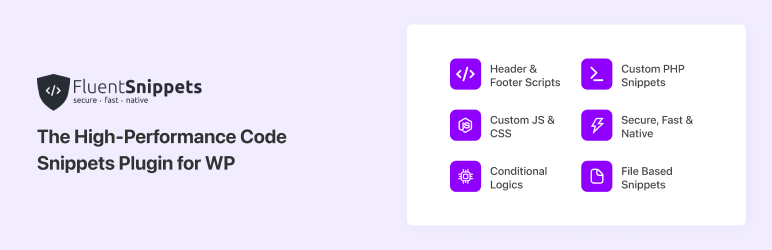

Descrição
Experimente velocidade e segurança com um plugin de snippets de código baseado em arquivos, criado para ser rápido e seguro
FluentSnippets is the Most Secure and Performance-Focused Code Snippet Plugin for WordPress. FluentSnippets store your snippets in flat files, so it does not run SQL queries for your snippets. It is the Fastest Code Snippet Plugin for WordPress.
Our mission is to streamline the process of integrating custom code snippets in WordPress, making it safe, secure, fast, and hassle-free.
Por que o FluentSnippets?
FluentSnippets stores the code snippets in the flat file and uses code blocks in each snippet file to add metadata like a description, title, conditional logic, snippet type, and other things. We also parse these data once and cache these into index.php so we don’t have to parse these code blocks in every request. Then on runtime, it just includes those files to your selected action hook. In the whole process, FluentSnippets runs 0 database queries. In fact, we don’t have any Database query in the whole plugin runtime.
With this native design, FluentSnippets is native, secure by design, and the most performant code snippets in this category.
Recursos
- File-based Snippets: Your snippets are safely saved in your file system and load natively with zero database queries, so it’s safe, secure, and ultra-fast.
- Custom Code Snippets: Write your custom code snippets including PHP, JS, CSS, HTML, and more. Categorize your snippets with groups, tags, etc
- Advanced Conditional Logic: Execute code snippets solely under specified conditions like post type, date, URL, user type, and many more.
- Automatic Error Handling: The automatic error hander prevents common errors when adding custom snippets to ensure they never break your site.
- Custom Shortcode: With custom shortcode of your snippets, you can create custom dynamic content blocks and use them across your site and manage them.
- Stand-alone Mode: The most interesting feature is the Stand-alone Mode. With this feature, you can add your snippets, activate the standalone mode, and then you can uninstall and delete the plugin and your snippets will still run via mu-plugins architecture and when you reactivate the plugin you can manage your snippets as before.
Lógicas condicionais inteligentes e poderosas
We have added smart conditional logic to let you choose precisely where you want to execute your code. These conditional logics include
- Estado de log-in ou função do usuário
- Tipo de páginas
- Post Types
- Regra baseada em taxonomia ou termo
- Por URL da página / post
- Segmentar página / post / CPT específico
- Condições baseadas em data
- Regra baseada em tags/listas do FluentCRM para o contato atual
These conditions are grouped-based, which means you can add multiple groups with a set of conditions and if any of the group match the condions it will execute the snippet.
Snippet Types
FluentSnippets has four types of snippets. You can choose the snippet type from the snippet type selection.
Functions – PHP Snippet: This snippet is for all the PHP code that you need to execute in specific areas like you would write in your theme’s functions.php file.
You can use this snippet type to create functions/classes, hook into other actions and filters, and more.
Content – PHP + HTML Snippet Type: This snippet type is used to insert content to different places like header, footer, after-post content, before-post content, etc. You can write php / html / js / css code in this snippet type.
CSS Snippet Type: You can use this snippet type to add custom CSS to your site.
JS Snippet Type: You can use this snippet type to add custom JS to your site.
Internal Design of FluentSnippets Plugin
The design is super simple and this is what it should be! FluentSnippets stores the code snippets in the flat file and uses code blocks in each snippet file to add metadata like a description, title, conditional logic, snippet type, and other things. We also parse these data once and cache these into index.php so we don’t have to parse these code blocks in every request. Then on runtime, it just includes those files to your selected action hook. In the whole process, FluentSnippets runs 0 database queries. In fact, we don’t have any Database query in the whole plugin runtime.
With this native design, FluentSnippets is native, secure by design, and the most performant code snippets in this category.
Popular use cases of this Code Snippet plugin
- Adição de código PHP personalizado para estender funcionalidades
- Adição de códigos no cabeçalho e rodapé (Google Analytics / Pixel / Ads)
- CSS personalizado para tipos específicos de post/página
- Códigos JavaScript personalizados
- Conteúdo dinâmico em diferentes locais, como antes/depois do conteúdo do post ou no rodapé
- Shortcode dinâmico
Other Plugins By The Same Team
- FluentCRM – Plugin de e-mail marketing, newsletter, automação de e-mails e CRM para WordPress
- Fluent Forms – O plugin construtor de formulários WordPress mais rápido
- Ninja Tables – O melhor plugin de tabelas para WordPress
- Ninja Charts – Melhor plugin de gráficos para WordPress
- WPPayForm – Plugin de pagamentos com Stripe para WordPress
- Integração com Mautic para o Fluent Forms
- Fluent Forms PDF – Entradas em PDF para o Fluent Forms
- FluentSMTP – Plugin WP SMTP com Amazon SES, SendGrid, MailGun, Postmark, Google e qualquer outro provedor SMTP
CONTRIBUTE
If you want to contribute to this project or just report a bug, you are more than welcome. Please check repository from Github. FluentSnippets was known as Easy Code Manager before. We have rebuild & rebranded it to FluentSnippets.
Capturas de tela
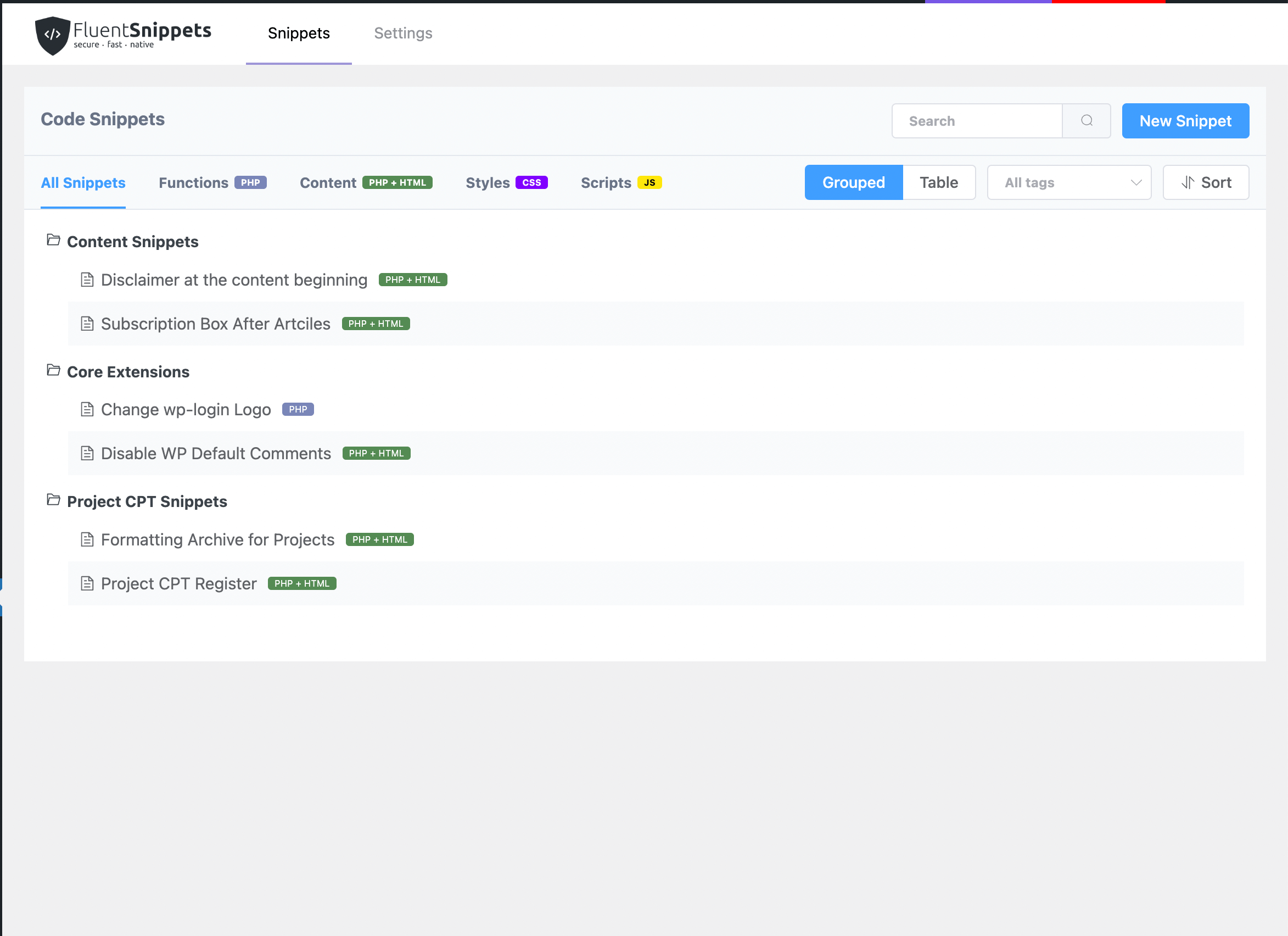
Painel do FluentSnippets 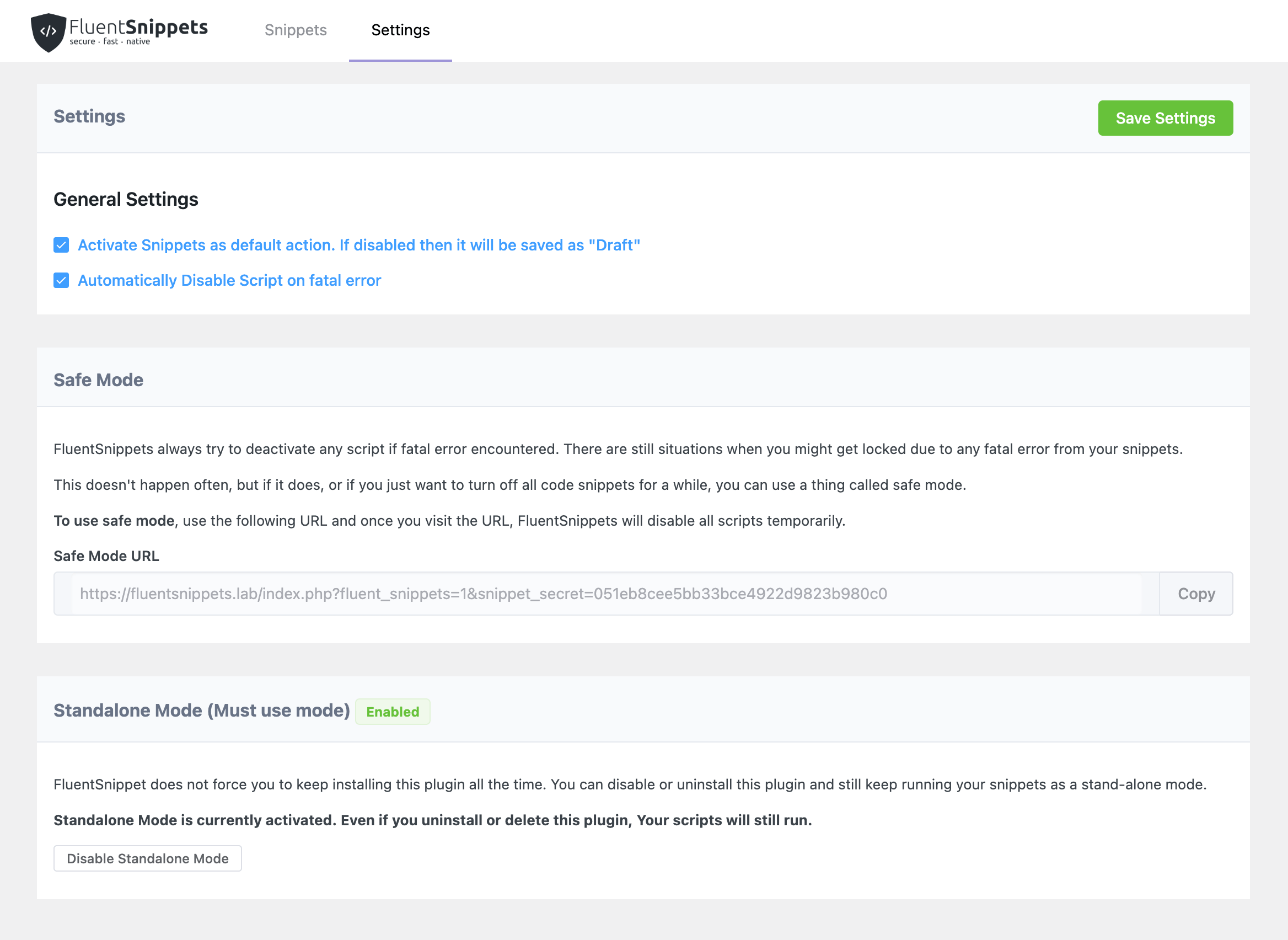
Visão geral da tela do editor de snippets 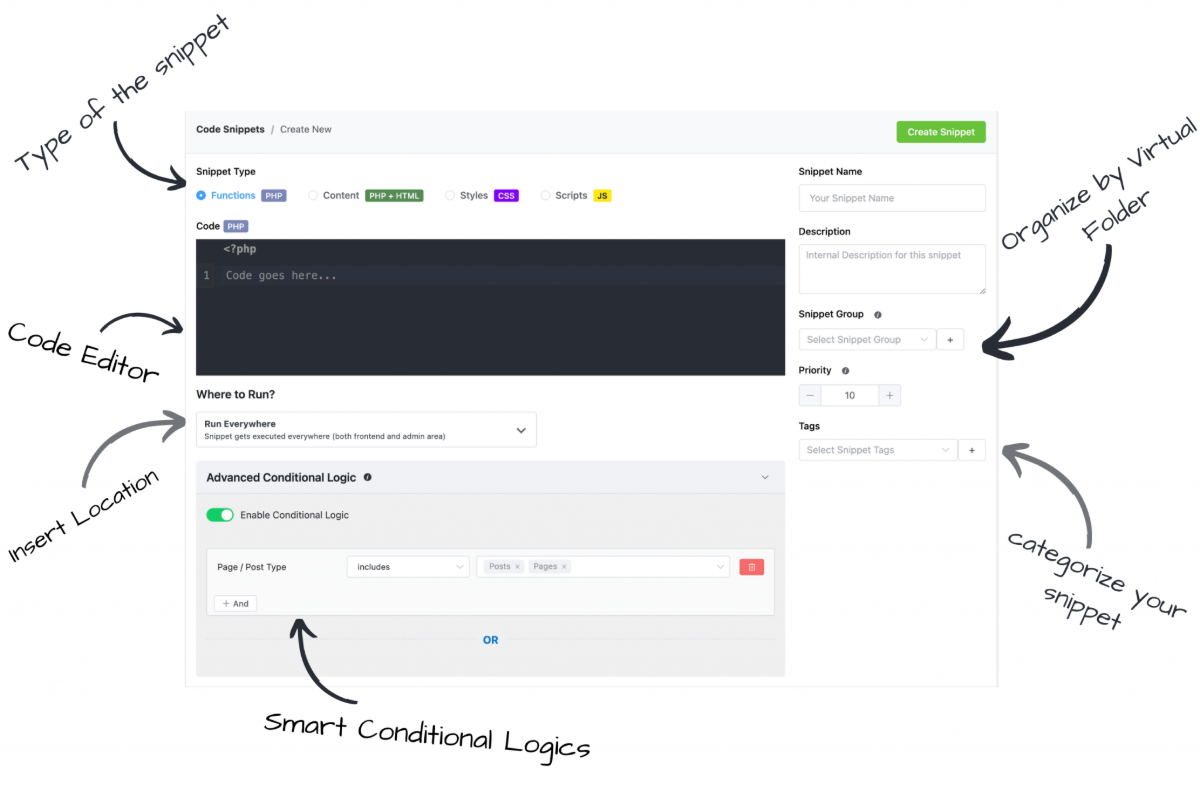
Visão geral das configurações 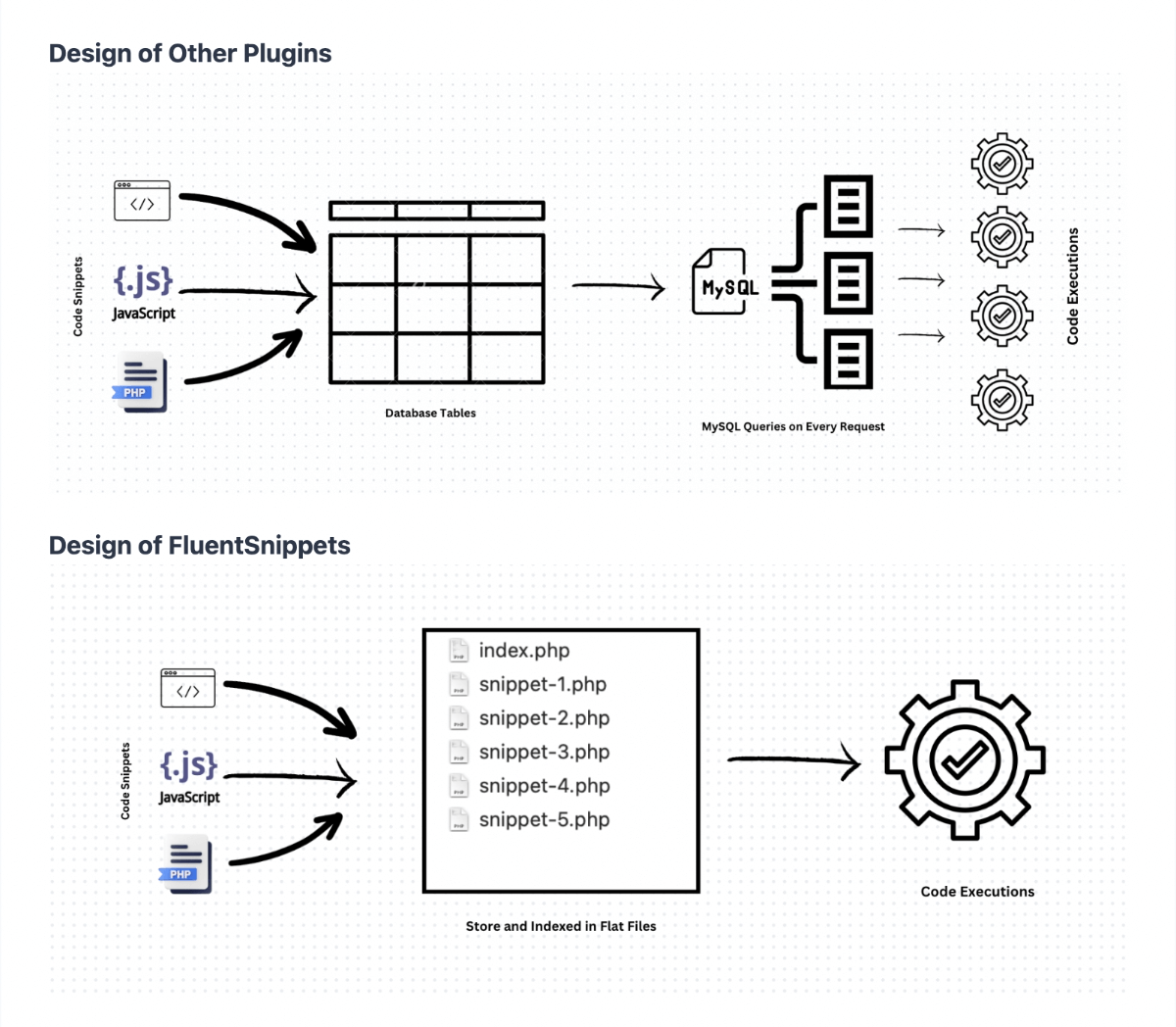
Comparação de design arquitetural


Instalação
Esta seção descreve como instalar o plugin e começar a usá-lo.
- Just search for FluentSnippets in WordPress Plugins and click install and activate.
Perguntas frequentes
-
Quais são as diferenças entre o FluentSnippets e outros plugins de snippets de código?
-
The primary difference is that FluentSnippets is built for speed, security, and ease of use. All other Code Snippet plugins store all the snippets in Database tables so in every WordPress request, they do extensive DB queries to execute them. The method is very slow and dangerous for site security. The snippets can be modified or exploited via SQL injection caused by other plugins.
FluentSnippets solves this very specific problem by storing all the snippets in a flat file and loading the snippets just like any of the feature plugins. So it’s a fast, secure, and native solution for all of your custom code snippets.
-
Qual é a função principal do FluentSnippets e como ele pode ajudar meu site?
-
The primary function of the FluentSnippets plugin is to allow you to add custom code snippets to your WordPress site easily and without editing your theme’s or child theme’s files directly.
It provides a user-friendly interface to add, manage, and execute custom PHP, HTML, JavaScript, or CSS snippets on your website. This is particularly beneficial as it ensures the sustainability of your code – your custom changes won’t disappear after a theme update.
Whether you need to add a simple CSS tweak, embed custom HTML in the header or footer, or run a complex PHP script, FluentSnippets can handle it, saving you time and making the process safer and more efficient.
-
É obrigatório ter conhecimento em programação para usar este plugin?
-
While having some basic coding knowledge can certainly be beneficial when using this plugin, it’s not absolutely necessary. FluentSnippets is designed to be user-friendly and accessible to a wide range of users.
The purpose is to simplify the process of adding custom code to your website. This means you can easily insert custom PHP, JavaScript, HTML, or CSS into your site without editing your theme’s files directly, which can be complex and risky for beginners.
-
O FluentSnippets vai deixar meu site mais lento?
-
Absolutely not. Unlike other code snippets plugin, FluentSnippets does not use the database to store your custom snippets, it uses flat file-based storing method to store your snippets securely and execute those by loading from the file system which is extremely fast & native. In fact, FluentSnippets does not store or query the database at all.
Avaliações


Colaboradores e desenvolvedores
“FluentSnippets – O plugin de snippets de código personalizados baseado em arquivos de alto desempenho” é um programa de código aberto. As seguintes pessoas contribuíram para este plugin.
Colaboradores
FluentSnippets – O plugin de snippets de código personalizados baseado em arquivos de alto desempenho” foi traduzido para 7 localidades. Agradecemos aos tradutores por suas contribuições.
Interessado no desenvolvimento?
Navegue pelo código, consulte o repositório SVN ou assine o registro de desenvolvimento por RSS.
Registro de alterações
10.53 – Jun 22, 2026
- Fixed Block Editor CSS Issue
10.52 – Jan 21, 2026
- Added Block Editor Support for CSS
- Use Ajax endpoint to create and edit snippets for better Usability
- Enhance handleShortcode to retain user arguments
- UI / UX Improvements
10.51 – May 11, 2025
- Security: Added nonce verification for export/import snippets (thanks to Patchstack)
- Conditional Logic “User / logged in” issue fixed
- Date issue fixed on create new snippet
10.50 – Apr 27, 2025
- Added Export Import Features
- Fixed issues with Site Migration
- Added i18n Strings to cover almost all the strings
- Added Soft Wrap for Editor
- Added Support for command + s for saving snippets
10.34 – May 05, 2024
- Fixed Script Conditions Issues
- Added Loading as File for Snippets
- Fixed PHP 8.x Compatibility Issues
10.33 – Jan 25, 2024
- Fixed Snippet Error Issue Fixed
10.32 – Jan 05, 2024
- Fixed FluentCRM Integration
- Added Detailed Error Message on Code Snippets
- Improvement on REST API
- Improved UI & UX
10.31 – December 18, 2023
- Fixed a typo in the conditional logic
- Added Video Tutorial
10.3 – December 18, 2023
- New design and Branding
- New UI & UX
10.1
- Re-Write the Plugin for better performance
- New UI & UX
10.0
- Fix: Styling fixes for WordPress version 5.5
- Enhancement: Updated ACE Editor to v1.4.12
- Enhancement: Improve snippet manager
- Enhancement: Add placeholder option
- Added: Option to disable auto-indent
- Added: New language modes
- Fix: Double space being converted to dot on mobile keyboards
- Fix: Backspace not working with some mobile keyboards
