Showing posts with label efl. Show all posts

Sunday, November 3, 2013

The Image Conference - Kieran Donaghy's Short and Sweet Presentation on Videos in the ELT Classroom


I had the pleasure to watch him in action twice this year.

Image
Kieran Donaghy, one of the Keynote Speakers in our BRAZTESOL Brasilia Image Conference, shared wonderful video ideas for the EFL classroom. Short and sweet were the videos he presented and inspired the Brazilian educators. Everybody left the room with a refreshed perspective on what to do and where to search for the next video lesson they teach.

My friend Graham Stanley was again in full action, taking notes to share what Kieran's presentation was all about. All the resources, ideas, links are organized in Graham's post.


Monday, September 9, 2013

On the mLearning Radar - Creating on iPads


I´ve just come across this box of mlearning treasures that an art teacher/teacher trainer has put together. Though the focus is on digital art, many ideas can be adapted for the language classroom.

Image
http://drydenart.weebly.com/creating-on-ipads.html
Mrs. Fuglestad has also created a Smore page with ideas for ipad creation. What I think could be the main focus for language teachers is to consider the mobile devices students have to work on language production and creation, just like in an art class.

Image
https://www.smore.com/r98j-summer-ipad-lesson-ideas


Can you think of any idea to remix an idea Mrs. Fuglestad presented to fit a lesson plan you will be teaching in the near future?


Thursday, September 5, 2013

Teaching a Dramatically Outstanding Class - Tension and Release


Yesterday I was talking to a very experienced teacher who I know suffers from the same syndrome I do and most of the teachers out there do. The how-can-I-reach-teens syndrome.

We all develop strategies, sometimes war strategies, we think and re-think ways that we could better engage our teens. The roller coaster is always on and the list of our trials and errors abounds:

- using tech in class
- making them move
- using topics that are close to their hearts
- songs
- giving some free time if they "behave"
- using games

And the list goes on. Some activities seem to work better than others. And my guess is that generally what ticks our teens are not exactly those sophisticated types of lessons that we spent hours preparing. Sometimes they surprise us by enjoying a very simple task you propose. Have you every considered the main elements of these moments of engagement are made of?


2010 Teen Arts Fusion | Graphic Novels

My insight tells me that no matter what we do, what makes an activity engaging is not the degree of sophistication or the main topics that will reach our learners or even the many hours you took to prepare it. Just today I read an interesting article that gave me a hint of what might make a class dramatically outstanding in which you feel that sense of flow and you know the students are there with you in the same wavelength. As stated in Wikipedia, you and your students turn into
"mental state of operation in which a person performing an activity is fully immersed in a feeling of energized focus, full involvement, and enjoyment in the process of the activity. In essence, flow is characterized by complete absorption in what one does."
How?

By unconsciously using the idea of "Tension and Release", by creating a moment in which you reach a climax of your class with an activity that the students feel compelled to participate, to "solve the puzzle", to be part of it. That's why storytelling is so powerful. It is just one of the many shapes you can build upon the idea of "tension and release" to create engagement.

Let's consider, for example, TV shows, series, Brazilian soap operas, films...What do they do to keep us there on the edge of our seats?! Tension and release! That moment before the disclosure where our heads spin, then the relief of seeing everything unfolding.

When was the last time you had this "tension and release" moment in your class? What made it special? What was your trick?

If we teachers can spot these aha "tension and release" moments in our classes, our how-can-I-reach-teens syndrome might be overcome.

Tuesday, September 3, 2013

Making Homework Assignments Smarter for your Students and their Brains


One of my favorite bloggers, Annie Murphie Paul, has written a post about homework that every educator should consider as a guideline for better learning opportunities. Her claim, based on Neuroscience and Psychology research, entails making better use of strategies that are effectively proven to have an impact on learning.

Image
Annie mentions three strategies that could be used by educators when they are considering the kind of extra-class activities they will assign:

- Spaced Repetition - instead of assigning units of content and then "getting over" them and moving to the next topic, make sure you come back to the content students have explored last week or in the past month over and over in different ways.

As the blogger puts it,
"Exposing ourselves to information repeatedly over time fixes it more permanently in our minds, by strengthening the representation of the information that is embedded in our neural networks."

- Retrieval Practice - In the beginning of the year, I explored the topic in a post about "learning by retrieval", which evokes the power of using testing/assessment tools more often to constantly retrieve information in a more active processing of the brain, instead of just studying content or taking notes. By working on the output of the language, learners are able to strengthen the brain connections for the content they are learning. This requires more of a study-test-study-test-study-test perspective rather than just study-study-study-test approach that we generally have. And by testing, we're not talking just about standardized tests, but self-assessments, quizzes, every kind of assessment that challenges the mind and retrieves information over and over again.

- Interleaving - Consider our homework assignments. Make an auditing of what you've asked your students to do in the past month. I bet that we have generally asked them to focus on the content they're studying right now in class and with types of problems and situations that are similar to each other to "make sense" for the students. In fact, what Annie Paul suggests based on recent studies and even sports training is that we mix up the types of problems and situations students will have to deal with for homework in a way that the sequence is not really predictable. By doing that, we force the brain to "work harder" to try to figure out the solution.

I think that the best chance we have to reconsider our homework practices is to audit what we've been doing and strategically plan ahead. Here's an initial list that might help:

- Have I used any of those three strategies - spaces repetition, retrieval practice, interleaving - in any of my past month assignments? If so, how?
- Have I varied the types of homework I assign to students or do they all follow a regular pattern?
- How challenging and motivating those homework assignments seem to be to my students? Have I ever asked them which types do they prefer, which are more challenging and which they feel are more effective for them in retrieving what they've learned?

Thinking strategically:

- How can I make homework assignments a more meaningful part of my teaching?
- How can I intertwine those 3 strategies to compare learning results?
- How can I check the effectiveness of the new strategies I try to use?
- How can I make homework a more challenging and engaging part of my classes?

I'd love to hear your views and findings about homework in the classroom and how they can be transformed to make it a relevant learning tool for our students.

Monday, September 2, 2013

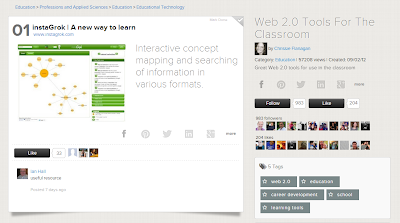
On the Ed Tech Radar - A Learnist Web2.0 Resource for Educators


I´ve already mentioned Learnist as an interesting learning playlist tool that can be used by educators and learners.

This Learnist is one educators will love, with all kinds of digital resources in one single place.

Image
http://learni.st/users/bryanNchrissie/boards/4090-web-2-0-tools-for-the-classroom


Sunday, August 11, 2013

Introductions Practice in the EFL Classroom with Authentic Content


Besides using Haiku Deck app to create visually-appealing presentations, what if you used it with students to help them use language with content produced by real people. So, it is the old "this is..; she does this and that" with a twist in authenticity.

Take, for example, this presentation:


Created with Haiku Deck, the free presentation app for iPad


  • The teacher could ask students to present her in the form of a paragraph with the most important information. 
  • Students can prepare questions based on the information presented, and then another students would act out as if she were the lady. 
  • Students could work on expanding the information on a slide as if they were the woman, i.e., they could talk about her 3 sons and husband (slide 2)

I'm sure you'll find wonderful "about me" presentations to work with language authentically in Haiku Deck's Pinterest Board:

Image


Of course, it would be great if students could use one of the sample presentations to prepare their own "about me" page. 


Saturday, June 15, 2013

Images in the Classroom - Now and Then


I've always had this natural inclination to add images to whatever lesson I was teaching, and now even more so when I see the neuroscientific reason for doing it. James Zull, in his book "the Art of Changing the Brain", mentions that
"Our concrete experience contains much of the information we need for understanding, because it produces images for our brains to analyze, rearrange, manipulate, and turn into action. We have maps of our experience in our brains, and we can run through these maps like the frames of a moving picture."

He goes on to say that the images in our brains come from the experience itself and that's why
"teachers could make extensive use of images to help people learn. If we can convert an idea into an image, we should do so. And whenever possible, we should require our students to show us their images. It should go both ways"
Having the power of images in mind, our classroom should be visual-rich and empowering. It should help our learners enhance their language skills through their sensory brains. In this sense, today I just came across a Facebook post by Ben Goldstein where he mentioned a blog called Dear Photograph  in which the audience shares images of a past original setting and taking a photo holding a film photo of people in the same place.

Image
http://dearphotograph.com/image/52871635425 

Now, imagine having the same kind of project with your group of students after they've explored some of the images in the Dear Photograph blog. You can ask them to talk to their parents and relatives, to find nice photos of places that they could go and take the same kind of picture, holding the film-developed photo. Plus, you can explore the use of the past in the images contrasted with the present. The teacher would have the perfect timing to talk about "USED TO", for example, and then use students' own images to explore language in a totally contextualized way.

Then, in the same Facebook thread, Paul Driver suggested the use of the Zefrank's blog project Young Me/Now Me for the same kind of activity in which students take their own photos, explore the blog's photos and use language to compare and talk about the differences between now and then.

Image
http://www.zefrank.com/youngmenowme/permalink.html?469

Thanks to Ben Goldstein and Paul Driver in my FB network for the visual inspiration!

Wednesday, May 15, 2013

Do Something for Teens


ImageDo Something is a non-profit organization in the intersection of teens and social change, activism.

There are tons of ideas on their site to help young people take action. I especially liked one about what makes you mad and the call for changing things around.
http://www.dosomething.org/actnow/actionguide/become-activist 

As I have a tight schedule, I was considering adapting the idea to something simpler:


>> Groups decide what make them really mad
>> They make a fact sheet with 8 facts about their issue, starting with, "Did you know that...?"
>> They create a motto about the situation
>> Students then write a manifesto about their topic to raise awareness and finishes the manifesto with the life motto they've created.
>> Taking a step further, we could vote for the best group motto and then create posters and even print T-shirts with the motto on it.

Simple and sweet. I guess this would be a great opportunity to talk about community issues, have students as agents of awareness & change, all that being done in English. What do teachers think?

Friday, March 29, 2013

mLearning - Evernote as a Trigger for Writing


In the Binational Center I work for writing is taken seriously. There is a program for all levels. For the Teens and Intermediate courses, students work on paragraphs, but when they get to the Advanced level, the requirement is more demanding. Learners are exposed to different kinds of genres and are supposed to hand in a fully-developed composition. A dreading activity for many.

This semester, I have a group of very young teens who are Advanced students, so this was an extra challenge, as they are still very raw in terms of writing skills and styles, but I am an optimist by heart and always believe that depending on the way you develop the activity results are unexpected, but impressive.

I decided to try Evernote as a writing portfolio and it has proven to be an effective move towards engagement. The writing task was for students to choose a story in their lives and write about it. As a pre-writing activity, we told each other some funny, sad, embarrassing stories to each other. Then, instead of projecting the PPT slides to go through the idea of how to structure the stories, this time still paragraphs, I had previously downloaded in each iPad the PPT to Keynote so that students had more control over their activity. They worked in pairs, exploring the concepts of topic sentence, adding details and concluding ideas. We went over some stories in the Keynote app together and discussed how effective the introducing sentence was, how we could make it better, if the reader would be interested in keeping reading with that introduction, etc.

Image


In the second stage of the activity, I asked them to open Evernote, add their names in the title of the note and they had a chance to write their stories in class. They used the Longman dictionary app in the iPad and were totally into their writing. As we work with process writing, I, then, could open everybody's work on a single notebook (the ipads are all synchronized with the same Evernote account) and printed the paragraphs to correct them using the proofreading symbols. In the following class, a question surprised me, "teacher, do you have our paragraphs?" Never have I had my teens students so interested in their pieces of writing. Again, I handed out the iPads and before I realized it, they were reading each other's texts! I gave them the printed version of the first draft with my comments and the symbols for them to figure out what was wrong or missing, so a focus on the structure, but with my comments focused on the content. They grabbed the iPads and worked on the second version of their paragraphs. I could give individual assistance to all and also encouraged peer correction for the faster ones. They helped the ones who had more difficulty to develop their ideas.

The results? On one single Evernote note, I had students' first and final drafts. I could easily visualize their progress with not much fuss. They were totally engaged in the activity and could easily play around to edit their texts. It didn't even seem to be the dreaded writing assignment that had been for so many years haunting English learners. And in the next writing activity, they can easily refer back to their notes, which I can share via email or link with them. I really feel that just the fact that you are using their means has made a difference in their reaction and attitude towards writing. Besides that, their reading audience was amplified. Classmates read their pieces, and even other Advanced groups who were also writing their stories in another Evernote notebook.

Here are same samples of students' writing (published with their permission):

1st Draft
I'll never forget the day my brother got stuck inside a suitcase. Me and my family were still living in the United States when this happened, it was a very cold day so me and my brothers were stuck at home  bored out of our minds with nothing to do but watch tv. After a while my mom called us all, including my dad , and said that her boss and his wife were coming by for a visit. When they arrived they were caring a giant suitcase ( don't ask me why because I don't remember) anyway they sat down in the living room and my parents began talking to them. My brother,who was seven at the time, had the briliant idea of going inside the suitcase and shutting himself in there, okay i'll admit it I helped him. We laughed for a while and then he said he wanted to get out , I began pulling on the zipper to open the bag but something was wrong, the zipper was stuck. Well that was all it took as soon as I told him I couldn't open it he began crying and screaming and that caught my parents and our guests attention. In the end my dad had to break the zipper to get him out of there, it seems funny now but back then it was pretty scary, at least for my brother.

2nd draft
I'll never forget the day my brother got stuck inside a suitcase. My family and I were still living in the United States when this incident happened. It was a very cold day so my brothers and I were stuck at home  bored out of our minds with nothing to do but watch TV. After a while,my mom called us all, including my dad, and said that her boss and his wife were coming by for a visit. When they arrived, they were carrying a giant suitcase ( don't ask me why because I don't remember). Anyway, they sat down in the living room and my parents began talking to them. My brother,who was seven at the time, had the brilliant idea of going inside the suitcase and shutting himself in there.Okay i'll admit it, I helped him. We laughed for a while and then he said he wanted to get out.I began pulling on the zipper to open the bag,but something was wrong, the zipper was stuck.Well, as soon as I told him I couldn't open the suitcase he began crying and screaming, which caught my parents and our guests' attention.From that point on I couldn't tell who was panicking the most, my mom or my brother.My father tried opening the bag too, but it was no use that zipper was not going to budge.In the end my dad had to break the zipper to get him out of there.It seems funny now, but back then it was pretty scary, at least for my brother.

1st Draft
I will never forget the day that a hook entered my cuticle. Last vacation, I was having a trip with my brother, my parents and my grandparents. We have gone to Araxá, a small city in Minas Gerais. It is a very cool place. When I arrived there, the first thing I did was wait for my mother to do the check in. There was nothing to do in the city, so I stayed at the hotel, doing some wonderful activities, like riding used bikes every day, swimming, sleeping, watching TV, running, fishing...
The routine was the same every day, but it was relaxing. Until the accident happened: In one of these days I was fishing like how I fished every day, but when I was putting the bait in the hook and a little kid pulled the fishing rod. The hook entered my cuticle, got stuck in there and my finger started bleeding. I went to the hospital in the city and the doctor cut the hook. After some hours, my finger was ok and I came back to the hotel. It was a great adventure, and I enjoyed it (except the part that the hook hurt me).

2nd Draft
I will never forget the day that a hook perforated my cuticle. Last vacation, I was preparing a trip with my brother, my parents and my grandparents. We went to Araxá, a small city in Minas Gerais. It is a very cool place, since there is a very low chance of violence and there are many special places to meet in the hotel, like the Burle Marx garden, or the presidential room. When I arrived there, the first thing I did was wait for my mother to do the check in. There was nothing to do in the city, so I stayed at the hotel, doing some wonderful activities, like riding used bikes every day, swimming, sleeping, watching TV, running, fishing...                                                                                                                             The routine was the same every day, but it was relaxing until the accident happened. In one of those days, I was fishing like I fished every day, and a little kid pulled the fishing rod while I was putting the bait in the hook. The hook perforated my cuticle, got stuck in there and my finger started bleeding. I went to the hospital in the city and the doctor took out the hook. After some hours, my finger was ok and I came back to the hotel. It was a great adventure, and I enjoyed it, except the part that the hook hurt me.


Have you used Evernote as a writing Portfolio? How?


Thursday, March 28, 2013

mLearning - Turn your Ipad into an Interactive Board


Educreations, Showme, Screenchomp are  simple and multifaceted for the language classroom. These free screencasting apps have multiple possibilities, ranging from recording students' dialogues or letting them freely talk about a subject as they show on the screen what they are exploring. There's drawing, typing a text or inserting an image while recording. The students can change colors, sizes, forms in a totally intuitive way.

Besides all these advantages of language production, once it is ready, you can publish them on a website and share your students' work with parents, the students themselves and the world.
Here's an example of what my students produced. They had to create their own stores:


Which one would be interested in visiting?


Which one would you be interested in visiting?
This is just one of the possibilities for these screencasting apps. I like to consider them a platform to enhance students' creativity and free production, but it certainly goes beyond. Here, for example, I used Educreations to create a challenge for my students. We were studying the difference between "Used to" and "would". They had to listen to both stories and check the differences and try to guess which version was the correct one:


How about teachers and students creating tutorials? Easy with these tools, just some touch and clicks away!

By now I think you can really picture how nice these apps can be for the language classroom, but there is one way you can use one iPad to turn it into an interactive board. What you need to do it? Only the iPad and a projector in the classroom! You can just open the app type, draw, show images, move things around  and record what you are saying as you go, and all this can be projected for students. You can add things to the white board, as well as delete them. However, more exciting than that is inviting students to come to the front and teach a lesson, touching things in the app, making them gain life as others interact with the learner. If you wish, you can even share the lesson afterwards with your students by just sending the link to it. Ready to give this idea a try? I'm sure you'll be amazed by its potential, and would love to know the results if you try using these screencasting apps as an interactive board!

Saturday, March 23, 2013

mLearning Activity - Trending Topics and Classroom Bonding


Trending topics, those hot topics of the day or sometimes the hour, are everywhere on social media. They represent what is ruling the world for different tribes.

So here's a very simple activity I've done with my students that has long-lasting, impacting effects in our classroom because of the emotional connections it enhances.

Trending Topics Activity
Students can use their cellphones or tablets note taking app.
Before you start, ask if they know what trending topics are, where you can find them. They will probably mention Twitter.
Then, tell the that they should write about the trending topics in their lives. They can even use the hashtag (#) and key words for their hot topics.
When they are finished, they partner up with another student and find things in common in their trending topics and ask each other more questions to expand on them.

Some Follow-up Suggestions
You can ask your students what they found out about their partners or their trending topics that they didn't know about.
You can write on the board students' trending topics making two columns: one with the ones you know; other with things you've never heard of. Students can, then, teach you about ythe key word you have no idea of.

In my case, I asked the students to email me their trending topics. In the following class, I made a list of common trending topics of the class and we talked about them as a group. I also posted some hashtags that were mentioned only by one student to give me a chance to personalize the activity and learn more about my students' interests.

Image
My Teen Students' #trendingtopics

The fact that I've kept those trending topics mean that I can use them to give meaningful examples to students, look for resources that are suitable to their interests (music, movie clips, sitcoms segments) and, most importantly, connect to them in very personal and meaningful ways. I am closer to their world, they are teaching me things from their world. By doing that, I am making my teen classroom a much more emotionally-friendly environment where we ware not simply learning a language. We are using English to talk about our lives and what rules our world.

Variations of the Trending Topics Activity
Ask students to guess what the trending topics are in Twitter at that moment in different places of the world. Then they check if they got any similar to Twitter and discuss why those hashtags are trending topics.

Another possibility: use the topic that you are studying to build a trending topics wall and transform the into a word cloud, using Wordle, for example.

So, do you know the trending topics in your students' lives? What are your trending topics?


Thursday, March 21, 2013

Taking Learning Into a Visual Experience Through Infographics


Evolving, progressing, developing. Not always an easy task, mainly for very busy English teachers who have heavy schedules, different groups with varied age range and levels of proficiency. But still, they are up to the challenge of after a long day of work to come to a Teacher Development Course to keep improving to become for full-fledged professionals.

That's the context I have with my also challenging job of working with these teachers to raise their level of understanding of Ed Tech issues and help them learn about practical Ed Tech ideas for their classrooms. Challenging not because of the educators I have in class. They are a fantastic, enthusiastic bunch. Daring because of the responsibility of having a full month for Educational Technology in the Methodology part of the TDC program. Until last semester we'd have only a 2-hour encounter with TDC students. So, two hours turned into a fascinating monthly opportunity to inspire, go above and beyond with those teachers.

Of course, it is no easy task for them. Besides the heavy duty of going through many different concepts, ideas and practicalities of integrating Ed Tech in the classroom, they still have to deal with the hybrid format of this part of the course (1 face-to-face class + 1 online class per week) and my pushing them to do more than just average. A bit of pressure, I know, but I'm totally in awe of what I've seen so far, particularly what I had the chance to contemplate, discuss and learn about last class.

I had assigned Mark Warschauer's text "Technological Change and the Future of CALL", part of an ESL & Applied Linguistics Professional Series, "New Perspectives on CALL for Second Language Classrooms", edited by Sandra Fotos and Charles Browne. Besides classroom discussion, I wanted to profit from the elearning environment and the new trends in Ed Tech to explore the possibilities of the use of infographics in the classroom. There was a bit of whining and moaning because of the complexity of the infographics platforms and technical issues that students faced, but the outcomes were simply way more than one could ever expect...
The student-teachers found their own ways to overcome the technical challenges, and the result was a class full of sharing, discussions and considerations about CALL history, its present state and what the future holds. The infographics were the springboard that inspired us all to learn and share. One of the students, a designer by heart and profession, was even applauded by the class when he entered the room with his infographics created in Illustrator that not only visually represented the text but also enticed the readers to consider our pedagogy in the 21st century in his humorous bottom part of the infographic:

Image
by Gustavo Dias

And here's the collective effort of the group that makes me certain that, yes, even with some pain, there was an amazing learning gain that I am super proud of. I hope that these teachers understand the power of such an activity to take their own students to another learning level. Not that they will ask students to create an infographic, but what are some of the creative practices we can adopt to enhance learning in an EFL/ESL classroom and really give choice, purpose and audience to our students' production?

If you are just curious about the infographics platforms that I suggested, here they go:


visually 
easelly
   infogram
    piktochart

Just remember that if you want to try them out, do like my students: persist!

For some cool infographics >>> http://pinterest.com/ctjonline/infographics/

Wednesday, January 9, 2013

Educators as Designers

I've always had a deep fascination for what was aesthetically beautiful for the eyes and pleasing for the mind. Design has always mattered for me, and it has guided me personally and professionally as a principle of good living an a people connector. I've always believed in its engagement power. And unconsciously I understood that through design, you could express to a group a sense of belonging, being part of a community with shared values.

I remember that from the start of my role as an Ed Tech Supervisor how I'd worry about the simple things, starting from a well-design poster inviting teachers for professional development opportunity. I felt that through design, I could show in a way that I cared for them and that I valued their presence in our training sessions. It was not just a simple announcement on the wall, but a call for action, for meaning and connections, and all of that had to be transmitted visually.

When I think of design, though, it is not only about its aesthetics aspects. Instructional design has permeated my role as an educator. Again, when we are aware of the power of certain rules of good practices and processes, learning sticks, the experience of constructing new knowledge holds meaning, engagement, excitement. It takes the learner to the next level, where he/she feels the thrill of experiencing that urge to move forward, to keep learning.

It is also through instructional design that an educator builds community, makes a tribe thrive as a group, considers effective instruction for differentiated learning. If

If, when we make our lesson plans, we start seeing ourselves less of teachers, but more as designers of experiences through creation and exploration with our learners, then we transform the way we teach and learn. We will then realize:

- the meaning of flow from one activity to the other;
- the need for blank spaces to leave room for creation, questioning, experimenting,; and not cramming one activity after another with no space for thinking or wondering:
- the power of a carefully planned lesson with a variety of activities that engage and not bore, but letting serendipity and surprise have their role in the learning process;
- the significance of considering your audience and its specificities to design experiences that make sense and bring on board layers of knowledge construction that are solid, meaningful, and long-lasting.

When we think os ourselves as Designers of learning experiences, we are enhancing the art of possibility and wonder. We become the catalysts of the so-desired change in our classroom microcosmos.

Image

Tuesday, October 23, 2012

Edit Teaching - Word Harvesting


Did you roll the dice?

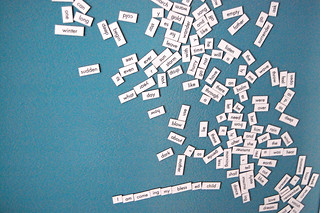
Fridge WordsHow about ending your class differently this time? Before it starts, post a lot of random words around the classroom. You can even ask your students to help you. Let curiosity mount! And make it a kinesthetic moment of your teaching hour.

In the last 5/10 minutes of your class, invite students for a WORD HARVESTING. They may pick and choose any word and as many words they want from the classroom walls. Then, give them 1 minute to write their life motto using the words they chose. They hand it in to you.

Hummm. This might work wonders and you can even use it for another class.


Previous #editingteaching ideas:

Image


#editteaching - Day 1: Music Playlist 
#editteaching - Day 2: Box
#editteaching - Day 3: Color
#editteaching - Day 4: Dice

Sunday, April 22, 2012

What do you LOVE


Use Google app What do you Love to check for information and resources in a very visual way.
You get the results from a variety of Google sources, which is helpful for you to see what is out there in terms of videos, images, books, all different resources.

Have you ever tried What do you LOVE?


Some ideas for the classroom to encourage critical thinking:

Ask your students to look for information on a certain topic. let's say "World Population". 
First, this is a good chance to teach students a bit on how to better search on a certain topic. 
Then, ask them to analyze the results they got: 
  • What are the main trends?
  • What are people talking about in relation to this topic?
  • What do the images tell you about the topic?
  • Find one video that is really powerful
  • Which book would you read about this topic? Why?
  • State 5 interesting findings you had on the topic because of your search results. 
  • Is there something that was not shown in the search results that you find really relevant to the topic?
One follow up task would be for students to build a webpage with their main findings and thoughts.
They could use a wiki page, a blog post, Linoit, Popplet or any other authoring tool to explore the subject.

Any other ideas for What do you LOVE?

Tuesday, April 17, 2012

Explosive Present Perfect Collaboration in POPPLET

Present perfect or Past Perfect are not phrases that reflect the thrilling lesson planning moment I had in collaboration with Tweet mates and my Facebook network.

Collaboration is part of my perfect world of learning mixed with a bit of chaos and fun in which everyone involved has a lot to contribute to the whole, and the final outcome goes much beyond of what was initially envisioned. So, this is what really happened when I was preparing a class for my hybrid class (50% face to face, 50% online) last week. I wanted to do something different and exciting with my students, who are high school teachers. I've been trying to teach English, but also a bit of digital skills for them as I'm sure that their learners will profit from it.

So, as I just got back from the TESOL Conference with some new tricks and tools in my teaching treasure cloud (not box, for it is not self-contained!), I've realized it was time to test what I had heard about.
I went for the web tool and iPad app called POPPLET, presented in the APP fair in the Electronic Village by Suzan Stamper. I'll never be able to thank her enough, for this was the final result created collaboratively in a matter of minutes with my network collaborating from all over the world just because of a simple CALL:

Image

More than words to show how simple, fun, collaborative and inspiring POPPLET is, here's the final PRESENT PERFECT wall we've created:


And here's the one my student has just started after our class:


My idea for them as a follow-up is that each one creates his own POPPLET with their learning highlights for the unit they are studying and invites peers to collaborate with them.

TESOL + POPPLET TOOL + NETWORK = EXPLOSIVE PRESENT PERFECT

Thursday, January 19, 2012

Digital Skills for Teachers - Where Are You?

Nik Peachey's post resonates to what I've been trying to do for the last decade in the school I work for, give support to teachers to help them enhance their digital skills' development.

Just by clicking on Nik's list, you'll be able to find where you are, how far you've gone and where you want to head to.


Teachers' digital skills tick list

387342_10150442069076669_7137316668_9014169_354579768_nAs for my own professional development, besides being connected to my online network of educators through Twitter, Facebook, blogs, plus attending online webinars and conferences throughout the year mixed with f2f seminars and presentations in conferences, I have a motto of
"a skill or tool a semester"

Every single semester, I set a specific goal for my own learning and pursue it throughout the semester. It is doable, simple and it keeps me focused on my learning goals.

How about you? How do you keep yourself up-to-date? How do your pursue your professional development? Where do you want to head? What are your weaknesses that you want to transform into strength? How do you keep motivated to do your best on a daily basis? How are you constantly preparing for yourself to be an AGENT OF CHANGE?

Sunday, October 23, 2011

From Post-Its to Movie Segments in the EFL Classroom

Image
 I remember Cláudio as a very tall, charming teacher when I was still a student at the Binational Center we work in Brasília. Now, I feel terribly lucky to have Cláudio as a co-worker, always inspiring us with his fantastic activities with movie segments. He saves us time, helps us have ready-to-use activities promptly available for our English classes. It can be grammar-based activities, topic-based warm-ups and follow-ups, all freely available for use at:

Image
 Just like Cleide, our tecnophobe teacher who became a digital artist, Cláudio didn't know much about technology until the day he started having some training and repurposed his own professional path connecting his passion for films and technology to share what he was doing with others with the community of educators worldwide. In fact, every time we travel to a Conference, Cláudio is a popstar with a group of fans wanting to take photos and talk with him.

Learn more about this educator who has been enchanting and inspiring all of us for years at Casa Thomas Jefferson.

>>Cláudio, just some years ago, you didn't know anything about blogging. What was the turning point for you? What made you realize it was time for a change?

I felt that I was not following the speed of the  changes in the educational field, especially concerning the tools available on the web. I started feeling embarrassed when I realized that novice teachers were much more familiar with the new trends in education than I was. They mastered the technological aspects, but lacked expertise in teaching. On the other hand, I mastered the teaching expertise, but did not know much about technology. I could not be behind the teachers I was supposed to monitor and develop. This feeling was shared by most of the Coordinators at the Casa Thomas Jefferson. These Coordinators eventually decided to take a course with a knowledgeable teacher at the CTJ, Ronaldo Mangueira, who taught us the basics of blogging and wikis. He assigned us one piece of homework, which was a turning point in this process. We had to develop a blog. Because I already had many activities connecting movies and grammar, which were ready to be used, I decided to create my blog to share what I had been doing and show my teacher I would manage to do my homework. Then everything took place rapidly. It was amazing how it motivated me to go on. The results were immediate. The number of visitors, the positive feedback and awards the blog received in such a short time showed me that I was in the right track, so I felt compelled to keep on developing the activities and sharing them with my readers. I think it was a wise decision.


>>You post a video activity with a grammar point handout every single week on your blog for free. Why free? What are your drives for giving so much to the community?
 Many people have been talking me into charging for the worksheets or the site access. I refuse to do so. My main purpose is sharing. Teachers must help each other. How can a teacher in Russia or in Korea possibly compete against me? People with little access to technology or who are taking teaching training courses profit
enormously from my work. I am sure that I have been receiving much more in return by providing this free material than I would be if I had been charging for the use of the material. I gain by giving
presentations, relating with different teachers and institutions worldwide, giving short teacher development courses, and by fulfilling my generous way of being, sharing what I think I can do best. I also profit from other people’s work on the web, so my activities are just my share. I’ve been receiving many activities from my readers who want to share theirs too. I always publish them with the proper credits and I also use them in my classes. Most of them are excellent tasks. We end up helping each other.

>>How have you benefited from the community of educators who follow you? Any funny or touching stories about your followers?
Many experts in the teaching field have contacted me. We share links, ideas and knowledge. Famous professionals of the area have mentioned my work on important websites, such as Universities, Colleges, Governmental Organizations, among others. I have given interviews, made online presentations, and become a well-known reference in the use of videos and movies to teach grammar. This is simply fantastic, considering that Movie Segments to Assess Grammar Goals is turning three-years old in October 2011.

Readers have been sending messages of how their professional lives have changed after knowing my blog. Some of them say that their classes are much more fun now and that they use the segments practically every class. Some say they don’t teach a class without checking the blog out before they actually plan their lessons. I feel so pleased when teachers who have very few resources say that their students have become more motivated and participatory because of the activities. I also receive messages from students who start using my blog to practice the language, because their teachers let them know about the blog. And they do it spontaneously, just because they like the site. Just last week I received a message from a teacher from Malaysia, and she said that she was about to quit teaching for the lack of motivation and interest from her students in a small village where she lives in the cold mountains of the country. They hardly have access to movies or TV programs in English where they live in and their contact with foreigners is rare, which hindered the students’ intrinsic motivation to learn English . She said that her students are so eager to have English classes nowadays that she has started developing video activities herself. One of her activities will be shared in one of my future posts. She sent me pictures of her students using my blog. I almost cried seeing them! Another touching moment was when a teacher in Canada sent me a message with the topic: URGENT. The text said – “Claudio, I love you and your activities. You have saved my life so many times. I’m teaching a class on Dangling Modifiers on Monday. Can you prepare something for me. I am in complete despair without anything interesting for my students. Please HELP!!!”. Well, I did something with the movie “The Devil Wears Prada” for her. Three weeks later, I received  a jar of Maple Syrup  from her via snail mail. I loved it.


>>Why did you feel the need to keep adding to your Movie Segments to Assess Grammar Goals blog and creating another blog - Movie Segments for Warm-Ups and Follow-Ups?
I think I can’t stop feeding my blogs now. My readers expect a new post every week. They send messages if I am one day late with the post, for example, asking what happened. Moreover,  new blockbusters and clever movies come out every week, many of them full of rich material. I simply cannot see a scene that can be used in class and ignore it. How can I leave the Twilight series out, for example? I have a lot of material already prepared for the next couple of years, ready to be published, so I don’t think I will ever stop doing it.

I had the need to create Movie Segments for Warm-ups and Follow-ups because many teachers at Casa Thomas Jefferson and other readers of mine know that I am a movie buff, so they usually ask me if I know a scene to lead some topics in, such as weddings, genetic engineering, cloning, travel hassles, among others. Besides, I also make use of segments to brainstorm new topics, readings, and for my conversation classes, so I decided to create another blog for that purpose. It is funny because both blogs have different audiences. This new blog attracts a lot of ESL and private teachers. In fact, it is a success too. The number of visitors increase every week. It contains activities and tasks that can be used just for 10 minutes or for a whole 120 minute-class. This is one of the reasons why teachers enjoy it, I guess.


>>I know you have a very interesting creative process to have the video segments ready for the educators. Can you tell us a little bit about it? How do you prepare the activities?
I’m not sure how it really happens. I have always prepared grammar activities based on movie segments, but I believe that technology nowadays has provided me with the tools I needed to store and share what I have always done. I usually see lots of films and I try to focus on how I can use scenes to practice grammar. However, I believe that practice makes perfect, so I have developed the skill to see movies with different eyes, which I call “grammar eyes”.
There are two ways of using my “grammar eyes”. One of them is to look for a specific grammar point when I see a  blockbuster movie. So, if I’m looking for something to contrast the use of the simple past x past perfect, for instance, I already know I need a scene with a sequence of actions that take place during one single scene. This way I will manage to have a context that provides me with two actions that happen in the past, one before the other,  and I will have enough input to use the tenses I’m looking for. The second way is when the movie has a scene that is simply perfect for a certain grammar goal. For example, I’m seeing a movie and there is a scene that shows a  period of time, or activities  which a character has performed during an unfinished period of time. This means I can use it for the present perfect tense. Modals for speculations must have a scene with an unexplained mystery. For the passive voice, you must find a scene with a series of actions. To contrast the past continuous and the simple past tenses, you must look for a scene in which several activities take place at the same time. I do not look for the grammar point in the lines the
characters say during the scene – sometimes I am lucky enough to have one or another scene like that – but I look for  a context that allows a movie scene with certain characteristics to be used. This way teachers do not have to depend on my scenes, but they will manage to develop their own activities with the DVDs they have at home. The scene must be contextualized so you don’t have to explain what had happened before the snippet, and it can’t be longer than 7 minutes. Otherwise, students get distracted and don’t focus on the grammar point. I usually go to the movies with post-it notes so I can remember the scenes I need, but this is something I do, nobody will ever do it.


>>Have you changed anything in the process along the way?

No, I have not changed the process, which is easier for me now, though. I can identify useful scenes faster. Now that  I am familiar with more webtools, the process is more practical. Editing the scenes, for example, used to be a hassle for me, but now it is a piece of cake. But the rationale behind the creative process is pretty much the same.


>>Any other plans for the future? Next steps?
These blogs have kept me busy for a while recently. Preparing the activities is time-consuming,  and so is feeding the blogs, responding to comments, formatting other readers activities, online presentations on the subject, and so on. My main goal is to keep on promoting them and give presentations and courses about them.  I’m collecting the material for a future publication or a book as well. I wish I had longer days to do everything I would like to.

>>A sentence of advice to EFL teachers around the globe:
It is never too late to update your technological knowledge. If you have a good concept or idea, it will eventually work out. Besides, sharing is extremely rewarding. We make use of the web to improve our own classes, why not share and help other fellows too? Don’t give up. If I managed it, you may manage it as well.

Thursday, August 25, 2011

Still on the Mantras for Tired Teachers

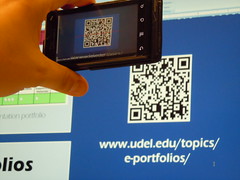
In my last post, I talked about the three mantras for tired teachers, and mentioned that my learning goal of the month was to not only learn, but also test the pedagogical possibilites of QRcodes. I'm delighted  to say that I followed the two first mantras (learn and try) and am here to share (as part of the last one!) the results of my classroom results.

QR Codes

I studied QRcodes, thought of a lesson plan that fit my students' needs and school curriculum. It all started when I told my adult students how the advertisement industry was using QRcodes and Augmented reality in their campaigns (we were discussing about the world of advertisement). They had a question mark on their faces, for they'd never heard of QRcodes or Augmented reality. I explained it, then, there was a brochure in our school with a QRcode. I showed them how it worked. Most of my adult students own a smartphone. So, I sent my customary email of the day and included links to free app downloads of QRreaders for iphones and android phones. Plus, I added they homework in QRcode to make them curious and willing to take their time to download the apps.

I used http://qrstuff.com to generate the colorful QRcodes with amazon links to specific products. We were practicing how to say in different ways how something was expensive or cheap, as explained in my last post:
2. Try, fail, try again in class                                                                                
Learning is not enough. Practice really makes perfect. Test with a plan.
I learned about QR-generators and found powerful free QRreader apps to encourage my students to download them.
I planned a shopping activity with QRCodes to practice talking about things that are too expensive and a bargain.
I invited my students to download the app to their cellphones (I gave suggestions for either Apple and Android smarthphones)
I feel ready to try. Here are the colorful QRcodes I prepared for the activity.
https://docs.google.com/document/pub?id=1_N-ykajXMynurxERnk3E3ZBAkjt-b6JDUBMwn6fkTBg 

I was ready for the classroom trial. I had my cellphone with a QRreader app and my son's iPod touch. When I got to class, I asked if some of them had downloaded the app. Yes, Yes, Yes! So, we were ready. First, I elicited from students the dialogue we were practicing and the expressions they could use to say something was way too expensive or a good deal. Then, I handed in to the groups different QRcodes in different colors. They scanned them, and had a wonderful practice using real products from Amazon. I was careful to choose products that might really interest them (GPS running watch, Nespresso Coffee Maker, Gold bracelet, Watch, Touchscreen digital camera). The students were really into the activity and practiced extensively ways of talking about a purchase. I asked them to stand up and change partners holding their cellphones and their products. So, they had on the cellphone screen the product they wanted to talk about and they could also use the QRreader history to browse other products they had scanned. Some students had the cellphones, others asked about the products. The hard part was to make them stop!!! After that, we talked about the products and prices and what they would really buy, students were curious about how to buy online, what the shipping costs and taxes were, if it was reliable to buy online. What a wonderful discussion in which all the students had an experience to share! I was ecstatic with the positive results of my own learning.

Challenges and tips:

  • Such an activity will only work if your students have smartphones with data plan or ipod touch devices with wifi (and wifi at your school). Or if you bring your own devices to class. 
  • there needs to be preparation beforehand and, at least, some students need to download the scanning app
  • The content you choose to be scanned must be exciting, close to students' reality to make the effort worth it.
  • Encourage other teachers to join you. It is REALLY fun and brain-friendly.
For ideas on how to use QRcodes in the classroom check this PPT:

Friday, July 8, 2011

Professional Development - Do-It-Yourself Approach

Ann Foreman has shared her wonderful presentation about professional development. What she says is exactly what I've been advocating for some years now. Educators need to be in charge of their own learning. They need to understand that PD is not institutionally-bound. We need to get hold of our own professional development perspective and analyze where we want to get and why.


Here are some of my presentations related to the topic that might be of interest:

Share, Connect, Learn

From Incubation to Change


Digital Magic of Professional Development