
Explore pricing and generation modes
Haiper AI Video Generator for Faster Text and Image-to-Video Creation
Use haiperai.org to turn prompts, still images, and source clips into short video drafts.
Compare model behavior, control credit spend, and move from rough idea to review-ready motion without a heavy editing stack.
Create videos and images from the same starting point
Start with a prompt, add a reference image when needed, then choose the output that fits your project: motion drafts, product visuals, image edits, or higher-quality paid generations.
Text to Video
Turn a scene idea into a short video draft for ads, storyboards, social content, or concept review.
Text to Image
Create still images from the same prompt workflow when you need a visual before you animate it.
Image to Video
Upload a product photo, portrait, or concept image and describe the motion you want to add.
Advanced Models
Upgrade when you need stronger video motion, sharper image output, and more room to iterate.
Clear Credit Cost
See the credit cost before each generation so you know what you are spending before you run it.
Generation History
Return to completed images and videos later instead of losing useful drafts after one session.
Create the kind of visual people stop scrolling to watch
Start with a prompt or a still image. Build a strong first frame, add controlled motion, and turn one idea into campaign-ready visual directions for products, property, architecture, and social content.
Turn a still car photo into a premium campaign shot
Controlled side motion, reflective lighting, and a stable vehicle silhouette.
Try this workflowGive a render the feeling of a real camera move
A quiet architectural drift adds scale, depth, and presentation value.
Try this workflowMake fine materials catch the eye
Subtle camera motion and light turn one product photo into a polished visual hook.
Try this workflowCreate clean product motion without a full shoot
A restrained light sweep keeps the bottle and material story in focus.
Try this workflow
Start with a frame worth animating
Create a clear visual direction first, then move into image-to-video.
Try this workflow
Build a stronger hero image for your next campaign
A focused composition gives ads, landing pages, and video drafts a better starting point.
Try this workflowAI video tools built around the image you already have
Open a task-specific generator with the right image-to-video mode, camera prompt, and practical guidance already in place.
Real Estate Photo to Video
Turn a listing photo into a short property video for websites, presentations, and social media.
Architecture Render to Video
Animate an interior or exterior render with controlled walkthrough, pan, tilt, and reveal motion.
Interior Design Video
Create a cinematic room walkthrough from a real photo, exported render, or design concept image.
Furniture Video Generator
Add product camera motion to a sofa, chair, table, bed, cabinet, or home decor photo.
Product Photo to Video
Create a short ecommerce product shot with a controlled camera move, reveal, or light sweep.
Car Photo to Video
Turn a dealership, studio, or owner vehicle photo into a cinematic automotive clip.
Skincare Product Video
Animate a serum, cream, cleanser, or cosmetic package with clean macro movement.
Jewelry Video Generator
Add restrained macro camera motion and controlled light to a detailed jewelry image.
AI Avatar Video Generator
Upload one authorized portrait and a short audio clip to create a talking avatar video.
Go from prompt to usable draft without extra setup
The workflow is built for fast testing: write the idea, choose the format, review the cost, then generate the first version.
Choose Video or Image
Start with video by default, or switch to image when you need a still visual first.
Write the Prompt
Describe the subject, scene, action, camera, and style in plain language.
Confirm Model and Credits
Pick the available model level and check the credit cost before you generate.
Generate and Download
Preview the result, download it, or return to it later from your generation history.
Start free, upgrade when you need better output or more volume
Use the standard generation flow to test ideas first. When you need stronger video models, sharper images, or more credits, Pro and Premium plans keep the workflow moving.
Free Standard Generation
Try prompts and basic generations before deciding whether a paid plan is worth it.
Paid Advanced Video
Use higher-quality video models for better motion, richer scenes, and more serious production tests.
Paid Advanced Image
Generate and edit sharper images when you need stronger visual direction before creating video.
Low-Credit Upgrade Flow
When credits run low, choose a monthly or yearly plan and continue creating.
What does Haiper AI video generation look like on this site?
The answer depends on your mode choice, prompt clarity, and model selection, so the site is designed to make those decisions visible.
Text to Video
Describe the subject, action, setting, camera move, and tone, then compare how different models interpret the same scene.
The sun rises slowly between tall buildings. Ground-level follow shot of bicycle tires
Image to Video
This is useful for product photography, illustrations, portraits, concept art, and any workflow where you want stronger visual control from frame one.
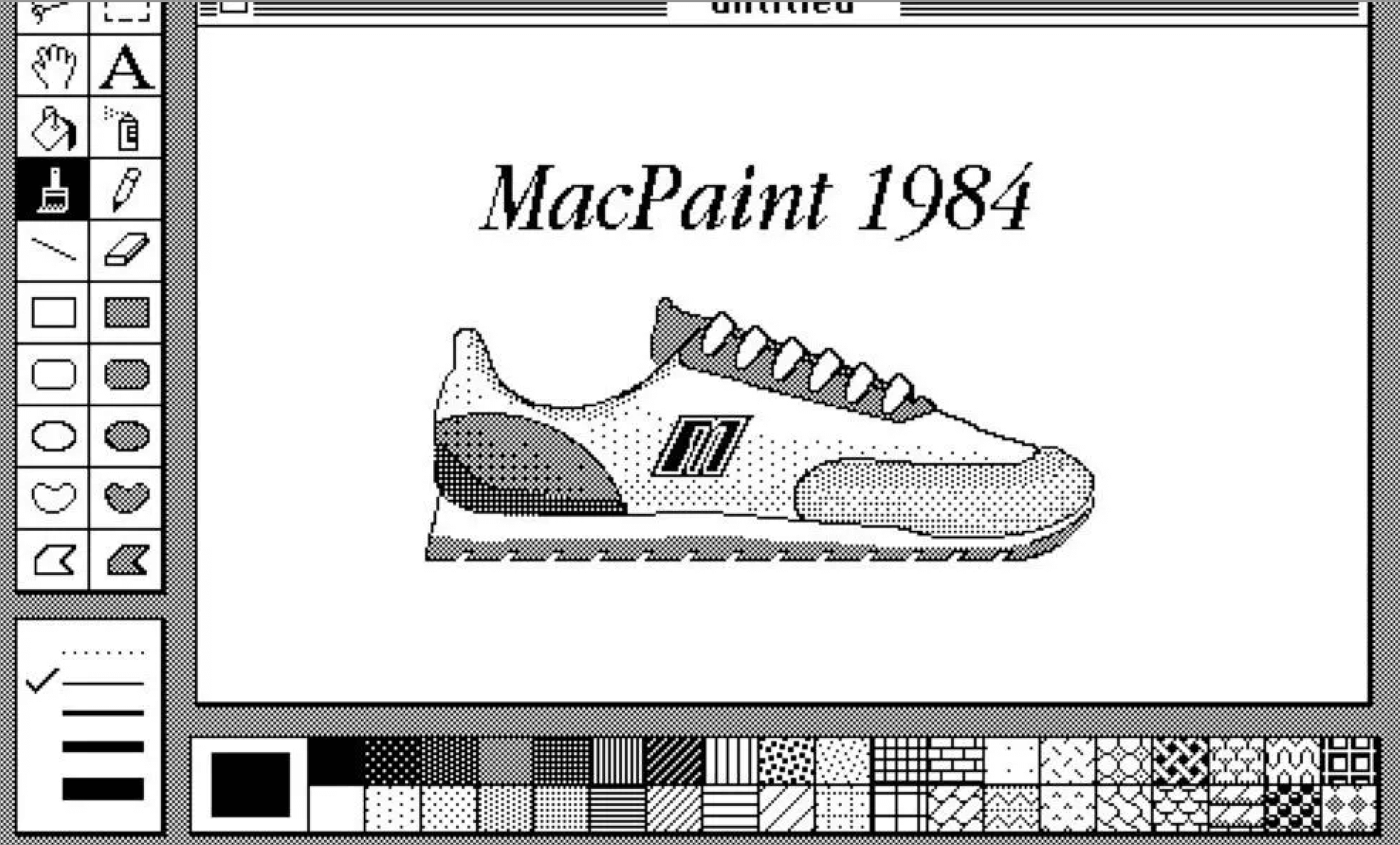
Rotate the shoe, keep everything else still
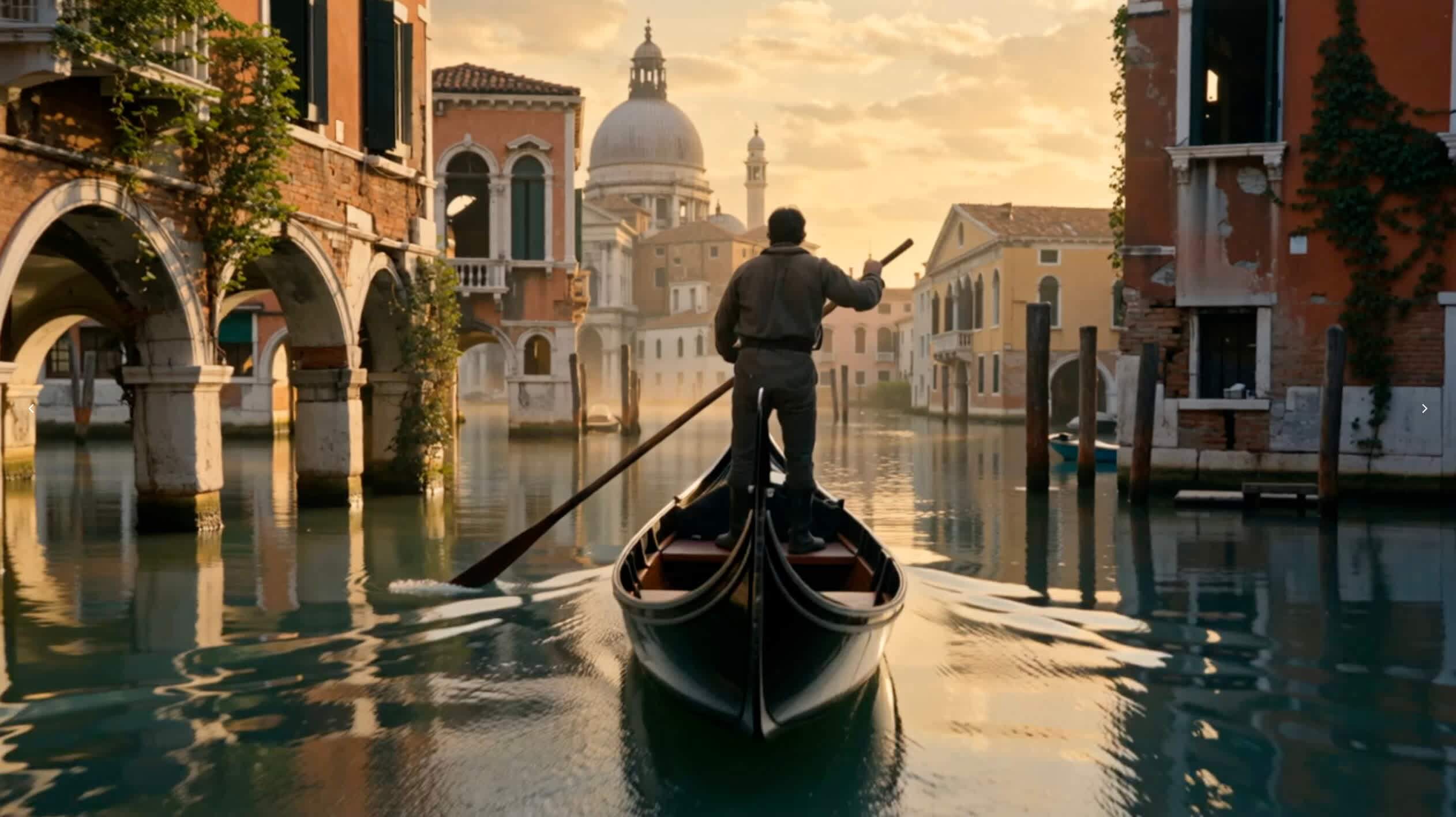
Golden hour, soft lighting, warm colors, saturated colors, wide shot, left-heavy composition. A weathered gondolier stands in a flat-bottomed boat, propelling it forward with a long wooden pole through the flooded ruins of Venice. The decaying buildings on either side are cloaked in creeping vines and marked by rusted metalwork, their once-proud facades now crumbling into the water. The camera moves slowly forward and tilts left, revealing behind him the majestic remnants of the city bathed in the amber glow of the setting sun. Silhouettes of collapsed archways and broken domes rise against the golden skyline, while the still water reflects the warm hues of the sky and surrounding structures.
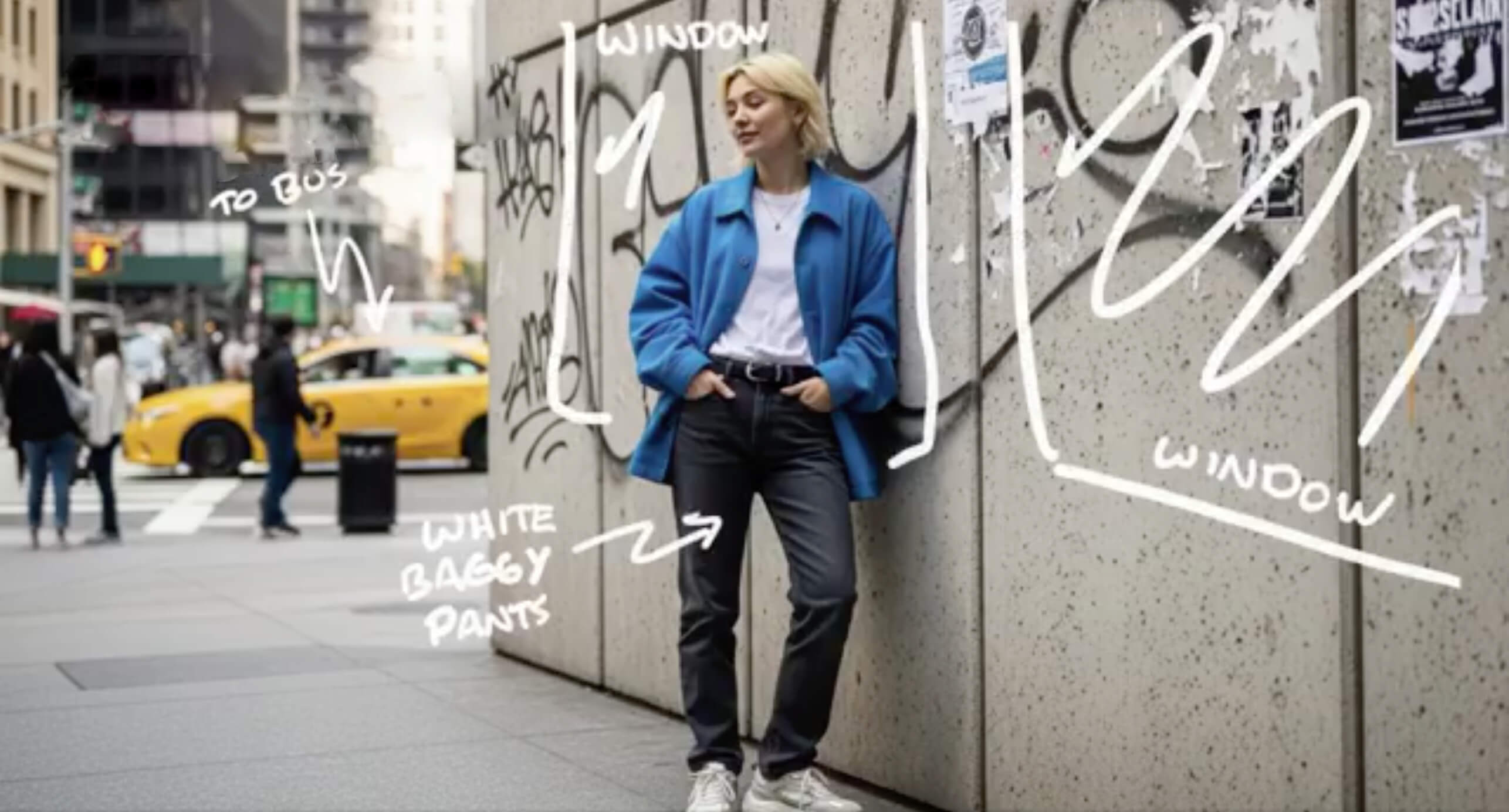
Make the changes happen instantly.
A workflow built around speed, model choice, and iteration
These numbers reflect the public generator experience users can actually see on haiperai.org today.
Text to video, image to video, image generation, and image editing
4
Generation modes
Standard text-to-video costs 20 credits; premium video starts at 50 and scales with duration and resolution
20+
Video costs
Text-to-image costs 5 credits; image-to-image and editing cost 10 credits
5-10
Image costs
Choose a Haiper AI plan based on how often you iterate
This site uses credits, so the right plan depends less on company size and more on how many generation loops you expect to run each month.
Pro
$35 USD billed monthly
For creators needing higher quality output and increased production capacity
CREDITS
- 600 Credits /mo (≈ 120 videos)
- About 100 text-to-video jobs or 75 image-to-video jobs at current site costs
- Buy More Credit Packs as Needed
FEATURES
- Text-to-video and image-to-video
- Multiple provider and model choices
- More room for prompt iteration
- Better fit for weekly output
BENEFITS
- Balanced plan for regular creators
- Fewer interruptions from low credits
- Useful for ongoing campaigns
Premium
$159 USD billed monthly
For high-volume professional users requiring maximum efficiency and value
CREDITS
- 3000 Credits /mo (≈ 600 videos)
- About 500 text-to-video jobs or 375 image-to-video jobs at current site costs
- Buy More Credit Packs as Needed
FEATURES
- Text-to-video and image-to-video
- Multiple provider and model choices
- High-volume iteration capacity
- Built for many variants
BENEFITS
- Good for campaign-heavy workflows
- Fewer top-up interruptions
- Better fit for teams testing many variants
Credit Pack 59
$59 USD one-time payment
One-time credits for extra generation capacity without a subscription
CREDITS
- 1200 Credits one-time
- Good for extra video generations and retries
Credit Pack 99
$99 USD one-time payment
Larger one-time credits pack for heavier production bursts
CREDITS
- 2400 Credits one-time
- More room for high-volume tests and variants
Use cases that match the way teams actually evaluate AI video
These are workflow examples, not polished brand promises. The value usually comes from speed, comparison, and faster rejection of weak concepts.
Prompt-led drafts help teams test hooks before they commit budget to a full creative shoot.
Image-to-video is useful when product stills already exist and the only missing piece is motion proof for a landing page or ad concept.
Prompt-led drafts help teams test hooks before they commit budget to a full creative shoot.
Image-to-video is useful when product stills already exist and the only missing piece is motion proof for a landing page or ad concept.
Text-to-video helps creators test pacing, scene order, and visual tone before handing a tighter brief to editing.
A moving draft usually gets faster client feedback than a written concept, even when the clip is not final.
Text-to-video helps creators test pacing, scene order, and visual tone before handing a tighter brief to editing.
A moving draft usually gets faster client feedback than a written concept, even when the clip is not final.
Short scripts and reference frames can become lesson visuals faster than a slide-first workflow.
The main value is not that every clip is final. The main value is rejecting weak directions early and spending more only on the strong ones.
Short scripts and reference frames can become lesson visuals faster than a slide-first workflow.
The main value is not that every clip is final. The main value is rejecting weak directions early and spending more only on the strong ones.
Questions people ask before trying Haiper AI
These answers reflect the public experience currently available on haiperai.org.
What can I generate on haiperai.org?
The public generator supports text-to-video and image-to-video in one workflow.
How many credits does each mode cost?
Standard text-to-video costs 20 credits and image-to-video starts at 50. Premium video starts at 50 credits, with the exact cost shown before generation based on duration and resolution.
How do I get better prompt results?
Keep prompts concrete. Describe the subject, action, setting, camera move, and tone. Short prompts with clear intent usually outperform vague paragraphs.
What works best for image to video?
Start with a clear image, a strong subject, and one main motion idea. Busy scenes usually produce less stable results.
Can I use generated videos commercially?
This site is positioned for commercial workflows, but you should still review your final plan terms and any provider-specific restrictions before large campaigns.
Is this the official Haiper site?
haiperai.org is a creator-facing site built around Haiper-related search intent and AI video workflows. It is not presented as the official corporate site for Haiper.
Start with one real prompt, one real image, and one real clip
The fastest way to judge fit is to compare outputs inside the public generator, then decide whether the workflow is strong enough for your next campaign or content sprint.
