
Details
10 Courses
44 Hours
Medium
Discover the art of retouching with our comprehensive 44-hour Retouching Learning Path, designed for both amateurs and professionals.
Master essential techniques such as frequency separation retouching, dodging and burning, sharpening, and more. This in-depth curriculum covers the fundamentals with introductory courses, dives into retouching features, fabric, and materials, and concludes with advanced techniques and applications.
Retouching Essentials

Professional retouching is a valuable skill and a great way to improve any photo. Learn how to remove skin blemishes, smooth skin tones, clean up flyway hairs, fix exposure, and make subtle adjustments for an all-natural look.
21 Sample Images | 1 Photoshop Brush | 1 Photoshop Action

Give your photos a professional finish with sharpening in Photoshop. Learn to enhance details, create contrast, and prepare your images for print, web, and social media.
18 Sample Images | 1 Photoshop Action

Dodging and burning is a staple technique for professional photographers and retouchers. Learn how to sculpt highlights and shadows to add dimension, remove blemishes, and guide the eyes of the viewer to the most important parts of a photo.
16 Sample Images | 1 Photoshop Brush
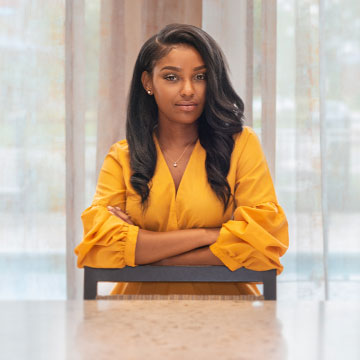
Retouching Features, Fabrics & Materials
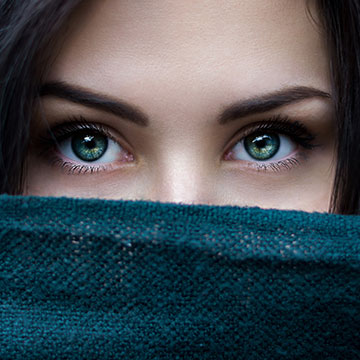
Learn a professional approach to retouching eyes in Photoshop. Brighten up dark eyes, change iris color, enhance the details with dodge and burn, and more. Picture-perfect peepers, every time!
7 Sample Images | 2 Photoshop Brushes | 2 Photoshop Actions
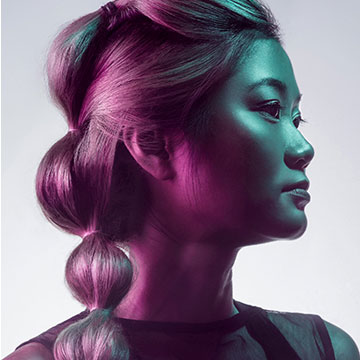
Learn professional hair retouching in Photoshop! Learn how to rescue details, remove flyaways, add volume, and enhance the definition of hair in any photo.
12 Sample Images | 1 Photoshop Action

Learn how to make clothing and fabric look amazing in Photoshop. Remove wrinkles, change color, recover details, add shape and definition, and much more!
Photoshop | Medium | 2.5 hours
13 Sample Images | 1 Sample PSD | 1 Photoshop Action
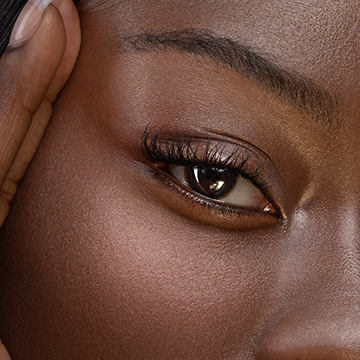
Advanced Techniques
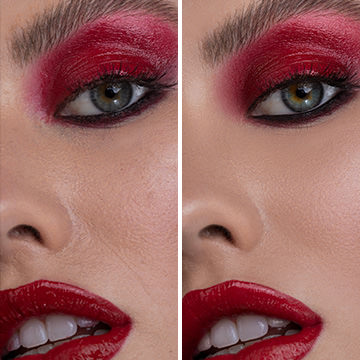
Create smooth, vibrant skin tones with natural texture and details with Frequency Separation in Photoshop. Learn how to separate frequencies, edit the details and color independently of one another, and use our Photoshop action to work faster.
Photoshop | Advanced | 6.75 hours
7 Sample Images | 2 Photoshop Actions | 1 Photoshop Brush
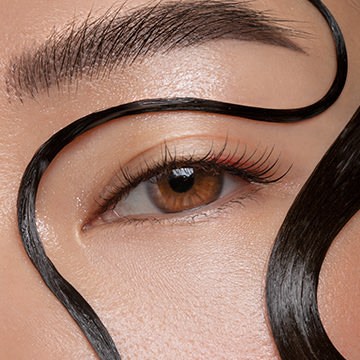
Master the art of professional beauty retouching in Photoshop! Learn advanced skills like dodging and burning, frequency separation, and sharpening–all for creating beautiful portraits with commercial appeal.
Photoshop | Advanced | 4 hours
4 RAW Sample Images | 1 Sample PSD | 2 Photoshop Actions | 1 Photoshop Brush




Reviews




Unlock This Course & Every PRO Tutorial.
Get Instant Access with PHLEARN PRO!

Instant streaming in 4K Ultra HD on any device, anytime
Download full project assets, original PSDs, and sample images
Unlimited access to all PRO Photoshop, Lightroom, and Retouching courses
Includes full access to Photoshop Actions, Lightroom Presets, and LUTs
Flexible monthly and annual plans to fit your workflow
Cancel anytime with zero hassle or fees

sir, I am just 12yr old and i am learning from many teachers espaccially
It’s so amazing that you guys introduced Learning Pathes. It makes the choice of course easlier and learning more organised and easier! Love it!
This Learning Path is amazing. I learned so many things. ty very much 🙂 But the link of Professional Beauty Retouching is missing. He sends to How to Master Frequency Separation Retouching.