First of all open Easy HTML 5 Video application
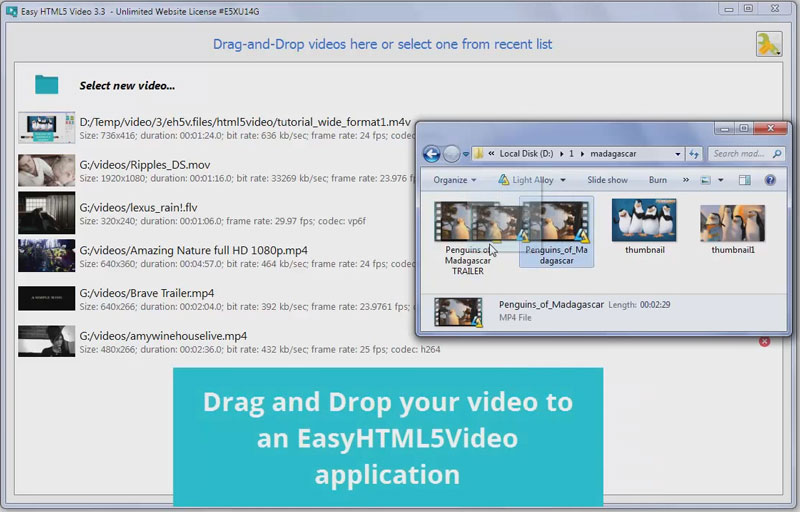
Drag and Drop the video file to the main window or click 'select new video'.
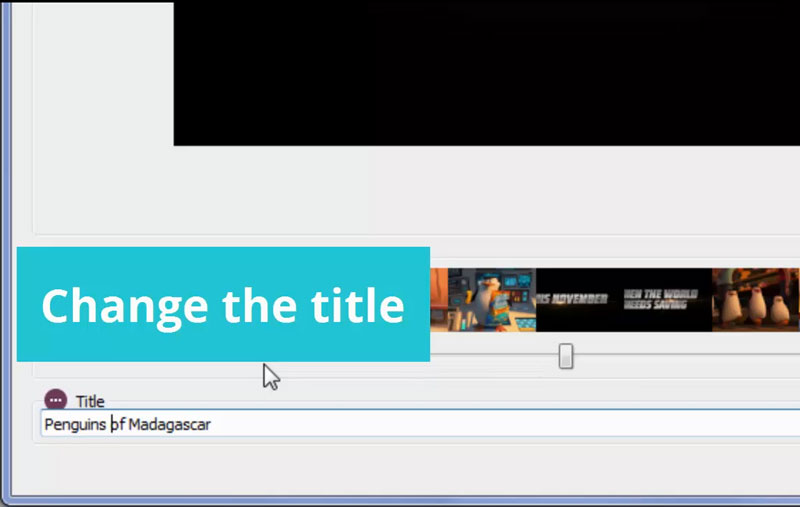
Change the title of your video.
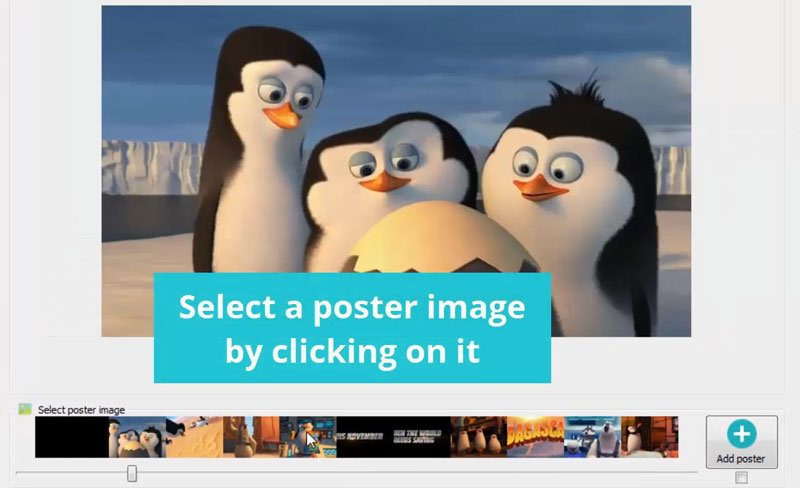
You can set a poster by clicking on the small images. Also you can add your own poster if you click on 'Add poster' button.
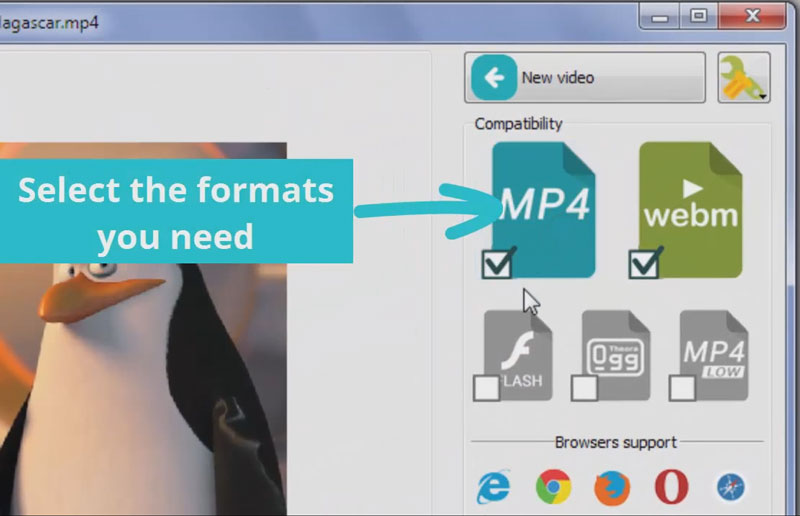
Select the formats you want. Your video will be converted to it.
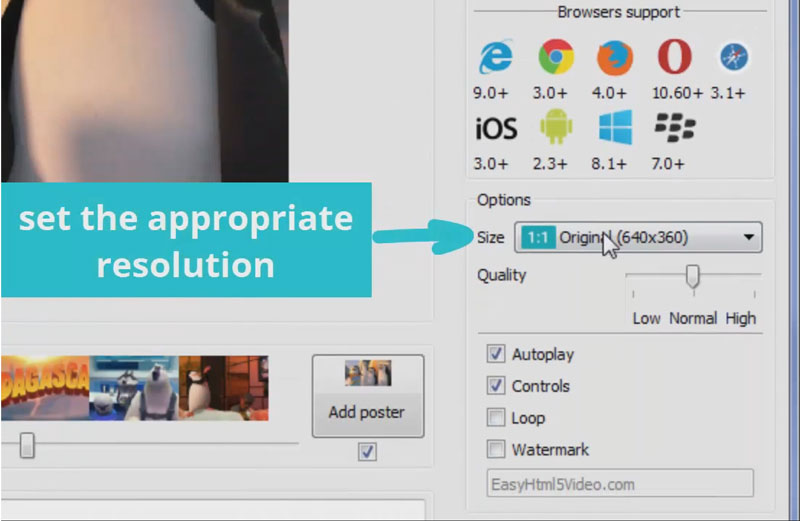
Set the appropriate resolution. Also you can change other options. For example you can set your own watermark which will be displayed on the video.
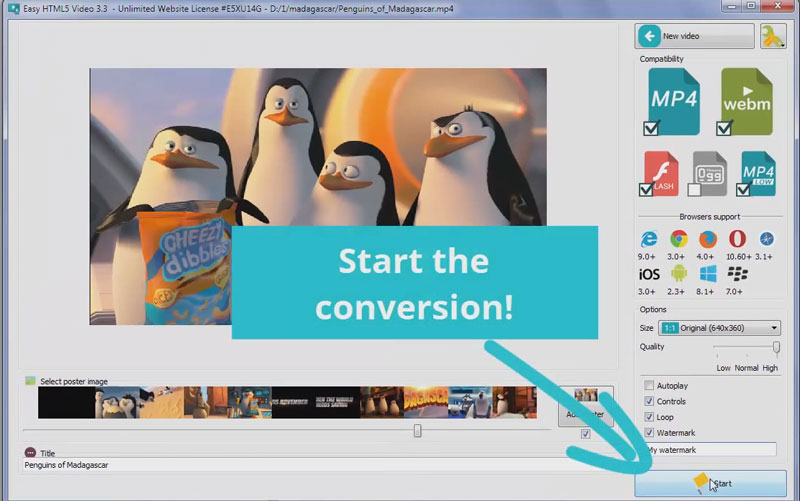
Start converting.
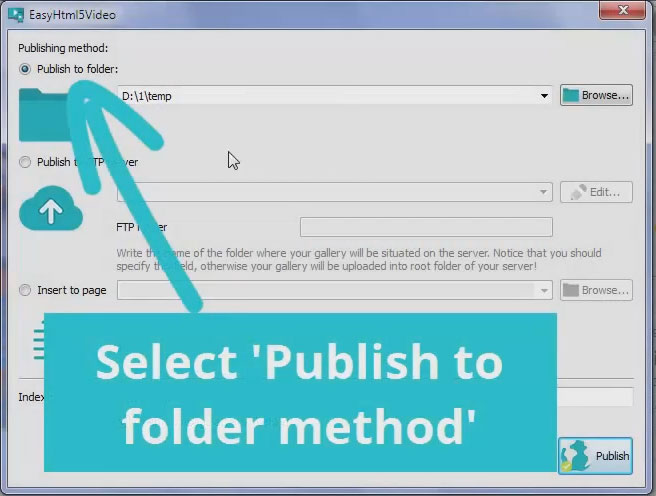
Select 'Publish to folder' method, then choose the path for your converted video.
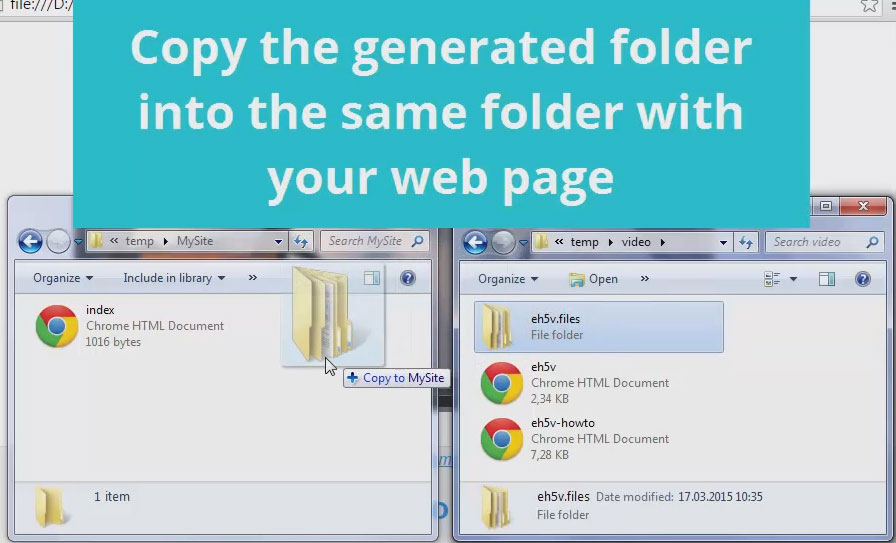
Copy the generated 'eh5v.files' folder to the place where your html page is situated.
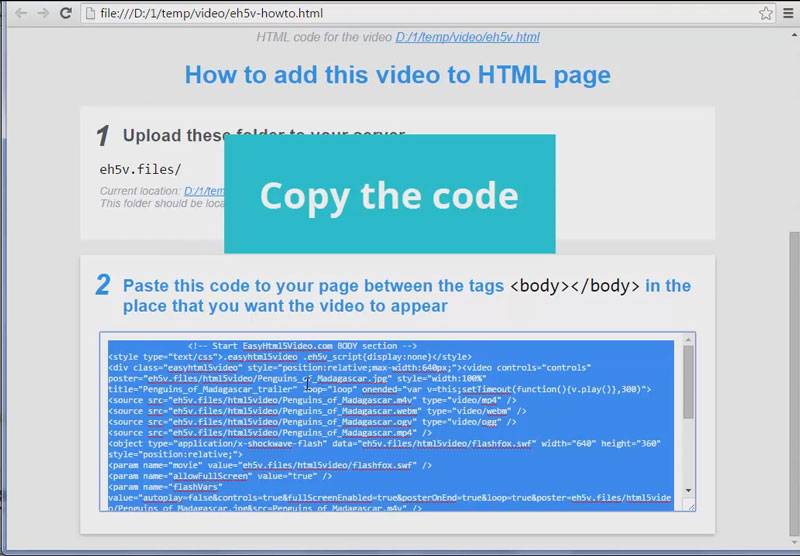
Open the eh5v-howto.html file. Copy the easy html5 video code.
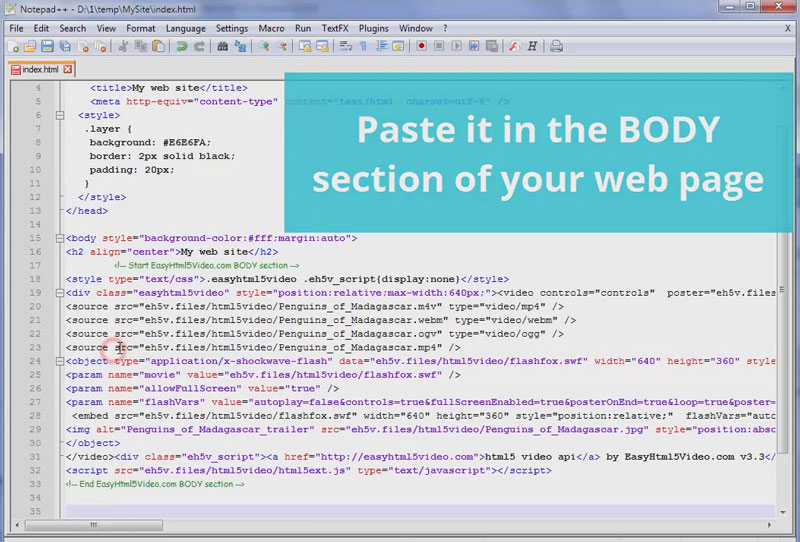
Open your html page and paste the code in the BODY section at the place where you want to see the video.
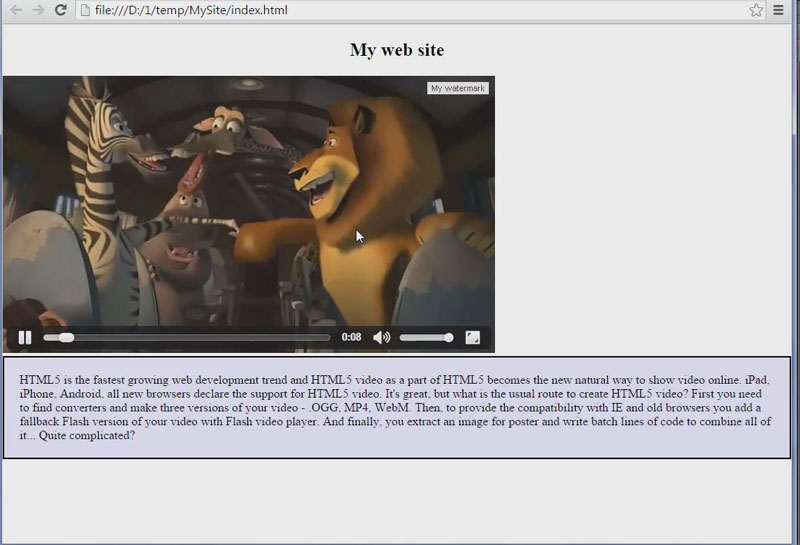
Now the video is embedded to your site.
For troubleshooting, feature requests and general help contact us at  . Make sure to include details on your browser, operating system, Easy Html5 Video version, link to your page. In most cases you'll get a reply within 1 business day.