Resource retrieval
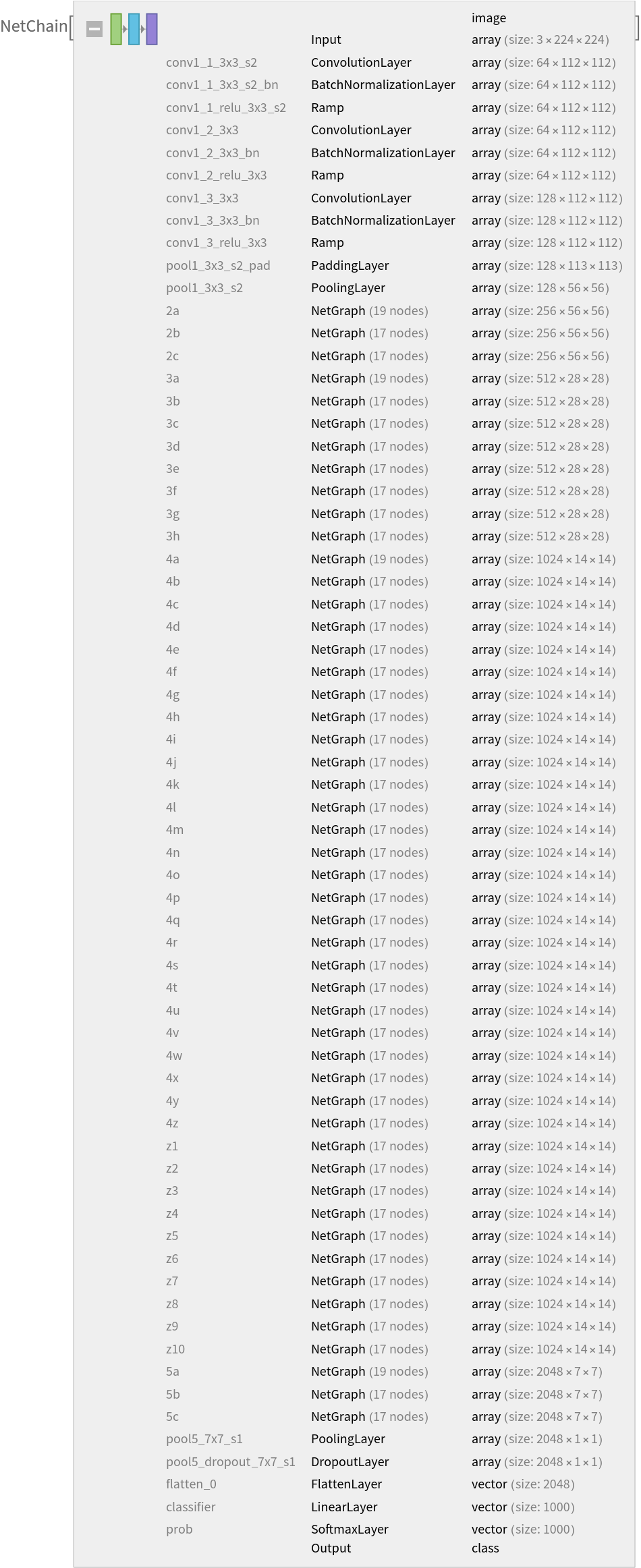
Get the pre-trained net:
NetModel parameters
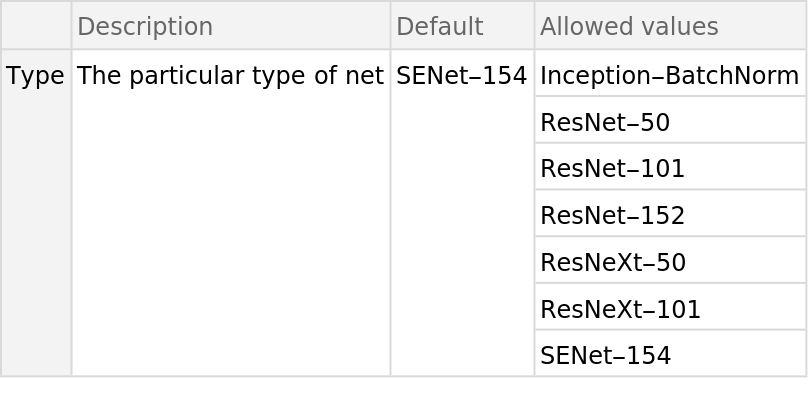
This model consists of a family of individual nets, each identified by a specific parameter combination. Inspect the available parameters:
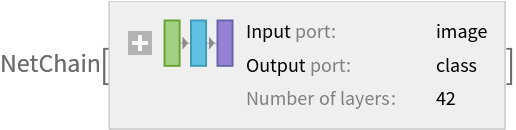
Pick a non-default net by specifying the parameters:
Pick a non-default uninitialized net:
Basic usage
Classify an image:
The prediction is an Entity object, which can be queried:
Get a list of available properties of the predicted Entity:
Obtain the probabilities of the ten most likely entities predicted by the net:
An object outside the list of the ImageNet classes will be misidentified:
Obtain the list of names of all available classes:
Feature extraction
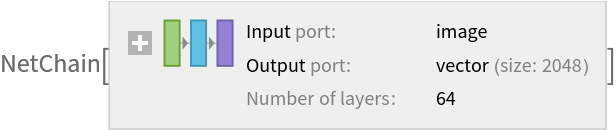
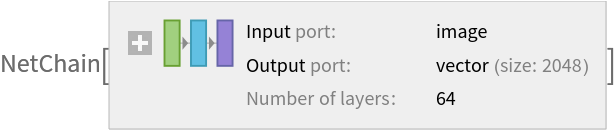
Remove the last two layers of the trained net so that the net produces a vector representation of an image:
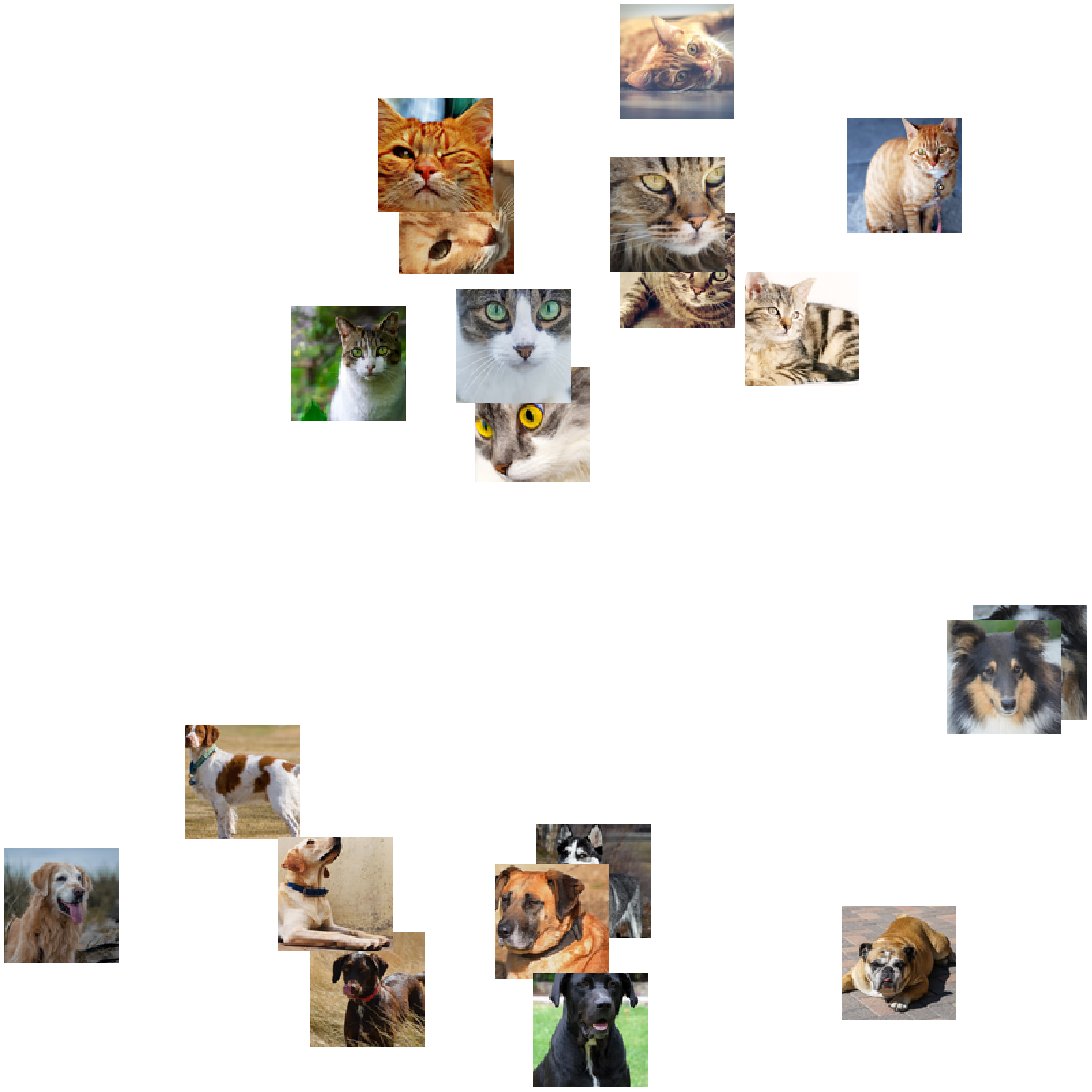
Get a set of images:
Visualize the features of a set of images:
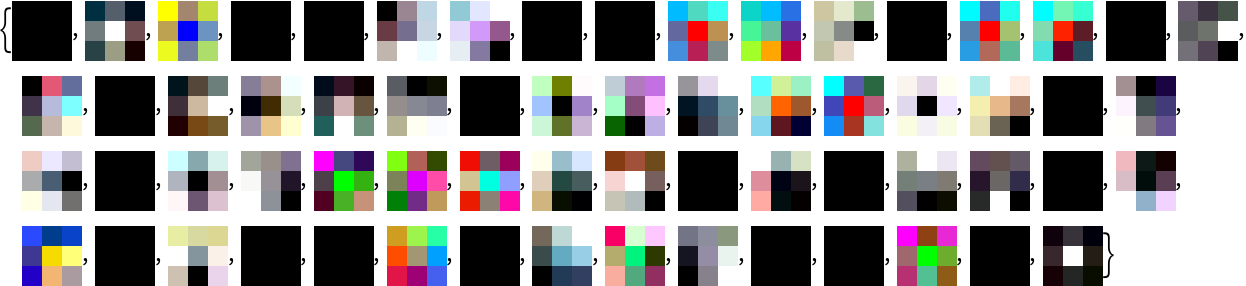
Visualize convolutional weights
Extract the weights of the first convolutional layer in the trained net:
Show the dimensions of the weights:
Visualize the weights as a list of 64 images of size 3x3:
Transfer learning
Use the pre-trained model to build a classifier for telling apart images of dogs and cats. Create a test set and a training set:
Remove the linear layer from the pre-trained net:
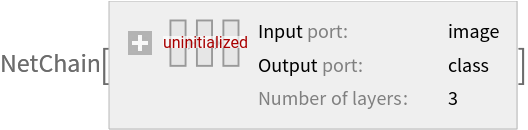
Create a new net composed of the pre-trained net followed by a linear layer and a softmax layer:
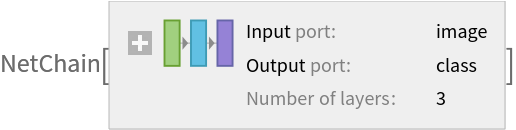
Train on the dataset, freezing all the weights except for those in the "linearNew" layer (use TargetDevice -> "GPU" for training on a GPU):
Perfect accuracy is obtained on the test set:
Net information
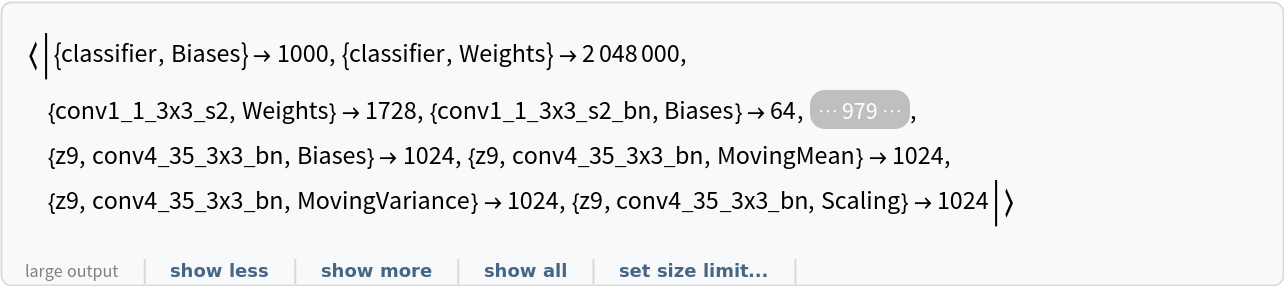
Inspect the number of parameters of all arrays in the net:
Obtain the total number of parameters:
Obtain the layer type counts:
Export to MXNet
Export the net into a format that can be opened in MXNet:
Export also creates a net.params file containing parameters:
Get the size of the parameter file:
![NetModel["Squeeze-and-Excitation Net Trained on ImageNet Competition Data"]](https://www.wolframcloud.com/obj/resourcesystem/images/57a/57aad159-9319-4ff9-afab-95a2acb272bf/1015281d41f63762.png)
![NetModel["Squeeze-and-Excitation Net Trained on ImageNet Competition Data", "ParametersInformation"]](https://www.wolframcloud.com/obj/resourcesystem/images/57a/57aad159-9319-4ff9-afab-95a2acb272bf/59bd9b9836252045.png)
![NetModel[{"Squeeze-and-Excitation Net Trained on ImageNet Competition Data", "Type" -> "ResNeXt-101"}]](https://www.wolframcloud.com/obj/resourcesystem/images/57a/57aad159-9319-4ff9-afab-95a2acb272bf/1fa8dbfaca7a5261.png)
![NetModel[{"Squeeze-and-Excitation Net Trained on ImageNet Competition Data", "Type" -> "ResNeXt-101"}, "UninitializedEvaluationNet"]](https://www.wolframcloud.com/obj/resourcesystem/images/57a/57aad159-9319-4ff9-afab-95a2acb272bf/7d04d99fecedcad0.png)
![(* Evaluate this cell to get the example input *) CloudGet["https://www.wolframcloud.com/obj/7000dc02-ad62-4fab-b27d-e832f6e6e99c"]](https://www.wolframcloud.com/obj/resourcesystem/images/57a/57aad159-9319-4ff9-afab-95a2acb272bf/46ef02abe38eed70.png)
![pred["Definition"]](https://www.wolframcloud.com/obj/resourcesystem/images/57a/57aad159-9319-4ff9-afab-95a2acb272bf/7f3586d671518fae.png)

![pred["Properties"]](https://www.wolframcloud.com/obj/resourcesystem/images/57a/57aad159-9319-4ff9-afab-95a2acb272bf/33f16d9e0cf6c818.png)

![(* Evaluate this cell to get the example input *) CloudGet["https://www.wolframcloud.com/obj/af36dc5c-3e85-436a-850d-6c1c384853dd"]](https://www.wolframcloud.com/obj/resourcesystem/images/57a/57aad159-9319-4ff9-afab-95a2acb272bf/43509eca75e6d84f.png)

![(* Evaluate this cell to get the example input *) CloudGet["https://www.wolframcloud.com/obj/344ce014-fdb6-4b59-bcc7-e5a7c9bdbb22"]](https://www.wolframcloud.com/obj/resourcesystem/images/57a/57aad159-9319-4ff9-afab-95a2acb272bf/5216cc4a324983e0.png)
![EntityValue[
NetExtract[
NetModel[
"Squeeze-and-Excitation Net Trained on ImageNet Competition Data"],
"Output"][["Labels"]], "Name"]](https://www.wolframcloud.com/obj/resourcesystem/images/57a/57aad159-9319-4ff9-afab-95a2acb272bf/65dca0a3c86ac826.png)

![extractor = Take[NetModel[
"Squeeze-and-Excitation Net Trained on ImageNet Competition Data"], {1, -3}]](https://www.wolframcloud.com/obj/resourcesystem/images/57a/57aad159-9319-4ff9-afab-95a2acb272bf/6b5185be6935eaf1.png)
![(* Evaluate this cell to get the example input *) CloudGet["https://www.wolframcloud.com/obj/b0fb0d52-c74e-4990-837b-389f82bdc828"]](https://www.wolframcloud.com/obj/resourcesystem/images/57a/57aad159-9319-4ff9-afab-95a2acb272bf/1e7f297ad8ed2c84.png)
![FeatureSpacePlot[imgs, FeatureExtractor -> extractor, LabelingSize -> 100, ImageSize -> 800]](https://www.wolframcloud.com/obj/resourcesystem/images/57a/57aad159-9319-4ff9-afab-95a2acb272bf/4d0fe70c791f3f9b.png)
![weights = NetExtract[
NetModel[
"Squeeze-and-Excitation Net Trained on ImageNet Competition Data"], {"conv1_1_3x3_s2", "Weights"}];](https://www.wolframcloud.com/obj/resourcesystem/images/57a/57aad159-9319-4ff9-afab-95a2acb272bf/7aa54ff3a7ad459b.png)
![Dimensions[weights]](https://www.wolframcloud.com/obj/resourcesystem/images/57a/57aad159-9319-4ff9-afab-95a2acb272bf/1cac7ccc7f4021e1.png)

![ImageAdjust[Image[#, Interleaving -> False]] & /@ Normal[weights]](https://www.wolframcloud.com/obj/resourcesystem/images/57a/57aad159-9319-4ff9-afab-95a2acb272bf/1dd6ad4687e6d74e.png)
![(* Evaluate this cell to get the example input *) CloudGet["https://www.wolframcloud.com/obj/adc7d6fb-4b7e-4168-be06-752a2ff0b590"]](https://www.wolframcloud.com/obj/resourcesystem/images/57a/57aad159-9319-4ff9-afab-95a2acb272bf/07a8798e0d1d58d2.png)
![(* Evaluate this cell to get the example input *) CloudGet["https://www.wolframcloud.com/obj/010d5eac-af65-4e8d-b37e-75759ce5bf88"]](https://www.wolframcloud.com/obj/resourcesystem/images/57a/57aad159-9319-4ff9-afab-95a2acb272bf/35b86e5dd34c4b38.png)
![tempNet = Take[NetModel[
"Squeeze-and-Excitation Net Trained on ImageNet Competition Data"], {1, -3}]](https://www.wolframcloud.com/obj/resourcesystem/images/57a/57aad159-9319-4ff9-afab-95a2acb272bf/24753cfce7efab44.png)
![newNet = NetChain[<|"pretrainedNet" -> tempNet, "linearNew" -> LinearLayer[], "softmax" -> SoftmaxLayer[]|>, "Output" -> NetDecoder[{"Class", {"cat", "dog"}}]]](https://www.wolframcloud.com/obj/resourcesystem/images/57a/57aad159-9319-4ff9-afab-95a2acb272bf/2d199489ff083320.png)
![trainedNet = NetTrain[newNet, trainSet, LearningRateMultipliers -> {"linearNew" -> 1, _ -> 0}]](https://www.wolframcloud.com/obj/resourcesystem/images/57a/57aad159-9319-4ff9-afab-95a2acb272bf/76d58a63622bfa1d.png)
![ClassifierMeasurements[trainedNet, testSet, "Accuracy"]](https://www.wolframcloud.com/obj/resourcesystem/images/57a/57aad159-9319-4ff9-afab-95a2acb272bf/40290589831e234f.png)

![NetInformation[
NetModel[
"Squeeze-and-Excitation Net Trained on ImageNet Competition Data"], "ArraysElementCounts"]](https://www.wolframcloud.com/obj/resourcesystem/images/57a/57aad159-9319-4ff9-afab-95a2acb272bf/2582cc06f289d8ea.png)
![NetInformation[
NetModel[
"Squeeze-and-Excitation Net Trained on ImageNet Competition Data"], "ArraysTotalElementCount"]](https://www.wolframcloud.com/obj/resourcesystem/images/57a/57aad159-9319-4ff9-afab-95a2acb272bf/57b902dcec8803c4.png)

![NetInformation[
NetModel[
"Squeeze-and-Excitation Net Trained on ImageNet Competition Data"], "LayerTypeCounts"]](https://www.wolframcloud.com/obj/resourcesystem/images/57a/57aad159-9319-4ff9-afab-95a2acb272bf/33f5dfd5f52c6824.png)


![jsonPath = Export[FileNameJoin[{$TemporaryDirectory, "net.json"}], NetModel[
"Squeeze-and-Excitation Net Trained on ImageNet Competition Data"],
"MXNet"]](https://www.wolframcloud.com/obj/resourcesystem/images/57a/57aad159-9319-4ff9-afab-95a2acb272bf/3e444ac338efc57a.png)

![paramPath = FileNameJoin[{DirectoryName[jsonPath], "net.params"}]](https://www.wolframcloud.com/obj/resourcesystem/images/57a/57aad159-9319-4ff9-afab-95a2acb272bf/1c69d8ecb3293377.png)

![FileByteCount[paramPath]](https://www.wolframcloud.com/obj/resourcesystem/images/57a/57aad159-9319-4ff9-afab-95a2acb272bf/4ecfe8e4a1b2a2e1.png)