Development with PaaS
An introduction using Heroku and Spring
Roberto Casadei
Concurrent and Distributed Programming course
Department of Computer Science and Engineering (DISI)
Alma Mater Studiorum – Università of Bologna
June 16, 2018
PCD1718 PaaS-Intro GAE Heroku Spring Cloud Example: Heroku+Spring 1/38
Outline
1 Introduction: PaaS
2 Google AppEngine: a Quick Outlook
3 Heroku
4 Spring Cloud
5 Example: Heroku+Spring
PCD1718 PaaS-Intro GAE Heroku Spring Cloud Example: Heroku+Spring 2/38
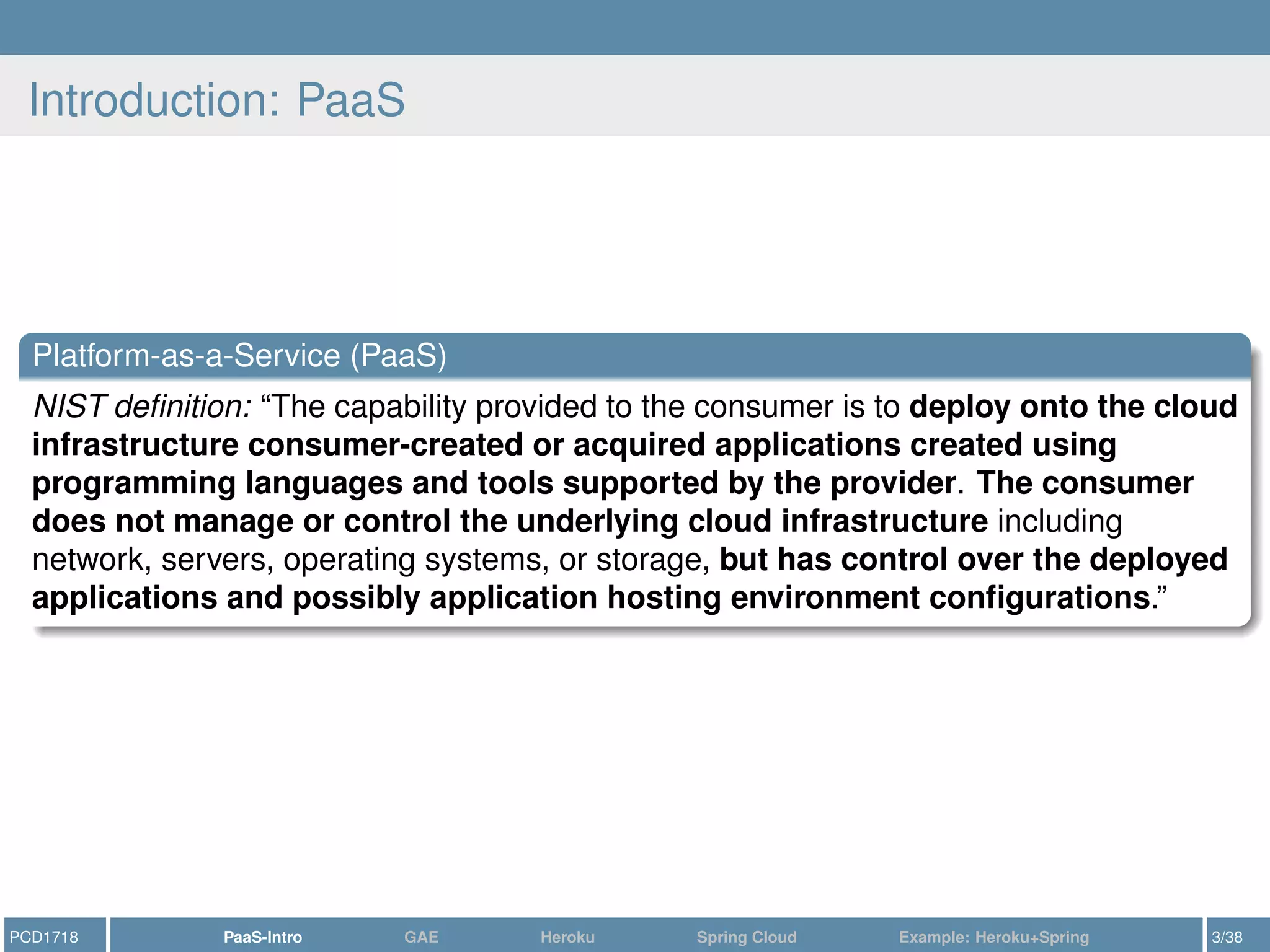
Introduction: PaaS
Platform-as-a-Service (PaaS)
NIST definition: “The capability provided to the consumer is to deploy onto the cloud
infrastructure consumer-created or acquired applications created using
programming languages and tools supported by the provider. The consumer
does not manage or control the underlying cloud infrastructure including
network, servers, operating systems, or storage, but has control over the deployed
applications and possibly application hosting environment configurations.”
PCD1718 PaaS-Intro GAE Heroku Spring Cloud Example: Heroku+Spring 3/38
PaaS is fuzzy
Beware: there is not only one PaaS model
https://blog.mccrory.me/2011/01/23/current-paas-patterns-types-of-paas/
1) Upload your environment as a VM/container (cf., IaaS)
2) Upload your compiled/packaged application (e.g., WAR)
3) Upload your code—compilation happens in the PaaS itself (cf., Heroku)
4) Upload platform-specific code (cf., Salesforce)
“Comparing PaaS Offerings in Light of SaaS Development”[4]
1) Unfocused PaaS platforms that mimic and match the APIs of popular
enterprise application servers and middleware platforms (e.g., Heroku, Cloud
Foundry, Azure, OpenShift)
2) Focused PaaS platforms—aim to optimally support specific types of cloud
applications, for better scalability (e.g., GAE)
3) Metadata-driven PaaS platforms (e.g., Salesforce)
https://www.youtube.com/watch?v=V_lM59cvGoI
1) Bring Your Own Code pattern
2) Bring Your Own Container pattern
PCD1718 PaaS-Intro GAE Heroku Spring Cloud Example: Heroku+Spring 4/38
Outline
1 Introduction: PaaS
2 Google AppEngine: a Quick Outlook
3 Heroku
4 Spring Cloud
5 Example: Heroku+Spring
PCD1718 PaaS-Intro GAE Heroku Spring Cloud Example: Heroku+Spring 5/38
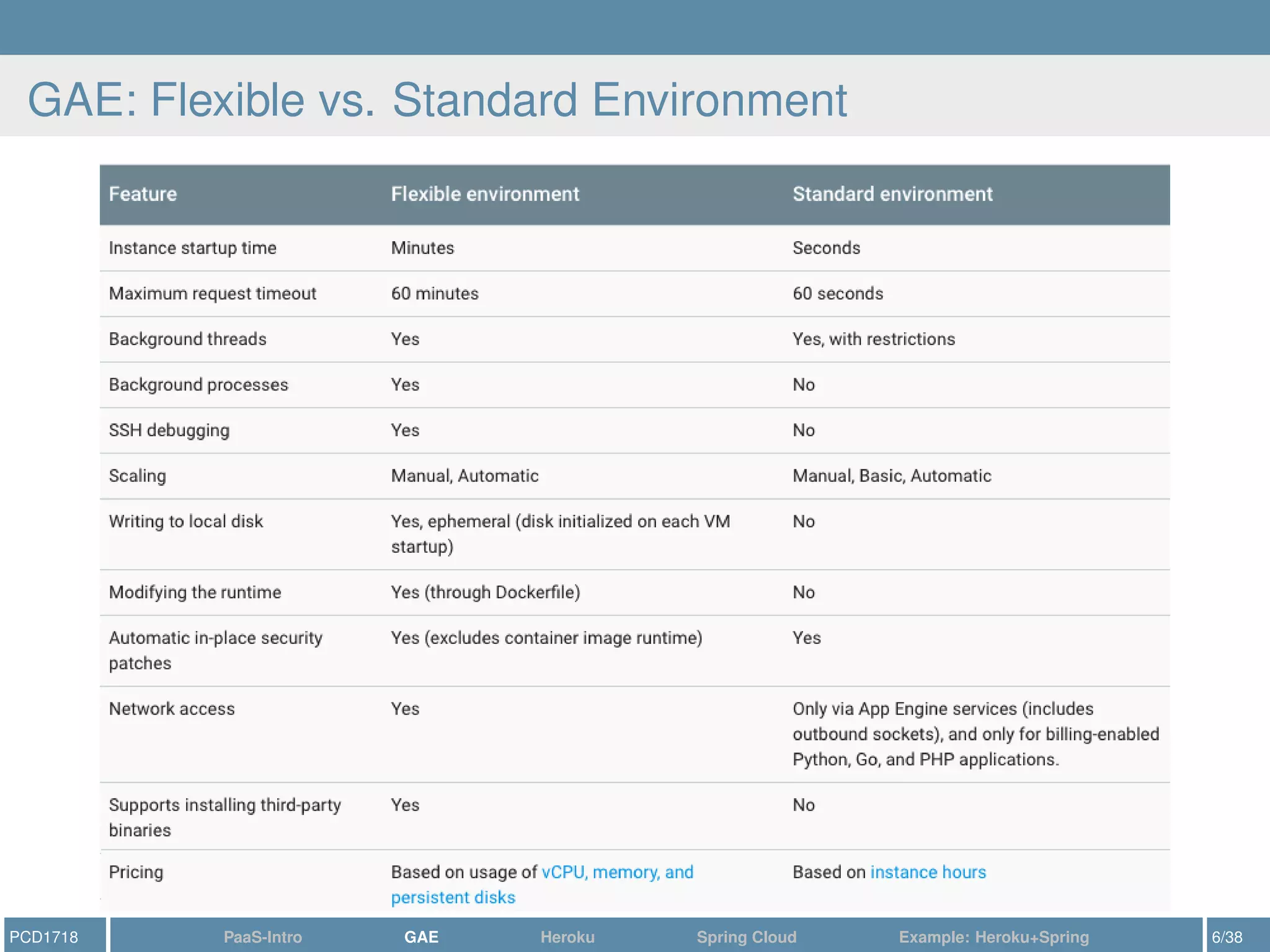
GAE: Flexible vs. Standard Environment
PCD1718 PaaS-Intro GAE Heroku Spring Cloud Example: Heroku+Spring 6/38
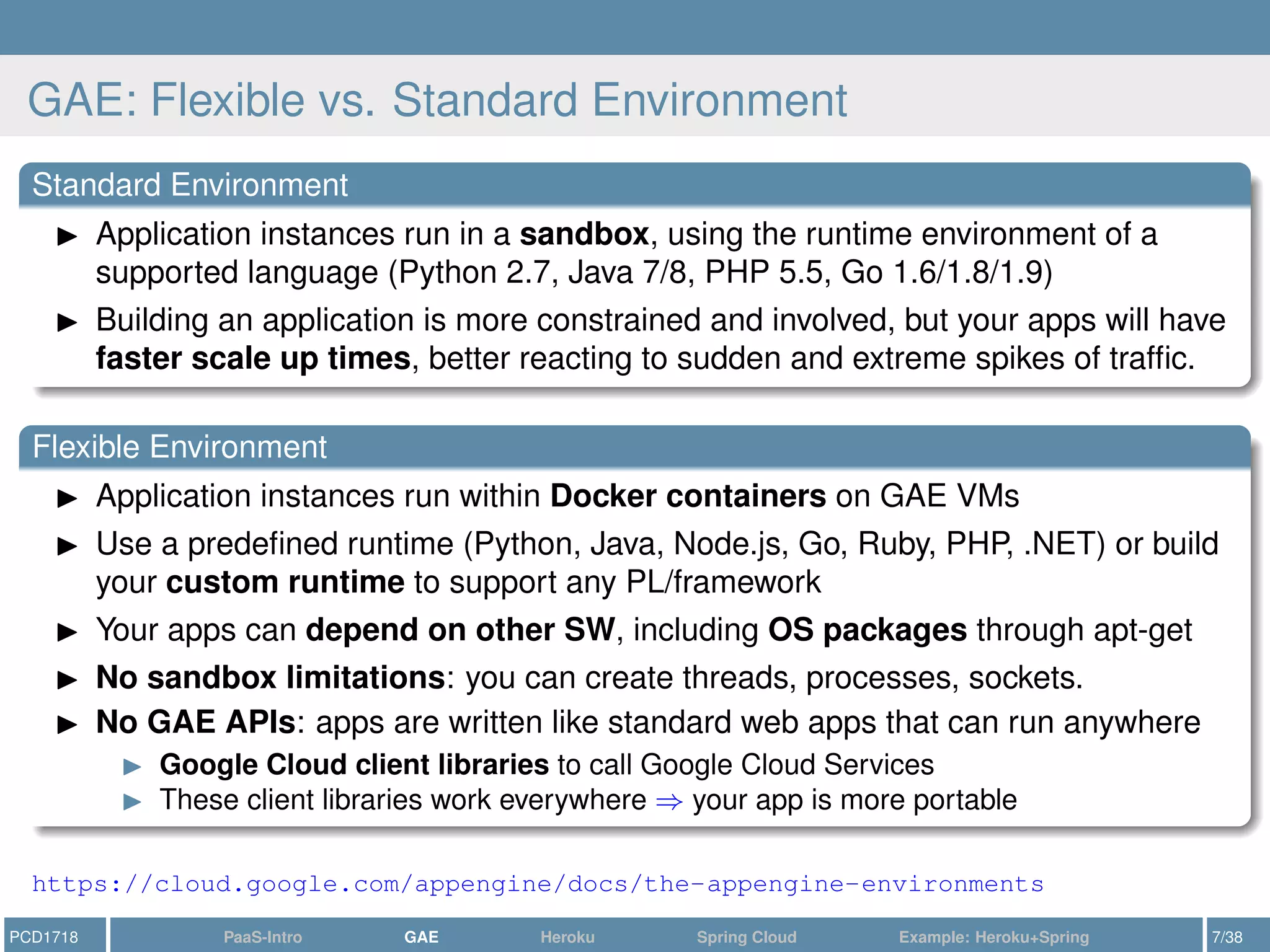
GAE: Flexible vs. Standard Environment
Standard Environment
Application instances run in a sandbox, using the runtime environment of a
supported language (Python 2.7, Java 7/8, PHP 5.5, Go 1.6/1.8/1.9)
Building an application is more constrained and involved, but your apps will have
faster scale up times, better reacting to sudden and extreme spikes of traffic.
Flexible Environment
Application instances run within Docker containers on GAE VMs
Use a predefined runtime (Python, Java, Node.js, Go, Ruby, PHP, .NET) or build
your custom runtime to support any PL/framework
Your apps can depend on other SW, including OS packages through apt-get
No sandbox limitations: you can create threads, processes, sockets.
No GAE APIs: apps are written like standard web apps that can run anywhere
Google Cloud client libraries to call Google Cloud Services
These client libraries work everywhere ⇒ your app is more portable
https://cloud.google.com/appengine/docs/the-appengine-environments
PCD1718 PaaS-Intro GAE Heroku Spring Cloud Example: Heroku+Spring 7/38
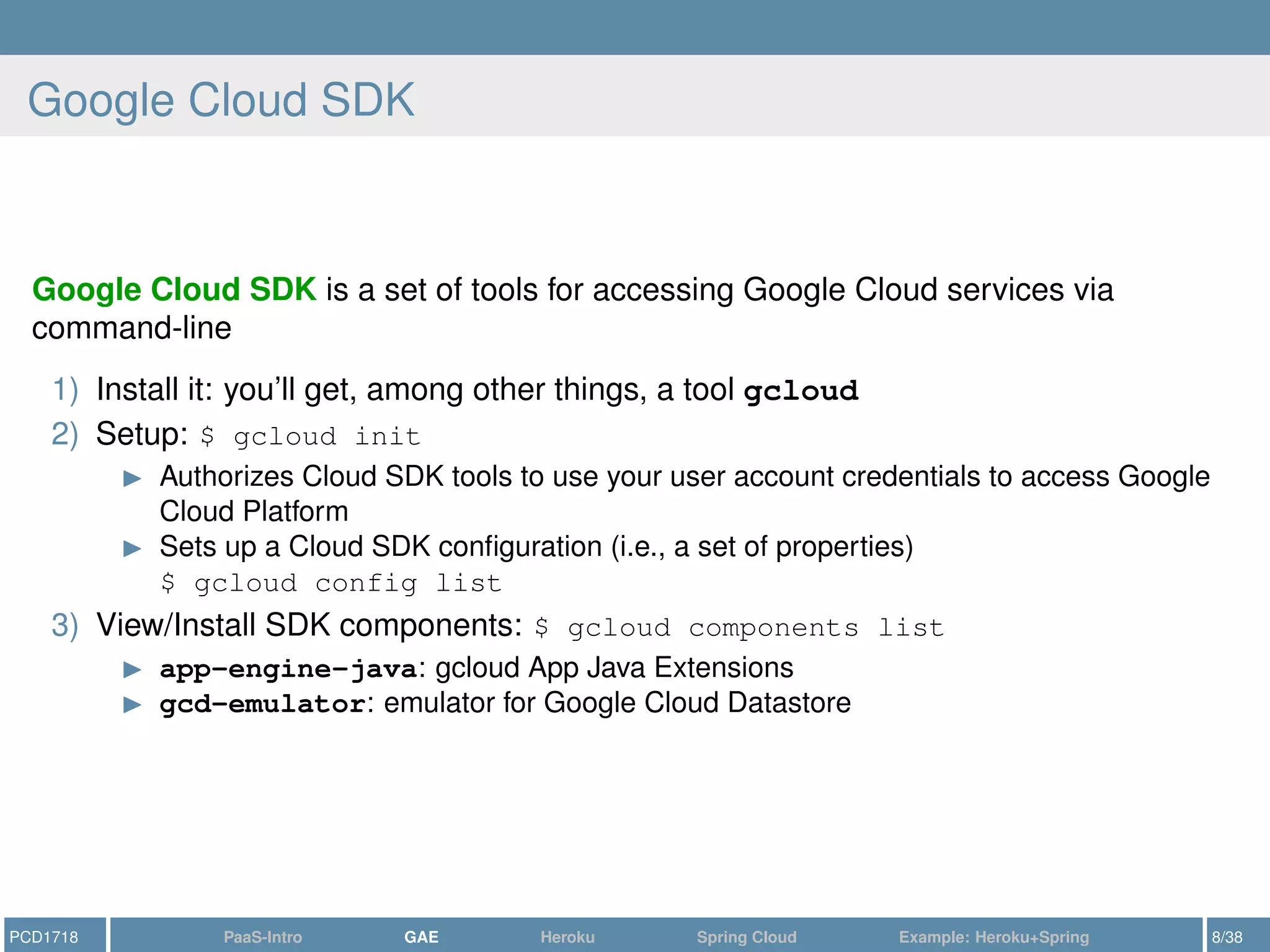
Google Cloud SDK
Google Cloud SDK is a set of tools for accessing Google Cloud services via
command-line
1) Install it: you’ll get, among other things, a tool gcloud
2) Setup: $ gcloud init
Authorizes Cloud SDK tools to use your user account credentials to access Google
Cloud Platform
Sets up a Cloud SDK configuration (i.e., a set of properties)
$ gcloud config list
3) View/Install SDK components: $ gcloud components list
app-engine-java: gcloud App Java Extensions
gcd-emulator: emulator for Google Cloud Datastore
PCD1718 PaaS-Intro GAE Heroku Spring Cloud Example: Heroku+Spring 8/38
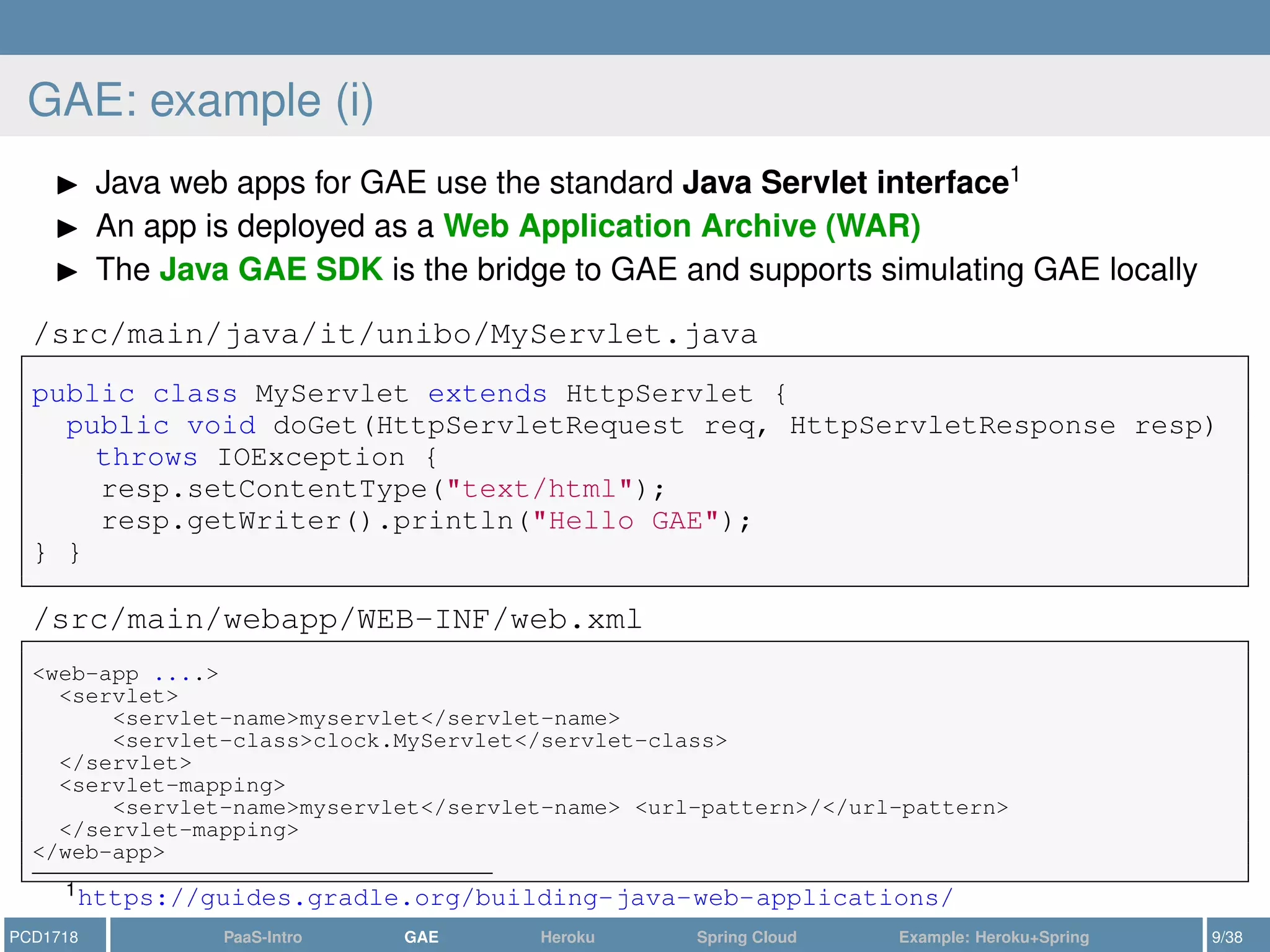
GAE: example (i)
Java web apps for GAE use the standard Java Servlet interface1
An app is deployed as a Web Application Archive (WAR)
The Java GAE SDK is the bridge to GAE and supports simulating GAE locally
/src/main/java/it/unibo/MyServlet.java
public class MyServlet extends HttpServlet {
public void doGet(HttpServletRequest req, HttpServletResponse resp)
throws IOException {
resp.setContentType("text/html");
resp.getWriter().println("Hello GAE");
} }
/src/main/webapp/WEB-INF/web.xml
<web-app ....>
<servlet>
<servlet-name>myservlet</servlet-name>
<servlet-class>clock.MyServlet</servlet-class>
</servlet>
<servlet-mapping>
<servlet-name>myservlet</servlet-name> <url-pattern>/</url-pattern>
</servlet-mapping>
</web-app>
1https://guides.gradle.org/building-java-web-applications/
PCD1718 PaaS-Intro GAE Heroku Spring Cloud Example: Heroku+Spring 9/38
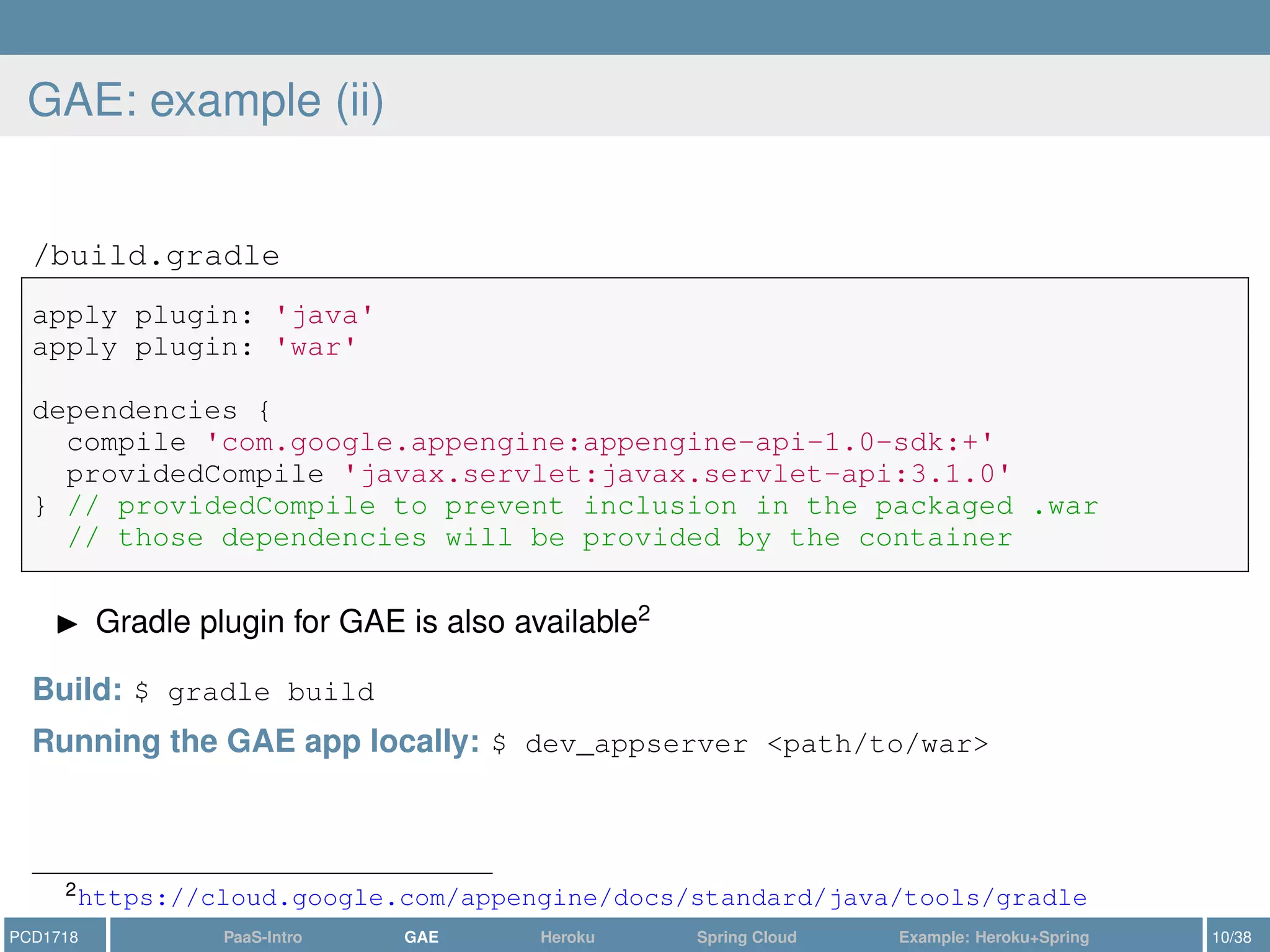
GAE: example (ii)
/build.gradle
apply plugin: 'java'
apply plugin: 'war'
dependencies {
compile 'com.google.appengine:appengine-api-1.0-sdk:+'
providedCompile 'javax.servlet:javax.servlet-api:3.1.0'
} // providedCompile to prevent inclusion in the packaged .war
// those dependencies will be provided by the container
Gradle plugin for GAE is also available2
Build: $ gradle build
Running the GAE app locally: $ dev_appserver <path/to/war>
2https://cloud.google.com/appengine/docs/standard/java/tools/gradle
PCD1718 PaaS-Intro GAE Heroku Spring Cloud Example: Heroku+Spring 10/38
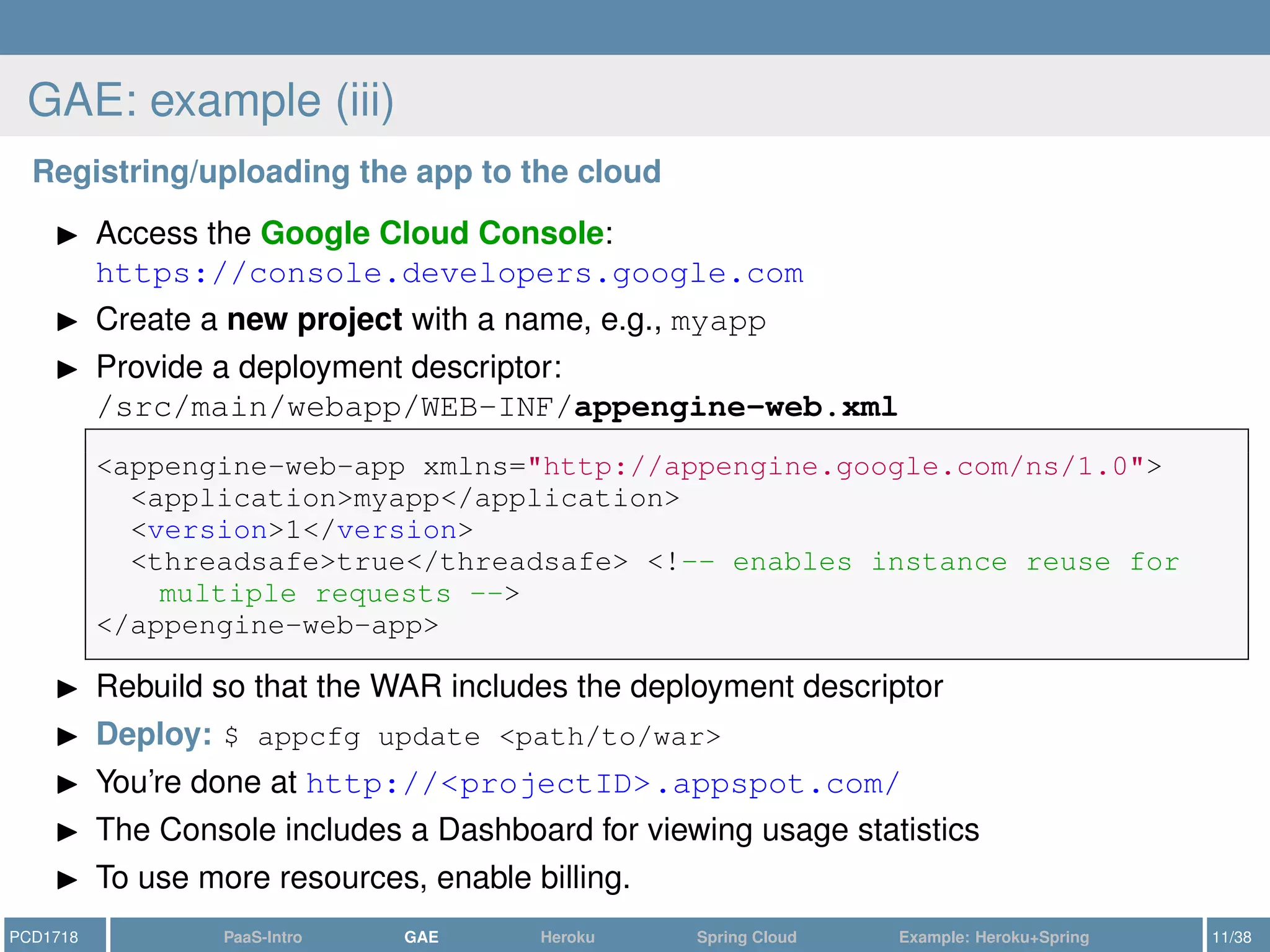
GAE: example (iii)
Registring/uploading the app to the cloud
Access the Google Cloud Console:
https://console.developers.google.com
Create a new project with a name, e.g., myapp
Provide a deployment descriptor:
/src/main/webapp/WEB-INF/appengine-web.xml
<appengine-web-app xmlns="http://appengine.google.com/ns/1.0">
<application>myapp</application>
<version>1</version>
<threadsafe>true</threadsafe> <!-- enables instance reuse for
multiple requests -->
</appengine-web-app>
Rebuild so that the WAR includes the deployment descriptor
Deploy: $ appcfg update <path/to/war>
You’re done at http://<projectID>.appspot.com/
The Console includes a Dashboard for viewing usage statistics
To use more resources, enable billing.
PCD1718 PaaS-Intro GAE Heroku Spring Cloud Example: Heroku+Spring 11/38
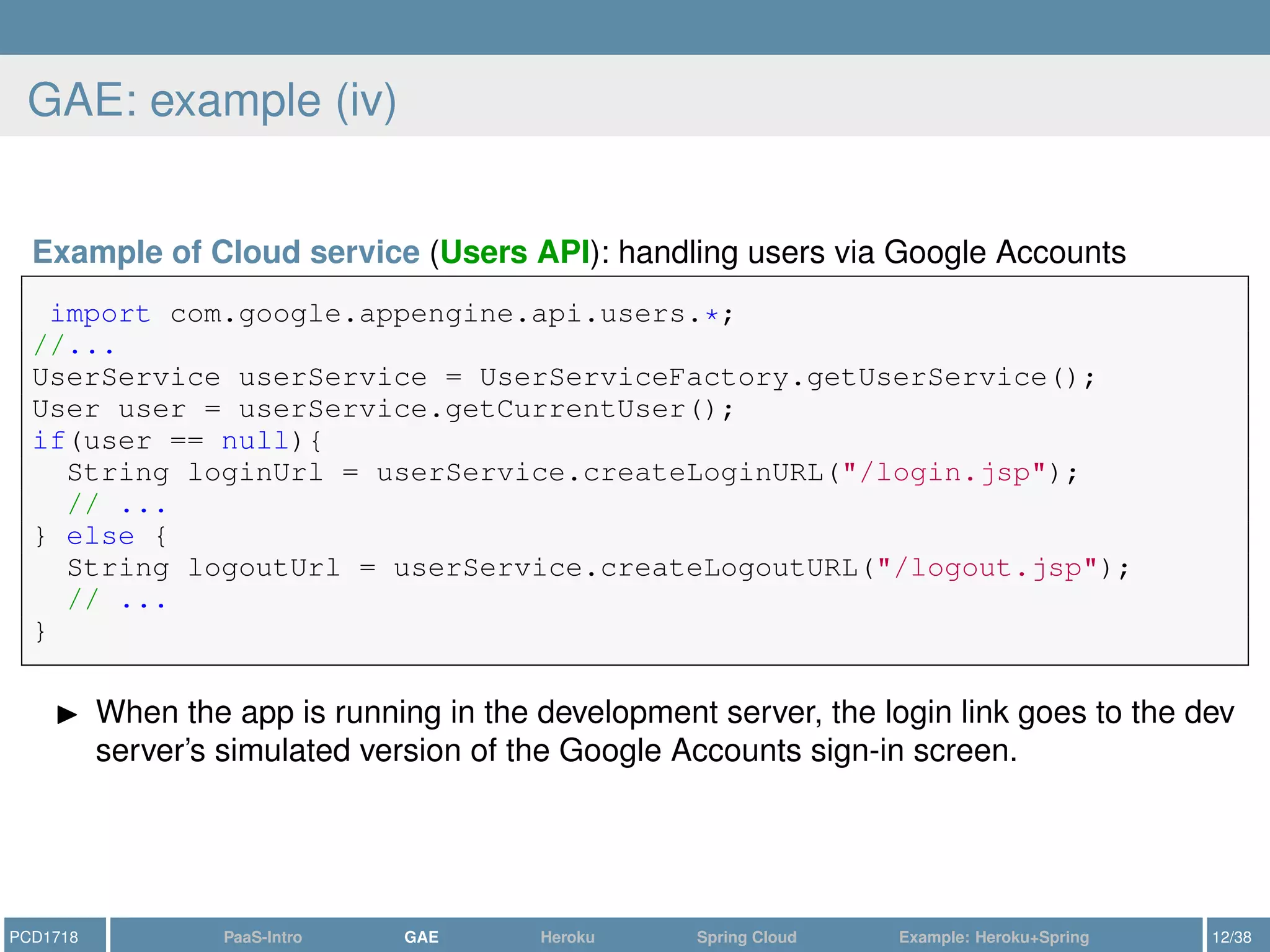
GAE: example (iv)
Example of Cloud service (Users API): handling users via Google Accounts
import com.google.appengine.api.users.*;
//...
UserService userService = UserServiceFactory.getUserService();
User user = userService.getCurrentUser();
if(user == null){
String loginUrl = userService.createLoginURL("/login.jsp");
// ...
} else {
String logoutUrl = userService.createLogoutURL("/logout.jsp");
// ...
}
When the app is running in the development server, the login link goes to the dev
server’s simulated version of the Google Accounts sign-in screen.
PCD1718 PaaS-Intro GAE Heroku Spring Cloud Example: Heroku+Spring 12/38
Outline
1 Introduction: PaaS
2 Google AppEngine: a Quick Outlook
3 Heroku
4 Spring Cloud
5 Example: Heroku+Spring
PCD1718 PaaS-Intro GAE Heroku Spring Cloud Example: Heroku+Spring 13/38
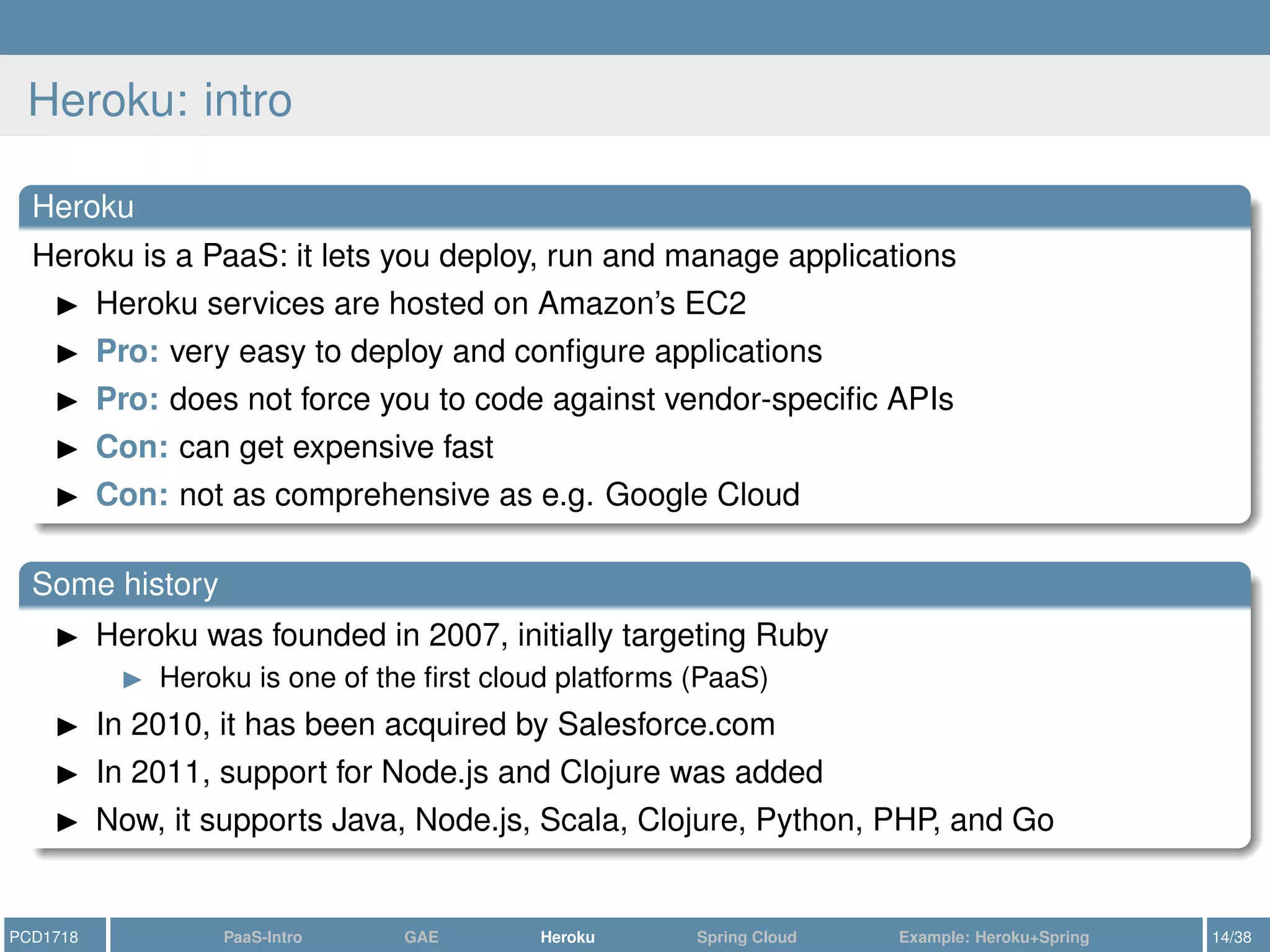
Heroku: intro
Heroku
Heroku is a PaaS: it lets you deploy, run and manage applications
Heroku services are hosted on Amazon’s EC2
Pro: very easy to deploy and configure applications
Pro: does not force you to code against vendor-specific APIs
Con: can get expensive fast
Con: not as comprehensive as e.g. Google Cloud
Some history
Heroku was founded in 2007, initially targeting Ruby
Heroku is one of the first cloud platforms (PaaS)
In 2010, it has been acquired by Salesforce.com
In 2011, support for Node.js and Clojure was added
Now, it supports Java, Node.js, Scala, Clojure, Python, PHP, and Go
PCD1718 PaaS-Intro GAE Heroku Spring Cloud Example: Heroku+Spring 14/38
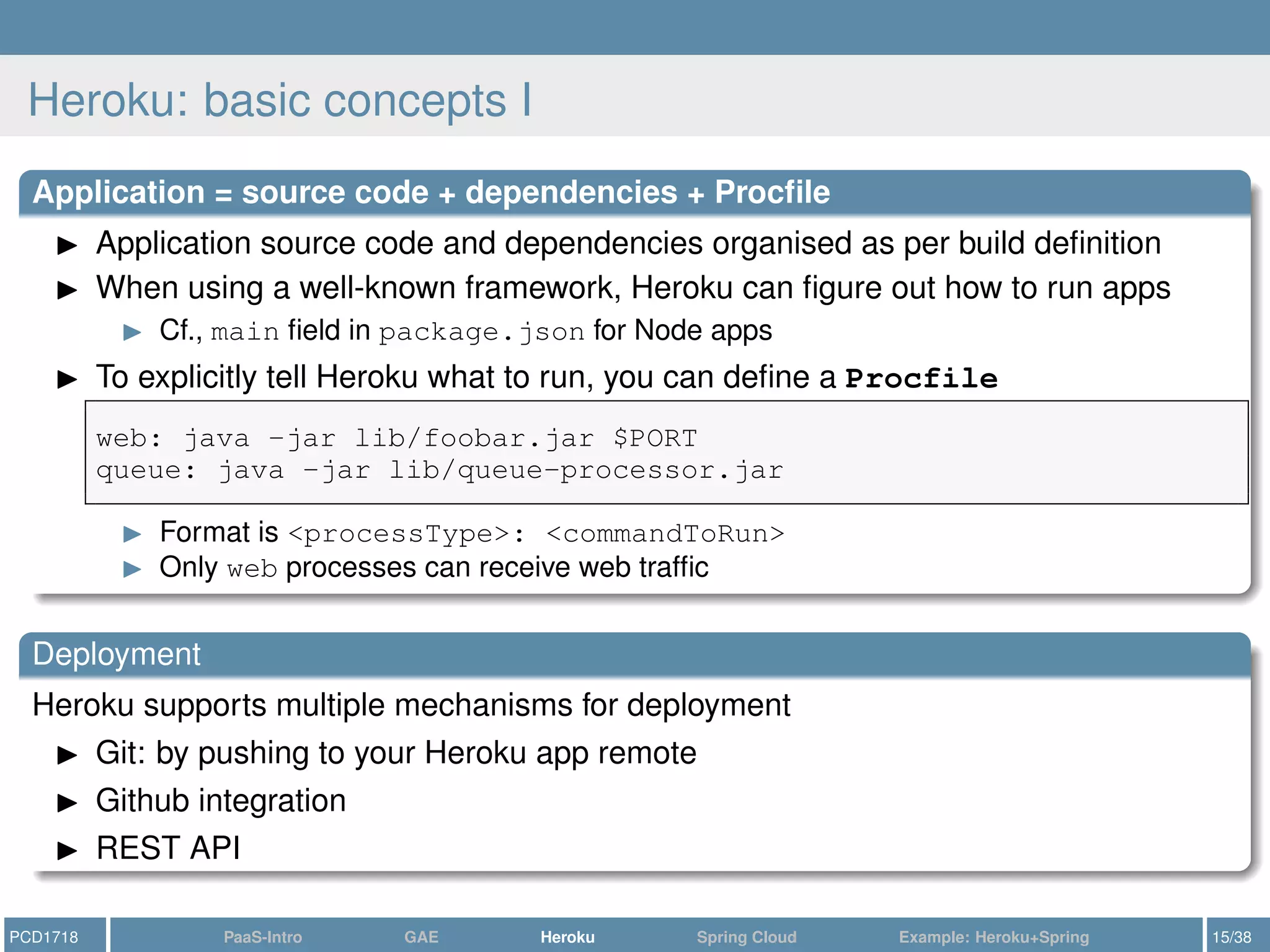
Heroku: basic concepts I
Application = source code + dependencies + Procfile
Application source code and dependencies organised as per build definition
When using a well-known framework, Heroku can figure out how to run apps
Cf., main field in package.json for Node apps
To explicitly tell Heroku what to run, you can define a Procfile
web: java -jar lib/foobar.jar $PORT
queue: java -jar lib/queue-processor.jar
Format is <processType>: <commandToRun>
Only web processes can receive web traffic
Deployment
Heroku supports multiple mechanisms for deployment
Git: by pushing to your Heroku app remote
Github integration
REST API
PCD1718 PaaS-Intro GAE Heroku Spring Cloud Example: Heroku+Spring 15/38
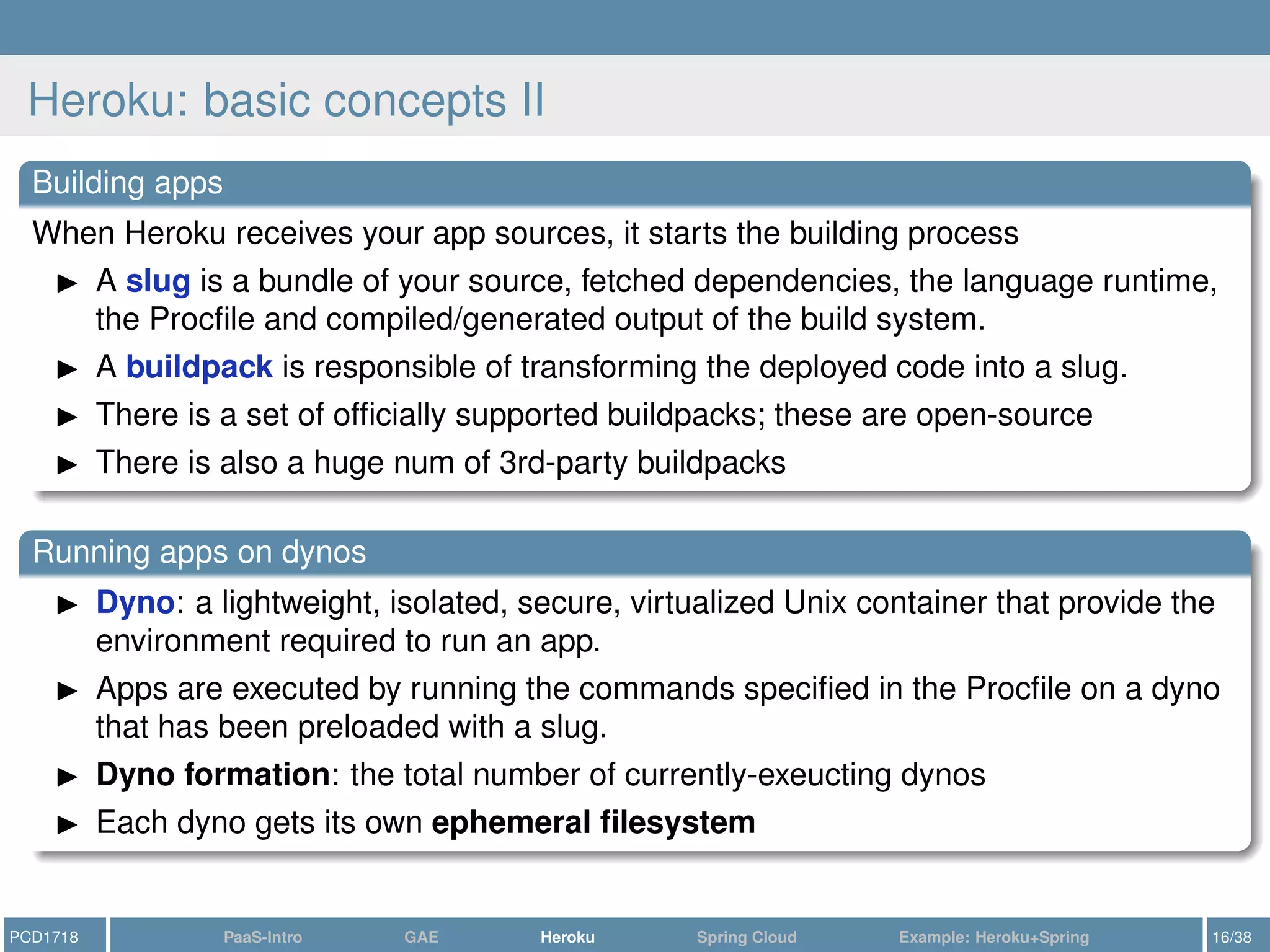
Heroku: basic concepts II
Building apps
When Heroku receives your app sources, it starts the building process
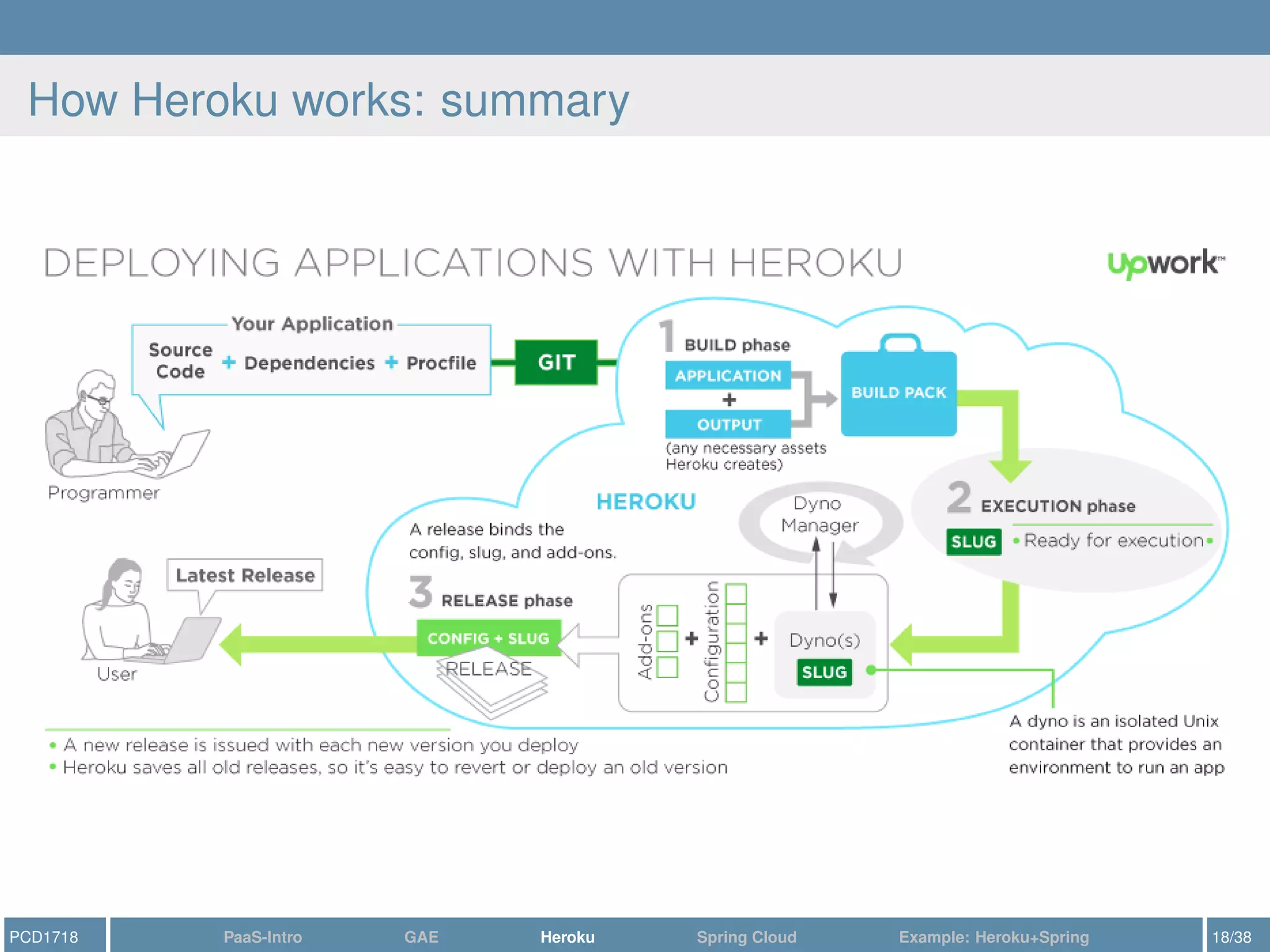
A slug is a bundle of your source, fetched dependencies, the language runtime,
the Procfile and compiled/generated output of the build system.
A buildpack is responsible of transforming the deployed code into a slug.
There is a set of officially supported buildpacks; these are open-source
There is also a huge num of 3rd-party buildpacks
Running apps on dynos
Dyno: a lightweight, isolated, secure, virtualized Unix container that provide the
environment required to run an app.
Apps are executed by running the commands specified in the Procfile on a dyno
that has been preloaded with a slug.
Dyno formation: the total number of currently-exeucting dynos
Each dyno gets its own ephemeral filesystem
PCD1718 PaaS-Intro GAE Heroku Spring Cloud Example: Heroku+Spring 16/38
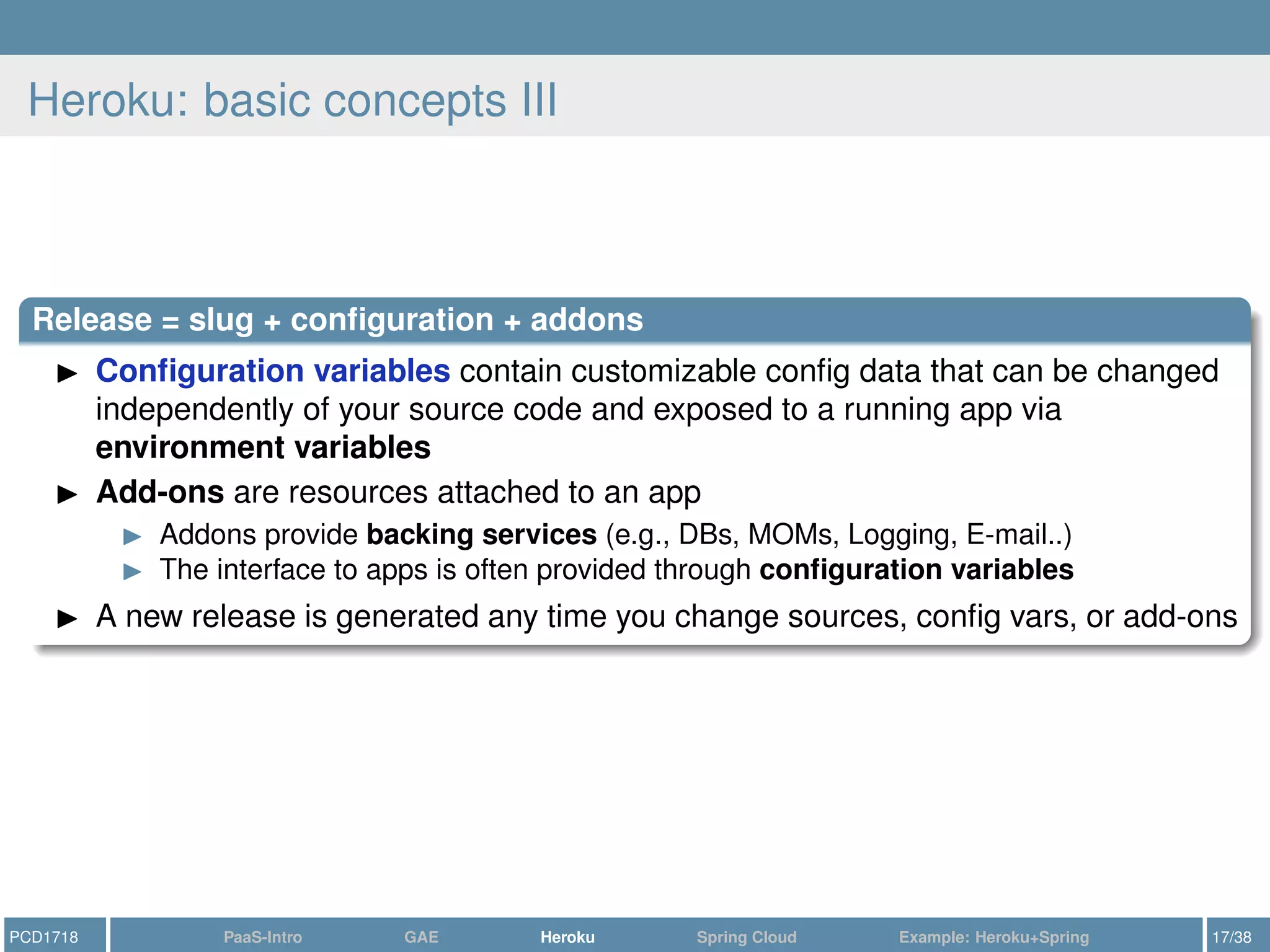
Heroku: basic concepts III
Release = slug + configuration + addons
Configuration variables contain customizable config data that can be changed
independently of your source code and exposed to a running app via
environment variables
Add-ons are resources attached to an app
Addons provide backing services (e.g., DBs, MOMs, Logging, E-mail..)
The interface to apps is often provided through configuration variables
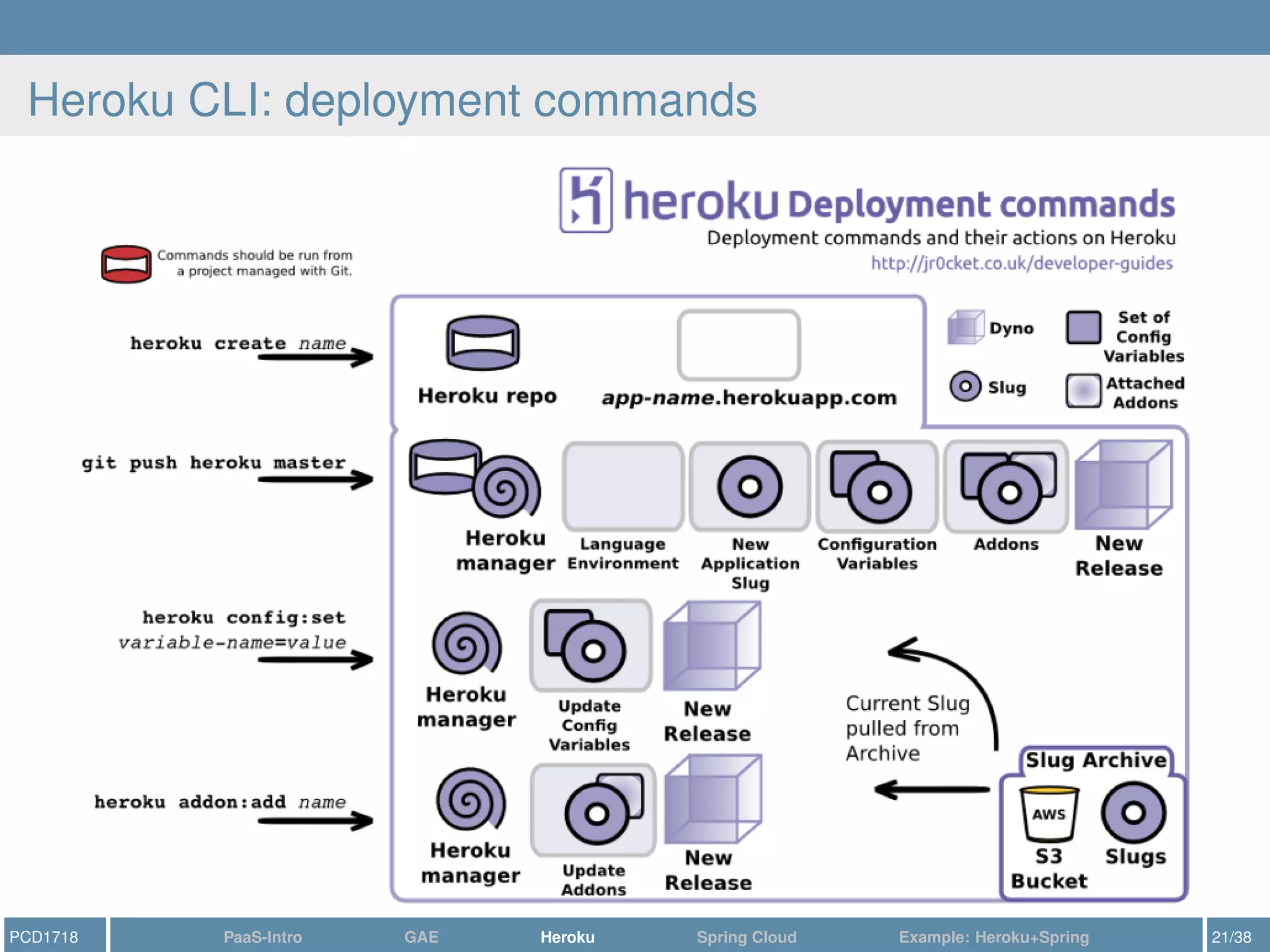
A new release is generated any time you change sources, config vars, or add-ons
PCD1718 PaaS-Intro GAE Heroku Spring Cloud Example: Heroku+Spring 17/38
How Heroku works: summary
PCD1718 PaaS-Intro GAE Heroku Spring Cloud Example: Heroku+Spring 18/38
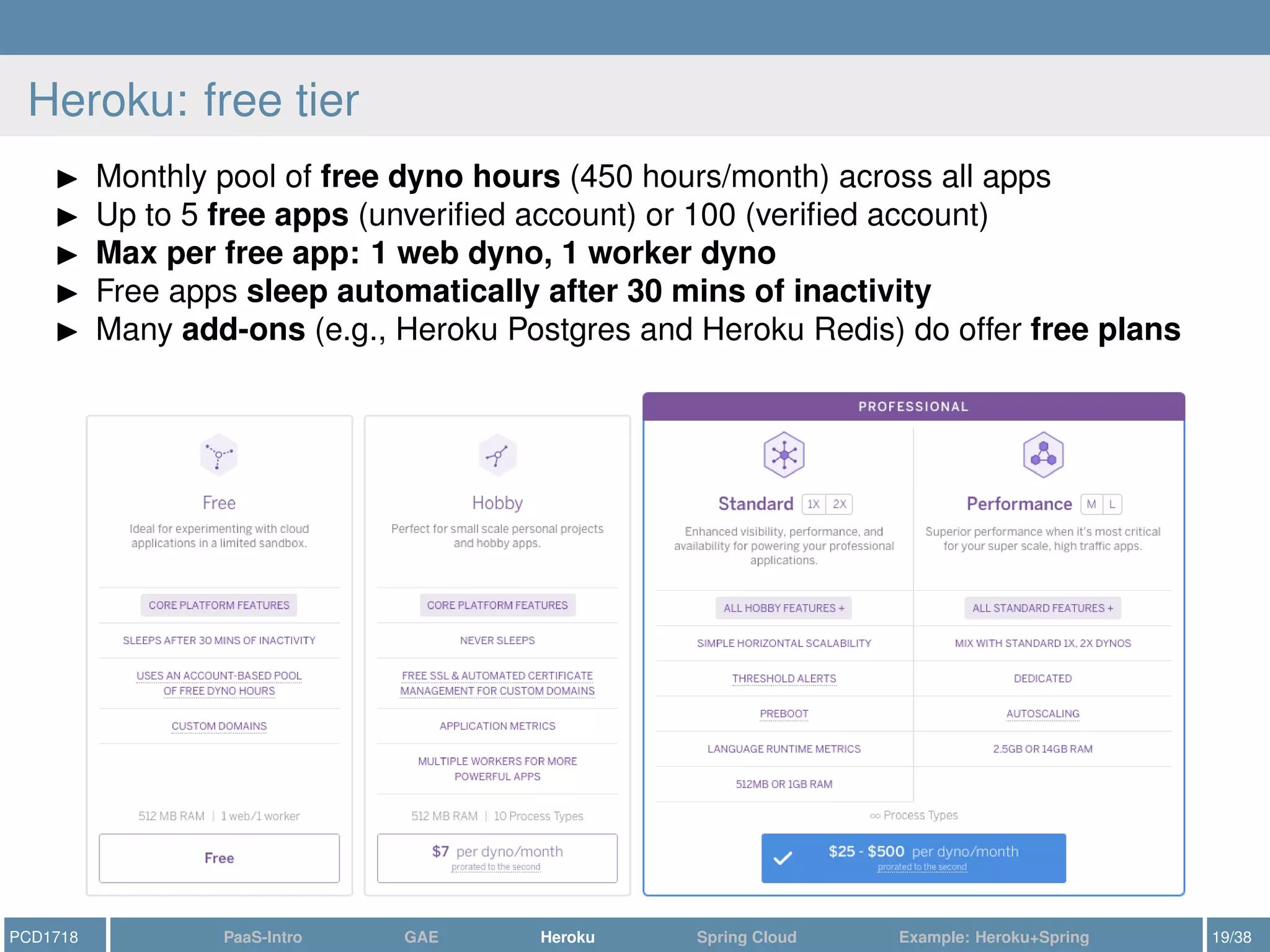
Heroku: free tier
Monthly pool of free dyno hours (450 hours/month) across all apps
Up to 5 free apps (unverified account) or 100 (verified account)
Max per free app: 1 web dyno, 1 worker dyno
Free apps sleep automatically after 30 mins of inactivity
Many add-ons (e.g., Heroku Postgres and Heroku Redis) do offer free plans
PCD1718 PaaS-Intro GAE Heroku Spring Cloud Example: Heroku+Spring 19/38
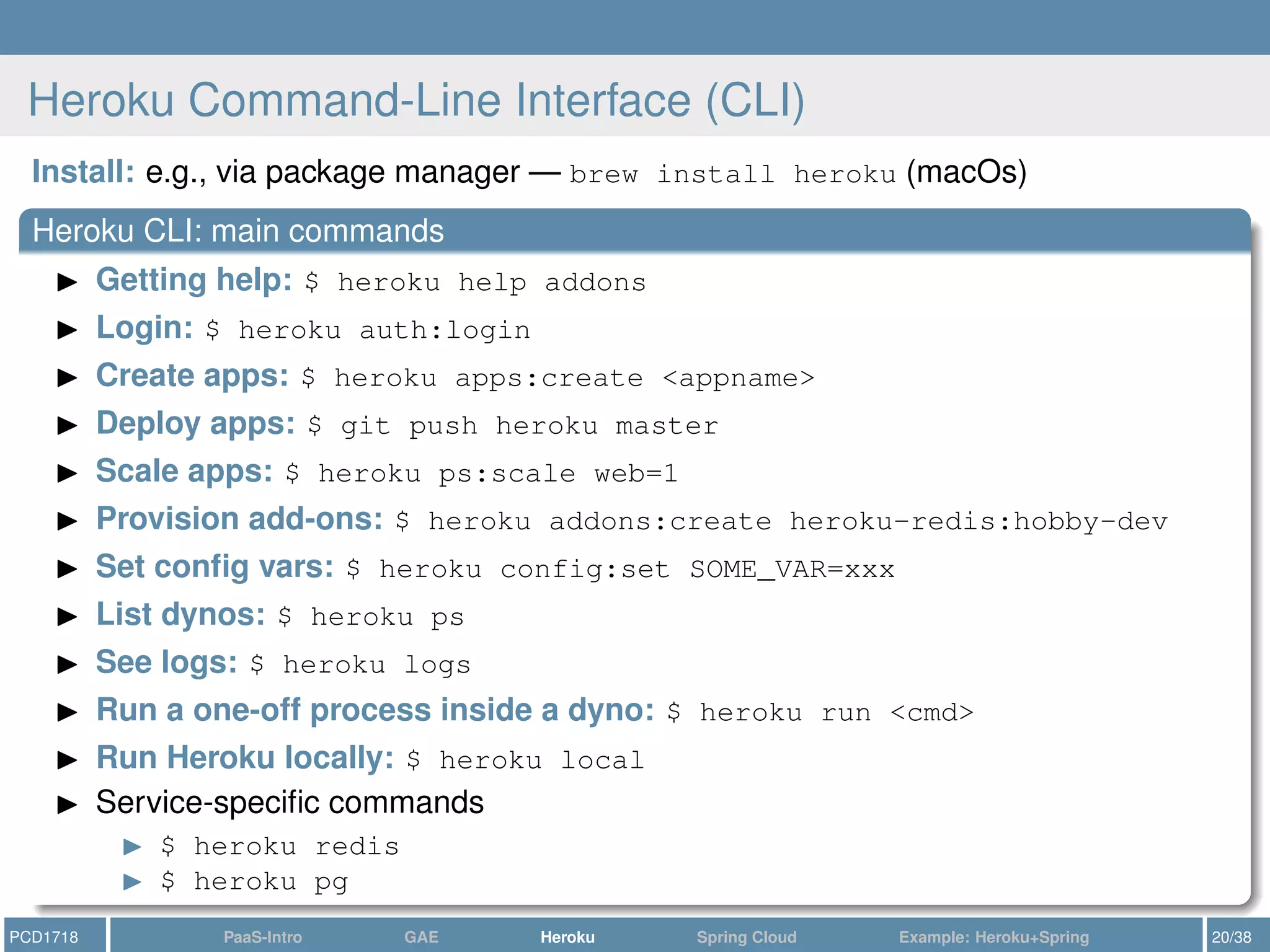
Heroku Command-Line Interface (CLI)
Install: e.g., via package manager — brew install heroku (macOs)
Heroku CLI: main commands
Getting help: $ heroku help addons
Login: $ heroku auth:login
Create apps: $ heroku apps:create <appname>
Deploy apps: $ git push heroku master
Scale apps: $ heroku ps:scale web=1
Provision add-ons: $ heroku addons:create heroku-redis:hobby-dev
Set config vars: $ heroku config:set SOME_VAR=xxx
List dynos: $ heroku ps
See logs: $ heroku logs
Run a one-off process inside a dyno: $ heroku run <cmd>
Run Heroku locally: $ heroku local
Service-specific commands
$ heroku redis
$ heroku pg
PCD1718 PaaS-Intro GAE Heroku Spring Cloud Example: Heroku+Spring 20/38
Heroku CLI: deployment commands
PCD1718 PaaS-Intro GAE Heroku Spring Cloud Example: Heroku+Spring 21/38
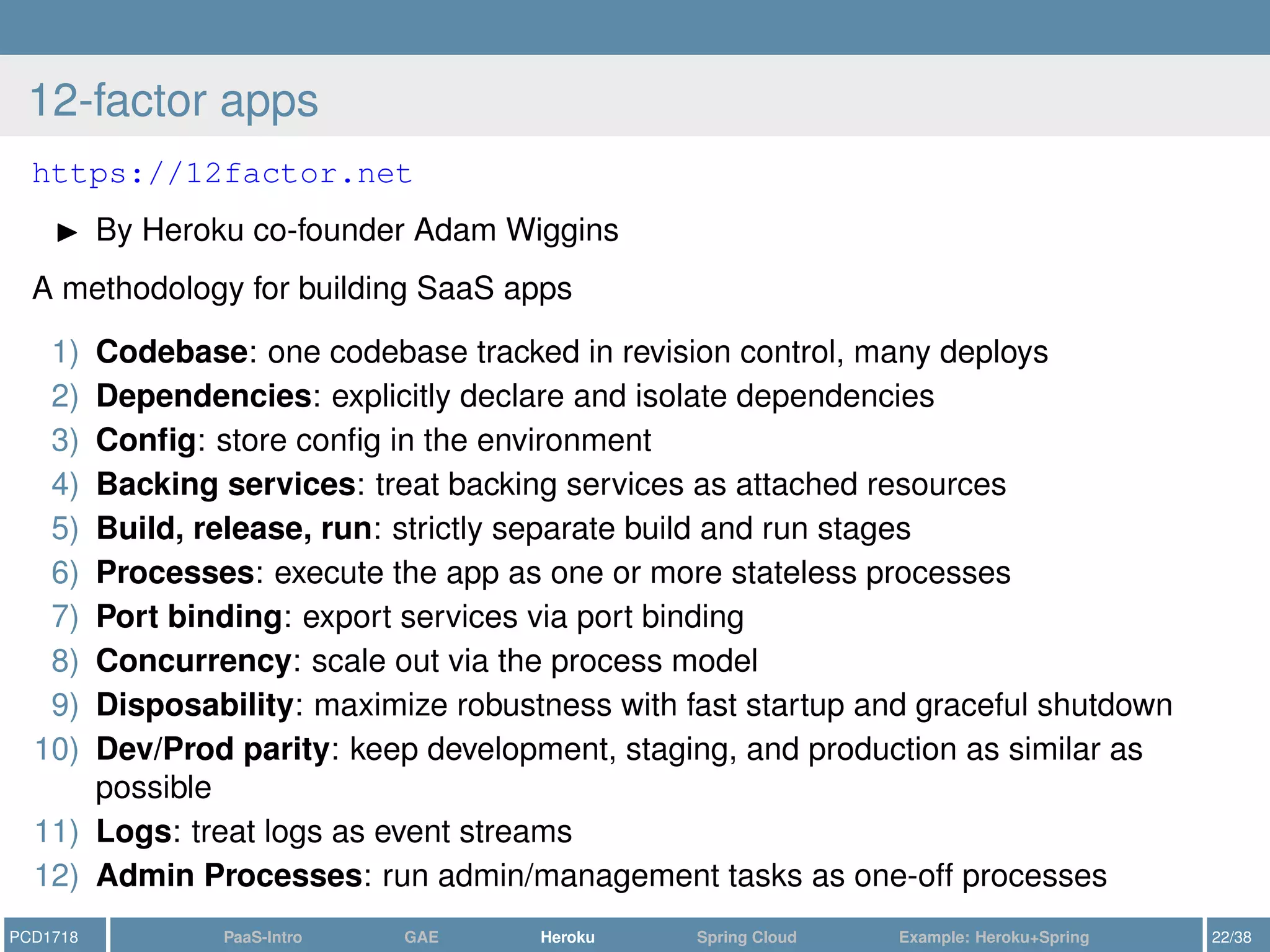
12-factor apps
https://12factor.net
By Heroku co-founder Adam Wiggins
A methodology for building SaaS apps
1) Codebase: one codebase tracked in revision control, many deploys
2) Dependencies: explicitly declare and isolate dependencies
3) Config: store config in the environment
4) Backing services: treat backing services as attached resources
5) Build, release, run: strictly separate build and run stages
6) Processes: execute the app as one or more stateless processes
7) Port binding: export services via port binding
8) Concurrency: scale out via the process model
9) Disposability: maximize robustness with fast startup and graceful shutdown
10) Dev/Prod parity: keep development, staging, and production as similar as
possible
11) Logs: treat logs as event streams
12) Admin Processes: run admin/management tasks as one-off processes
PCD1718 PaaS-Intro GAE Heroku Spring Cloud Example: Heroku+Spring 22/38
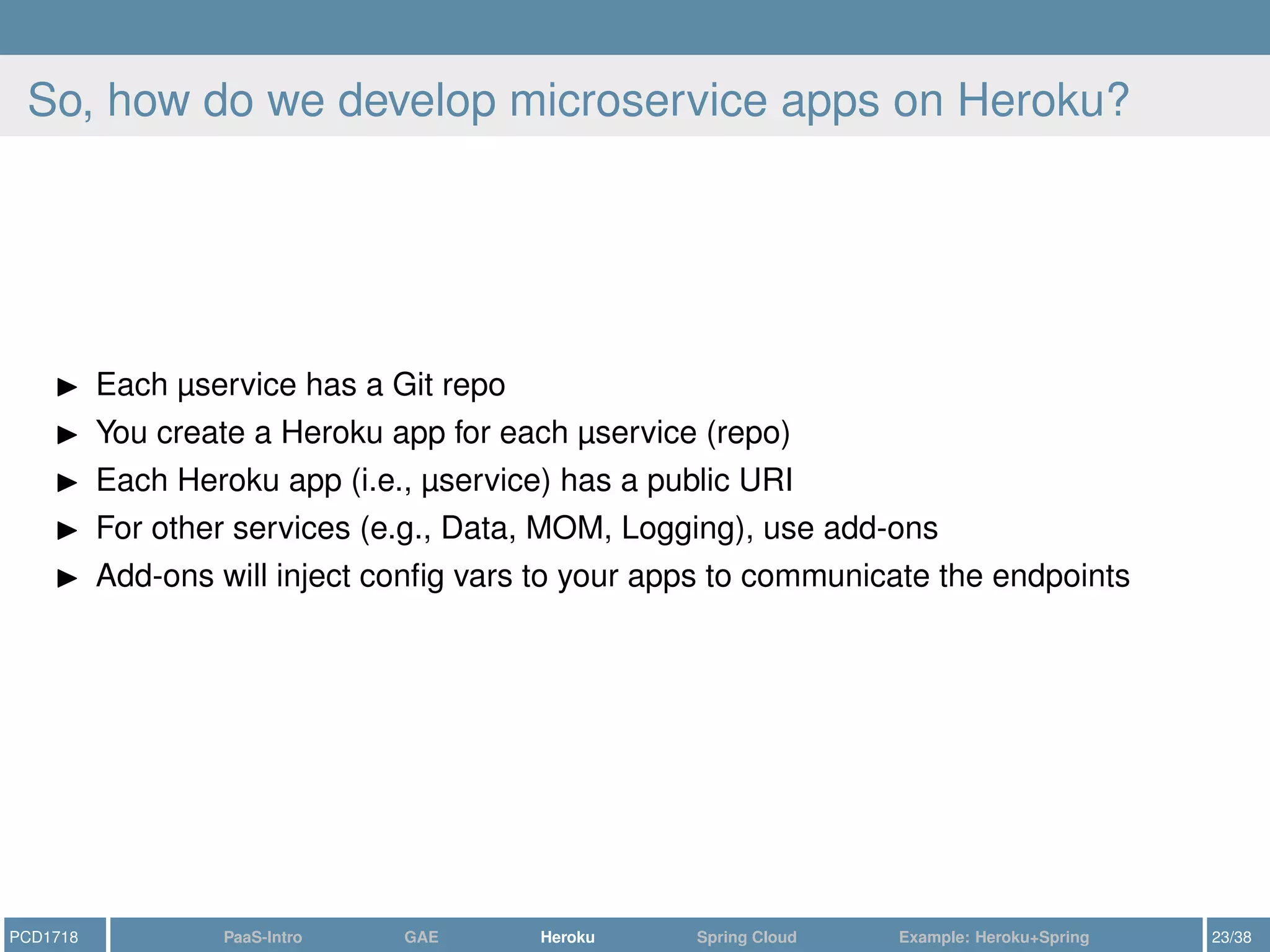
So, how do we develop microservice apps on Heroku?
Each µservice has a Git repo
You create a Heroku app for each µservice (repo)
Each Heroku app (i.e., µservice) has a public URI
For other services (e.g., Data, MOM, Logging), use add-ons
Add-ons will inject config vars to your apps to communicate the endpoints
PCD1718 PaaS-Intro GAE Heroku Spring Cloud Example: Heroku+Spring 23/38
Outline
1 Introduction: PaaS
2 Google AppEngine: a Quick Outlook
3 Heroku
4 Spring Cloud
5 Example: Heroku+Spring
PCD1718 PaaS-Intro GAE Heroku Spring Cloud Example: Heroku+Spring 24/38
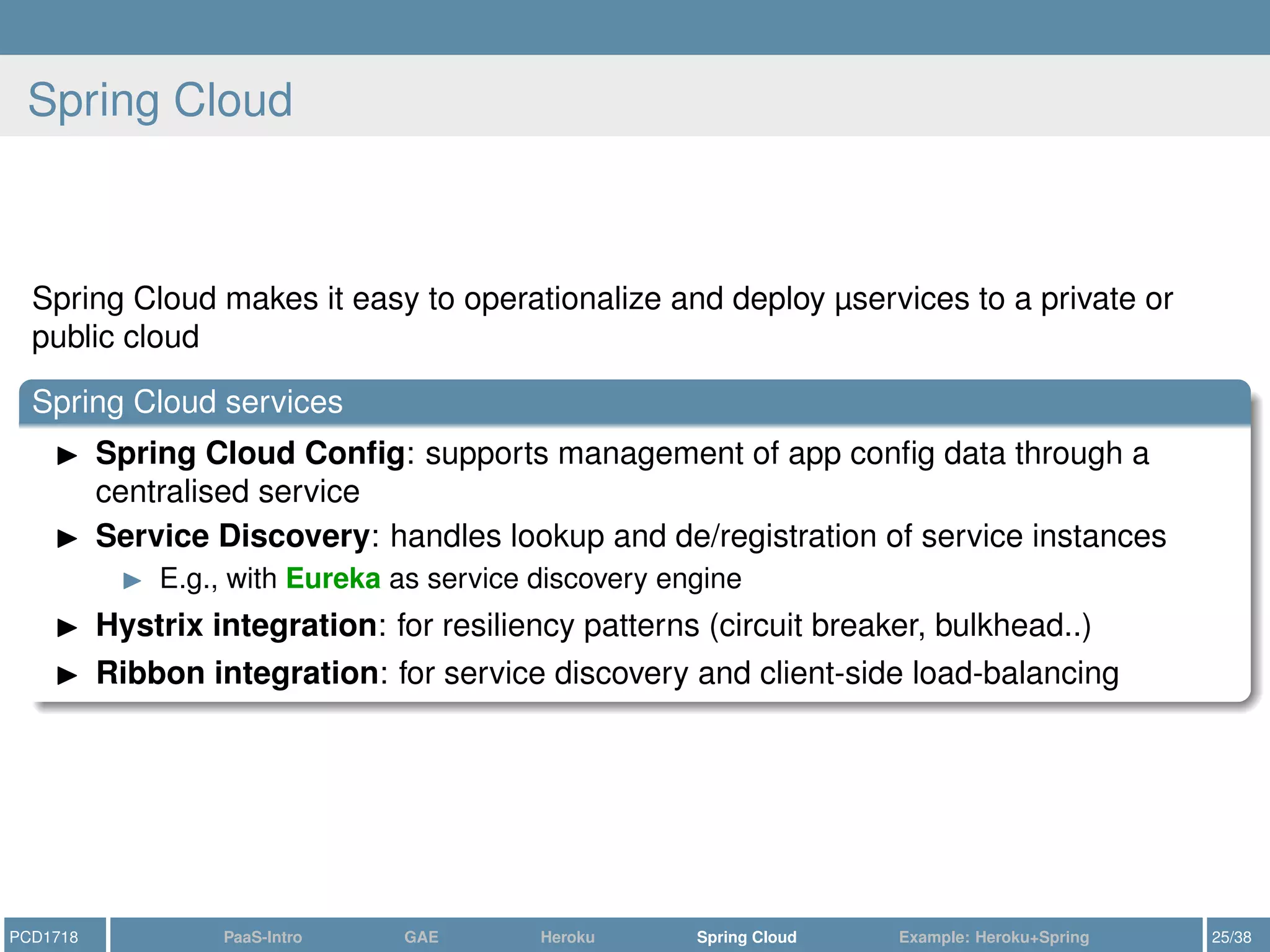
Spring Cloud
Spring Cloud makes it easy to operationalize and deploy µservices to a private or
public cloud
Spring Cloud services
Spring Cloud Config: supports management of app config data through a
centralised service
Service Discovery: handles lookup and de/registration of service instances
E.g., with Eureka as service discovery engine
Hystrix integration: for resiliency patterns (circuit breaker, bulkhead..)
Ribbon integration: for service discovery and client-side load-balancing
PCD1718 PaaS-Intro GAE Heroku Spring Cloud Example: Heroku+Spring 25/38
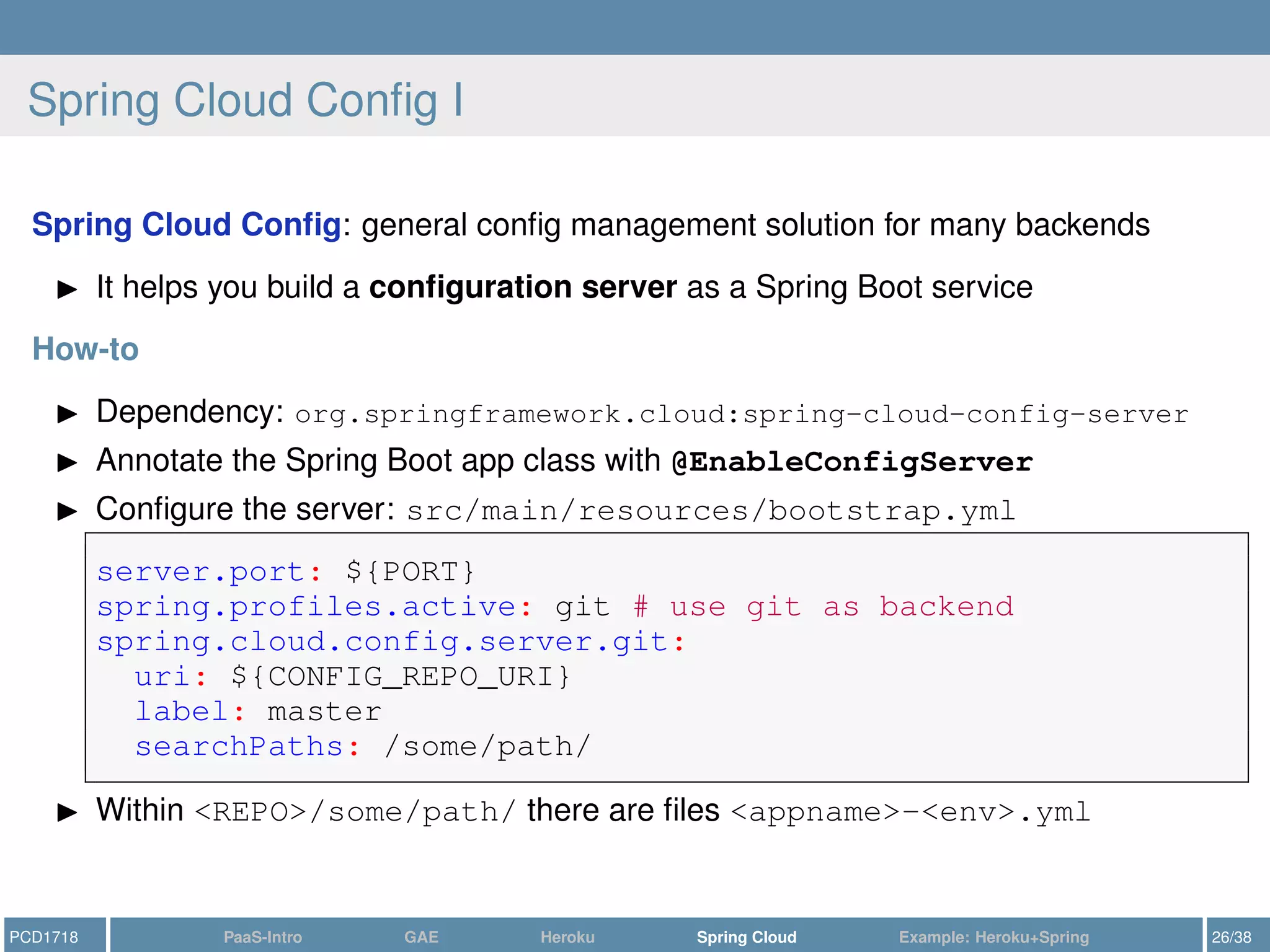
Spring Cloud Config I
Spring Cloud Config: general config management solution for many backends
It helps you build a configuration server as a Spring Boot service
How-to
Dependency: org.springframework.cloud:spring-cloud-config-server
Annotate the Spring Boot app class with @EnableConfigServer
Configure the server: src/main/resources/bootstrap.yml
server.port: ${PORT}
spring.profiles.active: git # use git as backend
spring.cloud.config.server.git:
uri: ${CONFIG_REPO_URI}
label: master
searchPaths: /some/path/
Within <REPO>/some/path/ there are files <appname>-<env>.yml
PCD1718 PaaS-Intro GAE Heroku Spring Cloud Example: Heroku+Spring 26/38
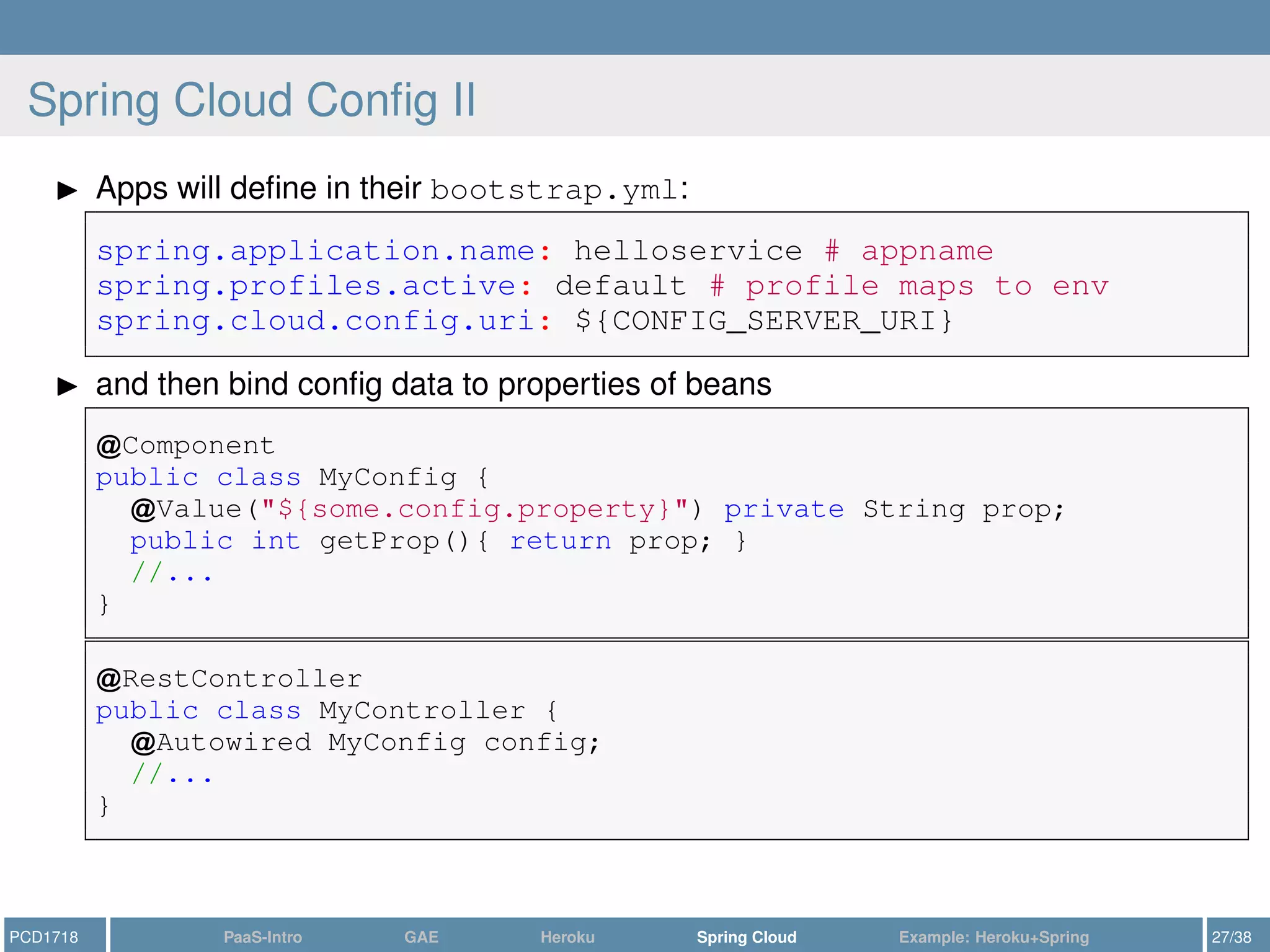
Spring Cloud Config II
Apps will define in their bootstrap.yml:
spring.application.name: helloservice # appname
spring.profiles.active: default # profile maps to env
spring.cloud.config.uri: ${CONFIG_SERVER_URI}
and then bind config data to properties of beans
Component
public class MyConfig {
Value("${some.config.property}") private String prop;
public int getProp(){ return prop; }
//...
}
RestController
public class MyController {
Autowired MyConfig config;
//...
}
PCD1718 PaaS-Intro GAE Heroku Spring Cloud Example: Heroku+Spring 27/38
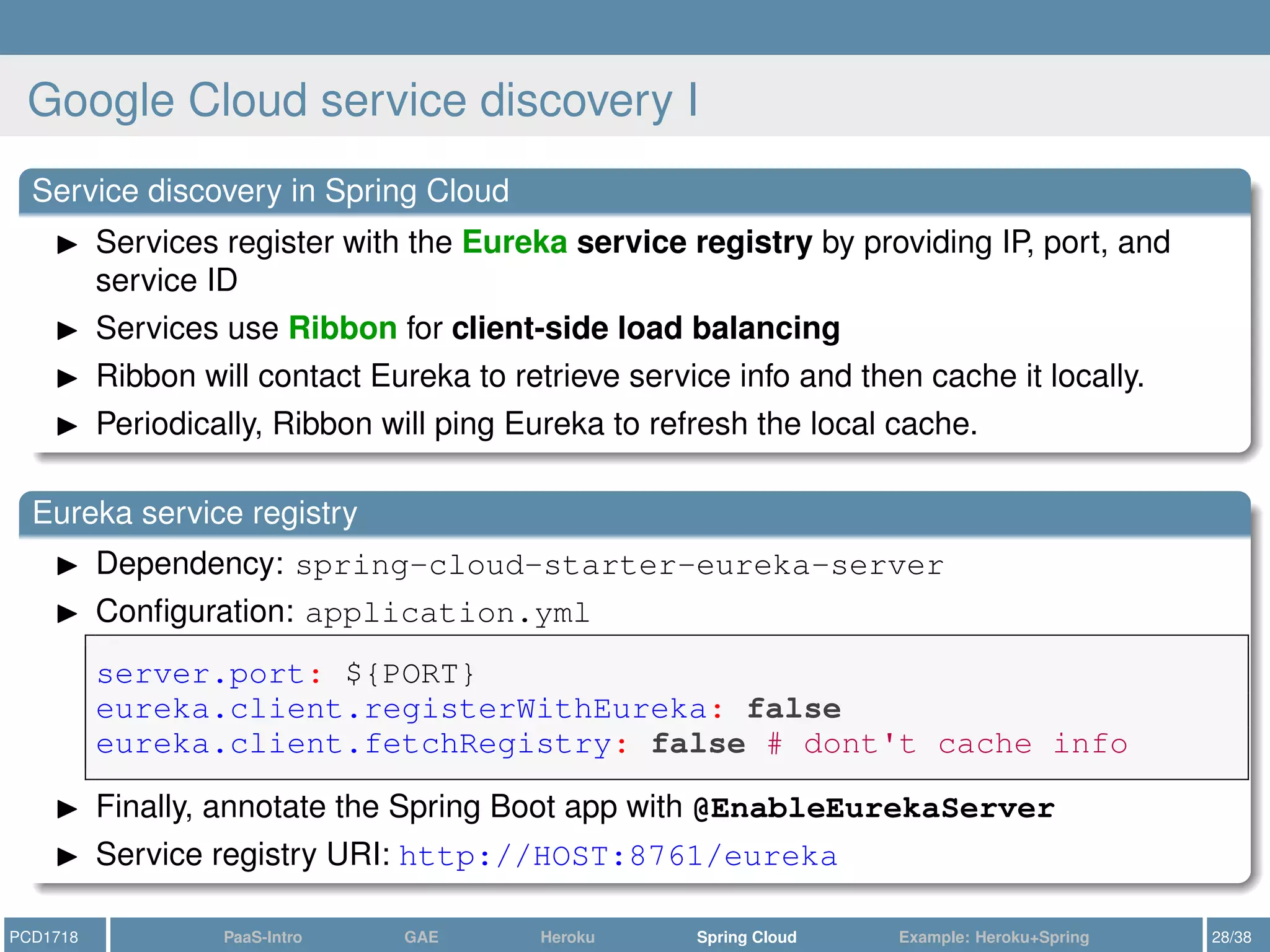
Google Cloud service discovery I
Service discovery in Spring Cloud
Services register with the Eureka service registry by providing IP, port, and
service ID
Services use Ribbon for client-side load balancing
Ribbon will contact Eureka to retrieve service info and then cache it locally.
Periodically, Ribbon will ping Eureka to refresh the local cache.
Eureka service registry
Dependency: spring-cloud-starter-eureka-server
Configuration: application.yml
server.port: ${PORT}
eureka.client.registerWithEureka: false
eureka.client.fetchRegistry: false # dont't cache info
Finally, annotate the Spring Boot app with @EnableEurekaServer
Service registry URI: http://HOST:8761/eureka
PCD1718 PaaS-Intro GAE Heroku Spring Cloud Example: Heroku+Spring 28/38
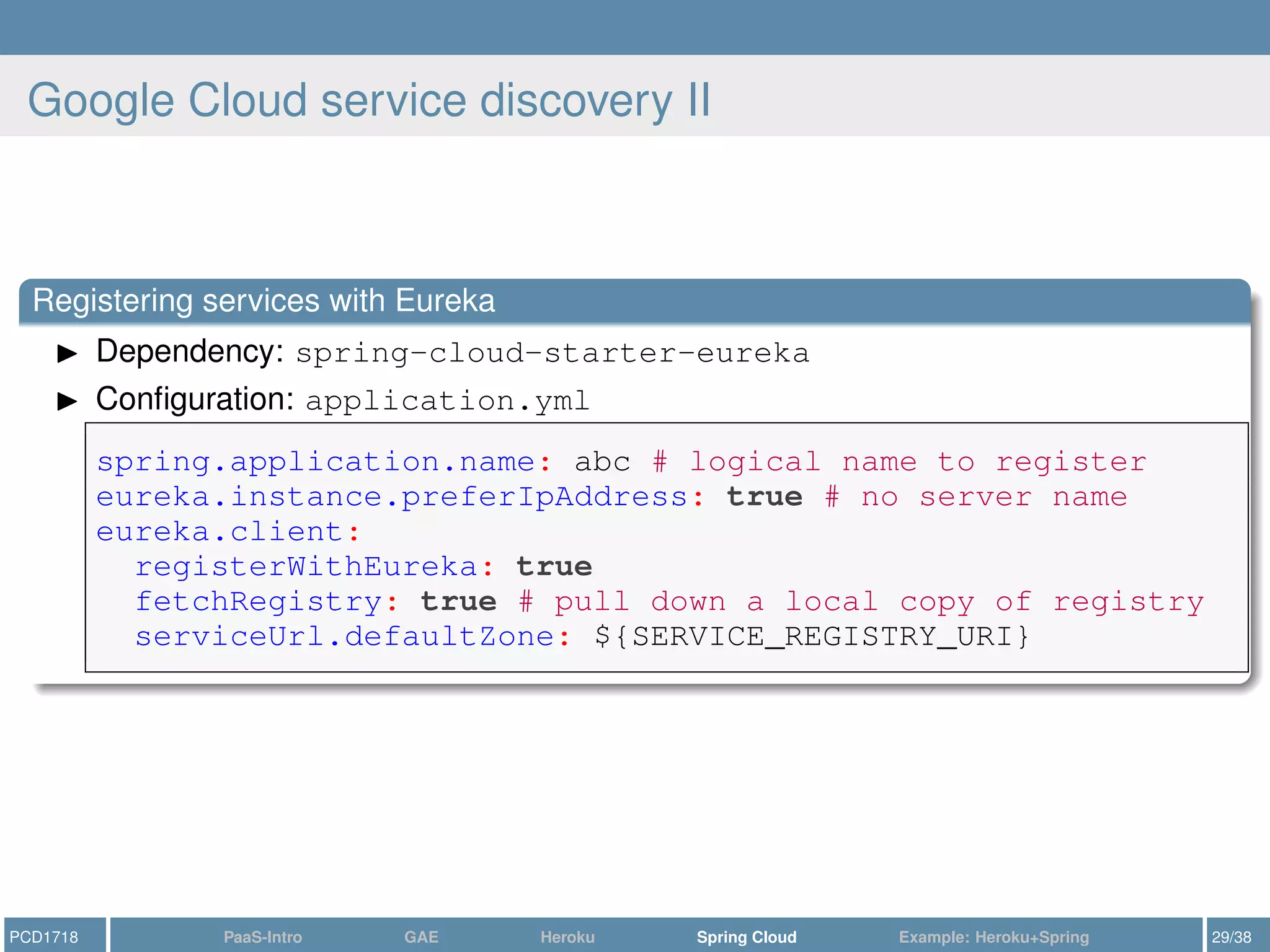
Google Cloud service discovery II
Registering services with Eureka
Dependency: spring-cloud-starter-eureka
Configuration: application.yml
spring.application.name: abc # logical name to register
eureka.instance.preferIpAddress: true # no server name
eureka.client:
registerWithEureka: true
fetchRegistry: true # pull down a local copy of registry
serviceUrl.defaultZone: ${SERVICE_REGISTRY_URI}
PCD1718 PaaS-Intro GAE Heroku Spring Cloud Example: Heroku+Spring 29/38
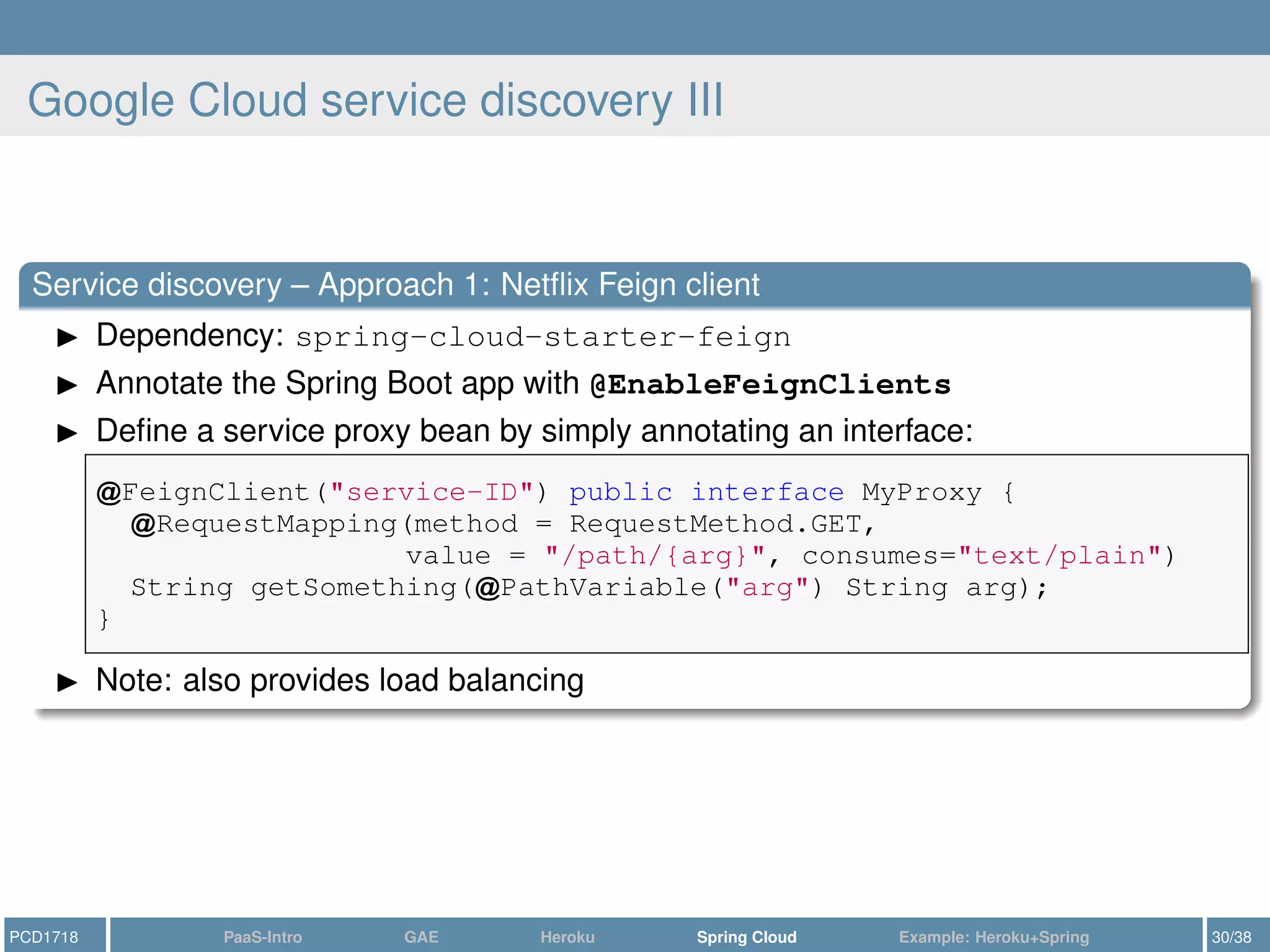
Google Cloud service discovery III
Service discovery – Approach 1: Netflix Feign client
Dependency: spring-cloud-starter-feign
Annotate the Spring Boot app with @EnableFeignClients
Define a service proxy bean by simply annotating an interface:
FeignClient("service-ID") public interface MyProxy {
RequestMapping(method = RequestMethod.GET,
value = "/path/{arg}", consumes="text/plain")
String getSomething( PathVariable("arg") String arg);
}
Note: also provides load balancing
PCD1718 PaaS-Intro GAE Heroku Spring Cloud Example: Heroku+Spring 30/38
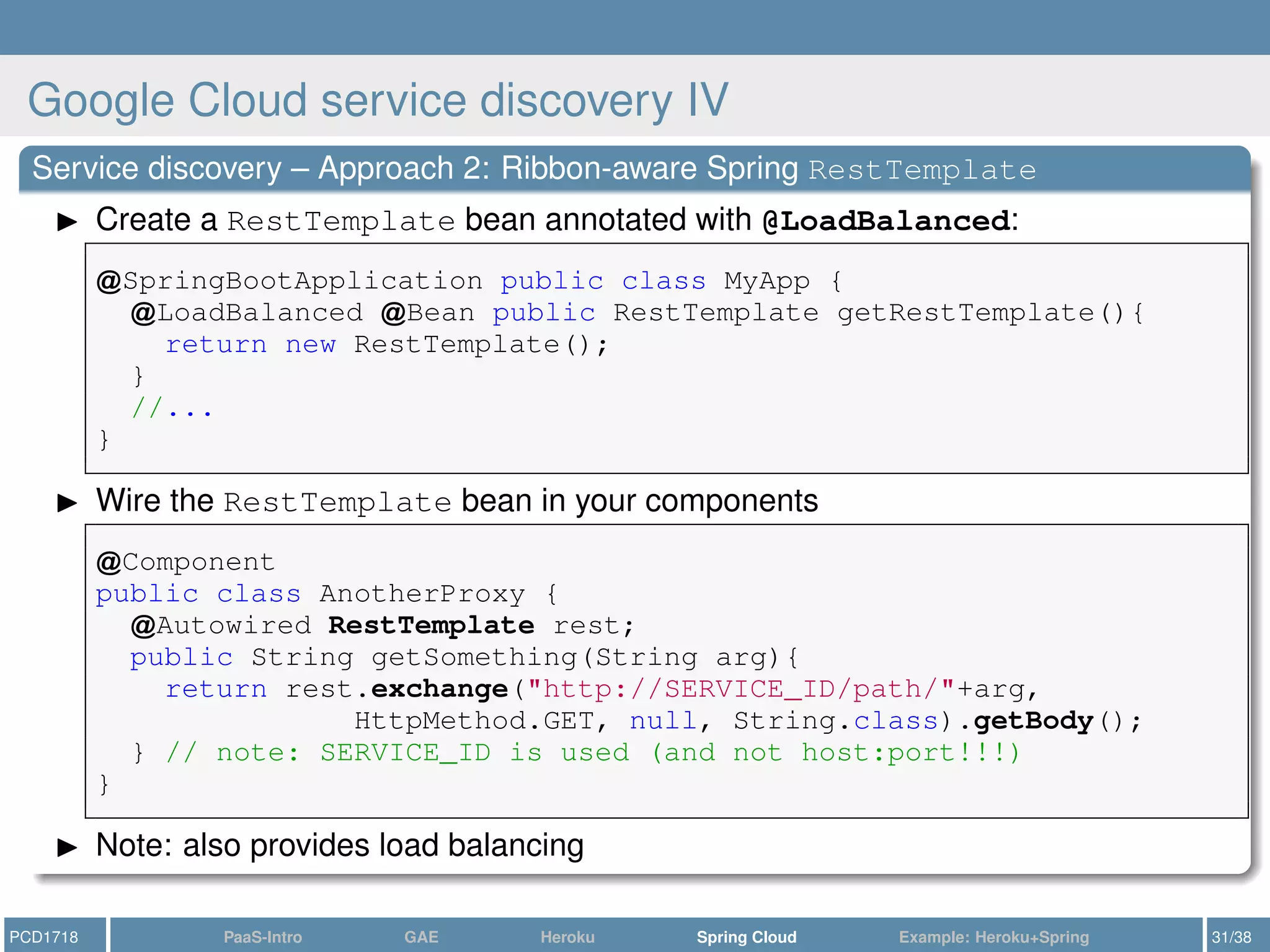
Google Cloud service discovery IV
Service discovery – Approach 2: Ribbon-aware Spring RestTemplate
Create a RestTemplate bean annotated with @LoadBalanced:
SpringBootApplication public class MyApp {
LoadBalanced Bean public RestTemplate getRestTemplate(){
return new RestTemplate();
}
//...
}
Wire the RestTemplate bean in your components
Component
public class AnotherProxy {
Autowired RestTemplate rest;
public String getSomething(String arg){
return rest.exchange("http://SERVICE_ID/path/"+arg,
HttpMethod.GET, null, String.class).getBody();
} // note: SERVICE_ID is used (and not host:port!!!)
}
Note: also provides load balancing
PCD1718 PaaS-Intro GAE Heroku Spring Cloud Example: Heroku+Spring 31/38
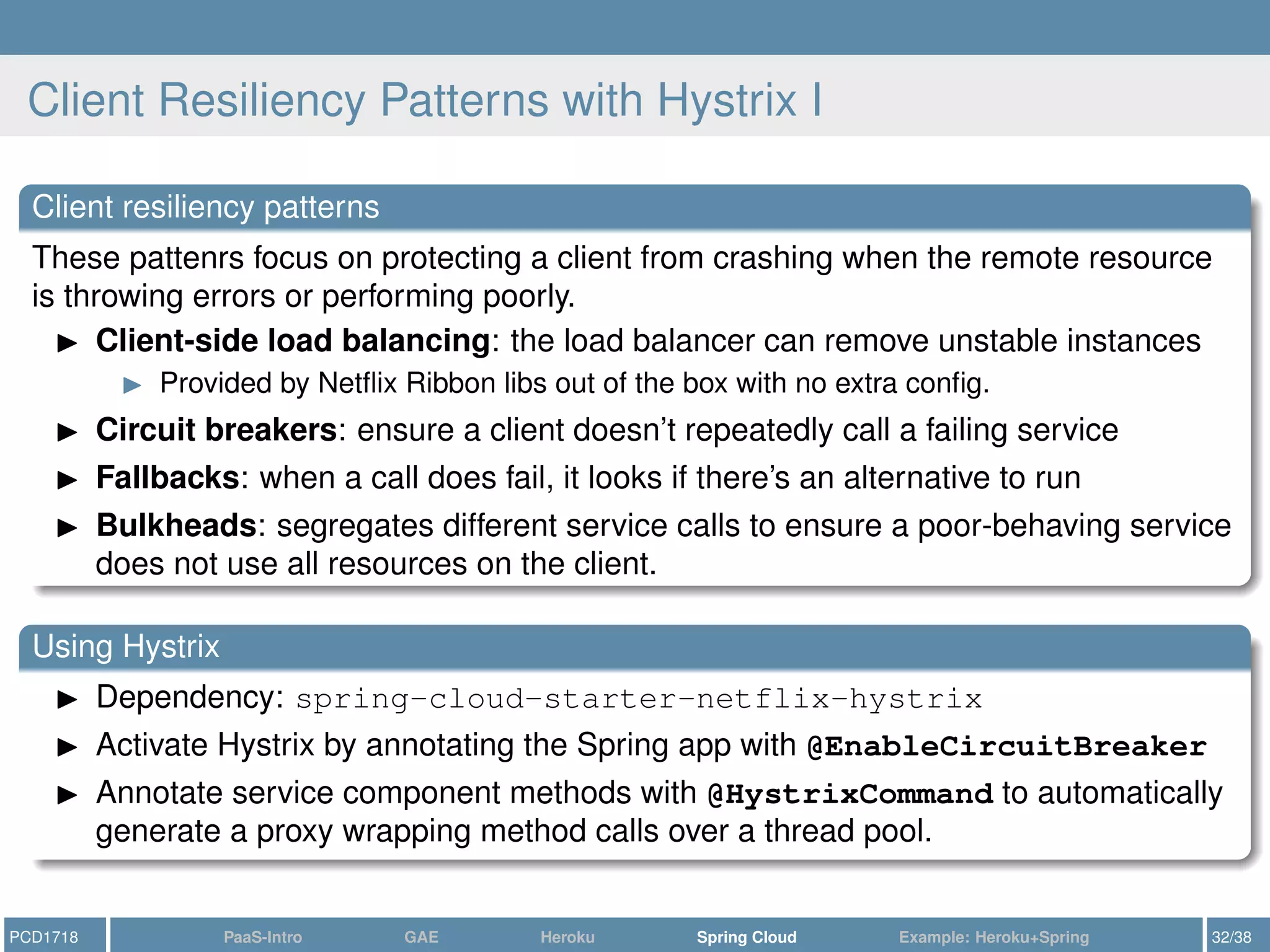
Client Resiliency Patterns with Hystrix I
Client resiliency patterns
These pattenrs focus on protecting a client from crashing when the remote resource
is throwing errors or performing poorly.
Client-side load balancing: the load balancer can remove unstable instances
Provided by Netflix Ribbon libs out of the box with no extra config.
Circuit breakers: ensure a client doesn’t repeatedly call a failing service
Fallbacks: when a call does fail, it looks if there’s an alternative to run
Bulkheads: segregates different service calls to ensure a poor-behaving service
does not use all resources on the client.
Using Hystrix
Dependency: spring-cloud-starter-netflix-hystrix
Activate Hystrix by annotating the Spring app with @EnableCircuitBreaker
Annotate service component methods with @HystrixCommand to automatically
generate a proxy wrapping method calls over a thread pool.
PCD1718 PaaS-Intro GAE Heroku Spring Cloud Example: Heroku+Spring 32/38
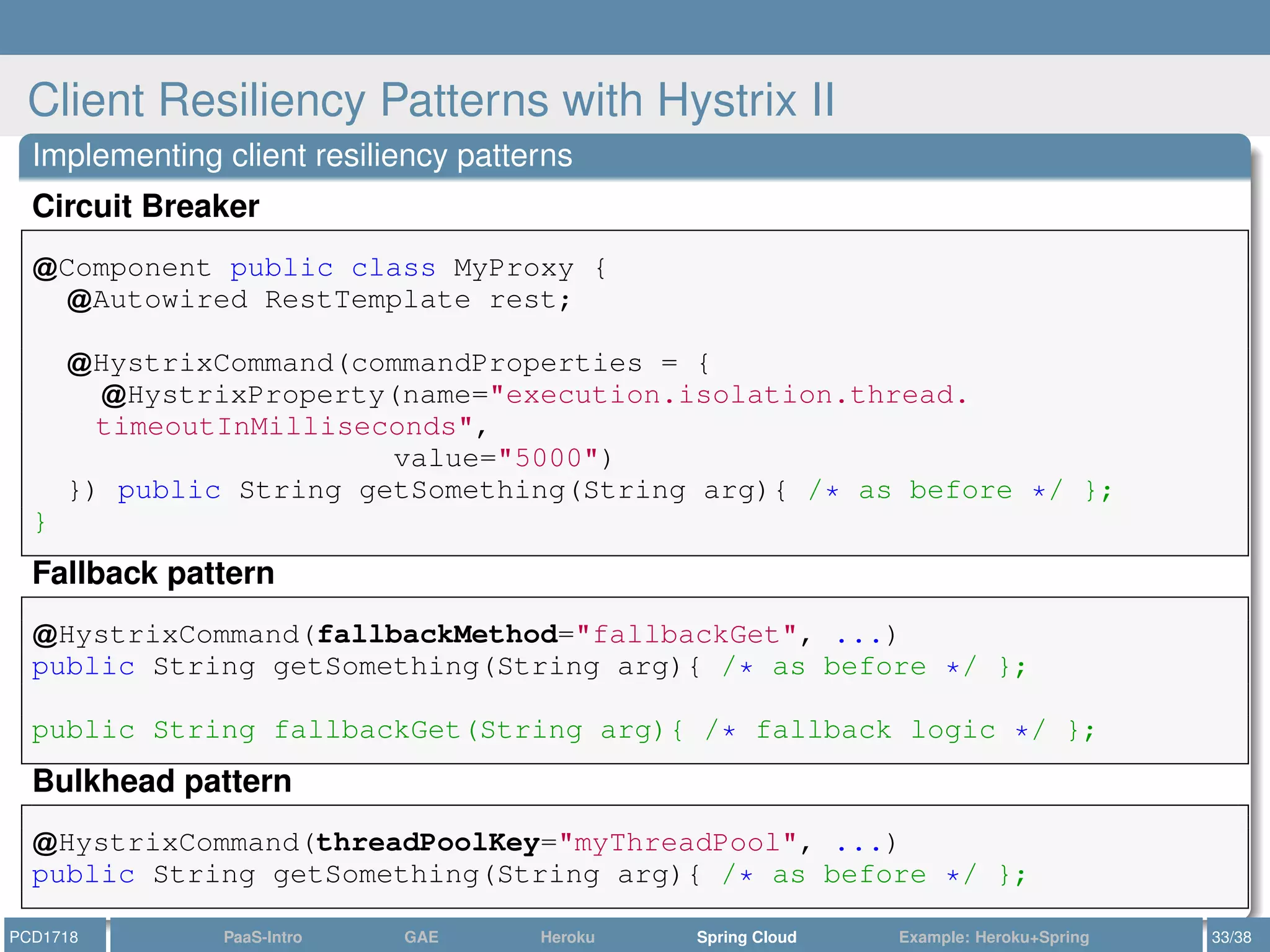
Client Resiliency Patterns with Hystrix II
Implementing client resiliency patterns
Circuit Breaker
Component public class MyProxy {
Autowired RestTemplate rest;
HystrixCommand(commandProperties = {
HystrixProperty(name="execution.isolation.thread.
timeoutInMilliseconds",
value="5000")
}) public String getSomething(String arg){ /* as before */ };
}
Fallback pattern
HystrixCommand(fallbackMethod="fallbackGet", ...)
public String getSomething(String arg){ /* as before */ };
public String fallbackGet(String arg){ /* fallback logic */ };
Bulkhead pattern
HystrixCommand(threadPoolKey="myThreadPool", ...)
public String getSomething(String arg){ /* as before */ };
PCD1718 PaaS-Intro GAE Heroku Spring Cloud Example: Heroku+Spring 33/38
Outline
1 Introduction: PaaS
2 Google AppEngine: a Quick Outlook
3 Heroku
4 Spring Cloud
5 Example: Heroku+Spring
PCD1718 PaaS-Intro GAE Heroku Spring Cloud Example: Heroku+Spring 34/38
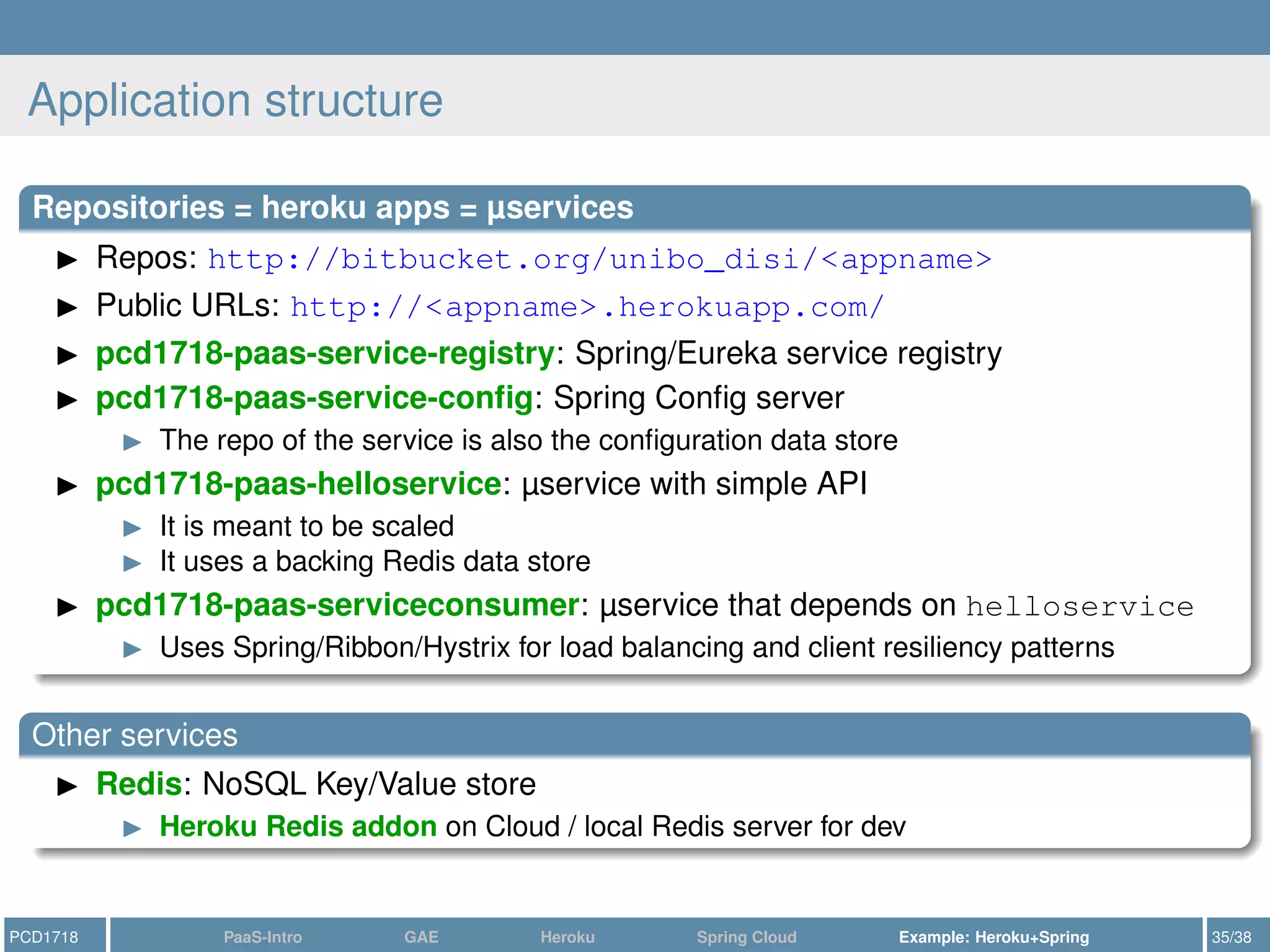
Application structure
Repositories = heroku apps = µservices
Repos: http://bitbucket.org/unibo_disi/<appname>
Public URLs: http://<appname>.herokuapp.com/
pcd1718-paas-service-registry: Spring/Eureka service registry
pcd1718-paas-service-config: Spring Config server
The repo of the service is also the configuration data store
pcd1718-paas-helloservice: µservice with simple API
It is meant to be scaled
It uses a backing Redis data store
pcd1718-paas-serviceconsumer: µservice that depends on helloservice
Uses Spring/Ribbon/Hystrix for load balancing and client resiliency patterns
Other services
Redis: NoSQL Key/Value store
Heroku Redis addon on Cloud / local Redis server for dev
PCD1718 PaaS-Intro GAE Heroku Spring Cloud Example: Heroku+Spring 35/38
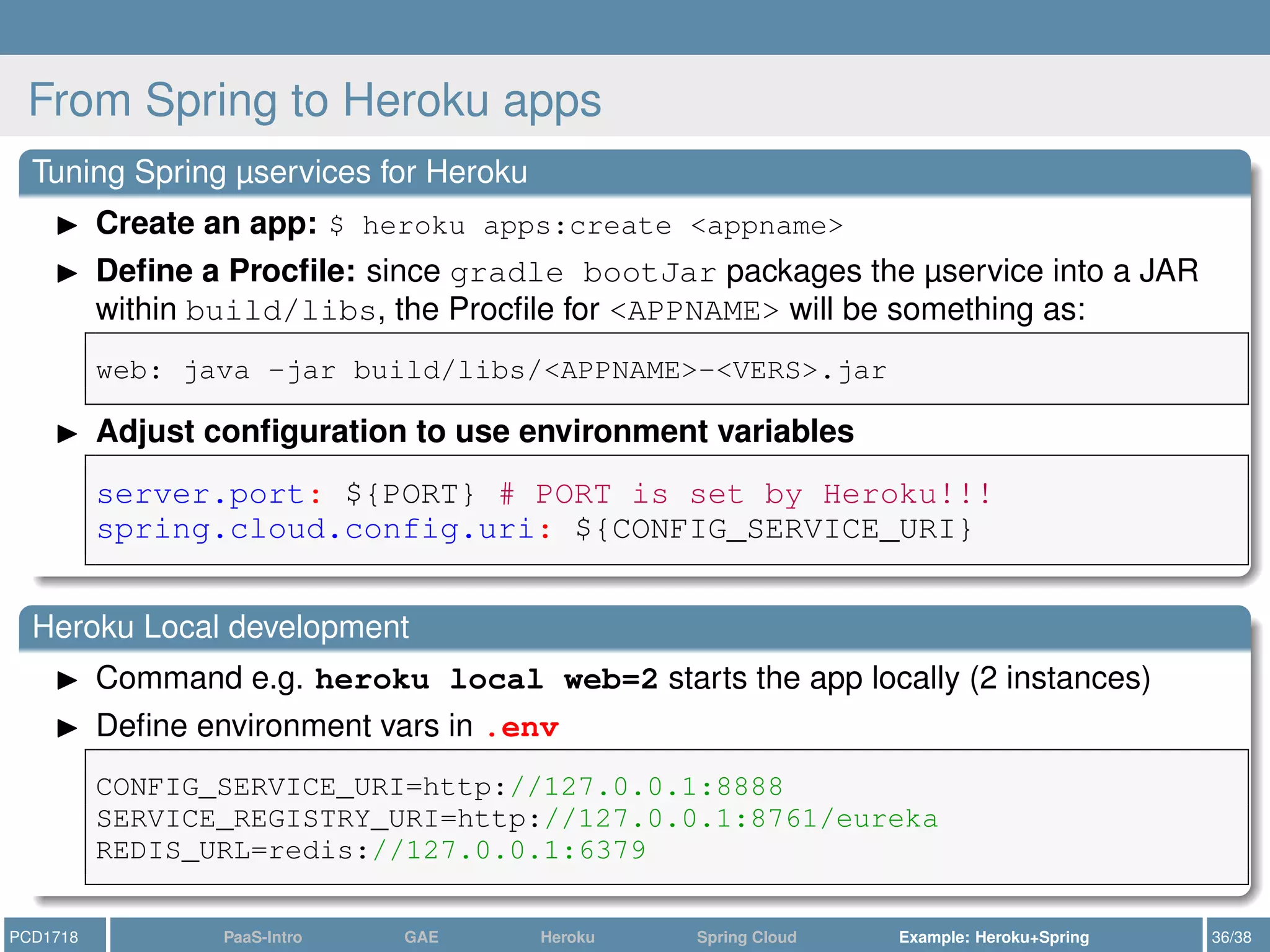
From Spring to Heroku apps
Tuning Spring µservices for Heroku
Create an app: $ heroku apps:create <appname>
Define a Procfile: since gradle bootJar packages the µservice into a JAR
within build/libs, the Procfile for <APPNAME> will be something as:
web: java -jar build/libs/<APPNAME>-<VERS>.jar
Adjust configuration to use environment variables
server.port: ${PORT} # PORT is set by Heroku!!!
spring.cloud.config.uri: ${CONFIG_SERVICE_URI}
Heroku Local development
Command e.g. heroku local web=2 starts the app locally (2 instances)
Define environment vars in .env
CONFIG_SERVICE_URI=http://127.0.0.1:8888
SERVICE_REGISTRY_URI=http://127.0.0.1:8761/eureka
REDIS_URL=redis://127.0.0.1:6379
PCD1718 PaaS-Intro GAE Heroku Spring Cloud Example: Heroku+Spring 36/38
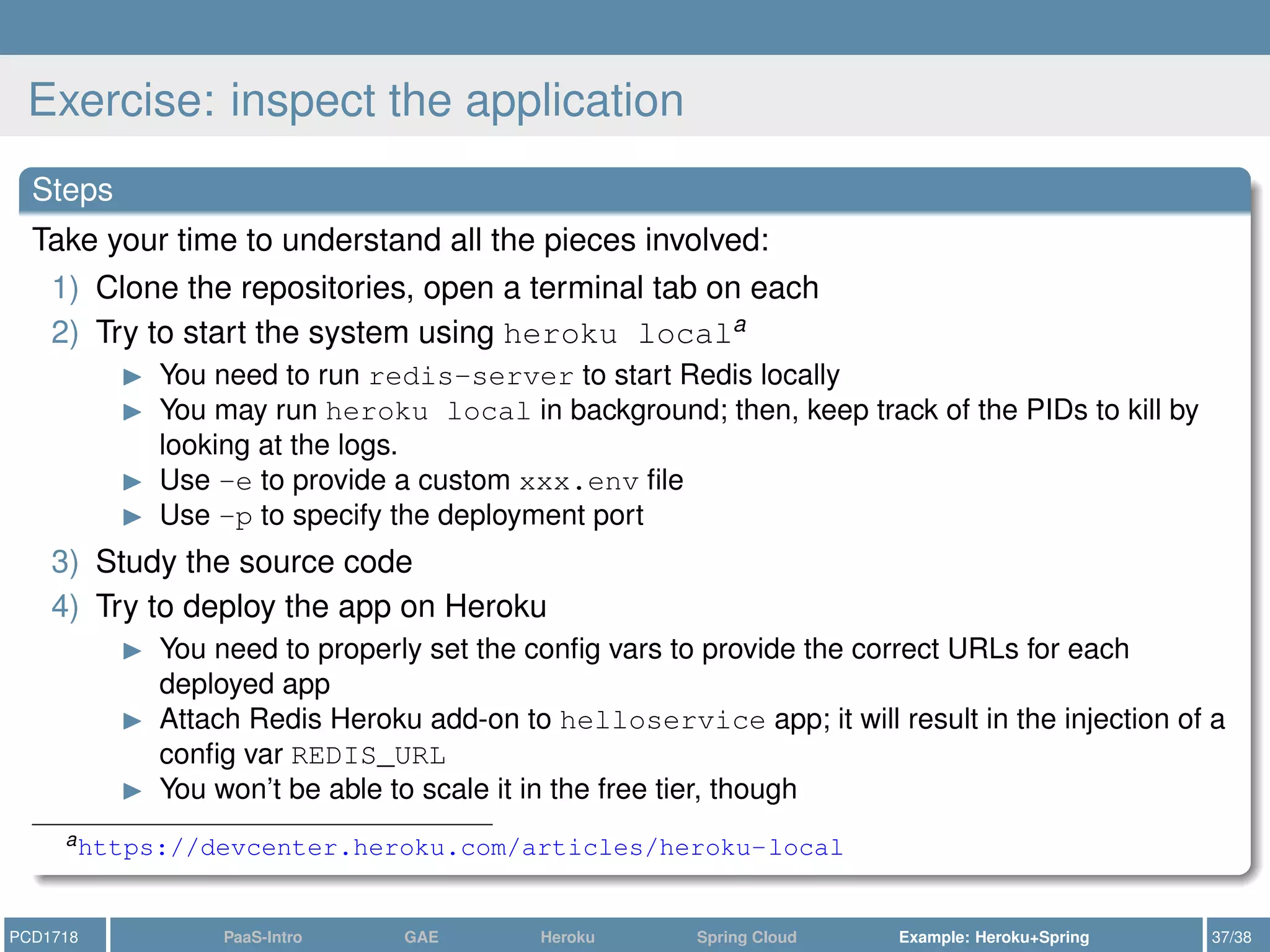
Exercise: inspect the application
Steps
Take your time to understand all the pieces involved:
1) Clone the repositories, open a terminal tab on each
2) Try to start the system using heroku locala
You need to run redis-server to start Redis locally
You may run heroku local in background; then, keep track of the PIDs to kill by
looking at the logs.
Use -e to provide a custom xxx.env file
Use -p to specify the deployment port
3) Study the source code
4) Try to deploy the app on Heroku
You need to properly set the config vars to provide the correct URLs for each
deployed app
Attach Redis Heroku add-on to helloservice app; it will result in the injection of a
config var REDIS_URL
You won’t be able to scale it in the free tier, though
ahttps://devcenter.heroku.com/articles/heroku-local
PCD1718 PaaS-Intro GAE Heroku Spring Cloud Example: Heroku+Spring 37/38
References I
J. Carnell. Spring Microservices in Action. Manning Publications Company, 2017. ISBN:
9781617293986. URL: https://books.google.it/books?id=xDH9MAAACAAJ.
Heroku DevCenter. https://devcenter.heroku.com/. [Online; accessed 2018-06].
Spring Docs. https://spring.io/docs. [Online; accessed 2018-06].
Stefan Walraven, Eddy Truyen, and Wouter Joosen. “Comparing PaaS offerings in light of SaaS
development”. In: Computing 96.8 (2014), pp. 669–724.
PCD1718 Appendix References 38/38

Introduction to cloud-native application development: with Heroku and Spring Boot/Cloud

  • 1.
    Development with PaaS Anintroduction using Heroku and Spring Roberto Casadei Concurrent and Distributed Programming course Department of Computer Science and Engineering (DISI) Alma Mater Studiorum – Università of Bologna June 16, 2018 PCD1718 PaaS-Intro GAE Heroku Spring Cloud Example: Heroku+Spring 1/38
  • 2.
    Outline 1 Introduction: PaaS 2Google AppEngine: a Quick Outlook 3 Heroku 4 Spring Cloud 5 Example: Heroku+Spring PCD1718 PaaS-Intro GAE Heroku Spring Cloud Example: Heroku+Spring 2/38
  • 3.
    Introduction: PaaS Platform-as-a-Service (PaaS) NISTdefinition: “The capability provided to the consumer is to deploy onto the cloud infrastructure consumer-created or acquired applications created using programming languages and tools supported by the provider. The consumer does not manage or control the underlying cloud infrastructure including network, servers, operating systems, or storage, but has control over the deployed applications and possibly application hosting environment configurations.” PCD1718 PaaS-Intro GAE Heroku Spring Cloud Example: Heroku+Spring 3/38
  • 4.
    PaaS is fuzzy Beware:there is not only one PaaS model https://blog.mccrory.me/2011/01/23/current-paas-patterns-types-of-paas/ 1) Upload your environment as a VM/container (cf., IaaS) 2) Upload your compiled/packaged application (e.g., WAR) 3) Upload your code—compilation happens in the PaaS itself (cf., Heroku) 4) Upload platform-specific code (cf., Salesforce) “Comparing PaaS Offerings in Light of SaaS Development”[4] 1) Unfocused PaaS platforms that mimic and match the APIs of popular enterprise application servers and middleware platforms (e.g., Heroku, Cloud Foundry, Azure, OpenShift) 2) Focused PaaS platforms—aim to optimally support specific types of cloud applications, for better scalability (e.g., GAE) 3) Metadata-driven PaaS platforms (e.g., Salesforce) https://www.youtube.com/watch?v=V_lM59cvGoI 1) Bring Your Own Code pattern 2) Bring Your Own Container pattern PCD1718 PaaS-Intro GAE Heroku Spring Cloud Example: Heroku+Spring 4/38
  • 5.
    Outline 1 Introduction: PaaS 2Google AppEngine: a Quick Outlook 3 Heroku 4 Spring Cloud 5 Example: Heroku+Spring PCD1718 PaaS-Intro GAE Heroku Spring Cloud Example: Heroku+Spring 5/38
  • 6.
    GAE: Flexible vs.Standard Environment PCD1718 PaaS-Intro GAE Heroku Spring Cloud Example: Heroku+Spring 6/38
  • 7.
    GAE: Flexible vs.Standard Environment Standard Environment Application instances run in a sandbox, using the runtime environment of a supported language (Python 2.7, Java 7/8, PHP 5.5, Go 1.6/1.8/1.9) Building an application is more constrained and involved, but your apps will have faster scale up times, better reacting to sudden and extreme spikes of traffic. Flexible Environment Application instances run within Docker containers on GAE VMs Use a predefined runtime (Python, Java, Node.js, Go, Ruby, PHP, .NET) or build your custom runtime to support any PL/framework Your apps can depend on other SW, including OS packages through apt-get No sandbox limitations: you can create threads, processes, sockets. No GAE APIs: apps are written like standard web apps that can run anywhere Google Cloud client libraries to call Google Cloud Services These client libraries work everywhere ⇒ your app is more portable https://cloud.google.com/appengine/docs/the-appengine-environments PCD1718 PaaS-Intro GAE Heroku Spring Cloud Example: Heroku+Spring 7/38
  • 8.
    Google Cloud SDK GoogleCloud SDK is a set of tools for accessing Google Cloud services via command-line 1) Install it: you’ll get, among other things, a tool gcloud 2) Setup: $ gcloud init Authorizes Cloud SDK tools to use your user account credentials to access Google Cloud Platform Sets up a Cloud SDK configuration (i.e., a set of properties) $ gcloud config list 3) View/Install SDK components: $ gcloud components list app-engine-java: gcloud App Java Extensions gcd-emulator: emulator for Google Cloud Datastore PCD1718 PaaS-Intro GAE Heroku Spring Cloud Example: Heroku+Spring 8/38
  • 9.
    GAE: example (i) Javaweb apps for GAE use the standard Java Servlet interface1 An app is deployed as a Web Application Archive (WAR) The Java GAE SDK is the bridge to GAE and supports simulating GAE locally /src/main/java/it/unibo/MyServlet.java public class MyServlet extends HttpServlet { public void doGet(HttpServletRequest req, HttpServletResponse resp) throws IOException { resp.setContentType("text/html"); resp.getWriter().println("Hello GAE"); } } /src/main/webapp/WEB-INF/web.xml <web-app ....> <servlet> <servlet-name>myservlet</servlet-name> <servlet-class>clock.MyServlet</servlet-class> </servlet> <servlet-mapping> <servlet-name>myservlet</servlet-name> <url-pattern>/</url-pattern> </servlet-mapping> </web-app> 1https://guides.gradle.org/building-java-web-applications/ PCD1718 PaaS-Intro GAE Heroku Spring Cloud Example: Heroku+Spring 9/38
  • 10.
    GAE: example (ii) /build.gradle applyplugin: 'java' apply plugin: 'war' dependencies { compile 'com.google.appengine:appengine-api-1.0-sdk:+' providedCompile 'javax.servlet:javax.servlet-api:3.1.0' } // providedCompile to prevent inclusion in the packaged .war // those dependencies will be provided by the container Gradle plugin for GAE is also available2 Build: $ gradle build Running the GAE app locally: $ dev_appserver <path/to/war> 2https://cloud.google.com/appengine/docs/standard/java/tools/gradle PCD1718 PaaS-Intro GAE Heroku Spring Cloud Example: Heroku+Spring 10/38
  • 11.
    GAE: example (iii) Registring/uploadingthe app to the cloud Access the Google Cloud Console: https://console.developers.google.com Create a new project with a name, e.g., myapp Provide a deployment descriptor: /src/main/webapp/WEB-INF/appengine-web.xml <appengine-web-app xmlns="http://appengine.google.com/ns/1.0"> <application>myapp</application> <version>1</version> <threadsafe>true</threadsafe> <!-- enables instance reuse for multiple requests --> </appengine-web-app> Rebuild so that the WAR includes the deployment descriptor Deploy: $ appcfg update <path/to/war> You’re done at http://<projectID>.appspot.com/ The Console includes a Dashboard for viewing usage statistics To use more resources, enable billing. PCD1718 PaaS-Intro GAE Heroku Spring Cloud Example: Heroku+Spring 11/38
  • 12.
    GAE: example (iv) Exampleof Cloud service (Users API): handling users via Google Accounts import com.google.appengine.api.users.*; //... UserService userService = UserServiceFactory.getUserService(); User user = userService.getCurrentUser(); if(user == null){ String loginUrl = userService.createLoginURL("/login.jsp"); // ... } else { String logoutUrl = userService.createLogoutURL("/logout.jsp"); // ... } When the app is running in the development server, the login link goes to the dev server’s simulated version of the Google Accounts sign-in screen. PCD1718 PaaS-Intro GAE Heroku Spring Cloud Example: Heroku+Spring 12/38
  • 13.
    Outline 1 Introduction: PaaS 2Google AppEngine: a Quick Outlook 3 Heroku 4 Spring Cloud 5 Example: Heroku+Spring PCD1718 PaaS-Intro GAE Heroku Spring Cloud Example: Heroku+Spring 13/38
  • 14.
    Heroku: intro Heroku Heroku isa PaaS: it lets you deploy, run and manage applications Heroku services are hosted on Amazon’s EC2 Pro: very easy to deploy and configure applications Pro: does not force you to code against vendor-specific APIs Con: can get expensive fast Con: not as comprehensive as e.g. Google Cloud Some history Heroku was founded in 2007, initially targeting Ruby Heroku is one of the first cloud platforms (PaaS) In 2010, it has been acquired by Salesforce.com In 2011, support for Node.js and Clojure was added Now, it supports Java, Node.js, Scala, Clojure, Python, PHP, and Go PCD1718 PaaS-Intro GAE Heroku Spring Cloud Example: Heroku+Spring 14/38
  • 15.
    Heroku: basic conceptsI Application = source code + dependencies + Procfile Application source code and dependencies organised as per build definition When using a well-known framework, Heroku can figure out how to run apps Cf., main field in package.json for Node apps To explicitly tell Heroku what to run, you can define a Procfile web: java -jar lib/foobar.jar $PORT queue: java -jar lib/queue-processor.jar Format is <processType>: <commandToRun> Only web processes can receive web traffic Deployment Heroku supports multiple mechanisms for deployment Git: by pushing to your Heroku app remote Github integration REST API PCD1718 PaaS-Intro GAE Heroku Spring Cloud Example: Heroku+Spring 15/38
  • 16.
    Heroku: basic conceptsII Building apps When Heroku receives your app sources, it starts the building process A slug is a bundle of your source, fetched dependencies, the language runtime, the Procfile and compiled/generated output of the build system. A buildpack is responsible of transforming the deployed code into a slug. There is a set of officially supported buildpacks; these are open-source There is also a huge num of 3rd-party buildpacks Running apps on dynos Dyno: a lightweight, isolated, secure, virtualized Unix container that provide the environment required to run an app. Apps are executed by running the commands specified in the Procfile on a dyno that has been preloaded with a slug. Dyno formation: the total number of currently-exeucting dynos Each dyno gets its own ephemeral filesystem PCD1718 PaaS-Intro GAE Heroku Spring Cloud Example: Heroku+Spring 16/38
  • 17.
    Heroku: basic conceptsIII Release = slug + configuration + addons Configuration variables contain customizable config data that can be changed independently of your source code and exposed to a running app via environment variables Add-ons are resources attached to an app Addons provide backing services (e.g., DBs, MOMs, Logging, E-mail..) The interface to apps is often provided through configuration variables A new release is generated any time you change sources, config vars, or add-ons PCD1718 PaaS-Intro GAE Heroku Spring Cloud Example: Heroku+Spring 17/38
  • 18.
    How Heroku works:summary PCD1718 PaaS-Intro GAE Heroku Spring Cloud Example: Heroku+Spring 18/38
  • 19.
    Heroku: free tier Monthlypool of free dyno hours (450 hours/month) across all apps Up to 5 free apps (unverified account) or 100 (verified account) Max per free app: 1 web dyno, 1 worker dyno Free apps sleep automatically after 30 mins of inactivity Many add-ons (e.g., Heroku Postgres and Heroku Redis) do offer free plans PCD1718 PaaS-Intro GAE Heroku Spring Cloud Example: Heroku+Spring 19/38
  • 20.
    Heroku Command-Line Interface(CLI) Install: e.g., via package manager — brew install heroku (macOs) Heroku CLI: main commands Getting help: $ heroku help addons Login: $ heroku auth:login Create apps: $ heroku apps:create <appname> Deploy apps: $ git push heroku master Scale apps: $ heroku ps:scale web=1 Provision add-ons: $ heroku addons:create heroku-redis:hobby-dev Set config vars: $ heroku config:set SOME_VAR=xxx List dynos: $ heroku ps See logs: $ heroku logs Run a one-off process inside a dyno: $ heroku run <cmd> Run Heroku locally: $ heroku local Service-specific commands $ heroku redis $ heroku pg PCD1718 PaaS-Intro GAE Heroku Spring Cloud Example: Heroku+Spring 20/38
  • 21.
    Heroku CLI: deploymentcommands PCD1718 PaaS-Intro GAE Heroku Spring Cloud Example: Heroku+Spring 21/38
  • 22.
    12-factor apps https://12factor.net By Herokuco-founder Adam Wiggins A methodology for building SaaS apps 1) Codebase: one codebase tracked in revision control, many deploys 2) Dependencies: explicitly declare and isolate dependencies 3) Config: store config in the environment 4) Backing services: treat backing services as attached resources 5) Build, release, run: strictly separate build and run stages 6) Processes: execute the app as one or more stateless processes 7) Port binding: export services via port binding 8) Concurrency: scale out via the process model 9) Disposability: maximize robustness with fast startup and graceful shutdown 10) Dev/Prod parity: keep development, staging, and production as similar as possible 11) Logs: treat logs as event streams 12) Admin Processes: run admin/management tasks as one-off processes PCD1718 PaaS-Intro GAE Heroku Spring Cloud Example: Heroku+Spring 22/38
  • 23.
    So, how dowe develop microservice apps on Heroku? Each µservice has a Git repo You create a Heroku app for each µservice (repo) Each Heroku app (i.e., µservice) has a public URI For other services (e.g., Data, MOM, Logging), use add-ons Add-ons will inject config vars to your apps to communicate the endpoints PCD1718 PaaS-Intro GAE Heroku Spring Cloud Example: Heroku+Spring 23/38
  • 24.
    Outline 1 Introduction: PaaS 2Google AppEngine: a Quick Outlook 3 Heroku 4 Spring Cloud 5 Example: Heroku+Spring PCD1718 PaaS-Intro GAE Heroku Spring Cloud Example: Heroku+Spring 24/38
  • 25.
    Spring Cloud Spring Cloudmakes it easy to operationalize and deploy µservices to a private or public cloud Spring Cloud services Spring Cloud Config: supports management of app config data through a centralised service Service Discovery: handles lookup and de/registration of service instances E.g., with Eureka as service discovery engine Hystrix integration: for resiliency patterns (circuit breaker, bulkhead..) Ribbon integration: for service discovery and client-side load-balancing PCD1718 PaaS-Intro GAE Heroku Spring Cloud Example: Heroku+Spring 25/38
  • 26.
    Spring Cloud ConfigI Spring Cloud Config: general config management solution for many backends It helps you build a configuration server as a Spring Boot service How-to Dependency: org.springframework.cloud:spring-cloud-config-server Annotate the Spring Boot app class with @EnableConfigServer Configure the server: src/main/resources/bootstrap.yml server.port: ${PORT} spring.profiles.active: git # use git as backend spring.cloud.config.server.git: uri: ${CONFIG_REPO_URI} label: master searchPaths: /some/path/ Within <REPO>/some/path/ there are files <appname>-<env>.yml PCD1718 PaaS-Intro GAE Heroku Spring Cloud Example: Heroku+Spring 26/38
  • 27.
    Spring Cloud ConfigII Apps will define in their bootstrap.yml: spring.application.name: helloservice # appname spring.profiles.active: default # profile maps to env spring.cloud.config.uri: ${CONFIG_SERVER_URI} and then bind config data to properties of beans Component public class MyConfig { Value("${some.config.property}") private String prop; public int getProp(){ return prop; } //... } RestController public class MyController { Autowired MyConfig config; //... } PCD1718 PaaS-Intro GAE Heroku Spring Cloud Example: Heroku+Spring 27/38
  • 28.
    Google Cloud servicediscovery I Service discovery in Spring Cloud Services register with the Eureka service registry by providing IP, port, and service ID Services use Ribbon for client-side load balancing Ribbon will contact Eureka to retrieve service info and then cache it locally. Periodically, Ribbon will ping Eureka to refresh the local cache. Eureka service registry Dependency: spring-cloud-starter-eureka-server Configuration: application.yml server.port: ${PORT} eureka.client.registerWithEureka: false eureka.client.fetchRegistry: false # dont't cache info Finally, annotate the Spring Boot app with @EnableEurekaServer Service registry URI: http://HOST:8761/eureka PCD1718 PaaS-Intro GAE Heroku Spring Cloud Example: Heroku+Spring 28/38
  • 29.
    Google Cloud servicediscovery II Registering services with Eureka Dependency: spring-cloud-starter-eureka Configuration: application.yml spring.application.name: abc # logical name to register eureka.instance.preferIpAddress: true # no server name eureka.client: registerWithEureka: true fetchRegistry: true # pull down a local copy of registry serviceUrl.defaultZone: ${SERVICE_REGISTRY_URI} PCD1718 PaaS-Intro GAE Heroku Spring Cloud Example: Heroku+Spring 29/38
  • 30.
    Google Cloud servicediscovery III Service discovery – Approach 1: Netflix Feign client Dependency: spring-cloud-starter-feign Annotate the Spring Boot app with @EnableFeignClients Define a service proxy bean by simply annotating an interface: FeignClient("service-ID") public interface MyProxy { RequestMapping(method = RequestMethod.GET, value = "/path/{arg}", consumes="text/plain") String getSomething( PathVariable("arg") String arg); } Note: also provides load balancing PCD1718 PaaS-Intro GAE Heroku Spring Cloud Example: Heroku+Spring 30/38
  • 31.
    Google Cloud servicediscovery IV Service discovery – Approach 2: Ribbon-aware Spring RestTemplate Create a RestTemplate bean annotated with @LoadBalanced: SpringBootApplication public class MyApp { LoadBalanced Bean public RestTemplate getRestTemplate(){ return new RestTemplate(); } //... } Wire the RestTemplate bean in your components Component public class AnotherProxy { Autowired RestTemplate rest; public String getSomething(String arg){ return rest.exchange("http://SERVICE_ID/path/"+arg, HttpMethod.GET, null, String.class).getBody(); } // note: SERVICE_ID is used (and not host:port!!!) } Note: also provides load balancing PCD1718 PaaS-Intro GAE Heroku Spring Cloud Example: Heroku+Spring 31/38
  • 32.
    Client Resiliency Patternswith Hystrix I Client resiliency patterns These pattenrs focus on protecting a client from crashing when the remote resource is throwing errors or performing poorly. Client-side load balancing: the load balancer can remove unstable instances Provided by Netflix Ribbon libs out of the box with no extra config. Circuit breakers: ensure a client doesn’t repeatedly call a failing service Fallbacks: when a call does fail, it looks if there’s an alternative to run Bulkheads: segregates different service calls to ensure a poor-behaving service does not use all resources on the client. Using Hystrix Dependency: spring-cloud-starter-netflix-hystrix Activate Hystrix by annotating the Spring app with @EnableCircuitBreaker Annotate service component methods with @HystrixCommand to automatically generate a proxy wrapping method calls over a thread pool. PCD1718 PaaS-Intro GAE Heroku Spring Cloud Example: Heroku+Spring 32/38
  • 33.
    Client Resiliency Patternswith Hystrix II Implementing client resiliency patterns Circuit Breaker Component public class MyProxy { Autowired RestTemplate rest; HystrixCommand(commandProperties = { HystrixProperty(name="execution.isolation.thread. timeoutInMilliseconds", value="5000") }) public String getSomething(String arg){ /* as before */ }; } Fallback pattern HystrixCommand(fallbackMethod="fallbackGet", ...) public String getSomething(String arg){ /* as before */ }; public String fallbackGet(String arg){ /* fallback logic */ }; Bulkhead pattern HystrixCommand(threadPoolKey="myThreadPool", ...) public String getSomething(String arg){ /* as before */ }; PCD1718 PaaS-Intro GAE Heroku Spring Cloud Example: Heroku+Spring 33/38
  • 34.
    Outline 1 Introduction: PaaS 2Google AppEngine: a Quick Outlook 3 Heroku 4 Spring Cloud 5 Example: Heroku+Spring PCD1718 PaaS-Intro GAE Heroku Spring Cloud Example: Heroku+Spring 34/38
  • 35.
    Application structure Repositories =heroku apps = µservices Repos: http://bitbucket.org/unibo_disi/<appname> Public URLs: http://<appname>.herokuapp.com/ pcd1718-paas-service-registry: Spring/Eureka service registry pcd1718-paas-service-config: Spring Config server The repo of the service is also the configuration data store pcd1718-paas-helloservice: µservice with simple API It is meant to be scaled It uses a backing Redis data store pcd1718-paas-serviceconsumer: µservice that depends on helloservice Uses Spring/Ribbon/Hystrix for load balancing and client resiliency patterns Other services Redis: NoSQL Key/Value store Heroku Redis addon on Cloud / local Redis server for dev PCD1718 PaaS-Intro GAE Heroku Spring Cloud Example: Heroku+Spring 35/38
  • 36.
    From Spring toHeroku apps Tuning Spring µservices for Heroku Create an app: $ heroku apps:create <appname> Define a Procfile: since gradle bootJar packages the µservice into a JAR within build/libs, the Procfile for <APPNAME> will be something as: web: java -jar build/libs/<APPNAME>-<VERS>.jar Adjust configuration to use environment variables server.port: ${PORT} # PORT is set by Heroku!!! spring.cloud.config.uri: ${CONFIG_SERVICE_URI} Heroku Local development Command e.g. heroku local web=2 starts the app locally (2 instances) Define environment vars in .env CONFIG_SERVICE_URI=http://127.0.0.1:8888 SERVICE_REGISTRY_URI=http://127.0.0.1:8761/eureka REDIS_URL=redis://127.0.0.1:6379 PCD1718 PaaS-Intro GAE Heroku Spring Cloud Example: Heroku+Spring 36/38
  • 37.
    Exercise: inspect theapplication Steps Take your time to understand all the pieces involved: 1) Clone the repositories, open a terminal tab on each 2) Try to start the system using heroku locala You need to run redis-server to start Redis locally You may run heroku local in background; then, keep track of the PIDs to kill by looking at the logs. Use -e to provide a custom xxx.env file Use -p to specify the deployment port 3) Study the source code 4) Try to deploy the app on Heroku You need to properly set the config vars to provide the correct URLs for each deployed app Attach Redis Heroku add-on to helloservice app; it will result in the injection of a config var REDIS_URL You won’t be able to scale it in the free tier, though ahttps://devcenter.heroku.com/articles/heroku-local PCD1718 PaaS-Intro GAE Heroku Spring Cloud Example: Heroku+Spring 37/38
  • 38.
    References I J. Carnell.Spring Microservices in Action. Manning Publications Company, 2017. ISBN: 9781617293986. URL: https://books.google.it/books?id=xDH9MAAACAAJ. Heroku DevCenter. https://devcenter.heroku.com/. [Online; accessed 2018-06]. Spring Docs. https://spring.io/docs. [Online; accessed 2018-06]. Stefan Walraven, Eddy Truyen, and Wouter Joosen. “Comparing PaaS offerings in light of SaaS development”. In: Computing 96.8 (2014), pp. 669–724. PCD1718 Appendix References 38/38