

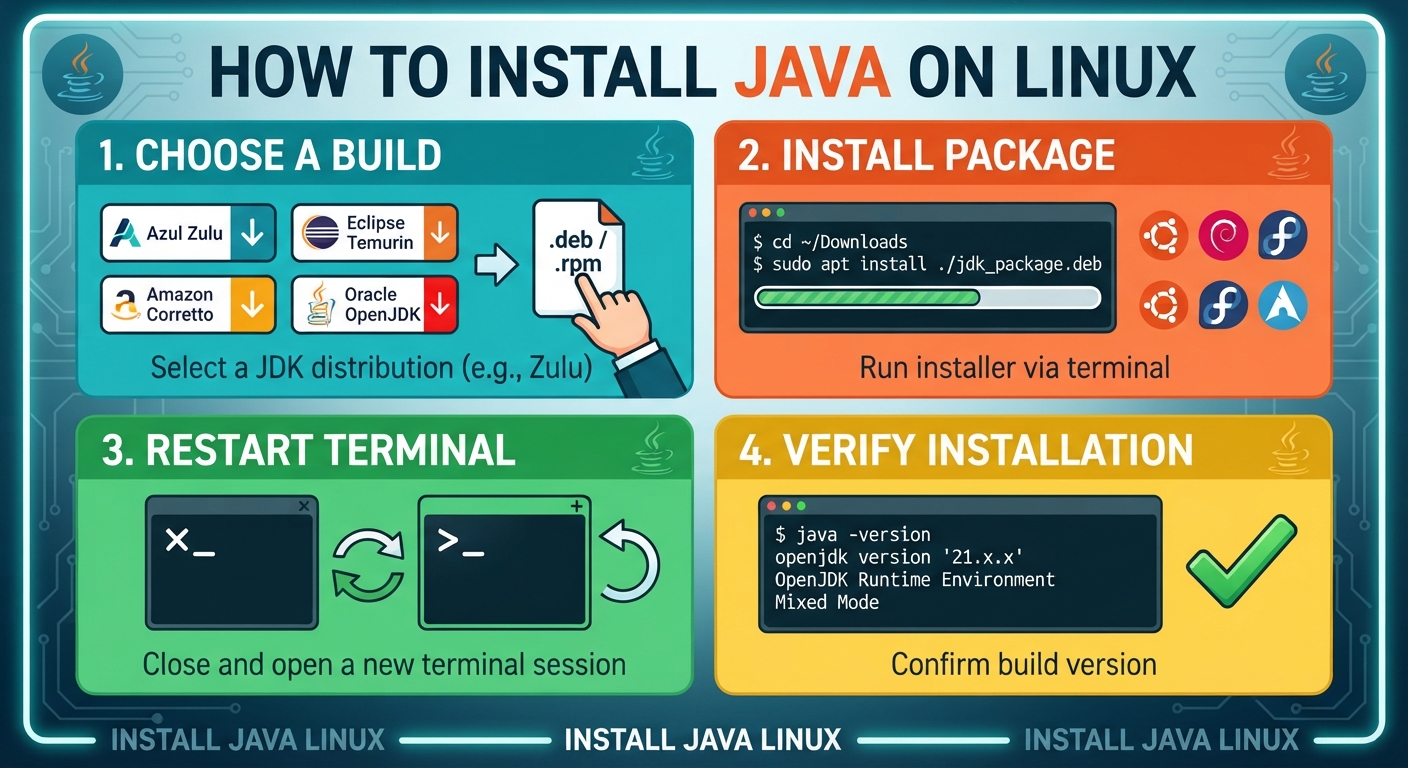
Most Linux desktops ship without Java. Adding it takes four moves: pick a build, install the package, restart the terminal, print the version. This guide covers Debian-based systems such as Ubuntu and Mint, plus the Fedora and Arch route. No compiling, no PATH edits.
| Stage | Action |
|---|---|
| 1 | Choose a build and save its package |
| 2 | Open a terminal and add the package |
| 3 | Close that window, then open another |
| 4 | Print the build number to confirm |
Choose a Build Before You Install Java on Linux
Azul ships a build called Zulu. Release 25 arrives as a .deb package for Debian-family machines. Ubuntu, Pop!_OS, Linux Mint and their relatives all take it.
The download sits here:
https://cdn.azul.com/zulu/bin/zulu25.34.17-ca-jdk25.0.3-linux_amd64.debOther vendors publish their own builds. Temurin, Corretto and Liberica all work the same way. Foojay keeps a page that maps out the options if release 25 is not what you need. Legacy software sometimes pins you to an older release such as OpenJDK 8, which stays available for that reason.
| Your system family | Package type to grab |
|---|---|
| Debian, Ubuntu, Pop!_OS, Linux Mint | .deb |
| Fedora, RHEL, CentOS, AlmaLinux | .rpm |
Commands That Install Java on Linux Debian Systems Accept
Save the .deb file to disk, then start a terminal window. Our beginner walkthrough of the Linux shell covers the basics if that screen is new. Type these two lines:
$ cd ~/Downloads
$ sudo apt install ./DOWNLOADED_VERSION.deb
Swap the placeholder for the real filename. DOWNLOADED_VERSION stands in for whatever sits in your folder. With the Zulu 25 package above, line two reads:
$ sudo apt install ./zulu25.34.17-ca-jdk25.0.3-linux_amd64.debThe sudo prefix runs the command with root rights. If you would rather change accounts first, see how the su command handles user switching.
Close the terminal when apt finishes. Open a fresh one. The old session has no record of the new software, so a clean window saves you a confusing error.
| Line you type | What it does |
|---|---|
| cd ~/Downloads | Moves you into the folder holding the saved package |
| sudo apt install ./DOWNLOADED_VERSION.deb | Adds the package to your system |
| java -version | Prints the build now on the machine |
Check That You Install Java on Linux Correctly
Type this in the new window:
$ java -versionThe reply looks like the block below. Your numbers match whichever build you picked, so they will not always read the same:
openjdk version "21.0.4" 2024-07-16 LTS
OpenJDK Runtime Environment Zulu21.36+17-CA (build 21.0.4+7-LTS)
OpenJDK 64-Bit Server VM Zulu21.36+17-CA (build 21.0.4+7-LTS, mixed mode, sharing)
No output at all means the package never landed. Run a query of everything apt has installed to see whether the JDK is there under a different name.
Install Java on Linux Outside the Debian Family
Fedora, RHEL and their forks use rpm packages. Grab the .rpm download instead of the .deb, then run:
$ sudo dnf install ./zulu25.34.17-ca-jdk25.0.3-linux.x86_64.rpmOlder servers still on yum accept sudo yum install <package>.rpm. Arch and Manjaro pull OpenJDK straight from the repositories with sudo pacman -S jdk-openjdk. Not sure which release you are on? Here is how to read your distribution version in a few seconds.
Some vendors distribute a shell script rather than a package. Those need execute permission before they will run.
Life After You Install Java on Linux
That finishes the task. Java software will open on your machine now.
The better part comes next: you can write your own. Most people pair the runtime with an editor, and our page on getting IntelliJ IDEA running shows one way to do it. Once projects grow past a single file, Maven takes over dependency and build work.
FAQs
How do I install Java on Linux?
Download a JDK package such as Azul Zulu. Run sudo apt install ./filename.deb on Debian systems, or sudo dnf install filename.rpm on Fedora. Close the terminal, open a new one, then run java -version.
Which Java version should I install on Linux?
Pick the newest LTS release unless an application says otherwise. Java 21 and Java 25 are the current long-term-support builds. Older enterprise software still asks for Java 8 or Java 17.
What is the difference between JDK and JRE?
The JRE runs Java programs. The JDK adds the compiler and developer tools on top of it. Install the JDK if you plan to write code. The JRE alone covers running apps.
Does Reddit recommend OpenJDK or Oracle Java on Linux?
Threads on r/java and r/linuxquestions lean toward OpenJDK builds such as Temurin, Zulu and Corretto. Users point to Oracle licensing terms as the main reason to skip its own distribution on personal machines.
Can I install multiple Java versions on Linux?
Yes. Linux holds several JDKs side by side without conflict. Run sudo update-alternatives –config java on Debian systems to change the default. Reddit users often manage versions with SDKMAN instead.

