
Features · WooCommerce + Stripe
Everything you need to manage Stripe security deposit holds in WooCommerce.
SecureHold creates a Stripe authorization hold separate from the WooCommerce order payment. Create it immediately, manually, or at the right point in the order workflow, then release it or capture it in full or in part. Free covers the core hold workflow; Pro adds advanced hold timing and per-product or category deposit rules.
Separate from the order payment Free covers the core workflow
How it works
The deposit is separate from the payment
The WooCommerce order is paid normally. The security deposit hold is a separate Stripe authorization, created on its own timing, then released or captured on its own.
Hold timing
Create the hold when it fits your workflow
These strategies control when the hold is created, not when it is captured. Capture and release are separate steps, covered next.
Immediate
Created the moment the order is placed.
Manual
Created whenever you choose, from the order screen.
Delayed
Created a set number of days after the order.
Scheduled
Created on a specific date you define.
By-Status
Created when the order reaches a status you choose.
Free covers the two most common cases: right away, or by hand. Pro adds timing that follows your own order workflow.
Deposit rules
Different products can require different deposit amounts
Free applies one global deposit rule to every order, as a fixed amount or a percentage. Pro adds rules at the product and category level, with a priority system and a simulator to check the result before it goes live.
The global rule can also calculate per-order or per-item, with the results aggregated across the order.
Release or capture
Release the hold, or capture what you need
- Release the full hold
- Capture the full authorized amount
- Partially capture an amount, up to what was authorized
- The remaining authorization is released automatically after a partial capture
One capture per hold keeps the workflow simple and deterministic.
In your WooCommerce admin
No separate dashboard to learn
The hold lives on the WooCommerce order you already manage. Status, amount, Capture and Release, the deposits list, and the audit trail are all part of your existing admin.
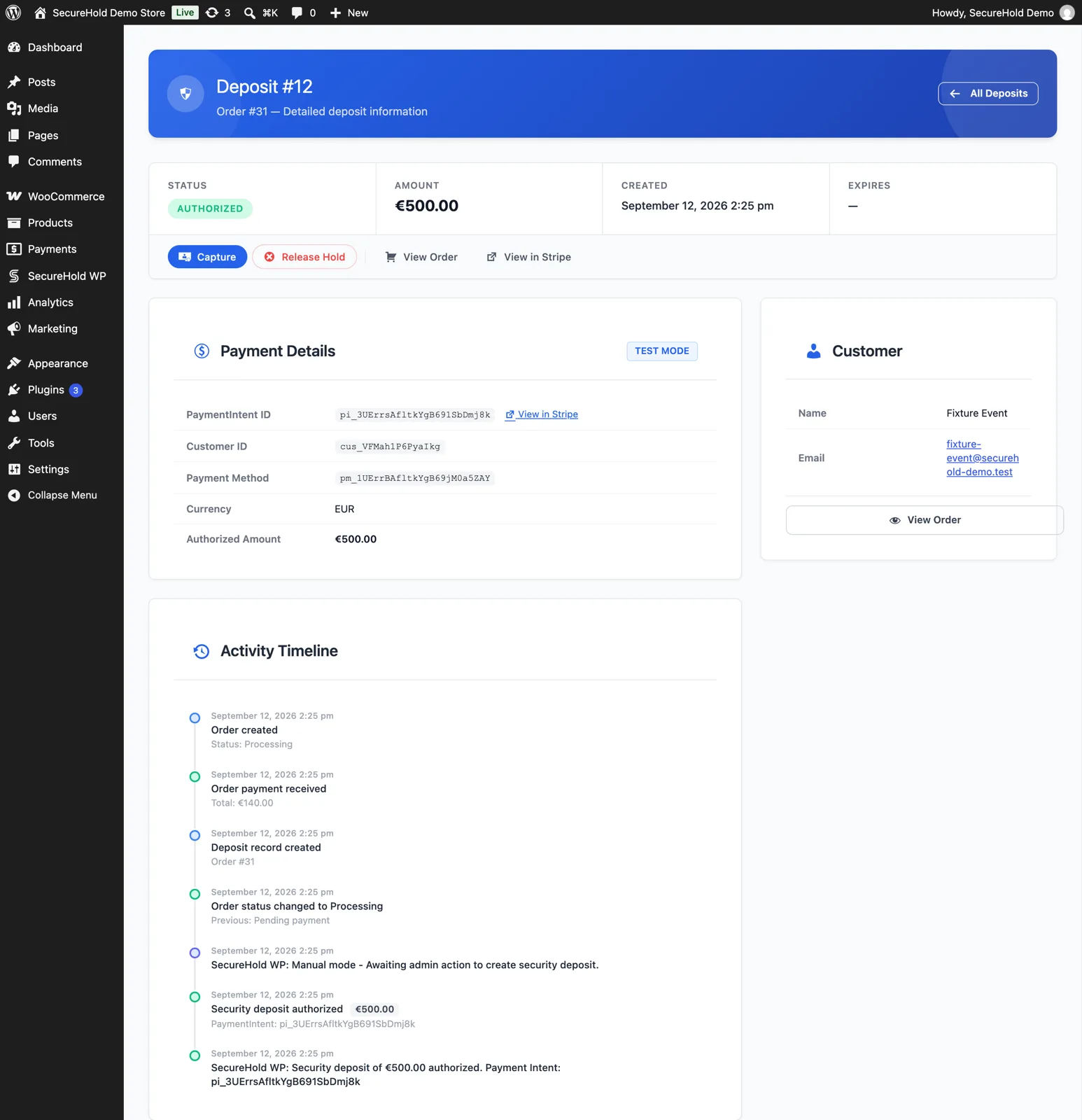
The SecureHold deposit detail screen: status, amount, Capture and Release, and the full activity timeline. Demonstration data only.
Customer experience
Customers can see their deposit too
Checkout notice
A configurable notice tells the customer a deposit hold applies before they pay.
My Deposits
A dedicated tab in My Account lists every deposit, its order and its current status.
Customer and admin emails
Both sides get an email when the hold is created, captured or released.
Status visibility
Authorized, captured or released status is visible at every step, not just at checkout.
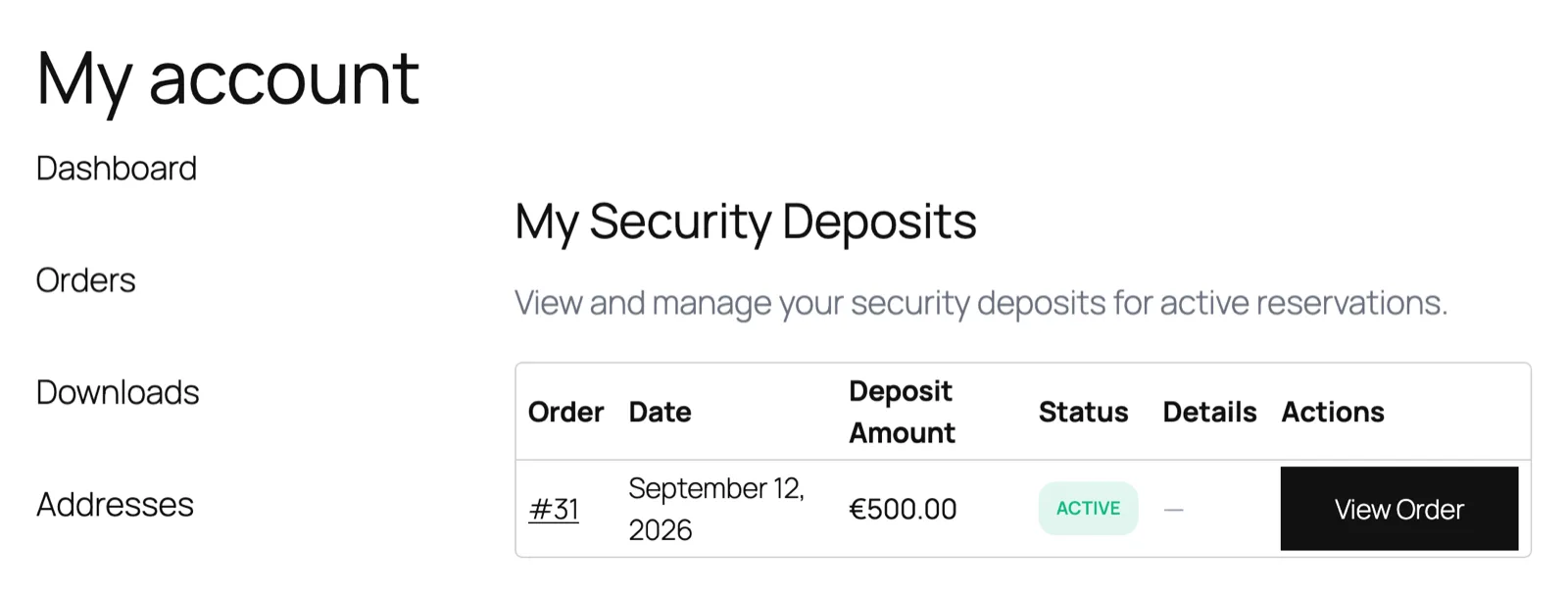
Demonstration data only.
Under the hood
Built on the WooCommerce Stripe Gateway
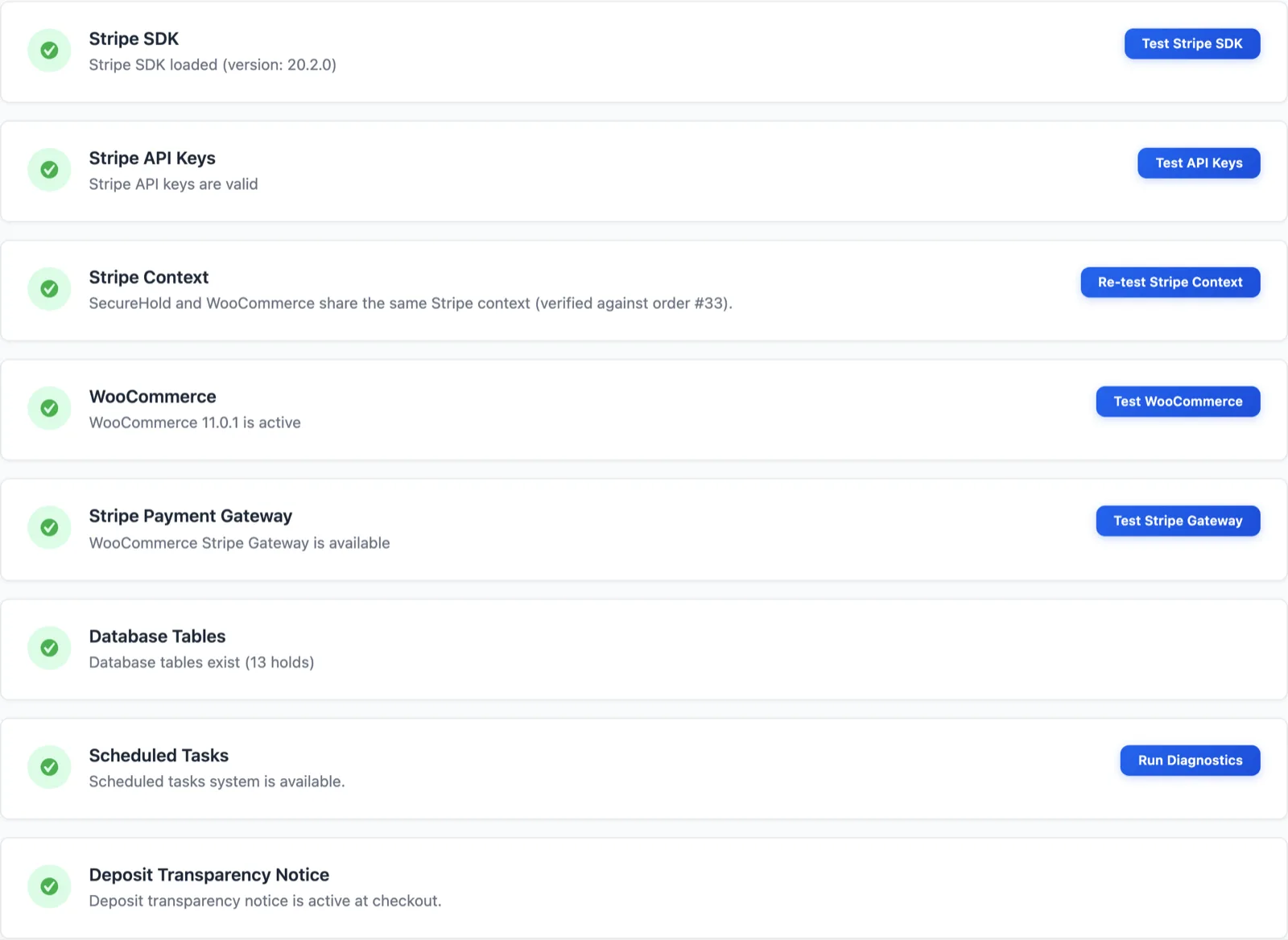
SecureHold works alongside the WooCommerce Stripe Gateway. It does not replace your checkout payment flow, and it does not replace Stripe.
Pro adds extended diagnostics and longer log history.
Free and Pro
Free gives you the core hold workflow. Pro adds advanced hold timing and per-product control.
Scroll horizontally →
| Capability | Free | Pro |
|---|---|---|
| Immediate & manual hold timing | ||
| Delayed, scheduled & by-status timing | ||
| Global deposit rule (fixed or %) | ||
| Product & category rules, plus simulator | ||
| Full & partial capture, release | ||
| My Deposits, checkout notice, emails | ||
| Auto-release | ||
| Email branding & extended diagnostics |
A condensed view. The pricing page carries the complete feature matrix and the current plan terms.
FAQ
Questions about SecureHold features
Yes. You can capture up to the authorized amount, including less than the full amount. The remaining authorization is released automatically.
Yes. Release the full hold at any time from the WooCommerce order screen.
No. It can be created immediately at checkout, manually at any time from the order screen, or, with Pro, after a delay, on a schedule, or when the order reaches a chosen status.
Yes, with Pro delayed, scheduled or by-status timing. Free covers immediate and manual hold creation.
Yes, with Pro product and category rules and a live rule simulator. Free applies one global rule as a fixed amount or a percentage.
Yes. You can run the full create, release and capture cycle in Stripe Test Mode before going live.
Yes. SecureHold supports High-Performance Order Storage as well as legacy order storage.
No. SecureHold creates a Stripe authorization hold that is separate from the WooCommerce order payment. It does not split, delay or finance the order payment itself.
No. SecureHold supports one capture per hold. That keeps the workflow simple and deterministic.
No. Extended and incremental authorizations are not currently part of SecureHold.
The WooCommerce Stripe Gateway. SecureHold works alongside it and does not replace your checkout payment flow.
The authorization window is set by Stripe and the card network, not by SecureHold. Once it closes, the hold can no longer be captured. Free includes auto-release, and checking hold status regularly helps you act before the window ends.
Start with the core hold workflow. Upgrade when you need more control.
Install SecureHold free and create, release or capture a Stripe security deposit hold on a WooCommerce order. Stripe Test Mode lets you verify the workflow before going live.
Free plan available Test mode included