What’s new

Explore the latest from Arcweave: features, updates, and announcements

Jun 4, 2026

New features

AI Credits, Usage Tracking, and Assistant Improvements
AI Credits, Usage Tracking, and Assistant Improvements

We’ve introduced monthly AI credit usage across all workspace plans, along with clearer visibility into how AI is used across Arcweave.

Workspace owners and users with billing permissions can now view a full AI usage summary in Billing, including credits used, credits remaining, usage status, and the monthly reset date. You can learn more about how monthly AI credits work here:
Monthly AI credits overview

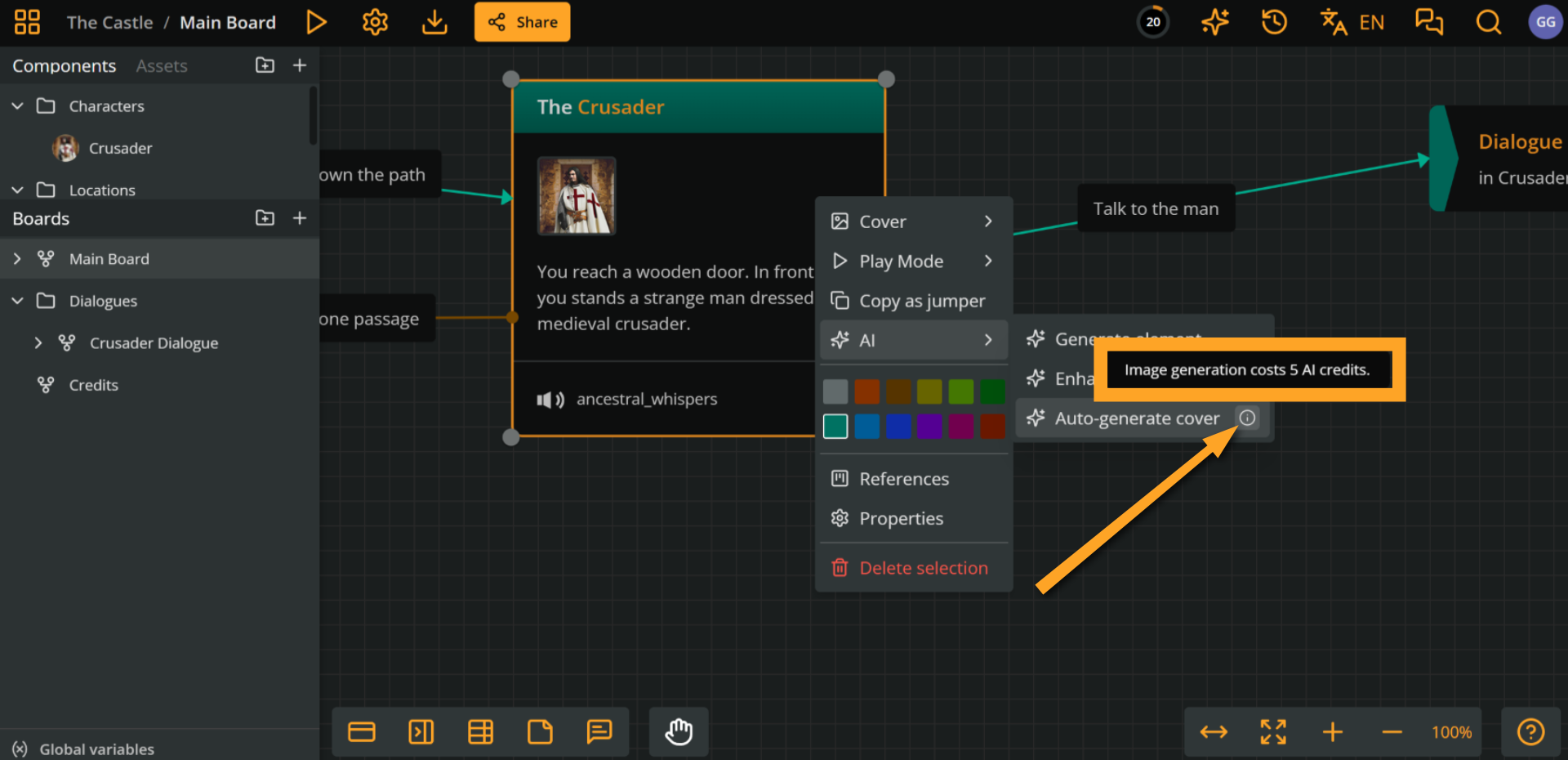
Moreover, AI actions now also display their credit cost directly in the interface, so usage is transparent before execution. If a workspace does not have enough credits available, the action will be blocked and the reset date will be shown.

More details about AI usage tracking are available here:
AI usage in billing

On the model side, we’ve upgraded the AI experience across Design Assistant, Element Generator, and Element Enhancer with a newer model for improved output quality. We’ve also improved how the assistant retrieves Arcweave documentation, using richer structured chunks with better metadata and linking for more accurate responses.

In larger projects, Design Assistant now also notifies you when responses are limited to the currently open board, helping keep generation scope clear while maintaining performance.

For more information on plans and AI availability, visit the pricing page.
May 26, 2026

New features

Edit Content Directly in Play Mode

Edit Content Directly in Play Mode

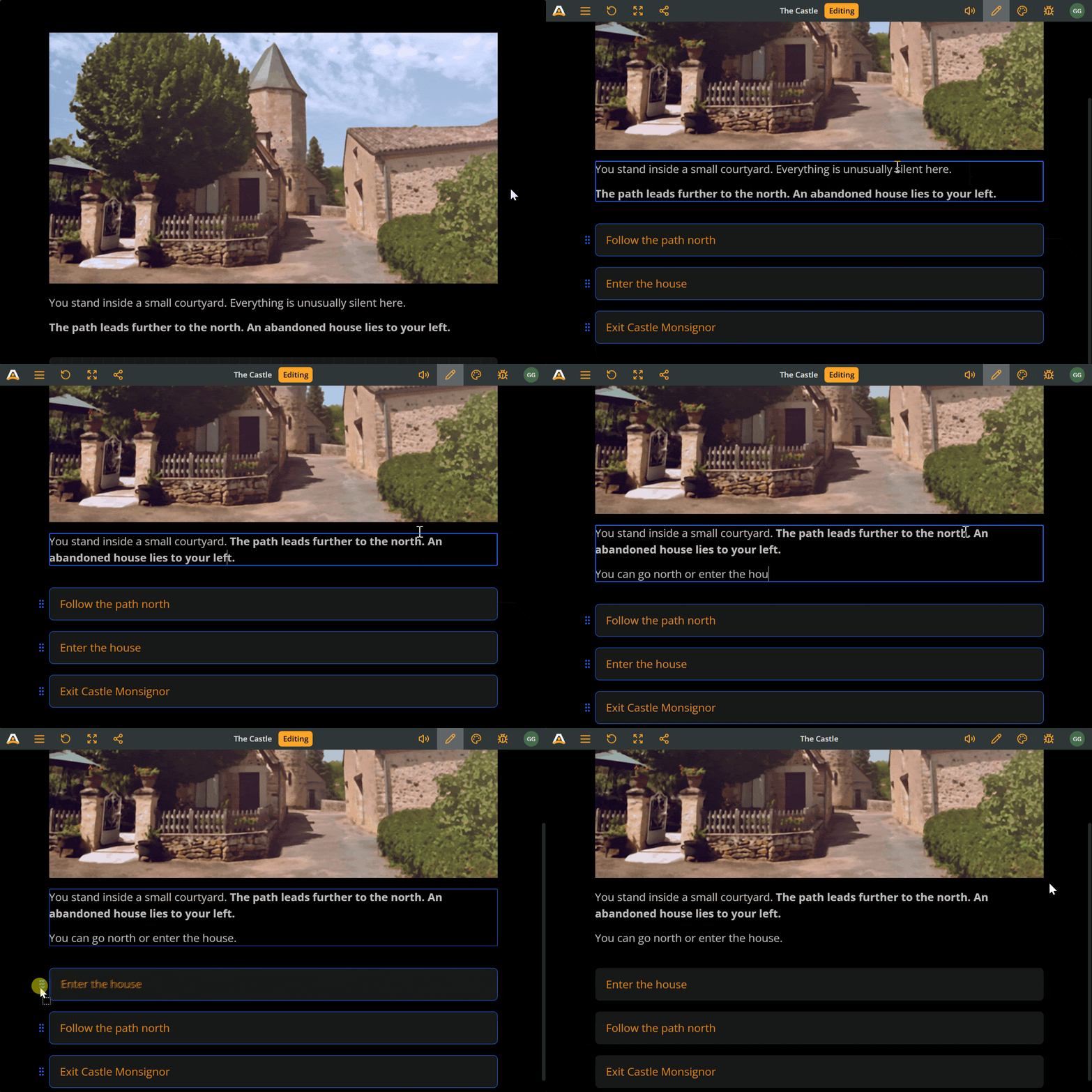
You can now edit story content directly inside Play Mode, without switching back to the board. Workspace and project owners and editors can update the current element’s text, edit option labels, and reorder choices while playtesting, making iteration much faster and more seamless.

Enter edit mode by clicking the pencil icon in the top menu or by double clicking an element’s text. While editing, story navigation is paused so you can safely make changes using the same rich text tools available on the board, including formatting and component @mentions. All changes are saved instantly to the project and remain available in future Play Mode sessions.

May 11, 2026

New features

Smarter AI image generation

Smarter AI image generation

AI image generation just got a major upgrade. Arcweave now uses the new GPT image model for higher quality results and improved image generation workflows.

You can also use existing project image assets as style references, helping you generate visuals that stay consistent with your project’s artistic direction.

Apr 23, 2026

News and Updates

Unity Integration Tutorial - now with videos

Unity Integration Tutorial - now with videos

Getting your Arcweave project into Unity just got a lot easier. We've published a full step-by-step tutorial series walking you through the entire integration process, from first setup to a working 3D RPG scene.

The five-part guide covers installing the plugin, understanding the event-driven architecture, mapping Arcweave projects to gameplay systems, wiring up NPC interactions, and customizing your scene with new characters and dialogue triggers.

Parts 1 and 2 include video walkthroughs so you can follow along visually at your own pace, and the videos for the remaining parts are coming soon.

Apr 2, 2026

New features

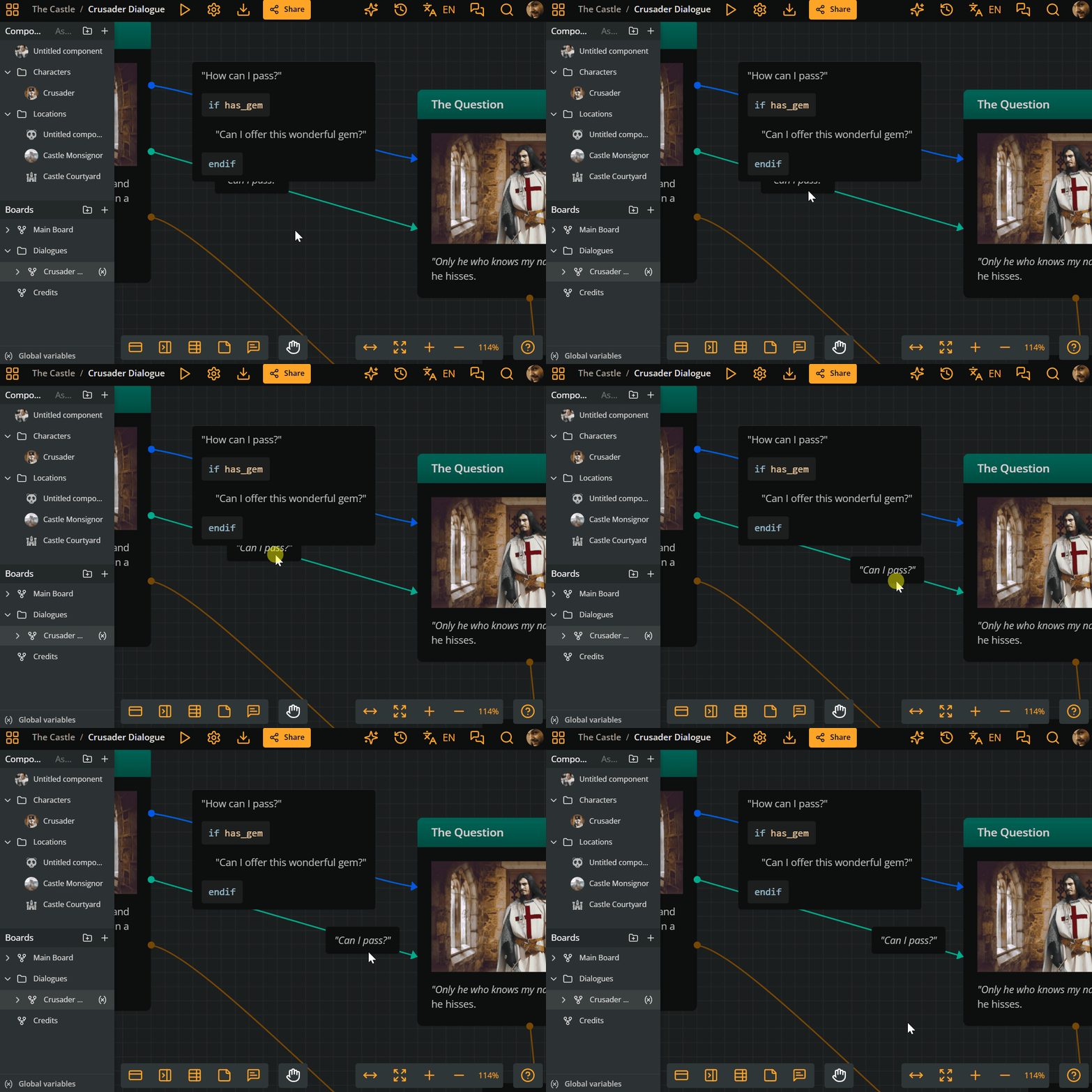
Reposition and Resize Connection Labels

Reposition and Resize Connection Labels

Overlapping connection labels kind of defeat their own purpose. If you can't read them, they're just visual noise, especially on dense boards.

You can now reposition any label along its connection. Click and drag the label, slide it to the right spot, and release. You can also resize it: just drag the left or right edge to adjust its width.

One more quality-of-life step towards cleaner boards. If you work with complex flowcharts, you'll feel the difference right away.

Mar 27, 2026

New features

Board variables - clean, scoped, and easy to track

Board variables - clean, scoped, and easy to track

As your project grows, so does your list of global variables. Scrolling endlessly to find the one you need is a thing of the past.

With Board Variables, variables are now scoped and namespaced per board, appearing exactly where they belong. No more hunting through a sea of globals.

In Play mode, the Arcweave Debugger displays your board variables per board, making it easy to monitor and adjust as you go. The result is cleaner design and smoother playtesting.

Mar 16, 2026

New features

Localization XLSX Import

Localization XLSX Import

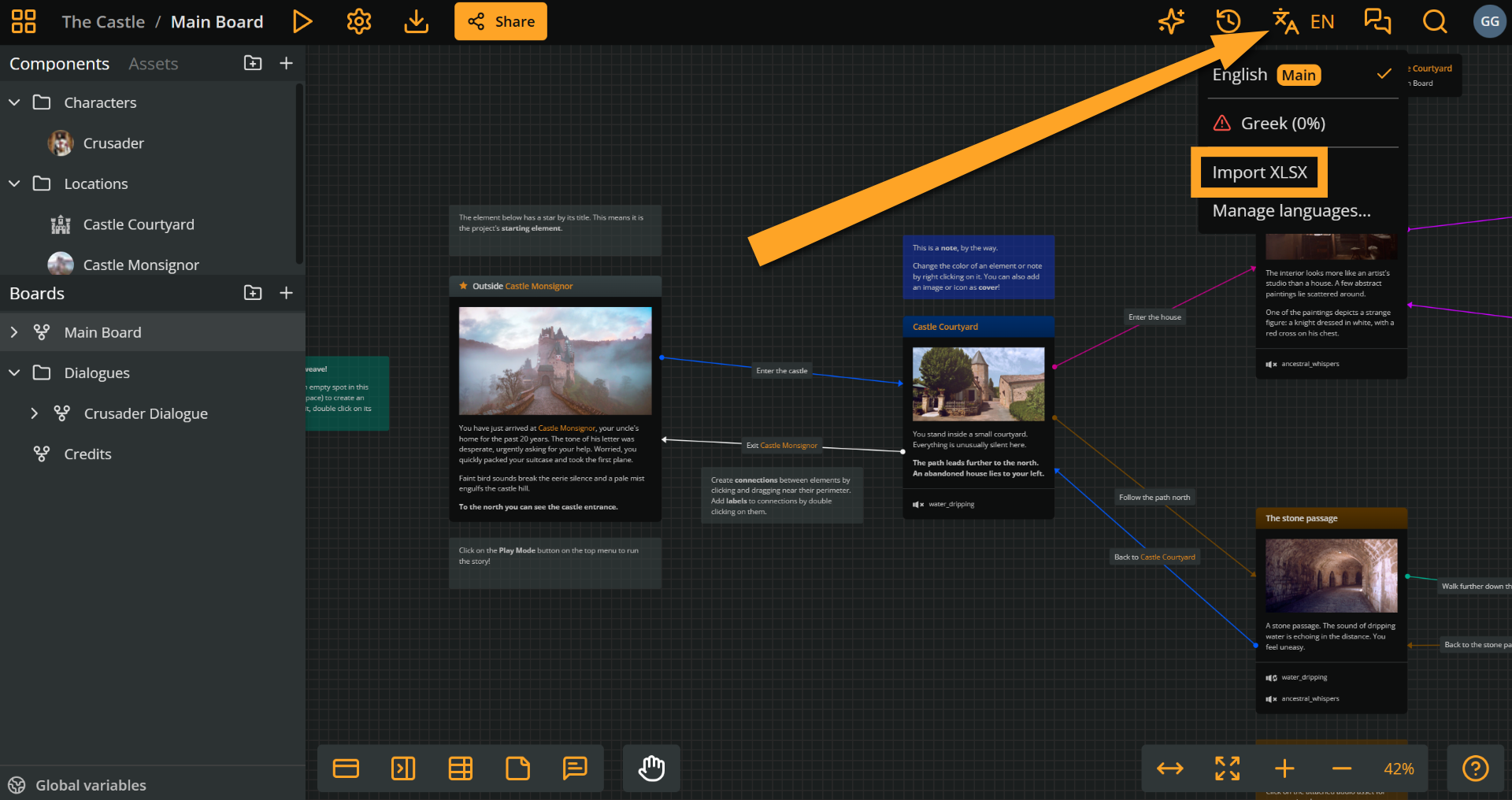
You can now manage localization updates directly from XLSX spreadsheets.

Arcweave’s localization tool supports importing XLSX files exported from your project, validates their contents, and applies updates to the corresponding locales when you re-import them.

This makes it easier for translators who prefer working in Excel, while keeping your project’s languages, structure, and playtesting flow in sync.

Mar 5, 2026

New features

Localization is now live on Team plans

Localization is now live on Team plans

We’re excited to introduce Localization in Arcweave, now available on every Team plan.

You can now manage multiple languages directly inside your project, making it easier to translate and maintain narrative content without duplicating story structures.

With localization you can:

  • Add and manage multiple project languages

  • Translate elements, labels, and component names directly in the editor

  • Track translation progress with statuses

  • Let players choose their preferred language in Play Mode

  • Export localized content to JSON, including all languages or specific ones for your game integration

Feb 13, 2026

New features

Export project as an interactive Markdown file

Export project as an interactive Markdown file

In Pro and Team workspaces, you can export your story data as a Markdown document. This facilitates proof-reading, sharing dialogue with voice actors, etc.

The Markdown export feature gives you full control over what to include. You can export all boards or select specific ones, with optional preferences including:

  • Table of contents

  • Components

  • Variables

  • Clickable navigation links

  • Item prefixes

Feb 4, 2026

New features

Search by Entity ID

Search by Entity ID

Project Search now supports entity IDs, making it easy to jump straight to specific boards, elements, components, and more.

Use the search icon or press Ctrl or Cmd + F. Selecting a result takes you directly to its location or editor, depending on the item type.

Built for faster navigation in large and complex projects.

  • 1
  • 2

Ready to create amazing interactive stories?

Join thousands of game developers who have transformed their narrative design process.