
Hero bg
Track Every Client

WordPress CRM That Runs Entire Sales Pipeline

First AI-based WordPress CRM Manage leads, contacts, companies, products, deals, invoices and more all inside WordPress. Also sync WooCommerce and let the Woo data go directly into Contacts, Deals and Invoices
  • WooCommerce Sync
  • MCP Server
  • Client Portal /IMAP
  • Invoice (Woo payment link)
Leads
Contacts
Companies
Deals
Invoices
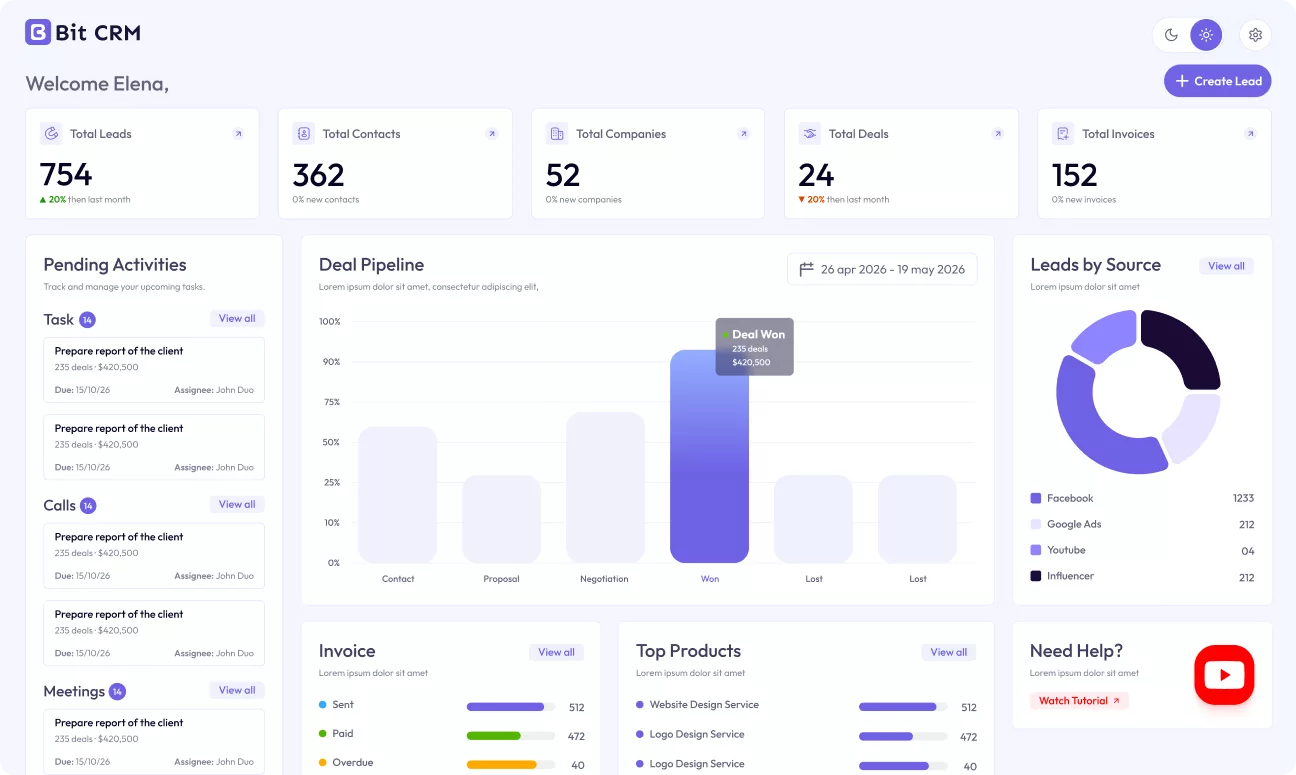
bit crm dashboard
johnswitch tabs
Who Is Bit CRM Perfect For?

Built for Every Business That Wants to Grow Sales

Whether you're a freelancer, startup, small business, or a growing sales team, Bit CRM helps you manage leads, track deals, automate follow-ups, and close more sales—all from one simple platform.
MCP + Bit CRM

Connect ChatGPT, Claude and More Through MCP Server

MCP connects your CRM to any AI model in seconds — no custom integrations, no middleware headaches. Just plug in and let your sales data flow where it matters.
Bit-CRM-MCP-Section-Animation-v2
Engagement Tools

Never Miss a Follow-Up Again

Inside every lead, contact, company, or deal, you get a full set of engagement tools to stay on top of every interaction. Because deals are won through consistent follow-up, not just tracking.

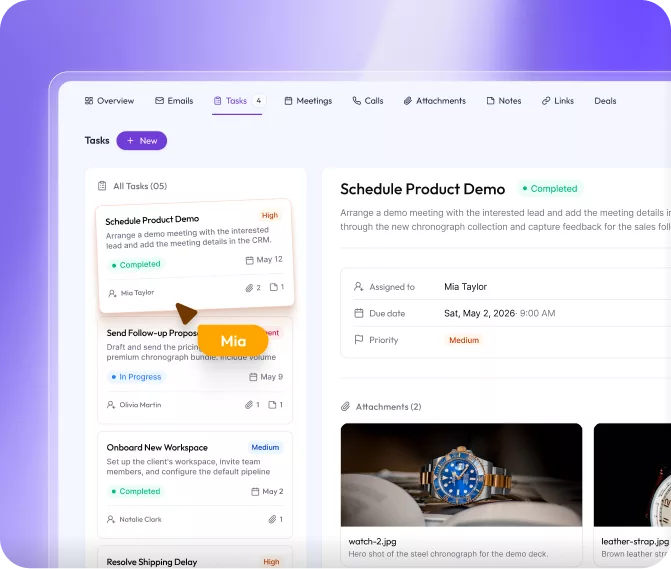
Tasks

Create, assign, and track follow-up tasks with owners, due dates, priorities, and status filtering right inside each record.
taks dashboard preview

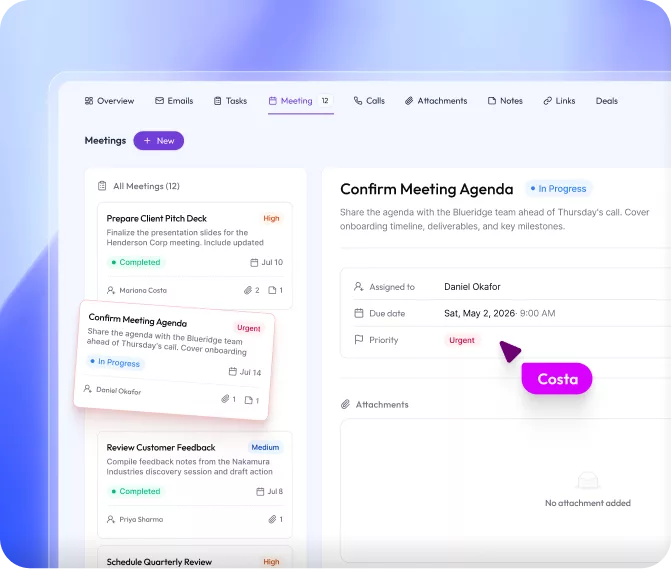
Meetings

Track every upcoming and completed meeting with notes and file attachments.
meeting dashboard preview

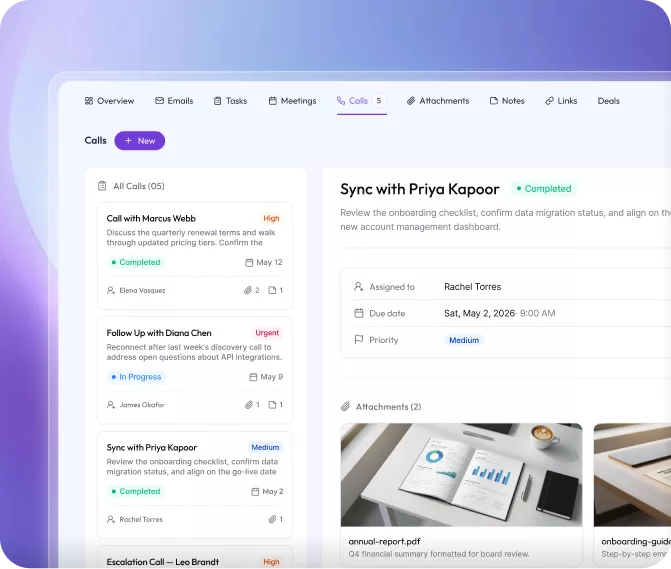
Calls

Track all call activities with status and history
calls dashboard preview

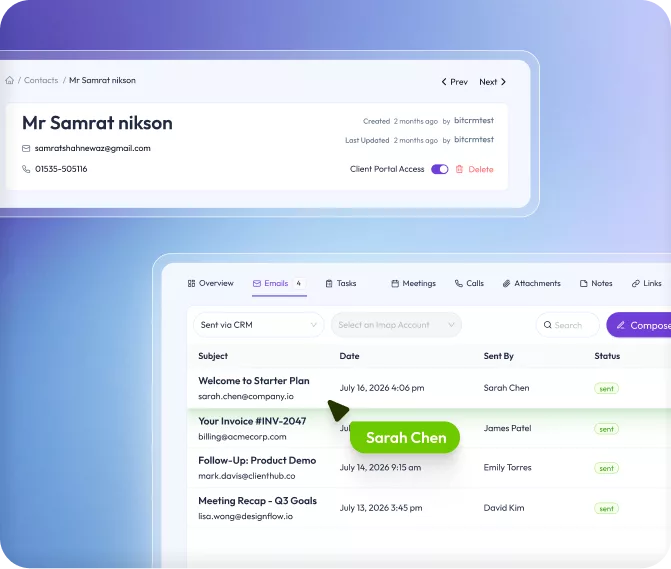
Emails

See all the conversation that happened between you and your particular client by setting up IMAP directly from the CRM.
emails dashboard preview

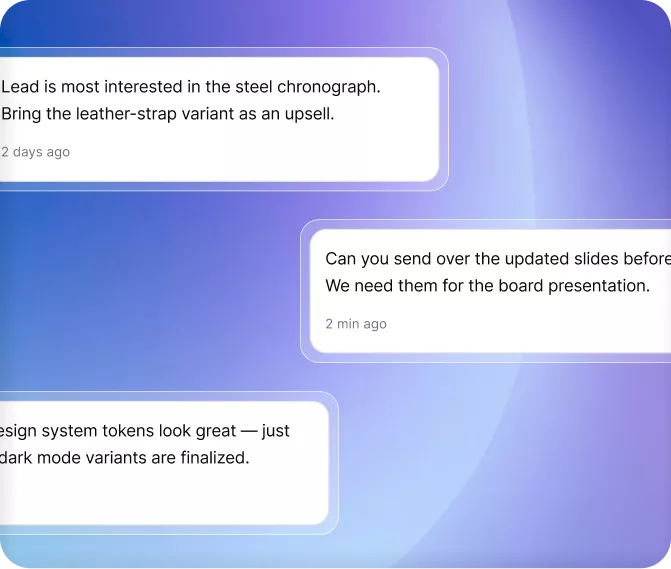
Notes

Add notes for every particular meeting, call, and client to keep everything tracked.
notes dashboard preview

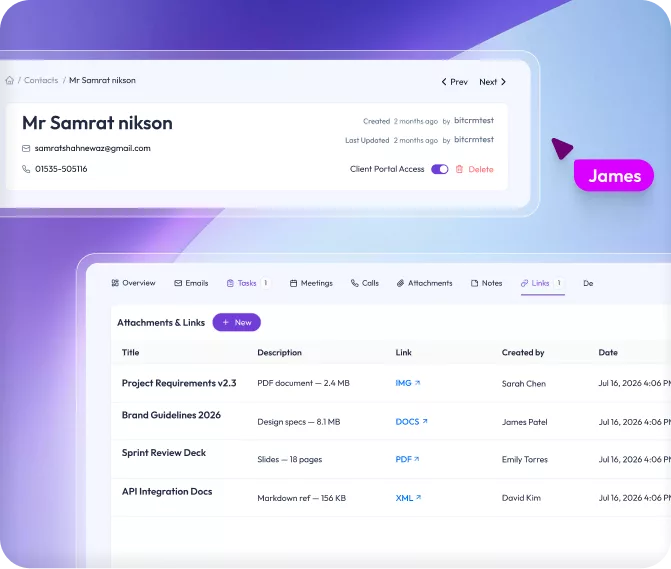
Attachments & Links 

Attach files and reference external links per record
attachment and links dashboard preview
taks dashboard preview
meeting dashboard preview
calls dashboard preview
emails dashboard preview
notes-dashboard-preview
attachment and links dashboard preview
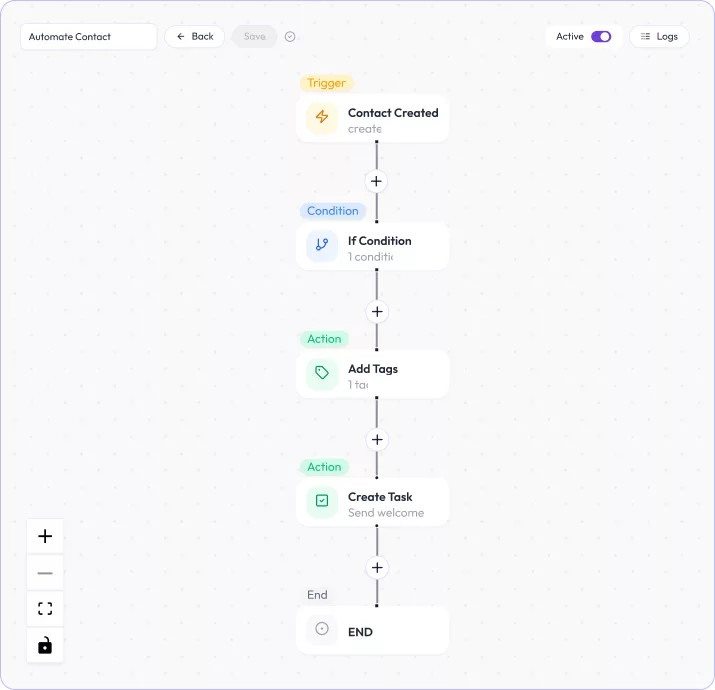
Native Workflow Builder

Bit CRM will work even when you don't

Stop repeating the same CRM steps every day. Bit CRM's visual workflow builder lets you automate tasks, emails, tags, and more.
trigger workflow

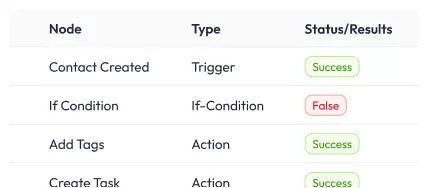
Essential Logs

essential logs

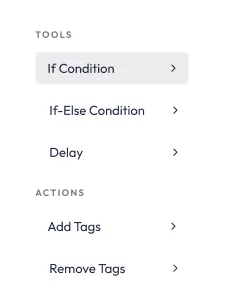
Tools

if else condition
user_pointer
WooCommerce Sync

What you can do with WooCommerce + Bit CRM

If you're using WooCommerce, Bit CRM connects directly to your store. Once you enable the WooCommerce sync, your products are automatically available inside Bit CRM. So, you can use them in your deals and invoices without any manual re-entry.
woo
rotate arrow
bitcrm
Customers
Contacts
Every WooCommerce buyer lands in Bit CRM as a contact automatically, and each new order keeps that contact updated.
Order
Sales Order
Coming Soon, WooCommerce orders will sync straight into Bit CRM as Sales Orders, so your store and your CRM stay aligned automatically.
Coming Soon..
Woo Products
Products
Your WooCommerce products flow straight into Bit CRM, so you can add them as line items inside any deal and invoice.
Order
Invoice
Once the payment is done through Bit CRM invoice, the order is updated automatically in WooCommerce.
payment with woo
Client Portal

Individual Dashboard for Every Client

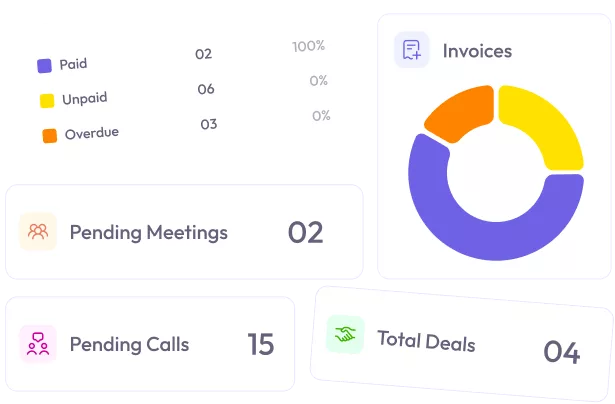
Stop chasing clients over email. With Bit CRM's Client Portal, every contact logs into their own branded dashboard where they can check invoice totals by status, view their deals, and see pending meetings or calls. And because you set the permissions, they only ever see what you allow.
client portal accessuser_pointer
client_portal_invoices
Why Bit CRM

The Little Things That Make a Big Difference

Beyond the core modules, Bit CRM includes a set of smart utility tools that keep your data clean, your team organized, and your operations running smoothly.

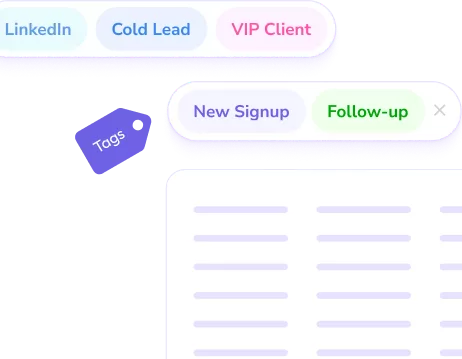
Tags

Segment and filter records across every module with flexible tagging
tag

Activity History

A full audit log across all modules, also searchable and filterable by options
history

Data Management

Manage Recycle bin, import and export history, workflow log controls
data management

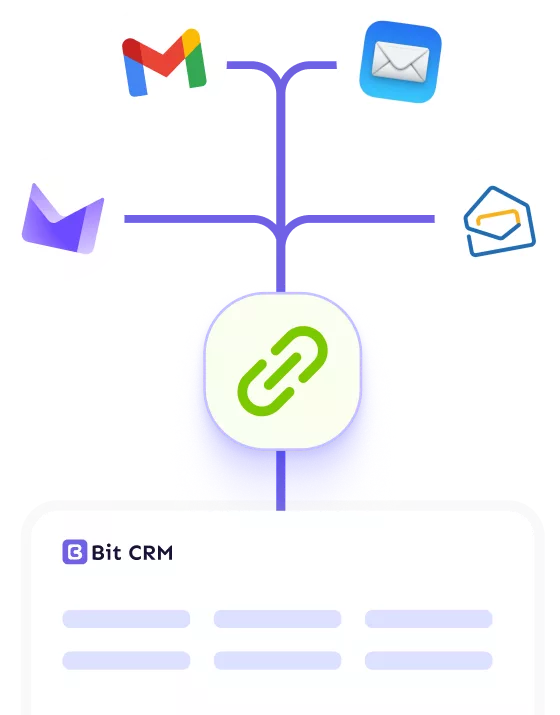
IMAP Setup

Connect your mailboxes to Bit CRM and pull emails straight into your records.
imap setup

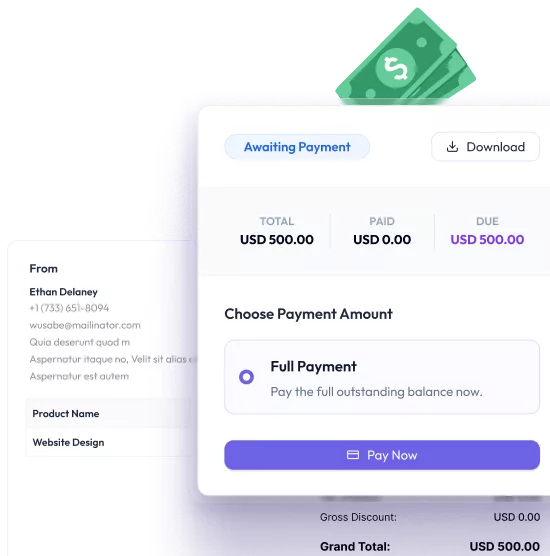
Invoice Payment

Add WooCommerce/custom/local any products and payment link to any invoice, so clients can pay online instantly.
invoice payment

Custom Field

Add your own custom fields to leads, contacts, companies, deals, and products.
form field

Connect Bit Form

Connect Bit Form to collect leads
bit form integrations

Role-Based Access

Control exactly who can see and do what — assign capabilities to
role based access

Multi-Currency

Set a home currency and manage multiple currencies for global deals
multi currency
Strong Bit Apps Ecosystem

A fully connected CRM in the Bit Apps ecosystem

Connect Bit CRM to unlimited platforms with Bit Integrations for free, build advanced workflows with Bit Flows, and enjoy native Bit Form and Bit SMTP integrations to manage leads, forms, and emails more productively.
Clip path group
shape ecosystem
expert review

What Expert Say About Bit CRM

Pricing

Honest Pricing. Nothing Hidden. Nothing Locked Away

Starter
50% off
$299
$149 / one-time
1 Site License
  • Pay Once Use Lifetime
  • All Features Included
  • Lifetime Update & Support
Plus
50% off
$499
$249 / one-time
5 Site License
  • Pay Once Use Lifetime
  • All Features Included
  • Lifetime Update & Support
Agency
50% off
$599
$299 / one-time
Unlimited Site License
  • Pay Once Use Lifetime
  • All Features Included
  • Lifetime Update & Support
No Question Asked - 14 Day Money Back Guarantee
Hello, This is Abdul Kaioum

A Sales CRM WordPress Needed, So We Built It

We have been building WordPress products since 2019. Today, our seven plugins help more than 80,000 businesses connect applications, automate workflows, manage data, and run important business processes through WordPress.

While analyzing Bit Integrations and Bit Flows analytics or user reports, we noticed a clear pattern: CRM platforms were among the most frequently used destinations in integration workflow.
FAQ

Frequently Asked Questions

Common questions about Bit CRM and it's potential.

Bit CRM is a complete CRM plugin built right inside WordPress. It gives you everything you need to manage leads, contacts, companies, deals, products, and invoices — all from one single dashboard. No extra tools. No hidden charges. Just one powerful place to run your business.

No, Bit CRM won't slow down your website, even with complex operations (ex: import or exporting bulk customer data). It processes tasks asynchronously in the background, ensuring no impact on page load times.

Bit CRM smartly manages resources, pausing operations when server load is high and resuming when resource available. We use modern tools, optimize algorithms and techniques, and manage relational database better way.

We use TypeScript, React.js, Zustand, RTK Query, TanStack Query, Ant Design, etc. Bit CRM is a super-fast, lightweight plugin specially designed for WordPress.

Absolutely not. Bit CRM includes tasks, calls, meetings, notes, attachments, links, and invoices — all built in. Everything is already inside, so you never have to pay extra for the things you actually need most.

Yes! In fact, Bit CRM is one of the very few CRM plugins that natively integrates with WooCommerce. Once you connect your store, every new customer who places an order is automatically added to your Contacts. On top of that, you can use your WooCommerce products directly inside deals and invoices — no manual work needed.

Absolutely. The Deals module lets you track every opportunity across custom stages like Proposal, Negotiation, Won, and more. You can switch between a clean table view or a visual Kanban board — and drag and drop deals between stages in seconds. Your whole pipeline stays organized and always visible.

Yes. Since Bit CRM works only in your WordPress admin area, it doesn't interfere with how your site looks or loads. That means it works smoothly with Elementor, Divi, Gutenberg, Bricks, and any theme you're using — without conflicting with your other plugins.

Yes! Bit CRM has a built-in visual workflow builder. You can set up automations that trigger when new leads or contacts are added, when tags are changed, or when deal stages move. From there, it can automatically send emails, create tasks, schedule meetings, log calls, add notes, update fields, and much more, all without you lifting a finger.

Yes. You can create invoices using your CRM products or WooCommerce products, add line items, apply discounts and taxes, set due dates, and send the invoice directly to your client by email, all from inside Bit CRM. Clients can also download the invoice PDF from their Client Portal.

Yes. Bit CRM has a built-in user management system where you can add team members and assign them specific module and action permissions. This way, everyone only sees and does what they're supposed to, keeping your data safe and your team focused.

Definitely. Bit CRM lets you add custom fields to leads, contacts, companies, deals, and products. You can create text, number, date, dropdown, checkbox, and multi-select fieldsand arrange them exactly the way you want. Your CRM adapts to your workflow, not the other way around.


team user

Ready to manage your business with The smartest CRM?

Compare for yourself. Unlike other CRM plugins, Bit CRM doesn't play games with your features or your wallet.
main cta