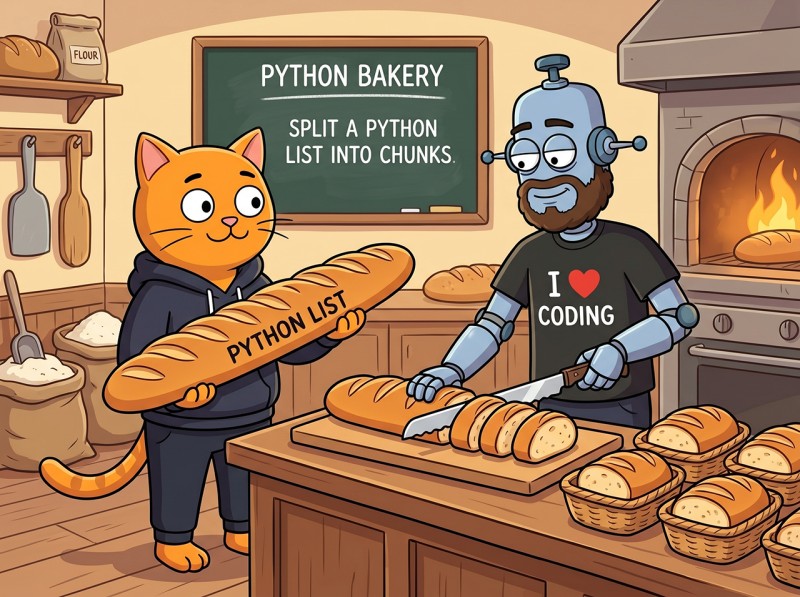
On Python 3.12 or newer, splitting a list into chunks is a one-liner: list(itertools.batched(data, n)). Each batch is a tuple of length n; the last tuple is shorter if the input doesn't divide evenly. Python 3.13 added strict=True to raise a ValueError on uneven input. For older Pythons, the canonical idiom is [data[i:i+n] for i in range(0, len(data), n)]. Two related but different goals are worth distinguishing: fixed-size chunks (every chunk has n items, last possibly shorter) and fixed-count chunks (you want k chunks total, sizes spread to balance). itertools.batched handles the first; numpy.array_split handles the second. For generators and infinite iterators, write a tiny streaming chunker so you never materialize the whole input. This piece is one of 17 short explainers in our Python Concepts Explained reference.
Key Takeaways
Modern default (3.12+):itertools.batched(data, n). Works on any iterable, written in C, returns tuples. The canonical answer when your runtime supports it.
Pre-3.12 idiom:[data[i:i+n] for i in range(0, len(data), n)]. Same output for lists; doesn't work on generators because it slices.
Fixed-size vs fixed-count.batched gives you size-n chunks (last shorter). numpy.array_split gives you exactly k chunks, balancing sizes. Pick by intent.
strict mode (3.13+):batched(data, n, strict=True) raises ValueError when the input doesn't divide evenly. Use it when an uneven last chunk would be a bug, not a feature.
For generators and iterators, write a tiny streaming chunker with itertools.islice. It never materializes the whole input, so arbitrarily large or infinite sources work fine.
Two goals, four strategies. Pick the goal first; the method follows from the answer.
The Two Fundamental Goals
Most "split a list into chunks" questions confuse two different operations. Naming them separately saves a lot of debugging.
Fixed-size: every chunk has n items
You want batches of a specific size. The last chunk is whatever's left over (shorter, padded, or rejected, depending on your needs). This is the most common case: paginating database queries, sending bulk API requests, processing items in fixed-size buffers, training neural nets in mini-batches.
Fixed-count: you want k chunks total
You want exactly k chunks, with sizes spread as evenly as possible. The chunk sizes differ by at most one. This is the right operation for distributing work to a fixed number of workers, splitting a dataset for k-fold cross-validation, or sharding data across a known number of shards.
Picking the right tool
For fixed-size: itertools.batched (3.12+), or a list comprehension on older Pythons. For fixed-count: numpy.array_split (or write a small function with integer math). Mixing them up produces the right output by coincidence on inputs that happen to divide evenly, and silently wrong output on every other input.
Fixed-Size: itertools.batched (Python 3.12+)
The modern default. Added to the standard library in 3.12 (docs), implemented in C, works on any iterable.
from itertools import batched

data = [1, 2, 3, 4, 5, 6, 7, 8, 9, 10]

for chunk in batched(data, 3):
    print(chunk)
# (1, 2, 3)
# (4, 5, 6)
# (7, 8, 9)
# (10,)          ← last chunk shorter
Three properties make batched the canonical answer:
Works on any iterable. Lists, tuples, generators, file objects, anything iterable. The pre-3.12 list-comprehension idiom only works on sequences with len().
Returns tuples. Each chunk is a tuple, which is immutable and slightly cheaper to construct than a list. If you need lists, wrap with list().
Lazy.batched is an iterator. It only materializes one chunk at a time, so chunking a 100 GB file streams the input without loading it all into memory.
If you have list(batched(data, 3)), you get [(1, 2, 3), (4, 5, 6), (7, 8, 9), (10,)]; pass that through a list comprehension if you need lists of lists.
Pre-3.12: List Comprehension and the For-Loop Equivalent
For Python 3.11 and earlier (still very common in production), the canonical idiom is a slicing list comprehension:
data = [1, 2, 3, 4, 5, 6, 7, 8, 9, 10]
n = 3

chunks = [data[i:i+n] for i in range(0, len(data), n)]
# [[1, 2, 3], [4, 5, 6], [7, 8, 9], [10]]
The range(0, len(data), n) produces the start indices 0, 3, 6, 9. The slice data[i:i+n] grabs each chunk. The slice is forgiving: data[9:12] on a 10-item list returns [10], not an error (for the rules see our slicing explainer).
Equivalent for loop
The procedural version reads identically and is sometimes clearer in production code:
chunks = []
for i in range(0, len(data), n):
    chunks.append(data[i:i+n])
The comprehension and the loop produce identical output; pick by team preference. The list-comprehension is roughly 30% faster on large inputs because it avoids the per-iteration attribute lookup of chunks.append.
Limitation: both forms require len(), which means they only work on sequences (lists, tuples, strings). For generators and other iterators, see the streaming chunker below.
strict=True and the Remainder (Python 3.13+)
Python 3.13 added a strict keyword argument to batched. With strict=True, an uneven input raises ValueError instead of returning the shorter last chunk silently:
Use strict=True whenever the data is supposed to align cleanly and a shorter last chunk would represent a bug rather than a feature. Common cases: framing a binary protocol with fixed-size frames, building matrix rows of known width, paginating data that was supposed to be a multiple of the page size. The runtime check is essentially free; turning silent data loss into a loud crash usually pays for itself within a week of production exposure (3.13 What's New).
Fixed-Count: numpy.array_split
For exactly k chunks with balanced sizes, NumPy is the cleanest answer:
import numpy as np

data = list(range(1, 8))   # [1, 2, 3, 4, 5, 6, 7]

chunks = np.array_split(data, 3)
# [array([1, 2, 3]), array([4, 5]), array([6, 7])]

# As plain Python lists:
chunks = [list(c) for c in np.array_split(data, 3)]
# [[1, 2, 3], [4, 5], [6, 7]]
Three chunks, sizes 3, 2, 2. NumPy distributes the "extras" to the earlier chunks. For 10 items in 3 chunks, you get sizes 4, 3, 3. The rule: when len(data) = qk + r for chunks of size q, the first r chunks get an extra item.
Pure-Python fixed-count without NumPy
If pulling in NumPy for chunking alone feels heavy, the math is straightforward:
def split_n(data, k):
    n = len(data)
    base, extra = divmod(n, k)
    chunks = []
    start = 0
    for i in range(k):
        size = base + (1 if i < extra else 0)
        chunks.append(data[start:start + size])
        start += size
    return chunks

split_n([1, 2, 3, 4, 5, 6, 7], 3)
# [[1, 2, 3], [4, 5], [6, 7]]
Same output, no dependency. Reach for NumPy if you're already using it; reach for this 6-line function if you aren't.
Streaming Chunks: A Generator for Iterators
If your input is a generator (a file being read, a network stream, the output of another generator function), you can't compute len() and you don't want to materialize the whole thing. itertools.batched handles this natively on 3.12+. Before 3.12, write a tiny chunker:
from itertools import islice

def chunked(iterable, n):
    it = iter(iterable)
    while batch := list(islice(it, n)):
        yield batch
The walrus operator (Python 3.8+) reads cleanly: keep pulling n-item slices until islice returns empty, then stop. Use it just like batched:
# Streaming a huge file line by line
with open("huge.log") as f:
    for batch in chunked(f, 1000):
        process_batch(batch)        # 1000 lines per call
Peak memory is one batch, not the whole file. The same pattern works on any iterable, including infinite ones (you'll need to break out of the loop manually). For more on iterator patterns, see our yield explainer.
zip_longest for Padded Chunks
Sometimes downstream code needs strictly equal-length chunks (matrix operations, fixed-format outputs, serialization formats). zip_longest from itertools pads the final chunk:
The trick is the *[iter(data)] * n idiom: it creates n references to the same iterator, so zip_longest pulls items round-robin from a single underlying source. Without the multiplication trick, you'd get n independent iterators producing the same data, which isn't what you want.
Real-World Patterns
Three patterns where chunking matters in production code.
Pagination through a database
from itertools import batched

def paginate(query, page_size=100):
    for page in batched(query.iterator(), page_size):
        yield list(page)

for page in paginate(User.objects.all(), 100):
    send_emails(page)
Each iteration loads at most 100 user records into memory. The database driver streams rows; batched groups them. Works for any "process millions of rows" workflow.
Batch API calls
from itertools import batched

def update_in_batches(ids, batch_size=50):
    for batch in batched(ids, batch_size):
        api.bulk_update(list(batch))   # one HTTP request per batch

update_in_batches(range(10_000), batch_size=50)
# 200 HTTP requests instead of 10,000
Two-orders-of-magnitude reduction in API calls for almost no effort. Most external APIs document their own bulk-endpoint batch size; match it.
Distributing work to N workers
import numpy as np
from concurrent.futures import ProcessPoolExecutor

def process_shard(shard):
    return [heavy_computation(x) for x in shard]

items = list(range(1_000_000))
shards = [list(s) for s in np.array_split(items, 8)]   # 8 balanced shards

with ProcessPoolExecutor(max_workers=8) as pool:
    results = list(pool.map(process_shard, shards))
Eight processes each get roughly 125,000 items. array_split ensures balance: with 1,000,003 items, you'd get sizes 125001, 125001, 125001, 125000, 125000, 125000, 125000, 125000, not seven of size 125,000 and one of size 125,003.
Sliding Window: When You Want Overlap
A related but distinct operation: instead of disjoint chunks, you want a sliding window where consecutive views overlap. Time-series analysis, n-gram extraction, moving averages, and rolling-feature engineering all need this. The two standard tools:
itertools.pairwise (Python 3.10+) for window size 2
from itertools import pairwise

data = [10, 20, 30, 40, 50]

for a, b in pairwise(data):
    print(a, b)
# 10 20
# 20 30
# 30 40
# 40 50
General sliding window with collections.deque
For window sizes greater than 2, write a small generator backed by a fixed-length deque:
from collections import deque

def sliding(iterable, n):
    it = iter(iterable)
    window = deque(islice(it, n), maxlen=n)
    if len(window) == n:
        yield tuple(window)
    for x in it:
        window.append(x)
        yield tuple(window)

list(sliding([1, 2, 3, 4, 5], 3))
# [(1, 2, 3), (2, 3, 4), (3, 4, 5)]
The deque with maxlen=n automatically discards the oldest item when a new one is appended, giving you O(1) per step. Mistaking a sliding-window need for a chunking need (or vice versa) is one of the most common bugs in data-pipeline code; the operations look similar but produce very different output.
Beyond the Standard Library: more-itertools
The third-party more-itertools library (pip install more-itertools) ships dozens of iteration tools that the standard library doesn't include. For chunking specifically, two functions are worth knowing:
from more_itertools import chunked, batched, sliced

data = [1, 2, 3, 4, 5, 6, 7]

list(chunked(data, 3))
# [[1, 2, 3], [4, 5, 6], [7]]   ← lists, not tuples

list(sliced(data, 3))           # only works on sequences
# [[1, 2, 3], [4, 5, 6], [7]]
chunked returns lists instead of tuples; sliced uses sequence slicing under the hood and is slightly faster than chunked on plain lists. more-itertools.batched exists for compatibility with Python < 3.12 and mirrors the standard-library signature. For applications that pull in more-itertools for other reasons, picking these over hand-rolled chunkers makes the code shorter and more consistent across the codebase.
Chunking Strings and Bytes
Strings and bytes are sequences too, so the same idioms work. itertools.batched treats them as iterables of characters or integers:
from itertools import batched

# Strings: chunks of characters
text = "Hello, World!"
list(batched(text, 4))
# [('H', 'e', 'l', 'l'), ('o', ',', ' ', 'W'), ('o', 'r', 'l', 'd'), ('!',)]

# Often you want strings back, not tuples
chunks = [''.join(c) for c in batched(text, 4)]
# ['Hell', 'o, W', 'orld', '!']

# The slicing form is cleaner for strings specifically
chunks = [text[i:i+4] for i in range(0, len(text), 4)]
# ['Hell', 'o, W', 'orld', '!']

# Bytes work the same way
data = b"\x00\x01\x02\x03\x04\x05"
list(batched(data, 2))
# [(0, 1), (2, 3), (4, 5)]   ← tuples of ints

# Frames as bytes objects
frames = [bytes(c) for c in batched(data, 2)]
# [b'\x00\x01', b'\x02\x03', b'\x04\x05']
For chunking specifically strings into substrings or bytes into byte-strings, the slicing comprehension is usually clearer than batched because it avoids the tuple-to-string conversion step. Reach for batched when the source is already an iterator (a stream of bytes from a network socket) and slicing isn't an option.
Performance Comparison
Rough timings for chunking a 1,000,000-item list into chunks of 100 (CPython 3.12):
Method
Time
Notes
list(batched(data, 100))
~15 ms
baseline, C implementation
[data[i:i+100] for i in range(0, len(data), 100)]
~12 ms
slightly faster on lists thanks to slice optimization
for loop with append
~17 ms
~30% slower than the comprehension
np.array_split(data, 10_000)
~45 ms
NumPy array creation overhead
streaming generator with islice
~25 ms
Python-level loop, but memory-flat
The list-comprehension form is marginally fastest on plain lists; batched ties and is universal. For real workloads, the speed difference disappears next to whatever you're doing with the chunks. Optimize for clarity and supported-input flexibility, not for microseconds.
Common Mistakes
Five traps to watch for:Mistake 1: confusing fixed-size with fixed-count. Asking "split into chunks of 100" when you meant "split into 100 chunks" produces silently wrong results. Name the goal explicitly before picking the method.Mistake 2: list-comprehension on a generator.[gen[i:i+n] for i in range(0, len(gen), n)] raises TypeError because generators don't support indexing or len(). Use batched (3.12+) or the streaming generator.Mistake 3: silent shorter last chunk where strict alignment matters.
If your binary format needs frames of exactly 64 bytes, default batched will emit a final smaller frame and downstream code will corrupt data silently. Use strict=True.Mistake 4: independent iterators in the zip_longest trick.zip_longest(iter(data), iter(data), iter(data)) creates three independent iterators that each yield the full sequence, producing wrong chunks. Always use *[iter(data)] * n to share one iterator.Mistake 5: numpy.array_split when fixed-size was wanted.np.array_split(data, 4) gives you 4 chunks, not chunks of size 4. The first argument is the count, not the size. Use np.array_split(data, len(data) // n) if you really want NumPy-style fixed-size, or just use batched.
Frequently Asked Questions
How do I split a list into chunks of n in Python?
On Python 3.12 or newer, use itertools.batched(data, n). It yields tuples of length n; if the input doesn't divide evenly, the last tuple is shorter. On older Pythons, a list comprehension does the same job: [data[i:i+n] for i in range(0, len(data), n)]. Both produce the same chunks; batched is the canonical modern answer because it works on any iterable and not just sequences.
What is the difference between fixed-size and fixed-count chunks?
Fixed-size means every chunk has exactly n items (with the last possibly shorter). itertools.batched does this. Fixed-count means you want k chunks total, sizes adjusted to spread items as evenly as possible. numpy.array_split does this. Pagination usually wants fixed-size (a fixed page size). Distributing work to a fixed number of workers usually wants fixed-count.
What does batched(strict=True) do in Python 3.13?
It raises ValueError if the input doesn't divide evenly into batches of the requested size. So batched([1,2,3,4,5], 2, strict=True) raises because 5 items don't fit into batches of 2 evenly. Use strict=True whenever the data is expected to align and a shorter last chunk would be a bug rather than a feature. Default behavior (strict=False) returns the shorter last chunk silently.
How do I chunk a generator or iterator that isn't a list?
itertools.batched works on any iterable, including generators and file objects. For Python before 3.12, write a small generator yourself: take n items at a time with itertools.islice. The key advantage is memory: chunking a generator never materializes the whole sequence, so you can process arbitrarily large or even infinite inputs.
How do I split a list into equal chunks with padding?
Use itertools.zip_longest with a fillvalue and the trick of zipping multiple copies of the same iterator: zip_longest(*[iter(data)]*n, fillvalue=0). The fillvalue replaces any missing items in the last chunk. This is useful when downstream code expects strictly equal-length chunks (matrix operations, fixed-format outputs) and you'd rather pad than truncate or raise.
The Bottom Line: Two Goals, One Modern Default
Decide the goal first: fixed-size (every chunk has n) or fixed-count (you want exactly k). itertools.batched covers fixed-size and is the canonical answer on Python 3.12+. numpy.array_split (or the 6-line pure-Python equivalent) covers fixed-count. For generators, write a streaming chunker. For strict alignment, pass strict=True on 3.13+. Most chunking bugs in production code come from picking the wrong goal, not the wrong method. With the two goals named and the four remainder strategies in mind, every "split into chunks" question becomes a 30-second decision. For the rest of the most-asked Python concept questions, browse the full Python Concepts Explained index.
Drill Chunking Patterns Until They're Reflex
CodeGym's Python track turns iteration and chunking idioms into muscle memory through 800+ hands-on tasks across 62 levels. The AI validator checks every submission in seconds; the AI mentor explains what broke when you get stuck. First level free; full plan on the pricing page.
Start learning Python (free) →


GO TO FULL VERSION