
Descrición
JETPACK – THE BEST WORDPRESS PLUGIN
Jetpack is a WordPress plugin that helps you create better content, grow your subscribers, earn money from your website and keep it safe, fast, and secure. You can grow and keep track of your website traffic with Jetpack stats, and create better content with Jetpack AI. You can start a newsletter and grow your audience, turning fans into paying subscribers. Create beautiful content with Jetpack Creator and keep your site fast with Jetpack Boost.
HOW TO GET STARTED WITH JETPACK
Installation is free, quick, and easy. Set up Jetpack in minutes. Take advantage of more robust features like WordPress site security and design and growth tools by upgrading to a paid plan.
NEED EXPERT SUPPORT?
Temos un equipo global de enxeñeiros felices listos para darche un soporte incrible. Fai as túas preguntas no foro de soporte ou contacta co soporte.
WHY USE JETPACK ON YOUR SITE
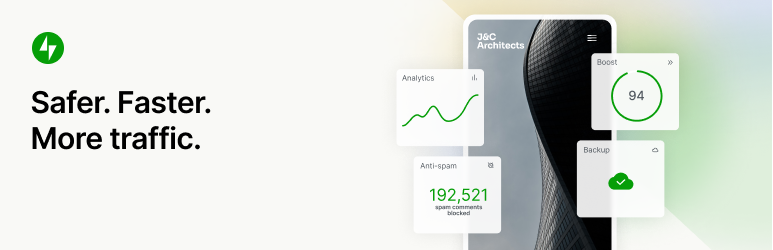
Máis seguro. Máis rápido. Máis tráfico.
WordPress security, performance, marketing, and design tools — Jetpack is made by WordPress experts to make WP sites safer and faster, and help you grow your traffic.
FUNCIÓN AUTOMÁTICA ININTERRUMPIDA DE SEGURIDADE DO SITIO
We guard your site so you can run your site or business. Jetpack Security provides easy-to-use, comprehensive WordPress site security including auto real-time backups and easy restores, malware scans, and spam protection. Essential features like brute force protection and basic downtime / uptime monitoring are free.
- Fai unha copia de seguridade do teu sitio en tempo real automaticamente e restaura a calquera punto cun só clic. A capacidade de almacenamento na nube comeza en 10 GB, que é máis que dabondo para a maioría dos sitios, aínda que hai dispoñibles opcións de almacenamento adicionais se fosen necesarias. Fantástico para tendas de eCommerce, especialmente Woo.
- Manage migration to a new host, migrate theme files and plugins to a new database, easily duplicate websites, create full database backups, clone websites, repair broken websites by restoring older backups or easily set up a test site by creating a duplicate of your existing WP website.
- See every site change and who made it with the activity log, great for coordination, debug, maintenance, or troubleshooting.
- Examina o tráfico entrante ao teu sitio de WordPress co noso WAF (Web Application Firewall) e decide se o permites ou o bloqueas en base a varias regras.
- Engade unha importante capa de protección ao teu sitio co noso WAF (Web Application Firewall), esoecialmente cando os atacantes sabotean de forma activa vulnerabilidades sen parche.
- Realiza automaticamente exploracións de malware e exploracións de seguridade para outras ameazas de código. Corrección nun clic para restaurar o teu sitio a causa de malware.
- Bloquea comentarios de spam e respostas de formularios con características anti spam impulsadas por Akismet.
- Protección fronte a ataques de forza bruta para protexer a túa páxina de aceeso a WordPress de ataques.
- Supervisa o tempo de actividade e inactividade do teu sitio e recibe alertas instantáneas sobre calquera cambio por correo electrónico.
- Secure WordPress.com powered login used by millions of sites with optional 2FA (two factor authentication) for extra protection.
- Actualizar automaticamente os plugins individuais para unha fácil mantemento e xestión do sitio.
Podes mercar todas as características de seguridade de Jetpack no noso paquete de seguridade, ou mercarVaultPress Backup, Scan, e Akismet Anti-spam por separado.
VELOCIDADE E RENDEMENTO MÁXIMOS
Get blazing fast site speed with Jetpack. Jetpack’s free CDN (content delivery network) auto optimizes your images. Watch your page load times decrease — we’ll optimize your images and serve them from our own powerful global network, and speed up your site on mobile devices to reduce bandwidth usage and save money!
- Image CDN for images and core static files, like CSS and JavaScript, served from our servers, not yours, which saves you money and bandwidth.
- Unlimited, high speed, ad free video hosting keeps the focus on your content, not on ads or recommendations that lead people off site.
- Custom site search is incredibly powerful and customizable. Helps your visitors instantly find the right content so they read and buy more. Works great with WooCommerce / eCommerce sites to help filter products so customers get what they want on your site faster.
- Recommended to use with Jetpack Boost for ultimate WordPress site speed.
POTENTES FERRAMENTAS DE CRECEMENTO
Create and customize your WordPress site, optimize it for visitors and revenue, and enjoy watching your stats tick up. Build it, share it, and watch it grow.
- Auto publish blog posts and products to social media by simply using our tools to connect to Facebook, Bluesky, Threads, Tumblr, Mastodon, LinkedIn, and Nextdoor.
- Comparte fácilmente publicacións de Instagram nas túas páxinas e entradas de blog.
- Collect a payment or donation, sell a product, service, or membership with simple integrations with PayPal and Stripe.
- Grow traffic with SEO tools for Google, Bing, Facebook, and WordPress.com. XML sitemap created automatically.
- Advertise on your site to generate revenue. The ad network automatically does the work for you to find high-quality ads that are placed on your site.
- Manage Jetpack features from anywhere with the official WordPress mobile app, available for Apple iOS (iPhone or iPad) and Google Android.
- Looking for Customer Relationship Management? Check out the Jetpack CRM plugin which works alongside Jetpack to give you a simple and practical way to build relationships with your customers and leads.
ESTATÍSTICAS POTENTES PARA QUE O TEU SITIO MEDRE
Con Estatísticas de Jetpack, non terás que ser analista de datos para ver o rendemento do teu sitio.
- Estatísticas e analíticas avanzadas do sitio para axudarche a entender ao teu público.
- Descobre as entradas e páxinas que xeran mellor rendemento.
- Averigua quen está a crear o contido máis popular no teu equipo coas nosas métricas de autor.
- Controla doadamente os teus hábitos e tendencias de creación de contido ao longo dos anos.
- Consulta as tendencias semanais e anuais coa opción que amosa o máis destacado dos últimos 7 días e do último ano.
- Consulta en que redes sociais se comparte máis o teu contido.
- Explora datos en tempo real sobre visitantes, me gusta e comentarios.
- Obtén información detallada sobre os referentes que traen tráfico ao teu sitio.
- Descobre de qué países proveñen os teus visitantes.
- Mide os clics nas ligazóns, as reproducións de vídeos e as descargas de arquivos no teu sitio.
ESCRIBE DE XEITO MÁIS INTELIXENTE, SEN TANTO ESFORZO.
Experience the ease of crafting professional content with intuitive and powerful AI. Jetpack AI Assistant effortlessly integrates with your WordPress editor, offering an intuitive interface to interact with AI.
This powerful block lets you generate diverse content at your command, significantly reducing the time and effort required in content creation.
Simplemente proporciona unha suxerencia e mira como etpack AI Assistant crea atractivas entradas de blog, páxinas detalladas, listas estruturadas e táboas completas; todo adaptado ás túas necesidades.
- Aproveita o poder da IA directamente dende o teu editor.
- Obtén contidos personalizados de alta calidade.
- Mantén estándares profesionais con facilidade.
- Traducións a múltiples idiomas con tecnoloxía de IA ao alcance da túa man, rematando coas barreiras lingüísticas.
PROMOCIONA O TEU CONTIDO FÁCILMENTE CON JETPACK BLAZE
Consegue novos fans ao promover as túas publicacións e páxinas en millóns de sitios na rede publicitaria de WordPress.com e Tumblr.
- Crea o teu anuncio. Elixe a túa audiencia. Fixa o teu presuposto. É así de doado.
- Amplía o teu alcance por só uns poucos dólares.
HERRAMIENTAS DE DESEÑO DOADAS DE USAR
Quickly customize your site to make it stand out — no coding needed.
- Temas: temas sinxelos de WordPress para empezar co teu sitio.
- Related posts — Keep visitors on your site by automatically showing them related content they will be interested in.
- Gallery and Slideshow tools — Image galleries, carousel slider, and slideshows for WP sites and stores.
- Subscricións — Facilita aos visitantes darse de alta para recibir notificacións das túas últimas publicacións e comentarios.
- Contact form — Easily build unlimited contact forms for free without any coding. Receive email notifications for each response. Integrate with mail solutions like Creative Mail to reach your customers and leads quickly. Connect to Jetpack Anti spam (powered by Akismet) to filter submissions.
- Compatibilidade con oEmbed: incrusta facilmente imaxes, entradas e ligazóns de Facebook e Instagram.
INTEGRACIÓNS
Jetpack is updated monthly to ensure seamless integration with top WordPress plugins and other tech products.
- Built for WooCommerce: Jetpack and WooCommerce are both made by Automattic. Backup, Scan, Anti-spam, integrate perfectly for Woo / eComm stores.
- Jetpack is fully compatible with v2.0 of the official AMP plugin for WordPress.
- Coñece mellor aos teus clientes e o funcionamento do marketing coa integración de Google Analytics (GA).
- Plataformas de medios sociais: Instagram, Facebook, Tumblr, LinkedIn, Threads, Bluesky, Nextdoor.
- Simple Blocks to customize your site: Pinterest, Whatsapp, Podcast player, GIFs, maps, tiled gallery, slideshow.
- Payment processors: easily collect payments or donations and sell products through Stripe and PayPal.
- Site speed and performance plugins: Works great with WP Super Cache by Automattic and Cloudflare.
- Contact form: Anti-spam (Powered by Akismet) blocks spam comments for Jetpack forms, Contact Form 7, Ninja Forms, Gravity Forms, Formidable Forms, and more.
- Other tech integrations: Instagram, Creative Mail, Mailchimp, Calendly, Whatsapp, Pinterest, Revue, and more.
EXPLORE MORE OF JETPACK
If you like Jetpack, consider checking out our other products and bundles
- Jetpack Complete – The Complete bundle with real‑time security, top performance, and everything you need to grow your business.
- Jetpack Security – Our Security bundle provides easy‑to‑use, comprehensive WordPress site security, including real‑time backups, a web application firewall, malware scanning, and spam protection.
- Jetpack Backup – Save every change and get back online quickly with one‑click restores from Jetpack VaultPress Backup.
- Jetpack Scan – Protect your site from bad actors around‑the‑clock ‑ with our web application firewall (WAF) and automated malware scanning with one‑click fixes.
- Jetpack Search – Instantly deliver the most relevant results to your visitors with Jetpack Search. No coding required, no ads, and no tracking.
- Jetpack Boost – Increase your website speed. Enjoy the same performance advantages as the world’s leading websites, no developer required.
- Jetpack VideoPress – Display stunning‑quality video with none of the hassle. Drag and drop videos through the WordPress editor and keep the focus on your content, not the ads.
- Jetpack AI – Turn your ideas into ready‑to‑publish content at lightspeed.
- Jetpack Stats – Keep track of your website visits, popular posts, newsletter subscribers and more.
- Jetpack Social – Automatically share your website content to your favorite social media platforms, from one place.
- Jetpack CRM – Jetpack CRM has all of the tools you need to grow your business. It’s also modular, so you can customize it to suit your needs.
- Jetpack Creator – Craft stunning content, boost your subscriber base, and monetize your online presence.
- Jetpack Newsletter – Transform your blog posts into newsletters to easily reach your subscribers. Offer paid subscriptions and earn from your content.
KEEP SPAM OFF YOUR WEBSITE
- Akismet Anti-spam – Automatically clear spam from comments and forms. Save time, get more responses, give your visitors a better experience – all without lifting a finger.
PROMOTE YOUR CONTENT FOR MORE VIEWS
- Blaze – Find new fans by promoting your posts and pages across millions of sites in the WordPress.com and Tumblr ad network.
MANAGE MORE THAN ONE SITE?
- Jetpack Manage – All the tools you need to manage multiple WordPress sites. Monitor site security, performance, and traffic, and get alerted if a site needs attention.
VOA MÁIS ALTO COS PLUGINS INDIVIDUAIS
Algunha vez desexaches ter una soa función de Jetpack no seu propio plugin? Agora podes. Bota un ollo aos nosos plugins individuais e instala só o que precises.
Capturas


Blocks
Este plugin proporciona 48 bloques.
- Subscribe Subscribe to this blog's posts as a newsletter.
- Goodreads Features books from the shelves of your Goodreads account.
- Subscriber Login Show links for subscribers to login, logout, or manage their subscription.
- Send A Message Let your visitors send you messages with the tap of a button.
- Sharing Buttons Give your readers the ability to easily share your content with X, Facebook, Tumblr, LinkedIn, and a host of other services to help spread your message across the web.
- Eventbrite Checkout Embed Eventbrite event details and ticket checkout.
- Ad Earn income by adding high quality ads to your post.
- Story Add an interactive story.
- Voice to content Transform your spoken words into a post ready to publish with AI.
- Map Add an interactive map showing one or more locations.
- GIF Search for and insert an animated image.
- Recipe (Beta) Add images, ingredients and cooking steps to display an easy to read recipe.
- Blogroll Share the sites you follow with your users.
- Blog Stats Show a stats counter for your blog.
- Nextdoor Embed a Nextdoor post for your neighbors on your blog.
- AI Assistant Elevate your content creation with our AI-powered Gutenberg Block, offering seamless customization and generation. Bear in mind that, as an evolving tool, occasional imprecision may occur.
- Latest Instagram Posts Display an automatically updating list of the latest posts from your Instagram feed.
- Tock Reserve a table at your restaurant with Tock.
- Paid Content Restrict access to your content for paying subscribers.
- Markdown Add headings, lists, or links to plain text with ease.
- Google Calendar Embed a Google Calendar.
- Mailchimp Allow readers to join a Mailchimp audience.
- Google Docs (Beta) Embed a Google Document.
- Cookie Consent Display a customizable cookie consent banner. To display this block on all pages of your site, please add it inside a Template Part that is present on all your templates, like a Header or a Footer.
- Repeat Visitor Control block visibility based on how often a visitor has viewed the page.
- Related Posts Display a list of related posts.
- Payments Sell products and services or receive donations on your website.
- Star Rating Rate movies, books, songs, recipes — anything you can put a number on.
- Podcast Player Select and play episodes from a single podcast.
- Image Compare Compare two images with a slider. Works best with images of the same size.
- Writing Prompt Answer a new and inspiring writing prompt each day.
- Top Posts & Pages Display your most popular content.
- OpenTable Book a reservation with OpenTable.
- Donations Form Collect one-time, monthly, or annually recurring donations.
- Contact Info Add an email address, phone number, and physical address with improved markup for better SEO results.
- Tiled Gallery Display multiple images in an elegantly organized tiled layout.
- Payment Buttons Sell products and subscriptions.
- Business Hours Display opening hours for your business.
- Pinterest Embed a Pinterest pin, board, or user.
- Jetpack AI Search Provide a summarized answer to questions, trained on the sites content. Powered by AI.
- Slideshow Display multiple images in sequential order.
- Like Give your readers the ability to show appreciation for your posts.
- Calendly Embed a calendar for customers to schedule appointments.
- Form Create forms to collect data from site visitors and manage their responses.
- VideoPress Embed a video from your media library or upload a new one with VideoPress.
- Sharing Button Display a sharing button, allowing users to share your post.
- Paywall Limit access to the content below this block to chosen subscribers.
- Payment Button Button allowing you to sell products and subscriptions.
Instalación
Instalación automatizada
Installation is free, quick, and easy. Set up Jetpack in minutes.
Alternativas manuais
Alternatively, install Jetpack via the plugin directory, or upload the files manually to your server and follow the on-screen instructions. If you need additional help read our detailed instructions.
Preguntas frecuentes
-
Jetpack é gratis?
-
Yes! Jetpack’s core features are free for non-commercial sites.
These include: site stats, a high-speed CDN for images, related posts, downtime monitoring, brute force attack protection, automated sharing to social networks, sidebar customization, SEO (search engine optimization) tools, and much more.
-
Debería mercar un plan de pago?
-
It depends on your site and what kind of protection, performance, and design you need. If you make money from your site, the answer is “yes.” For context, Jetpack’s paid services include real-time backups, security scanning, spam filtering, video hosting, site monetization, search, priority support, and more.
Para saber máis acerca dos servizos esencias de seguridade e WordPress que ofrecemos e consultar como podemos mellorar o teu sitio, visita a nosa páxina de plans.
-
Por qué preciso unha conta de WordPress.com?
-
Since Jetpack and its services are provided and hosted by WordPress.com, a WordPress.com account is required for Jetpack to function.
-
Xa teño unha conta de WordPress, pero Jetpack non funciona. Qué está a pasar?
-
A WordPress.com account is different from the account you use to log into your self-hosted WordPress. If you can log into WordPress.com, then you already have a WordPress.com account. If you can’t, you can easily create oneduring installation.
-
Cómo vexo as miñas estatísticas?
-
Once you’ve installed Jetpack, your stats will be available on your Jetpack dashboard and through the official WordPress mobile app.
-
Cómo podo contribuir a Jetpack?
-
There are opportunities for developers at all levels to contribute. Learn more about contributing to Jetpack or consider joining our beta program.
-
Qué máis inclúe Jetpack?
-
Jetpack is the ultimate toolkit for WP for both the classic editor and the block editor, giving you everything you need for a professional site. It includes the following features:
- Rexistro de actividade: supervisa todos os cambios realizados no sitio para fines de depuración, solución de problemas ou mantemento.
- Ads — Earn income by displaying high quality ads on your site.
- Beautiful Math — Use the LaTeX markup language for writing complex mathematical equations, formulas, and more.
- Carousel slider — Display a gorgeous full-screen photo browsing experience with comments and EXIF metadata.
- CDN — Helps your pages load faster by allowing Jetpack to optimize your images and serve your images and static files (like CSS and JavaScript) from our global network of servers.
- Comments — Replace your default comment form with an improved system with integrated social media login options.
- Comment Likes — Allows readers to like other comments to show their agreement, approval, or appreciation.
- Formularios de contacto: ofrece aos teus lectores a posibilidade de porse en contacto sen dar a túa dirección de correo electrónico persoal.
- Custom CSS — Customize the appearance of your theme without creating a child theme or worrying about updates overwriting your customizations.
- Tipos de contido personalizados: engade tipos de entrada personalizados (custom post types ou CPTs) ao teu sitio.
- Downtime Monitor — Alerts you via electronic mail if your site goes down to ensure you keep uptime.
- Extra Sidebar Widgets — Extra widgets you can add to your blog, including RSS Links and Facebook Like Boxes.
- Gravatar Hovercards: fai que o teu perfil de Gravatar visible para os usuarios que visualicen o teu blog.
- Google Analytics (GA): fai un seguemento das estatísticas do teu sitio de WordPress grazas a Google Analytics.
- Infinite Scroll — Pulls the next posts automatically into view when the reader approaches the bottom of the page.
- JSON API — Authorizes applications and services to securely connect to your blog, and allows them to use your content or offer you new functionality.
- «Gústame»: permite aos lectores amosar o seu aprecio polas túas entradas cun só clic.
- Markdown — Allows you to compose posts and comments with links, lists, and other styles using regular characters and punctuation marks. Markdown is used by writers and bloggers who want a quick and easy way to write rich text without having to take their hands off the keyboard.
- Detección de malware – exploracións de malware automáticas que axudan a protexer o teu sitio web de WP cunha resolución automatizada.
- Notifications — Receive notifications for new comments and Likes in your admin bar and on your mobile device.
- Compatibilidade con oEmbed: incrusta facilmente imaxes, entradas e ligazóns de Facebook e Instagram.
- Plugin Management — Allows easy site maintenance by choosing which plugins update automatically.
- Publicar por correo electrónico. Publica entradas usando calquera cliente de correo electrónico.
- Protección: protexe o teu sitio contra ataques de acceso por forza bruta tradicionais e distribuídos.
- Publicize — Share new posts on social media networks automatically, or schedule future shares with custom messages.
- Related Posts — Show contextual posts your visitors might be interested in reading after they’re done with their current post.
- Secure Auth — Secure WordPress.com powered login used by millions of sites with optional 2FA (two factor authentication) for extra protection.
- Explorador de seguridade: antivirus e detección doutras ameazas para o teu sitio WordPress con resolución automatizada.
- Busca: un potente substituto para a busca integrada de WordPress, desenvolvida por Elasticsearch, na nube de WordPress.com.
- Ferramentas de SEO — Optimiza o teu sitio para motores de busca aproveitando as nosas ferramentas de SEO.
- Compartir — Engade botóns de compartir ás túas entradas do blog para que os lectores poidan compartir facilmente o teu contido.
- Shortcode Embeds — Embed videos from YouTube and other media across the web.
- Site Backup — Automatically back up your entire site. Duplicate, clone, migrate, transfer to a new host, and easily restore. Previously known as VaultPress.
- Estatísticas do sitio: visualiza as visitas do sitio por data, así coma as páxinas e as entradas máis populares.
- Site Verification — Verify your site for use with Google, Bing, and Pinterest and their tools.
- Mapa do sitio: xera unha lista de páxinas que serán indexadas por motores de búsqueda como Google o Bing.
- Spam Filtering — Automatically filter out spam comments, product reviews, or contact form submissions.
- Subscricións: permite aos visitantes recibir notificacións das túas últimas publicacións ou comentarios.
- Tiled Galleries — Display your image galleries in three different styles: a rectangular mosaic, a square mosaic, and a circular grid.
- Video Hosting — Upload videos for fast, reliable hosting on WordPress.com.
- Ligazóns curtas a WP.me: xera ligazóns curtas e sinxelas ao teu contenido usando o dominio wp.me.
- Visibilidade de widgets: configura os widgets para que aparezan só en páxinas concretas.
- WordPress.com Toolbar — The WordPress.com Toolbar feature replaces the default admin bar and offers quick links to the Reader, all your sites, your WordPress.com profile, and notifications.
-
Qué bloques inclúe Jetpack?
-
Blocks are the individual sections that make up a page. There are many block types for you to use. Each block can be edited or moved independently of other blocks. The following is a list of all blocks currently available in Jetpack.
- Bloque de anuncios – O bloque de anuncios permíteche inserir unha unidade de anuncios de JetPack en calquera parte do contido de calquera entrada ou páxina.
- Business Hours Block – The Business Hours block allows you to display your business’s opening hours on your site.
- Calendly Block – Jetpack’s Calendly block allows your visitors to schedule one-on-one appointments, group events, and team meetings directly from your website.
- Contact Info Block – The Contact Info block lets you add your contact information (email address, physical address, phone number) to any post or page.
- Donations Block – The Donations block lets you add a payment button to any post or page for a donation, tips, and other contributions, using Stripe as the payment gateway.
- Bloque de Eventbrite: con este bloque, podes incrustar eventos nas entradas ou nas páxinas.
- Bloque de formulario: este bloque permíteche engadir un formulario á túa entrada ou á túa páxina.
- GIF Block – The GIF block allows you to easily search for and embed an animated GIF image from Giphy directly into a post or page on your WordPress site.
- Bloque de calendario de Google: permíteche incrustar doadamente un calendario de Google na túa entrada ou páxina.
- Image Compare Block – The Image Compare Block allows you to display and compare the differences between two images side by side (or above and below) thanks to a slider.
- Latest Instagram Posts Block – The Latest Instagram Posts Block lets you display your most recent images from Instagram on your site. The block update automatically updates when you post new images to Instagram.
- Bloque de Mailchimp – O bloque de Mailchimp permite que os visitantes se unan á túa lista de Mailchimp.
- Bloque de mapa: este bloque permíteche engadir un mapa a calquera entrada ou páxina do teu sitio.
- Markdown Block – With the Markdown block you can create formatted content using only regular characters and some punctuation marks.
- OpenTable Block – With the OpenTable block, you can add a reservation form on posts or pages.
- Bloque de pago con PayPal: permíteche engadir un botón de pago a calquera entrada ou páxina e comezar a recibir inmediatamente pagamentos a través Paypal por produtos físicos, artigos dixitais ou doazóns.
- Payments Block – The Payments Block lets you add a payment button using Stripe as the payment gateway. It works for one-time and recurring payments.
- Bloque de Pinterest – O bloque de Pinterest é a forma máis sinxela de incrustar contido de Pinterest no teu sitio: permiteche incrustar táboas, perfís e pins.
- Podcast Player Block – Jetpack’s Podcast Player block allows you to easily show your visitors a listing of recent episodes from a podcast and play them on your website.
- Related Posts Block – The Related Posts feature scans all of your posts’ contents, analyzes it, and uses that to display contextual posts your visitors might be interested in reading after they’re finished with the current post.
- Repeat Visitor Block – The Repeat Visitor block enables the author to control the visibility of its nested block(s) depending on how many times a visitor has previously visited the page.
- Revue Block – The Revue block creates a simple signup form for readers to opt-in to receive your newsletter.
- Slideshow Block – The Slideshow block lets you insert an image slideshow into a post or page.
- Bloque de valoración con estrelas: permite calquera autor do sitio engadir recensións ao sitio.
- Subscription Form Block – The Subscription Form Block allows you to insert a subscription form within the content area of any post or page, enabling your readers to get notifications when you publish new posts.
- Tiled Gallery Block – With Tiled Galleries you can display your image galleries in four styles: tiled mosaic, circular grid, square tiles, and tiled columns.
- Bloque de vídeo: mellora o bloque de vídeo de WordPress existente e permíteche subir vídeos dende o teu ordenador para aloxalos en WordPress.com en lugar de nos servidores do teu proveedor de aloxamento.
- WhatsApp Button Block – The WhatsAPP Button block will allow your customers to send them a message to enquire about their product or services, or ask for support. Clicking on the button will open WhatsApp and pre-fill the phone number and initial message.
Jetpack tamén creou extensións para algúns bloques do núcleo de WordPress:
- Social Previews – This extension of the Block Editor allows you to preview what your post / page will look like on search engines and social media.
-
Preciso un certificado SSL?
-
You don’t need an SSL Certificate to run Jetpack on your WordPress website. However, it’s recommended to integrate them both into your overall WordPress security strategy. An SSL certificate (Secure Sockets Layer certificate) creates a secure connection between your website and your site visitors’ browsers. It encrypts any data shared on your site — like addresses, emails, phone numbers, and credit card information — and protects that data from hackers.
If you don’t have an SSL certificate, your site will show a “not secure” warning on users’ browsers, which can reduce your legitimacy in their eyes. SSL certificates also have a positive impact on search engine rankings.
The process of setting up an SSL certificate will depend on your hosting provider. Some hosts include free certificates, while others charge annually.
-
Cómo funciona Jetpack con WP Super Cache?
-
WP Super Cache works by caching your WordPress pages as static HTML pages so that page requests, for an already cached page, do not need to be processed by the WordPress PHP scripts. Typically, most visitors of your site will view cached versions of the WordPress pages, so your server will have more processing power to serve an increased number of users.
Jetpack has an image CDN that works by caching and serving your WordPress images globally from its own servers. These plugins are both maintained by Automattic and work together to give you ultimate site speed.
Automattic actively develops Jetpack Boost to help you increase your website speed in ways beyond WP Super Cache. We recommend using Jetpack Boost instead of WP Super Cache.
-
Qué versión de PHP preciso?
-
Os sitios deben basearse en PHP 7.2 ou versións posteriores, pero Jetpack sempre é compatible coa versión máis recente de PHP.
-
Pode Jetpack axudar ao meu sitio a cumplir co RXPD?
-
Our Cookie and Consent Banner can help you comply with GDPR. The European Union’s ePrivacy Directive (often referred to as the ‘cookie law’) and General Data Protection Regulation (GDPR) place requirements on website owners and operators to provide information about, and gain consent for their use of cookies.
-
Pode utilizarse Jetpack para transferir webs a un novo provedor de aloxamento?
-
Jetpack Backup can do a full website migration to a new host, migrate theme files and plugins to a new database, create full database backups, clone websites, repair broken websites by restoring older backups and allow you to easily set up a test site by creating a duplicate of your existing website.
Comentarios


Colaboradores e desenvolvedores
“Jetpack: seguridade, copia de seguridade, velocidade e crecemento de WP” é un software de código aberto. As seguintes persoas colaboraron con este plugin.
Colaboradores-
Automattic
-
Adam Heckler
-
Adi Moldovan
-
Andrew Duthie
-
Alex Kirk
-
Allen Snook
-
alternatekev
-
Andy Skelton
-
Anna McPhee
-
annezazu
-
Andy Peatling
-
arcangelini
-
arsihasi
-
Andrew Ozz
-
Barry
-
Mohammad Jangda
-
Beau Lebens
-
bindlegirl (a11n)
-
biskobe
-
Brad Jorsch
-
Ben Lobaugh (blobaugh)
-
brbrr
-
Briley
-
Michael Cain
-
Cena (a11n)
-
Christopher Finke
-
cgastrell
-
Chase Livingston
-
Michelle Langston
-
clickysteve
-
csonnek
-
Daniel Bachhuber
-
daniloercoli
-
Davor
-
Piotr Delawski
-
Sheri Grey
-
dkmyta
-
Daryl L. L. Houston (dllh)
-
Devin Walker
-
Dan (a11n)
-
Derek Smart
-
Jared
-
dzver
-
Eric Binnion
-
Echo
-
Elio Rivero
-
Enej Bajgorić
-
Eoin Gallagher
-
Stef (a11n)
-
Erick Hitter
-
Foteini Giannaropoulou (a11n)
-
Gregory Cornelius
-
George Stephanis
-
Greg Ichneumon Brown
-
goldsounds
-
hew
-
Hugo Baeta
-
hypertextranch
-
Matt Miklic
-
Ian Dunn
-
Joen Asmussen
-
Jeff Bowen
-
jeffgolenski
-
Jeremy Herve
-
Jenny (a11n)
-
Jenia
-
jessefriedman
-
Greg
-
Joey Kudish
-
Jennifer M. Dodd
-
joanrho
-
John James Jacoby
-
Em Shreve
-
kbrownkd (a11n)
-
keoshi
-
Jorge Bernal
-
Brandon Kraft
-
Lance Willett
-
leogermani
-
Luiz Kowalski
-
Lisa Schuyler
-
James Huff
-
martinremy
-
Matt Mullenweg
-
Matt Wiebe
-
Matias Ventura
-
Jeff Golenski
-
Miguel Fonseca
-
Michael Adams (mdawaffe)
-
Matthew Denton
-
Michael Arestad
-
Miguel Lezama
-
miguelxavierpenha
-
Mikey Arce
-
Marcus Kazmierczak
-
Nancy
-
Nick Momrik
-
njweller
-
nunyvega
-
Konstantin Obenland
-
Osk
-
Gary Pendergast
-
Jesse Friedman
-
rachelsquirrel
-
Rich Collier
-
Renato Augusto Gama dos Santos
-
retrofox
-
Richard Archambault
-
Richard Muscat
-
Rob Pugh
-
Rocco Tripaldi
-
Ryan C.
-
Sam Hotchkiss
-
Sami Falah
-
Stefan Carstocea
-
Scott (@scottsweb)
-
sdixon194
-
Stephen Quirk
-
sermitr
-
Mikael Korpela
-
Stephane Daury (stephdau)
-
Douglas Henri
-
Tim Moore
-
Marin Atanasov
-
Alex Mills
-
Peter Westwood
-
William Viana
-
Karen Attfield
-
Yoav Farhi
-
Igor Zinovyev
“Jetpack: seguridade, copia de seguridade, velocidade e crecemento de WP” foi traducido a 49 idiomas. Grazas aos desenvolvedores polas súas contribucións.
Traduce “Jetpack: seguridade, copia de seguridade, velocidade e crecemento de WP” ao teu idioma.
Interesado no desenvolvemento?
Revisa o código, bota unha ollada aorepositorio SVN, ou subscríbete ao log de desenvolvemento por RSS.
Rexistro de cambios
16.1 – 2026-08-10
Enhancements
- Account Protection: Add additional context to Verify your identity page to reduce user confusion.
- Add aria-label to hidden Carousel download link for better accessibility.
- Admin menu: Surface notification counts from the central menu-badges registry in the admin-menu REST endpoint.
- AI Sidebar: Add Jetpack AI abilities in the page and site editors.
- AI Sidebar: Align Editorial Review enablement with the other writing-assistance features.
- AI Sidebar: Enable writing and SEO suggestions, the block toolbar button, and page and site editor support for all eligible users.
- Change empty h2 and h3 tags in Carousel to div tags to fix SEO and accessibility warnings.
- Content Guidelines: Add a Read more support link to the page description.
- Content Guidelines AI: Make AI guideline suggestions available on WordPress.com Simple and Atomic sites, with a paid Jetpack AI or Complete plan required to generate guidelines.
- Content Guidelines AI: Show AI buttons in the correct locked/unlocked state on first paint, omitting the AI UI for that load when the plan lookup fails.
- Content Guidelines AI: Show the Generate/Improve buttons in a locked state for sites without an AI plan, and open the upgrade notice when clicked (even after dismissal). Prevent the AI buttons from briefly appearing unlocked while the feature check resolves.
- Expose the AI Launchpad state options (enabled, dismissed, completed) in the /sites endpoint options.
- Memberships: Add support for the Malaysian ringgit (MYR) currency.
- Modules: Debounce the modules page search so results update smoothly while typing.
- Modules: Hide the legacy VaultPress module row from the modules page, as it is permanently unavailable and superseded by the VaultPress Backup product.
- Modules: In Offline Mode, surface the Modules page as the first Jetpack menu item so it loads by default, add an Offline Mode breadcrumb and explanatory notice, and add an “Available in offline mode” filter.
- Modules: Refresh the modules page with a modern, core-UI look.
- Modules: Update the tag filter counts on the modules page to reflect the currently-applied filters, and grey out tags with no matching modules.
- Newsletter: Allow sending the test email to a chosen address, gated by the same abuse checks used when adding a subscriber.
- Newsletter: Enable the modernized wp-admin dashboard and subscriber management for all sites by default.
- Podcast: Release Podcast to self-hosted sites, enabled by default on new installations and available but disabled on existing installations.
- Random Redirect: Restore module previously removed in Jetpack 13.6.
- Reprint: Add full-site export support for Pressable and WordPress.com (Atomic) sites, so an authenticated client can pull a complete copy of a site.
- REST API: Defer loading of WPCOM REST endpoint files to REST requests, saving execution time on every non-REST page load.
- SEO: Add AI crawler management — free per-bot allow/block toggles (answer and mixed-use crawlers allowed, training crawlers blocked by default) that write robots.txt directives.
- SEO: Add custom post type support and llms.txt generation.
- SEO: Honor the per-site WordPress.com feature flag in plugin search suggestions.
- Site Chat: Rename the public feature text from Reader Chat to Site Chat.
- Site endpoint: Return
hosting_provider_guessandenvironment_typefrom the single-site endpoint when explicitly requested via thefieldsparameter, matching/me/sites. - Social: Enable or disable the Social module directly from the Social dashboard, so it can be turned back on in environments where Jetpack Settings is unreachable.
- Social: Surface a visible error when fetching the keyring result fails during a connection, instead of failing silently.
- Social: The block editor sidebar now uses the same connection management UI as the Social admin page.
- Stats: Add a link to the site-name admin bar menu.
- Stats v2: Add a separate menu instead of replacing the existing Stats menu.
- Update the license activation screen to use @wordpress/ui components.
- VideoPress: Keep the VideoPress item under the Jetpack menu when the module is not active, linking to the My Jetpack page to activate it.
- VideoPress: Upload videos added via the classic media-new.php uploader directly to VideoPress, matching the Media Library behavior.
Improved compatibility
- Content Guidelines AI: Restore compatibility with the Gutenberg 23.6 Guidelines page by reading section drafts from the page DOM instead of the removed core/guidelines store.
- Notifications: Show the notification bell in the admin bar on the Post editor and Site editor.
Bug fixes
- Blocks: Fix an infinite refresh loop in the Goodreads block editor that regenerated the widget ID on every re-render and hammered the REST API.
- Blocks: Restrict Goodreads scripts to the expected Goodreads widget endpoints.
- Bundle @wordpress/theme and @wordpress/private-apis into the admin build so the Jetpack dashboard script still loads on WordPress versions that do not register those script handles.
- Calendly: Fix Button style rendering as inline calendar on Premium+ plans.
- Carousel: Fix images not rendering in portrait orientation on mobile when a gallery image has no data-large-file attribute.
- Carousel: Fix inconsistent behavior between keyboard and mouse for images linked to an attachment page.
- Carousel: Show the already-loaded thumbnail while the full-size image downloads, so slides are no longer blank when moving quickly through a gallery.
- Carousel: Stop adding a duplicate set of image data attributes to galleries.
- Change EXIF data rendering to be dynamic via JavaScript to resolve empty list accessibility warning.
- Content Guidelines AI: Read the banner-dismissed flag from user meta directly when preloading, so the empty-state banner and upgrade notice are no longer permanently suppressed on WordPress.com Simple sites.
- Display WordPress Posts widget: Escape remote site data before output.
- Escape the Premium Content block login button label on output.
- Forms: Prevent duplicate field Name/IDs (from duplicating or copy/pasting a field) from collapsing into one another, which dropped fields from stored responses and email notifications.
- Harden the subscriber authentication endpoint so it only redirects within the current site.
- Jetpack AI: Fix content guidelines generation failing on private sites.
- Jetpack AI: Skip the AI sidebar bundle, provider registration, and toolbar button for users without a connected WordPress.com account.
- Likes: Do not show the Like button on password-protected posts, even for viewers who can read the post (owners, admins, or after unlocking).
- Likes: Restore the per-post Likes toggle in the block editor, which failed to register when withSelect returned a memo object.
- Memberships: Ensure the configured post access level is evaluated correctly before authorizing access to paywalled content.
- Newsletter: Show a connect prompt when a WordPress.com user connection is required for email preview and test emails, and disable the “Send” button until connected.
- Newsletter: Show which newsletter categories a subscriber receives emails for in the subscriber details panel.
- Normalize the size, weight, centering, and alignment of block inserter icons across Jetpack monetize blocks (Donations, Tips, Payment Button, Paid Content, Tock, WhatsApp Button, and others) so they render consistently.
- Paid Content: Expire subscription access at the end of the
end_dateday (UTC) rather than the exact purchase timestamp, so a same-day auto-renewal completes before access is cut. - Paid content: Preserve non-ASCII characters (emoji, Chinese, etc.) in the post URL when a subscriber logs in via “Already a paid subscriber?”, so they are redirected back to the correct post instead of a 404.
- Random Redirect: Avoid a fatal error when a theme or plugin already declares the module’s redirect function.
- Related Posts: Enqueue the block stylesheet whenever the block renders, so it is styled on pages and classic themes where the module’s front-end asset gate does not run.
- Reprint: Avoid a fatal error when another plugin loads an older version of the Status package.
- Require a Jetpack site (blog) token for JSON API endpoints that declare no capabilities, such as the Backup helper script endpoints, and reject user tokens regardless of privilege.
- Resolve Redirect endpoint: Validate every redirect hop, and return a 400 error when a URL cannot be fetched, is blocked, or exceeds the redirect limit, instead of a 200 response with an empty URL.
- REST API: Require the admin capability for all settings in a request that also updates Post by Email.
- Security: Enforce per-item permission checks when editing media through the JSON API.
- Security: External Media: Ensure imported files are always saved under a safe file name.
- Security: Verify attachment ownership before removing an uploaded package in the plugin and theme install endpoints.
- SEO: Fix custom per-page SEO title being ignored when the page is set as the site’s homepage and the Front Page title format in Jetpack Settings is blank.
- SEO: Preserve legacy homepage description storage and length limits when saving dashboard settings.
- SEO: Preserve Sitemaps and Canonical URLs settings when runtime filters temporarily suppress their modules.
- Sharing: Escape Tumblr share title, URL, and button label in official button output.
- Sharing: Guide block-theme users from legacy sharing buttons to the Sharing Buttons block.
- Subscriptions: Fix
wp_maybe_inline_stylesnotice for thejetpack-subscriptionsstylesheet by registering a filesystem path instead of a URL. - Subscriptions: Stop the site settings endpoint from saving unchanged subscription message defaults; translate the default subscription options using the user locale.
- Tiled Gallery: Fix images collapsing to ~105px in the editor when the canvas is not iframed.
- Tiled Gallery: Fix rows rendering at partial width after an alignment change, and correct the srcset on published galleries.
- VideoPress: Fix legacy video block previews in the editor.
- WAF: Restrict firewall settings to administrators.
