

Supported providers
Configuring a standard provider
Open Settings → Models, pick a provider, and paste your API key. Models from that provider become available immediately in the agent model selector.Adding a custom provider
Use thecustom provider type for vLLM, Ollama, a corporate gateway, or any other OpenAI-compatible API. Custom providers are not in the catalog — you add them yourself with a base URL, API key, and the model IDs you want exposed.
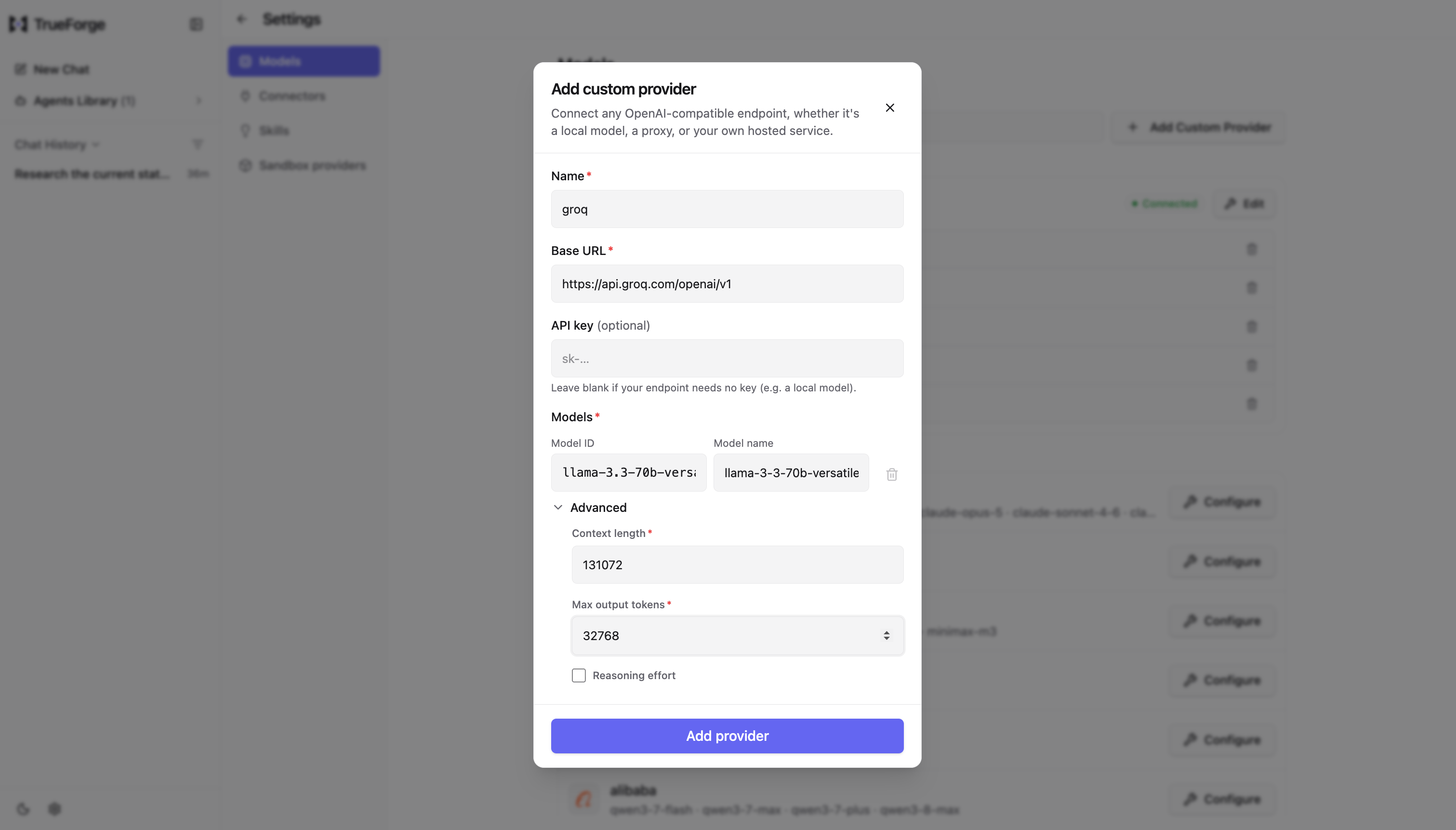
The Add custom provider dialog — connect any OpenAI-compatible endpoint with a base URL, an optional API key, and one or more models (each with its context length and max output tokens).
Planned: automatic model selection for different turns or subagents. Today each agent uses the model you
configure. In the future, TrueForge will be able to pick among a set of models per turn or subagent based on task
complexity, latency, and cost.
