We now show alt text in the fediverse! Now alt text from photos in your blog posts gets sent out over ActivityPub, so your images are more accessible to your readers and followers there.
Alt text (meaning alternative text) lets you add a description of any images you include in your posts. This is especially helpful to readers who are blind or have low vision, and use screen readers to consume your posts — instead of an empty space where your image is, the screen reader can read aloud the description you provide, giving them the full context of everything you’re sharing.
In our Plain Text editor, you can use standard Markdown to add alt text in the brackets before your image URL:
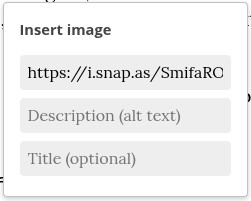
In our Rich Text editor, you can use the top menu option: Insert → Image to find a Description (alt text) field, where you can describe the image:

Alt text on Write.as has been here since day one. But especially with it carrying over to the fediverse now, we’d highly encourage writers to make an effort to include it more often in their posts!
#updates #fediverse #altText #accessibility
Been a while since you logged into Write.as, and can’t remember your username? Now you can easily retrieve it on our Forgot Username page! As long as you have an email address associated with your account, you can enter it there and get a message telling you the username(s) of any and all accounts you have.
#updates #improvements #WriteAs
A small but helpful fix is out for federated blogs! Now, changes to your blog — title, description, icon, etc. — will all go out to the fediverse, so your followers will always see the most up-to-date version, no matter where they are!
#updates #improvements #fediverse #writeas
We fixed a bug that’s haunted our Rich Text editor for a long time, where editing a post that has special HTML or shortcodes would cause the whole thing to break. Now you can create these more custom posts in the Plain Text editor and switch over to Rich Text without worry!
#updates #editor #improvements #writeas
Ever publish a post with the wrong font set on your post? Now you can easily fix that through the web app! Just edit your post, and in the editor, click the circular “i” button. You’ll find a new option to set the correct font there!
#updates #editor #improvements #writeas
Post previews are here! Now you get a peek at how your Markdown will show up before publishing to your blog or anonymously. In the Plain Text editor, simply click the little “Preview” icon next to the Publish button, and you'll be able to see the post in its full glory!

#updates #editor #improvements
We just fixed an issue that affected only Write.as blogs, hosted on a custom domain, with a custom fediverse handle — now readers shouldn't have any issues getting your posts in the fediverse!
#updates #fediverse
We just made a small change behind the scenes that should make your posts look nicer on fediverse platforms like Mastodon! Now, they’ll contain a small excerpt, using the beginning of your post to introduce it.

#updates #fediverse
Now your Write.as posts can be associated with your profile elsewhere on the fediverse! Simply add your handle in the Verification section of your blog’s Customize page. This will both enable you to verify your profile as well as get a nice link back to it when sharing your blog posts on platforms like Mastodon — especially when you also add a full-size Social Image in your settings.

#updates #fediverse #WriteAs
Email list exports! Now you can easily download the full list of email subscribers on your Write.as blog any time you want — just head to the Subscribers section on your blog and click Export list at the top of the page.
