

Table of Content
The array_pop function in PHP gives you a direct way to take the last element from an array.
Understand the array_pop Function in PHP
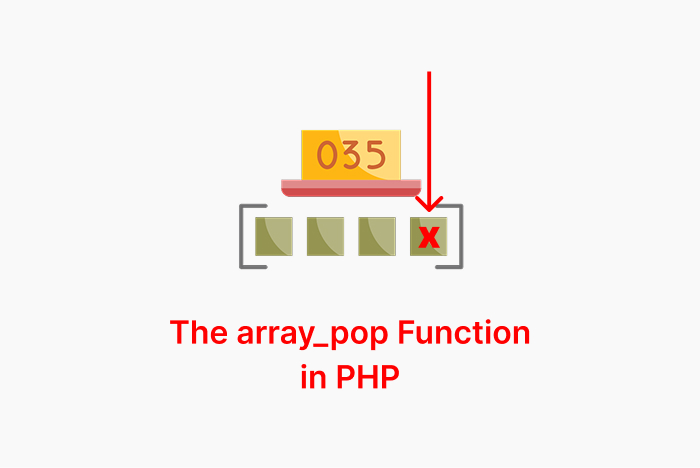
The array_pop in PHP removes the last value from an array. It helps when you want to handle lists where only the last value is important, and it also keeps the rest of the array.
Here is the syntax:
array_pop(array &$array): mixedThis function takes only one array and removes its last element, then returns that element. If the array is empty, it will return a null value.
Here is a quick example:
$fruits = ["apple", "banana", "orange"];
$lastFruit = array_pop($fruits);
print( $lastFruit ); // orange
This prints orange because it is the last element.
The array_pop function affects the original array, not just a copy. Because the array is passed by reference.
Here is the output of the original array if you use print_r($fruits):
Array
(
    [0] => apple
    [1] => banana
)
When you use array_pop():
- The array must exist; otherwise, PHP will throw an error.
- If the array exists but it has no elements inside it, then
array_pop()will returnNULL.
This is an example for another data type with array_pop instead of an array:
class Machine {}
$machine = new Machine();
array_pop($machine); // This throws fatal error in PHP
A Fatal Error output:
PHP Fatal error:  Uncaught TypeError: array_pop(): Argument #1 ($array) must be of type array, Machine given in /index.php:3
Stack trace:
Here, I pass an empty array to show you the result:
$array = [];
$val =  array_pop($array);
var_dump( $val ); // null
Here is another example with an associative array:
$user = ["name" => "Ali", "age" => 25, "city" => "Riyadh"];
$last = array_pop($user);

echo $last;   // Riyadh
print_r($user);
The output:
Riyadh
["name" => "Ali", "age" => 25]
Use array_pop with Nested Arrays
If the last element is an array, then the output will be an array. Here is an example:
$data = [[1, 2], [3, 4], [5, 6]];
$last = array_pop($data);

print_r($last);
print_r($data);
The output:
[5, 6]
[[1, 2], [3, 4]]
Examples of the array_pop in PHP
The Stack Operation:
$stack = [];
array_push($stack, "first");
array_push($stack, "second");
array_push($stack, "third");

$last = array_pop($stack);
print_r($last);
print_r($stack);
The output:
third
Array
(
    [0] => first
    [1] => second
)
The array_pop acts like a stack pop and removes the last pushed element. It keeps the order of the rest.
Remove Last Value from Multidimensional Array:
$matrix = [
    [1, 2],
    [3, 4],
    [5, 6]
];

$lastRow = array_pop($matrix);
print_r($lastRow);
print_r($matrix);
The output:
Array
(
    [0] => 5
    [1] => 6
)
Array
(
    [0] => Array
        (
            [0] => 1
            [1] => 2
        )

    [1] => Array
        (
            [0] => 3
            [1] => 4
        )
)
Here, it removes the last nested array from the multidimensional array and keeps the earlier rows.
Remove Last Key-Value from Associative Array:
$user = [
    "id" => 101,
    "name" => "Sara",
    "role" => "Admin"
];

$last = array_pop($user);
print_r($last);
print_r($user);
The output:
Admin
Array
(
    [id] => 101
    [name] => Sara
)
This removes the last key-value pair from an associative array and gives back the value of that pair.
Use array_pop with an Array Returned from a Function ( PHP Notice ):
function getTasks() {
    return ["Task1", "Task2", "Task3", "Task4"];
}

$lastTask = array_pop(getTasks()); // PHP Notice
print($lastTask);
The output:
Task4
PHP Notice:  Only variables should be passed by reference in /HelloWorld.php on line 7
Here, array_pop throws a notice because it requires a variable by reference, not a direct function return, even though it still returns the last element.
So, to make it work, fix it with this code:
function getTasks() {
    return ["Task1", "Task2", "Task3", "Task4"];
}

$tasks = getTasks();
$lastTask = array_pop($tasks);

print_r($lastTask);
print_r($tasks);
Here is the correct output:
Task4
Array
(
    [0] => Task1
    [1] => Task2
    [2] => Task3
)
Wrapping Up
You learned what array_pop is and why it was added in PHP. You also saw the syntax and examples with associative and nested arrays.
Here is a quick recap:
- array_pop removes the last element from an array and returns it.
- It changes the original array by reference.
- If the array is empty, the function returns NULL.
FAQs
How to get the last element of a PHP array?
$array = [10, 20, 30, 40, 50];
$last = array_pop($array);
echo $last;
How to remove the last element of a PHP array?
$array = [10, 20, 30, 40];
$removed = array_pop($array);
echo $removed;
print_r($array); What happens if you use array_pop on an empty array?
$array = [];
$removed = array_pop($array);
var_dump($removed);
Similar Reads
In regard to the use of constants in PHP, clear understanding of their definition and use could be critical in…
If you find a word that does not fit and want to fix it. You can use the PHP str_replace…
Developers use the array_count_values function in PHP to find how many times each value appears in an array. What is…
Developers needed a way to check the length of a string, so the strlen function was introduced to handle this…
Type casting in PHP refers to the process of converting a variable from one data type to another. This is…
Early PHP scripts often failed because of extra spaces or line breaks in strings. These issues came from user input…
The PHP OR operator has two renditions: either || or or. Both of these are useful logical operators when you want to introduce…
PHP array_flip swaps keys with values. It works well when you need values as keys in fast lookups. What is…
The substr() function in PHP returns part of a string. You give it a string, a starting point, and optionally…
PHP mail() is a great built-in function for sending an email directly from your script for account confirmations, password resets, or sending notifications.…
