
The SQL STRING_SPLIT function is used to split the string expressions using a specified separator into rows of substrings, and its syntax is
STRING_SPLIT (String_Expression, Separator)
The list of arguments available for the SQL STRING_SPLIT method is:
- String_Expression: Please specify a valid String Expression of any character type. It can be a VARCHAR, NVARCHAR, CHAR, or NCHAR.
- Separator: This SQL Server function will use this separator to split the string_expression. It can be a single character or an expression that returns a character. The STRING_SPLIT() function uses this separator to extract the substrings.
- Return Value: The STRING_SPLIT() function returns a table with a single column whose rows are the substrings (words) from the original string separated by the given separator.
NOTE: To use the STRING_SPLIT() function, the database compatibility level should be at least 130. Otherwise, it throws an error (invalid object). To set it, use
ALTER DATABASE Database_name SET COMPATIBILITY_LEVEL = 130
SQL STRING_SPLIT Function Example
The following String functions query uses the STRING_SPLIT to split the declared string using empty spaces in between the words. Please refer to the list of SQL String Functions from our SQL tutorial.
DECLARE @Expression varchar(50)
SET @Expression = 'Learn SQL Server at Tutorial Gateway For Free!'

SELECT VALUE FROM STRING_SPLIT (@Expression, ' ')
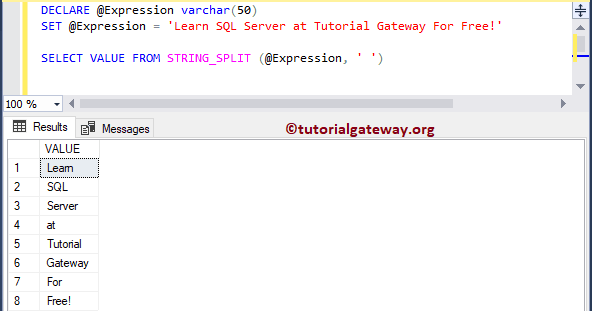
Example 2: Split string by blank space
In the following query, we use STRING_SPLIT() to convert the given string into a column of rows. Here, we used space as the separator, so STRING_SPLIT() splits the original string at each blank space and adds it as a new row to the VALUE column.
SELECT VALUE FROM STRING_SPLIT('Welcome to Tutorial gateway', ' ')
VALUE
Welcome
to
Tutorial
gateway
Example 3: Split comma-separated string
This query uses a comma delimiter as the SQL STRING_SPLIT() separator, so the given string splits at each comma and is added to a new row.
SELECT VALUE FROM STRING_SPLIT('Apple,Kiwi,Cherry,Banana,Mango', ',')
VALUE
Apple
Kiwi
Cherry
Banana
Mango
Example 4: Using STRING_SPLIT() with enable_ordinal
It is an optional argument that accepts 0 and 1. If we set it to 1, it shows the ordinal column with numbers from 1 to N, where 1 is the first substring, and N is the last substring after the string split.
SELECT * FROM STRING_SPLIT('Apple,Kiwi,Cherry,Banana,Mango', ',', 1)
value	ordinal
Apple	1
Kiwi	2
Cherry	3
Banana	4
Mango	5
NOTE: If we change the enable_ordinal argument value from 1 to 0 or NULL, it returns the same result as the 2nd example, where it shows one column (VALUES) with split strings.
Using the SQL STRING_SPLIT on table columns
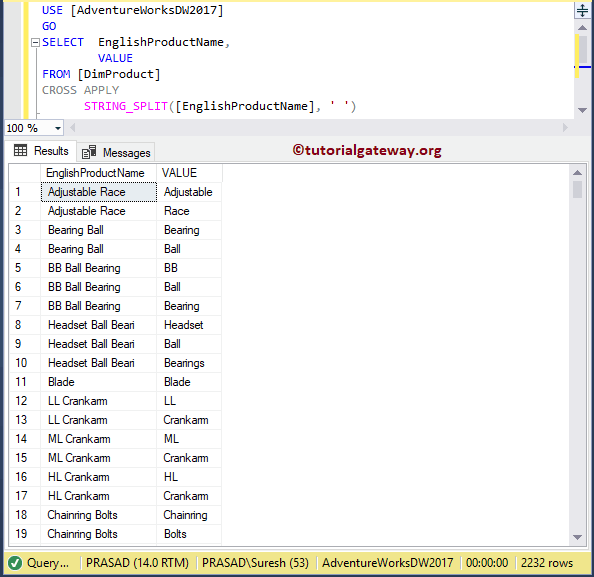
In this example, we are going to use the STRING_SPLIT to split the English Product Name column using a space separator.
USE [AdventureWorksDW2017]
GO
SELECT  EnglishProductName,
        VALUE
FROM [DimProduct]
CROSS APPLY
	  STRING_SPLIT([EnglishProductName], ' ')
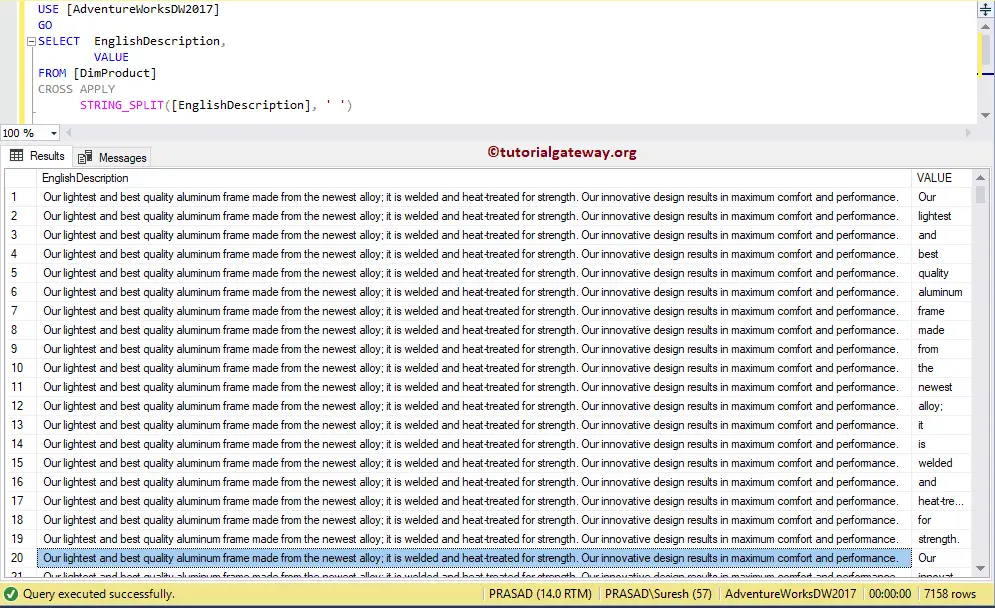
In this example, we are going to use the STRING_SPLIT function to break the English Description column using a space separator. Please refer to the SQL STRING_ESCAPE and SQL STRING_AGG functions.
USE [AdventureWorksDW2017]
GO
SELECT  EnglishDescription,
        VALUE
FROM [DimProduct]
CROSS APPLY
	  STRING_SPLIT([EnglishDescription], ' ')
Using SQL STRING_SPLIT with a WHERE Clause
If the given string is very large and we want to filter the substrings returned by STRING_SPLIT(), we can use a WHERE clause. Here, STRING_SPLIT() splits the fruits by a comma delimiter. Next, the SQL WHERE clause shows fruits that contain the letter n.
SELECT VALUE FROM STRING_SPLIT('Apple,Kiwi,Cherry,Banana,Mango', ',')
WHERE VALUE LIKE '%n%'
VALUE
Banana
Mango
Similarly, we can use the STRING_SPLIT() function inside a WHERE clause to filter the records. In this query, we aggregated Customers’ income based on their education. However, we use the WHERE clause to filter the income.
Here, we passed a string with two words separated by a comma. Next, STRING_SPLIT separates them and passes them to the IN operator to filter the aggregated result.
NOTE: Consider the string as user input or long text that was stored in a local system. If there are multiple one-word strings, we can directly use the IN operator. However, in this case, we must split the string before using the IN operator. Refer to the SQL IN.
SELECT EnglishEducation
      ,SUM([YearlyIncome]) Income
FROM [DimCustomer]
WHERE EnglishOccupation IN (
    SELECT VALUE FROM STRING_SPLIT('Professional,Management', ','))
GROUP BY EnglishEducation
EnglishEducation	Income
Bachelors	270800000.00
Graduate Degree	152230000.00
High School	103390000.00
Partial College	148600000.00
Partial High School	18380000.00