

C++ is a general-purpose programming language developed by Bjarne Stroustrup as an extension of C. It is widely used for developing high-performance applications, system software, games, and embedded systems.
- Supports both procedural and object-oriented programming paradigms.
- Provides fast execution speed and direct memory management capabilities.
- Widely used in operating systems, game engines, embedded systems, and competitive programming.
Features of C++
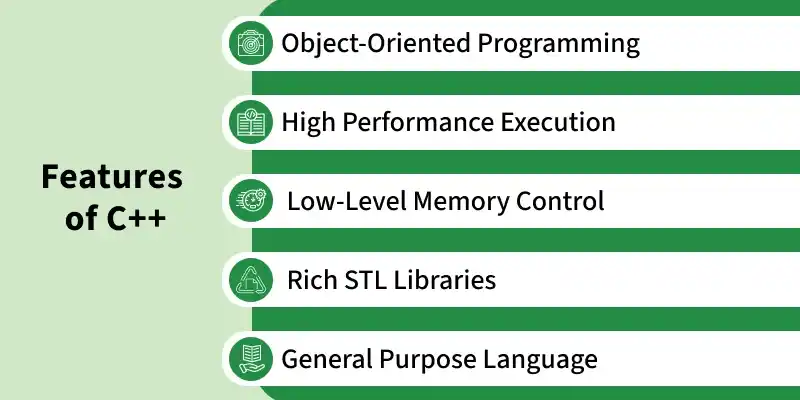
C++ offers several features for developing efficient, flexible, and high-performance applications.
- Object-Oriented Programming: Supports classes and objects to organize code and promote reusability.
- High Performance Execution: Provides fast execution through efficient compilation into native machine code.
- Low-Level Memory Control: Allows direct memory management using pointers and dynamic memory allocation.
- Rich STL Libraries: Provides the Standard Template Library (STL) with containers, algorithms, and iterators.
- General Purpose Language: Used to develop operating systems, games, embedded systems, and desktop applications.
First C++ Program
The below C++ code shows the basic structure of a program.
#include <iostream>
using namespace std;

int main() {
    cout << "Hello, World!";
    return 0;
}
Output
Hello, World!
Structure of the C++ program
The basic structure of a C++ program defines the standard way every program must be written; otherwise, it will cause a compilation error. The structure includes:
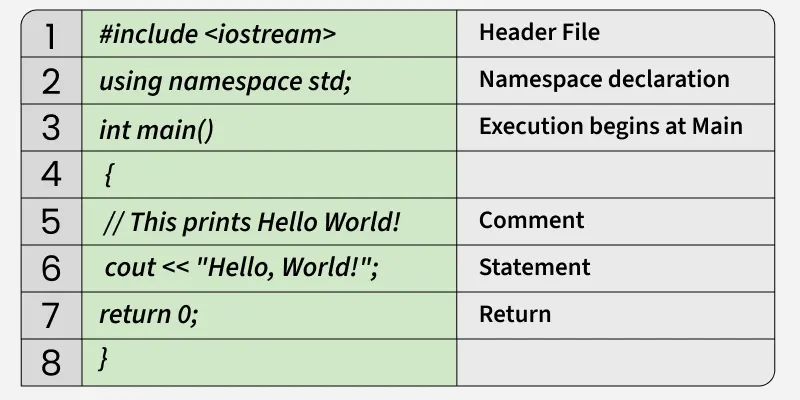
A basic C++ program consists of several components that define its structure, handle input/output operations, and control program execution.
- Header File: #include <iostream> provides standard input/output facilities such as cin and cout.
- Namespace Declaration: using namespace std; allows standard library names to be used without the std:: prefix.
- Main Function: int main() is the entry point where program execution begins.
- Comments: // and /* ... */ are used to add single-line and multi-line comments.
- Statement: cout << "Hello World!"; displays text on the screen using the insertion operator (<<).
- Return Statement: return 0; ends the main() function and indicates successful execution.
How to Run the Above Code?
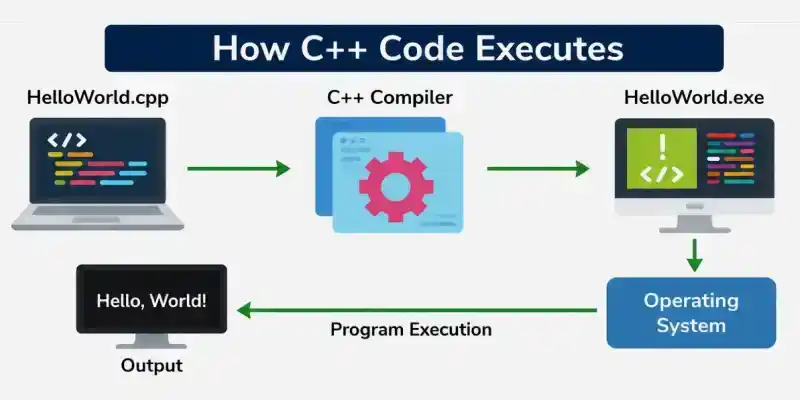
Follow these steps to compile and run a C++ program and display its output on the screen.
- Write the code in a file such as HelloWorld.cpp.
- Use a C++ compiler (G++, Clang, or MSVC) to compile the source code.
- The compiler converts the source code into an executable file (such as HelloWorld.exe).
- The operating system loads the executable file into memory.
- The CPU executes the program instructions starting from the main() function.
- The program displays the output on the screen.
Related Article: C++ vs Other Languages
