Open-source desktop publishing app
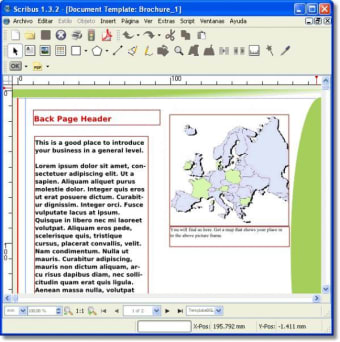
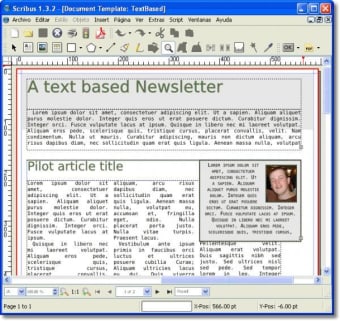
Scribus is a graphic and design program for your PC. It is a feature-rich software solution that enables you to create and design magazines, newsletters, posters, and other document types. This is a notable and practical alternative to Adobe InDesign's paid suite.

Unlock your creativity with Adobe Stock
Get 10 images or 1 video with a free trial
Scribus provides the same exquisite color management options, including CMYK supportand ICC color profiles, making it an even more ideal tool for print documents and interactive PDFs. As an open-source project, this software is continuously improved by its community, and you can download, use, and modify it completely free of charge.
Is Scribus any good?
Although it is free, Scribus offers robust publishing capabilities, including support for CMYK color, separations, ICC color management, and versatile PDF creation. While the interface may not be the most polished, it delivers professional-grade page layout across Linux, BSD UNIX, Solaris, OpenIndiana, GNU/Hurd, macOS, OS/2 Warp 4, eComStation, and Windows desktops by combining press-ready output with innovative approaches to page design.
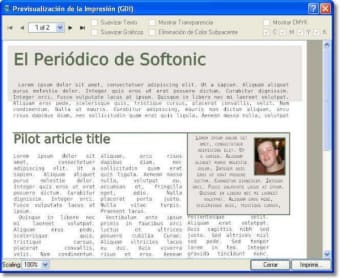
One thing that isn't easy to master in this design tool, though, is formatting. You may encounter several formatting issues when importing text because everything must be done manually. Even changing fonts doesn't happen in real time. You need to change them and preview how they will appear in a separate window. However, you can drag and drop elements with ease and export documents in EPS, SVG, and PDF format.
Importing PDF and EPS files can be a hassle because it requires Ghostscript, which can be challenging for beginners to configure and use. This platform is far from as feature-rich as Adobe InDesign, but its offerings are sufficient for your indie publishing venture or personal project needs at a more affordable price. Some functions that are only available in other programs when purchased are available here for free.
A promising solution for basic publishing needs
Scribus is a capable open-source desktop publishing tool that delivers professional layout and print features at no cost. While its interface and formatting workflow can be challenging for beginners, it compensates with strong color management, flexible export options, and broad platform support. Though it doesn’t fully match Adobe InDesign’s depth, this software remains an excellent, budget-friendly choice for indie publishers, students, and personal design projects.







.png)