Fleet Management

DEVICE LOCATION & HEALTH MONITORING

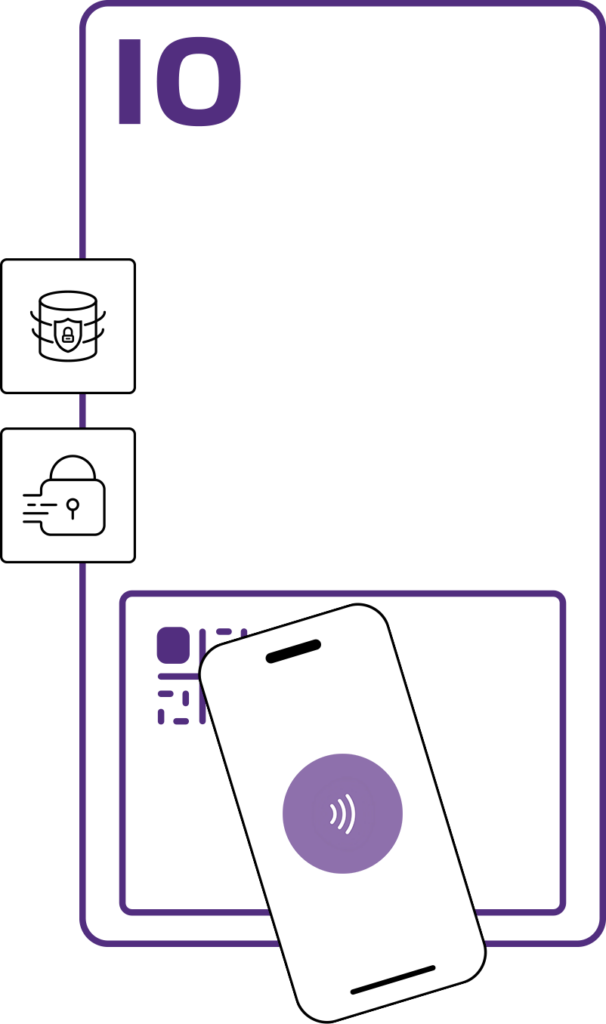
ACCESS CONTROL & PASSKEYS

iodyne Cloud

The digital platform for managing your edge data storage infrastructure.

Book a Demo

A more ambitious alternative to passive storage.

Image

It’s when somebody decides there has to be a better way.

RedShark logo

Studio-grade data workflows in the field.

Image

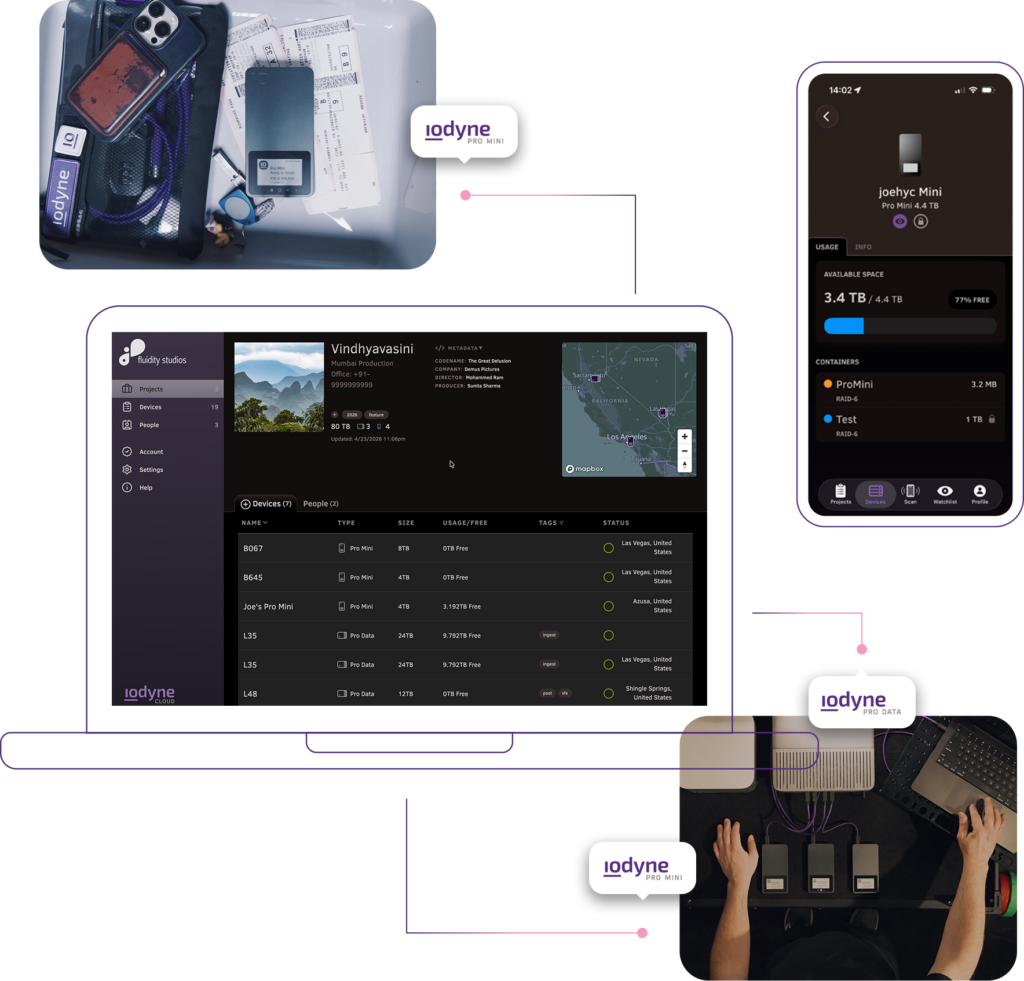
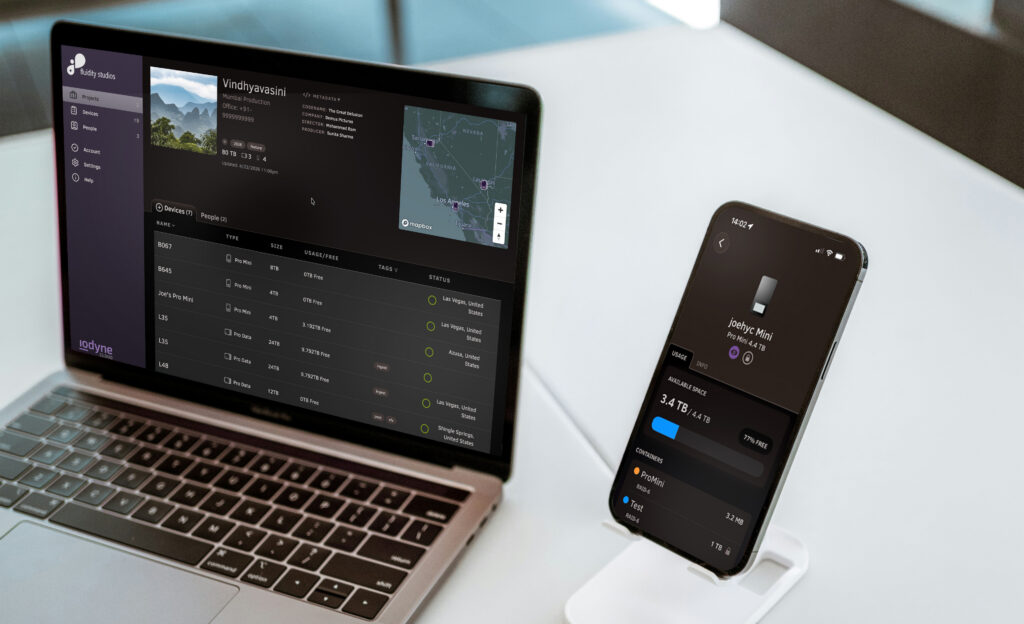
Dashboard UI showing its connection to real life hard drives it's managing

iodyne Cloud

The digital platform for managing your edge data storage infrastructure.

Fleet Management

Device Location

Device Health Tracking

Access Control & Passkeys

Plans

A more ambitious alternative to passive storage.

Image

It’s when somebody decides there has to be a better way.

RedShark logo

Studio-grade data workflows in the field.

Image

For security-first enterprises

For IT professionals and technical directors managing large volumes of portable devices that store, transport, and transform their organization’s critical data, the challenge isn’t just storage. Maintaining visibility, ensuring security, and controlling access to it is critical.

On a daily basis with your edge storage, can your team answer:

  • Where is my data?
  • What’s in this drive?
  • Who is accessing it?
  • Is it backed up?
  • How many copies exist?
  • Are our devices healthy and performing as expected?
  • How quickly can it be serviced or replaced if something fails?
  • Do we have any unallocated drives my team can use?

These questions become harder to answer as inventory increases, and as workflows move into the field — across locations, teams, and time zones.

Keeping track of your devices can quickly get out of hand: legal pads become spreadsheets, and spreadsheets become complicated tangles of spaghetti in the blink of an eye.

Until iodyne Cloud’s Fleet Management, it’s been impossible to know who was given a device, control who has access to its data, or physically locate and remotely monitor its status.


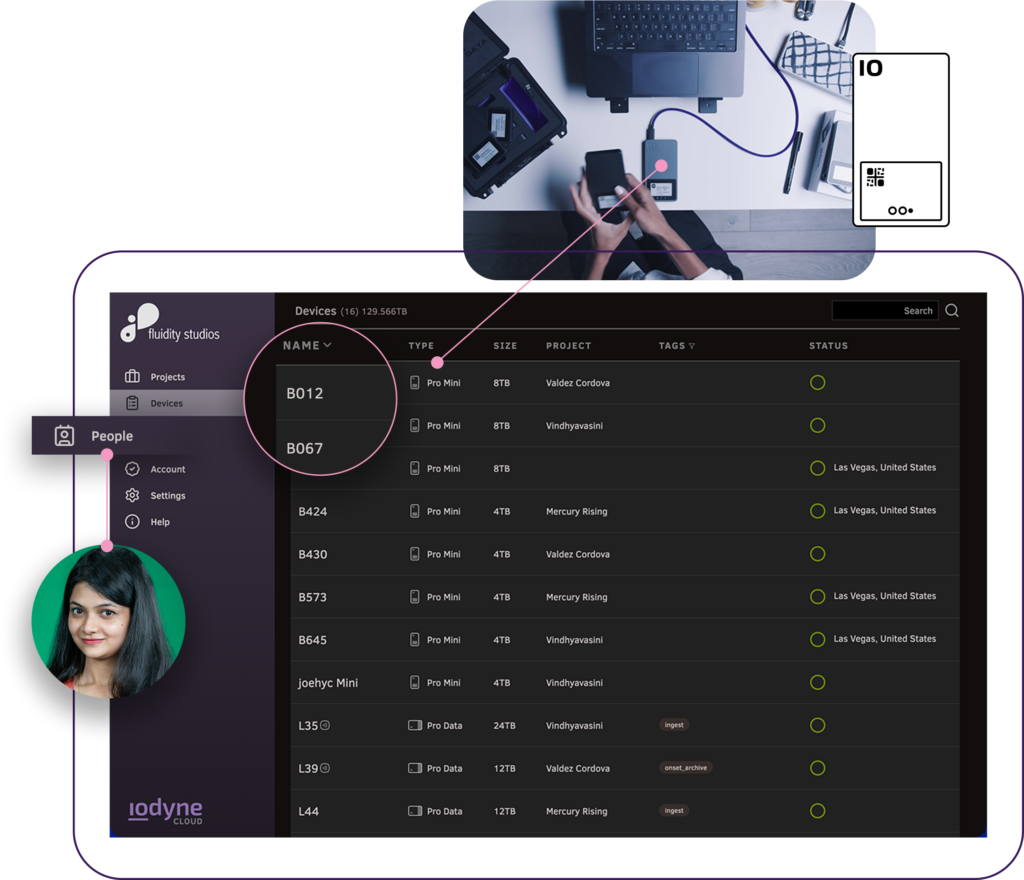
Hard drive Fleet management UI dashboard pointing to users management

Projects, Devices, and People

Organize your devices and the people who can access them using Projects. A Project is as lightweight or as structured as you need — from a quick way to group a few drives and collaborators, to a fully defined environment with access control, metadata, and workflow rules.

Start with simply grouping devices to track your inventory, and add granular access control when you’re ready. Adding your own metadata fields to provide even more customized organization. 

Give your team a shared source of truth:

  • which devices belong to which project
  • who is responsible for them
  • and how they’re being used

As workflows scale, Projects become the layer that keeps everything aligned — across departments, locations, and stages of your workflows.

Image

The iodyne App for the edge

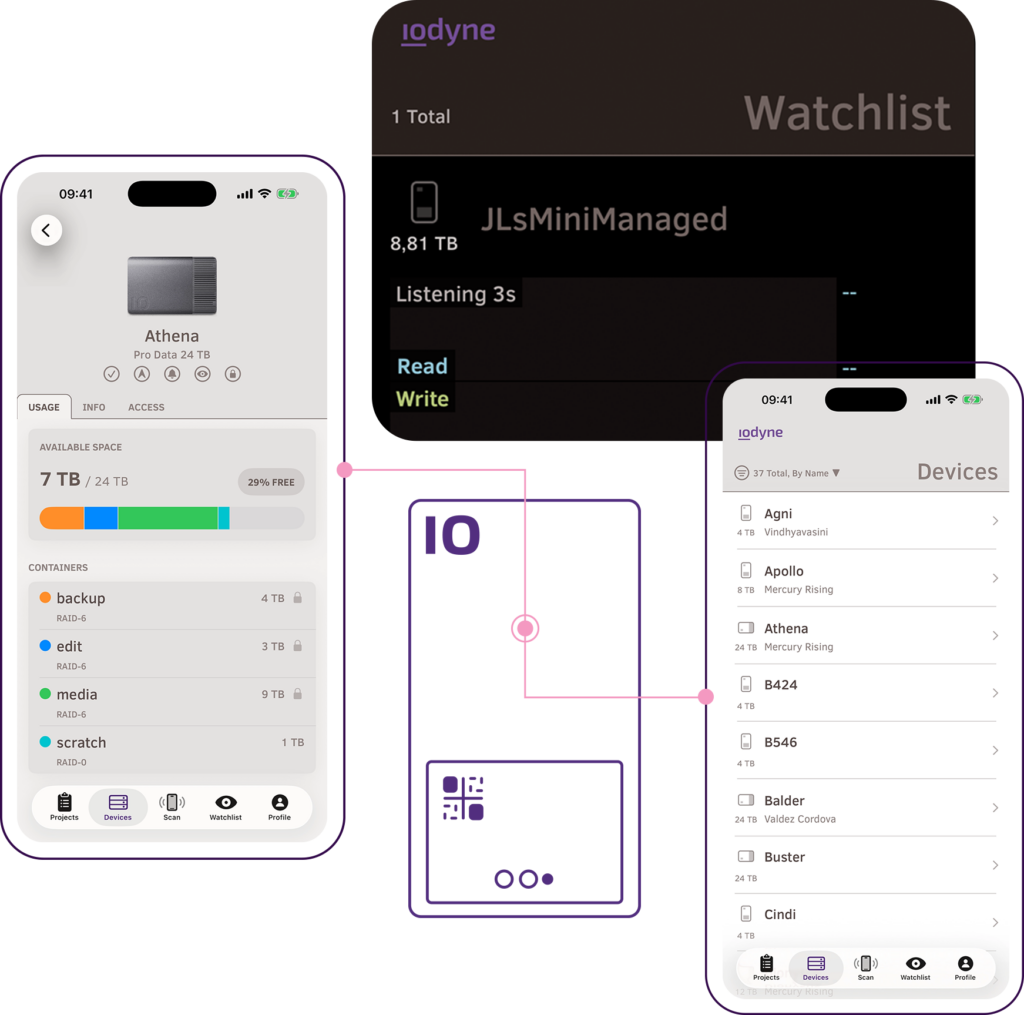
iodyne Cloud extends beyond the browser with the iodyne App — a mobile companion designed for real-world workflows at the edge. With world-first features that bring sanity to dynamic workflows and the ability to see where your devices are, your mission-critical storage is now always right where it’s needed most.

While Fleet Management in iodyne Cloud gives you a centralized dashboard, the iodyne App brings that awareness directly wherever you are in the field.

With it, you can:

  • View workflow metadata stored on your drives
  • Use the Watchlist to monitor your devices activity in real-time.
  • Receive live status updates and notifications during offloads or transfers

Instead of staying tied to a laptop or workstation, teams can move freely while maintaining visibility into critical processes as they happen.

Download the iodyne iOS App

NFC Scanning and Devices

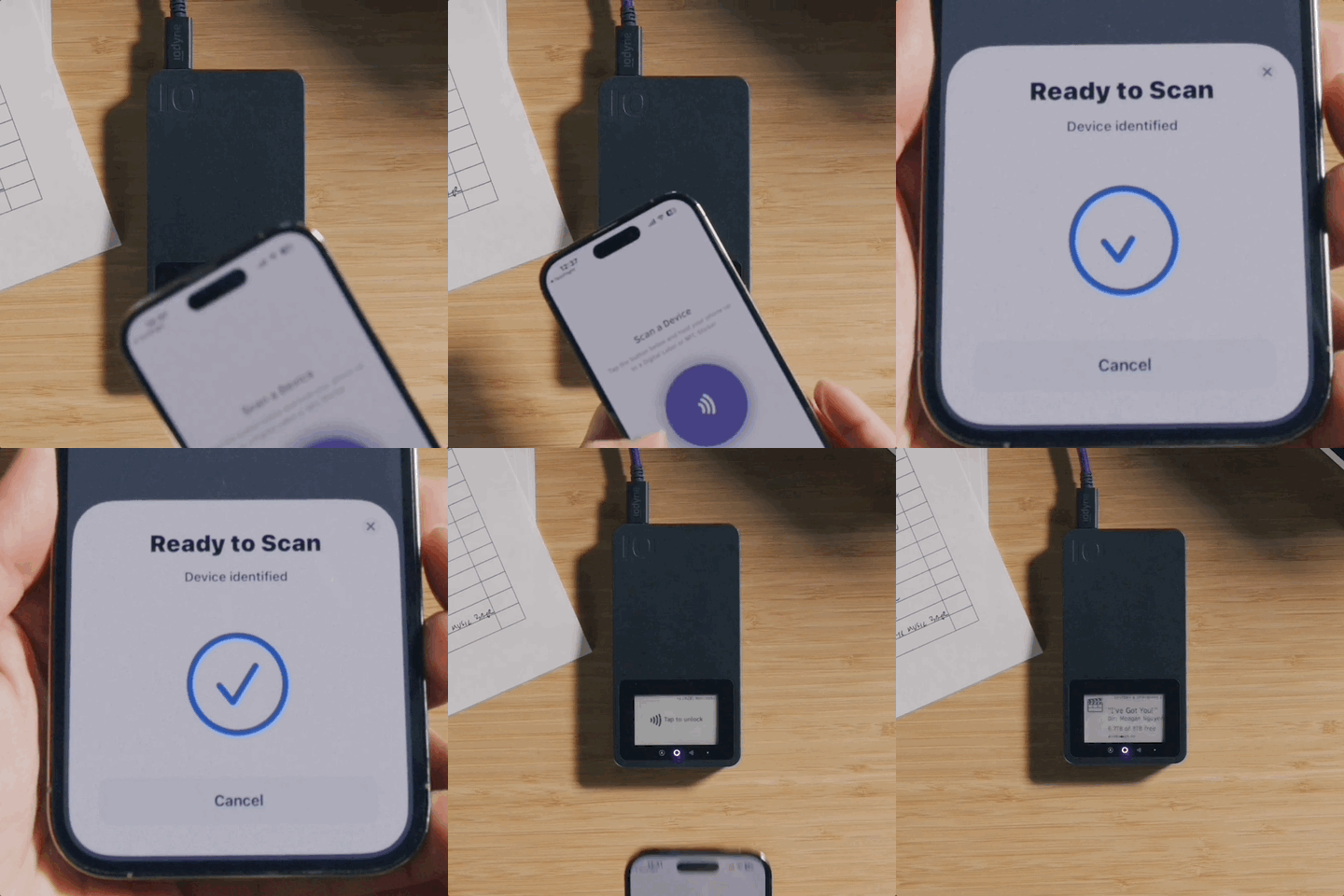
You can connect the physical identity of every device in your fleet to its digital record, even when its powered off.

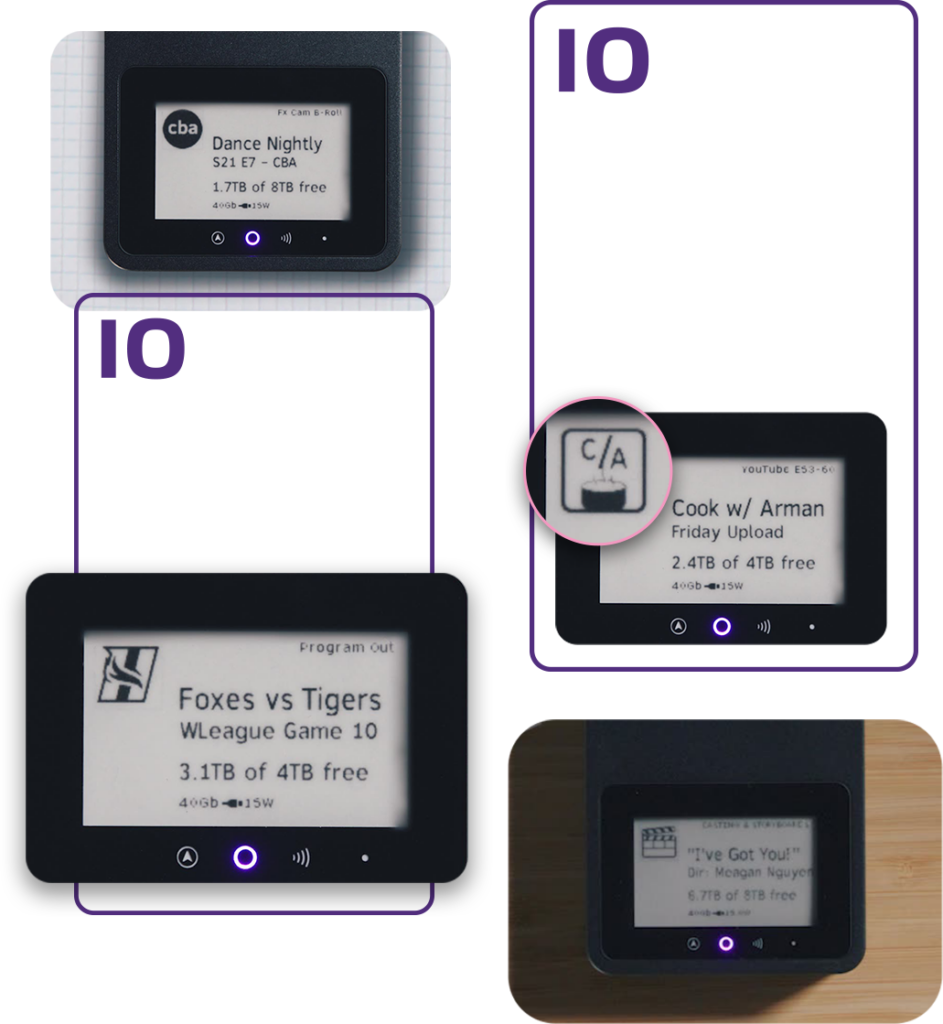
Leveraging Pro Mini’s built-in NFC capability and iodyne NFC Stickers for every other device, enable NFC scanning for easy device identification, providing contact details and other information relevant to your specific needs.

iodyne NFC Stickers enable adding Pro Data and non-iodyne devices easily to your fleet inventory. Once registered with your iodyne Cloud account, NFC tagged devices can be allocated to Projects to ensure your team has everything they need to accomplish their mission.

Use workflow metadata properties linked to your NFC sticker to record and share workflow information at the edge.

Image

Access Control

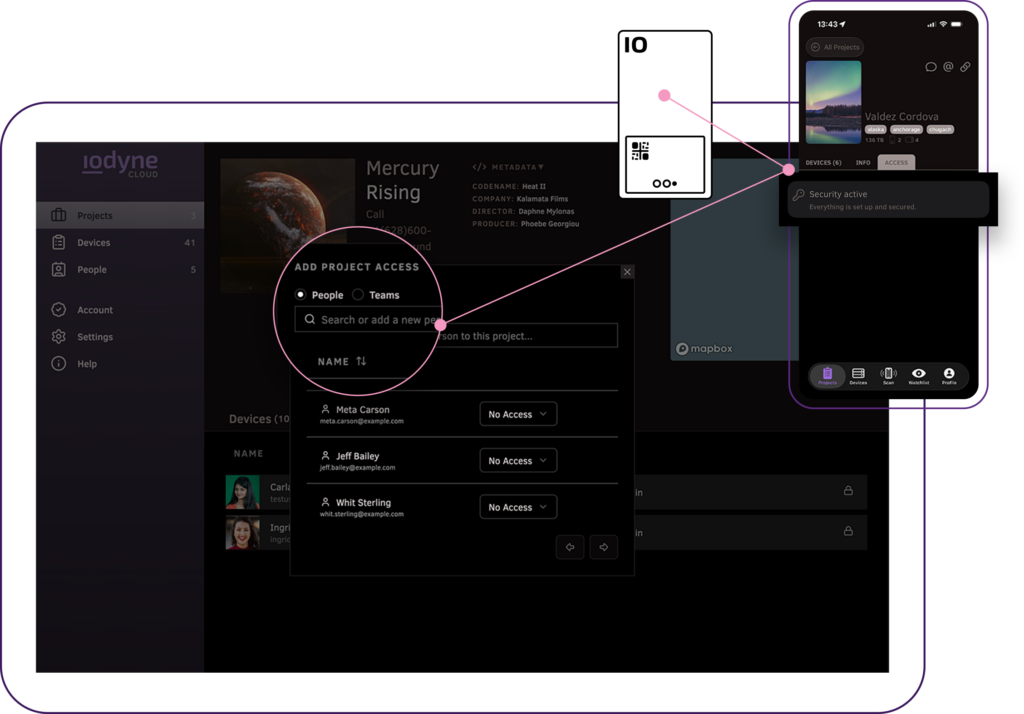
Knowing who can access your devices is critical. Fleet Management ties access control directly to Projects. Adding People to a Project makes permissions clear and manageable at scale.

Device Passkeys associated with the project are automatically available to securely unlock Pro Mini devices, eliminating the use of shared passwords..

Control what Device Passkeys grant access to:

  • Define authorized users and permissions at the Project level
  • Enable simple access visibility and auditing
  • Ensure the right people can unlock the right devices

This creates a consistent security model across your entire fleet — keeping your day-to-day workflows friction-free.

Image

Device and Project Templates

Fleet Management helps you configure and manage iodyne Pro Mini devices consistently as an integrated system. Simplify provisioning groups of Pro Mini devices and managing Project creation using templates.

This includes:

  • Digital labels
  • Container settings
  • Authorized user lists
  • Workflow-specific metadata

Whether you’re preparing gear for a new deployment or standardizing setups across teams, Fleet Management in iodyne Cloud ensures consistency without manual overhead.

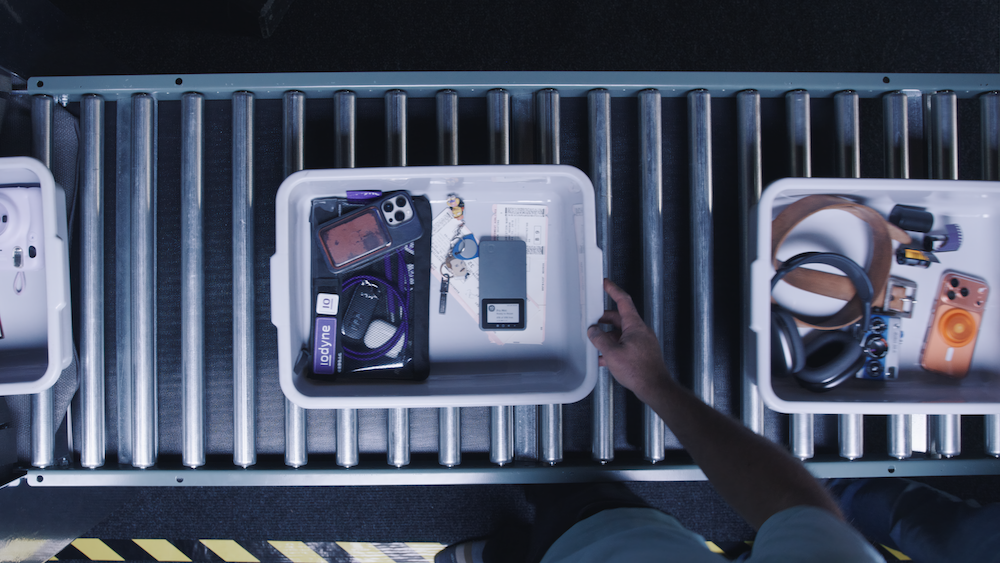
hard drive going through airport security check point
Image
Image

Take control of your data movement now

Fleet Management is the command-and-control layer of iodyne Cloud for your entire edge data storage fleet.

Manage your entire drive inventory, including Pro Mini, Pro Data, and even devices from other vendors that you already own. Add a Fleet Management Enterprise subscription in the near future for even more features like single sign-on service with Okta and the ability to remotely control your Pro Mini in the field.

Book a Demo

Manage your distributed enterprise

iodyne Cloud brings together access control, templating, telemetry, and inventory for the devices that capture, move, and protect your data — all through a set of connected services you can access from anywhere.

From managing who can access your devices and seeing where they are, to monitoring device health insights and warranty coverage, iodyne Cloud turns every registered device into a managed, observable part of your workflow.

Fleet Management (NEW)

Image
Ditch out-of-date spreadsheets, and manage your edge storage devices from a single pane of glass. Organize them into projects that map devices to the people who have permission to use them. Built on iodyne Cloud’s remote telemetry architecture, iodyne devices automatically keep your inventory up-to-date.

Device Location

Image
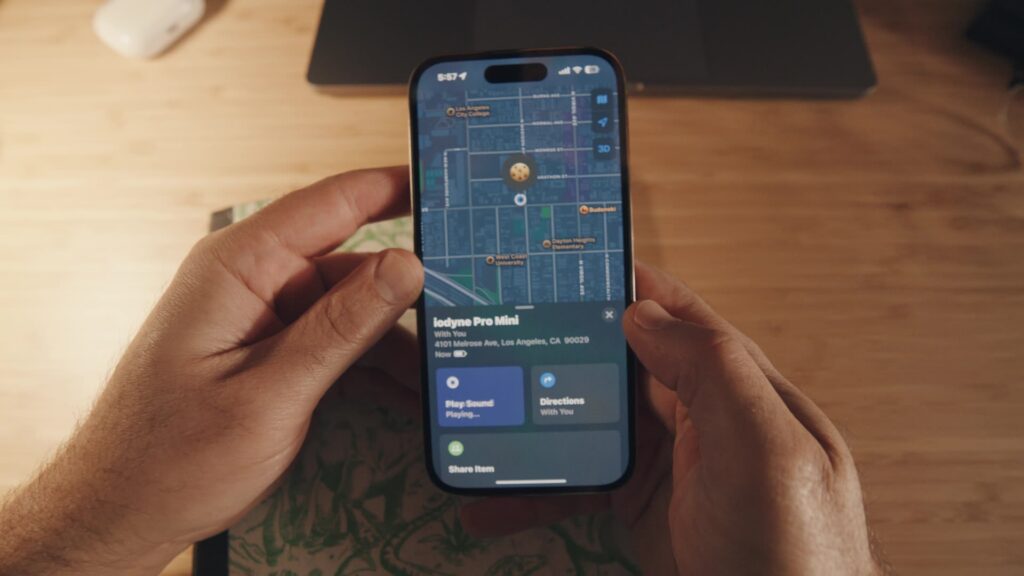
Know where in the world your devices are, and if they’re where they’re supposed to be. 

Access Control w/ Passkeys

Image
Ditch insecure shared passwords on your portable storage devices, using strong Device Passkeys that are as easy to use as tapping an iPhone. Designed for the hybrid online-offline environment edge devices live in, grant access to new users even when the device can’t see the Internet.

Device Activity Monitoring

icon showing a heart monitor
Know how much work your devices are doing, when they’ve finished, and if they’re healthy from the comfort of your office or remote location.

Warranty Management

warranty icon with a checkmark

Automatically track the warranty status of your devices, and receive notifications when renewals are needed.

Device and Project Templates (Coming Soon)

icon showing a graphic template outline
Create easy to apply templates for common roles and workflows. Standardize the configuration of your storage in the field the same way you do in your data center.

Certificate of Destruction (Coming Soon)

icon showing a certificate
NIST-compliant proof of data destruction built on iodyne’s cryptographic wipe technology.

Audit Trail w/ Chain of Custody (Coming Soon)

icon showing two users linked to each other

Keep tabs on who accessed your devices, when that access occurred, and what they did while they had access.