

Post-Processing

A snow-covered village with a white church featuring a dark onion dome sits in front of a backdrop of jagged, snow-capped mountains.

Arri Film Lab 1.5 Aims To Emulate Even More Analog Cinema Formats

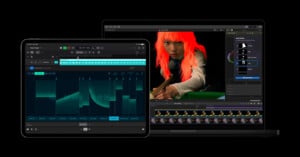
Nearly a year ago, Arri, one of the biggest names in cinema, launched Film Lab. It's an OpenFX plugin for industry-standard video editing and color grading workflows that promises to bring a filmic, analog look to digital video. Film Lab 1.5 has arrived, bringing even more analog looks to digital cinema workflows.

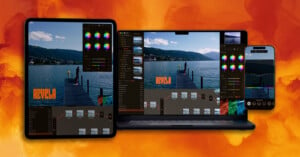
Three digital devices—a tablet, a smartphone, and a laptop—display a photo management software interface, with a "PetaPixel Showcase" logo in the bottom right.

PhotoCuller Speeds Up Your Photo Workflow and Keeps You In Control of Your Images

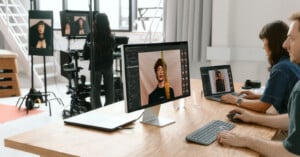
One of the most frustrating and time-consuming parts of being a photographer is dealing with all of the photos. The keepers make it worthwhile, but wouldn't it be nice not to slog through hundreds or thousands of photos to find the few you or your client actually want? That's where PhotoCuller comes in, helping photographers manage their photos from ingest to editing and save precious time.

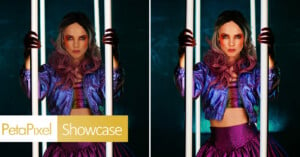
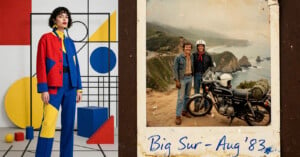
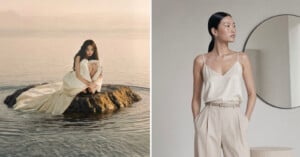
On the left, a woman in a flowing white dress sits on a small rock in calm water. On the right, a woman in a silky cream camisole and beige pants stands indoors near a round mirror, looking to the side.

A Commercial Photographer’s Take on When to Use AI (and When Not To)

Last year, a client came to me with a straightforward brief: they needed a full lookbook for their new clothing line. But there was a catch. “We don’t want a shoot,” they said. “Just take our phone photos and make them look professional with AI.” I could have said no. Instead, I said yes -- and it changed how I think about my entire career.

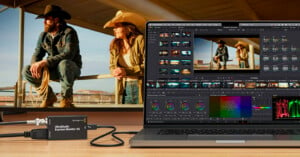
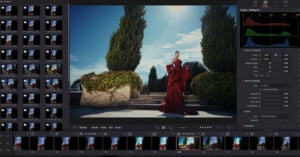
Large white text reading "ALMOST THERE" is overlaid on a blurred screenshot of DaVinci Resolve software, with the DaVinci Resolve logo centered below the word "ALMOST.

The DaVinci Resolve 21 Photo Editing Tools Show Promise but Are Imperfect

Blackmagic Design unveiled DaVinci Resolve 21 this week and alongside the expected types of improvements, like more AI-powered video editing features, Blackmagic shocked the creative world by adding RAW photo editing and organization features to Resolve 21. I've been trying Resolve 21's new photo editing features since it arrived on Monday, and there's a lot to like. There's also quite a bit that isn't quite up to snuff, is just a bit too different for my tastes, or is outright confusing.

A white circular grid icon with evenly spaced segments is centered on a blue-green abstract background featuring bubbles and organic shapes.

Nearly 90% of Surveyed Working Photographers Are Using AI

VSCO has increasingly incorporated artificial intelligence (AI) into its photography products, including AI Lab, a dedicated AI-based editing platform inside the VSCO app on iOS. To better understand how photographers feel about AI and how they want to use it in their photography workflow, VSCO conducted a survey of photographers across the U.S. and Canada in December, and the results are quite interesting. The company published its report today.

A blue and black "PL" logo on the left and a photo editing interface on the right, showing a woman smiling on a bed and various editing tools and adjustment panels around her photo.

DxO PhotoLab 9.6 Promises Better Noise Reduction, Masking, and Compression

DxO has released PhotoLab 9.6 to bring its more advanced noise reduction algorithms, only recently introduced when the company launched PureRAW 6. While this was an anticipated move, it makes official the expanded coverage for a wider range of cameras. This includes new edge-softening controls for its AI-based masking tools, along with a compressed DNG export option to reduce storage overhead.

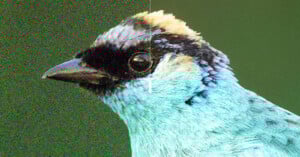
A close-up of a bird’s head, with the left half appearing grainy and noisy, while the right half is clear and sharp, showing the effect of image noise reduction.

DxO Wants PureRAW 6 to Be the First Step in Your Photo Editing Workflow

DxO has released PureRAW, characterizing the software as a foundational step in a photography workflow rather than just another editing tool. PureRAW’s primary focus doesn’t change with this launch, which is to work with RAW files before handing them off to other apps for more elaborate touches, be it in DxO PhotoLab, Lightroom, or Photoshop.

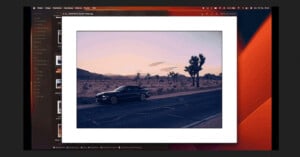
A computer screen displays a photo of a black sports car parked on a desert road at sunset, with Joshua trees and mountains in the background. The desktop shows file folders and editing software.
BorderTool Pro Brings High-End Digital Framing to the macOS Menu Bar

BorderTool Pro is a new macOS utility developed by Michael Damböck, a Fujifilm X Photographer, to streamline some of the more repetitive steps in a photographer’s workflow: adding borders, mats, and presentation-ready finishing touches to exported images. Built as a native menu-bar application, BorderTool Pro focuses on speed, batch processing, and preserving file integrity without requiring a full-fledged image editor.

A computer screen displays a file management application with a list of image and video files, organized by volume. The background features colorful, blurred light streaks radiating outward.

This Mac App Lets You Find Photos No Matter Which Drive They’re On

As photographers know all too well, image libraries can be a lot to keep track of. Between internal storage and external drives, sometimes many of them, finding exactly the right photo or folder can be very frustrating. Photographer and cinematographer Paul Kothe agrees, so he built an app to solve the problem once and for all.

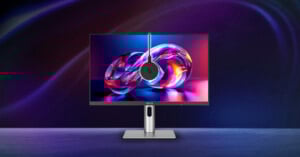
A sleek ASUS monitor displays vibrant abstract digital art, with a round webcam mounted at the center top. The monitor stands on a modern silver base against a dark, colorful, gradient background.

Asus’ New ProArt Color Calibration Ecosystem Helps You Achieve Accurate Colors

Asus is expanding its professional display ecosystem with the ProArt CaliContrO MCA02, a 3-in-1 colorimeter that combines precision color measurement, hardware and software calibration, and integrated display control into a single compact device. Aimed at photographers, video editors, designers, and other color-critical professionals, the tool reflects Asus’ continued push toward tighter integration between hardware, firmware, and software within its ProArt lineup.